

Field Service Dispatch Software for Crews and Jobs
Field service dispatch software that begins with the address: enter it, and the system offers only the technicians who work that service area. Send the job to one of them, to a crew, or leave it open for whoever is free. The status workflow follows your process, and everything the technician records on site comes back to the same job.

Dispatch Software Built Around the Job
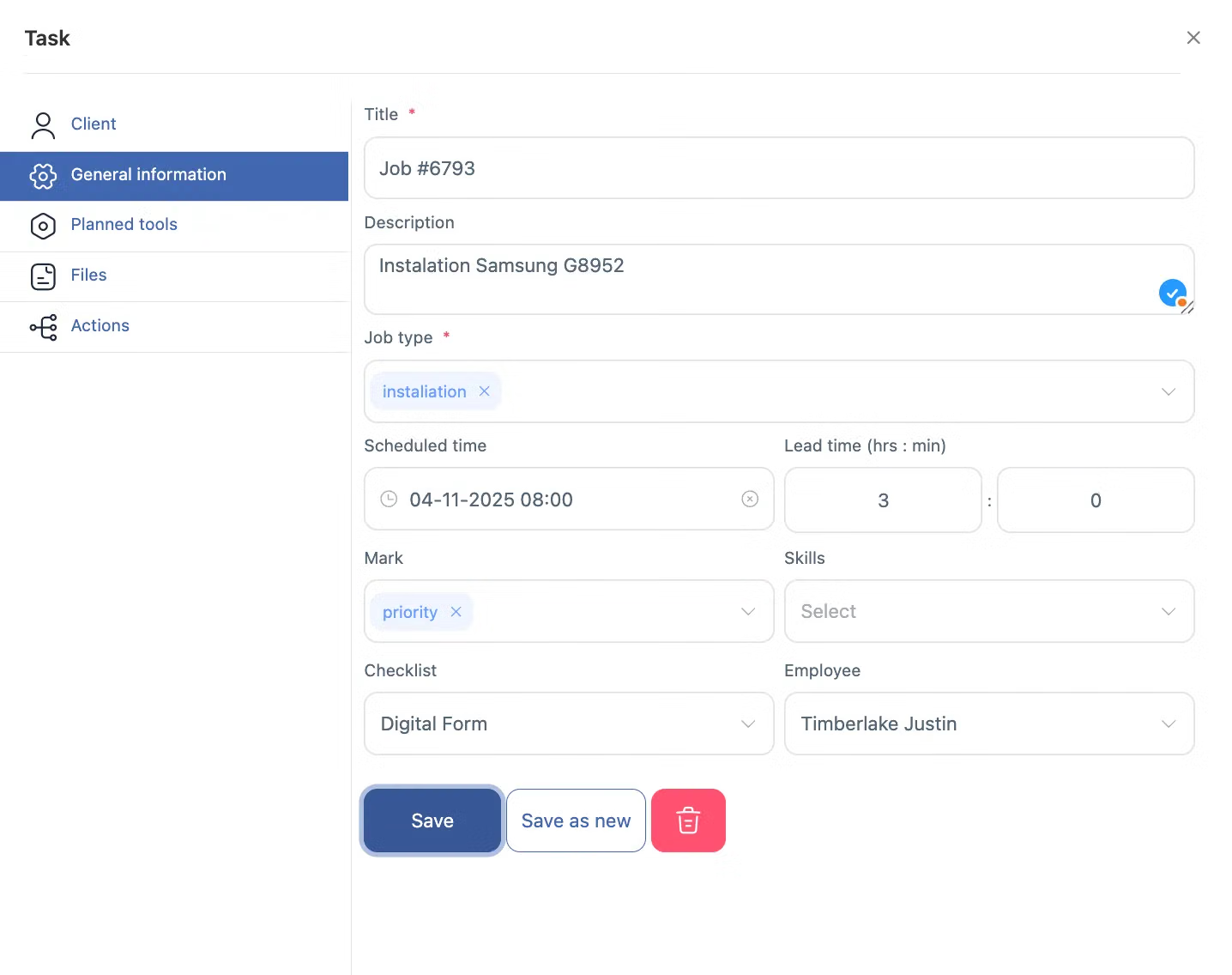
Tasks are the base module of Shifton Field Service and cannot be switched off. A job carries the client, the address, the assignee or assignees, a deadline, a status and a checklist, and it can be left unassigned so employees pick it up themselves.
Invoicing, inventory and reporting all read this record afterwards.
Job Assignment by Service Area
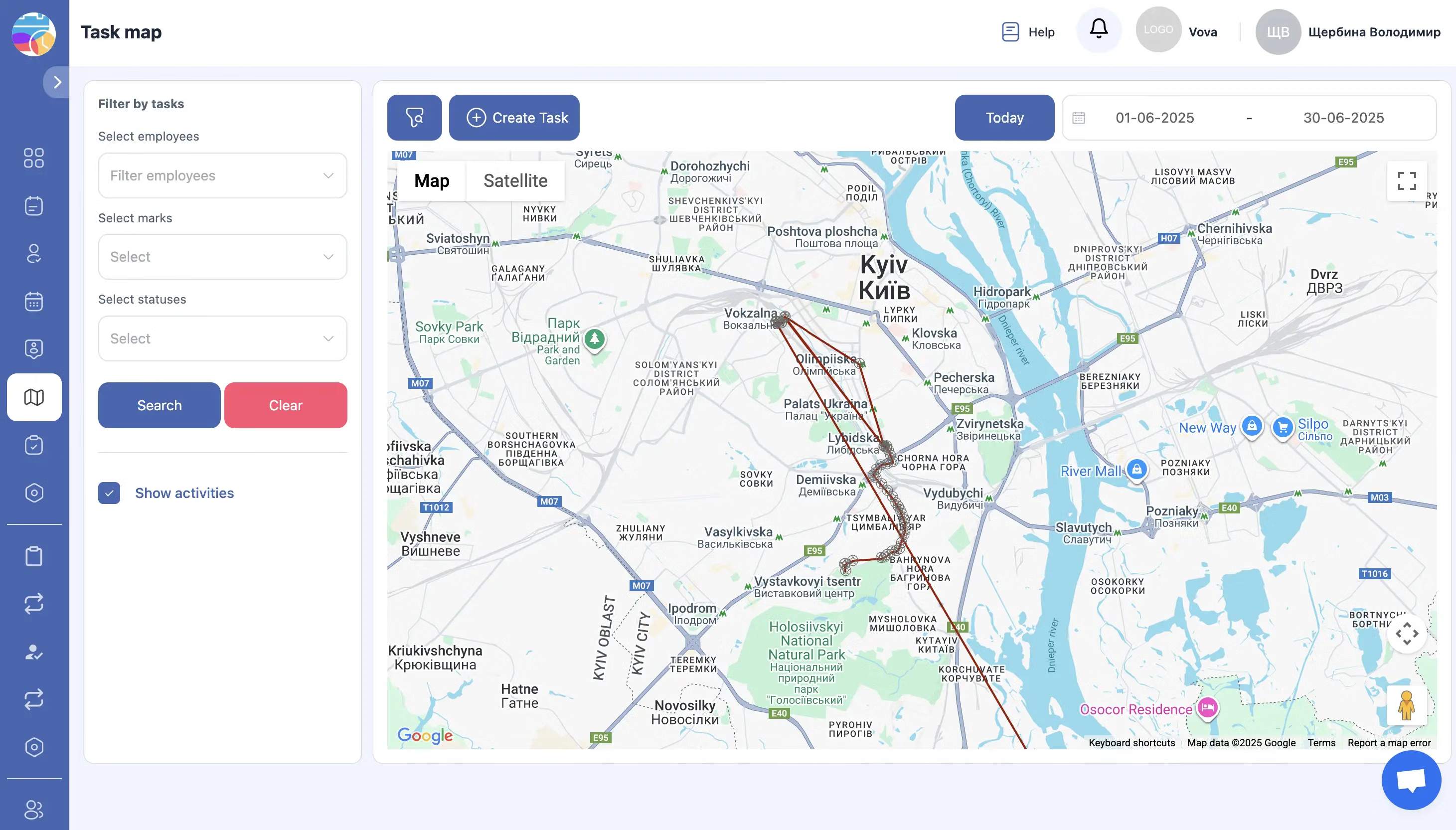
Service areas are required before anything can be dispatched. Once the boundaries are drawn and employees are attached to them, typing the client address is enough: the system detects the area and shows only the technicians who work there.
Dispatching software that narrows the choice before the decision, not after it.
Job Statuses That Follow Your Process
The default workflow is TO DO, Check In and Check Out. Companies whose process includes acceptance, travel, approvals, pauses, return visits or warranty work extend the workflow with statuses of their own.
A delay is visible while the schedule can still be changed.
Custom Fields and an Approval Step
Title and description are mandatory on every job. Custom task fields collect whatever else your work needs, and requests raised by employees can travel through an approver before they commit a crew.
Job assignment stays controlled without a second system to manage it.
Start with the Free Plan
No time limits. Get full access to core features and upgrade when you're ready.
How dispatching works here
Field service dispatch software that starts at the address
Dispatch is the decision that costs most when it goes wrong. Wrong technician, wrong side of town, an afternoon lost to a drive nobody needed to make.
Field service dispatch software answers it from what the office already knows. In Shifton every job is a task, and a task carries the client, the address, the assignee, a deadline, a status and a checklist. The address sets the service area. The area sets which technicians can be offered at all. So the dispatcher works from a short list rather than the whole roster, and job assignment stops depending on who remembers which crew covers which district.
What a dispatched job holds
- Client and the address the visit belongs to
- One technician, a crew, or nobody at all when you leave the job open
- Deadline, current status and every status the job has passed through
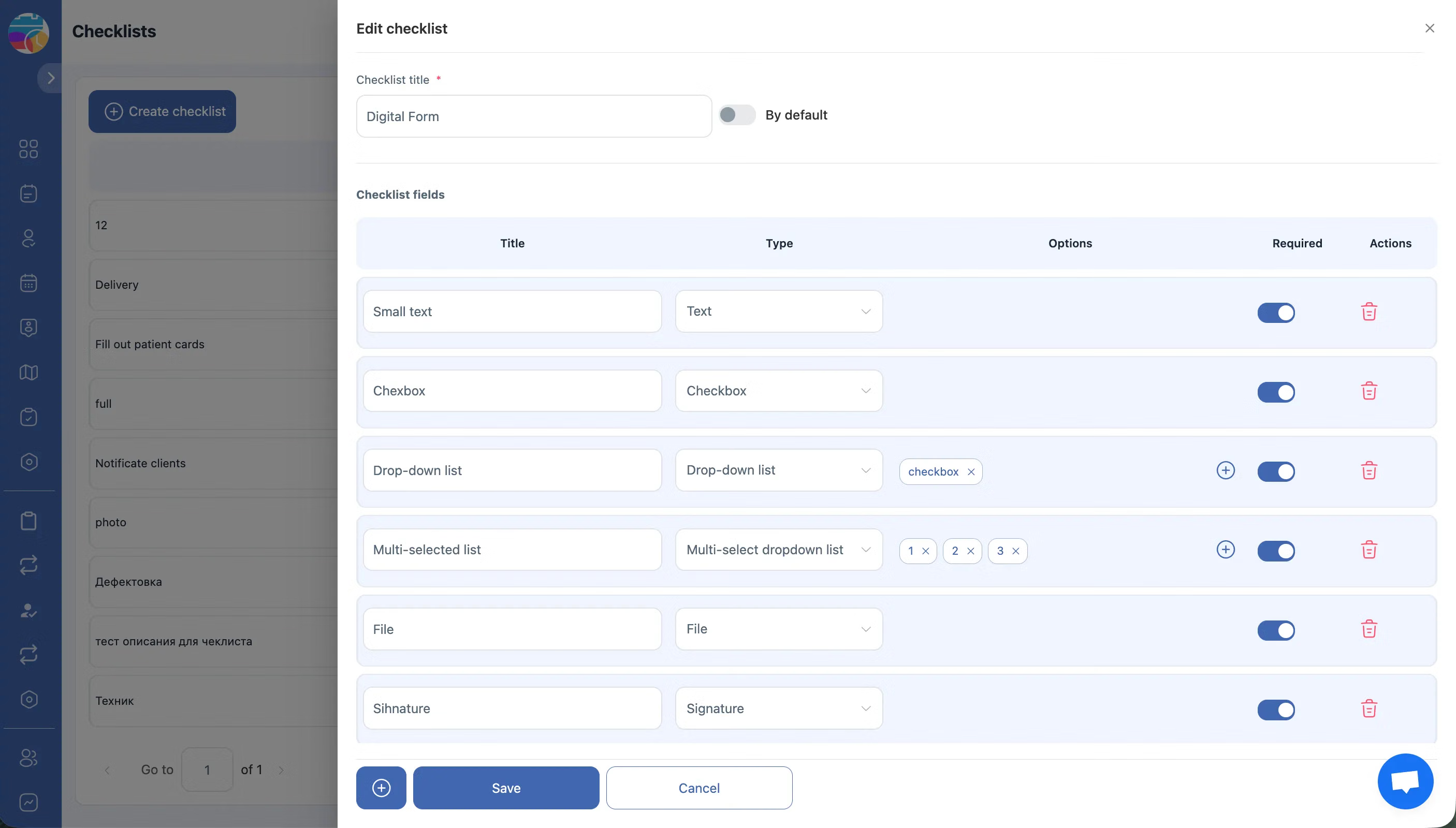
- Checklist filled in on site, with photos from the camera and a signature
- Your own fields: text, number, drop-down, date range, phone, e-mail
Dispatch by service area, not by memory
Service areas are a required part of the setup, and jobs cannot be dispatched without them. Draw the boundary on the map, attach the people who work inside it, and the client address does the rest of the work.
Two errors disappear at that point. A crew sent outside its territory, and an employee dispatched into an area they are not authorised for. Both are the ordinary kind of mistake that costs a visit, and both are prevented by the same lookup.
Statuses that match how the work actually runs
The default flow is short on purpose: TO DO, Check In, Check Out. A request appears, the technician starts, the technician finishes. Most service companies never need more, and a short flow is the one crews keep up to date.
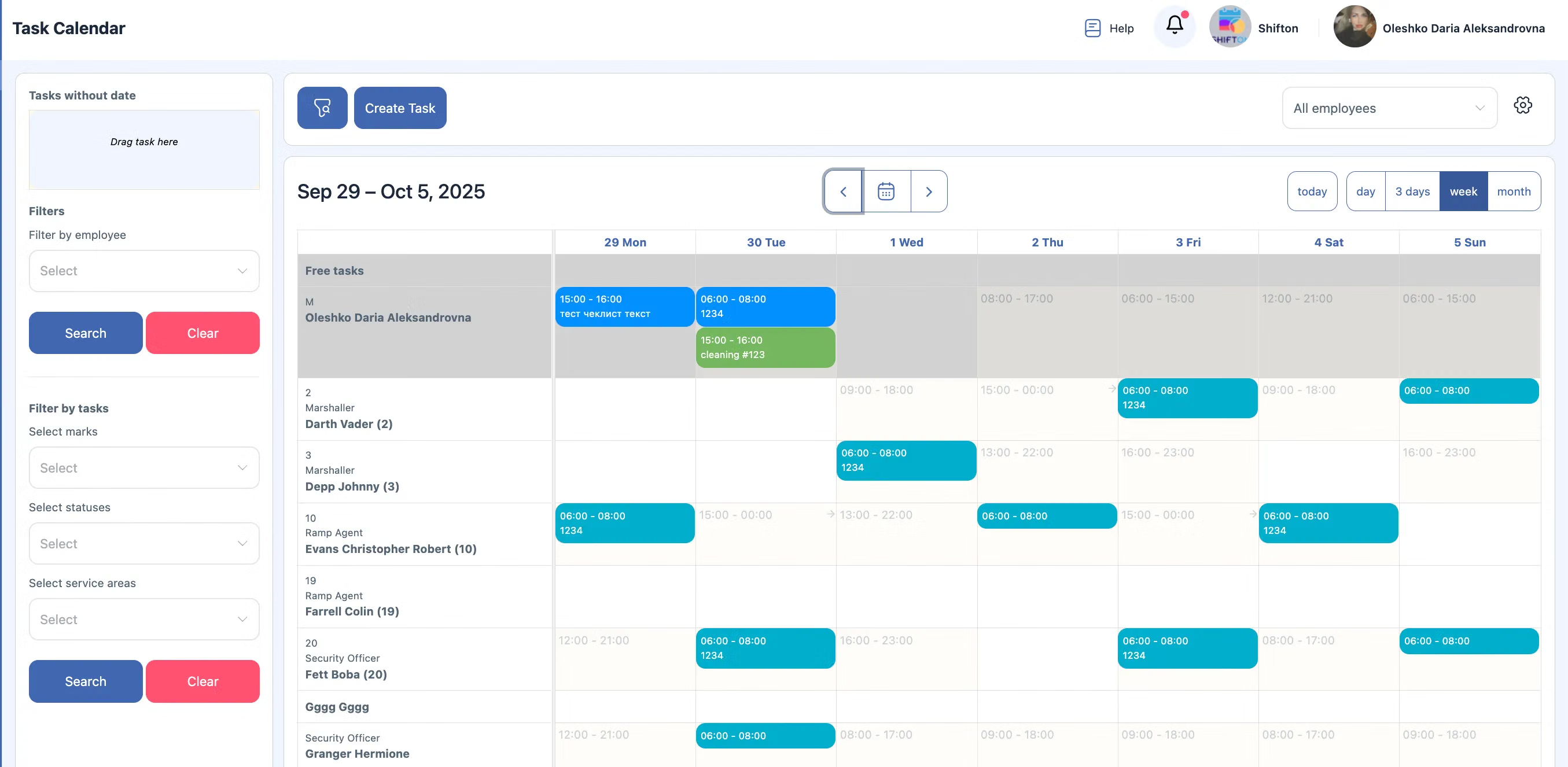
When the process is longer, the workflow follows it. Job acceptance, travel to the client, approval before the work starts, a pause, a return visit, warranty work: each becomes a status of its own, and the dispatch board then shows the stage a job has reached rather than a binary open or closed. That difference is what makes a slipping job visible in the morning instead of at six in the evening, when the only thing left to do is apologise. Technician dispatch software earns its place on the days when three jobs slip at once and somebody has to decide which one moves, because the board answers the question that decides it: which of the three has a technician already on site, which is still waiting for parts, and which has not been accepted by anyone. A team running work order dispatch on a spreadsheet answers that by ringing three people and hoping they pick up.
Who may create a job, and who approves it
Not every service company wants work created freely. An employee with the Task Requester role in a zone raises a request and picks the client address; a Task Approver accepts or rejects it. Only then does the job reach the board and commit a crew.
Where that control is unnecessary, skip it.
Administrators and the owner dispatch directly.
Fields you define, data the reports can read
Every job starts with a title and a description. Beyond those, custom task fields collect what your work needs: text, number, checkbox, drop-down, multi-select, date, date range, phone or e-mail. A field can be made mandatory so a job cannot be closed without it, searchable so a job can be found by its value, or shown in the job list. Each field carries a system name for transferring data through the API.
The board and the phone read one record
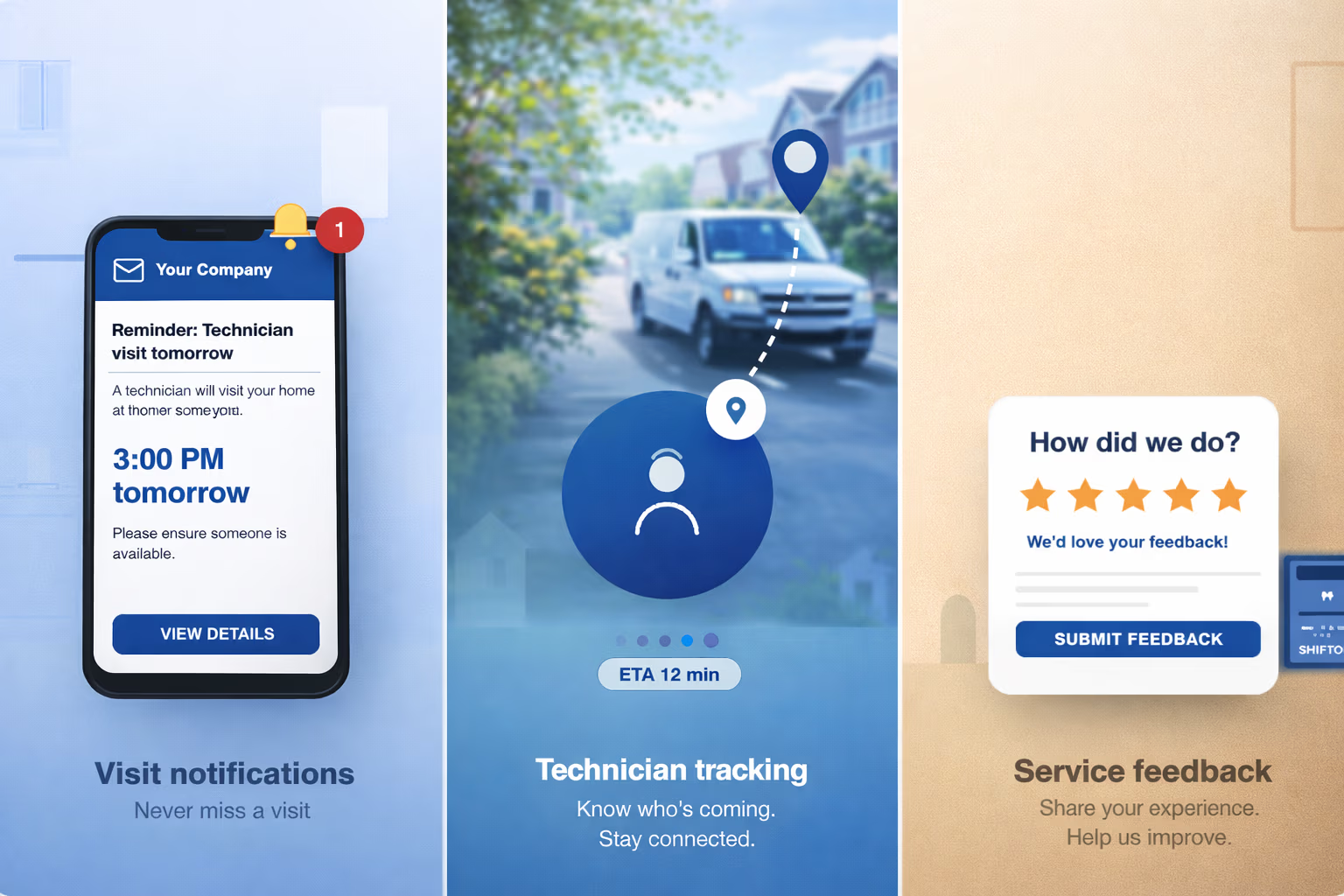
Technicians open the app and see the jobs dispatched to them, split into Active and Completed with a date filter. They start time tracking on the job, fill the checklist, attach photos, take the client signature and move the job through its statuses. The board updates as they do it, so the office is not waiting on a phone call to learn that a crew has left the site. Short assignments that are not full jobs travel as To-Do items with their own deadline. See the mobile app for the field side, and job tracking for what stays behind once the visit is over.
Same-day work and the map
An urgent call-out is the test of any dispatch board.
The address narrows the list to the zone, and with the Work location control module the map adds who is near enough to take it today. Two questions, both answered before anyone picks up a phone.
What it costs
Dispatching is part of the Tasks base module. Free for up to two employees with no time limit and no card, then $5.00 per employee per month, or 20% less on annual billing. Everything else sits on top at $5.00 per employee per month each, with a trial of up to 55 days: Invoicing, Inventory, the Customer Portal, Work location control. The pricing page has the full breakdown.
Getting started
Register, add the employees, draw the service areas your crews cover, create the first job. The areas come first because dispatch depends on them, and once the boundaries exist an address is all the system needs to show you the right people. After that, job dispatch takes seconds.
Frequently Asked Questions
What is field service dispatch software?
Software that turns a service request into a job with an owner. It records who is assigned, where the visit is, what has to be done and what stage the work has reached, so dispatch, accounting and the technician read the same record instead of a spreadsheet and a phone call.
How does the system decide which technicians can be dispatched?
By the service area. The client address is matched to the zone that covers it, and only technicians attached to that zone are offered. Without service areas configured, jobs cannot be dispatched at all.
Can one job be dispatched to several technicians?
Yes. A job goes to one employee or to several, and it can also be left open so crews take it themselves rather than waiting for a dispatcher.
Can employees create jobs themselves?
Yes, with the Task Requester role in that zone. Where approval is required, a Task Approver accepts or rejects the request before the job reaches the board.
What statuses does a dispatched job go through?
TO DO, Check In and Check Out by default. Add your own for acceptance, travel to the client, approval before work starts, a pause, a return visit or warranty work, and the board will show which of those stages a job has reached.
Can I add my own fields to a job?
Yes. Custom task fields support text, number, checkbox, drop-down, multi-select, date, date range, phone and e-mail. A field can be mandatory, searchable or shown in the job list, and each one has a system name the API uses.
How do technicians receive dispatched jobs?
In the mobile app, in a list split into Active and Completed with a date filter. They start time tracking on the job, work through the checklist and change the status as they go, and the dispatch board follows them.
Can I dispatch an urgent job the same day?
Yes. Enter the address, take the technicians the zone offers, and send the job. With Work location control the map also shows which of them is near enough to reach it today.
What is the difference between a job and a To-Do?
A job is field work with a client, an address and a checklist. A To-Do is a short assignment with a text description and an optional deadline, created by an administrator or the owner and closed by the person it went to.
Is dispatching free?
Up to 2 employees, yes, with no time limit and no card. Above that the Tasks base module is $5.00 per employee per month, and annual billing takes 20% off.

Ready to transform your field operations?
Join thousands of field service companies that trust Shifton to run smarter every day.