

Free Time Clock Apps: 6 Clock In and Out Apps Compared for 2026
A free time clock app has one job for a small business: record when hourly staff start and stop, from their own phones, without a monthly bill. Owners mostly ask whether those punches can be trusted, which is why GPS clock-in and timesheet export get more space here than dashboards. Five of the six apps below have a permanent free plan, and When I Work offers a trial instead. What separates them is where the free plan stops: a user cap, a single location, or no location check at all.
Shifton publishes this guide and ranks itself first, so weigh that. It is free for up to 10 employees with scheduling and the time clock included, and GPS clock-in is a paid module. Jibble puts no cap on users, Clockify stops at 5, Toggl Track at 3, and Homebase is free for one location and up to 10 employees. Best for: Jibble if you have more than 10 people or need GPS clock-in on a free plan, Homebase for a single shop or restaurant, Shifton if you also build shift schedules for 10 people or fewer.
What Changed in This Update (October 2026)
We re-read each vendor’s pricing page on 6 October 2026 and corrected what had moved:
- Clockify’s free plan now stops at 5 users (since April 2026), and CSV and Excel report export moved to paid plans.
- Toggl Track’s pricing page lists up to 3 free users.
- Homebase’s free plan is limited to one location and 10 employees.
- When I Work has no free plan, only a 14-day trial, so we describe it that way.
- Jibble’s free plan limits how many geofences you can set up.
Our Top Picks
Six apps made the list. If you want the short version, these three cover most small teams.
Shifton
Teams that want the clock, the schedule and payroll in one place. Free forever for up to 10 people, with the time clock and attendance included rather than sold back to you.
Jibble
Teams of more than 10 people, or anyone who wants GPS and face recognition on a free plan: unlimited users, with a limited number of geofences
Anyone who needs no user cap at all: the free tier is genuinely unlimited on users and projects
Homebase
Single-site retail and food teams of up to 10, where one free location covers the clock and basic scheduling
Single-site retail and food teams, where one location free means unlimited staff on the clock
Why trust us?
Shifton is our own product, and we ranked it first. We would rather say that plainly than let you find out halfway down.
The other five we can defend line by line. Every user cap, every free tier and every price on this page was read off the vendor’s own pages in October 2026 rather than lifted from someone else’s roundup. Five of the six have a permanent free plan. When I Work is the exception, and we label it as a trial.
What Is a Free Online Time Clock?
A free online time clock is a web or mobile tool that lets employees clock in and clock out digitally, in place of paper timesheets, punch cards, and spreadsheets. Some industries still call it a timeclock, and the app stores file the whole category under clock in and out apps; the digital version does the same job, only faster and without the hardware on the wall. It logs work hours by itself, adds up the totals, and turns out attendance reports with no manual input.
A wall-bolted punch clock only works in one spot. A free cloud-based time clock runs on any device with an internet connection. Staff clock in from a shared tablet at the job site, a phone in the field, or a desktop time clock in the browser. Managers watch who is in, who is late, and how many hours the team has logged, live. Clock in, clock out and a timesheet view sit in every free plan on this list; paid plans buy depth like payroll integrations, advanced scheduling and, on some tools, report export.
How We Compared and What to Look For
We compared six free time clock and clock in and out apps on five things: free-tier limits (user caps, location restrictions, feature gating), clock-in reliability on mobile and web, reporting depth, onboarding friction, and whether shift scheduling comes free. Five have a permanent free plan. When I Work is included because it is often listed among free options, and it offers a 14-day trial only.
Free plans are not equal, so run these checks before you pick one:
- User limits. A free plan that covers 1-2 users is not useful for a small business. Jibble offers unlimited users, Shifton and Homebase cover up to 10, Clockify stops at 5 and Toggl Track at 3.
- Clock-in methods. The best free clock in and out apps let employees punch in via mobile, web browser, or a shared tablet kiosk. GPS-based clock-in logs where the shift started; facial recognition, in Jibble’s free tier, kills buddy punching without extra hardware.
- Break and overtime tracking. Automatic break deductions, rounding rules, and overtime calculations separate a real time card app from a basic timer. Some free tiers handle this automatically; others need a paid upgrade.
- Geofencing and location verification. Geofencing sets a virtual boundary around a job site and flags any clock-in outside it. Jibble includes it free with a limited number of geofences; Shifton offers location-based clock-in as a low-cost add-on (Work location module, free 10-day trial, then $5 per employee).
- Offline support. Field workers in poor-signal areas need a time clock that stores entries locally and syncs when a signal returns.
- Exports and payroll. Check export before you commit: Clockify moved CSV and Excel report export to paid plans in 2026. QuickBooks or Gusto integrations usually sit on paid tiers; manual CSV export is enough for small teams.
With those criteria in mind, here are the 6 best free time clock and clock in and out apps available right now.
6 Best Free Time Clock & Clock-In Apps
Shifton
- Free plan: Up to 10 users
- Clock-in: Mobile, web, tablet
- GPS / geofence: Add-on
- Scheduling: Yes (drag-and-drop)
- Best for: Clock + schedule + payroll-ready timesheets in one
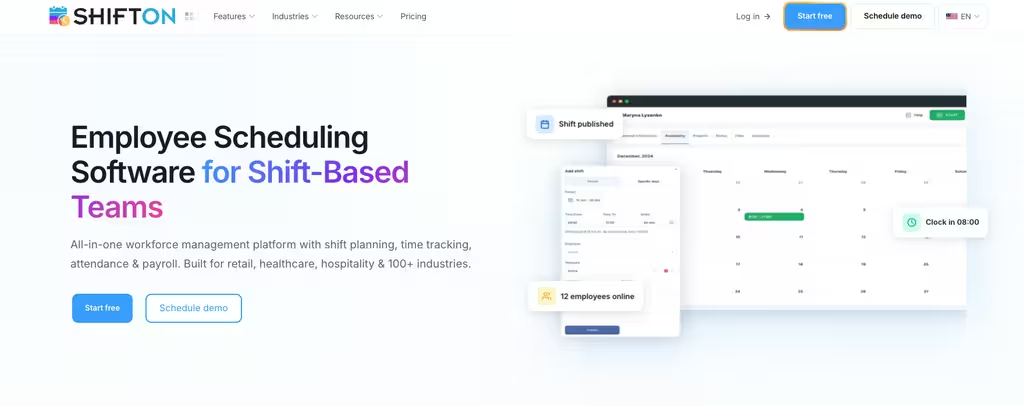
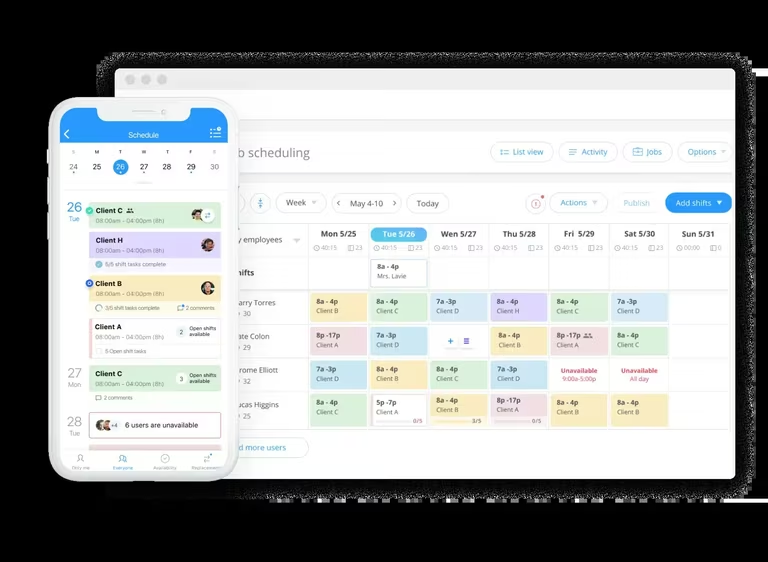
Shifton is a workforce management platform whose free plan covers up to 10 team members, enough to run most small business operations. Where some competitors cap the free tier at 3 or 5 users, Shifton’s free online time clock is built for a real team. The time tracking feature in Shifton lets employees clock in and out from a mobile app or web browser.
A worker opens the app at the job site, hits clock-in, and the timestamp lands in a shared dashboard the manager checks from her phone. Hours roll up automatically. Overtime gets flagged before payroll runs. For a team of up to 10, the whole stack costs $0.
What lifts Shifton above a plain free time clock app is everything bundled with it. The free plan includes shift scheduling and team management, plus an attendance dashboard a manager can sort by employee, project, or shift. Field teams that need location-based clock-in can add the Work location module – a free 10-day trial, then $5 per employee.
Tracking hours is only half the job. Knowing who is scheduled and who called in sick is the other half, and Shifton puts both in one place without a second piece of software. Time cards save on their own for managers to review. Overtime gets tracked, and timesheets export for payroll. The mobile app covers iOS and Android, and the interface is plain enough that most people clock in on day one without any training.
Need a free clock in and out app with real scheduling capability, mobile access, and payroll-ready timesheets? Shifton is the most complete option you can run at no cost.
What’s in the free tier:
- Clock in and out via mobile app (iOS and Android) or web browser
- Shift scheduling with drag-and-drop for up to 10 employees
- Real-time attendance dashboard – see who is clocked in at a glance
- Automatic overtime tracking with manager alerts
- Timesheet export (CSV) for payroll processing
Who it’s built for: Small businesses and growing teams that need shift scheduling, time clock, and payroll-ready timesheets in a single free platform.
Free plan ceiling: Up to 10 team members, shift scheduling, time clock & attendance, mobile app, payroll-ready timesheets, reports. Location-based clock-in and advanced attendance reports are paid add-on modules with a free trial.
Track hours without paying for software you don’t need
Shifton’s free plan covers up to 10 team members with shift scheduling, time clock, mobile app, and payroll-ready timesheets included.
Clockify
- Free plan: Up to 5 users
- Clock-in: Web, desktop, mobile
- GPS / geofence: Paid (Pro)
- Scheduling: No
- Best for: Project time tracking for up to 5 people
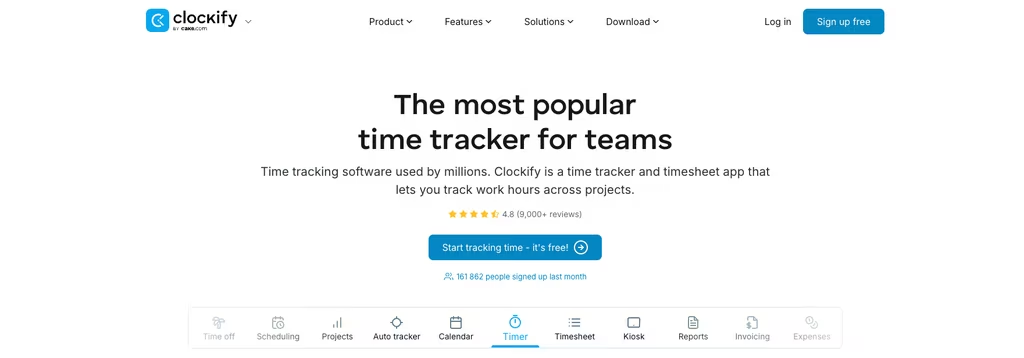
Clockify is one of the best-known free time tracking apps. Its free plan covers up to 5 users, a cap introduced in April 2026, with no limit on projects. Employees clock in from a browser, a desktop app, or their phone, and every entry lands in one shared workspace the manager can review. As a time card app it handles manual entry, a live timer, and a calendar view. Reports can be filtered by employee, project, or date range, but CSV and Excel export now sit on paid plans.
Scheduling is the gap. Clockify tracks time; it does not run shifts. If shift assignments matter to you, bolt on a separate scheduling tool or look elsewhere. For tracking work hours through a pure web-based time clock, it is hard to beat at zero cost inside the 5-user cap. GPS clock-in is only on the paid Pro plan.
Free plan covers:
- Up to 5 users and unlimited projects
- One-click timer or manual time entry
- Project and task-level time tracking for job costing
- Weekly timesheet view and calendar layout
- Reports filterable by employee, project, or date range
- Browser extension for desktop time tracking
Best fit: Teams of up to 5 that need straightforward time tracking without scheduling features.
Clockify free tier covers: up to 5 users, unlimited projects, time tracking, basic reporting.
Homebase
- Free plan: 1 location, up to 10 employees
- Clock-in: Mobile, web, kiosk
- GPS / geofence: No (photo capture)
- Scheduling: Basic
- Best for: Single-site restaurant & retail
Homebase aims squarely at hourly workers in retail and food service. Its free account covers one location and up to 10 employees, a strong deal for a single-site small business. The clock in app runs on phones, tablets, or a shared kiosk, and a photo-capture option helps shut down buddy punching.
Basic scheduling comes with the free tier too, which puts Homebase ahead of the many free time clock apps that only log hours. Payroll processing costs extra, though you can still export free timesheets by hand. Onboarding is quick and the mobile app rates well. The ceiling is that one-location limit. Open a second store or hire an eleventh person and you are into paid territory.
What the free plan covers:
- Clock in via mobile app, web browser, or shared kiosk tablet
- Optional photo capture at clock-in to prevent buddy punching
- One location, up to 10 employees
- Basic shift scheduling included at no cost
- Timesheet export for payroll (manual processing)
Right fit: Single-location restaurants, cafes, and retail shops with hourly staff.
Homebase’s no-cost tier: 1 location, up to 10 employees, time clock, basic scheduling.
Jibble
- Free plan: Unlimited users
- Clock-in: Mobile, kiosk, face recognition
- GPS / geofence: Yes (limited geofences)
- Scheduling: No
- Best for: Field teams needing GPS & face recognition
Two things make Jibble’s free plan stand out: face recognition clock-in and GPS tracking, neither of which costs a cent. Workers punch in by facial recognition through the mobile app, so buddy punching dies without any extra hardware to buy. For field teams and spread-out workforces, that pairing carries real weight.
The free virtual time clock takes unlimited users, and time data syncs across every device. Timesheets build themselves, totting up hours and flagging anything that looks off. Reporting on the free version stays thin, but clock-in reliability is the part that counts, and it is excellent. The interface is clean and modern, and geofencing blocks any punch made outside a job site’s boundary. The free plan limits how many geofences you can set up, so a crew that works at many sites will hit that limit first.
Included in the free plan:
- Unlimited users
- Facial recognition clock-in via mobile camera
- GPS tracking – records location at every clock-in
- Geofencing – blocks clock-ins outside defined job site boundaries (limited number of geofences)
- Automated timesheets with anomaly detection
- Offline clock-in support with sync on reconnect
- Kiosk mode for shared tablet punch station
Made for: Field teams and businesses with distributed employees that want face recognition and GPS clock-in at no cost.
On Jibble’s free account: unlimited users, face recognition, GPS tracking, a limited number of geofences, automated timesheets.
Toggl Track
- Free plan: Up to 3 users
- Clock-in: Web, desktop, mobile
- GPS / geofence: No
- Scheduling: No
- Best for: Freelancers & billable hours
Toggl Track is known for clean, distraction-free design. Its free tier tops out at 3 users, which keeps it to very small teams, but inside that limit it is one of the nicest time tracking apps going. The one-click timer is the whole idea: click start, tag a project, click stop. Those entries pile up into detailed reports over the weeks. It works fine as a web-based time clock and ships reliable iOS and Android apps. The free plan has no GPS tracking and no scheduling.
For a small freelance team or a micro-business tracking billable hours, it is a polished choice.
Free version covers:
- Up to 3 users
- One-click timer with project and tag labeling
- Unlimited time entries and projects
- Detailed reports with billable hours tracking
- Browser extension and desktop app for automatic time capture
- Calendar integration for time entry review
Suited for: Freelancers and very small teams that value simplicity and clean UX over feature breadth.
Toggl Track free version: up to 3 users, unlimited time tracking, basic reporting, integrations.
When I Work
- Free plan: None (14-day trial)
- Clock-in: Mobile, web
- GPS / geofence: Paid
- Scheduling: Yes
- Best for: Small shift-based teams
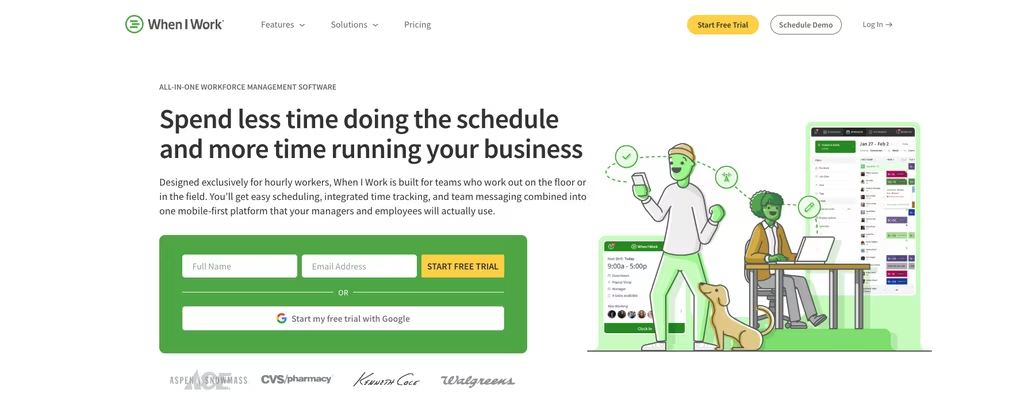
When I Work pairs shift scheduling with a built-in clock in and out app, aimed at businesses that manage hourly shift workers. It has no free plan: you get a 14-day trial, then paid plans from $2.50 per user a month, and the time clock is sold as an add-on. Employees clock in via the mobile app, and managers see attendance visibility in a simple dashboard.
Scheduling is the stronger half of When I Work. Time tracking runs thinner; overtime rules and detailed payroll exports want a paid plan. The trial is enough to test whether the scheduling suits you, but plan on paying for it.
What the trial includes:
- Time clock and shift scheduling in one app
- Mobile clock-in for iOS and Android
- Attendance dashboard for managers
- Shift swap and availability requests
Works well for: Small shift-based teams that are happy to pay for scheduling and a clock in app in one tool.
When I Work: no free plan, 14-day trial, paid plans from $2.50 per user a month, time clock as an add-on.
Free Time Clock Apps by Industry
What a restaurant needs from a free time clock system and what a construction crew needs are rarely the same thing. User caps, clock-in method, offline support: the weight on each one shifts with where and how your team actually works.
Restaurants and food service
Restaurants run on high turnover, shift lengths that swing wildly, and a crowd of people clocking in at one spot when service starts. Speed at the door matters most. That makes a kiosk time clock the practical answer: everyone punches in from a shared tablet at the host stand or back of house. Homebase was built for exactly this. Its free tier covers one location and up to 10 employees, throws in basic scheduling, and runs on a shared kiosk tablet with photo verification. For restaurant groups spread across several locations, Shifton handles the scheduling and the time tracking together.
Retail
Retail tends to run predictable shift patterns with a small crew of hourly workers. Simple is fine. Any of the six tools here cover basic retail time tracking. A single-location store with up to 10 staff gets everything it needs from Homebase’s free account. Once you are staffing two or more locations, look at Shifton’s multi-site support on the free plan: it does location-specific scheduling alongside time tracking without pushing you to upgrade.
Construction and field crews
Construction crews need a mobile time clock that holds up on the job site, dead zones and all. Offline clock-in matters here more than in any other industry on this list: the entry saves to the phone and syncs once a signal comes back. GPS tracking and geofencing pull their weight too, confirming a worker is actually on-site at punch-in, which trims time theft and the timesheet arguments that surface on payday. Crews that bill by project or client get job costing from Clockify’s project-level free tier. Jibble covers the field basics at no cost, within its geofence limit: GPS, mobile clock-in, location verification. Shifton gives you mobile clock-in and scheduling free, with location-based clock-in available as a low-cost add-on.
Cleaning and janitorial services
Cleaning companies tend to scatter crews across several client sites in one day. A mobile time clock with GPS tracking lets each cleaner clock in on arrival at every address, no paper logs, no calls back to the office. Distance is the problem here. Geofencing adds the accountability layer: the manager sees that the punch happened at the client site, not at someone’s kitchen table or on the drive over. Jibble’s free geofencing handles this up to its geofence limit, and Shifton’s location-based clock-in does too as a low-cost add-on (free 10-day trial).
Healthcare and home care
Home care agencies and small clinics juggle rotating staff, compliance rules, and shift patterns that reshuffle every week. Records matter. A digital time card logs every clock-in and clock-out into an auditable record on its own, which is more than paper timesheets or a shared spreadsheet can reliably manage. Shifton’s free plan covers up to 10 employees with scheduling and time tracking baked in, enough for most small home care operations. Payroll then runs off the timesheet export, no manual recalculation.
Remote teams and small offices
Remote teams, nonprofits, and small offices often run lean: a mixed full-time and part-time crew, sometimes with grant or client work that needs project-level tracking. Free clock in and out apps like Clockify (up to 5 users, project labels), Toggl Track (up to 3 users, clean UX) and Jibble (unlimited users) cover this well. Shifton fits if you also need shift scheduling and a free time clock workflow for hourly admin staff alongside salaried roles, and remote workers open the same web-based time clock in any browser with no install.
Break Tracking and Overtime in Free Time Clock Apps
Breaks and overtime are where a lot of free time clock tools quietly run out of road. Clock-in and clock-out work on every no-cost plan; break tracking and overtime rules often do not.
Break tracking comes in two flavors. Automatic deductions shave a set amount off the total (say 30 minutes unpaid on any shift past six hours) and the employee does nothing. Punch-based breaks ask the worker to clock out when the break starts and back in when it ends – more accurate, but it adds a step to every shift. On a free plan, overtime usually means the system shows you the data and stops there: it flags who passed 8 hours in a day or 40 in a week, but the pay-rate math lands in payroll.
Shifton tracks overtime on the free plan and fires an alert when an employee nears a limit you set. Clockify puts weekly totals in its reporting dashboard, Homebase gives basic overtime visibility, and When I Work surfaces it in the attendance view. One caveat for anyone under strict break law, like California’s mandatory meal-break rules: confirm the free tier handles your exact configuration before you commit.
Geofencing, GPS and Buddy Punching
GPS tracking records where an employee is when they clock in. Geofencing goes further: it draws a virtual boundary around the job site, usually a radius of 100 to 300 meters, and blocks or flags any punch made outside it. For cleaning crews, delivery drivers, construction teams and service techs, that turns a time clock app into a proof-of-presence tool. Among the free tools here, Jibble is the strongest – GPS tracking and geofence enforcement both cost nothing, with no user cap, though the number of geofences is limited. Shifton supports location-based clock-in as a paid add-on (Work location, free 10-day trial). Clockify adds GPS only on its paid Pro plan, and Toggl Track’s free plan has neither.
Buddy punching – one employee clocking in for a coworker who has not arrived – is the biggest single driver of time theft in shift-based businesses. A free clock in and out app with the right verification shuts most of it down. Photo capture (Homebase, free on a shared kiosk tablet) snaps a picture at clock-in for a manager to review. Facial recognition (Jibble, free, no user cap) refuses any punch where the face does not match. GPS geofencing (Jibble and Shifton) confirms the phone is inside the job site boundary. PIN codes are the weakest layer, since codes get shared, but they beat nothing.
A shared kiosk tablet covers teams that all start in one place – restaurants, retail floors, warehouses, clinics – so nobody has to load employer software onto a personal phone. If GPS is the main thing you need, our roundup of the best GPS time clock apps compares dedicated options side by side, and our Homebase vs Jibble comparison weighs the two strongest anti-buddy-punching free tiers.
Free Time Clock App vs Paid Time Clock Software: What You Trade
A free time clock app covers the core workflow: clock in, clock out, timesheet export, basic reporting. Paid software adds payroll integrations with QuickBooks or Gusto, state-by-state overtime rules, automatic clock-out at shift end, deeper compliance reports, and multi-location dashboards with role-based access.
A 4-person retail shop or a 10-person cleaning crew gets everything it needs from the free version. The breakpoint typically sits between 15 and 30 employees, where the cost of manual payroll reconciliation begins to exceed the price of automated integration. The two things you trade by staying free are direct payroll integration (free plans usually need a CSV export and a manual import) and multi-location depth (Homebase caps free at 1 location and 10 employees; several skip multi-site entirely). What you keep on free is most of the value: accurate hours, attendance visibility, mobile clock-in, exportable timesheets, and a compliance audit trail. Don’t pay until a specific limit actually bites you. Remember, most U.S. states and the Fair Labor Standards Act require accurate work-hour records, and a digital time card builds that auditable trail on its own – though none of these tools give legal advice, so check your state’s break and record-keeping rules before you deploy.
This might interest you:Time tracking apps for contractors and field crews – how construction and field service teams track hours without paperwork
If you also need scheduling and payroll on the same platform
A free time clock app covers attendance, but most operations also need shift scheduling and payroll preparation. Teams that also juggle daily assignments often pair it with free task management software. When a single-platform solution becomes the goal, Rippling tends to show up on the shortlist alongside lighter WFM tools. The top 5 Rippling alternatives guide walks through Shifton, Connecteam, Homebase, Jibble, and When I Work compared on full-scope features for shift-based and hourly teams.
Comparison: 6 Free Time Clock Apps at a Glance
| App | Free user cap | Mobile + web | GPS / geofence | Scheduling | Best for |
|---|---|---|---|---|---|
| Shifton | Up to 10 | Yes | Location-based clock-in (paid add-on) | Yes (drag-and-drop) | Small business, multi-site, field teams |
| Clockify | Up to 5 | Yes | Paid (Pro) | No | Desk teams, project time tracking |
| Homebase | Up to 10 (1 location) | Yes + kiosk | No (photo capture) | Basic | Single-site restaurant, retail |
| Jibble | Unlimited | Yes + kiosk | Yes (limited geofences) | No | Field teams, face recognition |
| Toggl Track | 3 | Yes | No | No | Freelancers, billable hours |
| When I Work | None (14-day trial) | Yes | Paid | Yes | Small shift-based teams |
FAQ
What is the best free time clock app for small business?
What is the best free clock in and out app?
Can I use a free online time clock for remote employees?
What features should I look for in a free time clock app?
How many employees can use a free time clock app?
What is the difference between a time clock app and a time tracking app?
What is geofencing in a time clock app?
How do free time clock apps track breaks?
Can a free time clock app work offline?
Is there a free time clock app that does GPS clock-in for free?
What is buddy punching, and how do time clock apps prevent it?
Is there a free timesheet app that handles payroll exports?

Start making changes today!
Optimize processes, improve team management, and increase efficiency.