

Top 5 Rippling Alternatives Compared on Price, Features
Rippling positions itself as the platform that handles everything from HR to IT to scheduling. For mid-market companies with deep IT and finance footprints, that breadth is a fair fit. For shift-based and hourly workforces, the same product is heavy: Rippling does not publish its pricing – it is quote-based and module-stacked, so the bill is hard to predict before a sales call, and the workflow is built around salaried headcount rather than rotating shifts.
This guide compares the top 5 Rippling alternatives for teams that schedule shifts, track hourly work, and need payroll to reconcile cleanly each cycle. Shifton, Connecteam, Homebase, Jibble, and When I Work are evaluated side by side, with pricing pulled directly from each vendor’s published pricing page rather than the headline numbers used on landing pages.
Each Rippling alternative is assessed on shift scheduling depth, mobile time tracking and geofencing, payroll exports, free tier or trial length, and how the bill scales with headcount. The order below reflects how each platform performs for shift-based, hourly, and deskless workforces.
This might interest you:Top 7 BambooHR Alternatives for Scheduling and HR Teams – if HR is the workflow you are trying to fix, that comparison is the next read.
Why Teams Look for Rippling Alternatives in the First Place
Three friction points drive most Rippling switching evaluations.
The first is cost. Rippling does not publish its pricing – there are no rates on its site, only a request-a-quote path. The model is module-based: a core HR platform fee plus separate add-ons for time and attendance, scheduling, benefits, IT device management, learning, and corporate cards, layered on through a sales process. Because the modules stack and the price only arrives after a sales call, the real cost is hard to pin down before signing, and the full picture often becomes clear only after the contract is in place and the first module add-on lands on the invoice.
The second is fit. Rippling is an HCM platform with workforce management bolted on. The shift scheduling and time tracking modules function, but they are not what the product was architected around. Shift swaps, geofenced clock-ins, rotating crew patterns, and offline mobile clock-ins read as add-ons inside a system designed for salaried headcount.
The third is implementation. A standard Rippling rollout runs a full month or more with a paid implementation specialist. Shift-based operations that require schedules live within a single week find that timeline impractical. Teams evaluating alternatives to Rippling typically want the same outcome the platform promises – one system instead of four – without the enterprise rollout attached to it.
The five Rippling alternatives below address those three friction points directly. Each publishes pricing transparently, each is built for shift or hourly work first, and each can be live for a small team within an hour.
The Top 5 Rippling Alternatives at a Glance
A direct comparison of how the five platforms stack up on the dimensions that matter for shift-based and hourly teams. Prices below come from each vendor’s public pricing page as of 2026.
| Platform | Free tier | Paid plan starts at | Best for |
|---|---|---|---|
| Shifton | Yes – free up to 10 users, no time limit, plus 60-day trial of paid modules | Free plan (up to 10); paid modules from $0.50 per user/month | Shift-based and hourly teams that want modular WFM, not a bundled HCM |
| Connecteam | Yes – free for life up to 10 users, all hubs included | $29/month flat for the first 30 users (Operations Hub Basic) | Deskless teams under 30 users that want one mobile app for everything |
| Homebase | Yes – free for one location up to 10 employees | $24/month per location (Essentials, billed annually) | Single-location restaurants, retail, and hospitality on hourly schedules |
| Jibble | Yes – unlimited users on the free tier, time tracking only | $4.49 per user/month (Premium) | Time-tracking-first teams that do not need scheduling or HR |
| When I Work | No free tier; 14-day free trial, no credit card | $2.50 per user/month (Essentials), time tracking add-on extra | Retail, hospitality, and SMB hourly teams that need clean scheduling and integrations |
Shifton
Shifton is the strongest Rippling alternative for teams whose core workflow is shifts rather than a salaried headcount. The platform is built around shift scheduling, time tracking, and payroll preparation, with modules switched on and off so the bill matches what the team actually uses. No mandatory base fee, no required implementation specialist, no salaried-employee assumptions baked into the workflow.
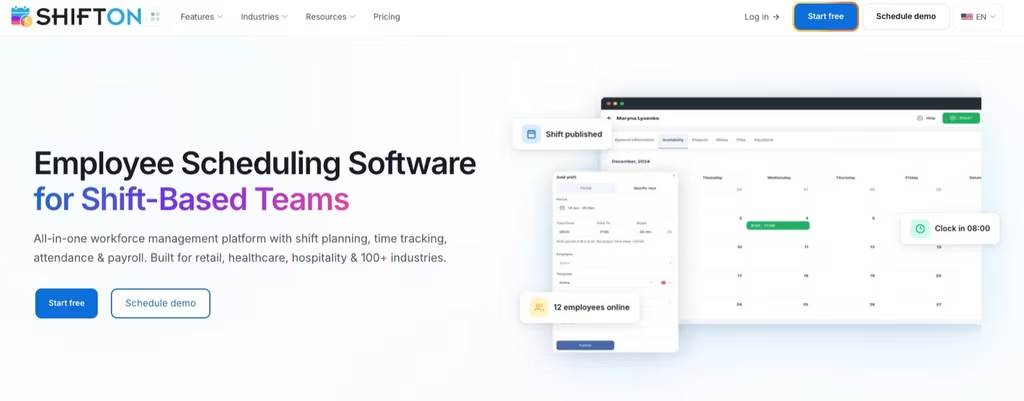
The pricing model is what separates Shifton from Rippling the most. Rippling keeps its pricing quote-only and stacks a core HR fee under every module, so the real number only appears after a sales call. Shifton’s scheduling is free on the free plan for up to 10 users, with each paid add-on module priced per active user from $0.50 to $5. A team can run scheduling, time tracking, and payroll on Shifton for a fraction of the equivalent Rippling stack, and the free tier covers the first 10 users forever – no trial expiry, no “you have 14 days” countdown.
- Shift schedule builder: drag-and-drop weekly and monthly views, rotating shift patterns, auto-assignment by skill and availability, conflict alerts on overtime and rest rules
- Time tracking and attendance: GPS clock-ins with work-location geofencing, offline punches that sync on reconnect, audit trail per user
- Native payroll module: hours, overtime, bonuses, and shift premiums calculated in-platform, with exports to Gusto, ADP, QuickBooks, and a clean CSV for everyone else
- Modular pricing: only pay for modules you use – scheduling, time tracking, payroll, PTO, tasks, location control – and turn them off the day you stop needing them
- Mobile workforce app: native iOS and Android, offline mode, shift swap with one tap, schedule notifications and clock-in from the job site
- Reporting: labor cost by location, attendance trends, overtime risk forecasts, no-show patterns, all from inside the platform without bolting on analytics
Pricing: Free for up to 10 users with no time limit. Paid modules start at $0.50 per active user per month with a 60-day free trial before any module starts billing. Volume pricing kicks in above 50 users.
Best for: shift-based and hourly operations – cleaning crews, restaurants, retail multi-location, contact centers, field service back-office, healthcare staffing, and security companies – that want a real workforce management platform without the HCM weight of Rippling and without per-user pricing that punishes growth.
Workforce management built for shift-based teams
Build schedules in minutes, track hours with GPS, and prep payroll on one platform. Free for the first 10 users, paid modules from $0.50 per user.
Connecteam
Connecteam is the Rippling alternative that gets the most attention from deskless operations such as cleaning, construction, security, and food service. The product splits across three hubs – Operations, Communications, and HR & Skills – and the value proposition is one mobile app that covers scheduling, chat, training, time tracking, and digital forms. For teams new to workforce management software, that simplicity is the entire pitch.
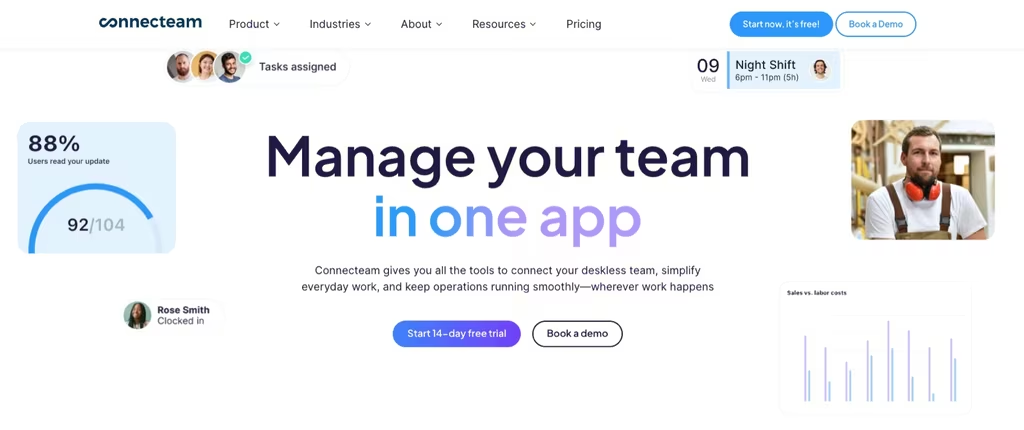
The free Small Business Plan gives the full feature set to teams of up to 10 users, which is genuinely useful, not a feature-stripped trial. Above 10 users, pricing turns flat-rate: $29 per month billed annually ($35 monthly) for the Operations Hub Basic plan, covering the first 30 users. That flat-rate band is where Connecteam beats almost everyone on cost. For teams weighing other all-in-one apps, our Connecteam alternatives lay out the options. Past 30 users, additional seats run roughly $0.80 to $4.20 each depending on the hub and tier, and the per-user math gets ugly fast if a team needs all three hubs active at the same time.
- Job scheduling: drag-and-drop, recurring shifts, open shifts, qualification-based auto-assign in the Expert tier
- Time clock with GPS: geofenced punches, kiosk mode, photo verification on the higher tier
- Built-in chat and updates: 1-1 messages, group threads, company-wide announcements with read receipts
- Digital forms and checklists: photo attachments, signatures, PDF export to back-office
- Time off, courses, recognition: the HR & Skills hub adds onboarding workflows, training courses, quizzes, and an org chart
Pricing: Free Small Business Plan up to 10 users. Paid Operations Hub: Basic $29/month, Advanced $49/month, Expert $99/month (all for first 30 users, annual billing). Each hub priced separately, so a team that wants Operations + Communications + HR pays for three subscriptions, not one.
Best for: deskless teams under 30 users that want every workforce tool in one mobile app and do not need a payroll engine inside the platform. Above 30 users with multiple hubs active, the math stops being friendly fast.
Homebase
Homebase is the Rippling alternative built for hourly retail, food service, and hospitality. The pricing model is per-location with unlimited employees inside that location, which inverts how most workforce platforms price – and that inversion works in the customer’s favor for single-site operations with a rotating roster of part-time hourly staff.
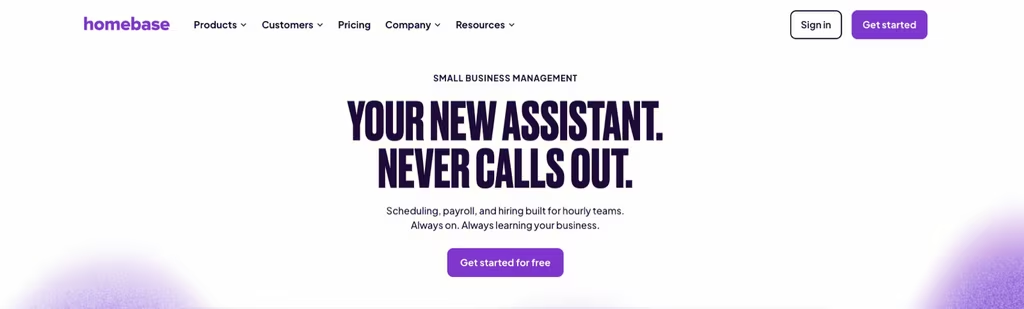
The free Basic plan covers one location and up to 10 employees with scheduling, time tracking, and POS integration. Paid plans add team messaging, hiring, PTO controls, departments, onboarding, labor-cost forecasting, and HR compliance tools. The integrated payroll add-on runs $39 a month base plus $6 per paid employee, which is competitive against Gusto or QuickBooks Payroll for small operators.
- Scheduling for hourly teams: drag-and-drop, shift trades, availability tracking, overtime alerts, AI-powered auto-schedule in the Plus and All-in-One tiers
- Time clock and POS sync: mobile and tablet clock-ins, GPS-stamped punches, native integrations with Toast, Square, Clover, Lightspeed, and Revel
- Hiring and onboarding: job board posting, applicant tracking, e-signed offers, tax forms in the All-in-One tier
- Built-in payroll add-on: tax filing, direct deposit, year-end W-2 and 1099s, separate $39/month base + $6 per paid employee
- Team communication: in-app messaging, shift confirmations, announcements with read receipts
Pricing: Basic free for 1 location and up to 10 employees. Essentials $24/month per location billed annually ($30 monthly), Plus $56/month ($70 monthly), All-in-One $96/month ($120 monthly). Payroll add-on: $39/month base + $6 per paid employee.
Best for: single-location and small multi-location hourly businesses – cafes, retail shops, salons, fitness studios, single-site restaurants – that want scheduling, time tracking, and payroll under one roof without paying per employee.
Jibble
Jibble is the narrowest of the five Rippling alternatives on this list, and that focus is the value. The product does one job – time tracking and attendance – at a free tier scale almost no other vendor matches. Unlimited users, unlimited time tracking, GPS verification, facial recognition clock-ins, kiosk mode, and exportable timesheets all run on the free plan.

What it does not do is scheduling or HR. There is no shift builder, no PTO controls, no team chat, no payroll. Jibble integrates with payroll providers via export, not inside the product. For a team that already has a scheduling tool and just needs reliable time tracking to feed payroll, that focus is a feature. For a team that wants one platform for everything, Jibble is the wrong fit.
- Unlimited free time tracking: unlimited users, automated timesheets, custom breaks, overtime rules, all included
- Biometric and GPS verification: facial recognition on clock-in, geofenced punches (2 geofences on free, unlimited on paid)
- Kiosk mode: shared tablet clock-ins with PIN or face, useful for warehouses and job sites
- Reports and exports: CSV, Excel, payroll-ready exports for QuickBooks, Xero, and Gusto
- Multi-level approvals: manager review, time rounding, leave balances on the Premium tier
Pricing: Free forever for unlimited users on core time tracking. Premium $4.49 per user/month adds unlimited geofences, leave accruals, custom policies, and multi-level approvals. Ultimate $7.99 per user/month adds live location tracking, custom permissions, and prioritized support.
Best for: teams whose only workforce problem is reliable time tracking and attendance, particularly small operators who already pay for scheduling somewhere else and want to drop the time-tracking line item from a more expensive platform.
When I Work
When I Work is the most established scheduling-first Rippling alternative on this list. The product focuses narrowly on employee scheduling, in-app team messaging, and shift management for hourly workforces, with time tracking and attendance available as a separate module. For retail chains, restaurants, hospitality groups, and other SMB hourly operations that need a dedicated scheduling tool rather than a full HCM, the focus is the value proposition.
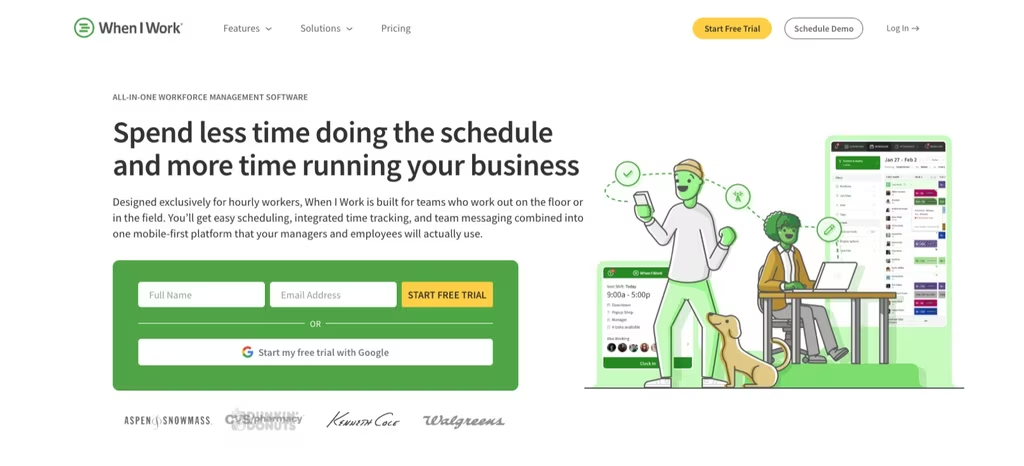
The pricing structure is per-user-per-month without a free tier. Essentials at $2.50 per user covers unlimited users, auto-scheduling, OpenShifts, shift swapping, multi-location scheduling, payroll and POS integrations, and in-app messaging. Pro at $5 per user adds advanced scheduling rules, role permissions, labor sharing across locations, and custom reporting. Premium at $8 per user adds API access, webhooks, and SAML SSO. Time tracking is sold as a separate add-on on top of the base plan.
- Scheduling depth: drag-and-drop builder, auto-scheduling by availability, OpenShifts, shift swapping, multi-week and multi-location views, custom shift templates on Pro
- In-app messaging: 1-1 and group chat tied to schedules, announcements with read receipts, shift confirmations
- Time tracking add-on: mobile and tablet clock-ins, GPS-stamped punches, timesheet approval, payroll-ready exports – all priced separately from the base plan
- Integrations: Gusto, ADP, QuickBooks, Square, Clover, Toast, Lightspeed, and a Zapier connector for everything else
- Multi-location scheduling: included in every paid tier, with labor-sharing logic on Pro and above
Pricing: No free tier. 14-day free trial without a credit card. Essentials $2.50/user/month, Pro $5/user/month, Premium $8/user/month. Time tracking is a separate paid add-on on top of the base plan. Enterprise pricing available for larger teams.
Best for: SMB hourly operations that want a focused scheduling product with strong native integrations and are willing to pay per user rather than per location or per module. Teams that also need geofenced time tracking should factor in the add-on cost, which closes the gap with modular alternatives like Shifton when compared side by side.
What Every Rippling Alternative Should Cover Before You Switch
Picking a Rippling alternative without a feature checklist is how teams end up on the second migration in 18 months. Before signing anything, confirm the platform handles the seven items below.
- Real shift scheduling: drag-and-drop, rotating patterns, open shifts, conflict detection, mobile shift swaps – not just a calendar view
- Geofenced time tracking: GPS-stamped clock-ins, geofence radius per work location, offline mode for sites with no signal
- Payroll prep or native payroll: hours, overtime, bonuses, and shift premiums calculated automatically, with exports to Gusto, ADP, QuickBooks, or Xero
- Mobile workforce app: native iOS and Android, not a mobile web wrapper – the crew lives on phones
- Transparent published pricing: a real number per user or per location, not “contact sales for a custom quote”
- Free tier or trial that covers the full product: 14-day demos that hide features behind sales calls do not count
- Reporting on labor cost and attendance: labor cost by site, no-show rates, overtime risk – the numbers a CFO will ask for
Rippling itself technically checks five of these seven. The two it fails – transparent published pricing and a usable free tier – are exactly what drives the search for alternatives in the first place.
How to Pick the Right Rippling Alternative for Your Team
Match the platform to three criteria in this order: where the workforce operates, how the bill scales with growth, and which modules are non-negotiable.
For deskless teams under 30 users, Connecteam is the most mature option with a usable free tier and a flat-rate band that keeps pricing predictable through the first hire spike. For hourly single-location operations centered on retail or food service, Homebase is the cleanest fit because per-location pricing rewards exactly that profile. For teams whose only requirement is time tracking – typically because a scheduling tool already exists – Jibble remains free at almost any scale and feeds payroll cleanly. For SMB hourly teams that need a focused scheduling product with strong native integrations and accept per-user pricing, When I Work is the established option in that lane.
For workforces that mix shift-based and hourly headcount, run more than one location, and require modular pricing that scales without per-user penalties, Shifton is the strongest Rippling alternative on this list. The pricing model inverts the Rippling structure: pay only for modules in active use, deactivate them when no longer needed, and keep the first 10 users free indefinitely. The combination of modular WFM, GPS time tracking, native payroll preparation, and shift-first design covers the workflow most teams expected when they originally selected Rippling.
One common evaluation error: selecting the most feature-rich platform because the demo presented well. A workforce that needs scheduling and time tracking does not require an IT device management module or a learning platform. The cheapest Rippling alternative that covers the actual workflow – typically scheduling, time tracking, payroll exports, and team messaging – is almost always the right answer for teams under 100 users.
Related reading:6 Best Employee Scheduling Software for Small Business – if scheduling is the workflow you need to lock down first, start there before evaluating broader WFM platforms.
How the Top 5 Rippling Alternatives Compare on Price
Cost is the single most common reason teams leave Rippling, so a direct comparison at three team sizes makes the differences visible. The numbers below assume standard scheduling and time tracking on each platform – the workflow most shift-based teams actually run.
| Platform | 10 users | 30 users | 100 users |
|---|---|---|---|
| Shifton | Free | ~$30-60/month (modular) | ~$100-200/month (volume pricing) |
| Connecteam (Operations Basic) | Free | $29/month flat | ~$85/month ($29 + 70 x $0.80, Operations Basic) |
| Homebase Essentials (1 location) | $24/month (annual) | $24/month (annual) | Multi-location billing kicks in |
| Jibble Premium | $44.90/month | $134.70/month | $449/month |
| When I Work (Essentials + Time) | $25/month (Essentials) + time add-on | $75/month (Essentials) + time add-on | $250/month (Essentials) + time add-on |
Rippling does not publish pricing, so it cannot be placed in this table on a like-for-like basis – its cost is quote-based and combines a core HR fee with per-module add-ons revealed only after a sales call. The structural point still holds: the five alternatives each publish a clear per-user or per-location number up front, while Rippling requires a quote. The break-even argument for Rippling only holds when the team is also using its IT, benefits, and finance modules heavily.
FAQ
The questions that come up most often before switching from Rippling, with short answers grounded in current pricing and feature sets.
What is the best Rippling alternative for small business?
Is there a free Rippling alternative?
Why is Rippling so expensive compared to alternatives?
What is the difference between Rippling and Shifton?
Can I switch from Rippling without disrupting payroll?
Which Rippling alternative is best for hourly workers?
Does Rippling have a free trial?



Start making changes today!
Optimize processes, improve team management, and increase efficiency.