

Team Management Software for Shift-Based Teams
Run your team with one source of truth for schedules, communication, and performance. Built for managers who need clarity, not more software to babysit.


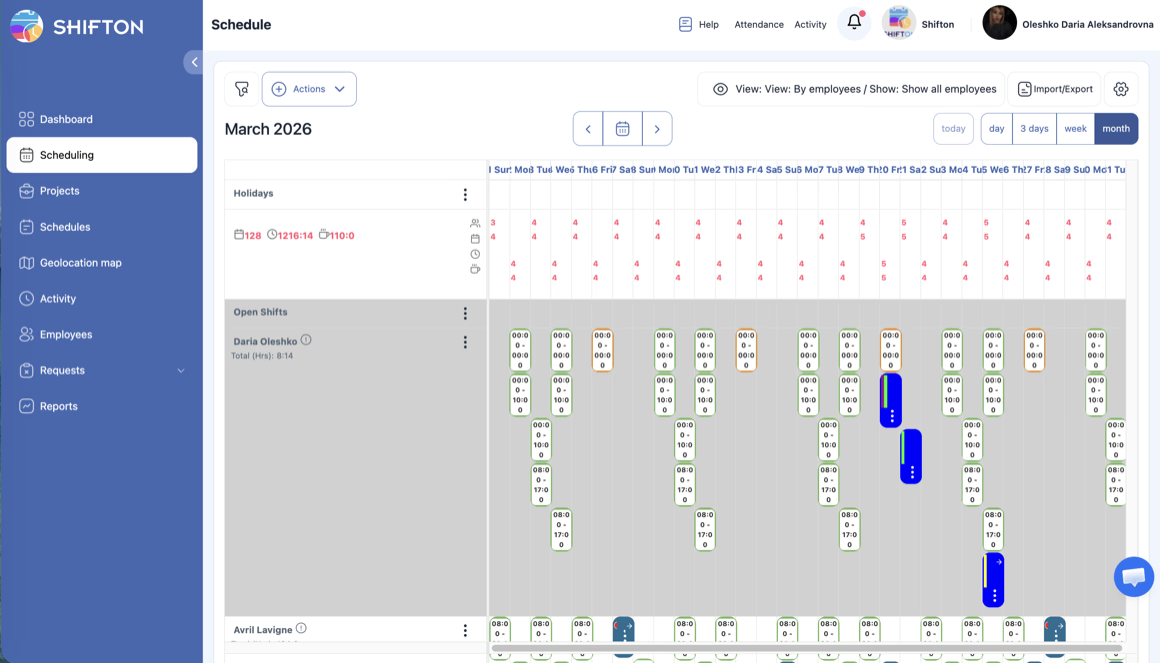
Centralized Team Dashboard for Multi-Location Operations
Managing teams across multiple locations, departments, or projects requires a single source of truth for who is working where, when, and in what role. Centralized workforce management gives managers one live view of every team, eliminates duplicated effort, and closes staffing gaps before they cost coverage.
Mobile Team Coordination and Shift Communication
Confirming shifts, communicating schedule changes, and chasing responses to open shifts consume hours managers should spend leading operations. Built-in team communication moves every update, confirmation, and open-shift offer into one channel, so coordination stops eating the workday.
Role-Based Access Control and Data Privacy
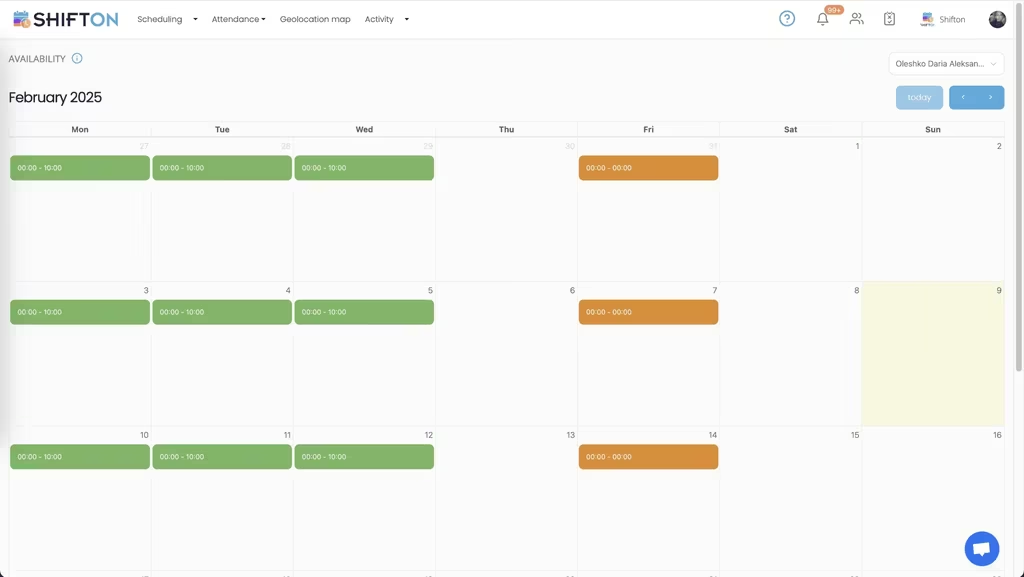
As teams grow, access to payroll data, personal details, and performance metrics has to be limited to authorized roles. Role-based access control keeps sensitive workforce data visible only to the right people and protects employee trust at every level.
Team Performance Metrics and Growth Planning
Effective workforce management goes beyond filling shifts. Data-driven insight into attendance reliability, coverage rates, and overtime distribution helps managers recognize top performers, plan capacity for growth, and build stronger, more resilient teams.
Start with the Free Plan
No time limits. Get full access to core features and upgrade when you're ready.
Read more about team management
Team management is the operational discipline that determines whether a business scales cleanly or stalls at the size a single manager can hold in their head. Below a certain threshold, you can run a team from memory: ten people, two locations, one shared chat. Above that threshold, every undocumented decision turns into a missed shift, a confused employee, or a customer who notices the chaos first.
That threshold is usually somewhere between fifteen and twenty-five employees, depending on the industry. After that, the cost of not having team management software is not what you spend on the tool. It is the hours managers burn coordinating, the shifts that go uncovered because the message went to the wrong person, and the senior employees who quit because their schedule keeps changing without warning.
What good team management software actually solves
The category got bloated over the last decade. Every productivity app added a "team" feature. Every HR platform claimed to be a "team management solution." The result is a market full of tools that do six things badly when most operational teams need three things done well.
The three things that matter for shift-based teams:
- A single source of truth for the schedule, accessible from a phone, that updates in real time when something changes.
- Communication that is targeted, traceable, and built into the same workflow as the schedule, instead of bouncing between a separate messaging app and a separate calendar.
- Visibility into how the team is actually performing, in time to act on it: not a quarterly HR report but a weekly view of who is reliable, who is over-extended, and who is checking out.
Everything else is optional. Permissions, integrations, certification tracking, and reporting are all real needs, but they pile on top of the three above. A platform that gets the foundation right makes the extras meaningful. A platform that gets the foundation wrong cannot be saved by adding features on top.
How team management software changes the manager job
The clearest way to see what good team management software does is to compare a manager-week before and after.
Before, the manager spends Monday morning rebuilding the schedule because two people swapped without writing it down, calls four employees to confirm Tuesday shifts, fields seven texts about who is covering Thursday, and ends the week not knowing why payroll came in three percent over budget. The work that should fill those hours, training the new hire, sitting in on a shift to coach the team lead, planning the next quarter, gets pushed to "next week" until next week becomes the same week.
After, the schedule lives in the platform, every change is logged, every employee acknowledges their shift through the app, and the open shifts that need filling broadcast themselves. The manager sees on Monday morning that two employees are at risk of burning their overtime budget, schedules a coaching session for the team lead who is handling more than her share, and reviews the capacity report before approving next quarter's headcount plan. The reactive work shrinks to a fraction of the day, and the work that grows the business actually gets done.
The pieces that make Shifton different for operational teams
Most team management tools were built for office knowledge workers and bolted on a "shift" feature later. The legacy shows: clunky mobile apps, weak time-stamping, no concept of cross-location coverage. Shifton was built the other way around.
Built the other way around means the constraints of operational teams shaped the architecture from day one. The mobile app loads on entry-level Android phones because the people clocking in at four in the morning rarely carry the latest hardware. The directory is normalized around shifts and locations rather than projects and channels because that is how a coordinator actually thinks about coverage. The permission model assumes the supervisor has access to one team and zero context about payroll, while the regional manager has access to all teams and a narrow slice of payroll. None of these design calls reads as exciting in a feature comparison spreadsheet, but every one of them is what determines whether the platform survives contact with a real operations week.
The schedule is the centerpiece, the mobile experience is first-class, and the manager dashboard is built for the question a real manager actually asks: who is working right now, who is missing, and what do I need to do about it before the customer notices. Shift confirmations, open-shift broadcasting, and role-based access are not afterthoughts but the load-bearing parts of the product.
For teams running across multiple sites, the cross-location capacity view shows where the over-staffing and the under-staffing actually sit, instead of totals only. For teams in regulated industries, certification tracking blocks unqualified scheduling at the source instead of leaving it to a manager to remember. As teams scale, the directory and permission system absorb new locations without a separate IT project each time.
When you actually need a team management platform
Below ten employees, you probably do not. A shared spreadsheet and a group chat will do the job, and any tool will cost you more in setup time than you save. The free tier of Shifton exists for exactly this stage: small enough to be free, capable enough to grow into.
Between ten and twenty-five employees, you start to feel the seams. The spreadsheet has tabs for things that used to be one tab. The group chat splits into three. Schedules get typed out twice because the version on the wall is different from the one in the chat. This is the inflection point where most teams move to a real team management software, and the ones that delay lose someone good in the next six months.
Above twenty-five employees, the question is no longer whether to use team management software but which one. The cost of getting this wrong, choosing a tool that the team will not adopt or that does not handle your operational reality, is a year of lost productivity and a manual migration when you switch to the right platform later.
What to look for when comparing team management tools
Spend an hour with the actual mobile app before you sign anything. The platform that looks great in the demo is sometimes the one that crashes on older Android phones, which is exactly what your hourly team uses. Ask to see how the platform handles a real edge case from your business: the certified specialist who only works at two of your six locations, the part-time employee who picks up shifts in two different roles, the supervisor who needs visibility into one team but not another.
If the platform handles those cases without a workaround, it will probably handle the rest of your operation. If you have to "configure around" the basics, you will be configuring around them for the rest of the relationship.
The team management software market is mature enough that the right tool exists for almost any operational team. The trick is matching the platform to how your team actually works, not how the marketing site says teams work.
Works with the rest of Shifton
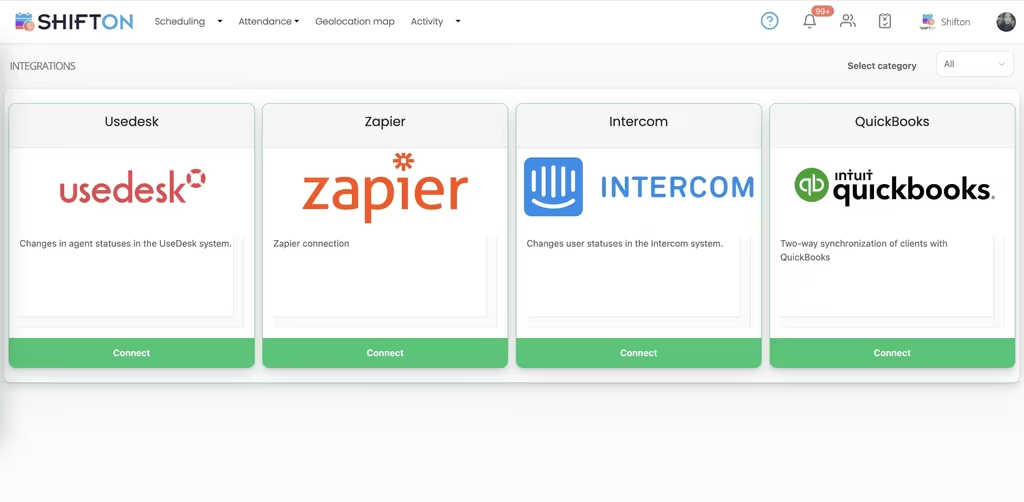
Team management connects to shift scheduling software for the roster, absence management for leave and coverage, and payroll management software to turn hours into pay.
Frequently Asked Questions
How is a team organized in Shifton?
Employees belong to projects, have positions and work at locations. Positions carry a colour, a base hourly rate and expected monthly hours, and one employee can hold several positions.
What roles are there?
Administrator and Employee are set for the whole account, and Manager is set per project. A Manager runs shifts and people only inside the projects they are assigned to.
Can a team lead see only their own people?
Yes. The Manager role is limited to the projects that person manages, so a lead sees the employees and schedules of those projects and nothing else.
Who can see pay rates?
Managers see salaries only if Show employee salaries to the manager is enabled in Salary Settings. Employees can be allowed to see their own estimated pay, never other people's.
Can employees see the whole team's shifts?
By default they see only their own. An administrator can switch on Allow employees to see all shifts in the schedule settings.
How do I bring a team into Shifton?
Add employees one by one or import them from a file, then send invitations. The Company Employees report shows who has not been invited or has not joined yet.
Can I see who changed what?
The Activity Log records every created, edited or deleted record with the time, the person and the data before and after. It is available to owners and administrators.
Do I pay extra for more than one project?
One project is included with Basic functions. The Departments, projects module adds more for $1 per month, whatever the team size.
Which reports help with team performance?
Late Employees, Confirmed Shift, Employee Working Hours and Minimum Hours show punctuality, confirmations, planned against actual time and weekly hours per person.




Ready to transform how you run your team?
Join thousands of teams that trust Shifton to run shifts, time, and payroll smarter every day.