

 English
  Español
  Português
  Deutsch
  Français
  Italiano
  日本語
日本語  中文
中文  हिन्दी
  עברית
עברית  العربية
  한국어
한국어  Nederlands
  Polski
  Türkçe
  Українська
  Русский
  Magyar
  Română
  Български
  Čeština
  Ελληνικά
  Svenska
  Dansk
Dansk  Norsk
Norsk  Suomi
Suomi  Bahasa Indonesia
  Tiếng Việt
  Tagalog
  ไทย
ไทย  Latviešu
  Lietuvių
  Eesti
Eesti  Slovenčina
  Slovenščina
  Hrvatski
  Македонски
  Қазақша
  Azərbaycan
  Afrikaans
  বাংলা
বাংলা 
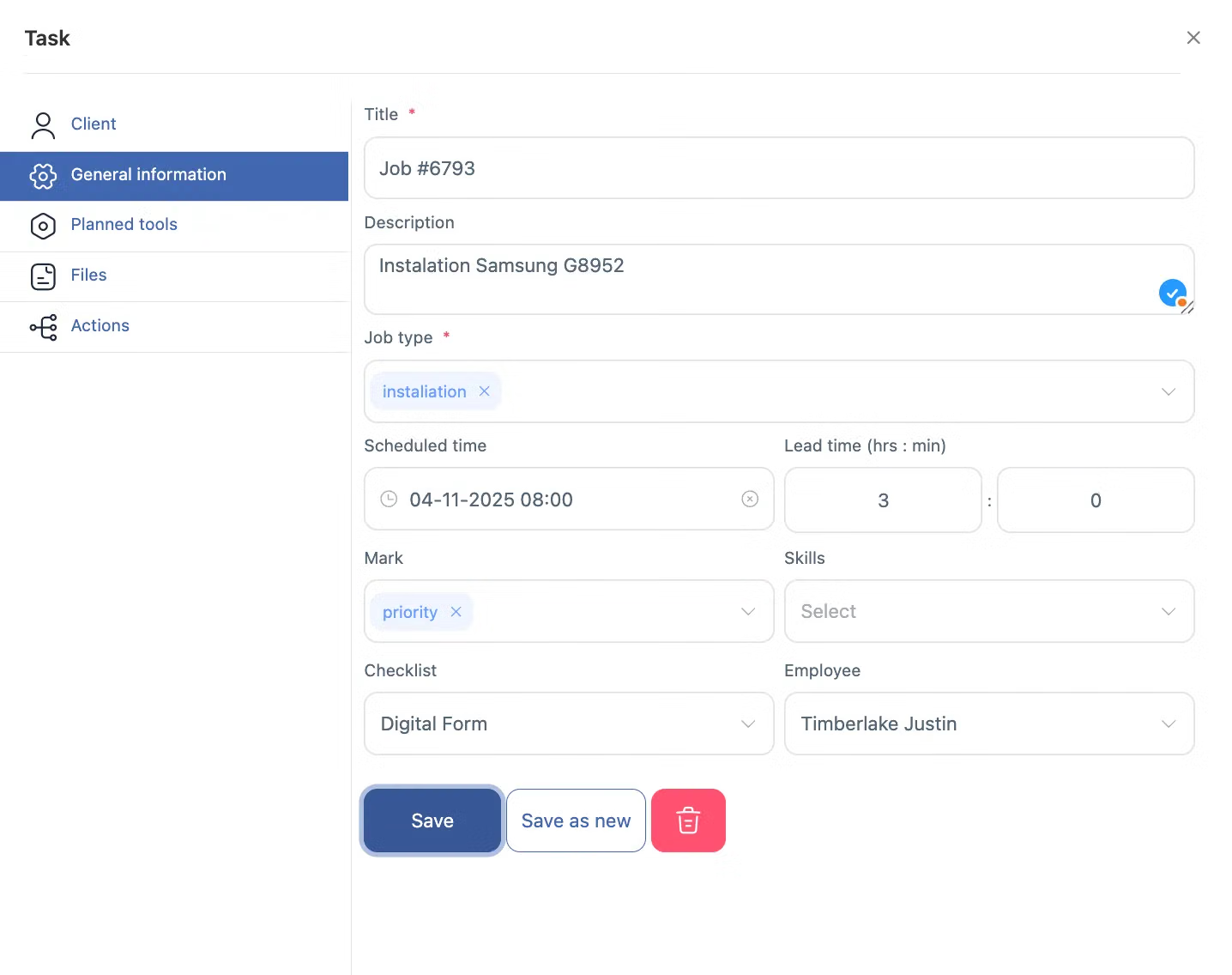
업무 관리 실행 가능한 작업 관리 소프트웨어로 업무 진행 상황을 관리하세요.
Field technicians need clear job instructions before arriving on-site — priorities, checklists, equipment details, and attachments all in one place. Without this, every job starts with phone calls and confusion.
Every technician arrives prepared — no extra calls, no missing information, no wasted site visits.
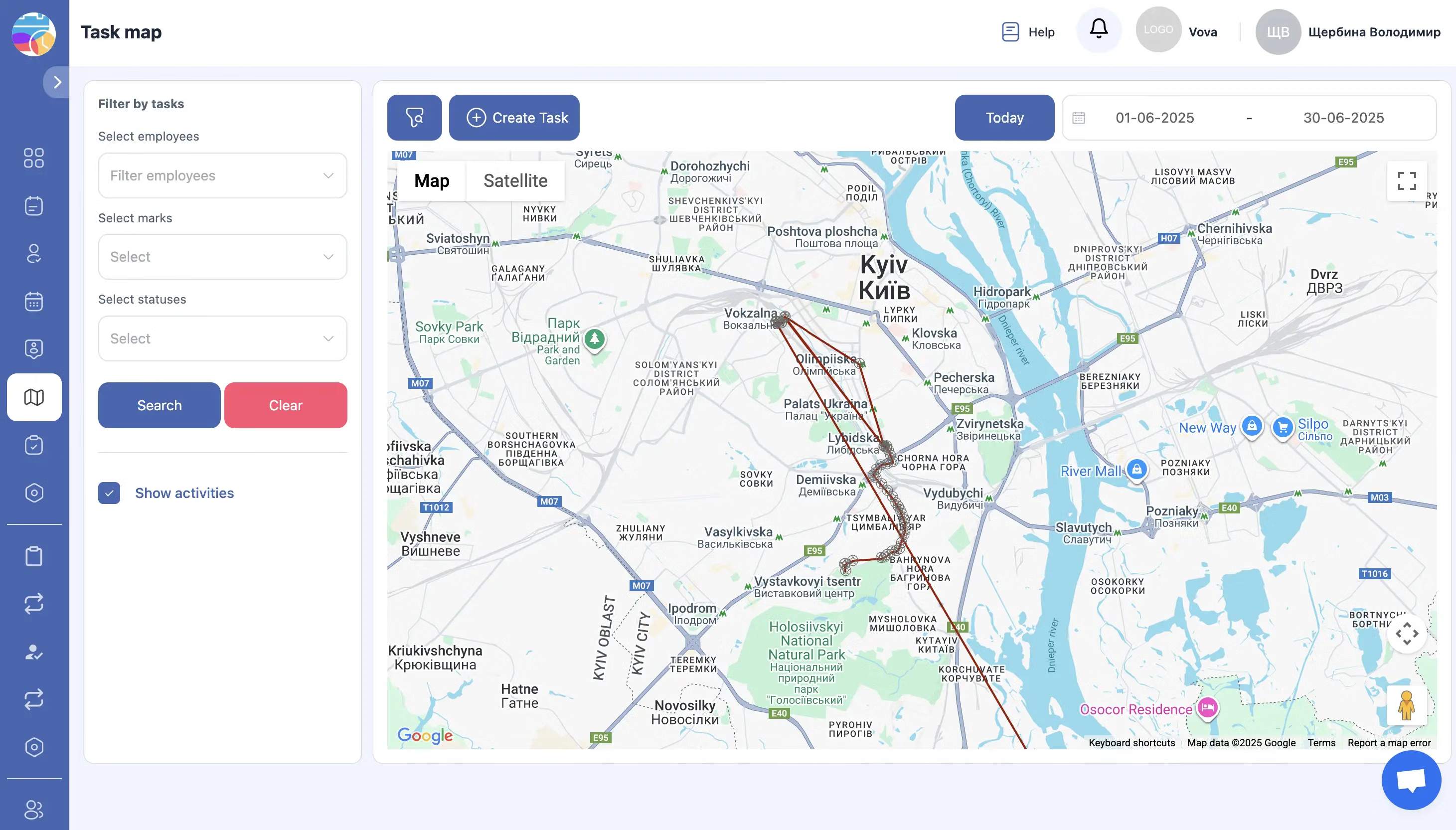
작업 관리 소프트웨어의 실시간 추적 및 인사이트
현장 서비스 팀을 위한 작업 관리 및 일정 예약 소프트웨어를 위한 전문 현장 서비스 툴킷. 코디네이터, 디스패처 및 기술자가 동일한 실시간 뷰를 공유합니다.
Dispatchers manage proactively — real-time data means fewer surprises and faster adjustments.
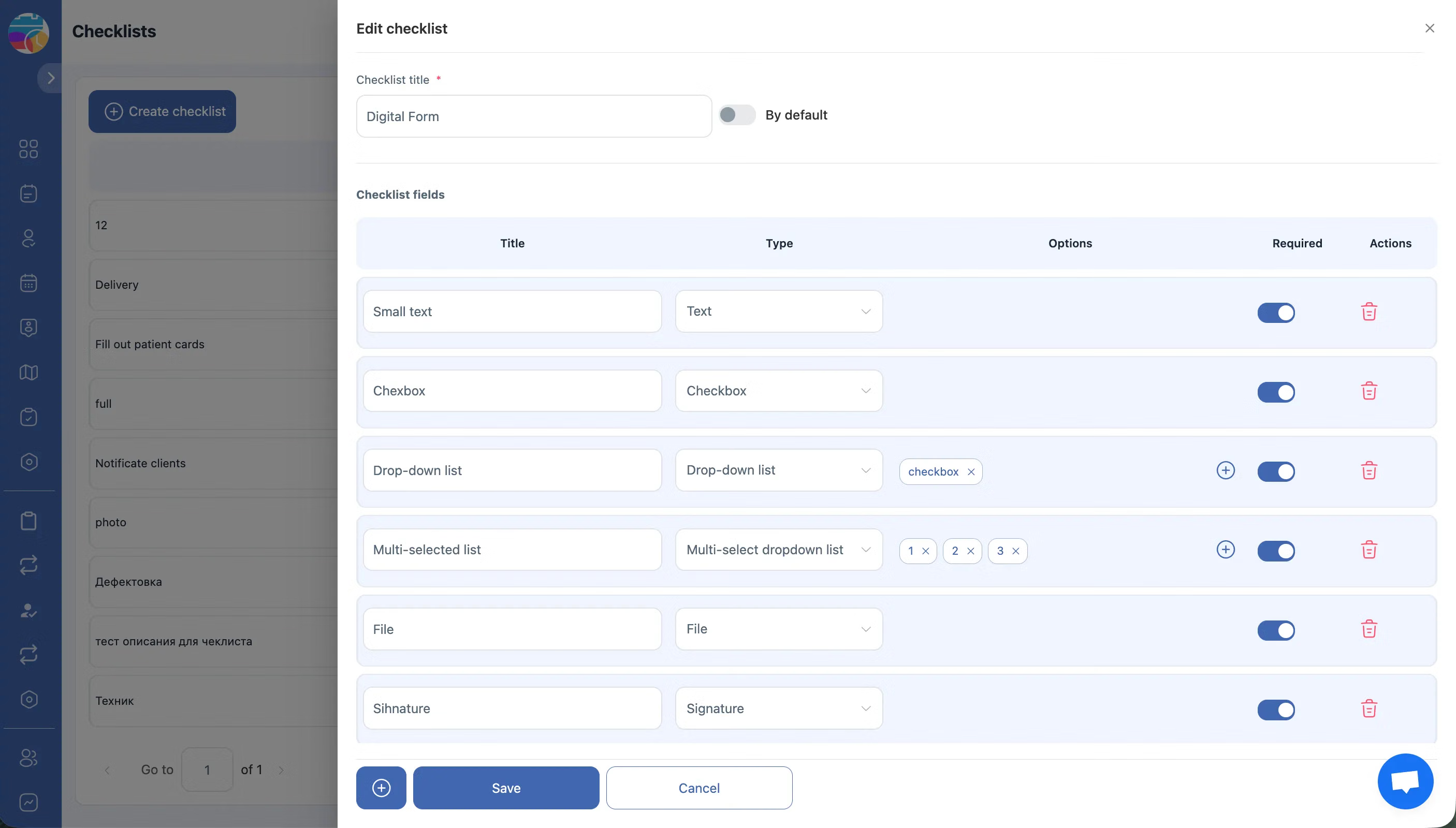
작업 관리 소프트웨어를 통한 원활한 소통 및 업데이트
Communication scattered across chats, emails, and phone calls gets lost. Job-related messages need to live inside the job record where everyone can find them.
Every conversation tied to the job — nothing gets lost, everything is auditable.
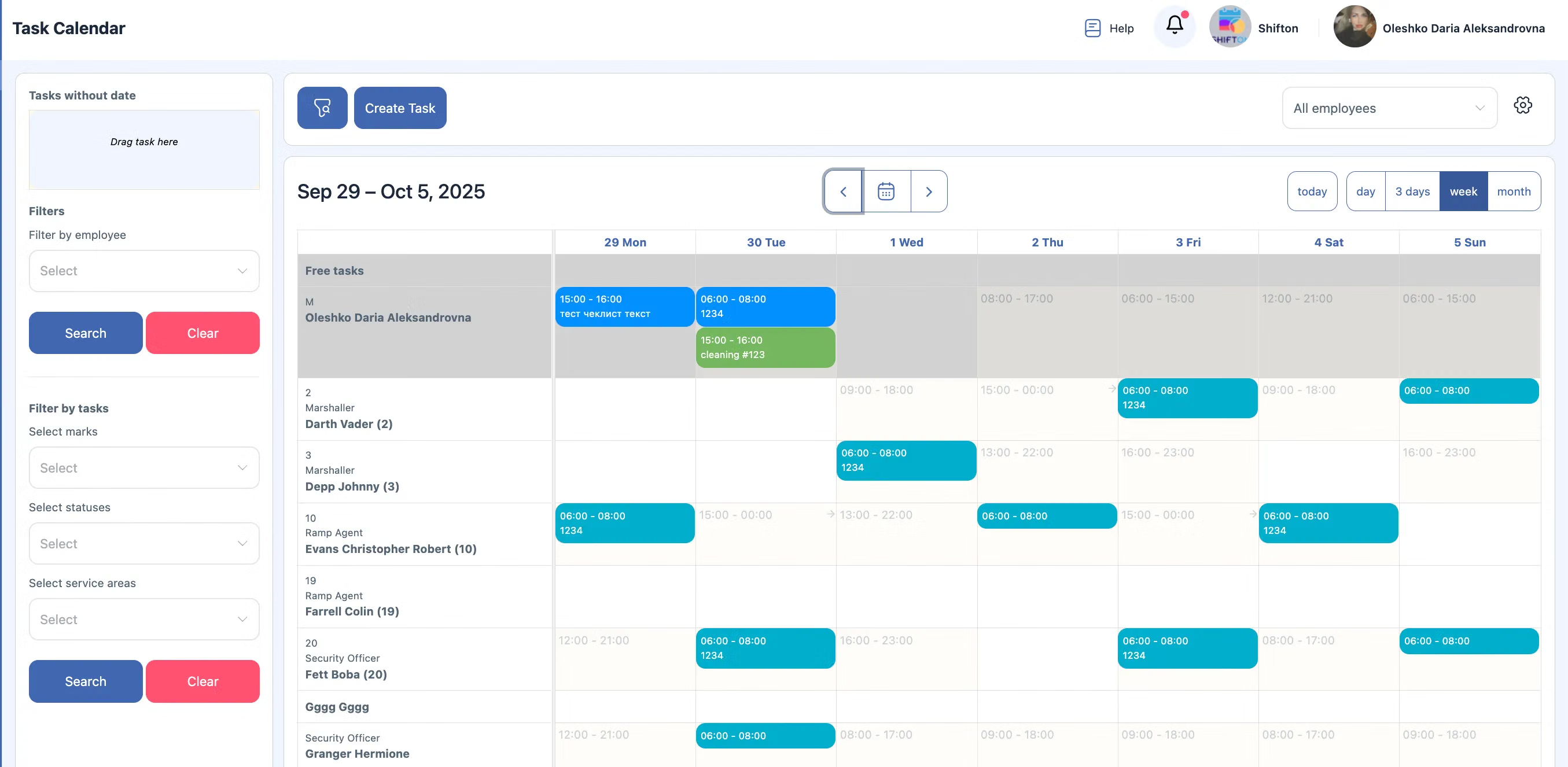
업무 관리 소프트웨어를 통한 효율성, 집중력 및 책임감 향상
Knowing who completed each task, when it started and finished, and whether all steps were followed builds accountability across the entire team.
Clear accountability records drive better scheduling, smarter staffing, and continuously improving service quality.
무료 플랜으로 시작하세요
기간 제한 없음. 핵심 기능에 완전히 액세스하고 준비가 되면 업그레이드하세요.
자주 묻는 질문
작업을 어떻게 생성하고 배정하나요?
세부 정보를 포함한 작업을 생성합니다——설명, 체크리스트, 우선순위, 고객, 주소, 시간 창. 기술자에게 배정하거나 스마트 디스패치가 최적의 매칭을 선택하게 합니다.
드래그 앤 드롭 스케줄러가 있나요?
네. 시각적 일정 보드에서 시간 슬롯과 기술자 간에 작업을 드래그할 수 있습니다. 하루, 주, 또는 월 전체를 한눈에 볼 수 있습니다.
우선순위와 마감일을 설정할 수 있나요?
네. 작업을 낮음, 중간, 높음, 또는 긴급으로 표시합니다. 마감일을 설정하면 작업이 지연 위험에 처했을 때 시스템이 경고합니다.
작업에 체크리스트와 첨부파일을 추가할 수 있나요?
네. 각 작업에는 단계별 체크리스트, 파일 첨부, 사진, 메모, 기술자를 위한 특별 지시를 포함할 수 있습니다.
기술자가 새 배정에 대한 알림을 받나요?
네. 작업이 배정, 업데이트, 또는 재일정될 때 기술자는 즉시 푸시 알림을 받습니다. 앱에서 수신을 확인합니다.
팀 전체의 모든 작업을 하나의 보기에서 볼 수 있나요?
네. 디스패처 대시보드는 모든 기술자의 모든 작업을 표시합니다——상태, 날짜, 우선순위, 구역, 또는 고객으로 필터링 가능.
작업 관리가 기본 플랜에 포함되어 있나요?
네. 작업 관리와 일정은 «작업» 기본 모듈의 일부로, 직원 2명까지 무료입니다. 더 큰 팀의 경우 직원당 월 $5.00입니다.