English
  Español
  Português
  Deutsch
  Français
  Italiano
  日本語
日本語  中文
中文  हिन्दी
  עברית
עברית  العربية
  한국어
한국어  Nederlands
  Polski
  Türkçe
  Українська
  Русский
  Magyar
  Română
  Български
  Čeština
  Ελληνικά
  Svenska
  Dansk
Dansk  Norsk
Norsk  Suomi
Suomi  Bahasa
  Tiếng Việt
  Tagalog
  ไทย
ไทย  Latviešu
  Lietuvių
  Eesti
Eesti  Slovenčina
  Slovenščina
  Hrvatski
  Македонски
  Қазақ
Қазақ  Azərbaycan
  Afrikaans
  বাংলা
বাংলা 
Network installation work is rarely “just a quick visit”. You deal with strict access windows, different sites, different hardware, and the constant pressure to finish without breaking anything. One missed detail can mean a second trip, angry stakeholders, and lost profit. The problem is not only the technical part. The real challenge is coordination: who goes where, with what tools, at what time, and how you prove the work is completed.
Shifton Field Service is built for teams that work on the road. It helps network installation companies plan jobs, dispatch technicians, track progress, and collect documentation in one place. Instead of juggling chats, spreadsheets, and late reports, you get a clear system where each task has an owner, a deadline, a checklist, and proof. That is how you scale without losing quality.
If your business matches IT on-site support and network work, this page shows the exact industry fit: IT On-Site Support PC/Network
Network installation: why teams lose time and money without a field system
When your calendar is packed, small coordination issues turn into real losses. A technician arrives on site and cannot access the room because the pass was not arranged. Someone forgets which switch port was changed. The office cannot confirm what is done because the update came too late. A manager asks for a report and the team rebuilds it from memory. Even strong technicians get slowed down by messy operations.
Network installation also includes a lot of “invisible” work: travel time, handoffs between dispatch and field techs, material control, documentation, and approvals. If that flow is not clean, you cannot grow. You just get busier and more tired.
Shifton solves this by giving your team a real-time operating picture. Dispatchers see jobs and statuses. Technicians see the next task and the exact steps. Managers see what is slipping and why. Everyone works in one place, and every job leaves a clear trail.
Network installation workflow your clients can trust
A strong workflow has two goals: speed and proof. Shifton helps you build both. You create a job with a site address, access notes, contact person, required tools, and deadlines. You assign it to the right technician and the system keeps it visible until completion. The technician opens the task on mobile, follows the checklist, fills out job forms, attaches photos, and updates the status when each step is done. The office sees progress instantly and can answer client questions without guessing.
This matters a lot for network installation because clients expect documentation. They want to know what was installed, what was changed, and when it was tested. Shifton keeps that information in the job record, not in someone’s personal notes.
What Shifton Field Service modules you get and what each module does
Shifton is modular, so you can start with the essentials and expand as your field operations grow. Below are the most important modules for network installation teams and IT on-site support crews.
Task Management
Create jobs with full details: site, scope, priority, deadlines, and technician assignment. Every task has a status, so you always know what is pending, in progress, or done.
Scheduling and Shift Planning
Plan workdays, assign shifts, and keep coverage stable. This is especially important for teams that rotate on-call responsibilities or work with tight access windows.
Dispatch and Job Assignment
Dispatchers can quickly assign tasks to the best technician based on workload and location. When urgent calls appear, you can adjust without breaking the entire schedule.
Team Location Tracking
See where your technicians are during the day. This supports faster dispatch decisions, smarter routing, and more accurate arrival expectations.
Mobile Access
Technicians work from their phones. They receive tasks, update statuses, view notes, and complete steps on site without calling the office for basic information.
Digital Job Forms
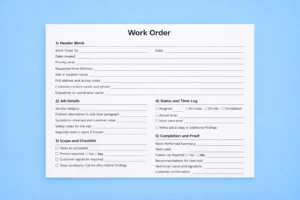
Replace paper documents with structured job forms. Capture technical details, device information, test results, and sign-offs in a consistent format.
Checklists
Standardize how work is completed. Checklists reduce mistakes and keep installs consistent across different technicians and locations.
Job Progress Tracking
Track each job from creation to completion. You can see who is working on what, what is done, and what is blocked.
Instant Alerts
Get notifications when tasks are delayed, when something changes, or when a job has not started on time. That visibility helps you fix issues early, not after the client complains.
Inventory and Warehouse Management
Control parts, tools, and materials. Track what is issued, what is used, and what needs restocking. This reduces wasted trips and missing equipment.
Client Management
Store site contacts, addresses, job history, and service details in one place. When a site calls again, you can see the full history instantly.
Access Control
Define roles and permissions so the right people can create tasks, approve changes, and view sensitive information. This is important for businesses with multiple teams and managers.
These modules connect into one field service workflow, so your team does not waste time moving information between tools.
Real-time control for field operations without extra office work
Network installation often runs across many sites. You might handle offices, retail locations, warehouses, clinics, and industrial facilities. Each site has its own schedule, stakeholders, and rules. Shifton keeps everything organized even when jobs overlap.
With live statuses, the office can see what is happening right now. If a technician is delayed, dispatch can adjust the next job before it turns into a missed appointment. If the client asks for an update, you answer based on real-time data. If a manager needs a report, the documentation is already attached to the task.
That is the main advantage of Shifton: control without micromanagement. You build a process once, then the system helps your team follow it daily. When teams can measure improvements clearly—fewer repeat trips, faster completion, and cleaner documentation—it also becomes easier to motivate crews with performance-based incentives like team productivity reward programs.
Who benefits from Shifton besides network installation teams
Shifton is designed for any business that sends people to customer locations. That includes IT on-site support, telecom and connectivity services, cable installation, security systems, smart home, access control, POS and payment terminal support, ATM and kiosk maintenance, vending machine service, appliance repair, HVAC, electricians, plumbers, inspection services, medical equipment service, and many more.
If your work depends on scheduling, dispatch, and proof of service, Shifton fits. Even if an industry is not listed on a page, the workflow stays the same: plan, dispatch, execute, document, report.
Pricing that scales with your team and a free trial up to 55 days
Field service businesses want pricing that matches reality. You do not want to pay for features you will not use. Shifton’s modular approach makes it easy to start with what you need today and add more when you are ready.
A smart rollout for network installation usually starts with Task Management, Scheduling, Dispatch, Mobile Access, Team Location Tracking, Digital Job Forms, and Checklists. Those modules immediately reduce coordination issues and improve documentation. After that, many teams add Inventory and Warehouse Management and deeper reporting to cut repeat trips and improve planning.
You can test Shifton with your real jobs and real technicians during a free period up to 55 days. That is enough time to understand the impact on speed, quality, and reporting.
Start here: https://app.shifton.com/registration
What makes Shifton a strong choice for network installation companies
Shifton is best when you need a system that does not slow the team down. The interface is simple, the workflow is clear, and the goal is to remove friction from daily operations. You get real-time dispatch visibility, structured documentation, better accountability, and cleaner client handoffs. That combination is exactly what network installation requires, because clients judge you on reliability, not on how hard the job was.
When your team has one system for scheduling, job details, checklists, photos, forms, and reporting, the business becomes easier to run. You spend less time fixing miscommunication and more time completing work that brings revenue.
FAQ
What is network installation software used for?
Network installation software helps field teams plan and manage installs, schedule technicians, track job progress, and store documentation like checklists, forms, photos, and service reports in one place.
How does Shifton help IT on-site and network teams?
Shifton helps teams schedule jobs, dispatch technicians, track locations, use digital job forms and checklists, capture proof of work, and monitor performance with real-time status updates and alerts.
Can Shifton handle urgent callouts and strict access windows?
Yes. Shifton supports fast job assignment, real-time progress tracking, and instant alerts, so dispatchers can react quickly when schedules change or urgent issues appear.
Do technicians need special devices to use Shifton?
No. Technicians can use Shifton on a smartphone to receive tasks, follow checklists, fill job forms, upload photos, and close jobs on site.
Can Shifton help reduce repeat visits?
Yes. Clear job details, checklists, digital forms, and inventory control help technicians arrive prepared, complete tasks correctly, and document changes so fewer issues require a second trip.
Is Shifton only for network installation?
No. Shifton is built for many field service industries, including telecom, security systems, ATM and kiosk maintenance, vending machine service, appliance repair, HVAC, electricians, plumbers, and any team that works on-site.
How long is the free trial?
Shifton offers a free period up to 55 days, so you can test the workflow with real jobs before choosing a plan.