

 English
  Español
  Português
  Deutsch
  Français
  Italiano
  日本語
日本語  中文
中文  हिन्दी
  עברית
עברית  العربية
  한국어
한국어  Nederlands
  Polski
  Türkçe
  Українська
  Русский
  Magyar
  Română
  Български
  Čeština
  Ελληνικά
  Svenska
  Dansk
Dansk  Norsk
Norsk  Suomi
Suomi  Bahasa
  Tiếng Việt
  Tagalog
  ไทย
ไทย  Latviešu
  Lietuvių
  Eesti
Eesti  Slovenčina
  Slovenščina
  Hrvatski
  Македонски
  Қазақ
Қазақ  Azərbaycan
  Afrikaans
  বাংলা
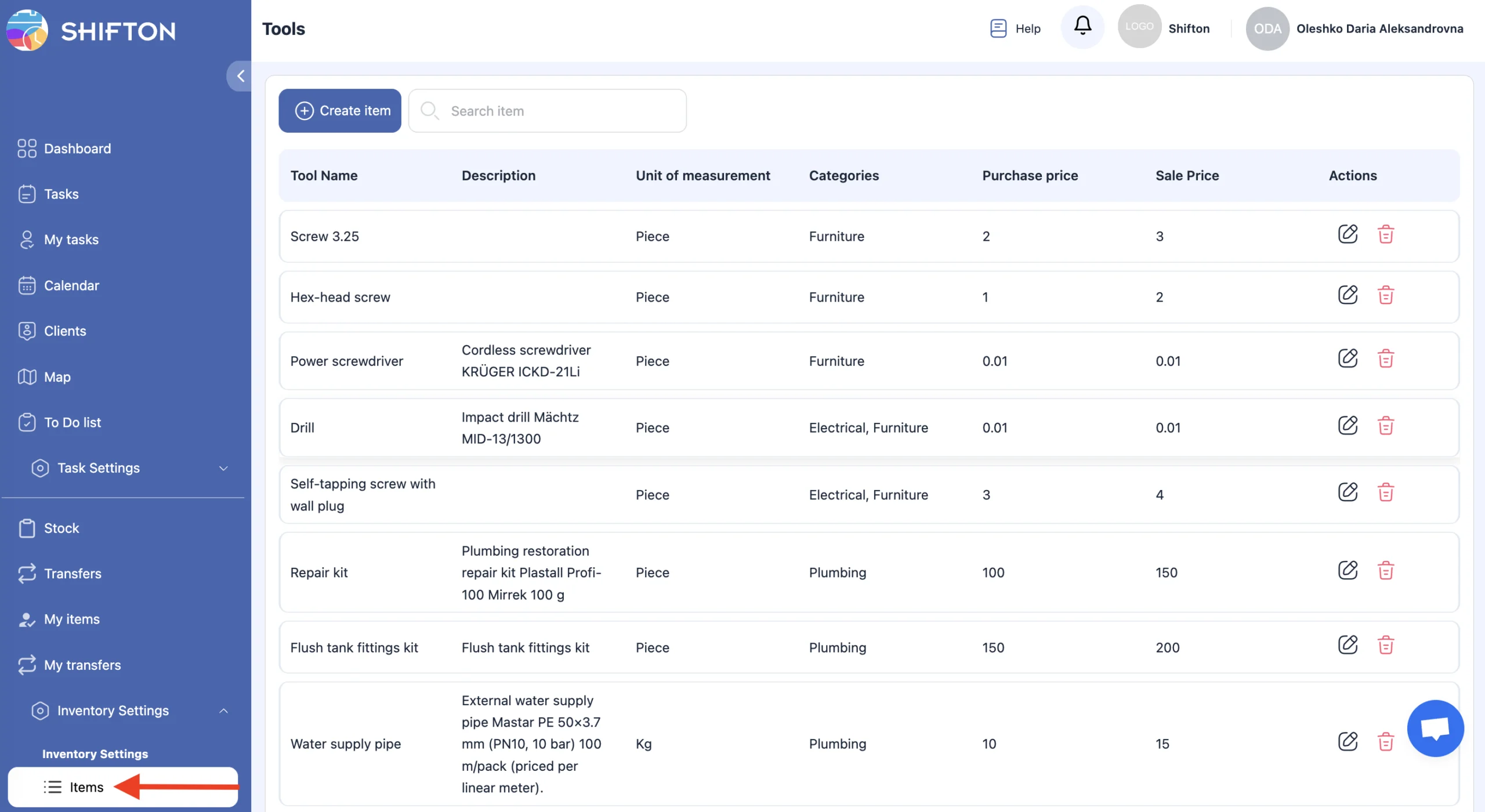
বাংলা Tools in the Inventory module include any items, instruments, or consumable materials used by technicians when completing tasks.
To manage tools:
-
In the side menu, select “Inventory Settings.”
-
Open the “Tools” section.
On this page, you can:
-
create a tool;
-
edit a tool;
-
delete a tool.
Creating a Tool
-
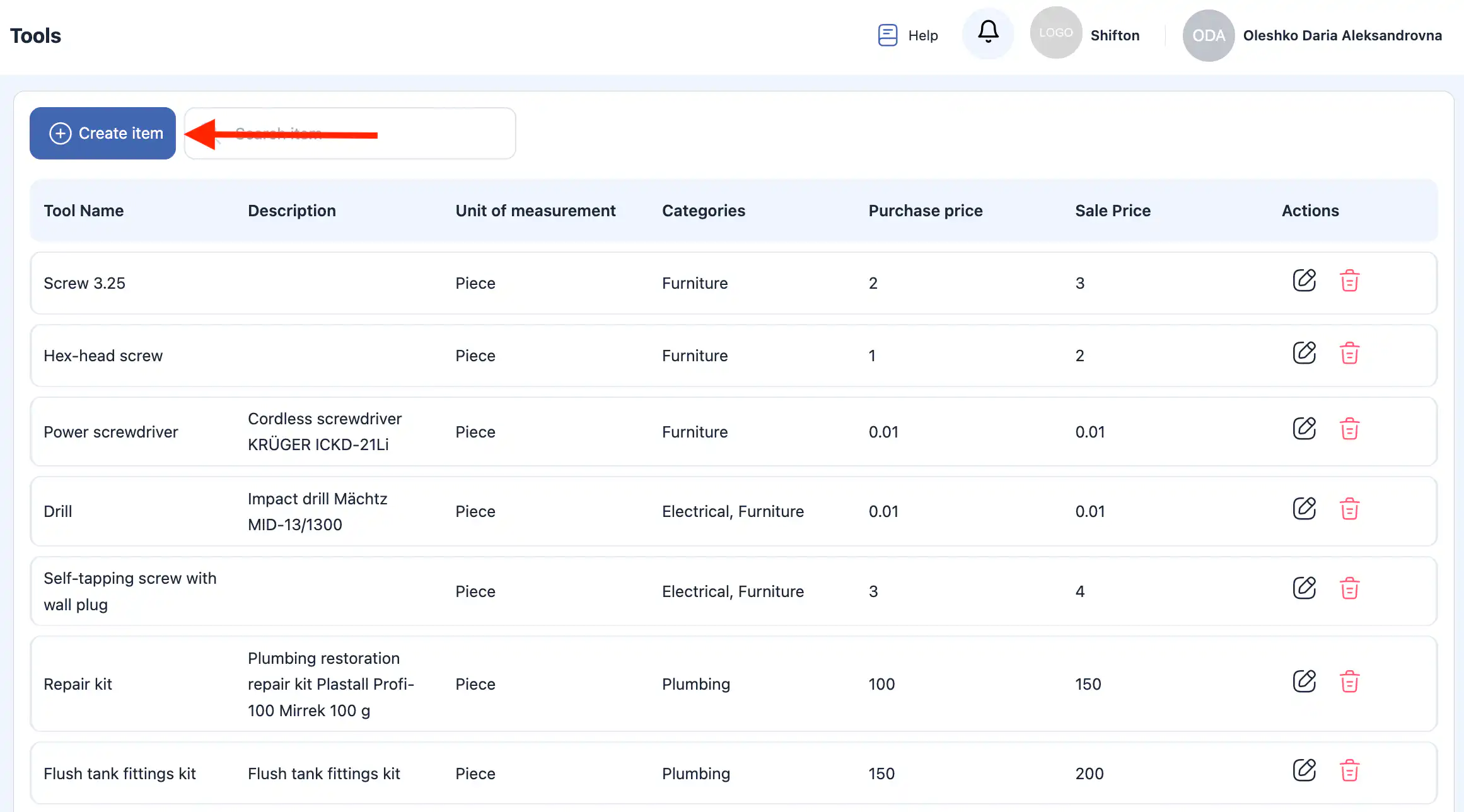
Click “Create Tool.”
-
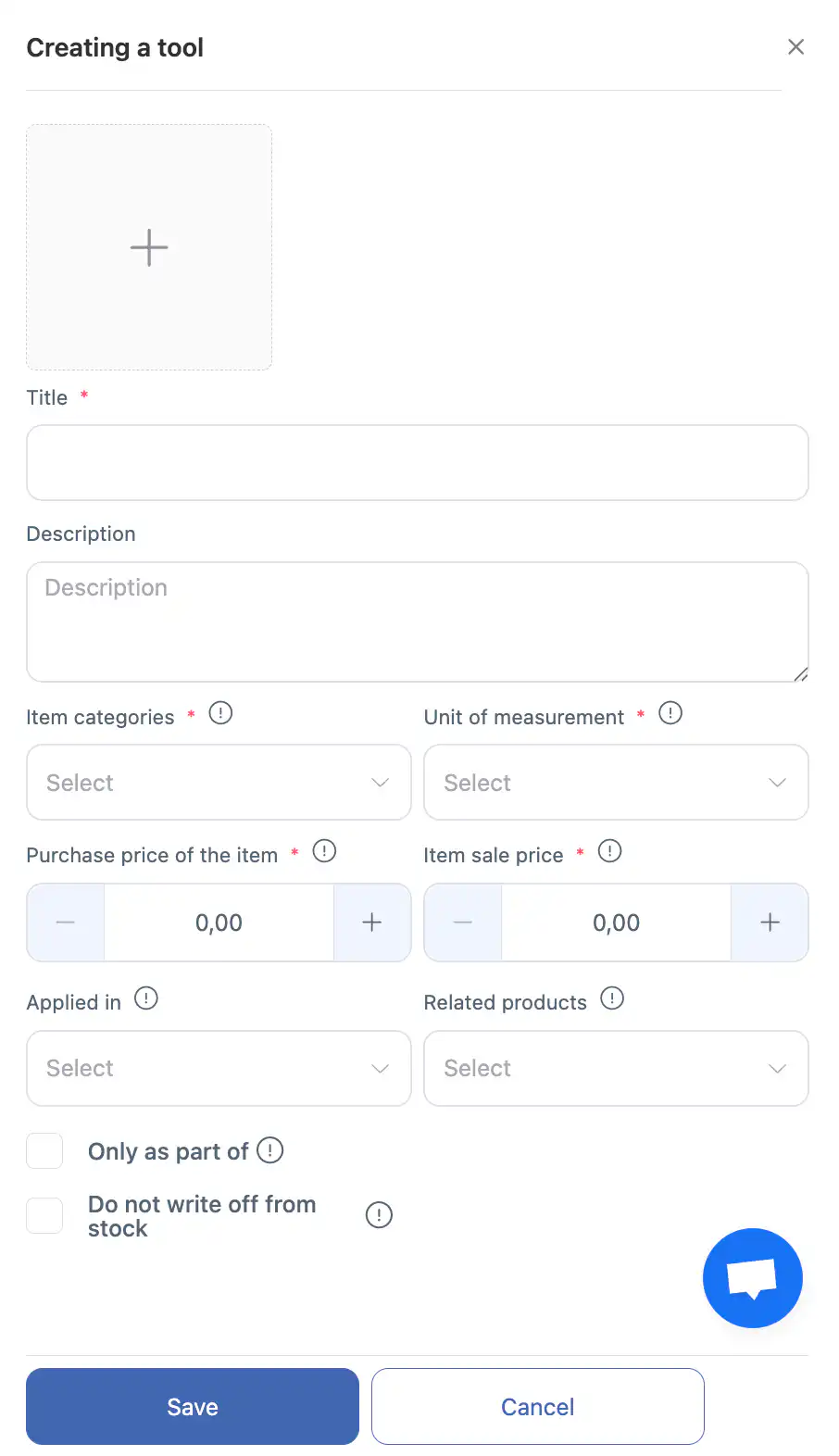
A side panel will open on the right.
-
Enter the following information:
tool name;
description (optional);
one or several categories (you can select existing categories or create a new one);
unit of measurement (select an existing one or create a new one);
purchase price and sale price;
related tools, if the tool is used together with other tools or serves as an accompanying item. -
Additional settings:
mark the tool as required to be used only together with other tools, if it cannot be used alone;
mark the tool as not written off after task completion.
For example: a hammer remains with the technician — not written off.
A nail stays with the client — written off. -
Click “Save.”
-
To cancel the action, click “Cancel.”
Editing a Tool
-
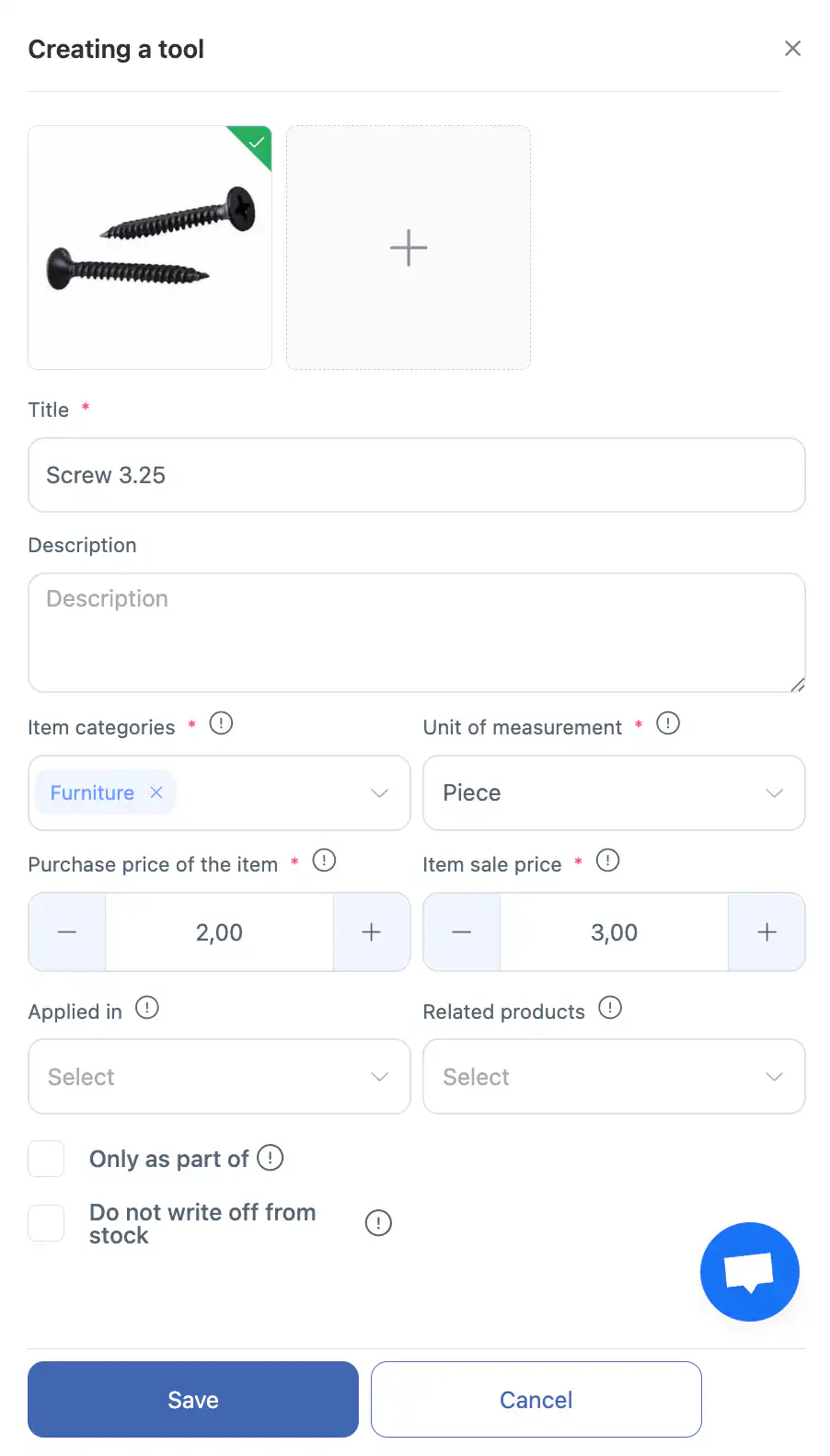
Click the pencil icon next to the tool.
-
In the side panel, update:
the name and description;
categories;
unit of measurement;
purchase and sale prices;
related tools;
settings for required usage and write-off. -
Click “Save.”
-
To discard changes, click “Cancel.”
Deleting a Tool
-
Click the trash icon next to the tool.
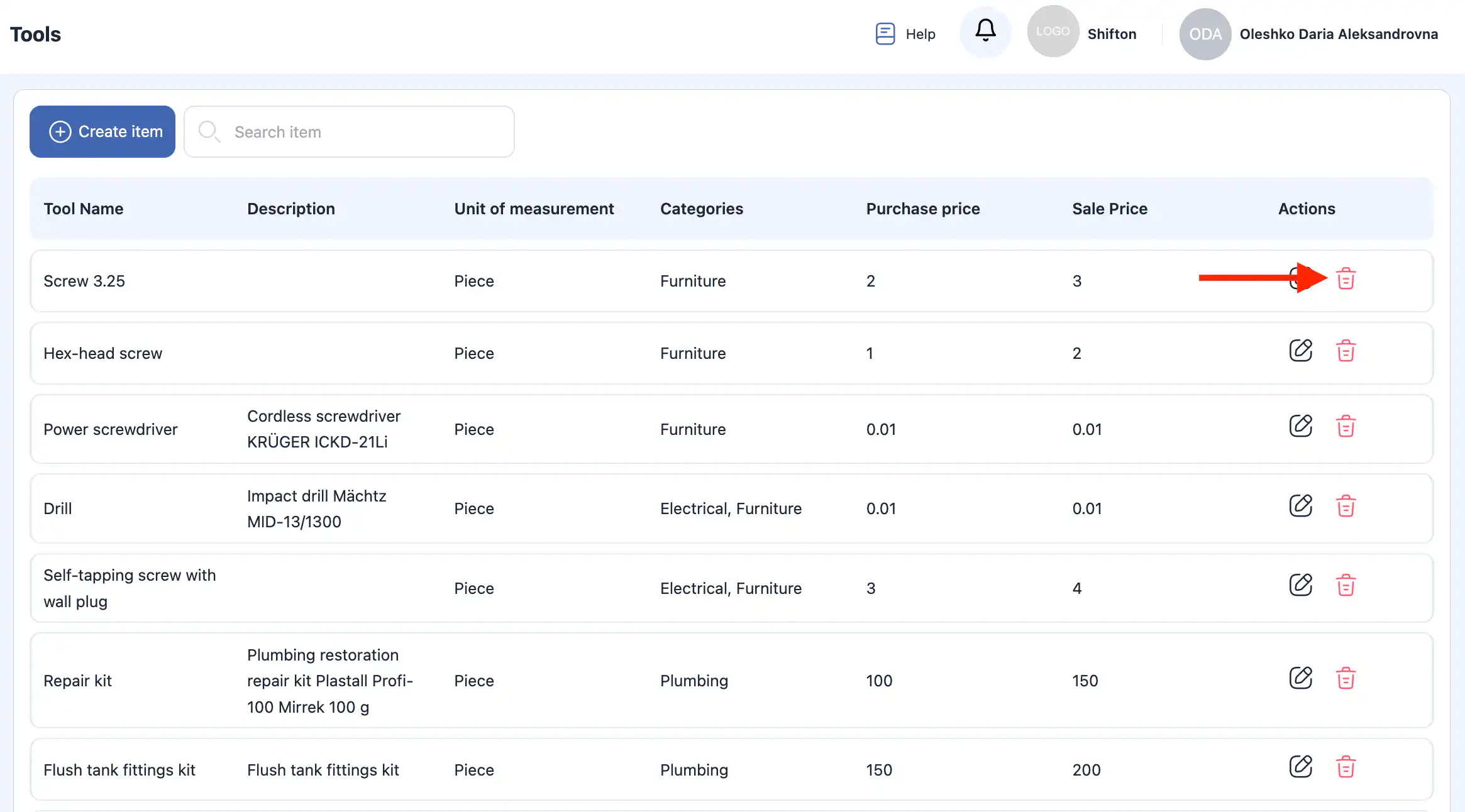
-
Confirm the deletion.
Important: Deleted tools cannot be restored.
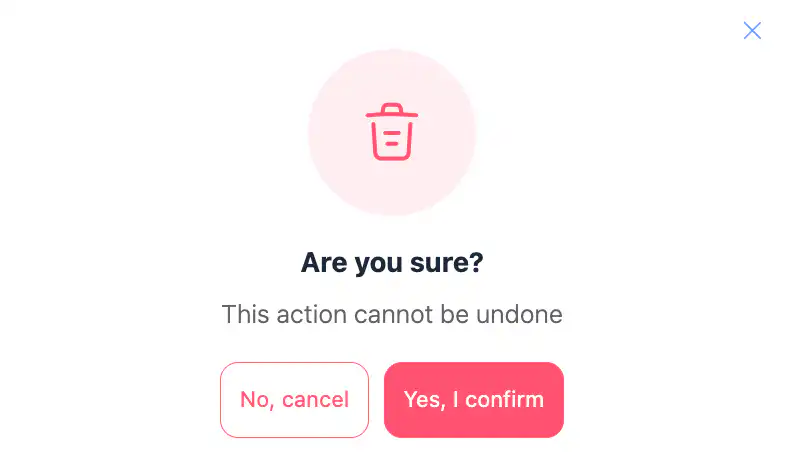
-
To cancel the action, click “Cancel.”
Frequently Asked Questions (FAQ)
Q: What are tools in the Inventory module?
A: Tools are any products, instruments, or consumable items that technicians may use while performing tasks. They are managed in the Inventory module.
Q: How do I open the Tools section?
A: In the side menu, go to Inventory Settings, then select Tools to view and manage all tools.
Q: How do I create a new tool?
A: Click “Create Tool,” enter the tool name, optionally add a description, assign one or more categories, select or create a unit of measurement, set purchase and sale prices, and add related tools if needed. Then click Save.
Q: What does “Related tools” mean?
A: Related tools are items that are used together or are sold/used as a set. You can link them when creating or editing a tool.
Q: What is the “Required with other tools” option?
A: This option marks a tool that must be used only together with other tools (i.e., it cannot be used alone).
Q: What does “Does not write off after task completion” mean?
A: When this option is enabled, the tool is not automatically deducted from inventory after completing a task. For example, a hammer stays with the technician, while a nail is consumed.
Q: How do I edit an existing tool?
A: Click the pencil icon next to the tool, update the information in the side panel (name, categories, unit, prices, related tools, options), then click Save.
Q: How do I delete a tool?
A: Click the trash icon next to the tool and confirm the deletion. This action is permanent and cannot be undone.
Q: Why can a tool not be deleted?
A: A tool may be linked to active inventory movements, tasks, or transfers. Ensure it’s not in use or reserved before attempting deletion.
Q: What happens to inventory counts when editing a tool?
A: Editing tool details (like description, category, or unit settings) does not affect inventory counts. Inventory levels change only via stock operations (additions, transfers, write-offs).
Q: Can a tool belong to multiple categories?
A: Yes — when creating or editing a tool, you can assign it to one or more categories.
Q: Can I create a measurement unit while creating a tool?
A: Yes — you can select an existing unit or create a new unit of measurement directly from the tool creation/edit form.
Q: Is there a limit to how many tools I can create?
A: No — you can create as many tools as needed for your inventory management.
Q: Are tool names case-sensitive or unique?
A: Tool names should be clear and meaningful. The system will allow similar names, but using unique names helps avoid confusion in inventory lists and reports.