

 English
  Español
  Português
  Deutsch
  Français
  Italiano
  日本語
日本語  中文
中文  हिन्दी
  עברית
עברית  العربية
  한국어
한국어  Nederlands
  Polski
  Türkçe
  Українська
  Русский
  Magyar
  Română
  Български
  Čeština
  Ελληνικά
  Svenska
  Dansk
Dansk  Norsk
Norsk  Suomi
Suomi  Bahasa
  Tiếng Việt
  Tagalog
  ไทย
ไทย  Latviešu
  Lietuvių
  Eesti
Eesti  Slovenčina
  Slovenščina
  Hrvatski
  Македонски
  Қазақ
Қазақ  Azərbaycan
  Afrikaans
  বাংলা
বাংলা The mobile application includes a dedicated Tasks section for viewing and managing work assignments.
Task Categories
Tasks are divided into three categories:
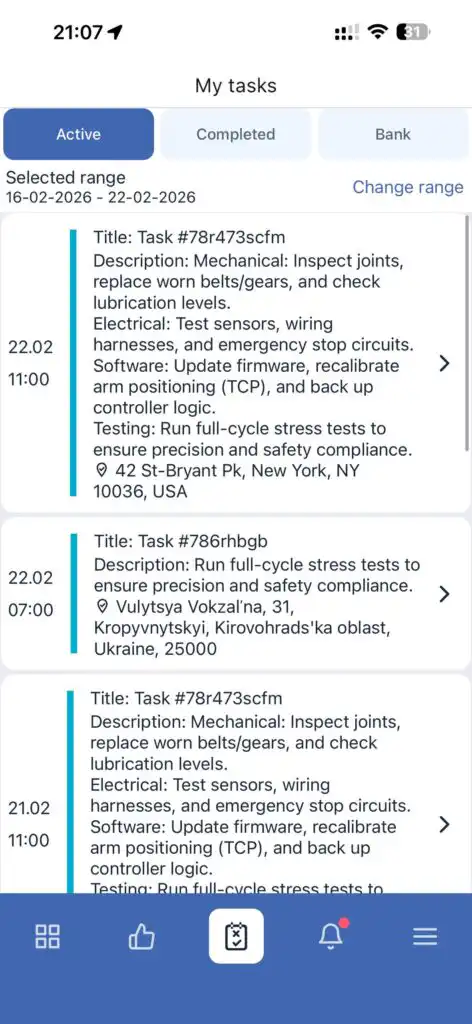
Active
This section displays all tasks that have not yet been completed.
It includes tasks in any status except completed.
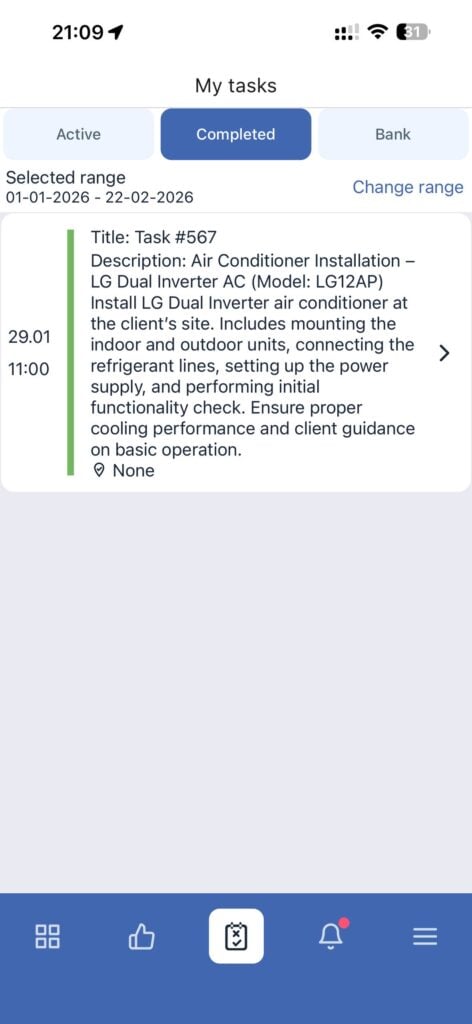
Completed
This section contains tasks that have been fully finished.
Task Bank
The Task Bank includes unassigned tasks that can be requested for execution.
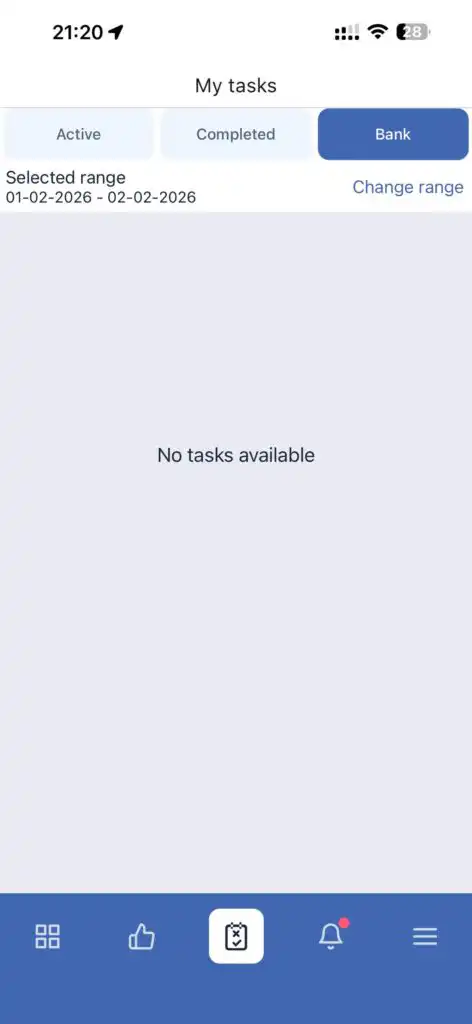
⚠ This feature will be available in an upcoming update.
Date Filter
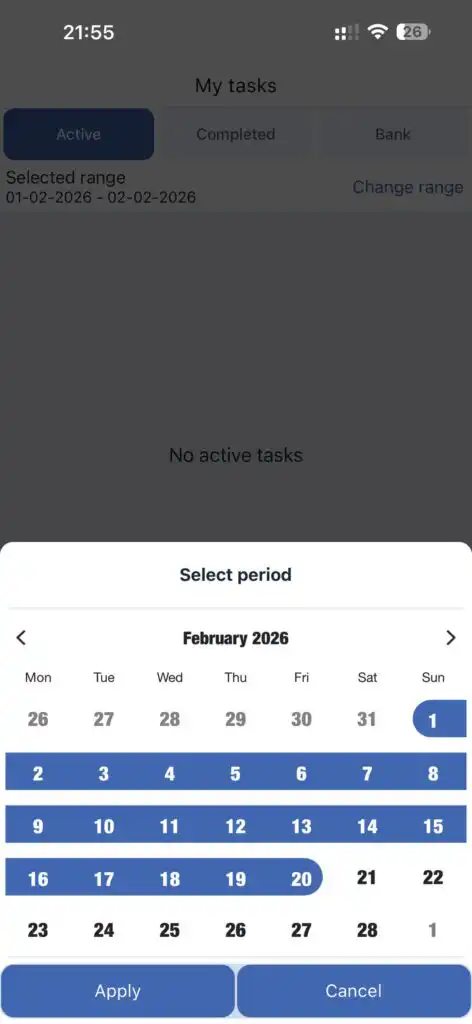
The Tasks section includes a date filter.
When selecting a specific date range, only tasks within the chosen period will be displayed.
The filter allows you to:
-
View tasks for a specific day
-
Analyze tasks within a selected time range
-
Quickly find tasks by working dates
FAQ
Q: Where is the Tasks section located?
A: It is a separate tab in the mobile application.
Q: Which tasks are considered active?
A: All tasks that have not been completed.
Q: Where can I find completed tasks?
A: In the “Completed” section.
Q: What is Task Bank?
A: It is a list of unassigned tasks that will be available to request after a future update.
Q: Can I filter tasks by date?
A: Yes, you can select a specific date range using the date filter.
Q: Does the date filter apply to all categories?
A: Yes, the selected date range applies to the currently selected task category.