

 English
  Español
  Português
  Deutsch
  Français
  Italiano
  日本語
日本語  中文
中文  हिन्दी
  עברית
עברית  العربية
  한국어
한국어  Nederlands
  Polski
  Türkçe
  Українська
  Русский
  Magyar
  Română
  Български
  Čeština
  Ελληνικά
  Svenska
  Dansk
Dansk  Norsk
Norsk  Suomi
Suomi  Bahasa
  Tiếng Việt
  Tagalog
  ไทย
ไทย  Latviešu
  Lietuvių
  Eesti
Eesti  Slovenčina
  Slovenščina
  Hrvatski
  Македонски
  Қазақ
Қазақ  Azərbaycan
  Afrikaans
  বাংলা
বাংলা In Shifton Field Service, roles define each user’s level of access, responsibility, and permissions within the system. Proper role configuration helps protect sensitive data, structure workflows, and ensure smooth coordination across tasks, employees, schedules, and company operations.
Owner
The Owner is the user who initially registered the company. This role is assigned automatically and holds the highest level of access in the system.
Owner capabilities:
-
Full access to all system settings and modules
-
Management of payment methods (add, edit, remove cards)
-
Modification of company billing details and legal information for invoices
-
Subscription and plan management
-
Adding, editing, and removing Administrators and Employees
Ownership Transfer
The Owner role can be transferred to another user.
To transfer ownership, go to:
Company Settings → Company Name → Change Owner
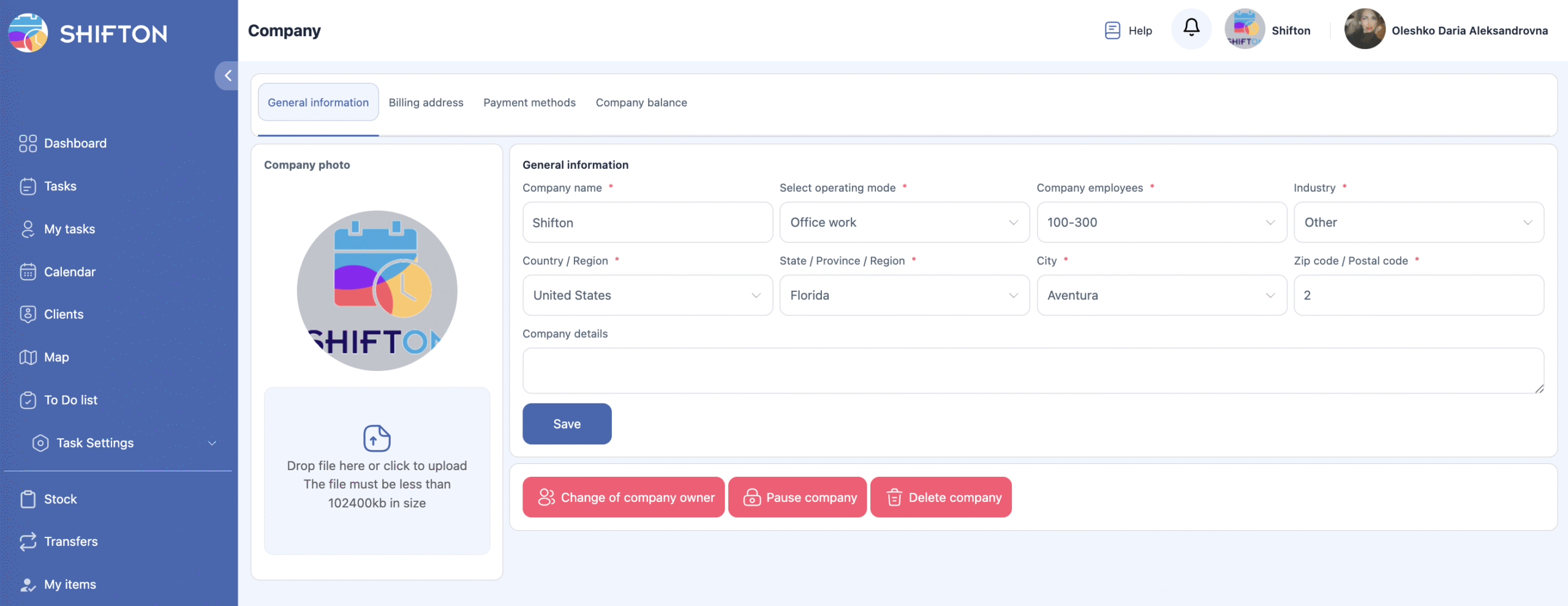
After confirmation, the selected user becomes the new Owner, while the previous Owner automatically becomes an Employee.
Administrator
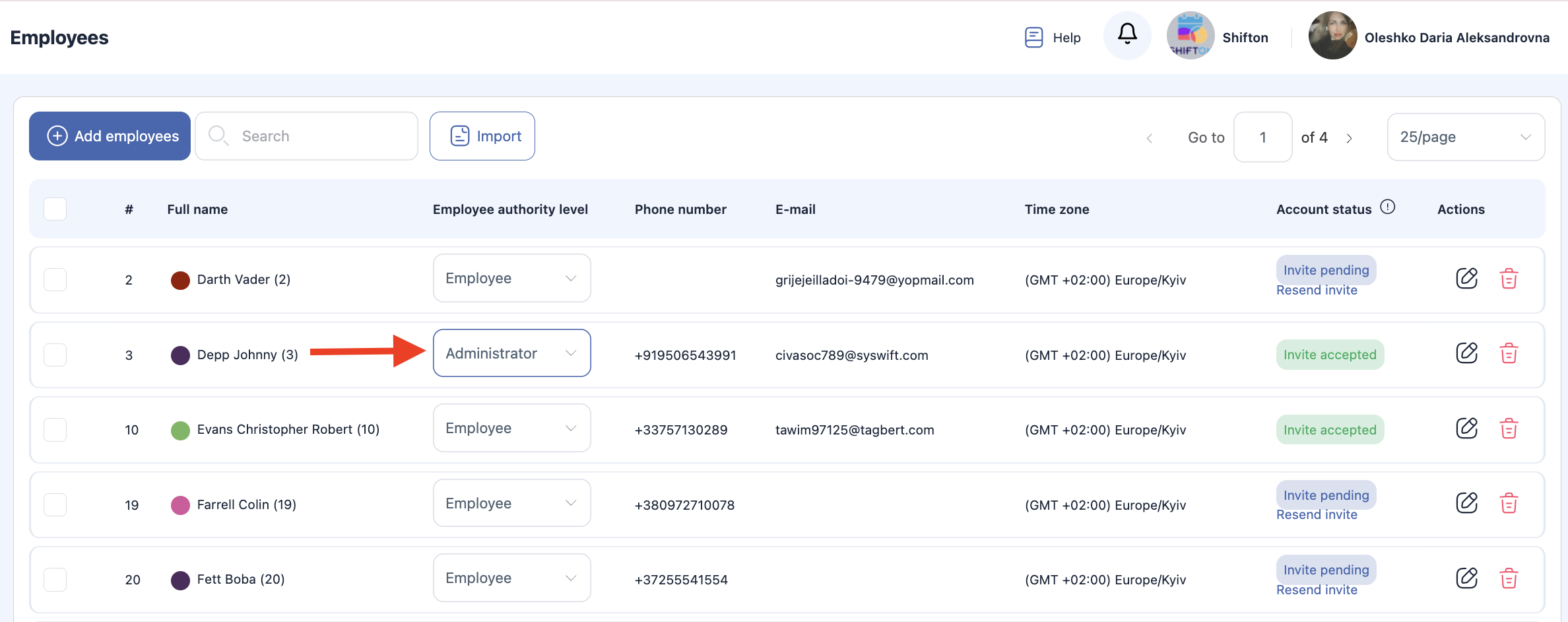
The Administrator role can be assigned by the Owner or another Administrator.
Administrator capabilities:
-
Almost identical rights to the Owner
-
Can manage employees, schedules, tasks, service zones, and modules
-
Can configure company workflows and operational settings
-
Does not have access to financial and billing information
Administrators are responsible for managing the system, but they cannot change payment methods, update billing data, or transfer ownership.
Employee
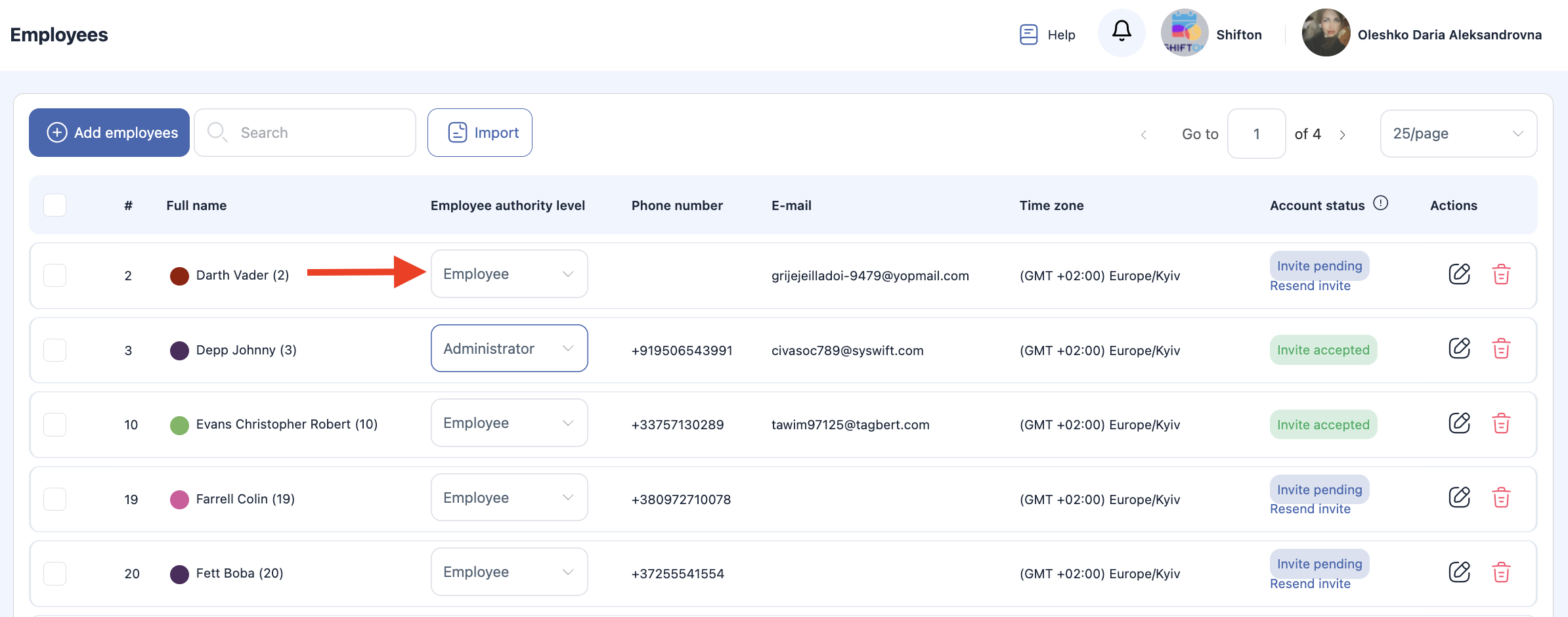
The Employee is the default role for regular system users. Employees have basic access designed for day-to-day operational work.
Default Employee capabilities:
-
View only their own task schedule
-
Perform assigned tasks and update statuses
-
Receive and return inventory items
-
View personal inventory records
By default, Employees cannot create or approve tasks, view other users’ schedules, or access company settings.
Extended Roles for Employees (Functional Roles in Service Zones)
Employees can be given additional roles that expand their responsibilities within specific Service Zones.
| Role | Purpose | Capabilities |
|---|---|---|
| Technician | Task executor | Can see and perform tasks assigned within the zone |
| Task Requester | Task creator | Can create new tasks, select client addresses, and assign them to zones |
| Task Approver | Supervisor / Controller | Approves or rejects task creation and assignment requests |
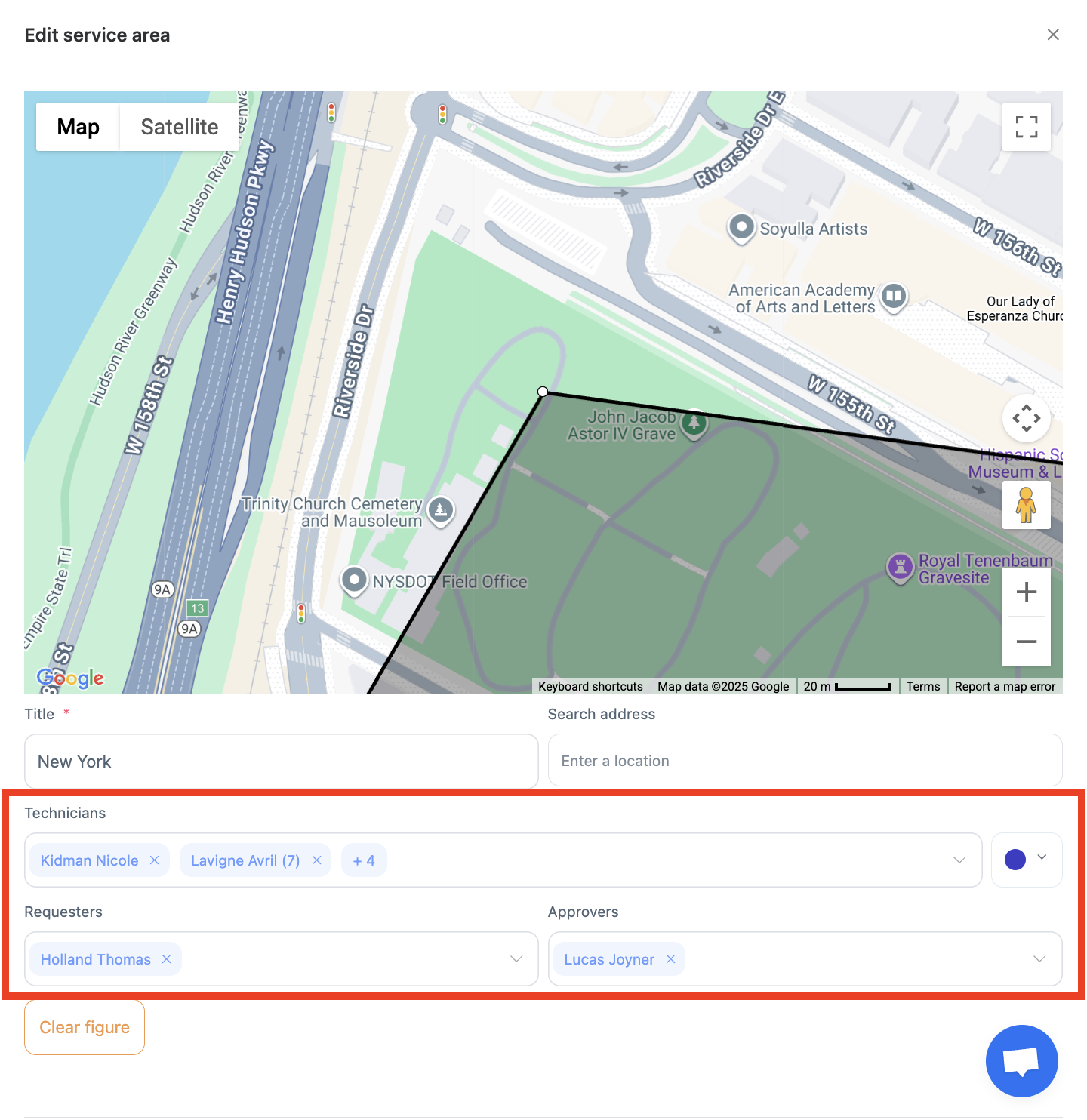
These roles are assigned individually and can differ between zones. For example, an employee can be a Technician in one zone and a Task Approver in another.
Role Comparison Overview
| Feature / Permission | Owner | Administrator | Employee |
|---|---|---|---|
| Full system access | ✔️ | ✔️ | ❌ |
| Manage payment methods | ✔️ | ❌ | ❌ |
| Manage company legal and billing info | ✔️ | ❌ | ❌ |
| Transfer ownership | ✔️ | ❌ | ❌ |
| Invite / remove users | ✔️ | ✔️ | ❌ |
| Manage settings and modules | ✔️ | ✔️ | ❌ |
| Create and assign tasks | ✔️ | ✔️ | ⚠️ (with role) |
| Approve tasks | ✔️ | ✔️ | ⚠️ (with role) |
| See and complete own tasks | ✔️ | ✔️ | ✔️ |
| Manage personal inventory | ✔️ | ✔️ | ✔️ |
⚠️ — Requires additional assigned role in service zones
Key Points to Remember
-
The Owner has full control — including billing and company identity — but can transfer their role.
-
Administrators manage daily operations, users, zones, and tasks, but cannot access financial settings.
-
Employees work with tasks and inventory, and can gain extra permissions through functional roles.
-
Functional roles (Technician, Task Requester, Task Approver) can be assigned per zone, giving precise control over responsibilities.
Frequently Asked Questions (FAQ)
Q: What are roles in Field Service?
A: Roles determine a user’s level of access, responsibilities, and permissions within the Shifton Field Service system. They help structure workflows, protect sensitive data, and coordinate tasks across users.
Q: Who is the Owner in Field Service?
A: The Owner is the user who first registered the company. This role has the highest level of access, including all system settings, billing, invoices, user invitations, and more.
Q: What can the Owner do?
A: Owners can:
-
access all system modules and settings;
-
manage payment methods and billing info;
-
subscribe or change plans;
-
add, edit, or remove Administrators and Employees;
-
transfer ownership.
Q: How does ownership transfer work?
A: The Owner can transfer their role to another user. After transfer, the previous Owner becomes a regular Employee. The transfer option is found in the Company Settings → Change Owner menu.
Q: What is an Administrator in Field Service?
A: An Administrator is assigned by the Owner or another Administrator. They have broad permissions for managing users, schedules, tasks, service zones, and system modules — but cannot access billing or financial settings.
Q: What can an Administrator manage?
A: Administrators can:
-
manage employees;
-
configure workflows;
-
assign tasks;
-
update company settings (except payment/billing);
-
oversee daily operations.
Q: What is the default Employee role?
A: The Employee role is the default for regular users. Employees can view and complete tasks assigned to them, update task statuses, receive and return inventory items, and view their own inventory.
Q: Can Employees access schedules or settings of others?
A: No — by default, Employees can only see their own assigned tasks and personal inventory, not other users’ schedules or company settings.
Q: What are Extended Roles (Functional Roles in Service Zones)?
A: Beyond core roles, employees can be assigned functional roles within service zones such as:
-
Technician — task executor within a zone;
-
Task Requester — can create and assign tasks;
-
Task Approver — can review and approve task requests.
Q: Can an employee have different roles in different zones?
A: Yes. A user can be assigned different functional roles for different service zones (e.g., a Technician in one zone and a Task Approver in another).
Q: How do roles affect what a user can do?
A: The role determines what a user sees and can perform:
-
Owners and Administrators have broad access;
-
Employees have task-related access;
-
functional roles add permissions within specific zones.