

 English
  Español
  Português
  Deutsch
  Français
  Italiano
  日本語
日本語  中文
中文  हिन्दी
  עברית
עברית  العربية
  한국어
한국어  Nederlands
  Polski
  Türkçe
  Українська
  Русский
  Magyar
  Română
  Български
  Čeština
  Ελληνικά
  Svenska
  Dansk
Dansk  Norsk
Norsk  Suomi
Suomi  Bahasa
  Tiếng Việt
  Tagalog
  ไทย
ไทย  Latviešu
  Lietuvių
  Eesti
Eesti  Slovenčina
  Slovenščina
  Hrvatski
  Македонски
  Қазақ
Қазақ  Azərbaycan
  Afrikaans
  বাংলা
বাংলা The Notifications section allows you to receive alerts about new events and changes related to your profile and tasks. All notifications are sent automatically when enabled.
Configuring Notifications
- Go to My Profile → Notifications.
- Enable or disable the toggle to receive all notifications.
- Once enabled, new notifications will appear in the app and/or as push notifications on your device.
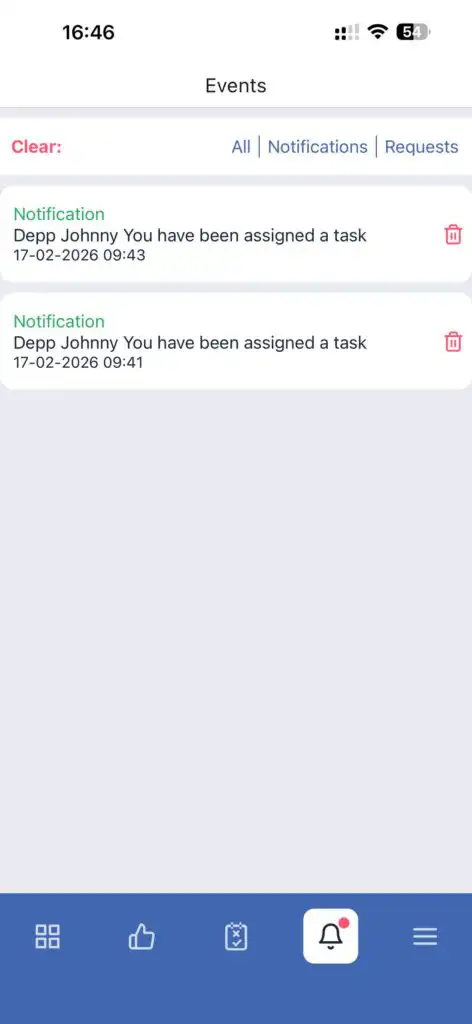
Note: You cannot enable or disable notifications for individual task types — the setting applies to all notifications.
FAQ
Q: Why am I not receiving notifications?
A: Make sure the notification toggle is enabled in My Profile → Notifications, and that push notifications are allowed on your device.
Q: Can I receive notifications only for certain tasks?
A: No. Notifications apply to all events and tasks.
Q: How quickly do notifications appear?
A: Notifications appear immediately after an event (task creation, update, or completion) when connected to the internet.
Q: Where are notifications displayed?
A: In the app and via push notifications if enabled.