

 English
  Español
  Português
  Deutsch
  Français
  Italiano
  日本語
日本語  中文
中文  हिन्दी
  עברית
עברית  العربية
  한국어
한국어  Nederlands
  Polski
  Türkçe
  Українська
  Русский
  Magyar
  Română
  Български
  Čeština
  Ελληνικά
  Svenska
  Dansk
Dansk  Norsk
Norsk  Suomi
Suomi  Bahasa
  Tiếng Việt
  Tagalog
  ไทย
ไทย  Latviešu
  Lietuvių
  Eesti
Eesti  Slovenčina
  Slovenščina
  Hrvatski
  Македонски
  Қазақ
Қазақ  Azərbaycan
  Afrikaans
  বাংলা
বাংলা The My Items section allows you to view the tools assigned to you and, depending on your access rights, the tools assigned to other employees.
Who can access this section
Viewing your own tools
Available to all users.
Viewing tools of other employees
Available to:
-
the company owner;
-
administrators;
-
task approvers — only for employees from the service areas where the approver is assigned.
How to open the “My Items” section
-
Open the side menu.
-
Select My Items.
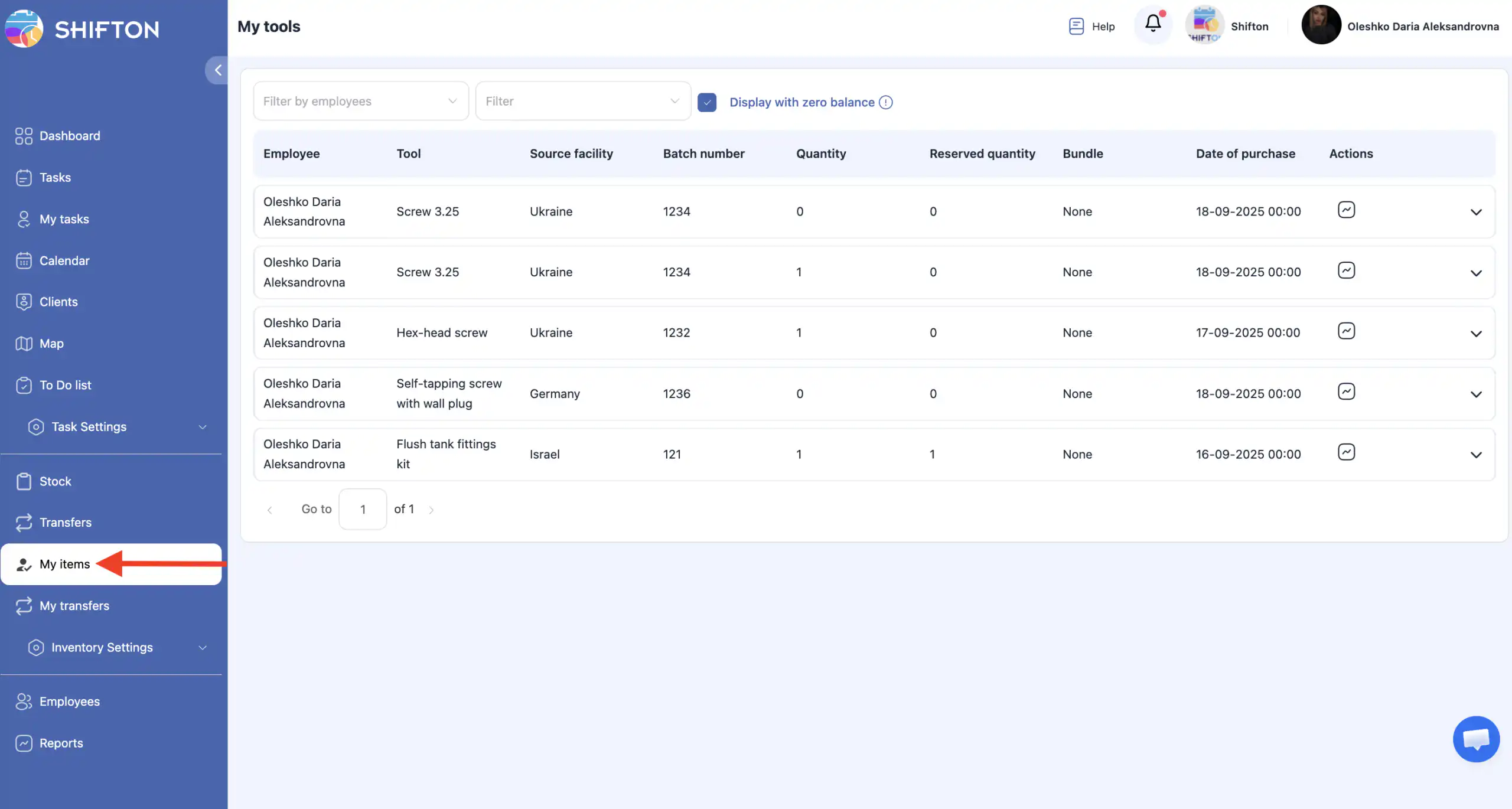
What you will see on the page
On this page you can view:
-
the list of all tools assigned to you;
-
tools of other employees (if you have permission).
Viewing tools of other employees
If you have the required permissions:
-
Use the employee filter at the top of the page.
-
Select one or more employees.
-
The system will display the tools assigned to the selected employees.
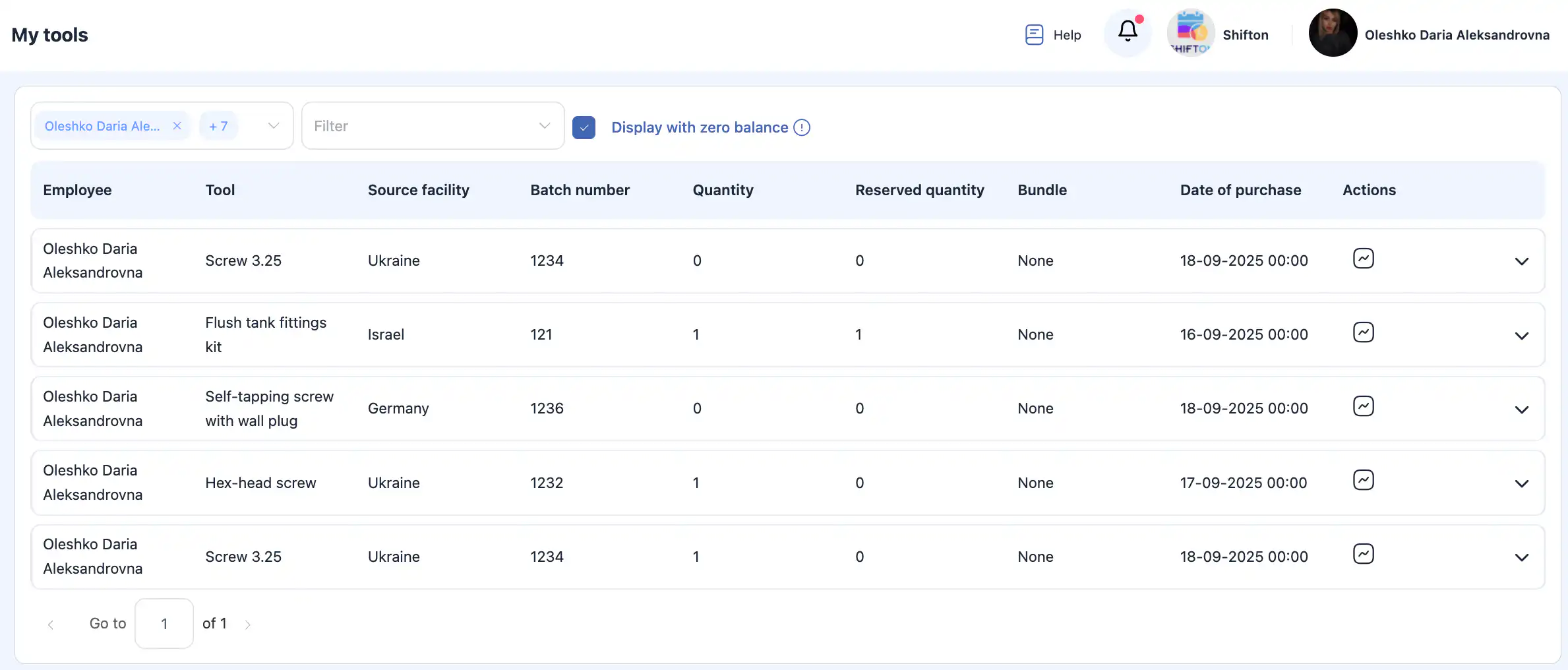
Additional filters
Facility (warehouse) filter
Allows you to select from which facilities the tools were assigned.
-
If no facility is selected, tools from all facilities are displayed.
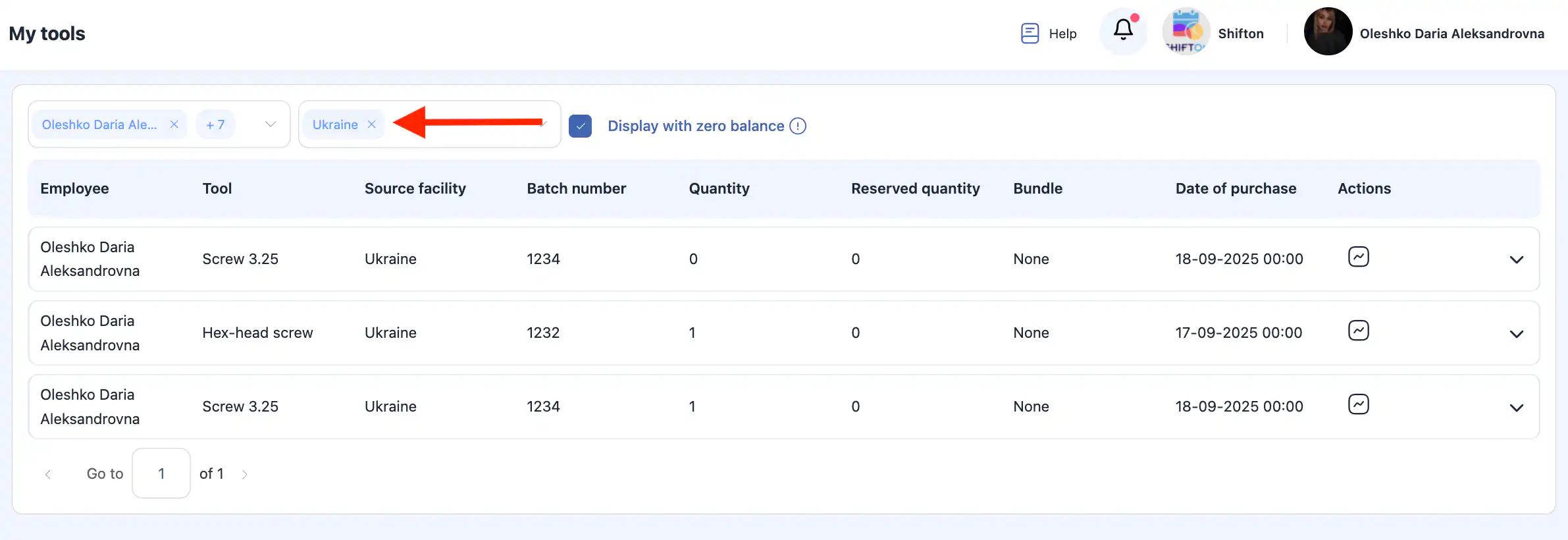
Show tools with zero balance
The “Show tools with zero balance” option allows you to see:
-
tools that were previously assigned to a technician;
-
but currently have a quantity of 0.
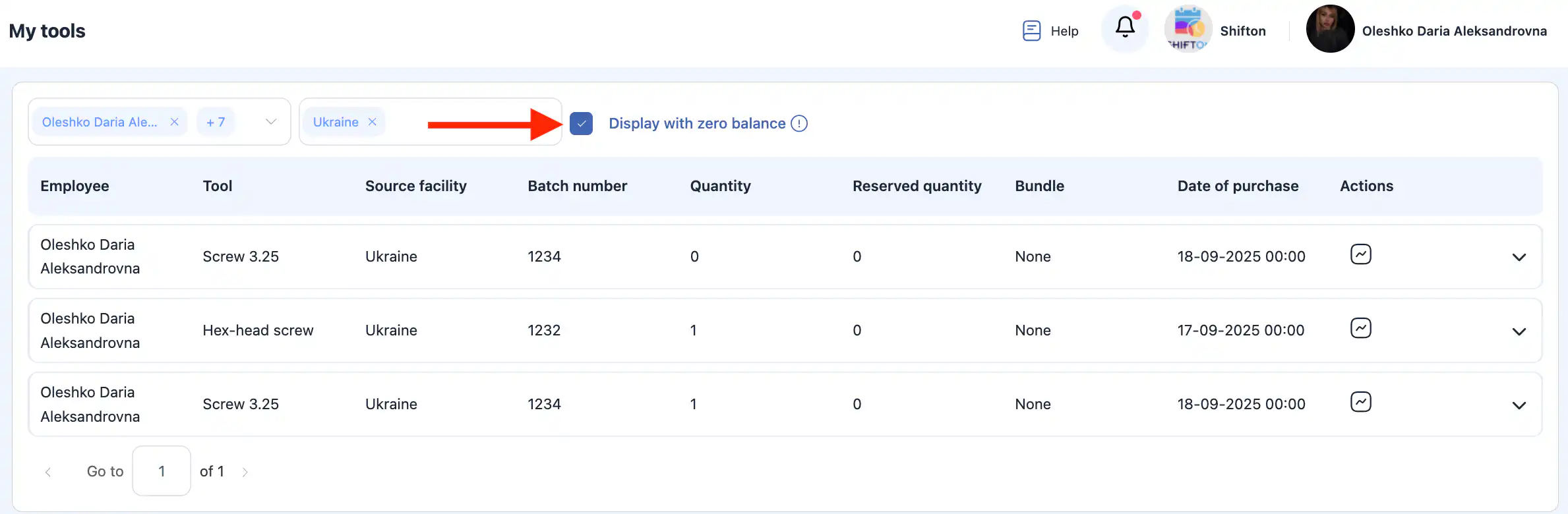
This is useful for analyzing assignment history and tracking tool movement.
Frequently Asked Questions (FAQ)
Q: Who can see my items?
A: Only you can see your own tools. Company owners, administrators, and approvers can view tools of other employees within the limits of their access rights.
Q: Why can’t I see the items of other employees?
A: Most likely, you do not have sufficient permissions. Viewing other employees’ tools is available only to the company owner, administrators, or approvers (within their service areas).
Q: Why do I see only some of an employee’s tools?
A: A facility filter may be applied, or the wrong employee may be selected in the filter. Check the filters at the top of the page.
Q: What does a tool with zero balance mean?
A: It means the tool was previously assigned to the employee but currently has a quantity of 0 (for example, it was returned to a facility or written off).
Q: Can I see from which facility a tool was assigned?
A: Yes. Use the facility filter to view tools assigned from a specific facility.
Q: Is the tool information updated in real time?
A: Yes. The data is updated automatically when tools are assigned, returned, written off, or transferred.