

 English
  Español
  Português
  Deutsch
  Français
  Italiano
  日本語
日本語  中文
中文  हिन्दी
  עברית
עברית  العربية
  한국어
한국어  Nederlands
  Polski
  Türkçe
  Українська
  Русский
  Magyar
  Română
  Български
  Čeština
  Ελληνικά
  Svenska
  Dansk
Dansk  Norsk
Norsk  Suomi
Suomi  Bahasa
  Tiếng Việt
  Tagalog
  ไทย
ไทย  Latviešu
  Lietuvių
  Eesti
Eesti  Slovenčina
  Slovenščina
  Hrvatski
  Македонски
  Қазақ
Қазақ  Azərbaycan
  Afrikaans
  বাংলা
বাংলা The system includes various modules that can be enabled or disabled depending on your company’s needs. Most modules can operate independently, however the Tasks module is mandatory and cannot be disabled, as other modules are based on it.
Tasks Module
The Tasks module provides access to core system functionality, including:
- Tasks and task settings
- task types: single, group, recurring
- custom task fields
- Checklists
- Clients
- Skills
- Service areas
- Map
- Marks
- Statuses
- Employees
- Reports
- File attachments in tasks
- To-Do
Work Location Control
The Work Location Control module allows you to:
- see employees on the map in real time
- track routes and movements
- view the last known location
- access historical movement data for any day
Inventory
The Inventory module allows you to:
- manage tools and equipment
- configure warehouses
- track inventory movements
- view inventory assigned to each employee
Enabling and Disabling Modules
To manage modules:
- Click the company name at the top of the page
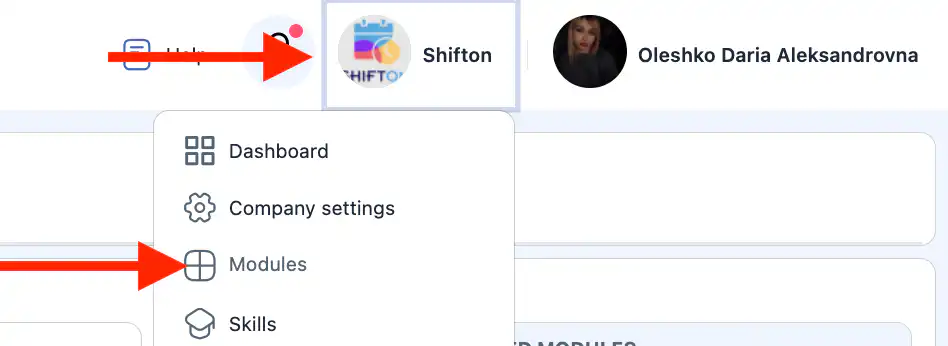
- Open the Modules section
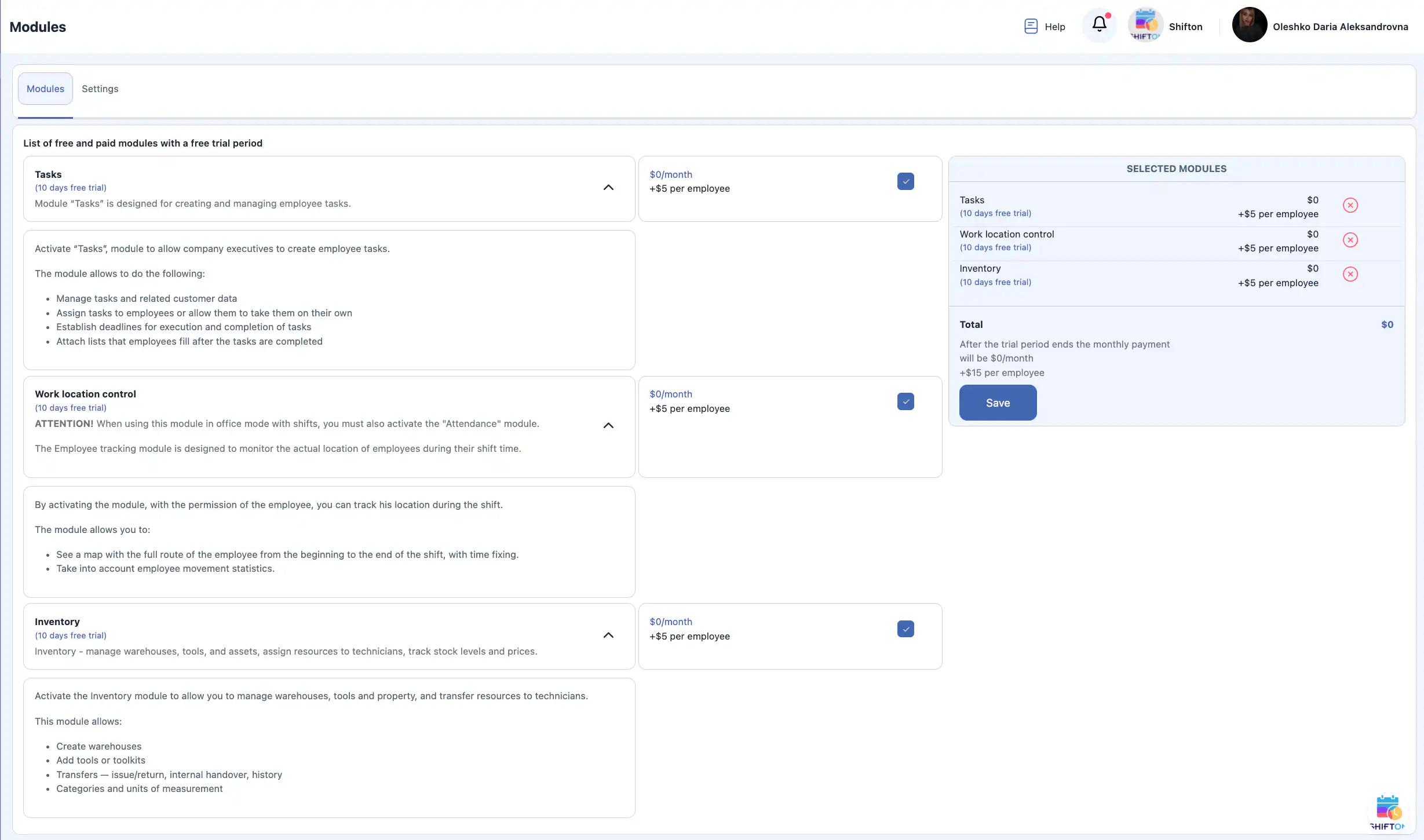
On this page, you can see:
- enabled modules
- module descriptions
- module pricing
Enable a module
- Check the box next to the module
- Click Save
Disable a module
- Uncheck the module or
- Click the red cross next to it
- Click Save
Module Settings
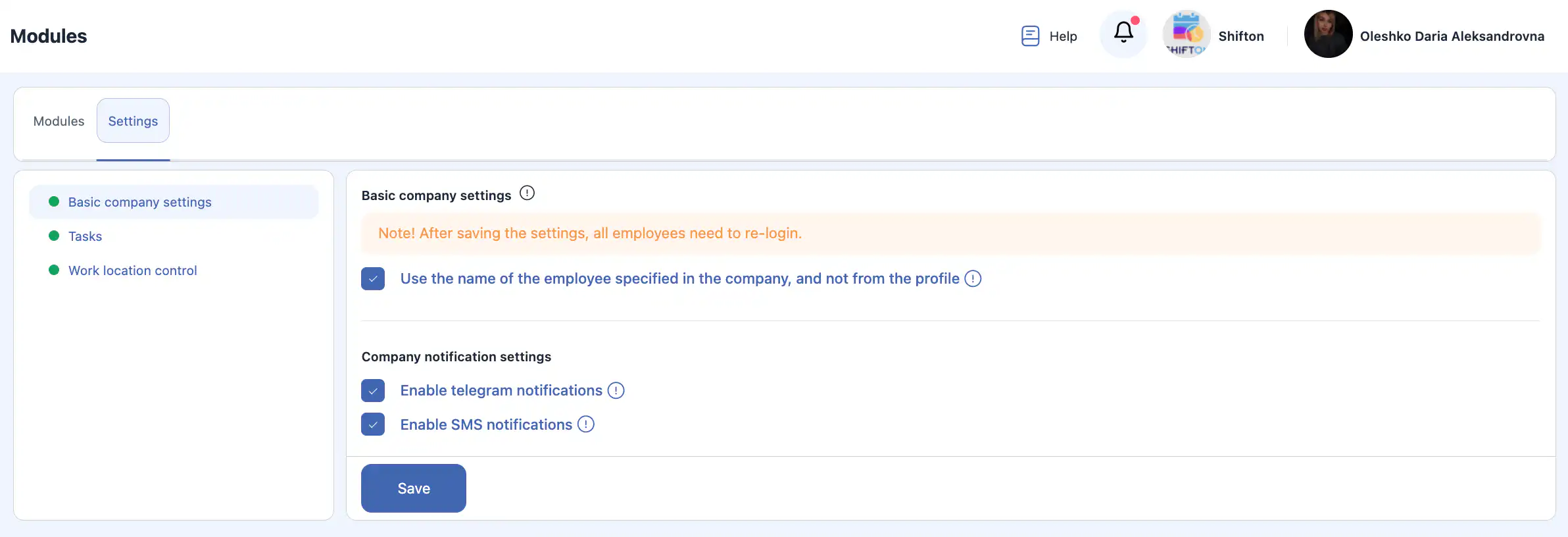
In the Settings section, you can configure module behavior.
Basic Settings
Use employee name from company
By default, the profile name is displayed. Enable this option to show the name used when the employee was added.
Company Notification Settings
Allow Telegram notifications
When enabled, employees can receive Telegram notifications based on their profile settings.
Allow SMS notifications
When enabled, employees can receive SMS notifications based on their profile settings.
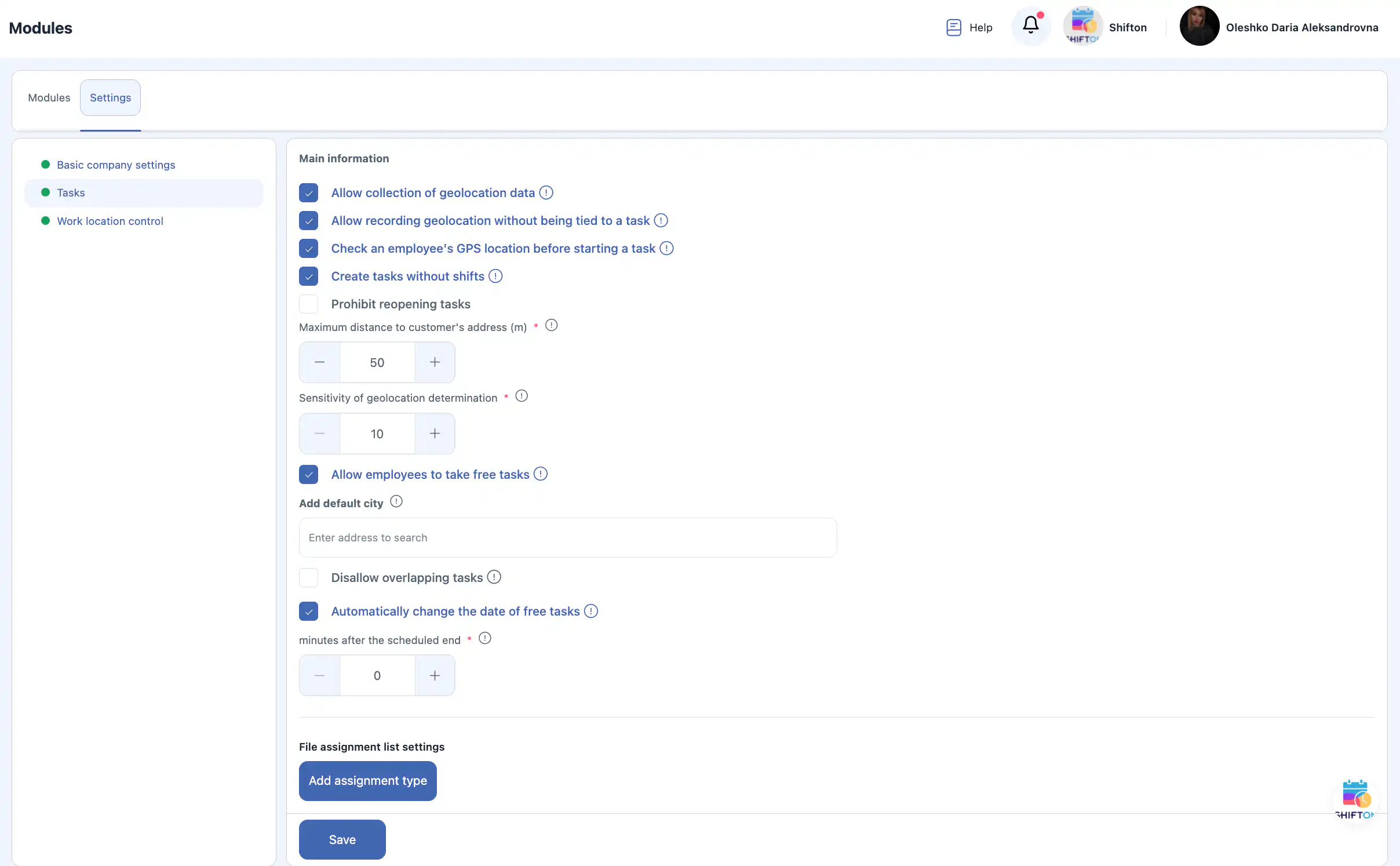
Task Module Settings
Allow collecting geolocation data
Tracks employee location when using the mobile app.
Allow geolocation tracking without task binding
Employees can allow location tracking without being assigned to a task.
Check geolocation before starting a task
Employees can start a task only when within the specified distance from the client’s address.
Create tasks without shifts
Allows task creation without shifts (useful for office employees).
Disallow task reopening
Tasks cannot be modified after reaching a final status.
Maximum distance to customer’s address (m)
Defines the allowed distance to start a task.
Geolocation sensitivity
Defines the minimum distance between recorded points:
- 50–100 m — same location
- 200–1000 m — moving by transport
Allow employees to take free tasks
Employees can independently take unassigned tasks.
Default city
Automatically applied when creating a new client.
Prevent task overlap
Prevents assigning overlapping tasks to the same employee.
Automatically change free task date
Unassigned tasks move to the next day after the scheduled end time.
File assignment list settings
Allows adding file assignment types.
Work Location Control Settings
Geolocation sensitivity
Defines the distance required to record a new movement point.
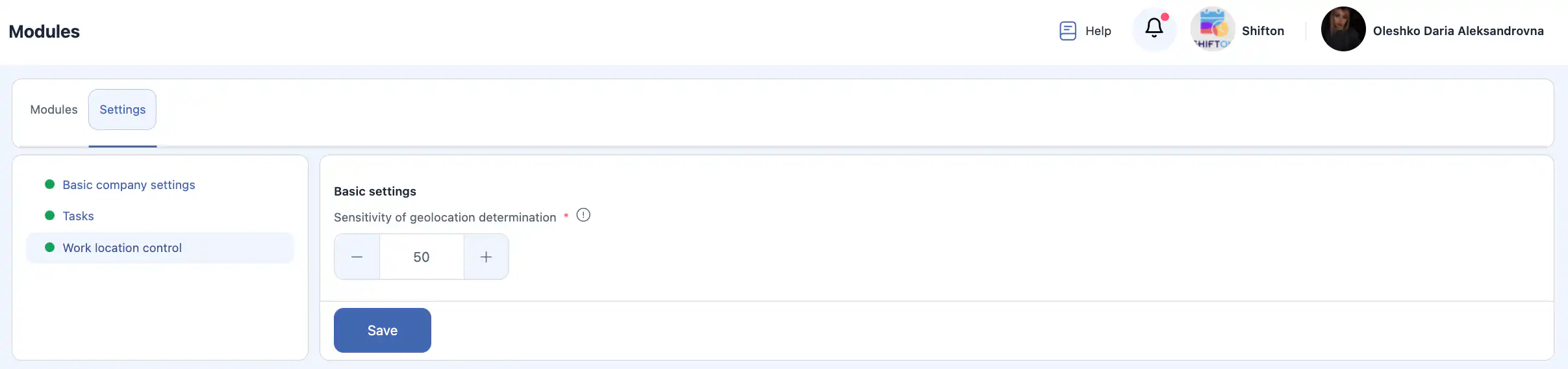
⚠️ Important: After changing any settings, click Save to apply changes.

FAQ — Modules and Settings
Q: Can I enable only one module and ignore the rest?
A: Yes. Most modules work independently. You can enable only the modules your company actually needs. The only exception is the Tasks module, which is required.
Q: Why is the Tasks module mandatory?
A: Tasks are the core of the system. Other modules (inventory, location tracking, reports) are built around task execution and cannot function correctly without it.
Q: Will employees see modules that are disabled?
A: No. Disabled modules are completely hidden from employees and do not appear in their interface.
Q: Do module changes affect existing data?
A: No. Disabling a module does not delete data. If you enable the module again later, all previously created data will still be available.
Q: Is geolocation tracking mandatory for employees?
A: No. Geolocation tracking depends on module settings and employee permissions. It can be fully disabled or limited.
Q: Does the system track location outside working hours?
A: No. Location data is collected only according to the active permissions.
Q: What happens if an employee denies location access on their phone?
A: The system will not be able to track their location, and some task-related restrictions may not work correctly.
Q: Can tasks be created without assigning an employee?
A: Yes. These are called free tasks and can later be taken by employees if the option is enabled.
Q: What happens if two tasks overlap in time?
A: If task overlap prevention is enabled, the system will block assigning overlapping tasks to the same employee.
Q: Can tasks be edited after completion?
A: This depends on settings. If task reopening is disabled, completed tasks cannot be modified.
Q: Are notifications sent automatically after enabling them?
A: Notifications are sent only if they are enabled both at the company level and in the employee’s profile.
Q: Can I use Telegram notifications without SMS?
A: Yes. Each notification channel can be enabled or disabled independently.
Q: Is it possible to change module settings later?
A: Yes. All module settings can be updated at any time.
Q: Why didn’t my settings apply?
A: Most likely the Save button was not clicked. Changes are applied only after saving.
Q: Are module settings applied instantly?
A: Yes. Once saved, settings take effect immediately.
Q: Can I test a module before using it fully?
A: Yes. You can enable a module, test its functionality, and disable it if needed without losing data.