

 English
  Español
  Português
  Deutsch
  Français
  Italiano
  日本語
日本語  中文
中文  हिन्दी
  עברית
עברית  العربية
  한국어
한국어  Nederlands
  Polski
  Türkçe
  Українська
  Русский
  Magyar
  Română
  Български
  Čeština
  Ελληνικά
  Svenska
  Dansk
Dansk  Norsk
Norsk  Suomi
Suomi  Bahasa
  Tiếng Việt
  Tagalog
  ไทย
ไทย  Latviešu
  Lietuvių
  Eesti
Eesti  Slovenčina
  Slovenščina
  Hrvatski
  Македонски
  Қазақ
Қазақ  Azərbaycan
  Afrikaans
  বাংলা
বাংলা In the Inventory module, you can create bundles of items that can be sold or used together.
To manage bundles:
- In the side menu, select “Inventory Settings.”
- Open the “Bundles” section.
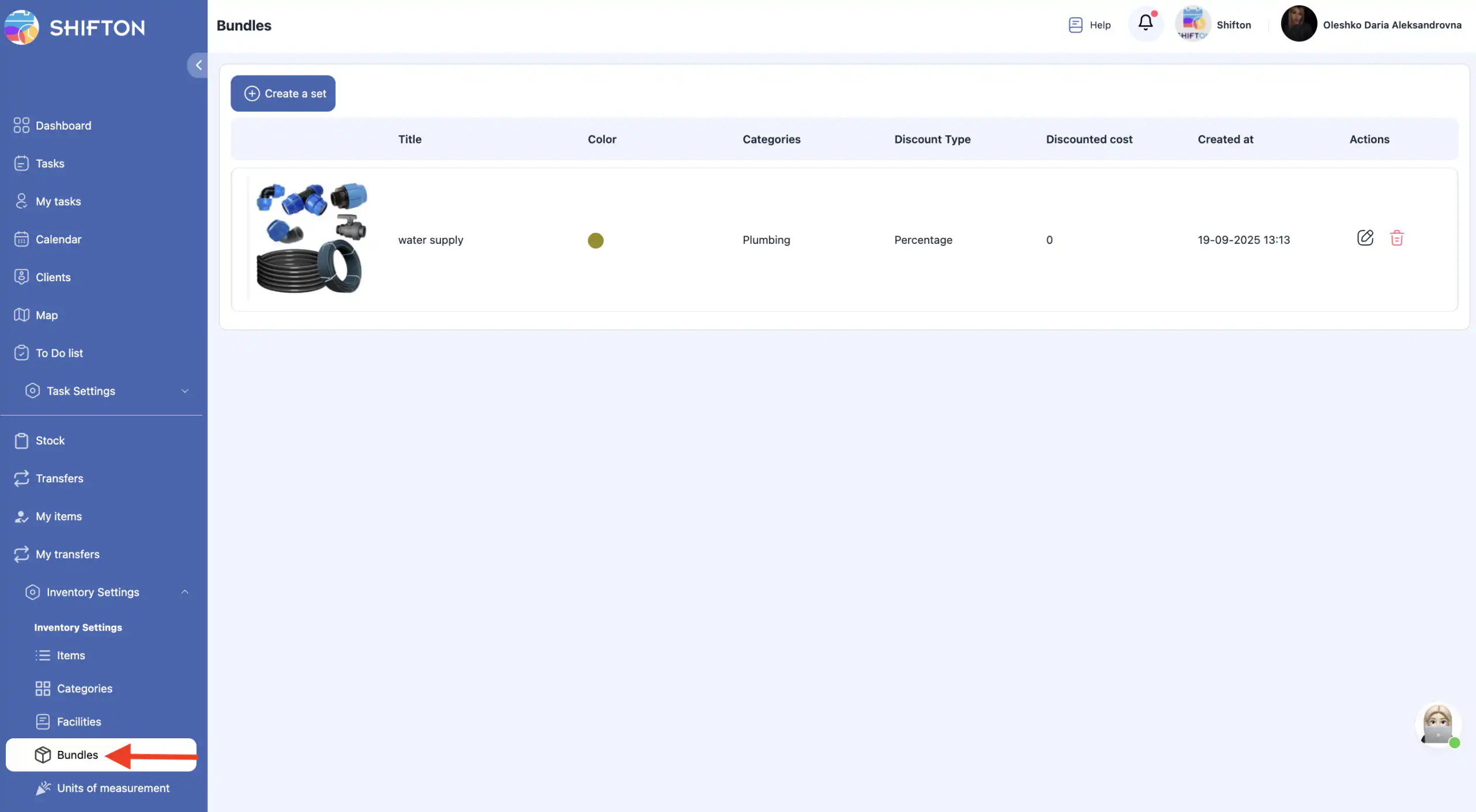
On this page, you can:
- create a bundle;
- edit a bundle;
- delete a bundle.
Creating a Bundle
- Click “Create a set.”
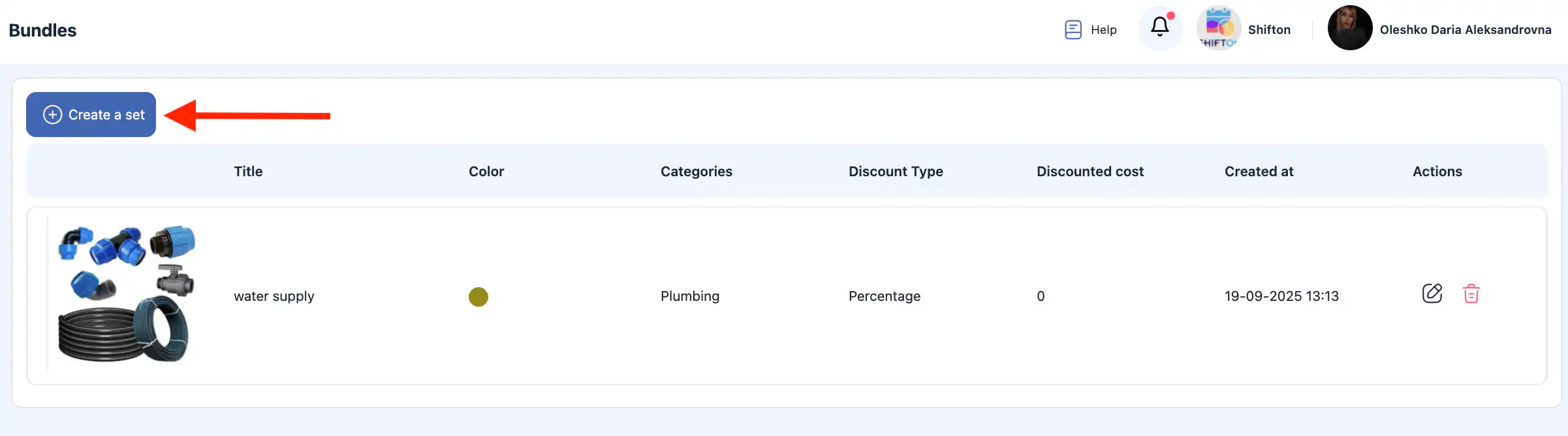
- A side panel will open on the right.
- Enter the following information:
bundle photo (optional);
bundle name;
category;
discount value;
discount type (percentage or fixed amount);
description;
tools included in the bundle.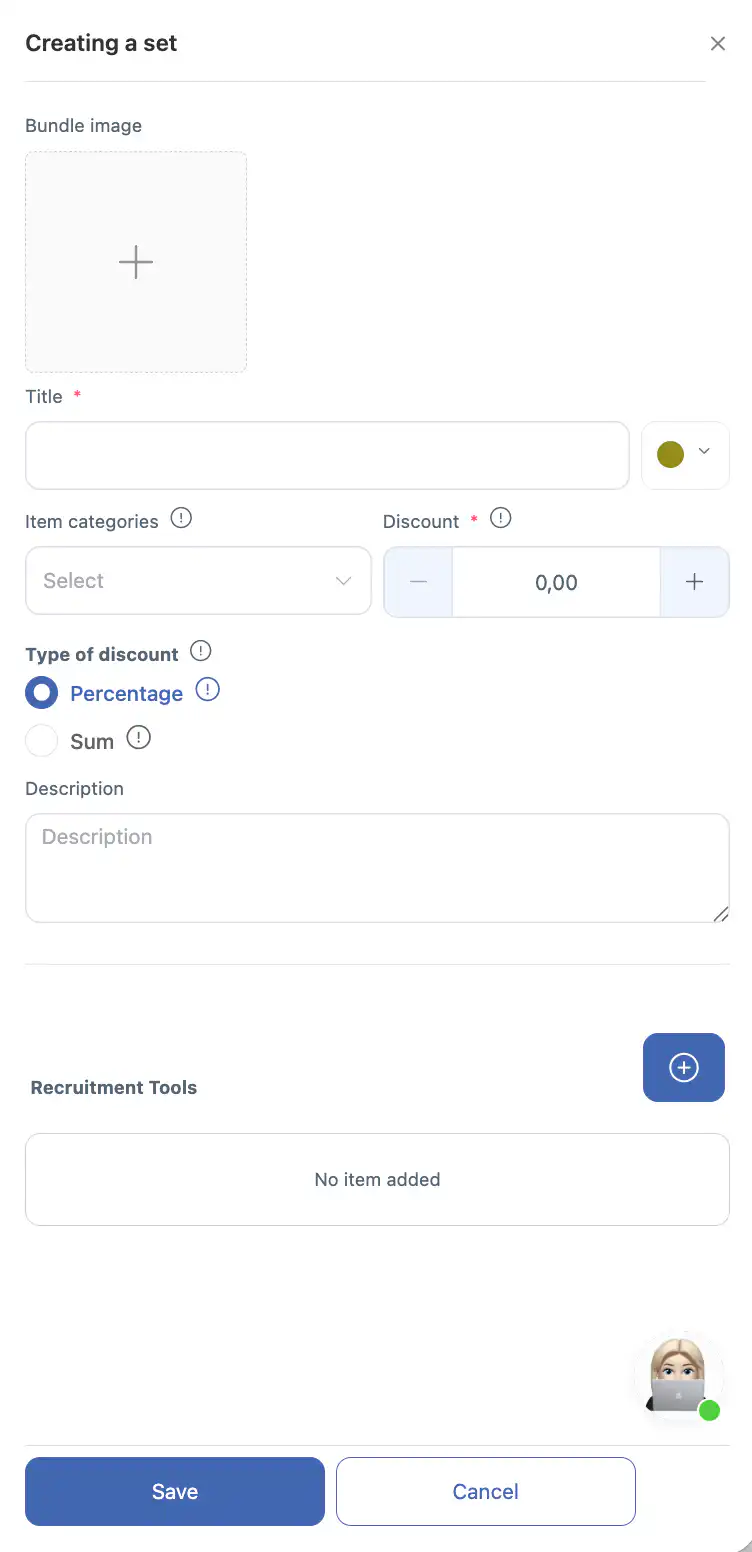
- Click “Save.”
- To cancel the action, click “Cancel.”
Editing a Bundle
- Click the pencil icon next to the bundle.
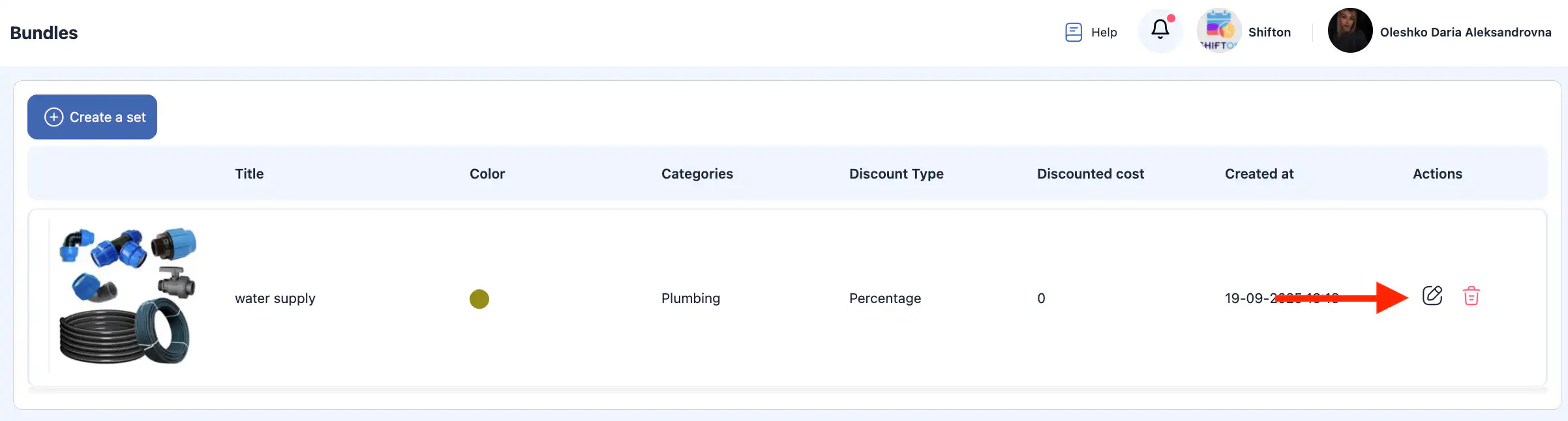
- In the side panel, update:
photo;
name;
category;
discount value;
discount type;
description;
tools included in the bundle.
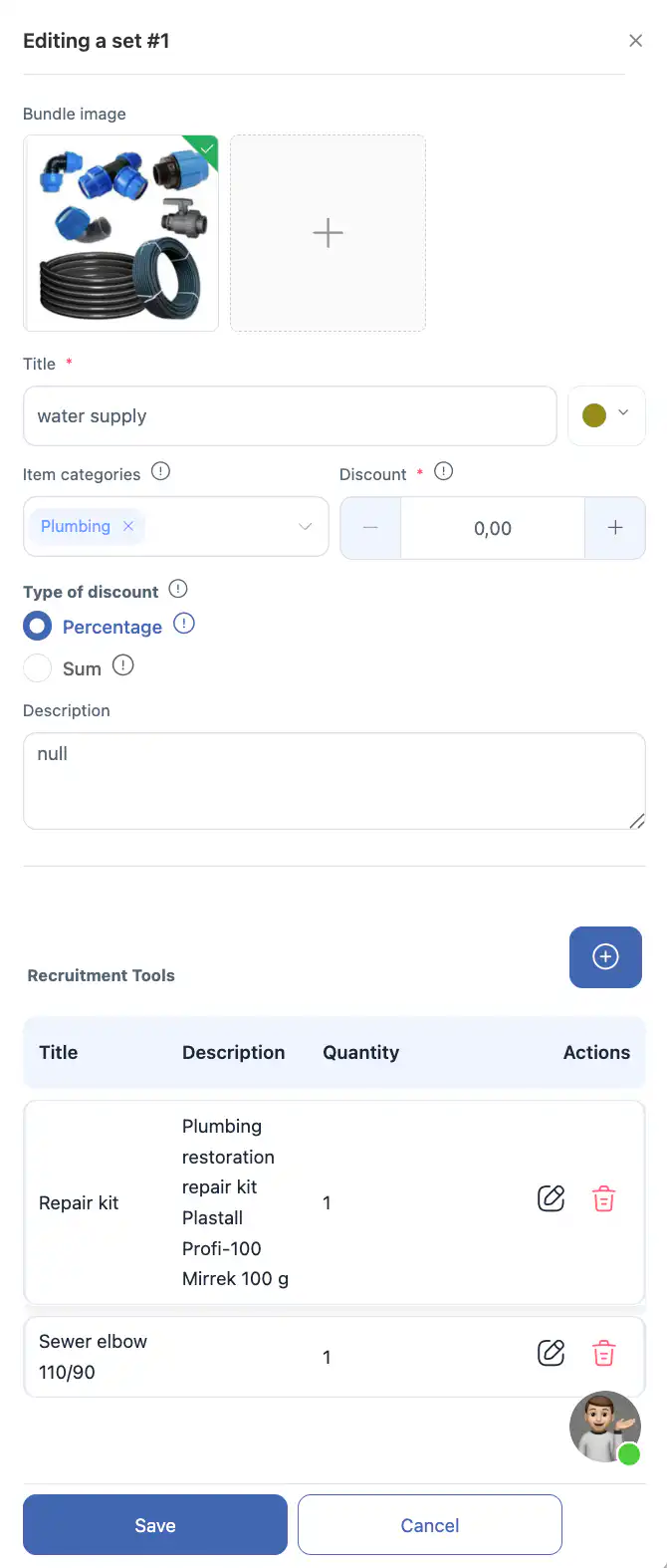
- Click “Save.”
- To discard changes, click “Cancel.”
Deleting a Bundle
- Click the trash icon next to the bundle.
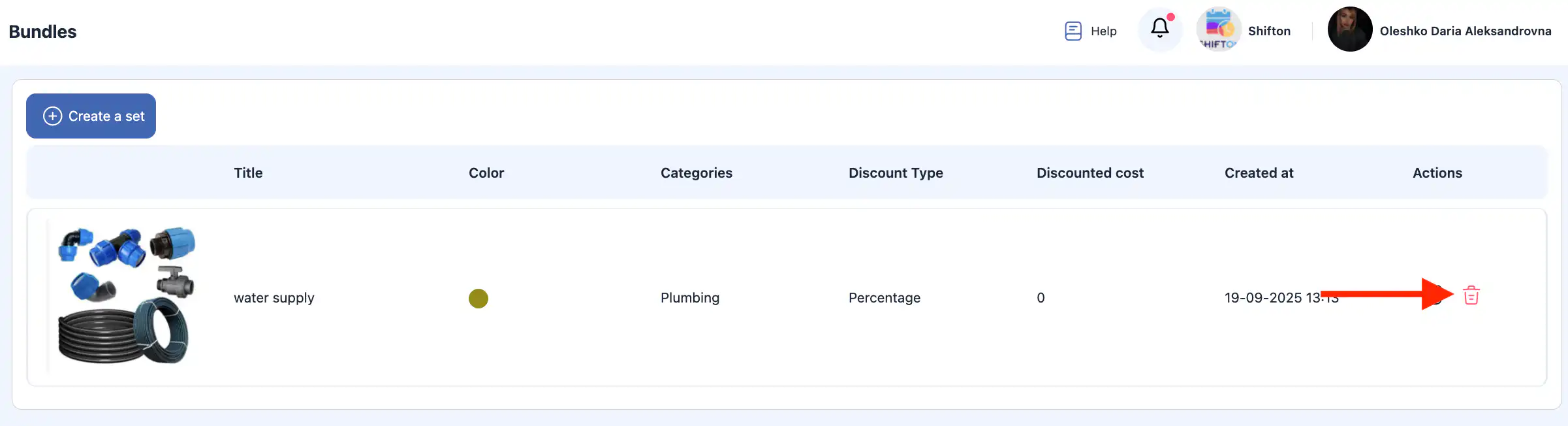
- Confirm the deletion.
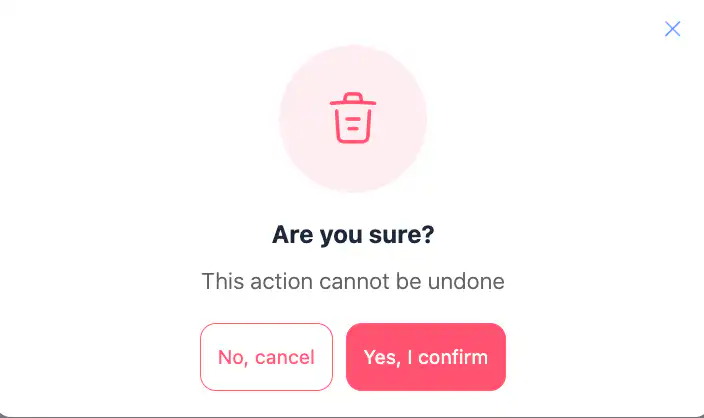
- To cancel the action, click “Cancel.”
Important: Deleted bundles cannot be restored.
Frequently Asked Questions (FAQ)
Q: What are bundles in the Inventory module?
A: Bundles are groups of items or tools that can be sold or used together as a single set in the Inventory module.
Q: Where can I manage bundles in Shifton?
A: Open the Inventory Settings section from the side menu and select Bundles. There you can create, edit, or delete bundles.
Q: How do I create a new bundle?
A: Click “Create a bundle” (or “Create a set”), fill in the bundle details such as name, photo (optional), category, discount value and type, description, and included tools, then click Save.
Q: Can I cancel while creating a bundle?
A: Yes — if you decide not to proceed, click Cancel in the side panel before saving.
Q: How do I edit an existing bundle?
A: Click the pencil icon next to the bundle you want to edit, update the details in the side panel, and click Save.
Q: How do I delete a bundle?
A: Click the trash icon next to the bundle and confirm the deletion.
Q: Can I recover a bundle after deletion?
A: No — deleted bundles cannot be restored once they are permanently removed.
Q: What discount types can I set for a bundle?
A: You can choose between a percentage-based discount or a fixed amount discount when creating or editing a bundle.
Q: Do bundles affect inventory counts?
A: Bundles group items together for sale or use, but individual inventory tracking depends on how items are used in transactions — bundles themselves do not automatically adjust stock of components unless tied to inventory operations elsewhere.
Q: Can a bundle include items from different categories?
A: Yes — when creating a bundle, you can include tools or items from different categories as needed.
Q: Are bundles linked to sales or job workflows?
A: Bundles help organize items that are often sold or used together, but you apply or sell them through relevant inventory or task processes in Shifton’s workflow.