

Seasonal Staff Scheduling Software for Peak Periods
Bring a peak workforce on quickly, plan them beside the permanent team, and wind the season down without a spreadsheet.


Bring people on without a project
A seasonal intake is a burst of onboarding under time pressure. Adding people, putting them in a department and getting the published week onto their phones has to take minutes, not a training session.
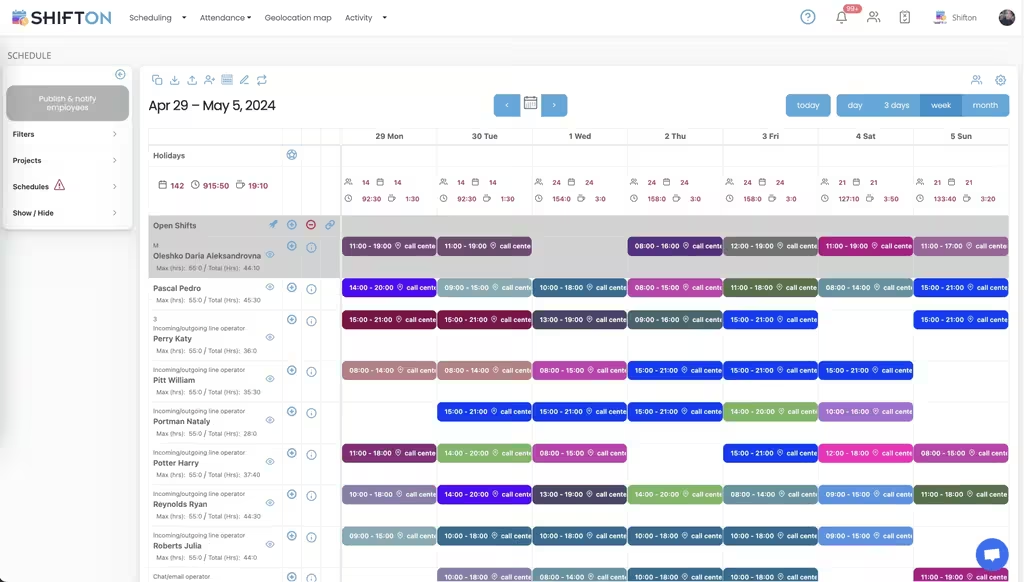
Plan temporary and permanent staff together
A peak workforce is not a separate operation. Seasonal people work alongside the permanent team, often on the same shifts, and a plan that separates them hides the coverage question they were hired to answer.
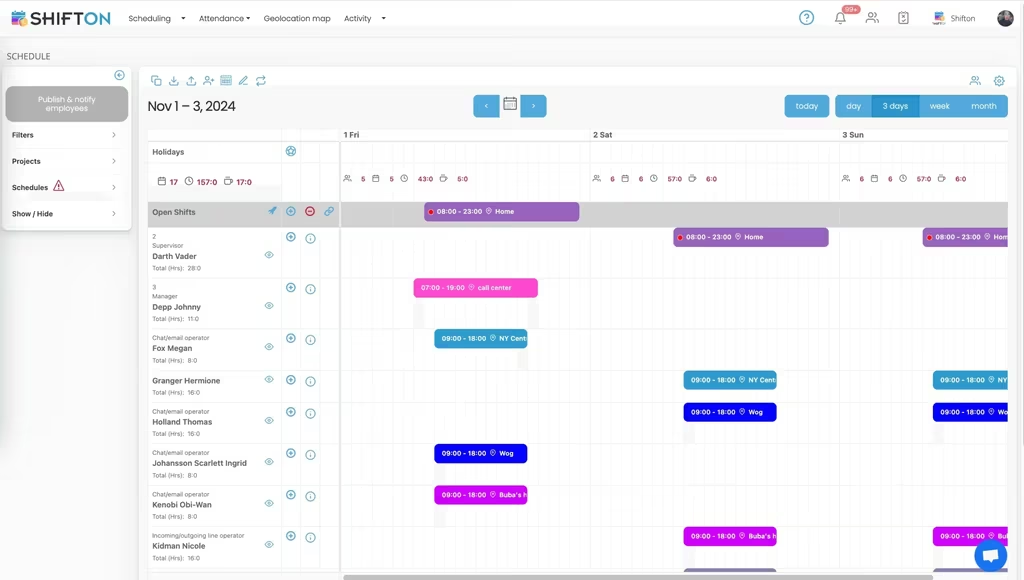
Record hours from day one
Short-term staff generate most of the payroll questions, because nobody knows them well enough to reconstruct a disputed week from memory. Recording hours on the day removes the reconstruction.
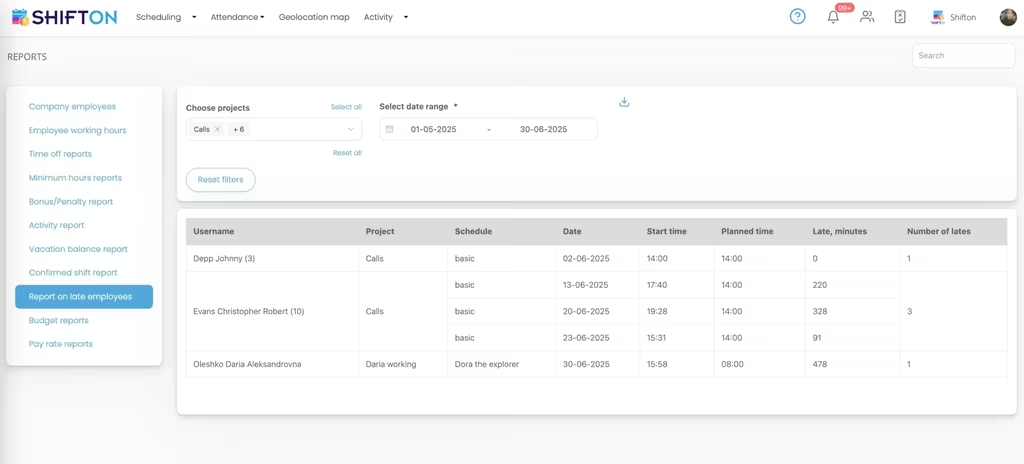
Wind down and keep the record
When the season ends the people leave and the data should not. Keeping records means next year begins with a list of who worked out well rather than with a blank page.
Start with the Free Plan
No time limits. Get full access to core features and upgrade when you're ready.
What makes a seasonal workforce different
Seasonal staffing compresses the entire employment lifecycle into a few weeks. Hiring, onboarding, scheduling, paying and offboarding all happen faster than a normal organisation is built for, and they happen at the busiest point in the year, which is why they are usually done badly.
The result is familiar across industries. A spreadsheet per season with no connection to the last one. Payroll questions from people who have already left. And a genuine inability to answer the only question that matters afterwards: what did the peak actually cost.
Onboarding that fits in the peak
Any process that requires a training session will not survive a seasonal intake. Whatever the tool is, adding a person and getting them onto a published schedule has to take minutes and has to work from a phone, because temporary staff have no company laptop and no induction week.
Add, assign, publish. Anything heavier gets abandoned in week one.
Templates carry the knowledge
The strongest argument for keeping seasonal planning in the same system as the rest of the year is that last season becomes reusable. The shape of the peak, the roles, the shift pattern that worked: all of it is a template rather than an act of memory.
One board, two kinds of staff
The instinct is to plan seasonal workers separately, because they are paid differently and managed differently. Operationally that is a mistake, because the whole point of the intake is coverage, and coverage is a property of the combined team.
Departments give both things at once. Permanent and seasonal staff appear on the same week so the manager can see whether Friday is covered, while the split stays clean for reporting and for the payroll export.
Hours for people nobody knows well
Payroll disputes concentrate in temporary workforces for a simple reason: with permanent staff, a disagreement about a Tuesday can be resolved by two people who both remember it. With somebody who worked six weeks three months ago, nobody remembers anything, and the only evidence is whatever was recorded at the time.
Clock-in from a phone, held against the planned shift, with breaks logged separately, is enough to close that entirely. It also removes the terminal purchase that a six week workforce would never justify.
Availability changes weekly
Seasonal staff are disproportionately students and people with other commitments, and their availability moves. Collecting it before each week is built saves the round of swap requests that otherwise follows every publication.
What the peak cost
The question always arrives after the season and rarely gets a good answer, because the wage bill is a single figure spanning both workforces. Grouping recorded hours by department and by period splits it: this is what the permanent team cost, this is what the peak added, and this is how it compares with last year.
That comparison is the thing that improves next season. Knowing that the intake was twenty per cent larger than needed in week two and short in week four is actionable. Knowing that wages went up is not.
Starting before the season
Shifton is free for up to 10 people with no time limit, which is enough to set the system up on the permanent team before the intake arrives. Scheduling, the basic time clock, the mobile app and reporting are included, and modules are added one at a time from $0.50 per employee a month with a trial of up to 60 days.
Frequently Asked Questions
How quickly can I add a group of seasonal staff?
Adding a person takes a name, a role and a department, and the published week reaches their phone as soon as they are assigned to shifts. There is no separate onboarding project for a temporary intake.
Can seasonal and permanent staff be scheduled on the same rota?
Yes, and they should be. Both groups sit on the same board so coverage is visible in one place, while departments keep them distinct for reporting and for the payroll export.
Do temporary staff need a terminal to clock in?
No. The basic time clock works from the mobile app or a browser, which is what makes it practical for a workforce that turns over in six weeks.
What happens to the records when the season ends?
They stay. A worker who returns next season keeps one record with their history rather than being entered again, and the hours from the peak remain available for the year-end review.
Can I compare this season with the last one?
Reports group hours by period and by department, so the cost of this peak can be read against the previous one rather than estimated from a payroll total.
Is there a free plan while a season is being set up?
Up to 10 people there is no charge and no deadline, so a season can be set up before anybody is paid for: scheduling, the basic clock, the mobile app and reports. Modules beyond that are $0.50 per employee a month with up to 60 days on trial.





Get the peak workforce on the schedule
Free for up to 10 people, with fast setup, one board for permanent and seasonal staff and hours recorded from day one.