

Supermarket Staff Scheduling Software for Store Teams
Cover checkouts, shelves and deliveries across the trading week, fill an absence before the doors open, and keep hours payroll can use.


Cover the trading week, department by department
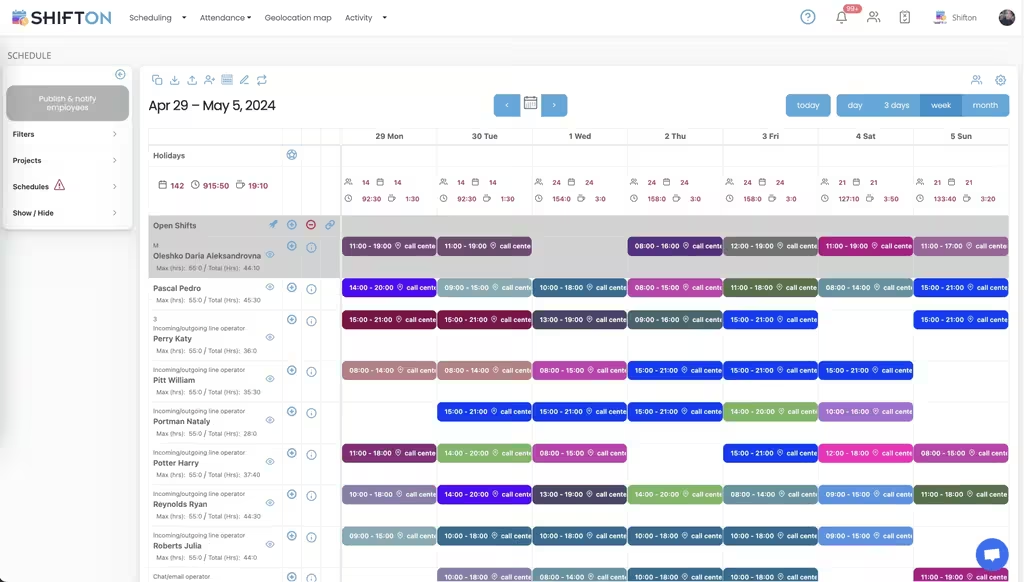
A store is several operations sharing a roof. Checkouts peak in the evening, deliveries land at dawn, and the bakery starts before either. One rota has to hold all of them and still be readable one department at a time.
Fill absence before the store opens
Somebody calls in at six for a seven start. Ringing round the department is slow and usually finds the same three people. Publishing the shift to everybody trained for it finds whoever is actually free.
Record hours as they happen
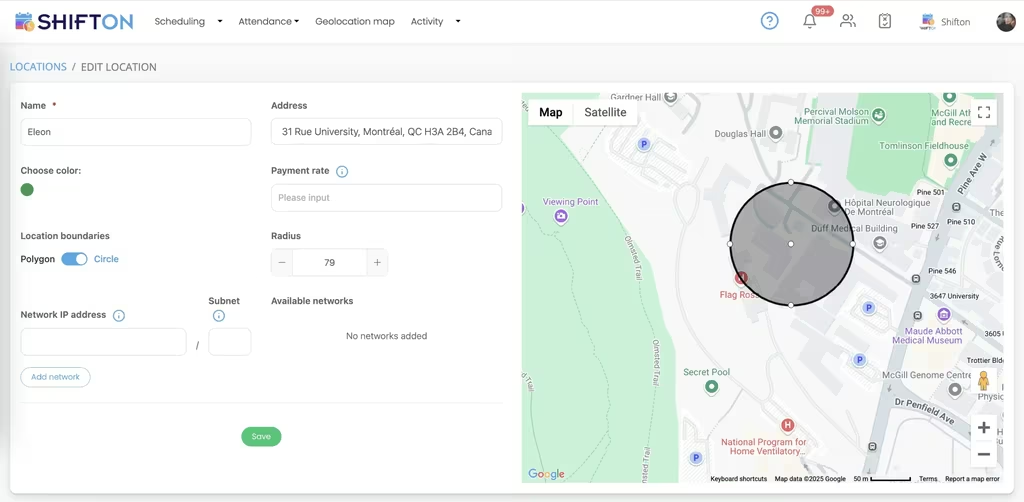
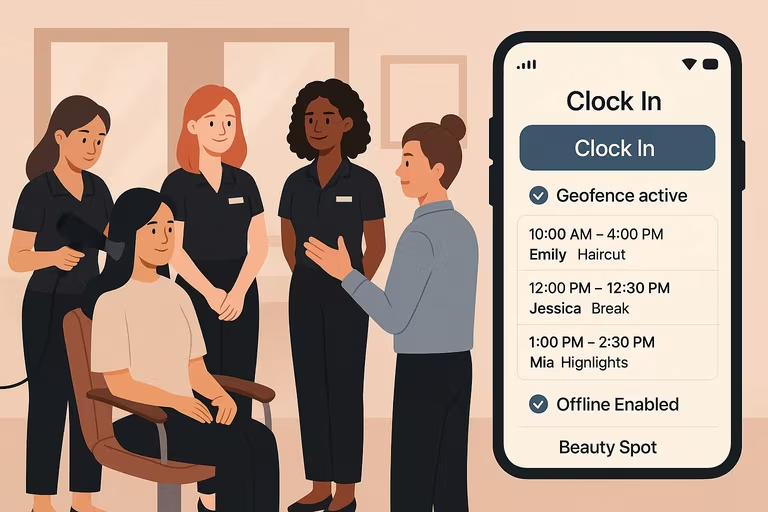
Clock-in at the store beats a sheet completed on Sunday. The real start and finish sit beside the planned shift, so a late finish on delivery day is in the record rather than in a conversation.
Read labour against the shape of trade
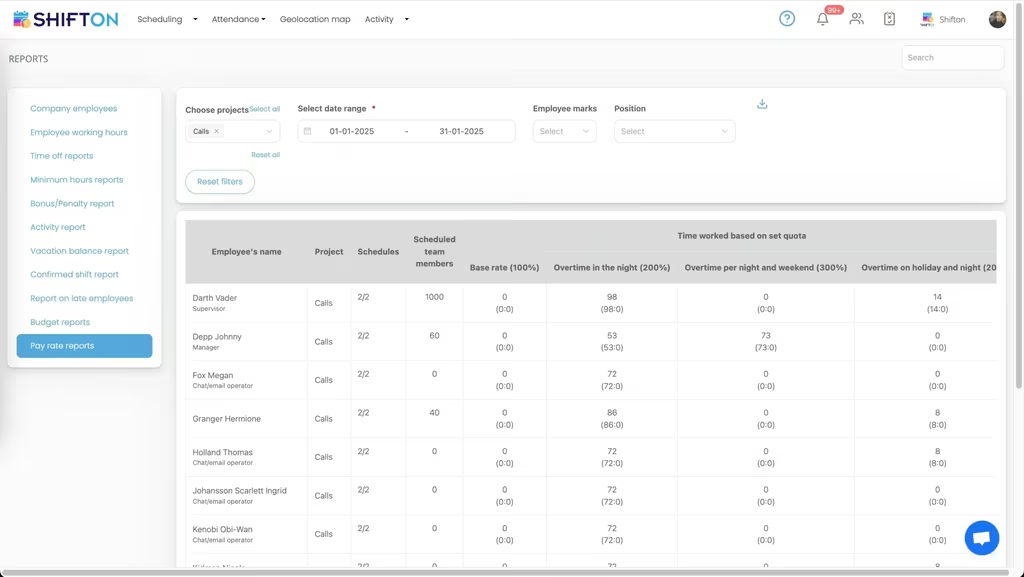
Hours per department per day is the number that tells a store manager where the rota is wrong. It is also the number that arrives too late in most stores.
Start with the Free Plan
No time limits. Get full access to core features and upgrade when you're ready.
A supermarket is several businesses at once
From the outside a store is one operation. From the rota it is four or five, each with its own rhythm. Deliveries arrive before dawn and need people who can lift. Checkouts peak between five and seven and need people who are trained on the tills. Fresh counters have their own preparation window. Back of house works to a schedule the customer never sees.
A rota that treats those as one undifferentiated pool of staff produces the familiar failure: enough people in the building and not enough on the tills at half past five.
Departments make the week readable
Splitting the store into departments on the same schedule lets a manager check coverage one operation at a time and still publish a single week. It also makes training visible, because the question is rarely whether somebody is free, it is whether they are free and trained for the slot that is empty.
Roles carry that second half. An open checkout shift offered to everybody in the store finds mostly people who cannot work it. Offered to everybody trained on tills, it finds somebody in minutes.
Students, part-timers and the availability problem
Retail runs on people with other commitments. Study timetables change each term, second jobs move, and a rota built without that information generates a week of swap requests the moment it is published.
Collecting availability before the build is the cheapest fix in the whole process.
Absence at six in the morning
Every store manager has done the phone tree. It works, slowly, and it always lands on the same reliable three people, which is how those three end up burnt out and everybody else stays unavailable in the system.
Publishing the gap to everybody qualified changes who gets asked. The offer goes out once, the first suitable person accepts, and there is a record of who was contacted. Over a quarter it also spreads the extra hours more evenly, which is a retention benefit nobody planned for.
Hours the payroll run can defend
Stores generate a specific kind of payroll dispute: the fifteen minutes at the end of a shift when a queue has to be cleared. It happens most days, it is real work, and on a paper system it is either forgotten or added by memory later.
Recording actual clock-out against the planned finish captures it as it happens. The manager sees the pattern in the weekly report, which is usually the more useful outcome: a closing shift that overruns four days out of five is scheduled wrong, not worked wrong.
Groups and multi-store reporting
Staff who cover more than one store are common in a group and awkward in most systems, because they end up entered twice. One record per person with shifts attached to locations keeps the payslip correct and makes the group-level comparison possible at all.
Labour against the shape of trade
The useful report in retail is hours by department by day, read against what the store actually did. It exposes the two structural errors quickly: a department carrying more people than the quiet days need, and a peak that is consistently understaffed because the rota was built from headcount rather than from the trading pattern.
Where to start
Shifton is free for up to 10 staff with no time limit, which covers a convenience store or a single department in a larger one. Scheduling, the basic time clock, the mobile app and reporting are included, and modules are added one at a time from $0.50 per employee a month with a trial of up to 60 days.
Frequently Asked Questions
Can I schedule different departments on one rota?
Yes. Checkout, shelf replenishment, fresh counters and back of house are separate departments on the same week, so a manager can look at one at a time and still publish a single rota to the whole store.
How do I cover an absence at short notice?
Open the shift and it goes to everybody trained for that role. The first person to accept takes it. Swaps arranged between staff go through the same approval step before the rota changes.
Does it handle students and part-time availability?
Staff mark the days and hours they can work before the rota is built, which keeps study timetables and second jobs visible at the moment the schedule is made rather than after it is published.
Can I run several stores from one account?
Yes. Each store is a location, and staff who cover more than one keep a single record. Reports read per store or across the group.
Does it track breaks separately?
Breaks are logged as their own record rather than deducted from a total, so paid and unpaid time stay distinct and the payroll export matches what actually happened.
Is there a free plan for a single store?
Shifton is free for up to 10 staff with no time limit, including scheduling, the basic time clock, the mobile app and reports. Paid modules start at $0.50 per employee a month with a trial of up to 60 days.





Get next week covered department by department
Free for up to 10 staff, with departments, shifts that fill from the phone and hours payroll can rely on.