

Absence Management Software: Leave, PTO & Vacation Tracking
Absence and leave management software - track PTO, plan vacations, and approve requests without breaking the schedule.

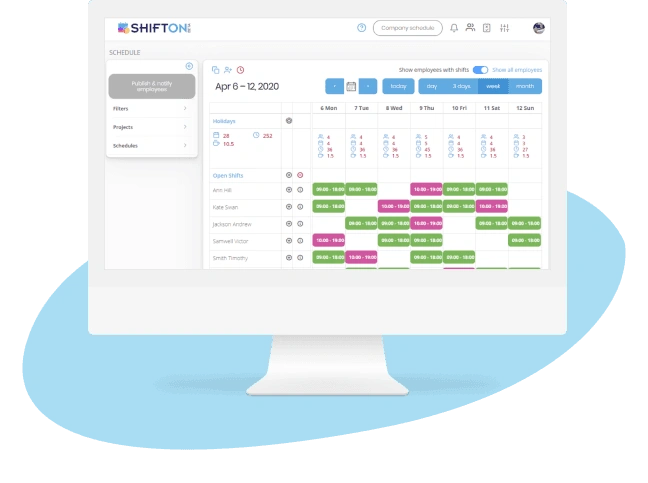
Automated Leave Requests and Approval Workflows
Managing leave requests through email, chat, or paper forms leaves them untracked and slow to resolve. A formalized digital workflow captures every absence and PTO request, keeps it visible to managers, and resolves it before it collides with the schedule - so coverage is never left to chance.
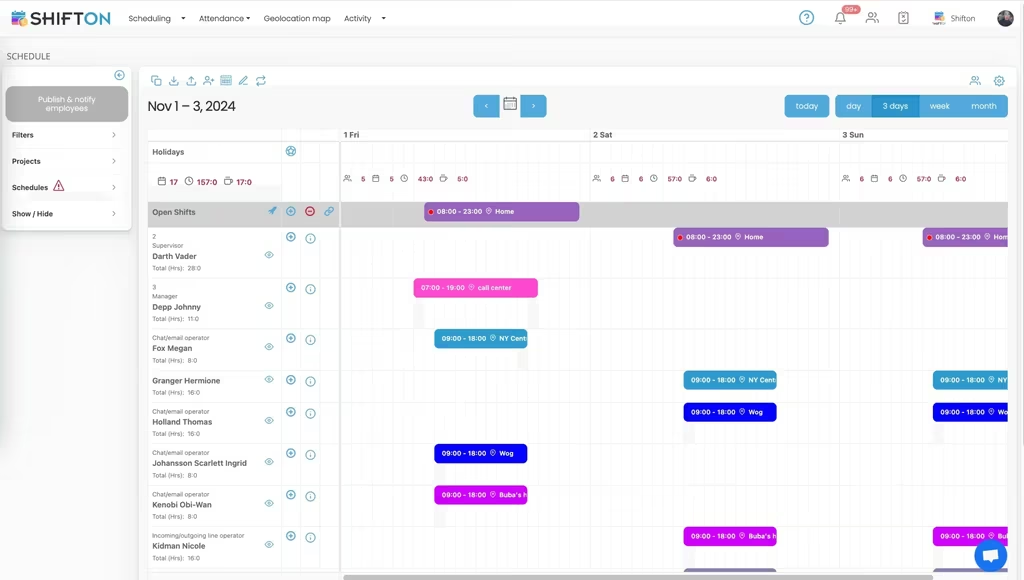
Accrual Tracking and Leave Balance Management
Employees need instant visibility into their available balance, and HR needs accrual records that reconcile with payroll. Spreadsheet-based PTO tracking breaks down as teams grow and produces conflicting numbers. Automated accrual tracking keeps every leave balance accurate and trusted on both sides.
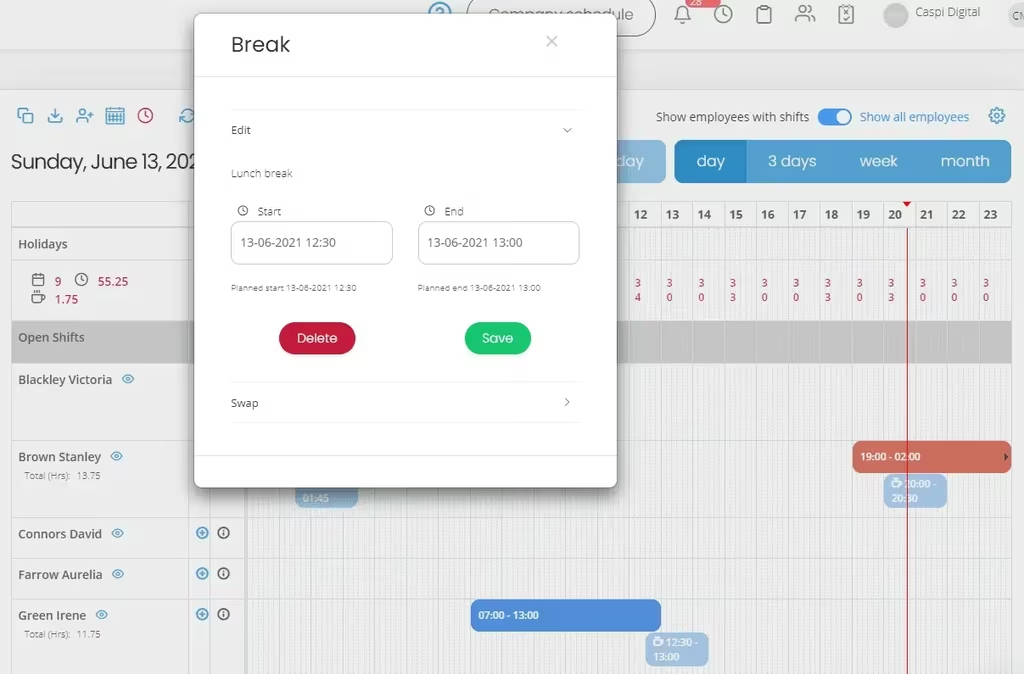
Schedule-Aware Leave Approvals
Approving leave without checking its impact on the shift schedule creates coverage gaps and last-minute overtime. Schedule-aware absence management surfaces the staffing impact of every request before it is confirmed, so managers protect coverage while still supporting their teams.
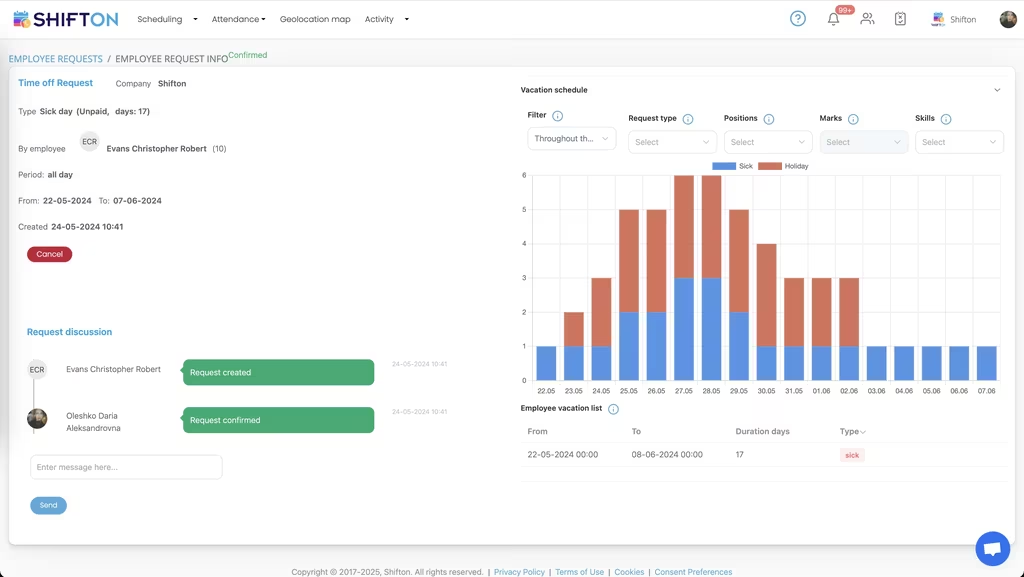
Leave Analytics and Absence Trend Reporting
Absence analytics turn leave data into forward planning. Tracking which periods and departments drive the most absence, and how leave correlates with overtime, lets operations forecast staffing needs and close coverage gaps before they appear.
Start with the Free Plan
No time limits. Get full access to core features and upgrade when you're ready.
Read more about time off management
What Is Absence Management?
Absence management - also called time off or leave management - is the process of tracking, approving, and accounting for the hours employees do not work. Absence management software, a leave management system, or a PTO tracker sits between scheduling and payroll. It controls when employees can take time off, how much paid time off they have accrued, what happens when they hit their balance, and how absences flow into payroll.
Without proper time off management, businesses end up with three problems: requests lost in chat threads, conflicting balance numbers between HR and employees, and approvals made without checking schedule impact. The PTO tracker fixes all three by centralizing the workflow.
Types of Leave You Need to Track
Vacation / PTO (paid time off)
The most common leave type. Vacation days accrue over the year and are taken at the employee's discretion with manager approval. Modern unlimited PTO policies replace explicit accruals with an open balance, but most US employers still use defined PTO banks for tracking and accounting purposes.
Sick leave
Some states (California, New York, Massachusetts, etc.) mandate paid sick leave separate from PTO. Sick leave often does not require advance notice and may have separate accrual rates. Tracking it as a distinct bucket protects compliance and prevents employees from burning vacation when they get sick.
Parental and family leave
Maternity, paternity, adoption, and family caregiver leave - some federally protected (FMLA in the US), some state-mandated, some employer-discretionary. Each type has its own duration limits, paid status, and documentation requirements.
Bereavement leave
Time off for a death in the family. Usually 3-5 days paid, may extend with documentation. Often a separate bucket from PTO so employees do not have to use vacation for grief.
Jury duty and military leave
Federally and state-protected absences. Compensation rules vary - some employers pay full wages, others top up government compensation, some give unpaid protected leave only.
Personal days and floating holidays
Discretionary days outside the PTO bank. Common to give 1-3 floating holidays for cultural or religious observances the company does not formally recognize.
PTO Accrual Methods Compared
Annual lump-sum accrual
Employees get their entire annual PTO balance on January 1 (or work anniversary). Simplest to administer. Risk: employee leaves in February having used 80 percent of the year's PTO.
Hours-worked accrual
PTO accrues per hour worked - typical rate is 0.0192 hours of PTO per hour worked (yields 40 hours of PTO per 2080-hour work year). Most accurate for hourly workers and matches what they earn. Slightly more complex to track but most modern PTO trackers handle it automatically.
Tenure-based accrual
PTO rate increases with years of service. A new hire gets 10 days, employees with 5+ years get 15, 10+ years get 20. Encourages retention. Standard in larger US employers.
Unlimited PTO
No accrual at all - employees take what they need with manager approval. Sounds generous, often results in employees taking less than peers at companies with explicit accruals (psychological floor of "the bucket"). Requires strong manager training and a culture of actively encouraging vacation.
PTO bank (combined)
Vacation, sick, and personal time merge into a single bank. Simpler for employees, more flexible. Some states still require separate sick-leave accounting for compliance even with a combined PTO bank.
Industries That Depend on Time Off Management
Healthcare
24/7 coverage requirements + complex license-tied scheduling = leave requests directly affect patient safety. Schedule-aware approval is non-negotiable. Many healthcare systems also track FMLA, mandatory continuing-education days, and license-renewal time.
Retail and hospitality
Peak-season blackout dates (Black Friday, holidays, summer for resorts) and high turnover make PTO administration a constant. Tracking is critical for unused-balance payouts at separation.
Manufacturing
Plant shifts, union seniority for vacation picks, and FMLA workflows all live in time off management. Many manufacturers use bid-style vacation selection where senior employees pick first.
Professional services
Billable hours plus PTO tracking. The relationship between vacation taken and billable utilization is a key metric. Senior partners frequently get unlimited PTO; staff get accrued banks.
Compliance: Laws Every PTO Tracker Should Support
Time off management is a compliance surface. Misconfigure it and you violate labor law. The non-exhaustive list:
- FMLA (US federal) - up to 12 weeks unpaid protected leave for qualifying family/medical reasons. Must track 1,250 hours of work in past 12 months for eligibility.
- State sick leave laws - 13 states + DC mandate paid sick leave with specific accrual and carryover rules.
- ADA reasonable accommodation - extended unpaid leave can be a reasonable accommodation under federal disability law.
- State PTO payout laws - 24 states require unused PTO to be paid out at separation. Get this wrong and you face wage-and-hour claims.
- GDPR / employee data - leave records contain medical and personal information. Encryption, access controls, and audit trails are required.
- USERRA - military leave protection up to 5 years cumulative. Employer must reinstate to same or equivalent position.
PTO Policies That Actually Work
- Mandatory minimum vacation. Require employees to take at least N days per year. Counters the "unlimited PTO" effect of underuse.
- Carryover caps. Limit how much PTO can roll into next year (5 days max). Prevents large accrual liabilities on the balance sheet.
- Use-it-or-lose-it where state law allows. Forces vacation usage; reduces balance liability. NOT permitted in California, Montana, Nebraska, Colorado.
- Blackout dates published 60+ days ahead. Holiday season, end-of-fiscal, audit weeks. Employees plan around them; managers do not have to deny requests at the last minute.
- Two-tier approval for senior staff. A senior leader's vacation needs both their manager and a peer's sign-off so coverage is real, not implied.
Common Absence Management Mistakes
- Tracking PTO in a spreadsheet past 15 employees. Conflicting balances, missed accruals, and lost requests are the predictable result.
- Approving leave without seeing schedule impact. The approver and the schedule manager are frequently different people. Without integration, gaps appear.
- Ignoring carryover and PTO payout liability. Unused PTO is a balance-sheet liability in most states. Track it like any other deferred cost.
- Mixing sick and vacation when the state requires separation. Compliance violation that surfaces during audit or wage claim.
- Letting requests sit unapproved past 48 hours. Employees plan trips; delayed approvals damage trust and force last-minute cancellations.
- Not exporting leave data to payroll. Manual reconciliation between PTO tracker and payroll provider is where errors compound.
How Absence Management Integrates with Payroll and Scheduling
The clean integration flow: employee submits request → PTO tracker checks balance → manager approves with schedule visibility → approved leave blocks the schedule grid → absence flows to payroll as paid or unpaid hours per policy. An open API and payroll-ready exports remove manual data transfer between absence management and payroll. Without integration, the tracker is an island and reconciliation eats HR time.
Free vs Paid Absence Management Software
Free PTO trackers typically cover small teams (5-10 employees) with basic request-and-approve workflows. Shifton's free plan includes time off management for up to 10 employees with full accrual tracking, mobile requests, manager approvals, and schedule integration - which is rare at the free tier. Paid plans add advanced features: FMLA tracking, multi-policy support, custom accrual rules, audit logs, and direct payroll API integration. Most paid plans run $4 to $10 per employee per month.
Time Off Policy Templates Worth Using
A clean PTO policy reduces 80 percent of leave-related disputes. The basic template covers: accrual rate and method, carryover limits, blackout dates, advance-notice requirements, approval cadence, sick leave separation if state-required, payout at separation, FMLA cross-reference, and disciplinary procedure for unapproved absences. Most companies adapt a starter template to their state laws, union agreements (if applicable), and industry norms.
Works with the rest of Shifton
Absence management runs alongside shift scheduling software so approved leave blocks the schedule automatically, and connects to time and attendance so balances and hours stay in sync.
Frequently Asked Questions
How do employees request time off?
From the app or the web they pick the type (vacation, sick day, holiday or a custom type), the dates and whether it is paid, and can add a comment. A request can cover whole days or only part of one day.
Can a sick note be attached to the request?
Yes, a file can be attached when the request is created. If there are several documents, combine them into one PDF.
What happens to the shifts on the days someone is off?
The request says what to do with overlapping shifts: delete them, move them to open shifts or leave them as they are. The choice is applied when the request is approved.
Who approves requests and is the employee told about the decision?
Managers and administrators approve or reject requests on the Requests page. The employee gets a notification when the status changes, and a request can be approved even for dates that have passed.
How are vacation balances tracked?
The Vacation Management module keeps a balance per employee: you set the starting days and the annual entitlement, and days accrue each month in proportion. Approved vacation is deducted automatically.
What if someone asks for more days than they have?
You decide in the module settings: either block the request when the balance runs out or let it through and show the manager an overuse warning.
Do unused vacation days expire?
No. The accumulated balance carries over when a new period starts, and a manager can correct any balance by hand with a comment.
Which reports cover absences?
Time Off Reports show time off by type with paid and unpaid days and hours, and the Vacation Balance report shows accrued, used and remaining days by month. Both can be exported.
How much do the time-off modules cost?
Time off requests is $1 per employee per month and Vacation Management is another $1 per employee per month. Each comes with a free trial of up to 60 days.






Ready to transform how you run your team?
Join thousands of teams that trust Shifton to run shifts, time, and payroll smarter every day.