

Shift Scheduling Software: Build and Publish Shifts in Minutes
Your universal shift schedule creation tool for cleaner workforce management.

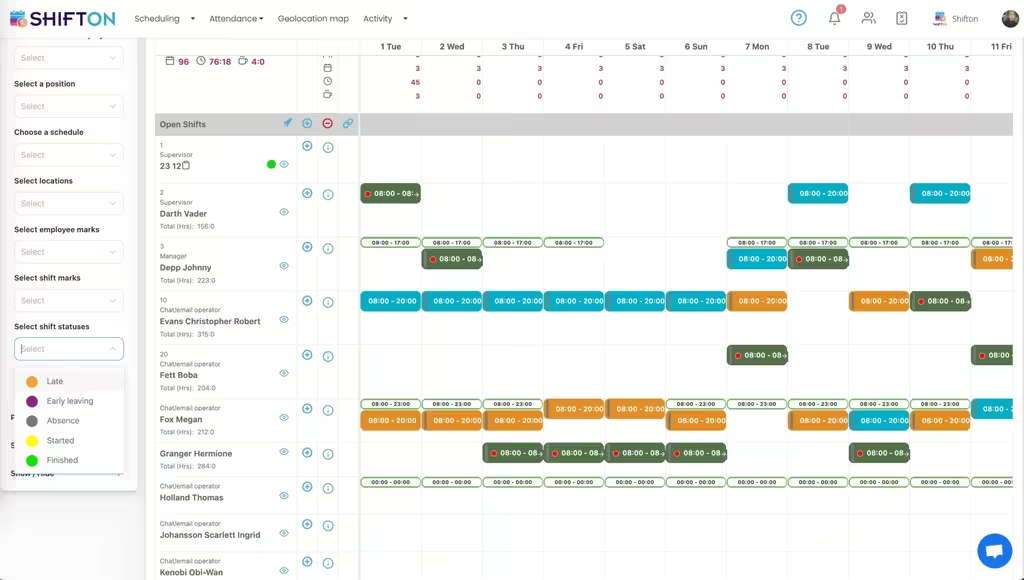
Drag-and-Drop Shift Builder for Any Industry
Building a shift schedule by hand consumes hours every week, balancing availability, skills, labor rules, and demand. The drag-and-drop shift scheduling software turns that into minutes of visual work, flagging conflicts before the schedule reaches the team.
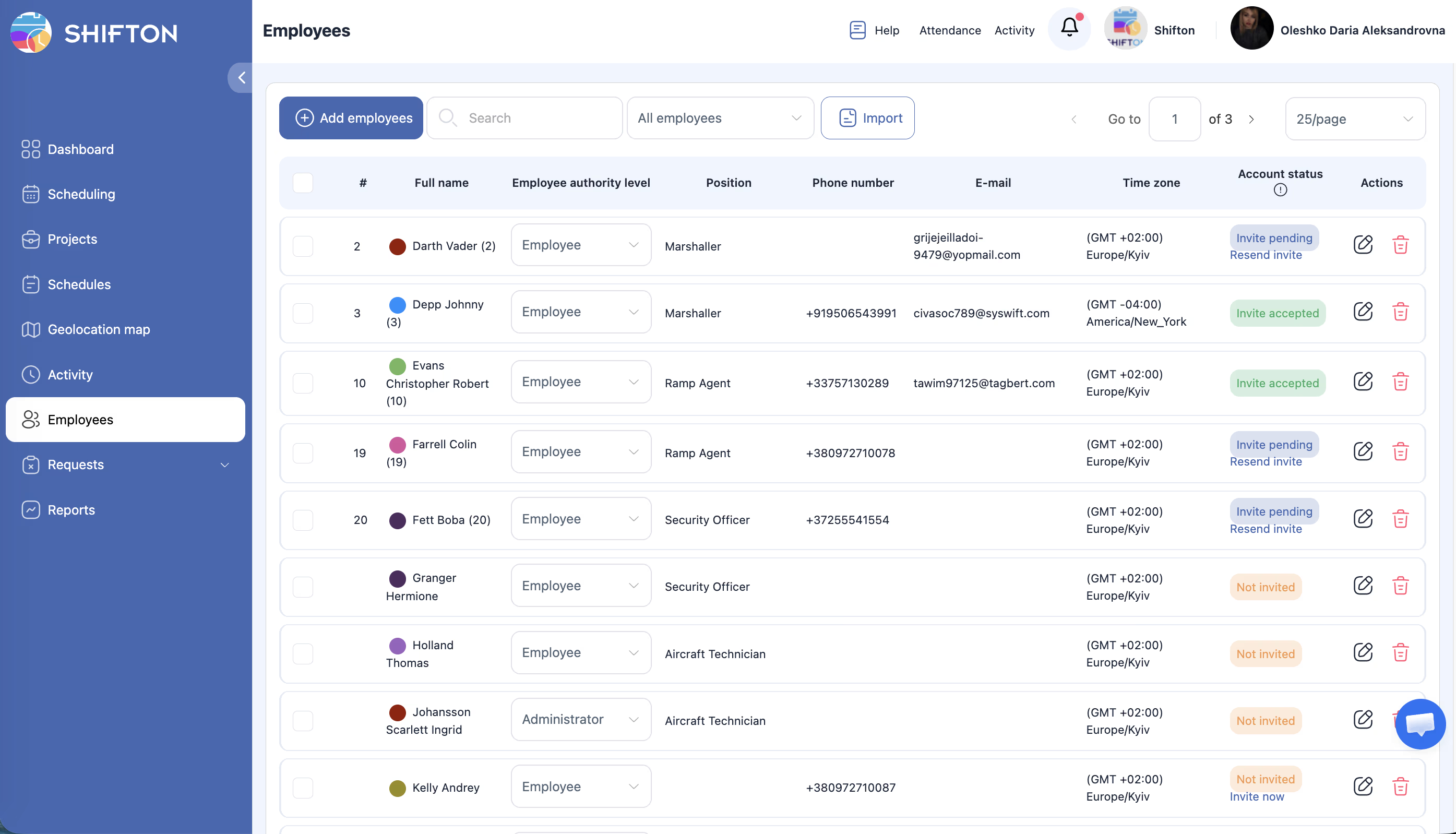
Smart Conflict Detection and Labor Rule Enforcement
The most expensive shift scheduling mistakes - double-booking, rest-period violations, and overtime overruns - are the easiest to make under pressure. Shifton's rule engine catches each one at the moment of assignment, before the schedule is published or the cost compounds.
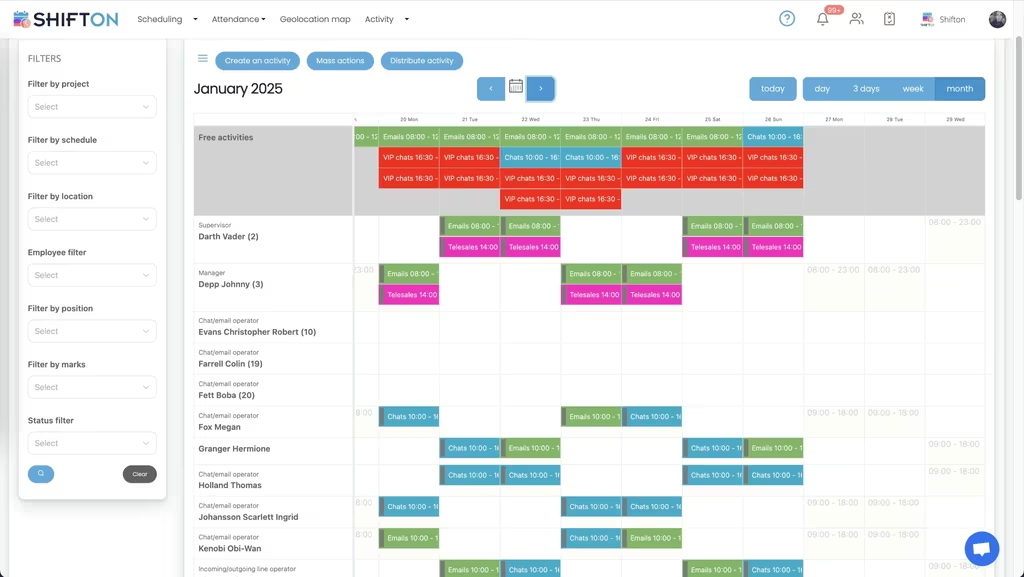
Employee-Facing Schedule with Self-Service Tools
A shift schedule is only useful if employees can see it. Mobile self-service puts the live schedule, shift swaps, and availability in every employee's pocket, ending the printed rosters and constant coverage calls that consume a manager's day.
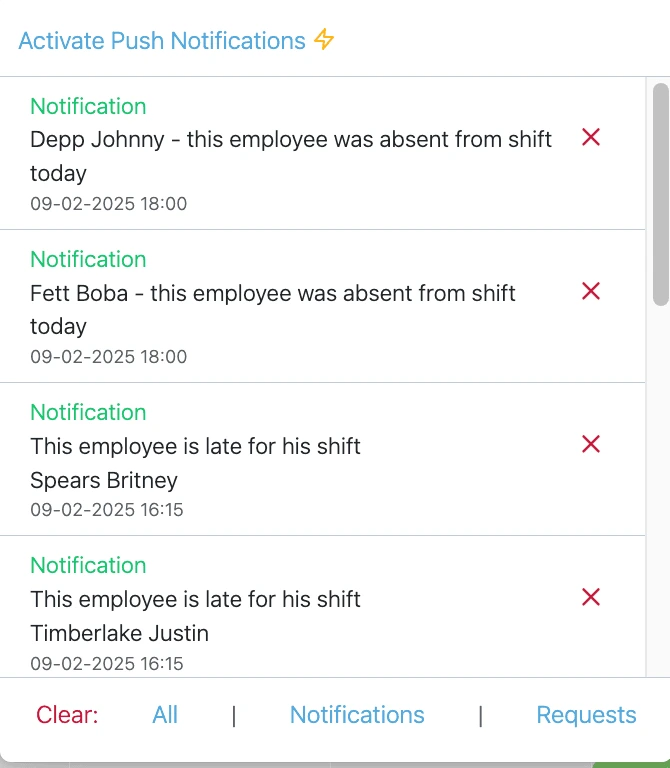
Schedule Publishing and Real-Time Communication
Late schedule distribution is the most consistent driver of weekend coverage gaps. One-click publishing and instant push notifications deliver every schedule the moment it is ready, so no shift goes uncovered.
Start with the Free Plan
No time limits. Get full access to core features and upgrade when you're ready.
Read more about shift scheduling
What Is a Shift Schedule?
A shift schedule is a written plan that assigns specific employees to specific working hours over a defined period - usually a week or two. It tells managers who is working when and tells employees their working times. Shift schedules range from a fixed Monday-to-Friday 9-to-5 to a 24/7 rotating shift schedule across multiple crews. The right shift schedule format depends on the business: retail and hospitality work in peaks; healthcare runs 24/7 on rotations; manufacturing balances three or four crews across plants.
An employee schedule, work schedule, or shift schedule - all three terms describe the same artifact. The employee schedule sits at the intersection of operations, payroll, and compliance. A well-built shift schedule covers customer demand, respects labor rules, distributes hours fairly, and produces clean timesheets. A poorly-built one leaks all four directions: overtime that nobody approved, no-shows that nobody anticipated, audits that nobody can defend.
Types of Shift Schedules
Fixed shift schedule
The same hours every working day - typically Monday to Friday, 9 to 5 or 8 to 4. Best for offices, weekday retail, and operations that run a single business shift. Easy to plan, easy for employees to anchor their lives around. Limitation: cannot cover evenings, nights, or weekends without rolling into a rotating pattern.
Rotating shift schedule
A rotating shift schedule, also called shift rotation, moves employees through different shift times on a defined cycle. Common rotating patterns include 2-2-3 (two days on, two off, three on), 4-on-4-off, the DuPont schedule (12-hour shifts across four crews), and the Pitman schedule (two-week cycle of 2-3-2 days). Rotating schedules deliver 24/7 coverage with predictable workloads per employee. The trade-off: rotating night and day shifts is hard on circadian rhythms and turnover tends to be higher.
Split shift schedule
Two work blocks separated by a gap of two or more hours. A morning shift from 7 to 11, a break, and an evening shift from 4 to 8 is a classic restaurant pattern. Split shifts match staffing to peak hours but cost employees commute time and can trigger split-shift premiums in some jurisdictions (California, Oregon, Washington DC).
12-hour shift schedule
Two long shifts cover 24 hours. Common in healthcare nursing, manufacturing plants, security services, and emergency response. Employees work fewer days per week (typically three) and recover with longer breaks between shift blocks. The 4-on-4-off, the DuPont, and the Pitman are all 12-hour patterns.
On-call shift schedule
An employee is not actively working but must be available within a defined response window. Common in healthcare, hospitality, manufacturing, and emergency services. Different jurisdictions treat on-call time differently for pay purposes - if the employee cannot use the time freely, on-call hours often count as working hours.
Compressed work week
The same total weekly hours packed into fewer days. A 4-10 schedule (four days, ten hours each) gives employees three-day weekends. A 9-80 schedule (nine days of work over two weeks, with one Friday off every two weeks) is popular in engineering and government. Compressed schedules cut commute time and can boost retention.
Custom shift patterns
For businesses with unusual demand curves - airline ground services, port operations, agriculture, multi-skill call centers - the right schedule rarely fits a textbook pattern. Shifton lets a manager build any custom shift schedule from scratch using the drag-and-drop grid, then save it as a reusable template.
Industries That Depend on Staff Scheduling
Healthcare
Hospitals, clinics, and long-term care facilities run around the clock. Nurse rotations, on-call patterns, license tracking, and HIPAA-compliant audit logs are non-negotiable. The shift schedule controls patient-to-staff ratios, which controls quality of care.
Retail and hospitality
Multi-location coverage, peak-hour staffing, break compliance, and weekly hour fairness drive retail and hospitality scheduling. Restaurants pile on the split shift challenge. Modern retail shift scheduling software handles labor budget caps per store, sales-forecast-based coverage, and minor-employee hour limits.
Manufacturing
Plant shift coverage, crew rotation, overtime control, and union-rule enforcement. Manufacturing shift schedules typically run three or four crews on rotating 8-hour or 12-hour shifts. Union contracts often dictate seniority-based shift bidding, mandatory overtime distribution, and weekend rotation rules.
Call centers and customer service
Call volume forecasting drives the shift schedule. Skill-based routing means scheduling not just for headcount but for the right mix of expertise. Split shifts for peak-hour coverage are common, as is the 24/7 follow-the-sun model for global operations.
Security and emergency services
24/7 rotation, overlap handling for incident response, and on-call standby coverage. Security shift schedules need built-in handover periods so each post is covered through the change of guard. Emergency services layer mutual aid agreements on top.
Construction and multi-site teams
Teams move between locations by week or by day. The shift schedule pairs with route optimization, GPS clock-in, and material logistics. Multi-site shift scheduling keeps every shift tied to the right location and the whole team updated in real time.
How to Build a Shift Schedule in 5 Steps (with a Shift Planner)
- Forecast demand by hour and day. Pull historical data - sales by hour for retail, call volume for call centers, patient census for healthcare - to know how much coverage you actually need.
- Map availability and skills. Each employee has hours they can work and skills they bring. The shift schedule must respect both.
- Apply labor rules. Maximum weekly hours, minimum rest between shifts, break requirements, overtime caps, minor restrictions, and any union or industry-specific rules.
- Distribute fairly. Total weekly hours, weekend rotations, evening shifts, and split-shift assignments should spread evenly across employees over time.
- Publish early and notify. A schedule published 14 days ahead has dramatically fewer call-outs than one published 48 hours ahead. Push notification at publish removes the "I did not see it" excuse.
Common Shift Scheduling Mistakes
- Double-booking. Two shifts at the same time for one employee. Should never reach the published schedule.
- Skipping rest-period checks. A close-then-open shift pattern (10 PM close, 6 AM open) violates many state rules and increases fatigue and turnover.
- Letting overtime accumulate uncapped. The fifth or sixth overtime hour costs 1.5x the regular rate. Multiplied across the team, the labor line ends the quarter 10-15% over budget.
- Publishing the schedule late. The single biggest predictor of call-outs and shift swaps. Aim for two-week advance.
- Ignoring time-off requests in the build. Approved leave should be a hard block in the schedule grid, not a polite note in a separate spreadsheet.
- Treating all employees as interchangeable. Skill, certification, and customer relationship matter. The shift schedule must reflect them.
What to Look for in Shift Schedule Software
- Drag-and-drop visual schedule builder with conflict detection on every assignment
- Reusable shift schedule templates for common patterns (rotating, split, 12-hour)
- Mobile self-service for employees: view schedule, request swaps, submit availability
- Multi-location scheduling on a single grid for businesses with branches
- Integration with time tracking and payroll - the schedule should produce timesheets, not duplicate data entry
- Audit log for every draft, edit, and published version of the schedule
- Labor rule engine that enforces overtime caps, rest periods, and break requirements
- Notifications via push, email, or SMS when the schedule is published or changes
Shift Schedule Templates Worth Using
The fastest way to build a new shift schedule is to start from a template. Common shift schedule templates include the 2-2-3 rotation for 24/7 coverage, the 4-on-4-off for 12-hour shifts, the DuPont schedule for industrial plants, the Pitman schedule for paired-employee coverage, and the standard Monday-to-Friday for office work. Shifton ships with 15+ shift schedule templates pre-configured for the most common patterns - apply one to your team and adjust the details.
Works with the rest of Shifton
Scheduling works best alongside the rest of the platform: pair it with time and attendance to turn shifts into verified hours, absence management to keep leave and coverage in sync, and the mobile workforce app so the team always has the current schedule.





Ready to transform how you run your team?
Join thousands of teams that trust Shifton to run shifts, time, and payroll smarter every day.