

Schedule Maker Apps: 8 Best Tools for Staff Schedules in 2026
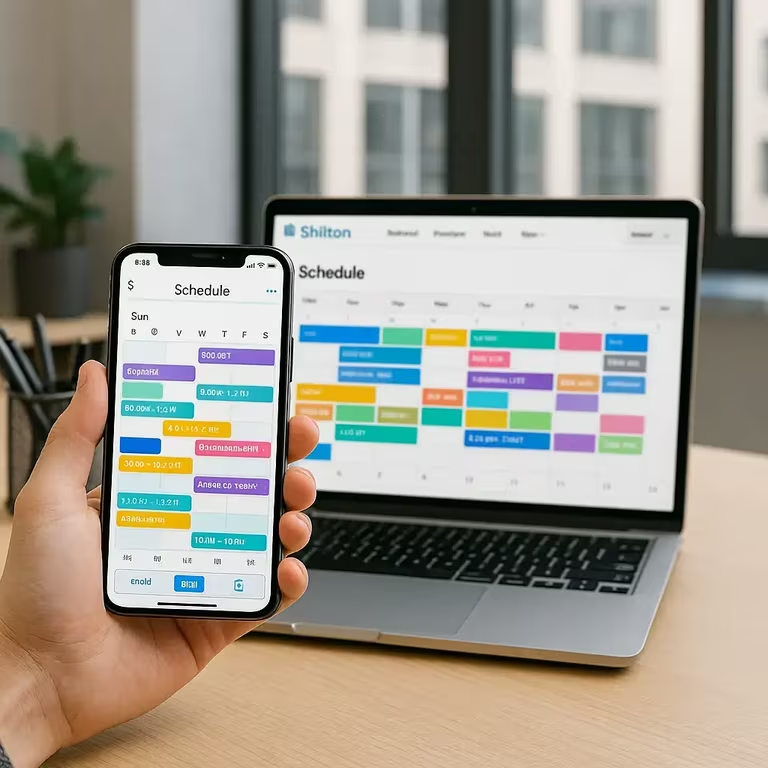
A schedule maker app earns its place on three things: where the free plan stops, whether the time clock comes with it, and how it handles swaps. Those decide the choice among the eight tools below, and an employee schedule maker that stops at 10 users, leaves time tracking to a paid tier or needs a manager for every swap ends up as a spreadsheet with a login.
Shifton publishes this guide and ranks itself first, so weigh that. Its free plan covers up to 10 employees with scheduling, and the time clock is a paid module. Connecteam is free for up to 10 users, ZoomShift for up to 20 (no time clock), Sling for up to 30 (no time tracking) and Homebase for one location with up to 10 employees. When I Work and Deputy have no free plan, and UKG Shiftboard publishes no price at all.
Free-plan limits and prices checked on each vendor's pricing page on 12 October 2026. If your team works in rotating shifts rather than fixed hours, our roundup of employee roster apps covers the same ground from the rostering side.
What a schedule maker does: a schedule maker builds staff work schedules, handles availability and swaps, notifies the team when something changes, and sends approved hours to payroll, instead of a spreadsheet that only one person knows how to edit.
Quick answer, which to pick: Shifton suits most teams (free for up to 10 people with scheduling, swaps and the mobile app, no time limit while no paid module is on; $1 per employee a month for everyone once the team passes 10, with paid modules from $0.50). Take Connecteam if you need messaging and training in the same app, Sling for a free tier that stretches to 30 users, ZoomShift for a free plan up to 20, Homebase if you would rather pay per location than per head, and Deputy when local scheduling law is the hard constraint.
Schedule Maker App Plans and Prices at a Glance
Prices are in US dollars, with the billing basis each vendor shows. Where a cell says not published, the vendor's pages did not give it.
| Tool | Free plan and user cap | Time clock or GPS on the free plan | Paid price from | Best for |
|---|---|---|---|---|
| Shifton | Up to 10 employees, no time limit while no paid module is on | No. The time clock is the paid Attendance module ($1 per employee); GPS is a paid module ($5 per employee) | $1 per employee per month for everyone once the team passes 10; modules from $0.50 | Small and mid-size shift teams that want scheduling and a time clock in one place |
| Connecteam | Free for life, up to 10 users | One time clock listed in the Small Business column | $29 a month for the first 30 users, billed yearly ($35 monthly) | Deskless teams that also need chat and training |
| Sling | Free for up to 30 users | No. Time tracking starts on Premium | Premium $1.70 per user per month billed annually ($2.00 monthly) | Single-site hospitality and retail with many part-timers |
| Homebase | Free Basic: 1 location, up to 10 employees | Basic time tracking; location-based clock-in starts on Essentials | Essentials $24 per location per month billed annually ($30 monthly) | One busy site with 20 or more hourly staff |
| When I Work | No free plan, 14-day trial | No free plan | $2.50 per user per month for a single location or schedule, $5 for multiple; billing basis not stated | Mobile-first retail and hospitality teams |
| Deputy | No free plan, trial only | No free plan | Lite $5 per user per month billed annually ($5.50 monthly, $30 monthly minimum spend) | Schedules bound by law or awards |
| ZoomShift | Free Essentials: up to 20 users, 1 location | No time clock on Essentials; time clock from Starter, geofence on Premium | Starter $2.50 per active team member per month ($2 billed annually) | Small single-site teams that want swaps and a time clock at a few dollars per head |
| UKG Shiftboard | Not published | Not published | Not published; contact UKG | 24/7 operations with fatigue and compliance rules |
This might interest you:Shifton's shift schedule builder - drag-and-drop scheduling, recurring patterns and conflict detection in one screen.
Our Top Picks
Eight apps made the list. If you want the short version, these three cover most schedules.
Shifton
Scheduling at the core, with a free plan that runs forever for up to 10 people and paid features added one module at a time.
Sling
A free tier up to 30 users, built around shift work in hospitality and retail.
Homebase
Priced per location instead of per person, with a free plan for one location and up to 10 employees.
Why trust us?
Shifton is our own product and we put it first. Better to say that here than let you notice it halfway down the page.
Everything else is checkable. Every free tier, user cap and price below came off the vendor's own pricing page and was checked on 12 October 2026, and where a vendor publishes no price, we say so instead of inventing a number.
What an Employee Schedule Maker App Actually Does
Three jobs, and the third is the one teams underestimate.
Building the schedule comes first: who works when, matched against availability, skills and the hours people are allowed to work. A schedule maker app does this with a drag-and-drop grid or a template you reuse each week, which is where most of the time saving comes from.
Then there is change. Someone calls out, someone wants to swap, someone's availability shifts mid-week. Without software this becomes a text thread nobody can reconstruct later. With it, the swap is requested, approved and visible to everyone in one place.
Third, and least obvious: turning hours into money correctly. If the schedule and the time clock live in different systems, somebody retypes numbers into payroll every fortnight, and that is where the errors come from. A staff schedule maker that carries approved hours through to payroll removes that step entirely. Our guide to free time clock apps goes deeper on the tracking side.
What a schedule maker is not: a project management tool. If you need task lists and deadlines rather than shift coverage, you are shopping in a different category.
How We Picked These 8 Schedule Maker Apps
Published pricing was the filter. An app that hides its cost behind a sales call is harder to compare, so where that is the case we say it plainly rather than guessing.
Beyond that, each app was judged on the things that decide whether a schedule survives a real week:
- How long it takes to build a week from scratch, and how long to rebuild it after one change
- Whether swaps and open shifts work without a manager mediating every message
- Whether the time clock is part of the same product or a separate purchase
- Whether the mobile app is something staff will actually open
- Where the free plan stops: by users, by locations, or by features
- Whether hours reach payroll without a spreadsheet in between
Template libraries we deliberately ignored. Every app has them and none of them decide anything.
The 8 Best Schedule Maker Apps of 2026
Shifton
Shifton builds the schedule from availability, roles and shift patterns, then keeps the time clock and the approved hours in the same product, as paid modules, instead of selling them as a separate system.
The free plan covers up to 10 team members and is not a trial: shift scheduling and calendar, shift swaps, the iOS and Android app, and three reports (budget, minimum hours per week and Employee report). The time clock is a paid module. A team under ten people can run on it indefinitely while no paid module is on.
Past 10 employees, or with any paid module on, the base is $1 per employee per month, and everything else is a module you switch on one at a time. Payroll is $0.50 per employee per month, attendance tracking $1, and Work location control with GPS $5. Each module has a trial of up to 60 days (10 days for GPS), so you can test one against a real schedule first.
Pros:
- Free for up to 10 employees with no time limit, with scheduling, swaps, mobile app and three base reports
- Priced per employee, so a team of 30 pays $30 a month for the base functions
- Staff see the schedule and request swaps on iOS and Android
- Payroll, attendance and GPS are separate modules, so you pay only for what you switch on
Where it falls short:
- GPS location tracking is the paid Work location control module at $5 per employee per month, not part of the free plan
- Staff clock in from the mobile app with the paid Attendance module, and the pages do not describe a shared terminal
- Deep HR is not what this product does: applicant tracking, performance reviews and document workflows belong in an HR platform
- Each extra module adds to the per-employee bill
Best for: small and mid-size teams in shifts that want scheduling, time tracking and payroll-ready hours in one place, priced per person rather than per site.
Build next week's schedule in one screen
Drag-and-drop scheduling, swaps your team requests from their phone, and a paid time clock that feeds the same timesheet. Scheduling is free for up to 10 people.
Connecteam
Connecteam treats the schedule as one piece of a wider deskless workplace: alongside it sit chat, checklists, training and document storage.
The Small Business plan is free for life for up to 10 users. Above that it is sold per hub, because Operations, Communications and HR are separate subscriptions. Basic starts at $29 a month billed yearly ($35 monthly) for the first 30 users, with Advanced at $49 and Expert at $99 on annual billing. The 30 is the number of users that price includes, not a free cap. Basic covers GPS clock in/out, unlimited jobs, payroll integration and basic scheduling.
Pick it when the scheduling problem arrives bundled with a communication problem. If shift updates currently travel by group chat and nobody reads the pinned messages, this is the one.
Pros:
- Free for life for up to 10 users
- Basic includes GPS clock in/out and payroll integration
- Chat, checklists and training sit in the same app
- Flat Basic price for the first 30 users in a hub
Where it falls short:
- Paid pricing is split across hubs, so scheduling plus communications plus HR stacks several bills
- The free Small Business plan has a single time clock
- Advanced and Expert cost $49 and $99 a month per hub on annual billing
Best for: deskless teams that need scheduling plus communication and training in one app, and that can live inside a single hub.
Sling
Sling, now Sling by Toast, is built around shift work in hospitality and retail, with the widest free tier among the eight.
The free plan reaches 30 users and covers shift scheduling, time-off requests, available shifts, news sharing, long-term scheduling and private messaging. Time tracking is not on it. Premium adds mobile time tracking, labour cost management and overtime tracking at $1.70 per user per month billed annually ($2.00 monthly), and Business at $3.40 annually ($4.00 monthly) adds kiosk time tracking, reports, no-shows, sick call-outs and PTO management. There is a 15-day trial.
A single-site restaurant, cafe or shop with a large roster of part-time staff gets the most out of it, because that headcount would make per-user pricing painful.
Pros:
- Free for up to 30 users, the highest free cap on this list
- Free plan lists available shifts that staff can pick up
- Premium, the first tier with time tracking, is $1.70 per user per month billed annually
Where it falls short:
- Time tracking is not on the free plan, so it is a schedule maker and nothing more until you pay
- Kiosk time tracking and reports start on Business at $3.40 per user per month billed annually
- Geofencing and timesheet approvals are listed from Premium, not on the free plan
Best for: single-site restaurants, cafes and shops with a large part-time roster that only need the schedule on the free plan.
Homebase
Homebase prices by site, not by headcount, which changes the maths for businesses with many part-timers under one roof.
The free Basic plan covers 1 location and up to 10 employees, with basic scheduling and basic time tracking. Unlimited employees come only with the paid plans. Essentials is $24 per location per month billed annually ($30 monthly), and it is where shift trade, cover and claim, time-off requests and location-based clock-in on the mobile time clock start. A 14-day trial of All-in-One drops you back to Basic afterwards if you have 10 employees or fewer on one location.
One busy location with 20 or more hourly staff is the sweet spot for Essentials. The model inverts as you add sites: five locations mean five fees, so run the numbers against a per-employee tool such as Shifton, which charges $1 per employee for everyone once the team passes 10.
Pros:
- Free for 1 location and up to 10 employees
- One flat fee per location on Essentials, with unlimited employees
- Essentials adds shift trade, cover and claim, time-off requests and location-based clock-in
Where it falls short:
- The free cap is 10 employees, not unlimited
- Swaps, time-off requests and location-based clock-in are all behind the paid Essentials plan
- Basic keeps timesheets for 90 days
- Every extra location adds another fee
Best for: one busy site with 20 or more hourly staff, where a flat location fee beats paying per head.
When I Work
When I Work built its product around the phone rather than the back office, and it shows in how quickly staff pick it up: shift claiming, swap requests and availability all live in the app.
There is no free plan, only a 14-day trial with full access. Paid use is $2.50 per user per month for a single location or schedule and $5 for multiple locations or schedules, and the pricing page does not say whether those figures assume annual or monthly billing.
Retail and hospitality teams that turn over staff often will get value here, because onboarding a new hire onto the schedule takes minutes.
Pros:
- Low entry price at $2.50 per user per month for a single location or schedule
- 14-day trial with full access
- Shift claiming, swap requests and availability live in the mobile app
Where it falls short:
- No free plan, so you pay from the first week after the trial
- The price doubles to $5 per user per month for multiple locations or schedules
- The billing basis is not stated on the pricing page
Best for: retail and hospitality teams with high staff turnover that want a mobile-first employee schedule maker and do not need a free tier.
Deputy
Deputy is the schedule maker for regulated scheduling: break rules and predictive scheduling requirements sit in the scheduling engine rather than bolted on.
There is no free plan, only a free trial whose length the plan cards do not state. Lite is $5 per user per month billed annually ($5.50 monthly), Core $6.50 ($7.25 monthly) and Pro $9 ($10 monthly). Monthly plans carry a minimum spend of $30 per invoice.
Operations where the schedule has to satisfy a rulebook are the target: healthcare, hospitality, or any US city with predictive scheduling laws that require advance notice of shifts. You are paying for that depth, and a small cafe with straightforward hours will not use most of it.
Pros:
- Compliance tooling for predictive scheduling and break rules
- Lite starts at $5 per user per month on annual billing
- Three tiers, so a team can start with basic scheduling and timesheets
Where it falls short:
- No free plan, and the trial length is not stated on the plan cards
- Monthly plans have a $30 minimum spend per invoice
- Per-user pricing climbs as the team grows, up to $9 on Pro with annual billing
Best for: operations where the schedule has to satisfy labour rules, such as healthcare and hospitality groups in places with predictive scheduling laws.
ZoomShift
ZoomShift is a lightweight team schedule maker that charges per active team member.
The free Essentials plan covers up to 20 users and 1 location, with schedules up to 2 weeks ahead, team communication and shift notes. It has no time clock. Starter is $2.50 per active team member per month ($2 billed annually) and adds unlimited users and locations, availability and time off, shift cover requests and swaps, timesheets and the time clock. Premium is $5 monthly ($4 annually) and is the only tier with the geofence time clock. Any plan can be tried free for 14 days.
It suits a small single-site team that wants swaps and a time clock for a few dollars a head. Its pricing page names no integrations beyond calendar sync and a payroll report, so check your payroll tool before committing.
Pros:
- Free Essentials plan for up to 20 users
- Starter at $2.50 per active team member per month ($2 annually) includes swaps and the time clock
- 14-day trial of any plan
- Pay only for active team members
Where it falls short:
- The free plan is limited to 1 location, schedules 2 weeks ahead and has no time clock
- The geofence time clock is Premium only
- The pricing page lists no integrations beyond calendar sync and a payroll report
Best for: small single-site teams that want swaps and a time clock at a few dollars per head.
UKG Shiftboard
Shiftboard, now UKG Shiftboard after UKG acquired it in 2025, is aimed at continuous operations where compliance, safety and 24/7 coverage cannot slip, with manufacturing as the named target.
The product page talks about union rules, fatigue standards, labour laws and making sure workers have the training and certifications each assignment needs. It publishes no price, plan list or tiers, and it mentions no free plan or trial. The route in is a contact form.
Round-the-clock sites where fatigue rules matter as much as coverage are where it earns a place on the shortlist. A team of fifteen that wants to see a price before talking to anyone will not get that here.
Pros:
- Built around 24/7 operations, fatigue standards and compliance rules
- Matches workers to the training and certifications each assignment needs
- Names manufacturing as its target and links to UKG for payroll and HR sync
Where it falls short:
- No published pricing, so budgeting starts with a sales conversation
- Its pages mention no free plan or trial
- The product page does not describe plans, time clock, GPS or swaps
Best for: manufacturing and other 24/7 operations where fatigue and compliance rules drive the schedule.
Free Schedule Maker Apps: Where the Caps Actually Sit
Most apps here say they have a free plan or a free version, and they mean different things. The cap is what matters, because that is the point where the tool stops being free without warning.
- Capped by people: Sling stops at 30 users and ZoomShift at 20, while Shifton and Connecteam stop at 10. All four are usable indefinitely for a small team, not trials with a countdown.
- Capped by people and location: Homebase gives one site up to 10 employees, and ZoomShift limits its free plan to one location as well.
- No free plan at all: When I Work has a 14-day trial, and Deputy has a trial whose length its plan cards do not state.
- No published price: UKG Shiftboard sends you to a contact form, and its pages mention neither a free plan nor a trial.
Ask a second question about any free schedule maker: which features are missing rather than which people. Sling has no time tracking on its free plan, ZoomShift and Shifton no time clock, and Homebase keeps location-based clock-in and shift trades for Essentials. A free plan without a time clock means you are still tracking hours somewhere else, and that somewhere else is usually a spreadsheet.
How to Choose a Schedule Maker for Your Team
Team size and the shape of your week decide this faster than a feature comparison.
- Under 10 people: start on a free plan that stays free. Shifton, Connecteam and Homebase all stop at 10, and none expires.
- 10 to 30 people who only need the schedule: Sling's free tier takes up to 30 users, and ZoomShift's takes 20 on one location.
- One location with 20 or more hourly staff: compare Homebase's Essentials fee against per-user pricing, because the site fee can win.
- Hours that have to reach payroll cleanly: pick a tool where the time clock belongs to the same product, and check which tier holds it. That is the Attendance module on Shifton, Premium on Sling, Starter on ZoomShift and Essentials on Homebase.
- Local scheduling law as the binding constraint: Deputy, and budget for the setup.
- A round-the-clock operation with fatigue rules: UKG Shiftboard, with a sales call and an implementation plan.
Shortlisting rotation patterns rather than apps? Our guide to roster management covers how to structure the rotation itself. For tools sized specifically to a small business, we compared those separately in employee scheduling software for small business.
Rolling Out a Schedule Maker Without Losing a Week
Rollouts fail in one predictable way. The manager builds the new schedule in the new tool while still maintaining the old spreadsheet, doubles their own workload, and quietly goes back.
A sequence that avoids that:
- Pick one team, not the whole company. One department for two weeks tells you what a company-wide launch would tell you, at a fraction of the risk.
- Rebuild one real week, not a test week. Fake data hides the problems, and the awkward split shift and the person who can only work Tuesdays are the point.
- Stop maintaining the spreadsheet on day one. Running both is the failure mode. If the new schedule is wrong, fix it in the new tool.
- Get the phones on before the reports. Staff adoption comes from seeing their own shifts, not from your analytics.
- Connect the time clock next, payroll after. Scheduling and hours first; exports once the numbers are trusted.
- Write the swap rule down: who can trade with whom, and by when. That one line prevents most of the arguments that follow.
Two weeks is usually enough to know. And if the team is still texting to ask when they work, the tool is not the problem: the notifications are switched off.
Frequently Asked Questions
What is the best free employee schedule maker app?
It depends on which cap you hit first. Sling's free plan holds the most people, up to 30 users, but it covers scheduling and messaging only, because time tracking starts on Premium. ZoomShift's free Essentials plan covers up to 20 users at 1 location with no time clock. Homebase is free for 1 location and up to 10 employees, and Connecteam is free for up to 10 users. Shifton's free plan also stops at 10 employees, with scheduling, swaps and the mobile app, and the time clock is a paid module. When I Work and Deputy have no free plan, only a trial.
Can a schedule maker handle multiple locations?
Most can, but the pricing reacts differently. Homebase's free Basic plan is 1 location, and Essentials is $24 per location per month billed annually ($30 monthly), so a second site adds a second fee. When I Work lists $2.50 per user per month for a single location or schedule and $5 for multiple locations or schedules. ZoomShift's free plan is limited to 1 location, with unlimited locations from Starter. Shifton prices per employee, not per location.
How many users are free on Shifton?
Up to 10 employees, with no time limit, while no paid module is on. That covers shift scheduling, shift swaps, the mobile app for iOS and Android, and three reports (budget, minimum hours per week and Employee report). Once the team passes 10 employees, or any paid module is on, the base is $1 per employee a month for every employee. Payroll ($0.50), attendance tracking with the time clock ($1) and GPS location control ($5) are paid modules, priced per employee per month, with a trial of up to 60 days (10 days for GPS).
Do I need a schedule maker for a team of five?
Not strictly. Five people fit in a spreadsheet. What pushes small teams to move earlier is the swap thread: even at five, changes arrive by text and get lost. If your week genuinely has no changes, a spreadsheet is fine.
What happens when someone forgets to clock in?
Any tool with a built-in time clock will flag a missing punch and let a manager correct it, with the edit recorded. Check in a trial whether that correction is one tap or a support ticket, because that difference decides whether managers keep using it.
Will staff actually use a new schedule maker app?
Adoption tracks one thing: whether the app answers "when do I work next" faster than texting the manager. Turn on push notifications for published schedules and shift changes before you launch, and the question mostly stops arriving.
Which schedule maker apps put swaps and a time clock on the free plan?
Fewer than you would expect. Shifton's free plan lets staff request swaps from the mobile app, while the time clock is the paid Attendance module. Sling's free plan lists available shifts that staff can pick up, but time tracking starts on Premium. On ZoomShift, swaps and the time clock start at Starter, not on the free Essentials plan. On Homebase, shift trades and location-based clock-in start at Essentials. Check the tier that holds each feature before you count on it.

Start making changes today!
Optimize processes, improve team management, and increase efficiency.