

 English
  Español
  Português
  Deutsch
  Français
  Italiano
  日本語
日本語  中文
中文  हिन्दी
  עברית
עברית  العربية
  한국어
한국어  Nederlands
  Polski
  Türkçe
  Українська
  Русский
  Magyar
  Română
  Български
  Čeština
  Ελληνικά
  Svenska
  Dansk
Dansk  Norsk
Norsk  Suomi
Suomi  Bahasa Indonesia
  Tiếng Việt
  Tagalog
  ไทย
ไทย  Latviešu
  Lietuvių
  Eesti
Eesti  Slovenčina
  Slovenščina
  Hrvatski
  Македонски
  Қазақша
  Azərbaycan
  Afrikaans
  বাংলা
বাংলা Employee Activity Tracking Software for Operational Teams
See exactly what your team did, when, and who approved it. One audit trail across schedules, shifts, attendance, and approvals, ready when HR or a labor audit asks.

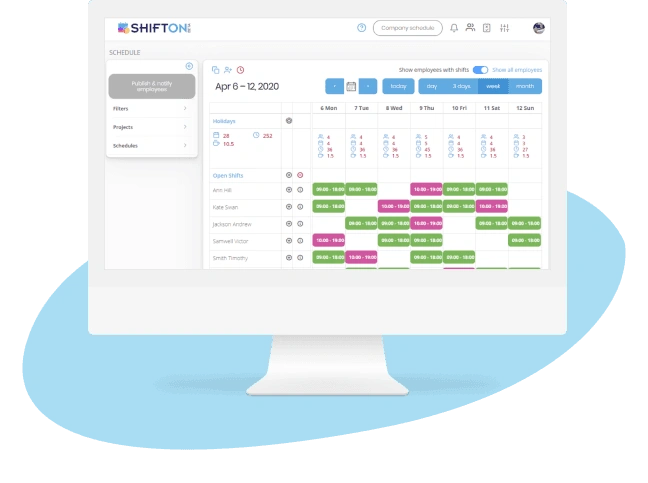
Complete Audit Trail for Every Workforce Action
Every workforce dispute ends cleanly with a record. A structured activity log captures every schedule edit, swap approval, and clock-in with a timestamp and an actor, so decisions rest on evidence instead of conflicting memories.
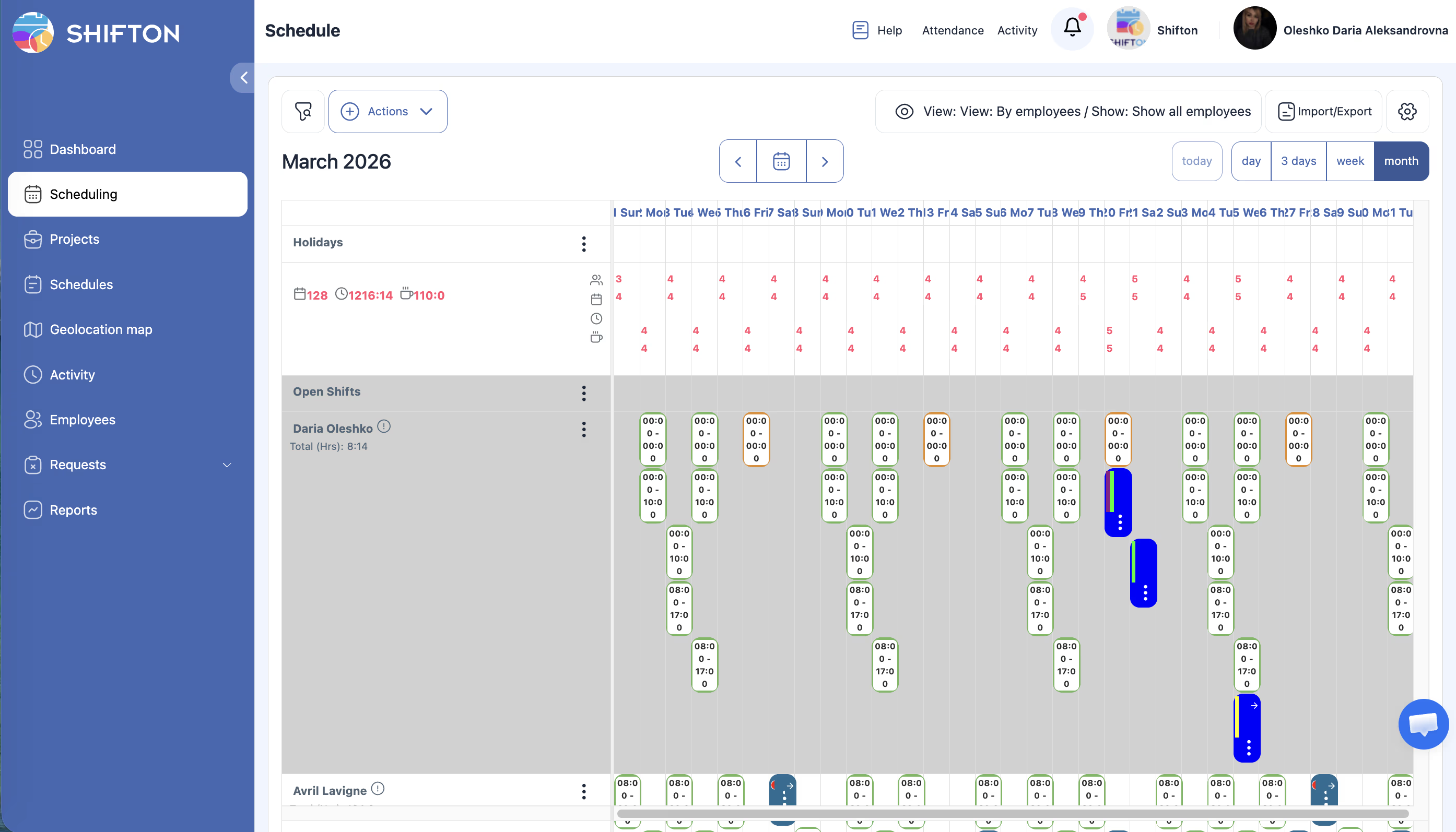
Employee Productivity and Attendance Patterns
Promotion and discipline decisions built on impressions are wrong as often as they are right. Employee activity tracking turns attendance reliability, punctuality, and coverage into defensible data, so managers reward the right people and stand behind every decision.
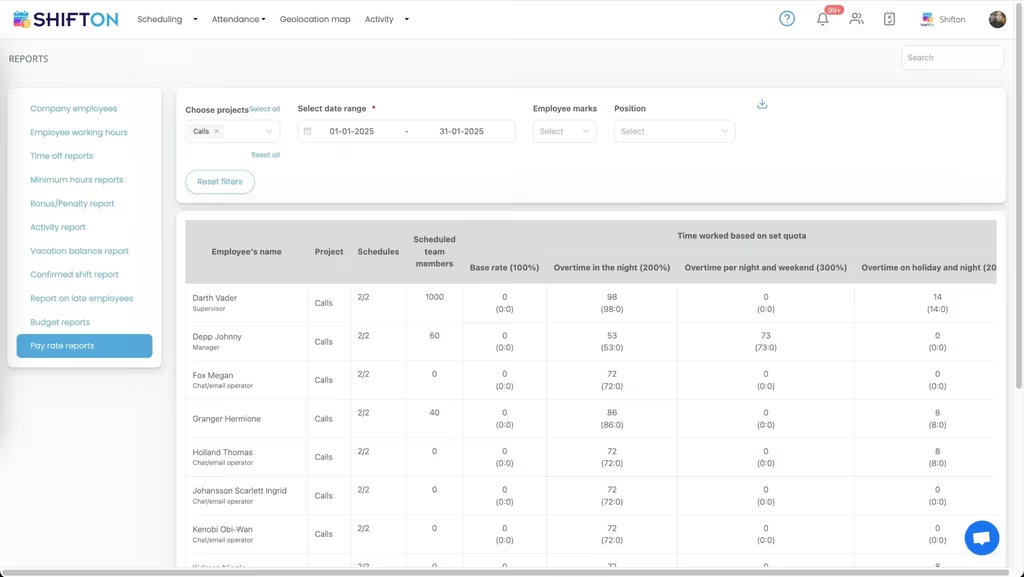
Real-Time Operational Dashboard
Waiting for a weekly report to find a mid-week coverage gap is too late. A real-time operational dashboard shows staffing and activity as they happen, letting managers fix problems in the moment instead of explaining them afterward.
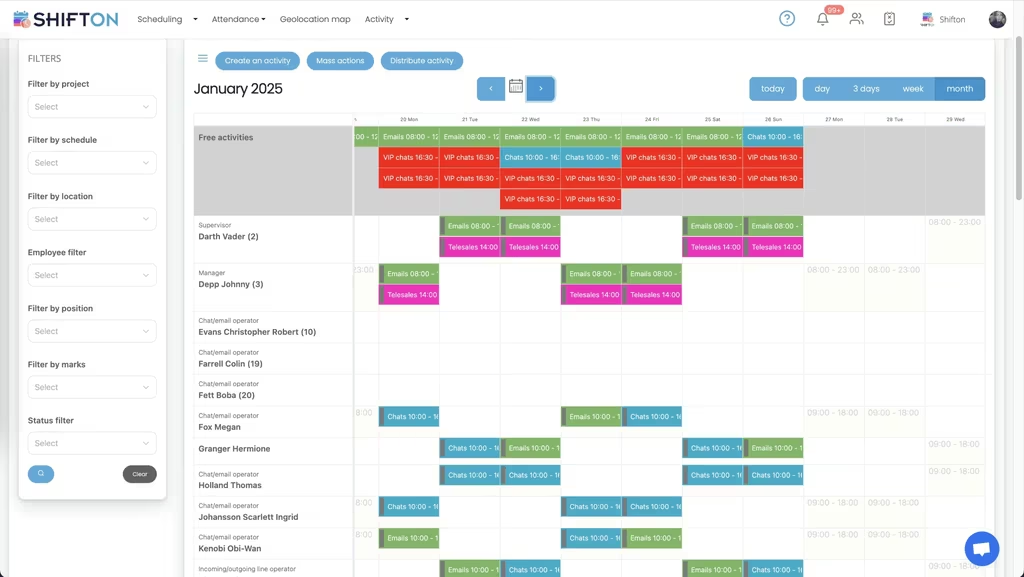
Compliance-Ready Activity Reports
Wage-and-hour audits arrive with a short deadline and a long list of records. Compliance-ready activity reports keep break compliance, schedule adherence, and overtime approvals audit-ready, so a review closes in an afternoon instead of weeks of reconstruction.
Start with the Free Plan
No time limits. Get full access to core features and upgrade when you're ready.
Read more about activity tracking
Activity tracking is the operational record that proves what happened, when, and who was responsible. The shift goes wrong, the dispute lands on the manager's desk, the auditor asks for records covering the last six months. At that moment, you either have a real log of what happened or you do not. There is no middle ground.
The teams that get activity tracking right treat it as infrastructure. Always on, never thought about during normal operations, instantly available when something breaks. The teams that get it wrong learn the hard way: a back-pay claim that nobody can disprove, a wrongful-termination suit with no evidence, a labor audit that turns into a costly settlement because the records do not exist.
What employee activity tracking software actually does
The category covers four jobs done well, not twenty jobs done loosely:
- Capture every workforce action (schedule edit, shift swap, clock event, approval, override) with timestamp, actor, and reason if provided.
- Surface attendance and productivity patterns from the captured data so managers can act on signal instead of impressions.
- Show real-time operational state so problems get fixed before they compound.
- Produce clean, exportable reports for compliance audits, payroll reconciliation, and HR investigations.
Everything else is feature padding. A platform that nails the four jobs is more valuable than one with twenty bells and whistles that misses any of them.
The cost of not having a real activity log
Most small operations think they have an activity log because their scheduling tool keeps a record of changes. They usually do not. The records are partial, the timestamps are approximate, the actor identity gets lost when somebody shares a login, and the export format is whatever the auditor decides to accept that day.
The cost shows up in three places. First, dispute resolution becomes a coin flip. Two employees claim they covered the same shift; without a real log, the manager picks based on relationship rather than evidence, and the loser remembers it. Second, performance reviews drift toward favoritism because the underlying data is too thin to defend a hard call. Third, labor audits turn into multi-week reconstruction projects, with managers pulling emails and asking employees to remember what happened in March.
Real activity tracking software fixes all three with the same infrastructure. The log captures everything by default, the access is role-based, the export is one click, and the records are preserved once written and not silently overwritten.
How activity tracking changes manager decisions
The clearest way to see the value is to compare a manager's quarterly review process before and after.
Before: the manager sits with each employee, recalls a few moments of strong or weak performance, and produces a review that the employee accepts or pushes back on based on whose memory is sharper. The employees who advocate hardest get the strongest reviews, regardless of whether they are the strongest performers. The quiet reliable workers get rated average because nobody noticed how reliable they were.
After: the manager opens the activity dashboard and pulls punctuality, absence frequency, shift-pickup rate, and overtime distribution for the quarter. The numbers tell a clear story. Employees who consistently arrive on time receive performance reviews backed by data rather than impressions. The employee who took on extra shifts during the holiday push gets credit for it. The performer who advocates loudly but actually clocks in late twice a week gets a fair read instead of a charisma-driven boost.
Nothing about this turns the manager into a robot. The data informs the conversation; it does not replace judgment. But the conversation now starts from facts both sides can see.
The compliance angle that pays for the platform
For operational businesses, the compliance value of activity tracking software pays for the entire platform several times over in the first audit. The math is simple. Wage-and-hour audit settlements can run into significant sums when records are incomplete, even if the underlying compliance was good. The auditor cannot prove non-compliance, but the company cannot prove compliance either, and the path of least resistance is to settle.
Companies with clean activity logs walk into the same audit with the records ready. Break compliance documented, schedule changes tracked, overtime approvals logged. The audit closes in days instead of months, often with no penalty at all because the data shows the company was already in compliance.
The investment in activity tracking before the audit lands is the cheapest insurance an operational business can buy. After the audit lands, the same investment costs ten times more and protects nothing already lost.
What to look for when comparing employee activity tracking platforms
Run the platform against your hardest cases before you sign anything. The audit log that demos beautifully is sometimes the one that breaks when two managers edit the same shift in the same minute. Ask to see the change history view for a shift that has been edited four times by three different people. If the history is clear and complete, the platform handles real operational complexity. If the history is confusing or missing entries, the platform will not survive an actual audit.
Verify how the platform handles role-based access. The team lead should see attendance for their direct reports, not for the regional manager. The employee should see their own data, not their colleague's. The HR director should see compensation impacts, but the operations manager should not. If the access controls fail any of these tests, the platform creates compliance risk instead of reducing it.
Test the export. The auditor will not accept the format your platform produces by default. Ask to see exports in CSV, formatted PDF, and the specific format your jurisdiction requires. If the export tool is too rigid, you will spend audit week reformatting records by hand, which defeats the purpose of having activity tracking software at all.
When you actually need employee activity tracking software
Below ten employees, ad-hoc record-keeping plus a careful manager covers most operational needs. The free tier of Shifton handles the basics for this stage. Between ten and fifty employees, the seams start to show: more disputes, more reviews, more compliance touchpoints. This is the inflection where most teams bring in real activity tracking software.
Above fifty employees, the question is no longer whether to use activity tracking but which platform. Choosing wrong is a year of incomplete records and a manual migration when you switch later. Choosing right is the operational backbone that lets the rest of the business run with confidence and clean accountability.
Works with the rest of Shifton
Activity tracking draws on the same data as time and attendance and shift scheduling software, so every action ties back to a shift and a person.



Ready to transform how you run your team?
Join thousands of teams that trust Shifton to run shifts, time, and payroll smarter every day.