

Driver Scheduling Software for Transport Operations
Match drivers to routes, keep rest between shifts visible, and record the hours that payroll and compliance both read.


Build the week around the route, not the desk
A transport week is a set of departures, and the schedule is the answer to who is driving each one. Once routes and depots are set up as projects, a dispatcher can see the whole day of departures and the people attached to them in the same view.
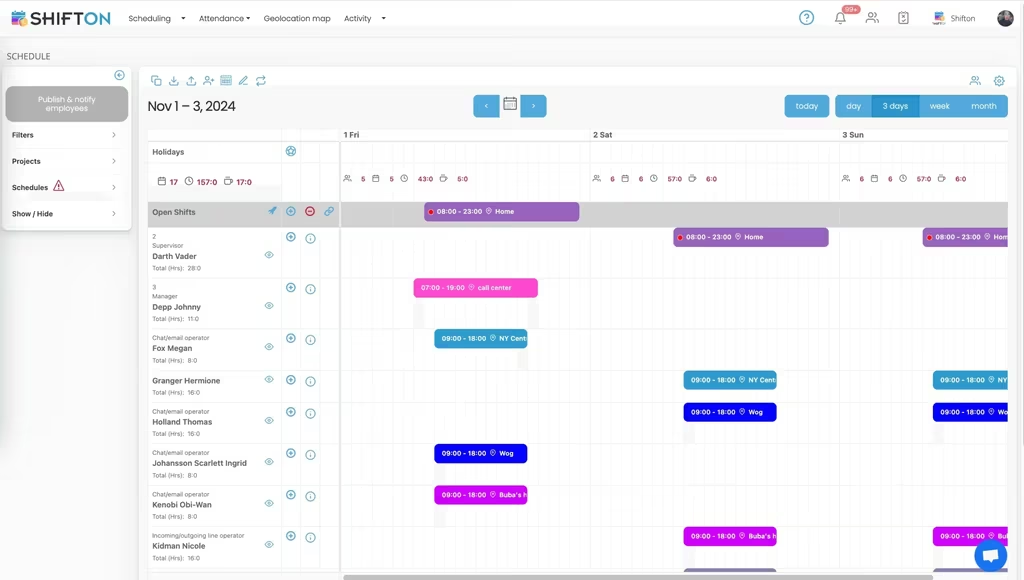
Keep rest and hours in sight while planning
Rest between shifts is not a payroll detail in transport, it is the constraint the plan has to respect. Seeing the previous finish beside the next start while the week is being built stops the problem before it reaches a driver.
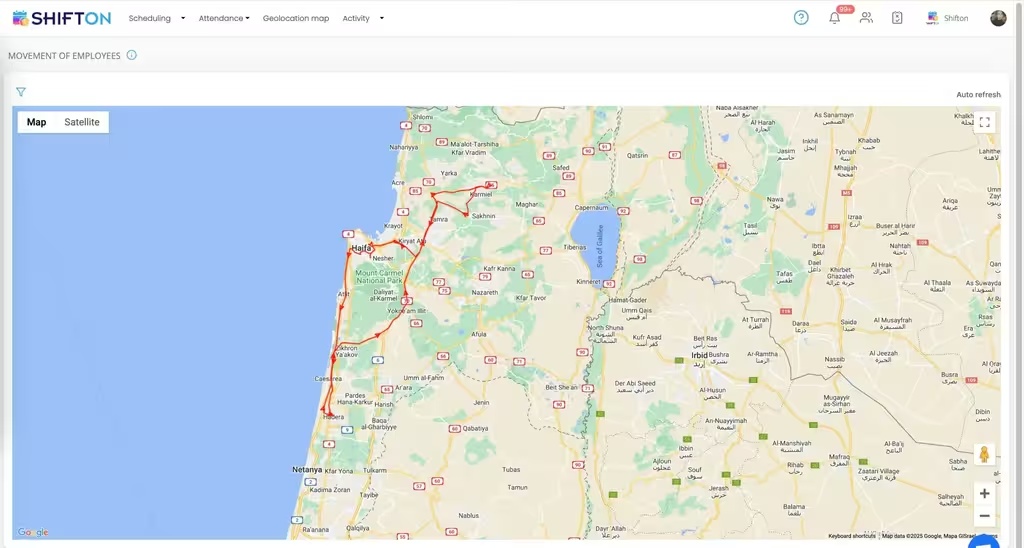
Know who is free right now
Dispatch is a real-time job. A vehicle breaks down, a driver calls in, a customer moves a delivery window, and the useful question is which qualified driver is available in the next hour.
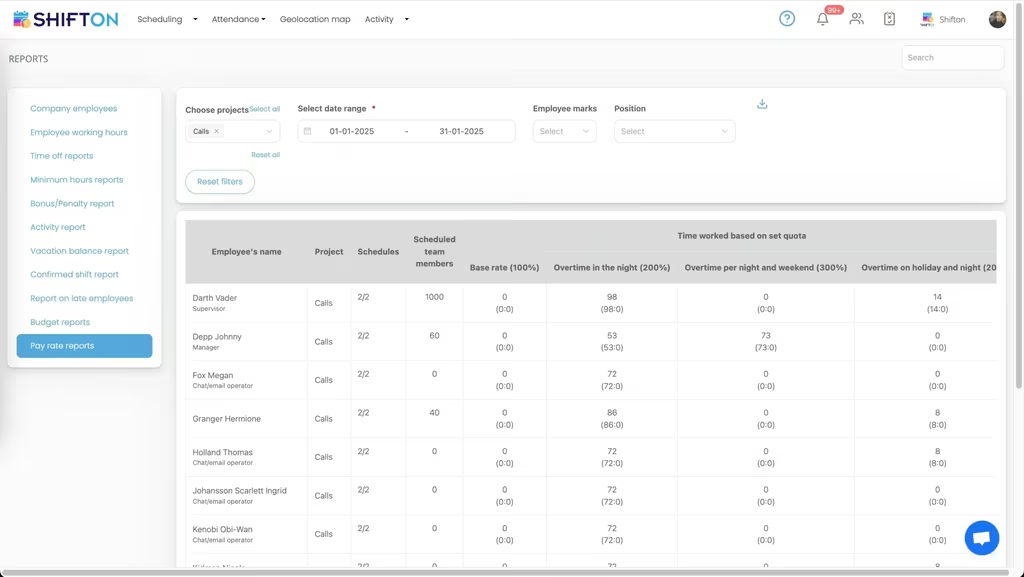
Record hours per route and per driver
Fuel and vehicles are measured closely in transport; hours often are not. Recording the real start and finish against the planned shift produces a cost per route rather than a monthly total that cannot be broken down.
Start with the Free Plan
No time limits. Get full access to core features and upgrade when you're ready.
Why driver scheduling is its own problem
Most staff rotas answer one question: who is working when. Transport adds a second that cannot be separated from the first: who is driving what. A shift with nobody on it is not an understaffed hour, it is a departure that does not leave, and the consequence lands on a customer within the day.
The third constraint is rest. In almost every market the gap between a finish and the next start is regulated, which means the plan is not simply a preference exercise. A schedule that looks efficient on paper and leaves nine hours between a late finish and an early start is not an efficient schedule, it is an unusable one.
Routes as the unit of planning
Setting up each route, service or depot as its own project changes what the week looks like. Instead of a list of people with hours beside them, the dispatcher sees the day as a set of departures, each one either staffed or not. The unstaffed ones sit in the open shifts row where they cannot be mistaken for a day off.
It also makes the mixed week readable. A driver who runs a scheduled service in the morning and a delivery round in the afternoon has two shifts on two projects, and the hours attach to the right service instead of dissolving into a single figure.
Loading, checks and waiting
Time that is not spent driving still costs money and still has to be recorded. Vehicle checks, loading and waiting at a customer site are scheduled as their own shifts, which keeps them visible in the plan and countable in the report rather than hidden inside a long driving block.
A departure without a driver is not a gap in a rota. It is a customer waiting.
Seeing rest while you plan, not after
The moment to catch a rest problem is while the week is being built. When the previous finish is on the same screen as the next start, a short turnaround is obvious to the person making the decision. Discovering it afterwards means rebuilding a published week and telling a driver their day has changed.
Availability works alongside it. Drivers marking the days they cannot work before the rota is built removes an entire round of corrections, and leave requests sitting in the same calendar mean the plan is made against reality rather than against an optimistic assumption.
Dispatch is a live view, not a document
By eight in the morning a published schedule is already out of date. A vehicle fails its check, a driver is stuck in traffic, a customer moves a slot. What dispatch needs is not a prettier plan but a current one: who is on, who has not clocked in, and which qualified driver is free in the next hour.
Pushing an open shift to everyone who can take it beats ringing a list, and it leaves a record. Read confirmation closes the loop the other way, so a change published at six is known to have been seen rather than assumed to have arrived.
By eight the plan is history. What matters is the current view.
Cost per route instead of cost per month
Transport operators measure fuel per kilometre and maintenance per vehicle, then treat labour as a single monthly number. Recording real hours against the route they were worked on gives labour the same resolution. A service that is quietly consuming overtime every Friday is visible in the weekly report, and a route that was priced on six hours and takes eight can be repriced while the contract is still young.
Depots, subcontracted drivers and agency cover
Few transport operations run on one pool of employed drivers. There are usually owner-drivers, an agency the company falls back on in peak weeks, and sometimes a second depot with its own manager and its own habits. The schedule has to hold all of them without pretending they are the same thing.
Departments handle the distinction. Employed drivers, subcontracted drivers and agency cover sit in separate departments on the same week, which keeps the operational picture complete while keeping the payroll export clean. A dispatcher sees every departure and who is on it. Payroll sees only the people the company pays.
Peak weeks and seasonal cover
Demand in transport is rarely flat. Retail deliveries spike before holidays, school services stop and restart, agricultural haulage moves with the harvest. Planning those weeks with the same tool rather than a separate spreadsheet means the extra drivers are onboarded into the normal process, and the cost of the peak is measurable afterwards instead of being absorbed into a general overtime figure.
What to check when comparing driver scheduling tools
The category is crowded and the labels overlap. Route optimisation software plans the journey. Telematics measures the vehicle. Transport management systems handle orders and freight. Driver scheduling sits underneath all of them and answers a narrower question: which person is on which departure, and were the hours legal and paid correctly.
Useful questions to ask of any candidate are practical rather than architectural. Can one driver hold two shifts on two routes in a day. Is the previous shift visible while you assign the next one. Does the mobile app show a published change without the driver having to ask. Are planned and actual hours two separate stored numbers, or does the system quietly overwrite one with the other.
Where a free plan is enough
A single depot with under ten drivers can run the whole operation on the free plan without a time limit: the week, the app, open shifts, shift swaps and the reports. The point at which paying starts is usually growth in headcount rather than a missing feature, and modules are added one at a time from $0.50 per employee a month rather than as a jump to a bigger tier.
Starting small
Shifton is free for up to 10 drivers with no time limit, which covers a small fleet or a single depot. Scheduling, open shifts, shift swaps, the mobile app and reporting are included in that plan. Paid modules are added individually from $0.50 per employee a month, each with a trial of up to 60 days (10 days for Work location control), so a company can test payroll on a live route before it commits.
Frequently Asked Questions
Can I schedule drivers across several routes or depots?
Yes. Each route, service or depot is set up as a project, and a driver can be assigned to more than one in a week. More than one project takes the Departments, projects module, at $1 a month with one project free. Filtering by project shows a single route; without the filter you see every departure the company is running.
Does it help with rest periods between shifts?
The previous shift and the next one are visible together while you build the week, so the gap between a finish and the following start can be checked before the schedule is published. Shifton records and displays the times; the legal judgement stays with the operator.
How do I cover a route when a driver calls in?
Open the shift and it is offered to every driver who could take it. The first acceptance fills the departure, and dispatch sees who responded. Swaps arranged between drivers go through the same approval step.
Can drivers see their schedule on the road?
Yes. The mobile app for iOS and Android carries the published week, including notes attached to a shift such as a depot change or a customer instruction. Read confirmation shows who has actually opened it.
Can I track hours separately for driving and other duties?
Loading, checks and waiting time are scheduled as their own shifts against the same day, so the hours land in the right place rather than being absorbed into one long driving shift. Breaks are logged separately from working time.
Is there a free plan for a small transport company?
Shifton is free for up to 10 drivers with no time limit, including scheduling, open shifts, shift swaps, the mobile app and reports. Paid modules start at $0.50 per employee a month, each with a trial of up to 60 days (10 days for Work location control).



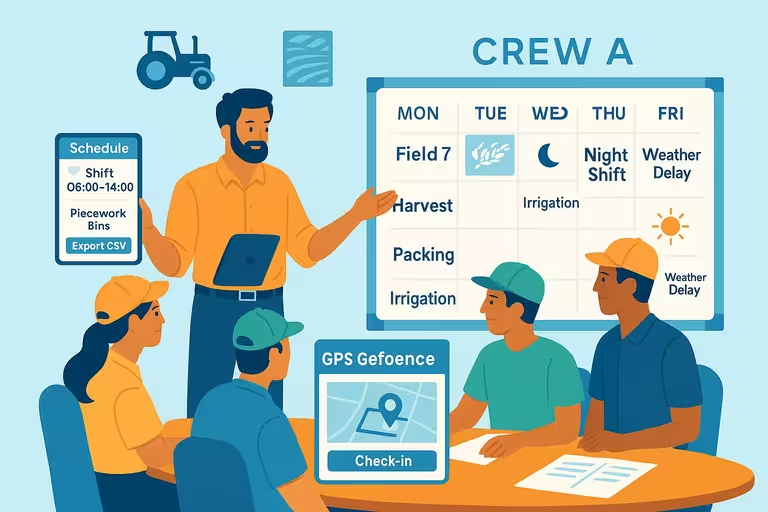


Put the next day of departures on one board
Free for up to 10 drivers, with every route on one schedule and open shifts that fill from the phone.