

Professional Services Scheduling Software for Client Work
Plan who works on which client, keep busy-season hours under control and see exactly where the time went with professional services scheduling software.


Build the Week and Publish It to the Team
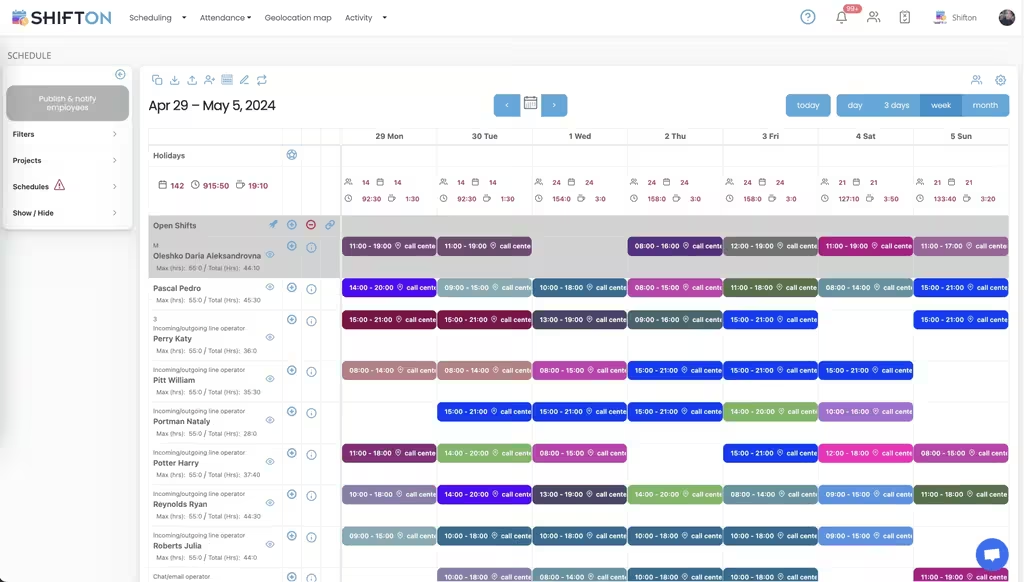
Client work is allocated a week at a time in most firms, and it moves. The weekly calendar puts each consultant, accountant or engineer on their own row, with colour-coded blocks showing start and end times and an Open Shifts row for work that has not been given an owner yet. Filters by project keep one client engagement in view.
Hour Caps, Overtime and Weekly Totals
Busy season is when hour ceilings get quietly ignored. Each row shows max hours next to hours already assigned, so the person heading for a 55-hour week is visible before the schedule is published. Blocks carry the location they belong to, and every day column totals headcount and hours across the team.
Deadline Weeks, Extended Hours and Roles
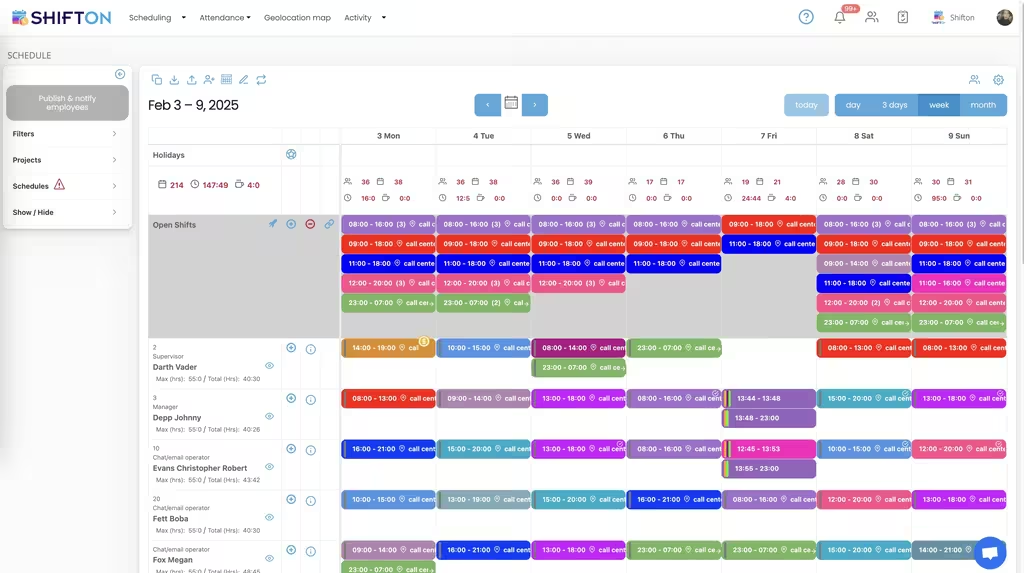
Filing deadlines and go-live dates do not respect office hours. This week carries several blocks a day, including an overnight 23:00 to 07:00 slot, with a role shown next to each name so a senior is covering every stretch. Max and total hours stay in view, which is the only thing that keeps a crunch week honest.
Client Site Attendance on the Geolocation Map
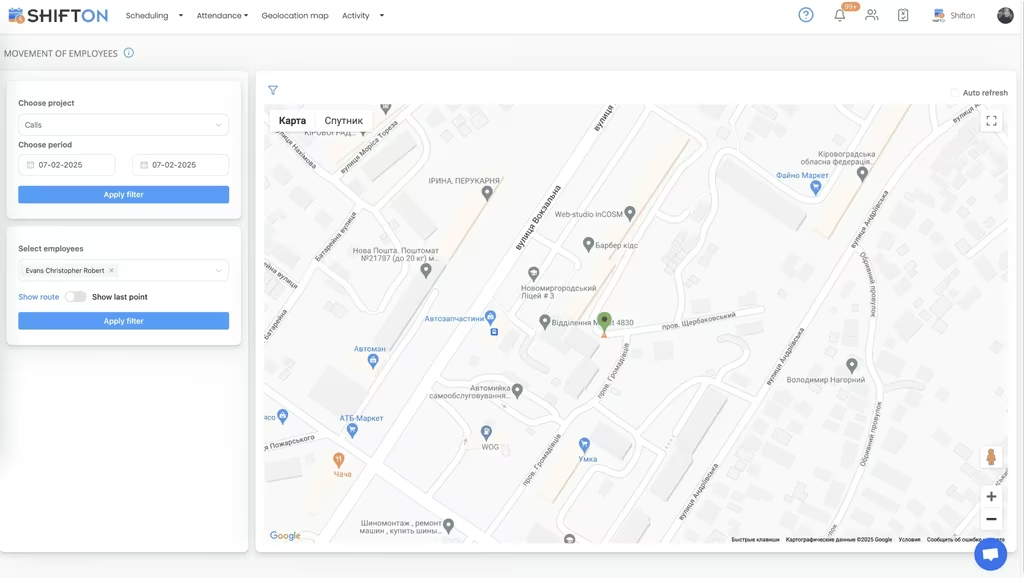
Firms whose people spend the week at client premises need more than a calendar entry. The movement of employees screen filters by project and period, picks one person and shows their location pins on a map, with a route toggle for the order of the day. It is a paid module, and it answers site attendance questions without an email chain.
Start with the Free Plan
No time limits. Get full access to core features and upgrade when you're ready.
Read the full guide to professional services scheduling
In a professional services firm the only real inventory is time. Consultants, accountants, engineers and architects sell hours, and every hour that goes unrecorded, unassigned or unbilled is gone for good. That is why professional services scheduling software matters more here than in most industries: the schedule is not an administrative convenience, it is the plan for the firm's entire capacity for the week.
The pressure is uneven, too. Work arrives in waves around filing deadlines, project milestones and year ends, then falls away. Some weeks a team of twelve is short by four people; six weeks later half of them are on the bench with nothing booked. Both states cost money, and both are invisible until someone can see the whole week on one screen.
What professional services scheduling software has to do
Four capabilities carry most of the value. Assign people to client engagements quickly and change that assignment without redrawing the week. Show individual hour totals while the schedule is still editable, so a crunch period does not silently turn into burnout and overtime. Publish to everyone at once, because half the team is at a client site. And record the hours that were actually worked, per person and per project, in a form finance can use.
Anything beyond that is a preference. A professional services scheduling system that handles those four does more for a firm than a longer feature list aimed at problems it does not have.
Hours per client, recorded rather than remembered
Most firms still reconstruct the week on a Friday afternoon from memory and a calendar. The result is a professional services timesheet that is roughly right, systematically under-reported and impossible to defend if a client queries it.
Scheduling against projects changes the starting point. Work is booked to an engagement, people clock in and out from the mobile app or the web, and the hours report comes out broken down by person and project with worked hours and overtime hours separated. What you get is a record of where the time went, not a reconstruction. Firms searching for professional services time tracking software are usually trying to close exactly that gap between what happened and what got written down.
Three things have to line up for the record to be trusted:
- The schedule and the clock sit in the same system, so planned and actual hours can be compared
- Every block carries a project, so hours are attributed at the moment they are recorded
- Reports export in a form finance recognises, without anyone retyping them
Miss one of those and you are back to reconstruction. It is also the practical difference between accounting firm time tracking software and a shared spreadsheet with people's initials down the side.
Busy season and the overtime it brings
Every firm has a period where the plan stops being negotiable. Year-end closes, a filing deadline, a project going live. Hours climb, weekends get used, and the risk moves from idle time to people quietly working themselves into the ground.
The control for that is visibility while the week is still editable. Each person's ceiling sits beside the hours already assigned, so an overloaded week is obvious before it is published rather than after payroll. Extended cover, evening blocks and weekend work go on the same grid as ordinary days, with roles shown so a junior is never left holding a deadline shift alone. Accounting firm scheduling software lives or dies on how well it handles those eight weeks of the year.
The bench: knowing who is free next week
The opposite problem is just as expensive. A senior consultant with an empty week is a cost the firm carries in full, and nobody notices until the month closes. Seeing the whole team on one grid makes availability legible: who is booked, who is half-booked, and which days are open.
Availability and time-off requests come in from the team, so the person planning next month is working from what people have actually told them rather than from a mental note. Work that has not been assigned to anyone stays in an open row instead of vanishing, which means capacity questions get asked while there is still time to answer them. Time tracking software for a consulting firm is usually bought to settle billing questions, but the first thing it changes is simpler: an honest view of who has room next week. Architecture and engineering practices run the same pattern, and our architect scheduling software page covers the studio version of it.
Time off in a firm that runs on deadlines
Leave in professional services is never simple. Requests cluster around the quiet periods, get cancelled when a client moves a date, and have to be checked against who else is already away from the same team. Handled by email, that turns into a partner keeping a private list.
Held in the same system as the schedule, a request is submitted from the app, approved or declined by a manager, and reflected in the roster immediately. Vacation balance and time-off reports show what has been taken and what remains per person, which removes most of the annual argument about carried-over days.
Timesheets finance can actually use
The month-end handover is where scheduling either pays for itself or does not. Working hours reports break the period into hours worked, overtime worked, breaks, lateness and absence for each person and project. Pay rate reports separate base from premium hours. Both export, so the finance team receives a file rather than a set of half-remembered answers.
A QuickBooks integration passes accounting data across, and Zapier links Shifton to the other systems a firm already runs. If reporting is the part you care about most, the reporting feature page goes through what each report contains.
Where firm-wide suites end and scheduling begins
The boundary is worth stating plainly. Professional services management software, accounting firm management software and consultancy suites are built around the commercial cycle: pipeline, billing, engagement financials. They are not scheduling tools, and most of them treat time entry as a formality.
Shifton is deliberately the other half. It plans who works when, gets that plan onto phones, records attendance and hands over clean hours by person and project. It does not raise an invoice and it does not forecast anything. Firms that want a billable hours figure they can stand behind usually find the recording layer is what was missing, not another dashboard.
Choosing a system your team will keep using
Test it the way the firm will use it. Book a week of client work and time yourself. Change an assignment and see how fast the affected people know. Ask someone at a client site to clock in from their phone. Pull an hours report for a single project and see whether it matches what you expected.
Under 10 people, Shifton's free plan handles the whole job with no time limit, which suits a small practice outright. As the firm grows, paid plans are billed per employee per month and add deeper reporting and controls, with geolocation and work location available as a paid module. The goal stays the same at any size: a week that reflects real capacity, a busy season nobody burns out in, and an hours figure that holds up when a client asks.
Frequently Asked Questions
What is professional services scheduling software?
Professional services scheduling software plans which people work on which client engagement, publishes that plan to the team and records the hours that were actually worked. Shifton covers shift and work-block scheduling, open work, availability, time-off requests, clock-in and clock-out, and hours reports by person and project.
Can Shifton track hours by client?
Yes. Work is scheduled against a project, so every recorded hour carries the engagement it belongs to. Working hours reports then break the period down by person and project, showing hours worked, overtime worked, breaks, lateness and absence. That gives you hours per client as a record of what happened rather than an estimate typed in on a Friday.
Does Shifton replace professional services management software?
No. Professional services management software covers the commercial side of a firm, including billing and pipeline. Shifton is the workforce layer: who is scheduled, who worked, how long for and against which project. Firms typically run Shifton for scheduling and time recording, and export the hours to whatever handles their invoicing.
How does Shifton handle busy season?
Every person has a maximum hours figure shown next to the hours already assigned, so overtime is a decision rather than a surprise. Extended, evening and weekend blocks sit on the same grid as normal work, saved templates rebuild a repeating pattern quickly, and the whole team sees changes the moment they are published.
Is there a free plan for a small consulting firm?
Shifton is free for up to 10 team members with no time limit, which covers a small practice or a single team. Scheduling, the mobile app, basic time clock and reports are included. Larger firms move to paid plans billed per employee per month, and the geolocation and work location module is paid on every plan.
Can timesheet data be exported to accounting?
Yes. Working hours, time off and pay rate reports export for any period you choose, broken down by employee and project. A QuickBooks integration is available for accounting, and Zapier connects Shifton to other systems your firm already uses.





Plan Your Firm's Week in Shifton
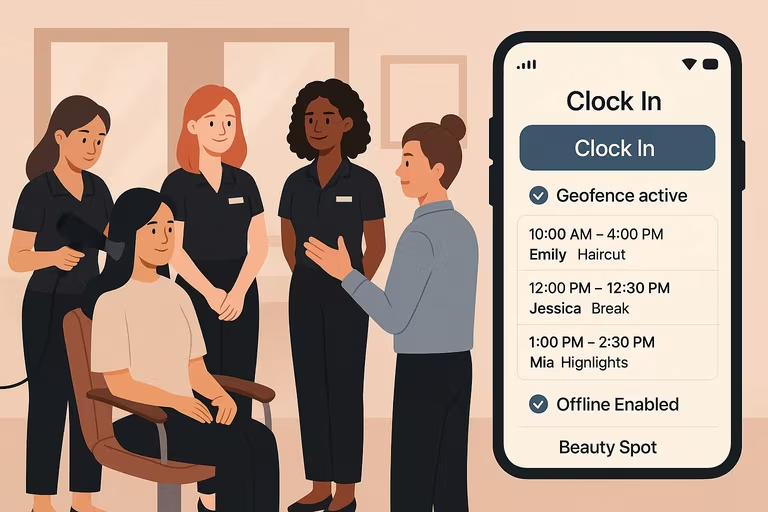
Build the week around client work, publish it to the whole team, and get hours by person and project at the end of the month.