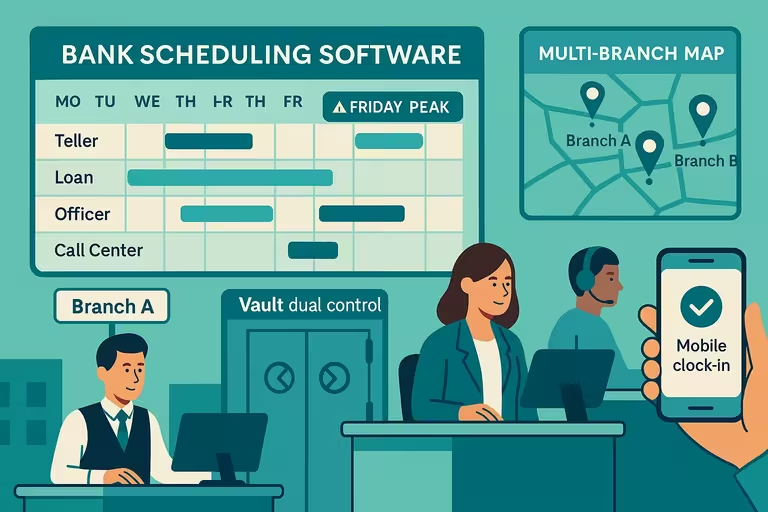
Work Location Management Software for Multi-Site Teams
Schedule, verify, and report on every site from one platform. Built for businesses running across two locations or fifty, with the same crew that needs to be in the right place at the right time.


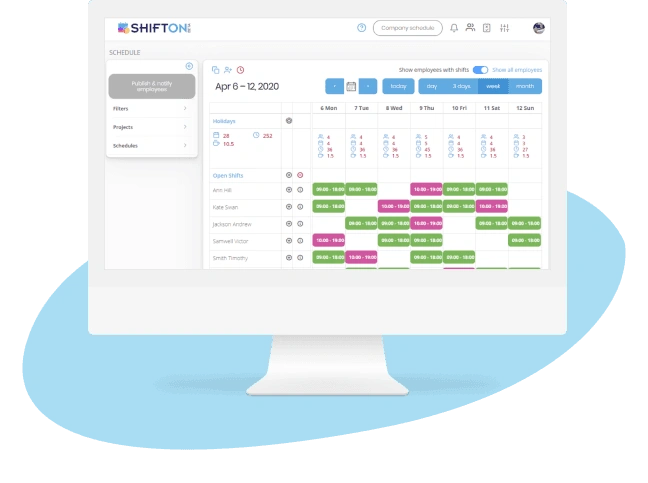
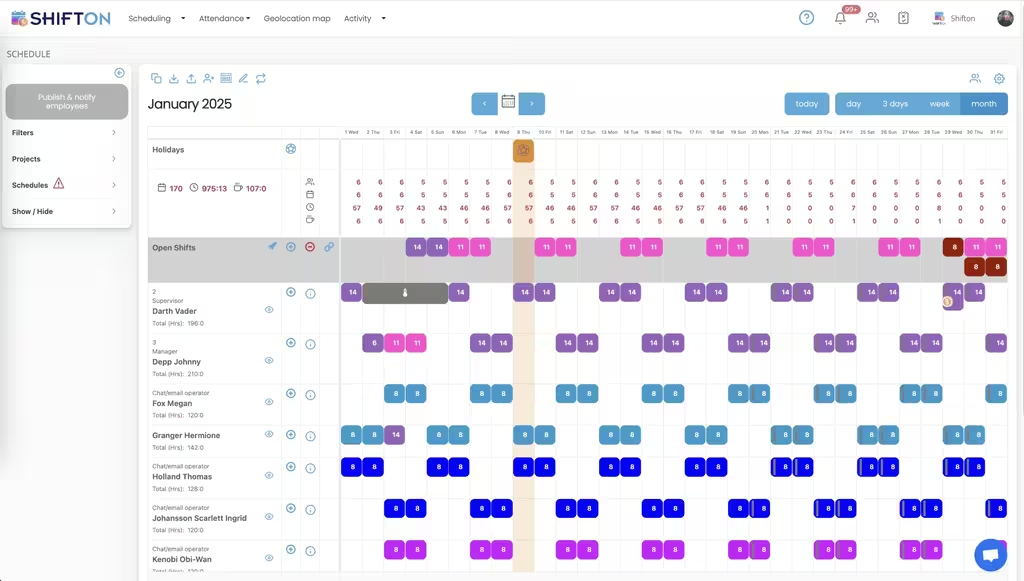
Multi-Site Schedule Management From One Platform
Two locations is hard. Twenty is impossible without a scheduling system that knows where each shift is supposed to happen. Generic scheduling tools treat the location as a label. Operations actually running across multiple sites need the location to be a first-class object: with its own staffing rules, its own roster, its own coverage view.
The fix is location-aware scheduling that puts site context into every shift, every notification, and every report.

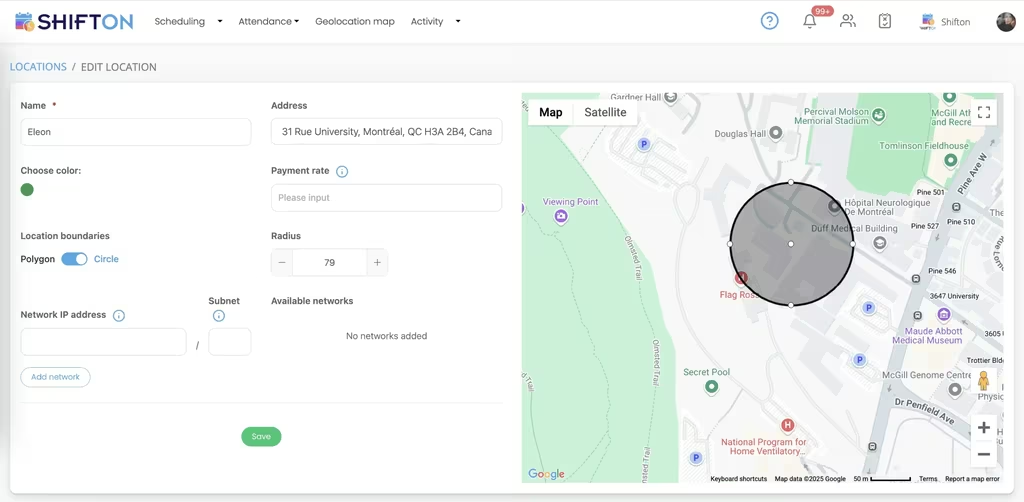
Geofenced Attendance That Verifies On-Site Presence
The hours-vs-attendance gap is where labor budget bleeds. An employee clocks in at home, drives over, and the timesheet shows fifteen minutes that nobody actually worked. Multiply by hundreds of shifts and you have a six-figure variance that nobody can explain. Geofencing closes the gap by tying clock-in to physical location, not just to the app.
The right work location software draws precise perimeters around each site and enforces them automatically.

Real-Time Staffing Dashboard for Regional Managers
A regional manager covering twelve sites cannot call each store at noon to check coverage. The dashboard has to do it for them: live staffing levels per location, who is clocked in, who is missing, and which sites are about to run short. Without this view, problems surface after the customer notices, which is exactly the wrong order.
The dashboard is not analytics. It is the steering wheel for distributed operations.

Location-Based Labor Cost and Performance Analytics
Some sites run lean. Others bleed overtime. The hard part is knowing which is which without spending a week pulling data from every store manager. A location-based analytics layer surfaces the patterns that matter for capital allocation: where to expand, where to consolidate, where to invest in management coaching before the numbers get worse.
The signal is hidden until you compare locations on the same yardstick.
Start with the Free Plan
No time limits. Get full access to core features and upgrade when you're ready.
Read more about work location management
Running one location is mostly a matter of being on site and watching what happens. Running ten locations is a different operational discipline. The questions that were trivial at one site become structural problems at ten: who is working where, who is short-staffed right now, why does store seven always run over budget, and how do I know if the new manager at store three is making things better or worse.
Work location management software is the category that turned those structural problems back into solvable questions. The core idea is simple: treat each location as a real object in the system, with its own staffing rules, its own coverage view, its own performance metrics. Most generic scheduling tools never made this jump. They handle "location" as a text label and force the operations team to build the structure around it manually.
What good work location software actually does
The category boils down to four jobs done well, not twenty jobs done loosely:
- Schedule shifts with location as a primary attribute, so every shift carries its site context into payroll, reporting, and notifications.
- Verify physical presence at the site through geofencing, so the timesheet matches reality instead of guessing.
- Show coverage across all sites in real time, so a regional manager can act on staffing problems before they become customer problems.
- Surface per-location performance and cost data on the same yardstick, so executives can compare sites and make capital allocation decisions with real information.
Everything else is feature padding. A platform that does the four jobs reliably is more valuable than one with twenty bells and whistles that gets the basics wrong every other week.
The real cost of not having multi-site scheduling
Most operations starting their second or third location keep using the same spreadsheet that worked at one site. The cost is invisible until it is not. The moment you cross a certain threshold, the spreadsheet stops scaling and starts producing failures: shifts assigned to the wrong site, employees driving to the wrong store, coverage gaps that nobody noticed, labor budgets that nobody can reconcile.
That threshold is usually somewhere between three and five locations. Below three, a careful manager can hold the whole picture in their head. Above five, the cognitive load exceeds what any one person can carry, and the absence of a real system shows up as turnover, customer complaints, and unexplained variance in the financial reports.
The teams that bring in work location software at the right moment scale cleanly. The teams that delay the decision lose months to firefighting before they finally make the move.
How geofencing changes attendance verification
Geofencing is the part of the platform most operators underestimate before they have it, and most operators rely on after they do. The mechanic is straightforward: each location has a geographic perimeter, and the mobile app verifies the employee's GPS coordinates against that perimeter when they clock in. Outside the boundary, the clock-in is blocked or flagged for manager review.
The honest answer about why this matters: a small percentage of employees in any operation will clock in before they actually arrive. Some do it accidentally because the app is open in their pocket. Some do it deliberately because nobody is watching. Either way, the timesheet drifts from reality, and the labor budget pays for hours that were not worked. Across a year, in a hundred-employee operation, the unverified time tax routinely runs into five figures.
Geofencing closes the gap. The employee clocks in when they are physically at the site, and the variance between scheduled hours and actual hours collapses to a real number that managers can act on.
The dashboard that changes how regional managers work
Most regional managers spend the first two hours of every day on the phone with site managers, running a verbal version of the same coverage check that a real-time staffing dashboard does in three seconds. Once the dashboard exists, those two hours come back. Regional managers shift from running a status meeting to actually running operations.
The shift in workload looks small on paper and turns out to be enormous in practice. Coaching the new store manager who is struggling at site seven. Visiting the high-performing site where the lead just got promoted to see what they are doing right. Sitting with the data to plan the next quarter's hiring. None of these things happen when the regional manager is on the phone all morning. All of them happen when the dashboard handles the routine status check.
What to look for when comparing work location platforms
Run the platform against your hardest cases before you sign anything. The certified employee who works at three of your eight sites. The hybrid team where two days are remote and three are on site. The cross-jurisdictional employee whose pay rate changes based on which state the shift was in. The seasonal location that is fully staffed for six months and quiet for the other six.
If the platform handles those cases without a workaround, it will probably handle the rest of your operation. If you have to configure around the basics, you will be configuring around them for years. The work location software market is mature enough that the right tool exists for almost any multi-site team. The trick is matching the platform to how your business actually works, not how the marketing site says businesses work.
When you actually need work location software
Below three locations, a shared spreadsheet and a group chat will do the job for most teams. Between three and ten locations, the seams start to show: more employees crossing sites, more pay rules to manage, more time spent calling managers to check coverage. This is the inflection point where operations either bring in real work location software or watch their best people leave for somewhere with less chaos.
Above ten locations, the question is no longer whether to use work location software but which one. Choosing wrong is a year of lost productivity and a manual migration when you switch later. Choosing right is the operational backbone that lets the chain scale to the next twenty locations without the back office collapsing on the way there.
Frequently Asked Questions
What is work location management software and what does it do?
Work location management software is a scheduling and operations system that treats each physical site as a first-class object. Shifts are assigned to specific locations, attendance is verified against site coordinates, staffing dashboards show coverage per location, and reports compare performance across sites. The category exists because generic scheduling tools fall apart for businesses running across two locations or more.
Can I schedule employees across multiple locations in Shifton?
Yes. Each shift is assigned to a specific work location, and you can set minimum and maximum headcount rules per site. Managers see live coverage across all locations from a single dashboard. Cross-location employees appear as fill candidates wherever they are qualified to work.
How does geofencing work for clock-ins?
You draw a geographic perimeter around each work location. If an employee tries to clock in from outside that zone, the manager receives an instant alert. Remote or home-office zones can be added for hybrid workers, with relaxed verification rules where physical presence is not required.
What happens if an employee is available to work at several sites?
Shifton maintains a cross-location employee pool. When any site has an open gap, qualified workers available at that location appear as fill candidates without manual cross-referencing. The system tracks which sites each employee is trained for, so the pool always reflects real qualifications.
Can Shifton automatically prevent back-to-back shifts at different locations?
Yes. You configure travel-time buffer rules per location pair. Shifton blocks or warns when a new shift would leave insufficient commute time between two sites. The buffers can vary by mode of transport for businesses where some employees drive and others use public transit.
How do I compare labor costs between sites?
The per-location analytics report shows labor spend normalized by headcount or operating hours. You can rank sites by overtime rate and schedule adherence to spot cost outliers. Drill-downs let you see which roles or shift patterns are driving the variance at any given site.
Does Shifton support remote and hybrid teams alongside on-site work?
Yes. Hybrid teams configure remote-eligible shifts that bypass geofence verification, while on-site shifts require it. Remote employees can be tracked through their assigned home location for reporting purposes, and the platform distinguishes hybrid and on-site hours in payroll exports.
What happens when a manager runs multiple locations from different time zones?
Each location stores its own time zone setting. Shifts display in local time for the employee and the local manager, while regional managers see a normalized view across all sites. Cross-zone reports automatically convert hours to a single reference zone for accurate cost comparison.
How does Shifton handle employees who work across regulatory jurisdictions?
Each shift is tagged with its work location, which determines the labor rules that apply: state minimum wage, overtime thresholds, break requirements, and tip rules. Pay calculations and compliance reports automatically use the right rule set per shift, not a single rule for the employee.
Can I see which locations are most efficient at scheduling?
Site efficiency rankings score each location on schedule adherence, overtime rate, last-minute change frequency, and shift-pickup engagement. The rankings surface which sites have strong management practices and which need attention before the financial impact shows up in the P&L.
How long does it take to set up multi-location scheduling?
Most operations have their first multi-site week running within five to seven business days. Setup tasks: import the location list with addresses, configure geofence boundaries, set per-site staffing rules, and onboard managers to the regional dashboard. Larger chains with twenty or more sites typically need two weeks for full rollout.
Is Shifton priced differently for multi-location operations?
Pricing scales with headcount, not with location count. The first ten employees are free regardless of how many sites they work at. Multi-location reporting features are part of the standard tier, not an enterprise add-on. Larger operations move to the higher tier when they need advanced permissions and integrations.
Ready to transform your field operations?
Join thousands of field service companies that trust Shifton to run smarter every day.