

6 Best Rota Apps and Shift Planner Software for Busy Teams in 2026

A rota lives or dies on how fast a change reaches the person affected by it. The plan itself takes an hour on a Thursday; the cost is the rest of the week, when someone swaps a Saturday, the spreadsheet does not know, and two people turn up for one till while a third shift goes uncovered.
Rota apps exist to close that gap. They build the week, publish it to phones, take holiday requests against real allowances and keep swaps in one record instead of a group chat. This guide compares six of them on what matters when you are choosing: where the free plan stops, who can start a shift swap, how holiday is handled and how the pricing behaves as the team grows.
Figures below were taken from the vendors’ pricing pages in September 2026, in the currency each one prints. Three of the six quote in something other than dollars, and converting those would invent a number nobody publishes.
Our Top Picks
Six apps made the list. If you want the short version, these three cover most situations.
Shifton
Teams that want the rota, the hours and the payroll run in one system. Free for up to 10 employees, then $1 per employee a month.
Sling
The widest free ceiling here: 30 users, with shift offers and time-off requests included
Findmyshift
The only one billed per team rather than per head, which changes the maths above 20 people
Why trust us?
Shifton is our own product and it is first on this list. Take the rest of the page knowing that.
For the other five we did the dull work: opened each pricing page in September 2026, checked them again in October 2026, and wrote down what was printed, including the parts vendors bury. One of them, Planday, prices by country, so what its tiles show depends on the region, and we quote the figure its page advertises. The free-plan ceilings in the table below are quoted from the vendors themselves, because that single number decides the shortlist for most teams and it is the number roundups get wrong most often.
What a Rota App Has to Do
A rota app builds the shift plan, publishes it to the people working it, and absorbs the changes that follow without anyone retyping the week. Terminology first, once: rota, roster and schedule are the same document. Britain, Ireland and much of the Commonwealth say rota, Australia and New Zealand lean on roster, North America says schedule, and the software is identical. A second shortlist, with partly different tools, sits in the best employee roster apps guide.
Past that, four things separate a working tool from a shared spreadsheet with colours.
- Publishing that reaches people: the rota goes to phones with a notification, and the version on the fridge stops being the source of truth
- Swaps with a trail: what matters is who can start one. In some tools an employee arranges cover and the manager approves; in others only the manager can move a shift, which means every swap still costs you a phone call
- Holiday against a real balance: requests that check the allowance and the rota at the same time, so approving one does not leave a Saturday uncovered
- Availability before the plan: who can work when, collected once, so the draft starts from something true
Clock-in sits next door to all of this and is a separate decision. If proving attendance matters as much as planning it, our comparison of employee time tracking apps covers that side properly, including which tools send hours to payroll cleanly.
The 6 Best Rota Apps
Ordered from the broadest platform to the most specialised planner.
Shifton
Shifton is our top pick because the rota is the start of a chain rather than a document on its own. With the Attendance and Payroll modules on, the published shift becomes the clock-in and the recorded hours feed the payroll run, so the week never gets retyped anywhere.
Planning is where most teams meet it. The draft goes out to phones, and changes land in the same record instead of a chat thread. Pricing is modular instead of tiered: the base module carries the planner at $1 per employee a month, and everything else is switched on only if you use it, so a pub with 12 staff and a care home with 90 pay for different things rather than for the same bundle. The free plan covers up to 10 employees with the mobile app and three basic reports included. Where a shift has to happen at a specific address, the Work location control module confirms the clock-in happened there for $5 per employee a month. There is no shared-tablet mode in the product, and the phone is how people clock in.
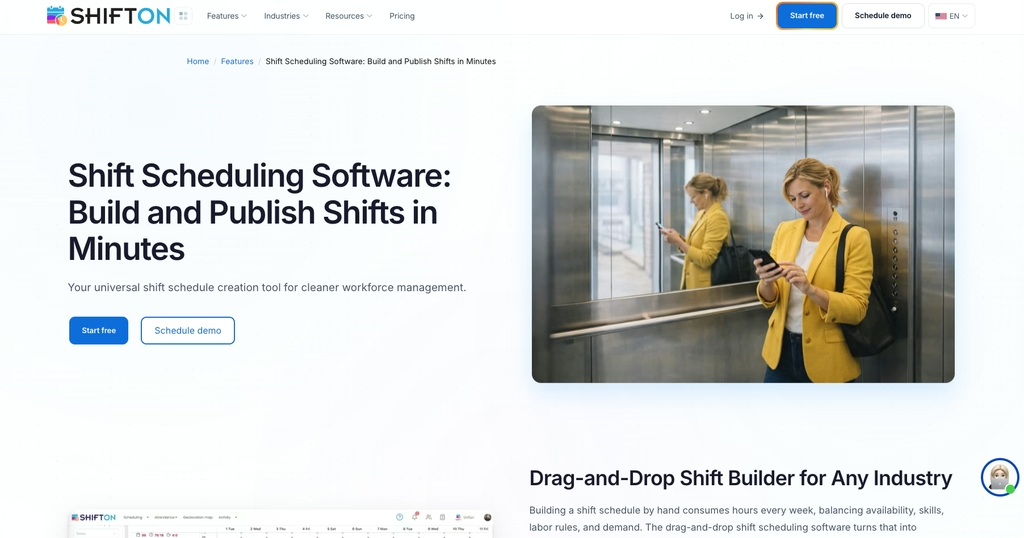
- Free for teams up to 10, with no paid module on, then $1 per employee a month for the base module that carries the planner
- Shift swapping between employees, handled in the rota itself
- Attendance module comparing planned against actual, $1 per employee a month
- Holiday and absence tracked against balances through the paid Time off requests and Vacation Management modules, with salary data per period in the Payroll module
Best for: shift teams between 10 and 200 people who want the rota, the hours and the pay in one record instead of three.
Publish next week’s rota before you leave tonight
Shifton helps build the week, sends it to every phone, and keeps swaps in the same place; holiday requests are a paid module.
Sling
Thirty users free. That is the widest ceiling in this comparison by a distance, and for a single site with a large casual team it may be the end of the search.
What sits inside the free plan matters as much as its size. Shift offers and time-off requests are printed as free-plan features, so staff can hand a shift to a colleague and ask for a day off without a subscription. Full shift swapping is a paid feature, listed on Premium and Business rather than Free. Paid tiers add labour cost controls, and Business brings the shared-device clock-in the vendor calls Kiosk time tracking. Premium runs $2.00 per user a month, Business $4.00, both cheaper billed annually, and the trial of the paid features lasts 15 days.
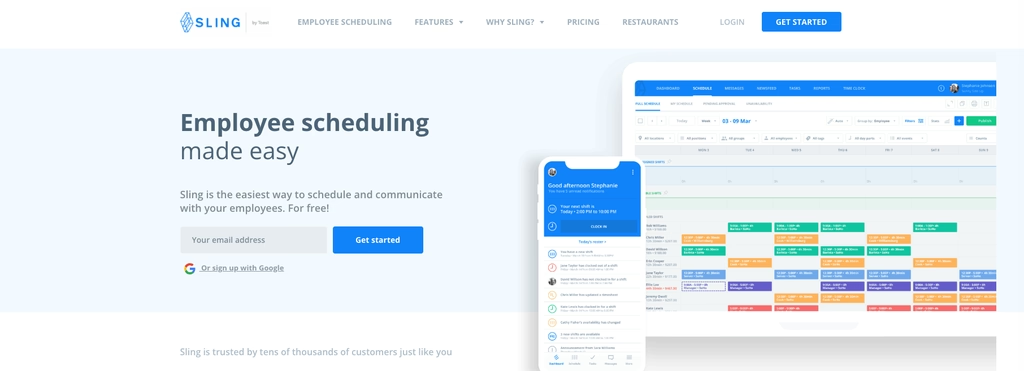
- Free for up to 30 users, with shift offers and time-off requests
- Shift offers, so staff can hand a shift to a colleague without the manager brokering it
- Labour cost tracking, and Kiosk time tracking on the Business tier
Sling is now sold as Sling by Toast, which matters mainly if you are already in that ecosystem. Best for: hospitality and retail teams under 30 people who can live with shift offers until swapping is worth paying for.
Findmyshift
Findmyshift bills a flat monthly price for the whole team instead of charging per head, and that single decision changes every calculation in this article. Billed monthly, Starter is $27 a month for up to 20 team members, Business $43 for up to 100, Enterprise $85 for up to 300 (billed yearly: $24, $38 and $75). Prices are shown in dollars; visitors from the UK see pounds. At 15 people that costs more than a tool charging $1 or $2 a head. At 90 it is dramatically better.
- One monthly price whatever the headcount inside the band, and the vendor states it will stay free for teams of up to 5
- Free plan capped at 5 members, 1 manager, one week of history and one week of forward planning
- Three months of full access before you pay anything, with no card taken
Its free tier is narrow enough to be a long trial, not a home. Swapping happens between employees without a manager in the middle: according to Findmyshift’s own help pages, a swap completes automatically when one person’s request matches another’s cancellation. Best for: teams of 40 to 300 where a per-head price would hurt.
Shiftbase
One department on the free plan. That is the limit that moves Shiftbase teams onto Basic long before the fifteen-employee ceiling does.
The rest of it is built around what staff do, not just what the manager plans. Two people settle a swap between them and it waits for a manager to sign it off, which is the only version of swapping that does not end in a phone call. Holiday works the same way: the request, the decision and the remaining allowance live on the rota instead of in somebody’s mailbox.
- Free for up to 15 employees, limited to one department and five teams
- A swap agreed between two people, then approved by a manager
- Basic at 30 EUR a month including 6 employees, 4 EUR for each one after that
- Premium at 72 EUR including 12, unlimited departments and teams
Prices are quoted in euros, and the free plan is the second widest here after Sling, though it covers only scheduling and manual time tracking: swaps, absence management and clock-in start on Basic at 30 EUR a month. The department limit and the missing swaps are what usually push a growing team onto Basic, not the headcount. Best for: single-site teams up to 15, and multi-department operations willing to pay for the structure.
RotaCloud
No free plan, and the pricing is banded by headcount instead of charged per head. For 1 to 5 employees, Standard is 10 GBP a month or 120 GBP for the year, Pro 15 GBP a month or 180 GBP annually; larger bands step up from there, and above 500 people it becomes a quote.
Standard already includes shift swapping, holiday management, time off in lieu and sickness tracking, which is a fuller absence toolkit than most tools put on their entry tier. Pro adds rules for how leave requests behave. Time and attendance and SMS notifications are sold as add-ons, and the pricing page prints their figures without saying what unit they are charged in, so ask before budgeting.
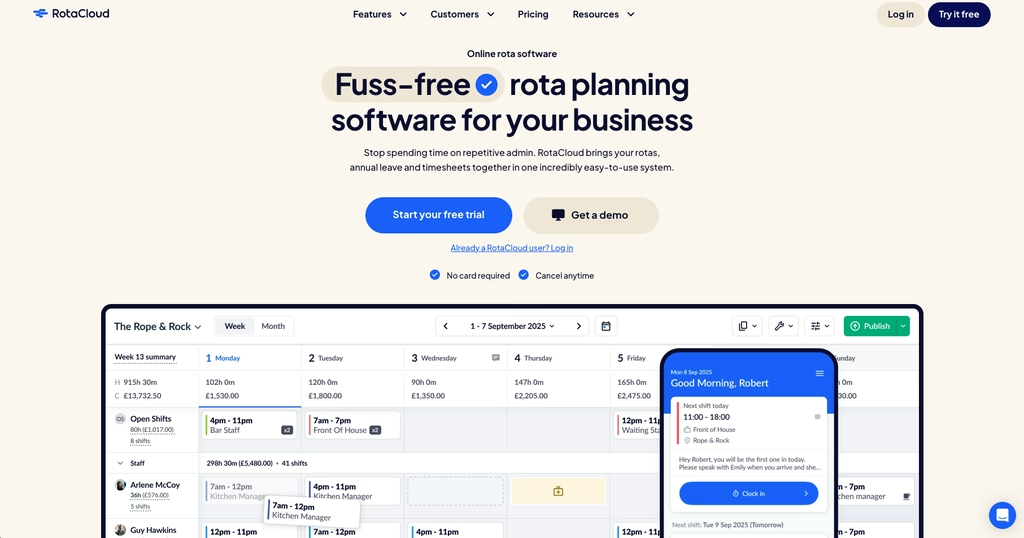
- 30-day trial with no payment details, then a paid band
- Holiday, TOIL and sickness tracking from the entry tier
- Banded pricing, so cost steps rather than climbing with each hire
Who it suits: a team that has already decided absence is the expensive problem. If you are still choosing between free plans, RotaCloud is not in that conversation.
Planday
Planday is the enterprise-leaning option here, and the one whose price is hardest to pin down. Its prices are shown by country, so the figure depends on where you open the page; the page title advertises a start from 2.99 GBP per user a month (the euro page shows 2.99 EUR), with a five-user minimum on Starter and 30 days free to try.
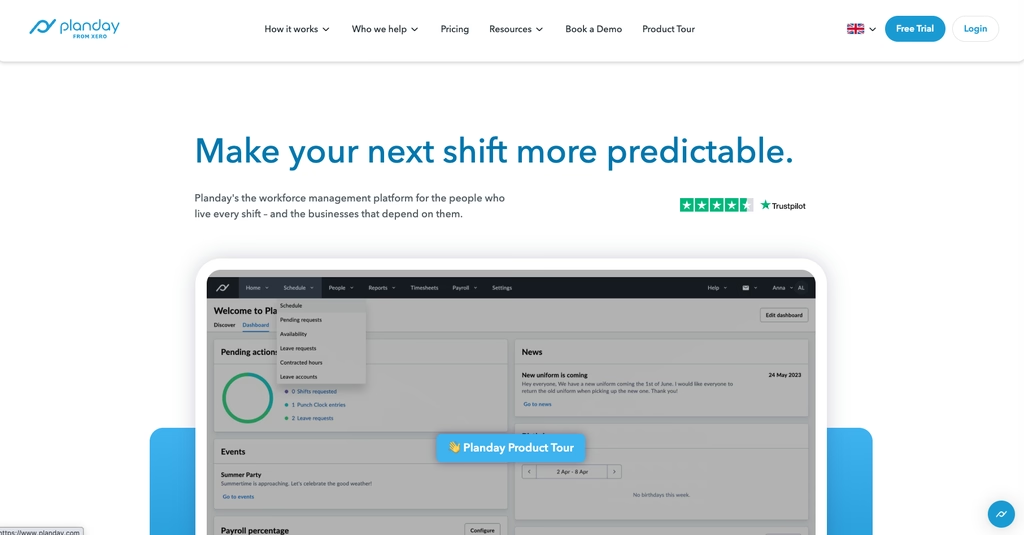
- Shift swap listed in the plan comparison
- Payroll integrations and compliance features aimed at larger operations
- No free plan, 30-day trial, minimum five users on the entry tier
Best for: multi-site operations that need approvals and payroll links more than they need a cheap starting point.
Compare
Read off each vendor’s pricing page in September 2026. Currencies are quoted as printed.
| App | Free plan | Paid from | Who starts a swap | Best for |
|---|---|---|---|---|
| Shifton | Up to 10 employees | $1 per employee a month after the first 10 | Shift swapping between employees | Rota, hours and payroll in one record |
| Sling | Up to 30 users | $2.00 per user a month | Shift offers free, full swapping from Premium | The widest free ceiling here |
| Findmyshift | 5 members, 1 manager | $27 per team a month (billed monthly) | Staff, matched automatically by the system | Larger teams, billed per team |
| Shiftbase | Up to 15 employees | 30 EUR a month, 6 employees included | Staff arrange, manager approves (Basic and up) | Absence and departments |
| RotaCloud | None, 30-day trial | 10 GBP a month at 1 to 5 employees | Shift swapping from the entry tier | Holiday, TOIL and sickness |
| Planday | None, 30-day trial | From 2.99 GBP per user, minimum 5 | Shift swap listed, process not published | Multi-site operations |
Three Ways Rota Apps Charge, and Why It Matters
Per-user rates are the least interesting number on a pricing page, because these six do not even use the same unit.
Per user. Sling, Planday and Shifton charge by head, so cost climbs in a straight line with hiring. Predictable, and painful at scale: 90 people on a $4 tier is $360 a month whether or not most of them work six hours a week.
Per team. Findmyshift charges one flat price for a band of people. At 15 staff its $27 Starter costs more than a tool charging $1 or $2 a head; at 90 staff its $43 Business tier costs less than a fifth of what a $4 per-head tool would.
Per band. RotaCloud steps by headcount range, which behaves like per-team pricing inside a band and like a cliff at the edge of one. Worth checking where your next ten hires would put you.
Shiftbase sits between the models: a base price that includes a set number of employees, then a per-head rate for everyone beyond it. Its free plan stops on departments as often as on headcount.
Where the Free Plans Actually Stop
Every tool here except two has a free plan, and the ceilings are not close: 30 users at Sling, 15 employees at Shiftbase, 10 at Shifton, 5 at Findmyshift. RotaCloud and Planday give you 30 days and then a bill.
Headcount is rarely what ends the free ride. At Shiftbase it is the one-department limit. At Findmyshift it is history and forward planning, both capped at a single week, which makes the free tier fine for seeing next week and useless for a holiday season. At Sling the user count is the headline limit, though full shift swapping sits behind the paid tiers.
Build one real week for your own team instead of clicking through a demo. You will know within an evening whether the swap loop works the way your staff behave, and that is the thing no pricing page tells you. Teams that also want to check attendance at the same time can start from our roundup of free time clock apps, which covers the clock-in side of the same problem.
FAQ
What is a rota?
A rota is the published plan of who works which shift over a set period, usually a week or a fortnight. The word is used in the UK, Ireland, Australia and much of the Commonwealth; roster means the same thing, and North American teams tend to say schedule. A rota app is simply software that builds it, sends it out and keeps the changes in one place.
Is there a free rota app?
Yes, and the ceilings differ more than the features. Sling is free for up to 30 users, Shiftbase for up to 15 employees on one department, Shifton for up to 10, and Findmyshift for 5 people with one manager and one week of history. RotaCloud and Planday have no free plan at all, only trials of 30 days.
How do you make a rota in Excel?
Put staff down the left, days across the top, and one shift per cell. That is the whole method, and it works until somebody swaps a shift. The spreadsheet has no way to tell the person covering, no record of who agreed to what, and no warning when you have booked someone on their day off, which is the point most teams move to an app.
What is the best rota app for staff?
For staff rather than managers, the test is what the phone can do: see the rota, request time off, pick up an open shift and swap without phoning anyone. Shiftbase (from its Basic plan) lets employees arrange a swap that the manager then approves, and Planday lists shift swap too. Sling puts shift offers on its free plan and keeps full swapping for paid tiers. Findmyshift, by its own documentation, completes a swap automatically when one person’s request matches another’s cancellation.
Which rota software suits care homes?
Care work needs three things above the rest: qualifications visible on the rota, absence tracked against allowances, and proof that someone actually arrived. Shifton handles absence against balances through the paid Time off requests and Vacation Management modules and adds location-verified clock-in as the paid Work location control module, Shiftbase (from Basic) and RotaCloud both track holiday and sickness, and Planday lists shift swap for long rotations.




Start making changes today!
Optimize processes, improve team management, and increase efficiency.