

7 Best Employee Time Tracking Apps for Teams and Projects in 2026

Employee time tracking is the part of payroll nobody wants to own. Hours arrive as screenshots, as texts, as half-legible paper cards. Somebody retypes them into a spreadsheet, and by Friday the argument is about whether a shift ended at 5:00 or 5:40. The U.S. Department of Labor recovered $259 million in unpaid wages for 176,957 workers in fiscal year 2025, which works out to roughly $1,465 per person. Most of those cases start with records, not malice.
This guide ranks seven tools that keep those records for you. Some are built as a time clock for shift crews, some as project timesheet software for teams that bill clients, and the difference matters more than any feature list. We compared what each app captures at clock-in, how cleanly the hours leave for payroll, what the mobile side can do offline, and where the free plan stops.
All the prices below come from the vendors’ own pricing pages, checked in October 2026. Where a vendor keeps its numbers behind a sales call, the table says so: an estimate dressed as a price helps nobody.
Our Top Picks
Seven apps made the list. If you want the short version, these three cover most situations.
Shifton
Shift teams that want the schedule, the hours and the payroll export in one place. Free for up to 10 employees, paid modules from $0.50 per employee a month.
TimeCamp
Free for any number of people, which no other tool here offers
Harvest
Agencies and consultancies that turn tracked hours into a client invoice
Why trust us?
Shifton is our own product and we put it first. You should weigh everything below with that in mind.
The other six were checked the slow way. We opened each vendor’s pricing page in October 2026 and copied what was printed there: plan names, per-user rates, base fees, seat minimums, free plan limits. Two things that obviously shape a monthly bill came out of that reading and appear nowhere in the other roundups we checked: a flat monthly fee that sits on top of the per-user rate at Buddy Punch, and a five-seat minimum at Everhour. Time Doctor prints three plan prices and keeps Enterprise as a custom quote, and the table says which is which.
What Employee Time Tracking Software Actually Records
Employee time tracking software records when work started, when it stopped, and what the time was spent on, then turns that record into something payroll or a client invoice can use. That is the whole job. Everything else on a feature page is packaging around those three fields.
The label covers two different products, and picking the wrong one is the most common mistake here.
A time clock answers the attendance question. Someone taps in at the start of a shift and out at the end, often from a phone, and the system builds a timesheet that a manager approves and payroll pays. Breaks and overtime rules sit in this half, absence too. Retail floors, hospital wards, cleaning rounds and field crews sit on this side.
A project timesheet answers the billing question. The same person logs two hours to one client and three to another, and the value is in the split rather than the total. On the other side sit agencies, studios, accountants and consultancies, whose reporting is built around rates, budgets and what can be invoiced.
Under U.S. federal rules the timekeeping method itself is open. Fact Sheet 21 from the Wage and Hour Division requires employers to keep hours worked each day and total hours worked each workweek, and payroll records must be kept for three years while the underlying time cards are kept for two. It does not say the record has to be digital. It does say it has to exist.
Buy from the wrong half and the bill arrives later, in labor rather than money. A shift business running project timesheet software gets clean client splits and no overtime rule, so somebody rebuilds the week by hand and the software becomes a second place to type the same numbers. Trials rarely catch this. Two weeks is long enough to like the interface and too short to find out that the report you need sits on a tier you did not buy, and by then the rollout has a sponsor who does not want to hear it.
So the practical test is not which app has more features. It is which of the two questions you are actually trying to answer this quarter.
The 7 Best Employee Time Tracking Apps
Order runs from the broadest workforce platform to the lightest timesheet. Section length varies with how much there is to say about each one, not with how much we like it.
Shifton
Shifton is our top pick because the hours never leave the system they were created in. The schedule, the clock-in, the hours report and the payroll data are four steps of one workflow rather than four products glued together with CSV files.
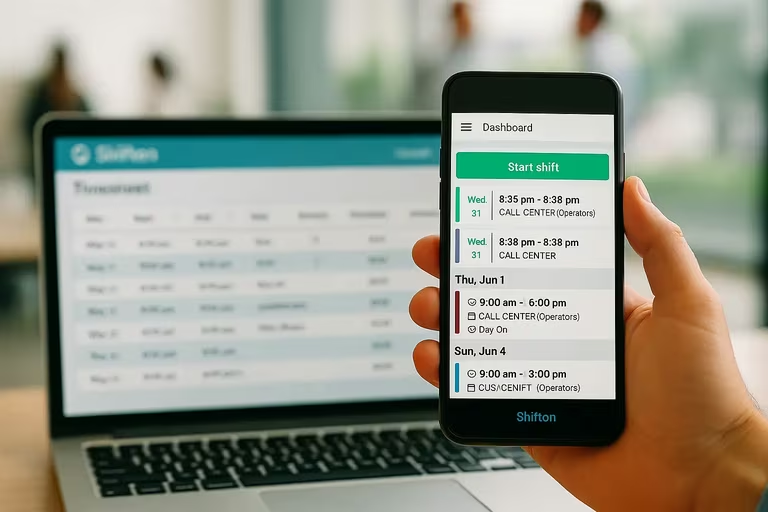
Someone opens the app, sees the shift assigned to them, and taps in, once paid Attendance is on. The punch lands against that shift, so a manager reviewing Friday sees planned against actual instead of a column of raw timestamps. Breaks, absence, bonuses: each is a module you switch on when you need it, while overtime rules sit in the base module. That is why a small team can run the basics without paying for machinery it will never open. Where a shift has to happen at a specific address, the Work location control module confirms the clock-in was made there. It is a paid module, $5 per employee a month, and it is the only way Shifton verifies location. There is no shared tablet mode and no PIN terminal in the product.
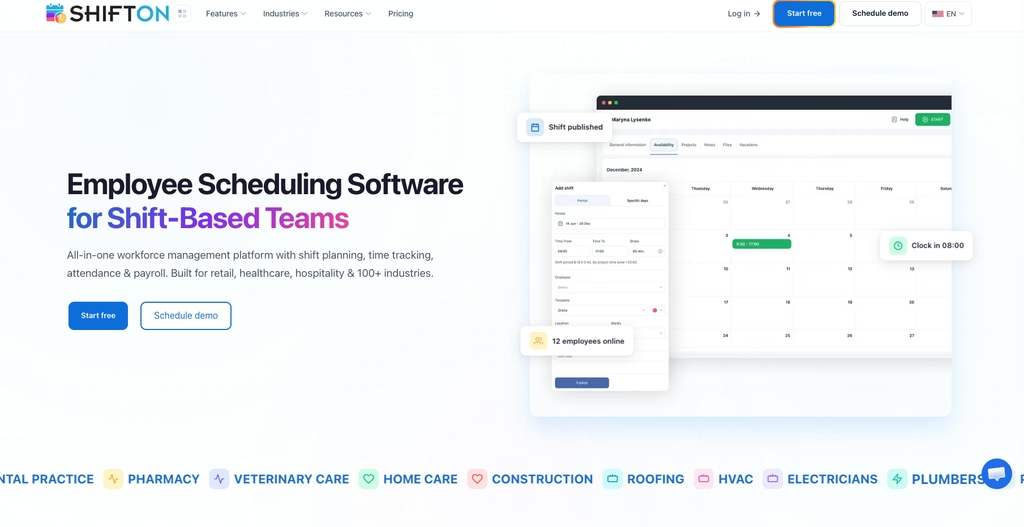
- Shift-linked punches: the attendance module compares planned against actual on one screen instead of leaving you a reconciliation job
- Attendance module for real start and end times, plus late arrivals and early departures, $1 per employee a month
- Payroll module at $0.50 per employee a month, with hours and rates turned into gross salary for the period
- Live hours through the shift, and a payroll module that works from the recorded hours
Pricing is modular rather than tiered. The free plan covers up to 10 employees with scheduling, the mobile app and the budget, minimum-hours and employee reports; above that, or once any paid module is on, the base module is $1 per employee a month and you add only the modules you turn on. A team of 25 pays for the base module plus whatever it switches on, so scheduling, attendance and payroll come to $62.50 a month rather than a bundle price built around features nobody opens. Best for: shift-based teams of 10 to 200 that want the roster and the timesheet to be the same record.
Stop retyping hours into a spreadsheet
Shifton keeps real clock-ins next to the shifts your team already worked (paid Attendance), with overtime control in the base plan and breaks as an add-on.
Buddy Punch
Payroll is what Buddy Punch is built around. The timesheet applies your overtime and break rules first, then pushes into QuickBooks, Gusto, ADP, Paychex and a dozen others, and staff get there by punching from a phone, a browser or a shared kiosk.
Pricing here deserves a close read, because it is the one number the other roundups skip. Starter runs $4.99 per user a month on the annual tier, Pro at $6.99 and Advanced at $12.99, and every level carries a $19 base fee on top. For six people on Pro that fee is roughly a third of the bill. GPS arrives in layers: location on a punch comes with Starter, basic geofencing with Pro, and live tracking is a $2 per user add-on unless you are on Advanced. There is no free plan at all: the company states plainly that every option is paid once the 14-day trial ends.
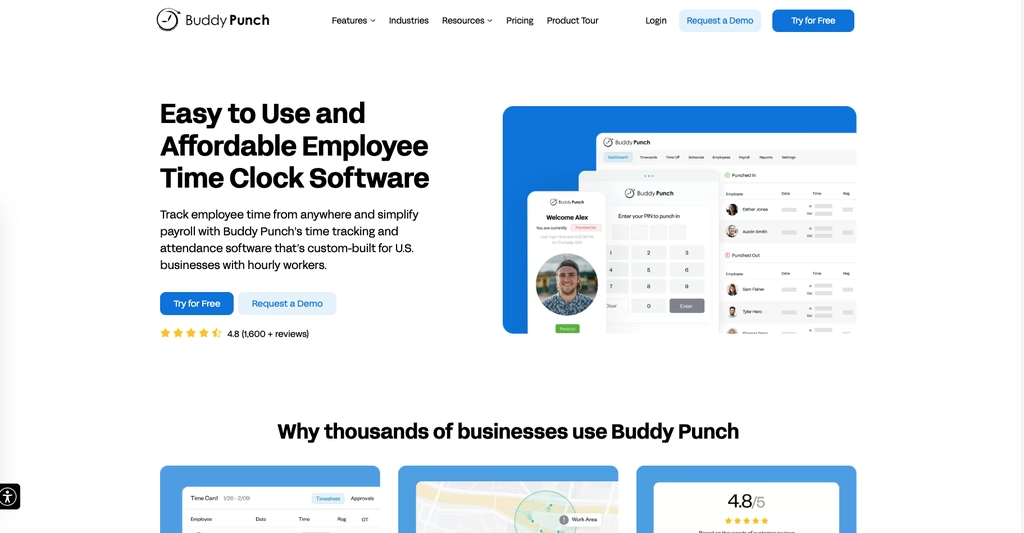
- Punch from phone, browser or kiosk, with photo capture and IP restrictions
- Overtime, break, PTO rules applied to the timesheet before approval
- Payroll exports and direct integrations with the major providers
Best for: hourly teams that already run payroll somewhere else and want the timesheet to arrive clean, as long as the base fee is priced in.
TimeCamp
No other tool here lets a whole team track for nothing. TimeCamp puts no cap on users or projects on its free plan, and that plan still includes timesheets, the desktop and mobile apps, an automatic tracker. Most rivals cap free at one to five seats, so a 30-person team that only needs hours in one place can genuinely stop here.
Automatic capture is what people stay for. Nobody has to remember a stopwatch: the desktop agent keeps a record of what was open, and the entries are waiting to be confirmed at the end of the day. For knowledge work that is the difference between a filled timesheet and an empty one. Paid tiers start at $2.49 per user a month on the annual option and add client rates, approvals, deeper reporting.
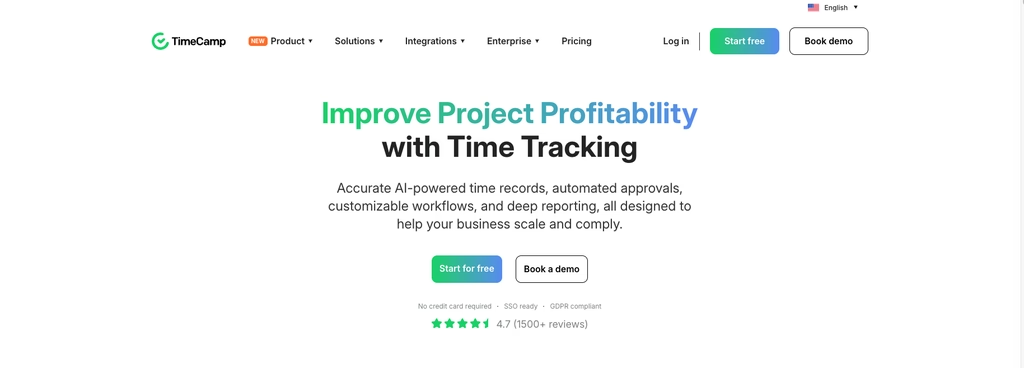
- No user cap on the free plan, which is rare enough to be the headline
- Automatic desktop tracking that proposes entries instead of demanding them
- Billing rates and budgets on paid tiers
Best for: teams that want real coverage at no cost, and desk workers who will never press start.
Harvest
Where the others count attendance, Harvest counts what can be charged for. Hours go against a client and a project, the tracked time turns into an invoice, and expenses ride along in the same record. Agencies and consultancies have leaned on it for years for exactly that reason.
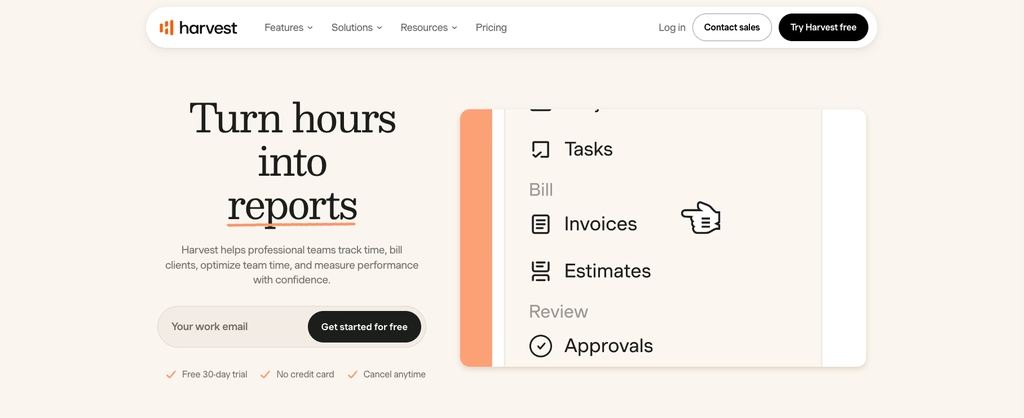
- Time and expenses tied to clients, projects, tasks
- Invoicing from tracked hours, with online payment
- Budgets set against a project, with reporting on what is left
Harvest keeps its free plan real but narrow: one seat and two projects, enough for a freelancer and nothing more. Teams pays $9 per seat a month, Enterprise $14. There is no shift scheduling, no attendance policy engine and no payroll run, which is the honest trade for how clean the invoice side is. Best for: a studio of four to thirty people whose hours end up on an invoice.
Time Doctor
Start with the part that will decide it for some readers: Time Doctor prices by the user, from $6.67 on Basic to $16.70 on Premium, and only Enterprise is a custom quote.
It sits at the monitoring end of the category. Alongside hours it records activity levels, application and website use, optional screenshots, then reports on where the day actually went. For distributed teams that charge by the hour, that evidence is the product.
The pricing page lists Basic at $6.67 each on annual billing ($8 without the annual commitment), Standard at $11.67 ($14) and Premium at $16.70 ($20), plus a custom Enterprise plan. The 14-day trial covers every feature and needs no card. Attendance, time approvals and payroll start on Standard.
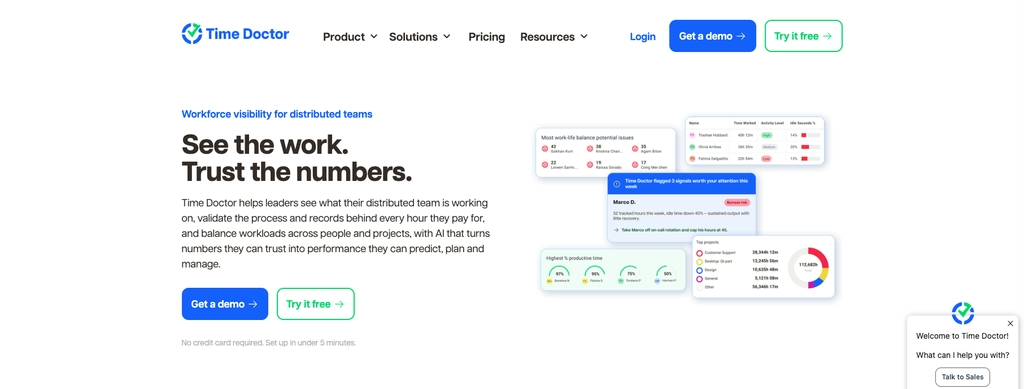
- Activity, app and URL reporting on top of plain hours
- Optional screenshots
- Payroll reports, plus project reports a client can be charged from
Worth naming the obvious risk. Monitoring of this depth changes how a team feels about the tool, and it is the fastest way to lose the goodwill you need for accurate records. Best for: outsourcing and BPO operations where clients contract for measured hours.
Everhour
Five seats minimum. That is the first thing to know about Everhour, and for a team of three it settles the question before any feature does: the company confirms in its own FAQ that two or three users are still charged for five.
What you get for the money is tracking from inside whatever project tool you already run. The timer appears in Asana, Trello, Jira, ClickUp, Basecamp, so nobody opens a second product to log an hour. If work is already broken into tasks somewhere, this is the shortest path from task to timesheet.
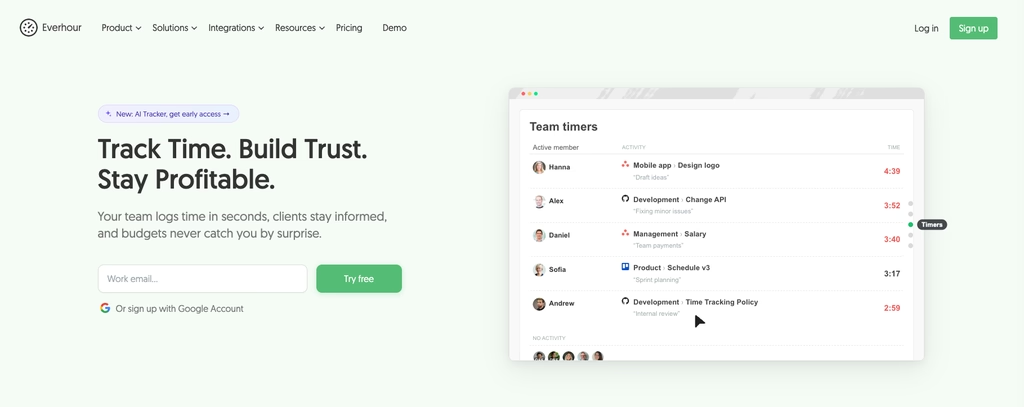
- Native timers inside the main project management tools
- Budgets and billing rates on paid plans
- Free for up to five seats
Team costs $8.50 per user a month on the yearly plan, and the custom tier starts at fifty seats. Best for: product and agency teams standardized on one project tool who want tracking to disappear into it.
My Hours
My Hours is the lightest tool here, and that is the point. Projects, tasks, a timer, a report, an invoice. It is the one to pick when a heavier system has already failed to stick.
Setup takes an afternoon rather than a quarter.
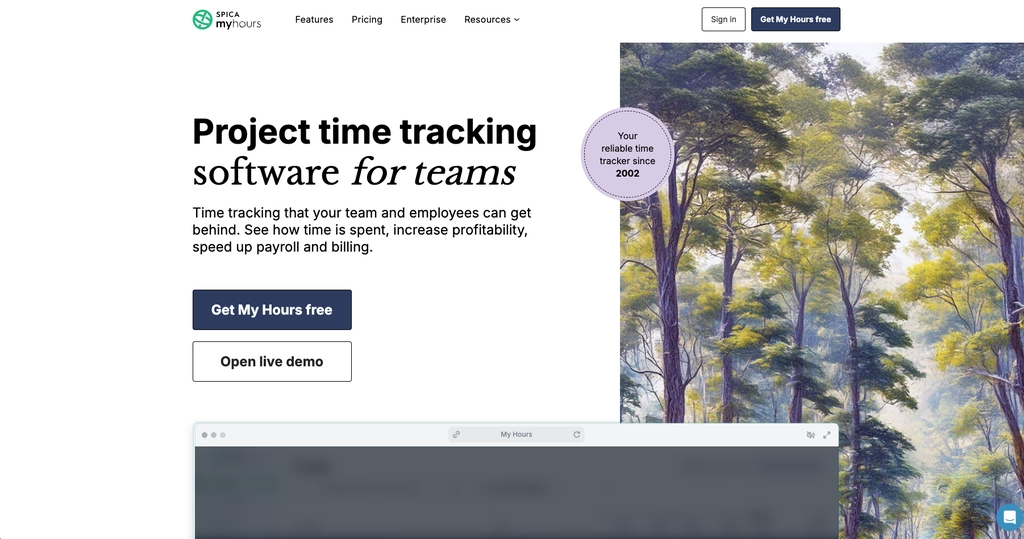
- Free for five active users, with unlimited projects and clients
- Basic at $5 per user a month, Pro at $9, both around a dollar cheaper on the annual plan
- Client rates, budgets and reports a customer can read
- Invoices built from the week on Pro, without a second tool
Best for: small consultancies and solo operators who bill by the hour and want the whole thing set up before lunch.
Compare
Prices were read off each vendor’s own pricing page in October 2026. Annual billing where the vendor quotes it that way.
| App | Free plan | Paid from | Watch out for | Best for |
|---|---|---|---|---|
| Shifton | Up to 10 employees | $1 per employee a month, base module | Location verification is a $5 module | Shift teams that need roster and timesheet together |
| Buddy Punch | None | $4.99 per user a month | $19 base fee on every level, live GPS costs extra | Hourly teams feeding an outside payroll provider |
| TimeCamp | Unlimited users | $2.49 per user a month | Approvals and integrations sit above the free plan | Desk teams that want coverage without a bill |
| Harvest | 1 seat, 2 projects | $9 per seat a month | No scheduling, no attendance rules | Agencies invoicing tracked hours |
| Time Doctor | None | $6.67 per user | Attendance and payroll start on Standard at $11.67 | Outsourcing teams contracted on measured hours |
| Everhour | Up to 5 seats | $8.50 per user a month | Five-seat minimum, so three people pay for five | Teams living inside Asana, Jira or ClickUp |
| My Hours | 5 active users | $4 per user a month on the annual plan | Approvals arrive on the Pro tier, not Basic | Small consultancies billing by the hour |
What a Time Tracking App Really Costs for a Team of 10
List prices mislead at small headcounts, because the fees that do not scale with people are the ones that decide the bill. Run the same ten-person team through the numbers above and the spread is wider than the per-user rates suggest.
Buddy Punch on Pro is $6.99 times ten, plus the $19 base fee, so roughly $89 a month. Everhour Team is $8.50 times ten, around $85. Harvest Teams lands at $90. TimeCamp Starter comes in near $25, and its free plan would cost nothing at all for a team that can live without approvals. Shifton is the outlier because the comparison is not like for like: the free plan already covers ten people, so the $25 figure is the base module plus attendance and payroll, and the plan costs nothing only while no paid module is on.
Flat monthly fees hurt small teams and vanish into the rounding for large ones, so a $19 surcharge matters at six people and is noise at sixty. A seat minimum works the same way in reverse: it is invisible until your team is smaller than the minimum, and then you are paying for empty chairs.
The other cost is not on any pricing page. Every one of these tools needs someone to approve timesheets weekly, and the approval habit is what turns tracking into payroll you can defend. Our guide to employee timekeeping practices covers how to set that rhythm without turning it into a second job.
Where the Hours Go Next: Payroll and Accounting Integrations
A timesheet has one job after approval, and that is to leave. How far it travels without a human retyping it is the difference between two hours a fortnight and twenty minutes.
Seven tools, three different answers. Buddy Punch is the broadest: its integrations page names QuickBooks Online and Desktop, ADP Workforce Now, Gusto, Paychex, Paycor, Paylocity, Rippling, Workday, SurePayroll, TriNet Payroll, Justworks, iSolved and Wagepoint. The list runs to nineteen names in all. If payroll already runs in one of those, hours land where they are needed without a file in between. Time Doctor is the next widest, naming ADP and ADP Workforce Now, Gusto, Rippling, Deel, Workday, BambooHR, Zoho People and Xero AU Payroll.
Project tools go to accounting instead of payroll, which makes sense when the hours end up on an invoice rather than a payslip. Harvest names QuickBooks Online, Xero, Stripe, PayPal and Deel. Everhour groups its list by purpose and puts FreshBooks, QuickBooks and Xero under accounting, with Deel as its only payroll link. TimeCamp keeps QuickBooks Online and Xero. My Hours reaches QuickBooks and Xero, and otherwise leans on Zapier and its own exports.
Shifton takes the fourth route: payroll is a module inside the same system rather than a destination outside it. Rates live in the Payroll module, bonuses and deductions in a separate one at $0.50 per employee a month, and the hours reach both without a file in between.
Three questions save an unpleasant discovery in the first pay run.
- Which direction does the sync run? Some links push approved hours out; others pull employee records in. A tool that only imports your staff list has not solved the part that costs you time.
- What happens to edits after the push? A correction made in the timesheet on Monday has to reach payroll that already received Friday’s file, and not every integration handles the second send.
- Is the connection on your plan? Integrations are a common upsell, and the list on a marketing page rarely says which tier each one needs.
Where no native link exists, the fallback is a CSV that somebody maps by hand every period. That works, and it is also where the two hours a fortnight quietly come back.
Overtime, Breaks and the Rounding Rule Most Teams Get Wrong
Tracked time is not paid time until the rules are applied to it, and rounding is where employers most often create a liability they never intended.
U.S. federal rules do allow rounding. The Wage and Hour Division states that time may be rounded to the nearest quarter hour, and its Fact Sheet 53 spells out the arithmetic: minutes 1 through 7 may be rounded down, minutes 8 through 14 must be rounded up. What it does not allow is a policy that only goes one way: the same guidance warns that an employer may violate minimum wage and overtime requirements if it always rounds down. A five-minute grace period that quietly shaves five minutes off every shift is exactly that violation, repeated daily across a payroll.
So when you look at a rounding setting in any of these tools, check two things: whether it rounds in both directions, and whether the raw punch is still stored underneath. A system that keeps only the rounded figure leaves you unable to prove what actually happened, and the burden of proof in a wage dispute does not sit with the employee.
Breaks carry the same trap in a different shape. Automatic meal deductions save keystrokes and create exposure: if the deduction fires on a day somebody worked through lunch, the record now says something untrue, and correcting it after the fact is manual work in every tool here. Systems that ask the worker to clock out for the break produce messier data and a defensible one.
Overtime itself is arithmetic the software should own, not the manager. Weekly thresholds, daily thresholds in states that use them, and the distinction between approved and unapproved overtime all belong in the rules engine. Buddy Punch and Shifton both apply those rules to the timesheet; the project-side tools mostly report hours and leave the multipliers to payroll.
Rolling It Out Without Losing the Team
Installing any of these takes an afternoon. What takes a month is getting thirty people to clock in without being chased, and that part decides whether the subscription was worth anything.
Start by naming the reason out loud. A team told that the company is buying a time clock hears surveillance; the same team told that hours are being retyped from paper and that people have been underpaid twice this year hears a fix. Both statements can be true, and the second is the one that gets phones installed.
Run one pay period in parallel. Keep the old method alongside the new one for a single cycle and compare the totals. You will find the gaps while they are still cheap: the person whose phone cannot install the app, the site with no signal at the loading bay, the shift that starts before the rota says it does. Fixing those after the old method is gone costs far more attention.
Decide who owns approval before anyone clocks in, and give that person a fixed slot in the week. Tracking without a weekly review is data collection, not timekeeping, and the review is what turns a missed punch into a corrected one while the day is still remembered.
Then leave the settings alone for a month. The instinct to tune rounding, geofence radius and overtime thresholds in week two produces a payroll nobody can reconcile, because the rules changed mid-period. Watch one clean cycle first, then adjust once.
How to Choose Between a Time Clock and a Project Timesheet
Start with the question your business is actually asking, because the two halves of this category answer different ones.
If the argument in your week is about attendance, pick from the clock side: Shifton, Buddy Punch, Time Doctor. You want punches tied to a schedule, overtime applied automatically, and hours that leave cleanly for payroll. Shift work, field crews, retail floors, care homes, cleaning rounds all sit here, and so does any team where a missed clock-out turns into a pay dispute.
If the argument is about billing, pick from the project side: Harvest, Everhour, My Hours, TimeCamp. The total hours matter less than how they split across clients, and the reporting you need is about rates, budgets and what can be invoiced. Studios, consultancies, accountants and professional services teams live in this half.
Adoption is the part nobody costs properly, and it decides more rollouts than the feature list does. A tool that asks a warehouse picker to open an app, find the right project and press start will be filled in on Friday from memory, which is worse than no record at all because it looks like data. The same tool in an agency, where people already live in a task board, gets honest entries without anyone being chased. That is why the shortlist above splits the way it does rather than by price: a shift-linked punch and an automatic desktop capture solve the same problem for two populations that will never adopt each other's method, and the cheapest tool your team refuses to use costs more than the expensive one they fill in daily.
Some businesses have both problems. A construction firm pays crews hourly and bills clients by project; an agency has salaried designers and hourly contractors. When that happens, choose the tool that answers the expensive question and accept an export for the other. Running two systems and reconciling them by hand is how the spreadsheet comes back.
One more filter, and it is the cheapest one to apply: try the free plan with the people who will actually use it. A team that will not press start on a timer needs automatic tracking or a shift-linked punch, not a better dashboard, and you will know within a week which camp yours is in. If the budget is the binding constraint, our roundup of free time clock apps goes deeper into what the no-cost tiers actually allow.
FAQ
What is employee time tracking?
It is the record of when work started, when it stopped and what it was against, kept in a form payroll or an invoice can read. The method is the employer's choice under U.S. federal rules. What is not optional is the record itself: Fact Sheet 21 from the Wage and Hour Division asks for hours worked each day and the total for each workweek, payroll records kept three years, time cards two.
What is the best employee time tracking app?
There is no single answer, because the category splits in two. For shift teams that need punches tied to a roster and hours that leave for payroll, Shifton is our pick, with Buddy Punch the strongest alternative if payroll already lives elsewhere. For teams that bill clients by the hour, Harvest and Everhour do the project side better. TimeCamp is the one to try first if budget is the binding constraint, because its free plan has no user cap.
How do I track employee time and attendance?
Pick one method and make it the only one. Mobile punches work for teams that move between sites, a shared browser clock suits a fixed location, and automatic desktop capture fits knowledge work where nobody will press start. Whatever you choose, set a weekly approval step: a manager reviews the week, fixes missed punches while people still remember them, and signs it off before payroll runs. Tracking without approval produces data, not a timesheet.
What is the best way to track employee hours?
Whichever way the hours get captured with the least effort from the person doing the work. For a crew that moves between sites that is a punch on a phone; for a fixed location, a shared browser clock; for desk work, automatic capture that proposes entries rather than waiting for someone to press start. Free plans are worth using for this test: TimeCamp puts no cap on users, Shifton covers ten, Everhour and My Hours stop at five, Harvest at a single seat. Buddy Punch has no free plan, so budget for it from day one.
Does time tracking actually work?
It works when the record is easy to create and somebody owns the review. It fails when the tool feels like surveillance or when hours are entered days later from memory. That is why the adoption test matters more than the feature list: run the free plan for a week with the people who will use it every day, and watch whether punches arrive on time without chasing.



Start making changes today!
Optimize processes, improve team management, and increase efficiency.