

7 Best Employee Attendance Tracking Apps for HR Teams in 2026
Shifton is the best employee attendance tracking app for teams that work to a schedule, because it records the actual start next to the planned one. Its Attendance module is listed at $1 per employee a month plus a $1 Basic functions charge, and the free plan covers up to 10 employees. Jibble is the free pick for larger teams. Prices checked on 19 and 20 October 2026.
Employee attendance data answers one question: who was meant to be at work, and who was? The Bureau of Labor Statistics puts the 2025 absence rate for full-time wage and salary workers at 3.2 percent (an 11-month average that excludes October), with the hours missed at 1.7 percent of hours usually worked. Software sells the answer under one label, attendance tracking, yet what sits behind that label changes from plan to plan at Homebase, Clockify and Buddy Punch, while Connecteam's page does not say which tier sends late alerts and OnTheClock sells a single plan.
This guide compares seven employee attendance tracking apps on what a manager needs from an attendance tracker app: who arrived, who was late, who did not come, who left early. It is written for HR and operations teams, including staffing and HR scheduling operations. What separates one vendor's attendance management software from the next is the plan on which each record starts, not the length of a feature list.
Prices and limits come from each vendor's own pages. Where a vendor publishes no price, the text says so. This list covers employees; student attendance apps, the classroom roll-call kind, are a different product.
Our Top Picks
Prices checked on 19 and 20 October 2026.
Shifton
Best overall: presence recorded against the schedule, with the planned start next to the actual one. Free plan for up to 10 employees with no time limit; the Attendance module is listed at $1 per employee a month, plus the $1 Basic functions charge once a paid module is on.
Jibble
Best free plan: unlimited users at no cost, with late clock-ins and absences named on its attendance page.
Buddy Punch
Best for verified punches: webcam, QR code and PIN punches, plus kiosk punch, arrive on the Pro plan, from $6.99 per user a month on annual billing plus a $19 base fee.
Why trust us?
Shifton is our own product and we put it first. Weigh everything below with that in mind.
Each of the other six was checked on the vendors' own pages on 19 and 20 October 2026: plan names, per-user rates, base fees, free plan limits and, where a vendor ties a feature to a plan, which plan. Where a vendor's figures or pages disagree with each other, as Clockify's free limit and Homebase's late alerts do, both are shown.
What Does Employee Attendance Tracking Actually Record?
Attendance tracking records presence events: someone arrived, arrived late, did not come, or left early. A time tracking app records duration, meaning how long a shift lasted and which job the hours belong to. The two overlap at the punch, which is why vendors blur them, but they answer different questions. Vendors sell the same record under several names, and the name says little about which events are captured. Presence is a question for whoever runs today's shift. Duration is a question for payroll and invoicing, and our roundup of the best employee time tracking apps covers that side.
In Fact Sheet 21 on Fair Labor Standards Act recordkeeping, the Department of Labor says employers may use any timekeeping method they choose, as long as the plan is complete and accurate. The sheet lists hours worked each day and total hours worked each workweek among the records, and says payroll records should be preserved for at least three years and the records behind wage computations, such as time cards, for two. How lateness and absence get flagged beyond that is a management choice, and plans price that choice differently.
One distinction decides how clean the data is: an unplanned absence and approved leave are different events, and an absence count that includes leave is inflated by it. Shifton keeps approved leave in its leave and absence records, with Time off requests and Vacation Management sold as separate modules at $1 per employee a month each.
The 7 Best Employee Attendance Tracking Apps
Shifton
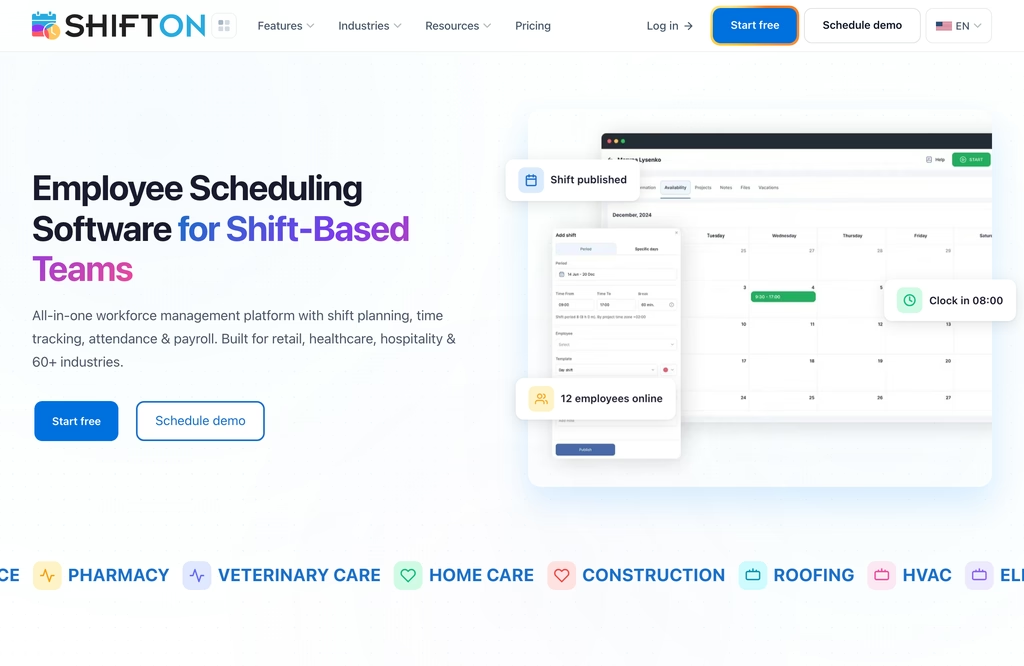
Shifton records attendance against the schedule. An employee starts the shift with one tap in the mobile app or one click in the browser, and the Attendance module stores the actual time next to the planned one. A late start is recorded as minutes late. A manager can be notified once lateness passes a threshold.
Shifton's Employee Working Hours is a separate report module, $0.50 per employee a month, that puts planned and actual shift times side by side, with break durations, late hours and early leave hours for each person. The finished timesheet leaves as a CSV or through the open API; the time tracking feature has the full list. A Payroll module at $0.50 turns hours into an estimated gross pay report, and a QuickBooks Online integration sits beside the API.
Shifton's free plan covers up to 10 employees with no time limit and full access to the base module. The modules list prices Attendance at $1 per employee a month, with a trial of up to 60 days, and the pricing page has the details of what the free plan includes. The billing rule printed beside the module list reads: "From the 11th employee, every employee is billed $1.00/mo, and turning on any paid module also turns on the Basic functions charge." Work location control is a further layer: it costs $5 per employee monthly, works only together with Attendance, and compares phone GPS or the browser's IP address with the work site. Shifton has no shared tablet, no QR code and no PIN terminal.
- Missed punches corrected through an employee request with manager approval
- A shift that was not on the schedule can still be started from the Attendance dropdown, if it is available to the employee
Best for: HR and operations managers with rostered staff who want lateness judged against the shift the person was actually given. Not the pick when the entrance needs a shared tablet or a PIN, or when every head must be free of charge above ten.
See who was late against the shift
Shifton puts the planned start beside the actual one and records the minutes late, so the weekly review starts from exceptions instead of a spreadsheet merge.
Jibble
No other vendor here lets an unlimited number of people use a free plan, and Jibble advertises exactly that: free forever, with "no credit card, no trial timer". Its FAQ puts biometric attendance, the kiosk and GPS inside that free plan, along with timesheets and reports.
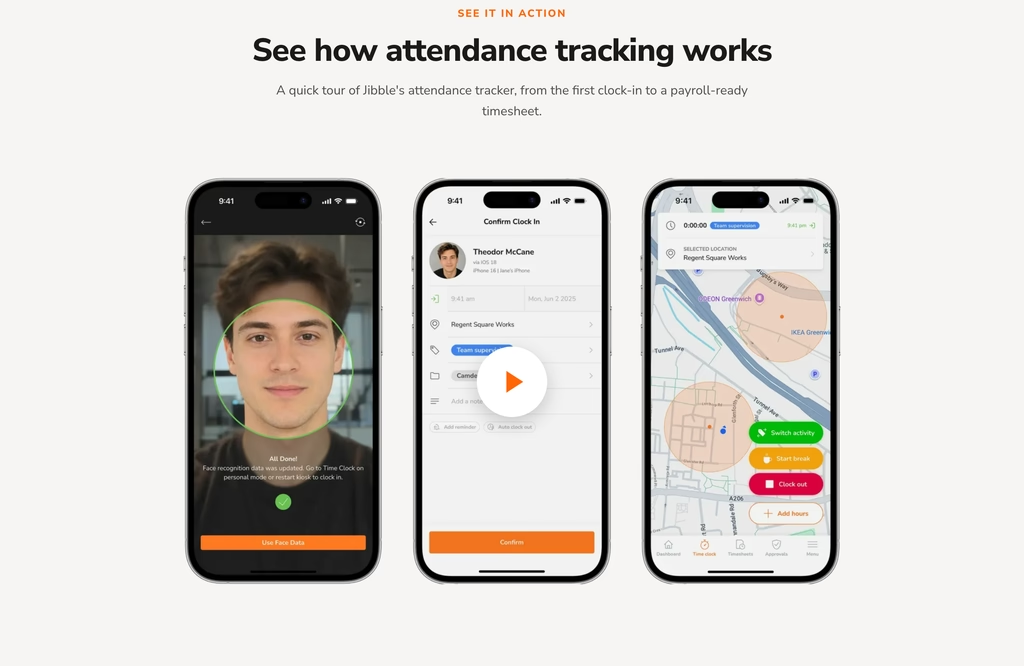
Jibble's attendance tracker lists late clock-ins, early clock-outs and absences, and the report can be narrowed to a team, a location or a date. A who's in or out widget separates people on shift, on break and still missing. Time off, holidays and unplanned absences are kept in the same records as the hours people worked.
Jibble offers several ways to check in. A kiosk turns a shared tablet into a punch point, NFC and PIN are tiles on the home screen, and geofences stop punches from outside the site while also logging arrivals and departures automatically. On selfie punches Jibble compares the face with the stored profile and, by its own description, uses depth estimation to turn away a photo or video shown to the lens. Punches made without signal wait on the device until connectivity returns.
Jibble does not publish a paid price: /pricing redirects to the home screen. Hours can be downloaded as XLS or CSV or pushed to "the payroll tools you already run", and no tool is named.
- Kiosk, NFC, PIN, selfie capture and face recognition as check-in options
- Geofences that log arrivals and departures automatically
Best for: teams larger than the 10-person free tiers elsewhere that want attendance history at no cost. Poor fit for a finance team that must budget a paid tier in advance, since none is published.
Connecteam
Ten users and every hub cost nothing at Connecteam: the small business plan is free for up to 10 users, and Connecteam says it includes all hubs and all features. An asterisk follows that claim and points to a list lower down, where the Small Business column leaves the row "Set pay rate per resource" empty and the Time Clock row "Payroll Integration" reads "Not included". A 14-day free trial asks for no card.
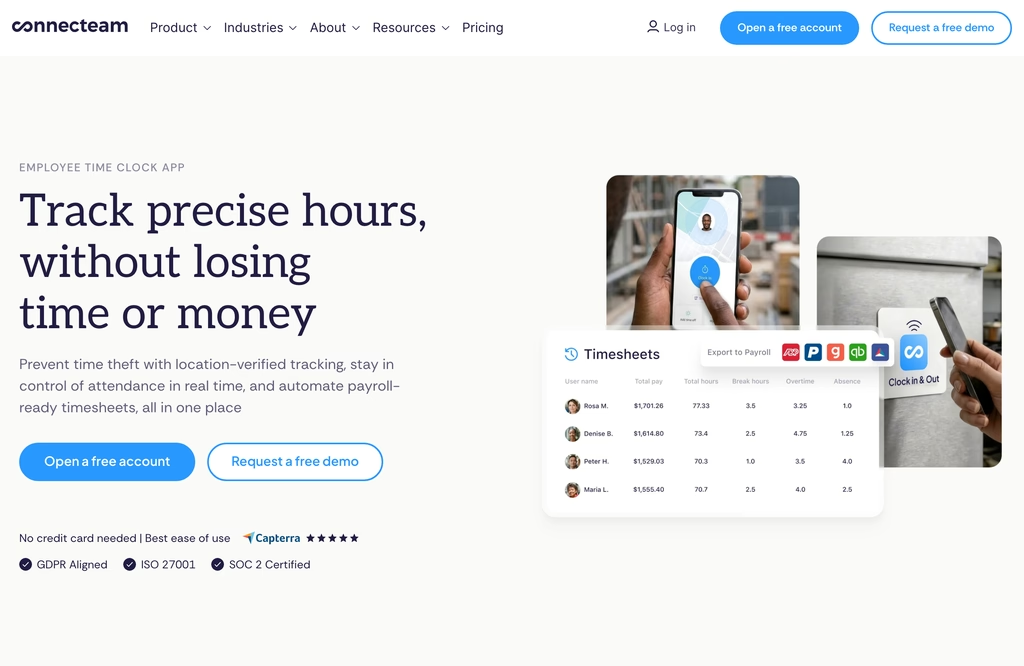
Above 10 users the Time Clock sits in the Operations Hub, and plans are listed hub by hub, so the figures below cover that hub alone. On yearly billing Basic is $29 a month for the first 30 users plus $0.80 for each additional user, Advanced is $49 plus $2.50 and Expert $99 plus $4.20. Paying by the month lifts the three to $35 and $1.00, $59 and $3.00, and $119 and $5.00.
Connecteam's tiers differ less on punching than on control. Kiosk station, NFC taps and GPS location stamps are ticked on every Operations tier. Basic adds real-time clock in and out with GPS, payroll integration and basic scheduling with open shifts, on a single time clock. Advanced allows up to three time clocks, auto clock out and up to 10 geofence sites; Expert up to six clocks, unlimited sites, time clock auto-reports, API access and webhook management. Geofences are absent on Basic. Its time clock overview promises alerts for late arrivals and no-shows but does not say which tier sends them.
Best for: deskless teams with several sites that want a flat starting price for the first 30 people.
Homebase
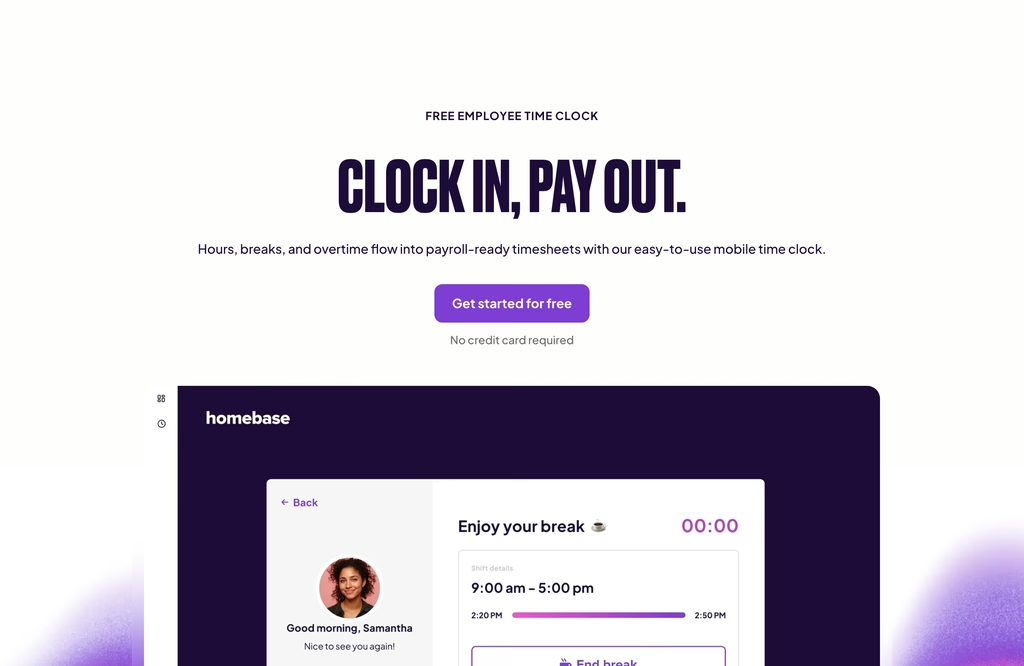
Late alerts are where Homebase's own sources disagree. Its free attendance page, headed "Free forever for up to 10 employees at one location", shows who is clocked in, late or a no-show, gives no-show and on-time rates per employee, and describes alerts when someone is late. The comparison table on its pricing page puts "Track team attendance with reporting & late alerts" in a row ticked for Plus and All-in-One only, and the FAQ points teams of more than 10 to Plus for "Team Retention & Performance Tracking". The site does not reconcile the two, so check what the free version actually sends before relying on it.
Homebase prices per location, and "each physical business address counts as one location". The free Basic plan covers a single site and up to 10 employees, with basic time tracking on tablets and computers as well as POS devices, and its timesheets are stored for up to 90 days. Essentials, at $30 per location monthly ($24 on annual billing), adds location-based punching on the mobile app and photo capture on tablets and POS devices, with unlimited employees. Plus is $70 monthly or $56 annual per location. All-in-One is $120 monthly and is the card that lists labor cost management, which covers overtime alerts, limits on early punches and automatic punch-outs.
Homebase offers a 14-day trial of All-in-One; an account with nothing chosen at the end drops to Basic. Payroll is a separate add-on at a $49 monthly base fee plus $6 per employee paid.
Best for: a single location of up to 10 people that punches on a tablet or computer. Once a second address opens, the free allowance stops applying to it.
Clockify
Clockify's pricing card calls the free tier "for up to 5 users", while the FAQ on the same page says you can invite up to 4 people, so count seats before committing. The free version has the timer, timesheet, calendar, reports and mobile and desktop apps; attendance is a paid layer on top of it.
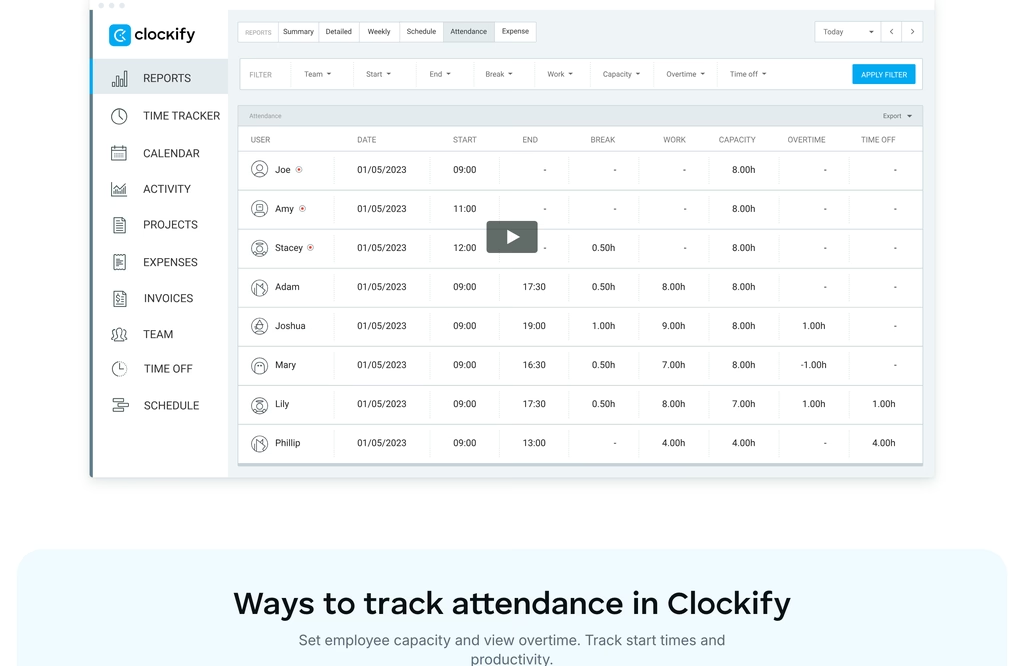
Clockify's paid tiers add features in steps. Basic ($3.99 per seat monthly on annual billing, $4.99 monthly) includes the kiosk and breaks. Standard ($5.49 annual, $6.99 monthly) carries "Attendance & overtime", along with time off, approvals, targets and reminders, a QuickBooks integration, a customizable kiosk and a kiosk QR code. GPS tracking, kiosk photo capture and alerts arrive on Pro ($7.99 annual, $9.99 monthly), and Enterprise is $11.99 annual. A seat is any active or invited person on a paid subscription, annual prepayment takes 20% off, and Clockify says it refunds only billing errors; a 7-day trial of every Pro feature needs no card. A cancelled subscription drops to the free version without deleting data.
Clockify's attendance tracker describes a report that pairs each person's arrival with the task worked and the duration, plus a separate Attendance report for absence and missed hours. It names absence, not lateness. Limited kiosk members, who have no email and can only punch at a kiosk, are added by name for a separate fee.
- Kiosk from Basic, kiosk QR code from Standard, kiosk photo capture on Pro
- No attendance layer in the free version; the first tier that names it is Standard
Best for: teams that want attendance next to project hours in one tool.
OnTheClock
OnTheClock sells one plan instead of tiers: $4 per employee a month plus a $5 base fee, billed monthly after a free 30-day trial that opens every feature, payroll included. For ten people that is $45. The vendor says standard plans need no long-term contract and time tracking carries no setup fee. The one price covers punching (desktop, mobile app, web browser, kiosk), place checks (GPS, geofencing, IP restrictions) and the work around them: payroll integrations, overtime calculations, scheduling and time off management.
OnTheClock's feature table lists Employee Attendance Tracking, a Who's in dashboard, Wi-Fi and device restrictions, a block on early punches, automatic punch-outs and a biometric fingerprint reader. Each is ticked in both the standard and the Enterprise column, and the page gives no detail on the fingerprint reader, so ask what it needs before counting on it. Lateness and absence get no named report, and there is no free tier.
Integrations are where OnTheClock gets specific. The FAQ names QuickBooks, Gusto, ADP, Paychex, Square Payroll and Thomson Reuters, reached through "one-click integrations and pre-formatted CSV exports". Pay runs themselves are a separate add-on at $6 per employee a month plus a $40 base fee, with a required one-time migration fee of $250 on top. Support by phone, chat, text and email carries no extra charge, and Enterprise is aimed at businesses with more than 100 employees.
Best for: a team of up to about 100 that wants timekeeping, a kiosk and location controls under one price. Skip it if free is a hard requirement.
Buddy Punch
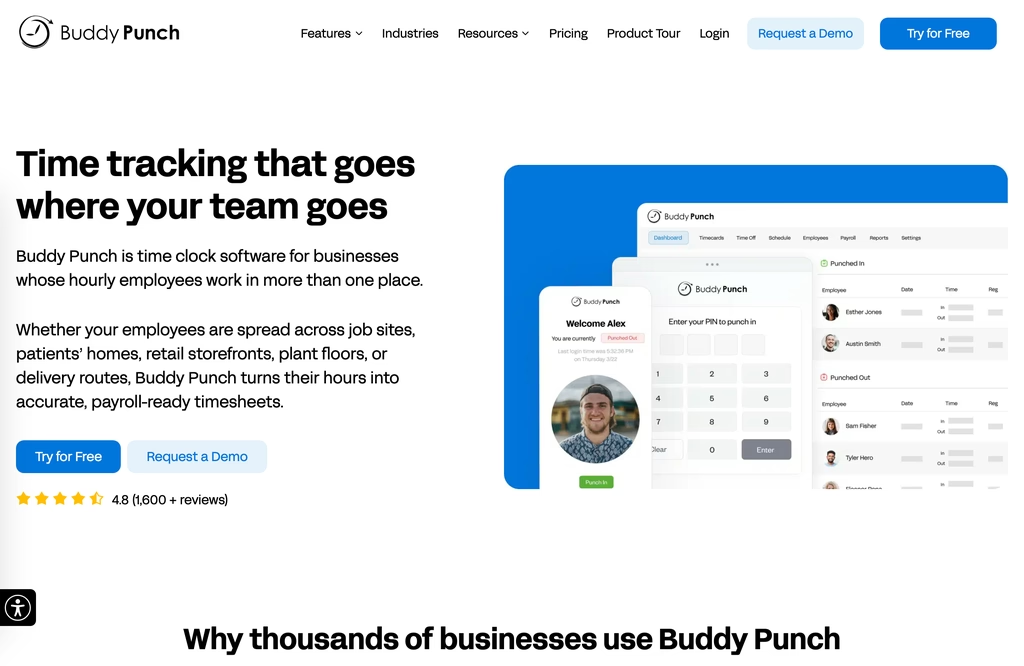
Buddy Punch is the paid-only entry: its pricing page offers a 14-day trial with every feature and no card, and the FAQ answers the free-plan question with a plain no. On annual billing Starter is $4.99 per user a month, Pro $6.99 and Advanced $12.99, each plus a $19 base fee per month; monthly billing raises the per-user rates to $5.99, $7.99 and $13.99 and leaves the base fee alone. Only active employees and managers count toward the total, administrators are free, and once a team is on an annual contract it can return to monthly only when the term ends.
Where Buddy Punch's tiers split matters for attendance. Starter carries GPS on punches, time off tracking and alerts and reminders. The checks that make it harder to punch for someone else start at Pro: webcam on punches, QR code scanning and PIN or kiosk punch, with basic geofencing as a place check. Pro also adds offline mode and break compliance. The comparison table ticks device locks, IP address locking and an iOS Face ID option on all three plans, Starter included.
At Buddy Punch, lateness data costs extra. Early/Late/Absent reporting against scheduled shifts belongs to the Scheduling add-on, $1 per user a month on Starter and included in Pro and Advanced. A scheduled-versus-actual hours report sits in Advanced Reporting, five extra reports at $2 per user a month, included only in Advanced. Hours export to CSV, Excel or PDF, and payroll integrations start on Starter. After a cancellation the data is deleted, so export first.
- GPS on punches from Starter; webcam, QR code and PIN or kiosk punch from Pro
- Early/Late/Absent reporting against scheduled shifts
Best for: teams whose main worry is one person punching for another, and whose budget already carries the base fee.
Compare the Attendance Apps at a Glance
Prices checked on 19 and 20 October 2026. Annual billing where quoted; rates are per user a month. "Not named" means the page is silent.
| App | Free plan | Paid from | Check-in methods | Late and absence reporting | Payroll and export | Billing |
|---|---|---|---|---|---|---|
| Shifton | Up to 10 employees, no time limit | Attendance module $1 per employee, plus the $1 Basic functions charge once any paid module is on | Phone app and browser; Work location control (GPS, IP) is a separate $5 module; no kiosk, QR or PIN | Minutes late against the planned start, manager notification above a threshold; planned-versus-actual report is a $0.50 module | CSV, open API, QuickBooks Online; Payroll module $0.50 | Per employee by module; page toggle Monthly or Annual (saves 20%) |
| Jibble | Unlimited users, no card | Price not published | Phone, desktop, kiosk, selfie and face recognition, geofences, NFC and PIN | Late clock-ins, early clock-outs and absences named | XLS or CSV; payroll tools not named | Not published |
| Connecteam | Up to 10 users; payroll integration "Not included" | $29 a month for the first 30 users ($35 monthly billing) | Phone, kiosk station, NFC and GPS stamps on every Operations tier; geofences from Advanced | Alerts for late arrivals and no-shows named; plan not named | Payroll integration on paid tiers; PDF or XLS export | Yearly (saves 18%) or monthly, priced per hub |
| Homebase | 1 location, up to 10 employees | $24 per location (Essentials) | Tablet, computer and POS on Basic; mobile location clock-in and tablet photos from Essentials | Table ticks "reporting & late alerts" from Plus ($56 per location, annual); free page shows late and no-show staff | Payroll integrations row; payroll add-on $49 base plus $6 per employee paid | Per location, annual or monthly |
| Clockify | Up to 5 users (FAQ says 4) | $3.99 (Basic) | Apps; kiosk from Basic, kiosk QR from Standard, GPS and kiosk photo from Pro | Attendance & overtime from Standard, $5.49; absence and missed hours named, lateness not | QuickBooks integration from Standard; export | Annual (20% off) or monthly, per active or invited seat |
| OnTheClock | None; free 30-day trial | $4 plus a $5 base fee | Desktop, mobile app, web, kiosk; GPS, geofence, IP and Wi-Fi restrictions | "Employee Attendance Tracking" listed; no late or absence report named | QuickBooks, Gusto, ADP, Paychex and others named; CSV and PDF | Monthly, no long-term contract |
| Buddy Punch | None; 14-day trial | $4.99 plus a $19 base fee | GPS on Starter; webcam, QR code, PIN or kiosk from Pro | Early/Late/Absent via the Scheduling add-on, included in Pro; scheduled-versus-actual hours in Advanced Reporting | Payroll integrations from Starter; CSV, Excel and PDF export | Annual or monthly; annual term locks until it ends |
How Much Do Attendance Apps Cost for 10 and 25 People?
At 10 people Jibble costs $0, Shifton's Attendance module $20 and OnTheClock $45 a month; at 25 people the same three cost $0, $50 and $105. A free attendance app earns the label only if the records you need sit inside it, and the limits differ in kind. Jibble has no user cap, while Connecteam and Homebase stop at 10 people (Homebase also at one location), Clockify at 5, and Shifton at 10 employees. Our roundup of free time clock apps goes deeper into what no-cost tiers allow for hours. For attendance the question is narrower: which tier first shows lateness and absence, and what that tier costs once the free ceiling is passed.
| Plan | 10 people | 25 people | Arithmetic |
|---|---|---|---|
| Jibble, free plan | $0 | $0 | No user cap |
| Connecteam Basic, annual | $29 (free plan also fits 10) | $29 | Flat for the first 30 users |
| Shifton, Attendance module, monthly | $20 | $50 | $1 Basic functions plus $1 Attendance, each times the headcount |
| Shifton, Attendance module and Work location control, monthly | $70 | $175 | The same, plus $5 times the headcount |
| OnTheClock | $45 | $105 | $4 times the headcount plus the $5 base fee |
| Homebase Plus, annual | $56 | $56 | One location, unlimited employees |
| Clockify Standard, annual | $54.90 | $137.25 | $5.49 times the headcount |
| Buddy Punch Starter with Scheduling, annual | $78.90 | $168.75 | ($4.99 plus $1) times the headcount plus the $19 base fee |
| Buddy Punch Pro, annual | $88.90 | $193.75 | $6.99 times the headcount plus the $19 base fee |
Prices checked on 19 and 20 October 2026.
Every figure is one month, one location, no add-ons beyond those named in the row.
The plan priced is the one where the vendor's own page first puts attendance features. With a paid module on, every Shifton employee carries the $1 Basic functions charge, which is why ten people on Attendance cost $20 and not $10. The Shifton rows use monthly billing; the page toggle takes 20% off annually, which on its calculator brings ten people on Attendance to $16 a month and, with Work location control, to $56. The others use annual billing where it is quoted. On monthly billing Clockify Standard would be $69.90 and $174.75, Homebase Plus $70, and Buddy Punch Pro $98.90 and $218.75.
The comparison breaks in a few places. OnTheClock's $45 already includes location controls, while the Shifton rates cover attendance only and a location check is a further $5 per employee. Connecteam does not say which tier sends a late alert and Jibble publishes no paid tiers, so their cheap rows may buy less reporting than the rest. And Homebase's flat $56 gets cheaper per head as the team grows but applies per address.
How to Choose an Attendance App Before Signing
Start from the report, not the price. The cheapest row above is of little use if the report read every Monday sits one tier higher. Clockify puts "Attendance & overtime" at Standard, Homebase puts late alerts at Plus, Buddy Punch sells early, late and absent reporting as the Scheduling add-on, and Shifton records minutes late inside its Attendance module. Jibble names late clock-ins on its free plan page, Connecteam does not say which tier sends late alerts, and OnTheClock names no late report on its single plan, so ask both in writing.
Buddy Punch and OnTheClock add a base fee, $19 and $5 a month, and Shifton adds a $1 per employee Basic functions charge once a paid module is on, which changes the small-team maths. Homebase counts addresses, Clockify counts every active or invited seat, and Buddy Punch counts only active employees and managers, with free administrators. An annual contract at Buddy Punch cannot be switched back to monthly until the term ends.
The Department of Labor's fact sheet says records behind wage computations, time cards among them, should be kept for two years. Homebase Basic stores timesheets for up to 90 days, so the export has to cover the rest. Buddy Punch sells six-year retention as a $24 per user a year add-on, and it deletes data after a cancellation, while Clockify keeps data when a plan drops to the free version.
On payroll, OnTheClock names the most providers, six in its FAQ, while Jibble says only "the payroll tools you already run". Clockify lists a QuickBooks integration from Standard, Shifton offers a QuickBooks Online integration, CSV and an open API, and Connecteam's free plan shows payroll integration as not included.
Trial lengths run from 7 to 60 days. Shifton's Attendance module lists a trial of up to 60 days, OnTheClock gives 30 days with every feature, Homebase, Connecteam and Buddy Punch 14, and Clockify 7 days of Pro. A week is enough to check whether the late report comes out the way a manager reads it, though a full pay period may not fit inside it.
How Employee Attendance Gets Marked: Check-In Methods
Every app here offers a phone or browser punch, and the methods differ in how much they prove about who is holding the device. Hardware readers, such as an RFID attendance system, are outside this list; the vendors here offer shared kiosks, NFC tags and PINs, QR codes, then photo and location checks.
A phone or browser punch is the baseline. On a phone it is a self-service clock-in, in a browser the online version of the same punch, and on its own it proves the least about who is holding the device. A kiosk puts one shared device at the entrance: Connecteam, Jibble, Clockify and OnTheClock list a kiosk, Homebase takes punches on tablets, and Buddy Punch offers kiosk punch from Pro. Shifton has no kiosk; its Work location control is the place check.
Closer identity checks sit on top of that baseline. QR codes appear on Buddy Punch Pro and as the Clockify Standard kiosk QR code. PINs are named by Buddy Punch Pro, Jibble, the Clockify kiosk and Homebase (unique PINs on its free attendance page), and NFC is the tap-to-clock option named by Jibble and Connecteam. Network checks are a quieter layer: IP address locking at Buddy Punch, IP and Wi-Fi restrictions at OnTheClock, and IP address matching for browser punches in Shifton's Work location control.
Checks that compare a face with a stored profile raise a legal question that a pricing page does not answer. Jibble lists face recognition that, by its own description, turns away a photo or video shown to the lens, and Buddy Punch lists an iOS Face ID option. In the UK, the Information Commissioner's Office (ICO) guidance on biometric data for time and access control says a data protection impact assessment is required whenever biometric data is used to uniquely identify a worker, and that people who do not want to use biometric controls should be offered an alternative such as swipe cards or PIN numbers. The ICO marks that guidance as under review after the Data (Use and Access) Act, so read the current version before switching face checks on.
Place is the last layer, and the apps here price it in different ways: $5 per employee for Shifton's Work location control, a $2 per user add-on for Buddy Punch's live GPS, GPS tracking on Clockify Pro, GPS stamps inside every Connecteam Operations tier and location controls inside the one OnTheClock price. Our comparison of employee location tracking apps looks at that layer on its own.
FAQ
What is the best attendance tracker app for employees?
Shifton for teams that judge lateness against a schedule; its Attendance module is listed at $1 per employee a month, and ten people on it cost $20 a month once the $1 Basic functions charge is counted. Jibble if the team is larger than 10 and cost decides, since its free plan has no user cap. Buddy Punch if the main concern is proof of who punched, because webcam, QR code and PIN punches start on its Pro plan.
What is the best free app for tracking employee attendance?
For a team larger than 10, Jibble is the free option: its free plan has no user cap, and its attendance page names late clock-ins and absences. For 10 people or fewer, Connecteam (up to 10 users, payroll integration not included) and Homebase Basic (one location, up to 10 employees) are the alternatives; Clockify's free plan stops at 5 users. Check the feature split first: Homebase ticks late alerts from Plus, and Clockify's Attendance & overtime starts at Standard.
What is the best way to track employee attendance?
Choose one way of marking attendance and treat it as the only record in your attendance tracking system. A phone or browser punch against a schedule is the baseline every app here has, and a kiosk suits a fixed entrance. Location and face checks add evidence at a price, and face checks can carry legal obligations in some countries, the UK among them. Review the exceptions (lates, no-shows, missed punches) once a week while the days are still remembered.
How to track employee attendance online?
Employees punch in from a browser or a phone app. Shifton lets an employee start the shift with one click in the browser, Clockify opens in a browser, and OnTheClock lists a web browser among its punch options. Browser punches prove the least about who is at the keyboard, so vendors pair them with network checks: IP address matching at Shifton, IP address locking at Buddy Punch, and IP and Wi-Fi restrictions at OnTheClock.
What is a time and attendance system?
It is software that records when employees start and stop work, then turns the record into hours for payroll and into attendance data for managers: who was on time, who was late, who was absent. In its Fair Labor Standards Act recordkeeping fact sheet, the U.S. Department of Labor leaves the timekeeping method to the employer and lists hours worked each day and each workweek among the records.
Is time and attendance part of HR?
It is shared. HR reads the record for lateness, absence and leave, and payroll reads the same punches as hours. Vendors file it differently: Homebase places attendance reporting in a block called Retention & Performance, Jibble keeps leave and unplanned absences on the same records as worked hours, and OnTheClock includes payroll integrations in its one price.


Start making changes today!
Optimize processes, improve team management, and increase efficiency.