

10 Best Employee Time Clock Software for Small Businesses in 2026
The best employee time clock for a small business is the one whose punches reach payroll without retyping. Shifton leads for shift-based teams: its Attendance module costs $1 per employee a month plus the $1 Basic functions charge, so 15 people cost $30 a month. Buddy Punch is the pick for rounding and overtime on every plan, OnTheClock for the lowest bill with both printed, and Time Clock Wizard for a free plan. Prices checked on October 26, 2026.
Every hourly pay run starts from a record of when people started and stopped work. Federal rules leave the timekeeping method to the employer and ask that the record be accurate. On paper or in a spreadsheet, rounding and overtime are worked out by whoever adds up the totals. In time clock software they become settings that anyone can read and audit.
For owners and operations managers of small businesses that work in shifts, a time clock app or system matters for what it hands to payroll: punch rounding, overtime calculation, payroll export and integrations, how long timesheets are kept, and whether people punch on their own phones or on a shared device at the door. Ten tools are compared on those points and on the monthly bill for a team of 15, worked out from each vendor's own pricing.
Our Top Picks
For most small businesses the choice narrows to three.
Shifton
Best overall for shift-based teams: the schedule and the clock-in record sit in one place. The free plan covers scheduling for up to 10 employees; clock-in and clock-out come with the Attendance module at $1 per employee a month, plus the $1 Basic functions charge once a paid module is on.
Buddy Punch
Best for payroll-ready rounding and overtime: Punch Rounding and Automatic Overtime Calculations are on all three plans, from $4.99 per user a month on annual billing plus a $19 base fee.
Time Clock Wizard
Best free plan for unlimited users: basic employee time tracking with no user cap, and paid plans priced by user band rather than per head.
Why trust us?
Shifton is our own product, and we put it first. Read the rest of the list with that in mind.
The other nine were checked on their own pricing and feature pages on October 26, 2026: plan prices with the billing period, base fees, trials, and which plan carries rounding, overtime and a kiosk. Where a page contradicts itself, as the QuickBooks Time footnote on Workforce plans does, the text says so.
What a Payroll-Ready Employee Time Clock Has to Record
A time clock earns its price at the end of the pay period, when the daily hours and weekly totals required by 29 CFR 516.2(a)(7) and the overtime rate set by 29 CFR 778.107 have to come out of it.
Four settings decide whether they do. Rounding decides whether a punch at 8:53 is paid from 9:00. Overtime calculation splits regular from overtime hours. Export or integration decides whether the totals reach the payroll provider as a file or by a sync. Retention decides whether last year's timesheets still exist when someone asks for them. The clock-in method sits beside these four: a phone or browser punch travels with the employee, while a shared device stays at the entrance and needs someone to own it. None of the four is visible on a feature checklist that simply says "time tracking".
Our guide to employee timekeeping best practices covers the policy side: edit approvals, missed punches and the habits that keep hours honest. Lateness and absence are a separate record and stay out of this ranking.
The 10 Best Employee Time Clock Software for Small Businesses
Shifton's clock-in and timesheet functions are described in full among its time tracking features.
Shifton
In Shifton the time clock is a set of modules on top of the shift schedule. The free plan covers up to 10 employees with no time limit, but only while no paid module is on. It holds the schedule, open shifts, shift swaps, the API, the mobile app, and overtime and night-hours control. Clocking in and out is not part of it. That arrives with the Attendance module, $1 per employee a month, which displays the real clock-in and clock-out for shifts and breaks and compares planned time against executed time.
Turning on Attendance, or any paid module, switches on the $1 Basic functions charge for every employee. For payroll, two more modules at $0.50 each matter: Employee working hours reports shift start and finish, duration, breaks, and normal and overtime hours, and Payroll turns those hours and rates into a gross salary figure for each period. Shifton describes one-click export of payroll-ready files formatted for QuickBooks, Xero or ADP, alongside a QuickBooks Online integration. Payments and tax withholding stay with the payroll provider.
Employees clock in from the mobile app or the web. Proof of place is the Work location control module at $5 per employee a month, which uses GPS.
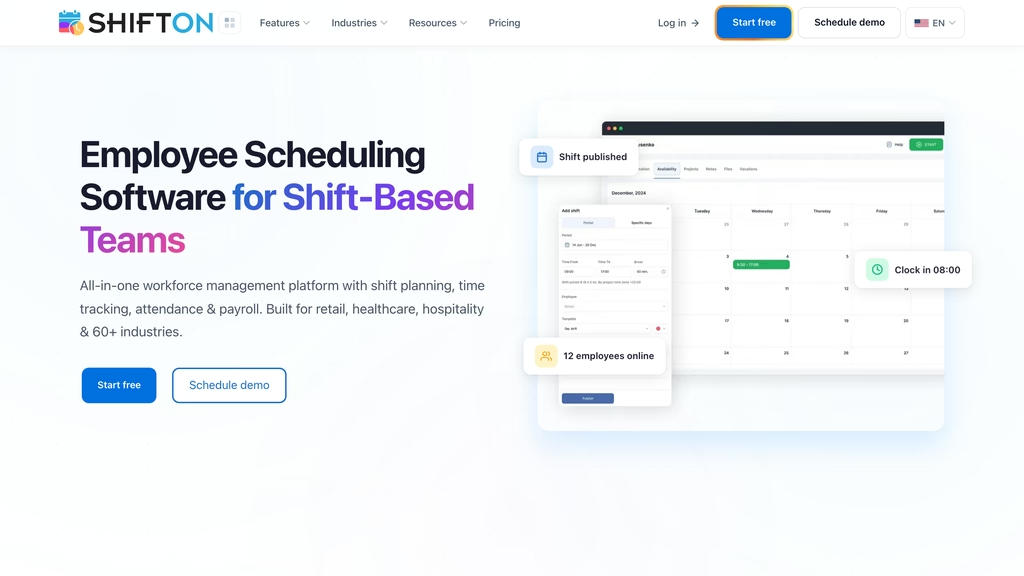
- Planned against actual clock-in and clock-out for shifts and breaks
- Normal and overtime hours in the Employee working hours report
- Payroll-ready export files for QuickBooks, Xero or ADP, plus a QuickBooks Online integration
- Annual billing saves 20%
Best for: a weekly shift schedule where every clock-in is checked against the planned shift. Look elsewhere if the business needs a PIN pad or a shared tablet at the entrance.
Take payroll hours from the schedule, not a spreadsheet
Shifton records each clock-in against the planned shift and reports normal and overtime hours, ready for the payroll file.
Buddy Punch
Every Buddy Punch tier carries rounding and overtime. The pricing table ticks Punch Rounding, described as "Round punches to the nearest minute or interval", and Automatic Overtime Calculations on Starter, Pro and Advanced alike, and the features list adds that punches can be rounded up or down automatically.
On annual billing Starter costs $4.99 per user a month, Pro $6.99 and Advanced $12.99; monthly billing raises them to $5.99, $7.99 and $13.99. Each tier adds a $19 base fee per month, and annual billing saves up to 18%. There is no free plan: the FAQ says every tier is paid after the trial, which runs 14 days without a card.
Buddy Punch calls its payroll export report "the report most businesses use to run payroll". It separates regular, overtime, double-time and PTO hours, exports to Excel, and sits beside ready integrations with more than 20 payroll providers, Gusto, Paychex Flex and QuickBooks Online among them. PIN and kiosk punches, QR code scanning, geofences, offline mode and break compliance start on Pro. Real-time GPS is a $2 per user add-on, included in Advanced, and Buddy Punch's own payroll costs $8 per user a month plus a $49 base fee.
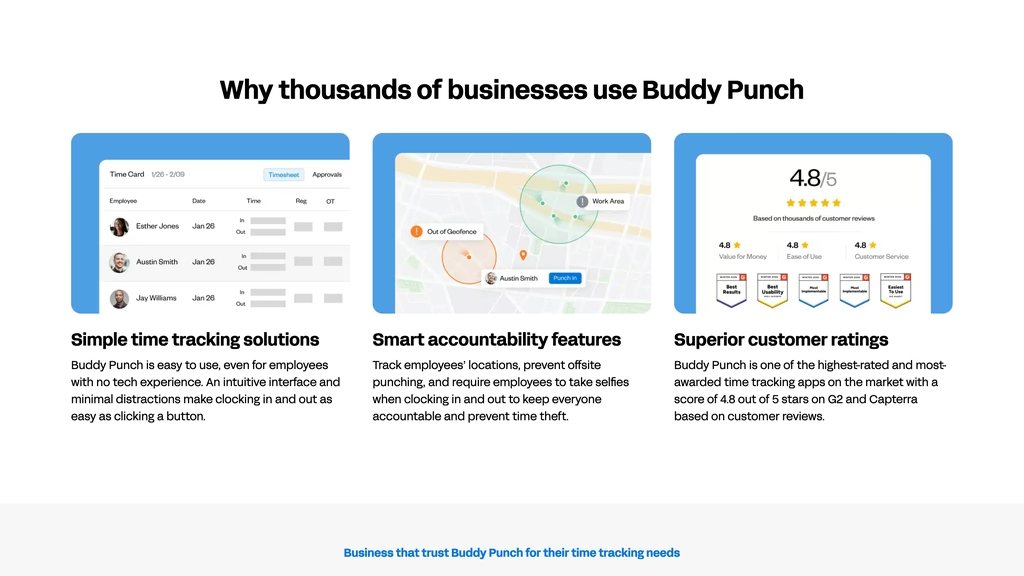
- Punch Rounding and Automatic Overtime Calculations on all three tiers
- Payroll export report with regular, overtime, double-time and PTO hours
- Tablet kiosk, PIN and QR code punches from Pro
Best for: rounding rules set once and a payroll file nobody has to rework. The $19 base fee is 43% of a five-person Starter bill ($43.95 a month) and 11% at 30 people ($168.70).
OnTheClock
Rounding comes at the $4 price. "Time Sheet Rounding Rules" is ticked in the pricing grid under both Time & Scheduling, the $4 tier, and Enterprise, the tier for businesses with more than 100 employees, which has no published price. Overtime tracking and calculations, the kiosk, GPS, geofencing and payroll integrations carry ticks in both columns too, and the same grid lists a Biometric Fingerprint Time Clock.
OnTheClock publishes a single price, $4 per employee a month plus a $5 base fee, billed monthly after a free 30-day trial, with no annual option and no free plan. Clock-in works from desktop, the mobile app, a web browser or a kiosk. OnTheClock Payroll is a separate product at $6 per employee a month plus a $40 base fee, with a required one-time migration and onboarding fee of $250.
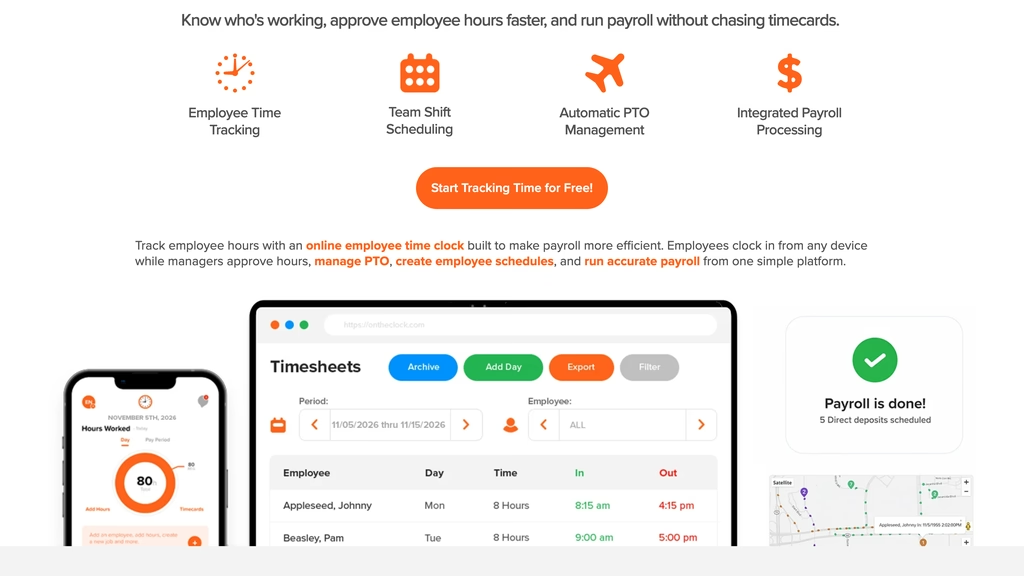
- Time Sheet Rounding Rules and overtime calculations at $4 a head
- Kiosk, desktop, web and mobile clock-in at the standard price
Best for: teams under 100 people that need rounding and overtime printed on the price grid at the lowest 15-person bill among the vendors that print both, $65 a month.
QuickBooks Time
A QuickBooks Online account is required to use QuickBooks Time, per Intuit's pricing, so the product fits businesses already on QuickBooks Online.
Time Premium has a regular base price of $20 a month plus $10 per user a month, with one admin included. Time Elite is $40 a month plus $12 per user. On October 26, 2026 Intuit was running a promotion that showed the base at $10 and $20 for the first three months; those are promotional figures, not the regular rate. The free trial applies to the monthly base price for the first 30 days, and there is no free plan. The QuickBooks Online subscription is a separate cost on top.
A Time kiosk is included in both Time tiers. Intuit lists geofencing only in the QuickBooks Workforce Elite bundle and does not mention overtime at all. A footnote saying time tracking is available only in Workforce Premium and Elite sits awkwardly beside the separate Time tiers, so confirm what is included with Intuit before buying.
- Time kiosk in Time Premium and Time Elite
- One admin included in Time Premium
- 30-day free trial on the monthly base price
Best for: businesses whose payroll already runs in QuickBooks, so the hours land in the same account.
Homebase
$0 buys one location with up to 10 employees on Homebase Basic, and staff can clock in on tablets, computers and POS devices. Homebase prices per location rather than per employee, which changes the math for a busy single site. Basic stores timesheets for up to 90 days, well short of the two years federal rules set for time cards, so a Basic account has to export regularly.
Essentials costs $30 per location a month, or $24 on annual billing, and it is where the payroll settings start: custom overtime and break preferences, location-based clock-in from the mobile time clock, photos of team members when they clock in on tablets and POS devices, payroll integrations, and timesheet storage for 4+ years. Plus is $70, or $56 on annual billing. All-in-One, at $120 or $96, sends "alerts when employees approach or reach overtime" and can stop people clocking in, or returning from a break, early. A 14-day trial of All-in-One needs no card.
Homebase's own payroll is an add-on at a $49 base fee a month plus $6 per employee paid, or $29 a month for teams of up to 5. Rounding does not appear in Homebase's pricing.
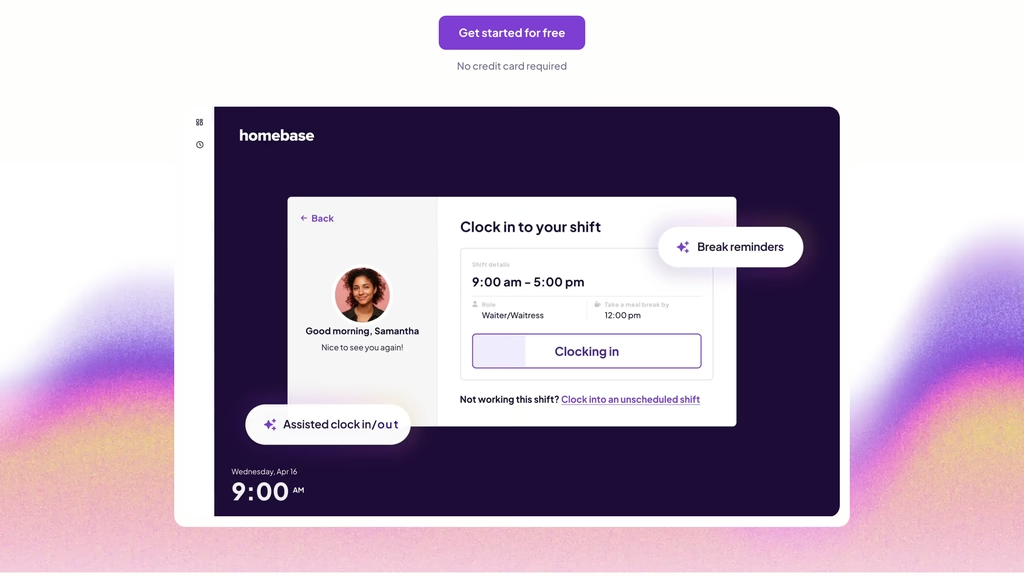
- Clock-in on tablets, computers and POS devices on free Basic
- Overtime and break preferences, plus 4+ years of timesheets, from Essentials
- Overtime alerts and early clock-in blocks on All-in-One
Best for: one restaurant or shop with a POS at the counter. A second address means a second location fee.
Deputy
Deputy's cheapest tier, Lite at $5 per user a month on annual billing, already includes Basic Time Clocking and payroll and HR integrations, and the comparison table ticks clock-in apps and geofencing on Lite, Core and Pro. Biometric time clocking and auto-approvals start on Core.
Annual billing saves 10%: Core is $6.50 and Pro $9, in US dollars excluding taxes. Monthly billing makes them $5.50, $7.25 and $10, and since September 1, 2025 monthly invoices on Lite, Core and Pro carry a minimum spend of $30, so five people on monthly Lite pay $30, not $27.50. Lite and Core offer a free trial of unstated length, and Pro is sold through sales. Payroll by Paycor costs $8 per user a month plus a $49 base fee a month in the US, on annual Core or Pro. Deputy's pricing mentions neither overtime nor rounding.
Best for: geofenced clock-in at Deputy's lowest price, with biometrics one tier up on Core.
When I Work
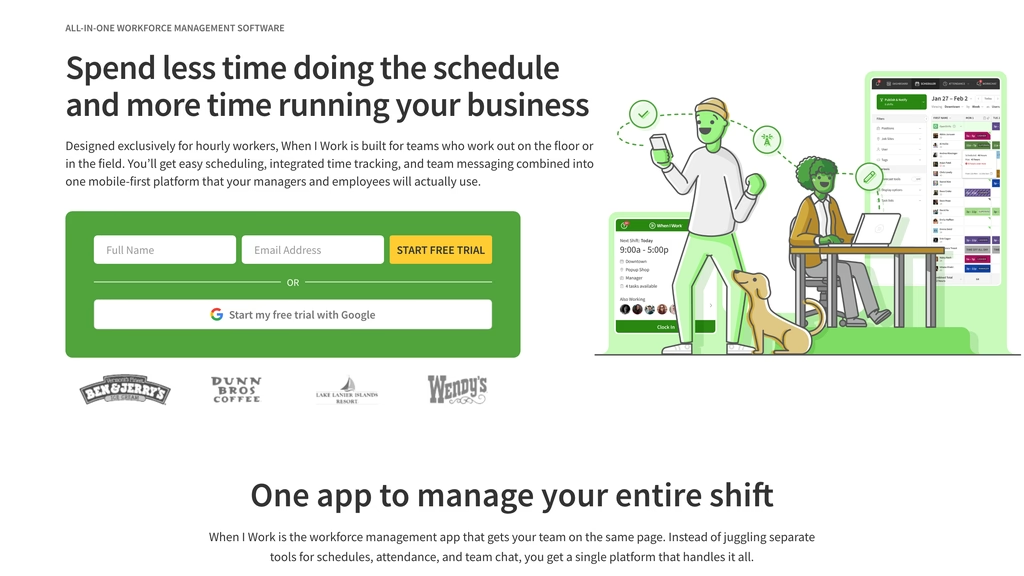
When I Work's pricing FAQ says every plan includes employee scheduling, time and attendance software and team messaging. Pricing starts at $2.50 per user a month for single-location teams and $5 for multi-location businesses. The page does not say whether those rates assume annual billing; it mentions monthly or annual billing and a 14-day trial that needs no card.
On the time clock page, staff can punch from a phone, a tablet or a terminal, and an iPad, POS system or laptop can serve as the clock with no expensive hardware required. Photo clock-ins check identity, GPS captures the location of each punch, geofencing keeps punches to the site, and timesheets carry edit logs. Real-time alerts are meant to flag overtime before it is incurred. Payroll exports integrate with providers the page names as Rippling, ADP and Gusto, and scheduled hours sync against worked hours. The page does not mention rounding rules, so that is a question for sales.
- Time and attendance in every plan, from $2.50 per user a month
- Photo clock-ins, GPS stamps and geofenced punches
- Real-time overtime alerts and timesheet edit logs
Best for: a single-site team that wants schedule and time clock in one app at a low per-head price: $37.50 for 15 people. Get the rounding answer in writing first.
Connecteam
Connecteam puts the time clock in its Operations hub. Operations Basic costs $29 a month paid annually for the first 30 users, or $35 monthly, and each extra user adds $0.80 or $1.00, so 15 people pay a flat $29. It includes real-time clock in and out with GPS, payroll integration and basic scheduling with open shifts. A free Small Business plan covers up to 10 users, though it leaves payroll integration out, and everyone starts with a 14-day trial without a card.
The time clock page describes overtime handling through pay rates, a daily cap on hours and automatic clock-out, warnings when breaks are missed or overtime limits are reached, and timesheet export to PDF or XLS. Hours sync to payroll providers, with ADP the only one named. A kiosk station turns a shared tablet into a clock, and a PIN or a selfie check discourages buddy punching. Basic stamps the GPS location on each punch; geofences start on Advanced at $49 a month paid annually, with up to 10 sites. The page does not mention rounding.
- Flat $29 a month for the first 30 users, paid annually
- Kiosk station with PIN or selfie checks
- Overtime pay rates, a daily hours cap and automatic clock-out
Best for: teams of 11 to 30 that want one flat monthly price with a kiosk. Rounding is not on the page.
Clockify
Clockify prints rounding and overtime on its Standard tier. The pricing page lists Rounding and Attendance & overtime under Standard at $5.49 per seat a month paid annually, or $6.99 monthly, next to time off, approvals, lock time, a QuickBooks integration, a customizable kiosk and a kiosk QR code. Basic at $3.99 ($4.99 monthly) adds the kiosk and breaks, and Pro at $7.99 ($9.99 monthly) adds scheduling, GPS tracking and kiosk photo capture.
The free plan covers up to 5 users with unlimited tracking, a timer, timesheets and reports, but not rounding or overtime. Paying annually takes 20% off, a seat is any active or invited user on a paid plan, and a 7-day trial of all Pro features needs no card. Kiosk-only users are priced separately: $1.19 per seat a month on Standard paid annually, against $5.49 for a full seat. Clockify is a time tracker first, so scheduling arrives only on Pro.
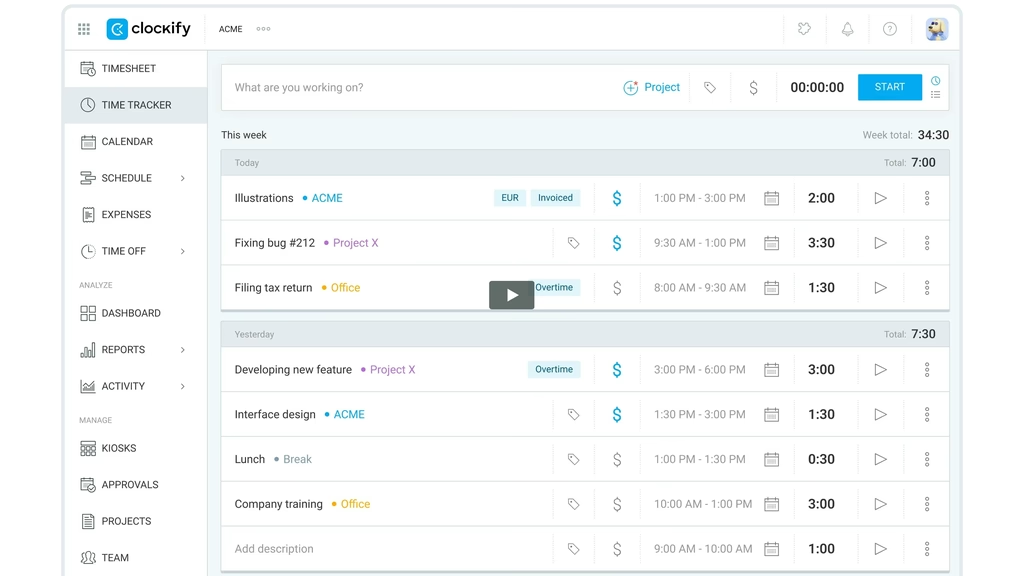
- Rounding and Attendance & overtime from Standard at $5.49 per seat
- Kiosk on Basic, kiosk QR code and customization on Standard
- Free plan for up to 5 users
Best for: a team that wants rounding and overtime rules at a per-seat price: 15 people on Standard pay $82.35 a month when paid annually.
Time Clock Wizard
No user cap on a free plan: among the ten, only Time Clock Wizard offers that. Its free plan is billed as "Basic employee time tracking for unlimited users...and FREE!", and paid plans are priced by headcount band rather than per head.
Value costs $29.95 a month on annual payments or $34.95 monthly, with no headcount limit. Pro runs to 50 users in four bands, on annual payments $49.95 for 1-10, $79.95 for 11-20, $89.95 for 21-30 and $109.95 for 31-50, with monthly payments $5 to $10 higher. Enterprise is $219.95 annual or $249.95 monthly. All plans have a 14-day trial without a card.
Time Clock Wizard does not split its feature list by tier. It names photo capture at clock-in, a GPS employee locator, clock-in location restrictions by IP or device, payroll reporting and PTO accruals. Rounding, overtime, a kiosk and payroll export are not mentioned, so which of them exist, and where, is a question for sales.
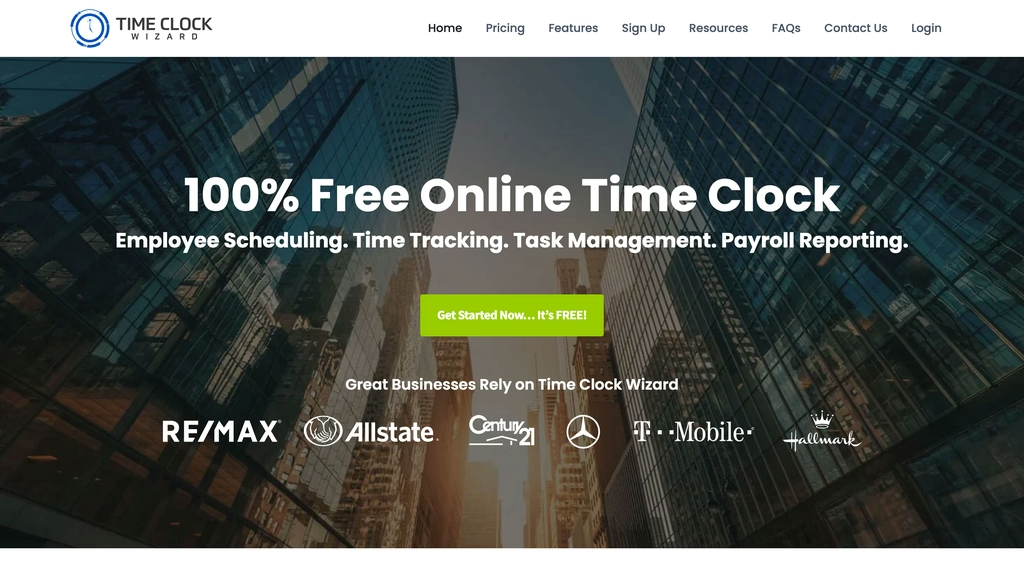
- Free plan for unlimited users
- Band pricing: a team of 15 falls in the Pro 11-20 band
- Photo capture and IP or device restrictions at clock-in
Best for: a zero budget. Get the rounding and overtime answers in writing before paying.
Compare
Prices checked on October 26, 2026 on each vendor's pricing page. Annual billing where the vendor offers it, monthly in brackets; rates are per user or per employee a month. "Not on page" means the pricing page is silent.
| Software | Free plan | Paid from | Punch rounding | Overtime | Payroll handoff | Kiosk or shared device |
|---|---|---|---|---|---|---|
| Shifton | Up to 10 employees, scheduling only, no clock-in | Attendance $1 plus the $1 Basic functions charge, monthly (annual saves 20%) | Not in the module list | Overtime and night-hours control; normal and overtime hours report $0.50 | Payroll-ready files for QuickBooks, Xero, ADP; QuickBooks Online integration | No - mobile app and web |
| Buddy Punch | None; 14-day trial | $4.99 plus $19 base ($5.99 monthly) | All plans | Automatic, all plans | Export report with regular, overtime, double-time, PTO; 20+ payroll integrations | From Pro (PIN, QR code) |
| OnTheClock | None; 30-day trial | $4 plus $5 base, monthly only | Yes, $4 plan | Overtime tracking and calculations | Payroll integrations listed | Yes, main plan |
| QuickBooks Time | None; 30-day trial on the base price | $20 base plus $10 (regular price; QuickBooks Online required) | Not on page | Not on page | Inside QuickBooks Online | Time kiosk, both plans |
| Homebase | 1 location, up to 10 employees | $24 per location, Essentials ($30 monthly) | Not on page | Preferences from Essentials; alerts on All-in-One | Payroll integrations from Essentials | Tablets, computers, POS on Basic |
| Deputy | None; trial length not stated | $5 Lite ($5.50 monthly, $30 minimum) | Not on page | Not on page | Payroll and HR integrations on Lite | Clock-in apps; biometrics from Core |
| When I Work | None; 14-day trial | $2.50 per user, single location ($5 for multiple; billing period not stated) | Not on page | Real-time overtime alerts; calculation not named | Rippling, ADP and Gusto named; timesheet export | iPad, POS or laptop as a clock |
| Connecteam | Up to 10 users, no payroll integration; 14-day trial | $29 for the first 30 users, annual ($35 monthly) | Not on page | Overtime pay rates, daily cap, automatic clock-out | Payroll integration from Basic; PDF or XLS export | Kiosk station, all plans |
| Clockify | Up to 5 users, no rounding or overtime; 7-day Pro trial | $5.49 Standard, annual ($6.99 monthly) | Yes, from Standard | Attendance & overtime, from Standard | QuickBooks integration from Standard | Kiosk from Basic; QR code from Standard |
| Time Clock Wizard | Unlimited users, basic tracking | $29.95 Value, unlimited users ($34.95 monthly) | Not on page | Not on page | Payroll reporting listed; export not named | Not on page |
Buddy Punch prints rounding and automatic overtime on all three plans, OnTheClock on its only published plan, and Clockify from its Standard tier. The other seven vendors, Shifton included, do not mention rounding on their pricing pages.
How Much Does Employee Time Clock Software Cost for 15 Employees?
For a team of 15, the monthly bill runs from $24 at Homebase Essentials on annual billing to $170 at QuickBooks Time Premium at its regular price. Connecteam Basic costs $29, Shifton with the Attendance module $30, OnTheClock $65 and Deputy Lite $75. On a per-head time clock platform the bill grows with every hire; Homebase, Connecteam and Time Clock Wizard charge the same for the 15th employee as for the 11th.
| Plan | 15 people, per month | Arithmetic |
|---|---|---|
| Homebase Essentials, annual | $24 | One location, headcount not counted ($30 monthly) |
| Connecteam Operations Basic, annual | $29 | Flat price for the first 30 users ($35 monthly) |
| Time Clock Wizard Value, annual | $29.95 | Unlimited users ($34.95 monthly) |
| Shifton, Attendance, monthly | $30 | ($1 Basic functions + $1 Attendance) × 15 |
| When I Work, single location | $37.50 | $2.50 × 15 (billing period not stated; $75 for multiple locations) |
| Shifton, Attendance + Employee working hours + Payroll, monthly | $45 | ($1 + $1 + $0.50 + $0.50) × 15 |
| OnTheClock | $65 | $4 × 15 + $5 base fee |
| Deputy Lite, annual | $75 | $5 × 15 ($82.50 monthly) |
| Time Clock Wizard Pro, 11-20 users, annual | $79.95 | Flat band price ($84.95 monthly) |
| Clockify Standard, annual | $82.35 | $5.49 × 15 ($104.85 monthly) |
| Buddy Punch Starter, annual | $93.85 | $4.99 × 15 + $19 base fee ($108.85 monthly) |
| Shifton, Attendance + Work location control, monthly | $105 | ($1 + $1 + $5) × 15 |
| Buddy Punch Pro, annual | $123.85 | $6.99 × 15 + $19 base fee ($138.85 monthly) |
| QuickBooks Time Premium, regular price | $170 | $20 base + $10 × 15, plus the QuickBooks Online subscription |
Prices checked on October 26, 2026. One location, no add-ons beyond those named in the row.
Homebase Essentials, Connecteam Basic and Time Clock Wizard Value are the lowest figures, yet none of the three pricing pages mentions rounding, and Time Clock Wizard does not say which features sit in Value. Shifton's $30 covers clock-in against the schedule; the overtime report and gross pay figures are the $45 row. Annual billing takes 20% off Shifton's rates, which would bring $30 to $24. With rounding and overtime printed on the plan, the lowest row is OnTheClock at $65, followed by Clockify Standard at $82.35 and Buddy Punch Starter at $93.85. QuickBooks Time is the most expensive row before the QuickBooks Online subscription is even counted, which only makes sense for a business that pays for QuickBooks Online anyway. Small teams should also check the floors: Deputy's monthly plans bill at least $30 per invoice, and Buddy Punch's $19 base fee is about a fifth of the Starter bill at 15 people ($19 of $93.85).
How to Choose a Time Clock App That Feeds Payroll
Start from the payroll provider. If payroll runs in QuickBooks Online, QuickBooks Time works inside it and the others have to export into it; among those, Buddy Punch lists integrations with more than 20 providers. Shifton's payroll export produces files formatted for QuickBooks, Xero or ADP and pairs them with a QuickBooks Online integration.
Ask for the rounding rule in writing. Only Buddy Punch, OnTheClock and Clockify (from Standard) print it on their plans; everywhere else it is a question for sales. Shifton's module list does not include a rounding setting either; what it lists is overtime and night-hours control and the Employee working hours report with normal and overtime hours. If the business rounds today, ask each vendor how its rule handles a punch seven minutes before a shift and a punch eight minutes after it.
Decide where people clock in. A phone or browser punch travels with the employee and suits crews that start at different sites or at home. A shared device at the entrance suits a single site where everyone walks past the same door, and Buddy Punch (from Pro), OnTheClock, QuickBooks Time, Homebase, Connecteam and Clockify all offer one, while When I Work turns an iPad or POS system into a clock. Shifton works from the mobile app and the web, and confirms place with GPS through the $5 Work location control module. For crews whose real question is location, our comparison of GPS time clock apps looks at geofences in more depth.
Wall-mounted clocks and fingerprint or face readers are a separate purchase. Among the vendors here, Deputy names biometric time clocking on its pricing page from Core, and OnTheClock's pricing grid lists a Biometric Fingerprint Time Clock.
Check how long timesheets stay. Homebase Basic stores them for up to 90 days and Essentials for 4+ years. Federal rules ask for two years, so on any plan that keeps less, a scheduled export is part of the setup.
Read the billing line under each price as well: base fees at Buddy Punch and OnTheClock, a monthly minimum at Deputy, per-location pricing at Homebase, a flat price for the first 30 users at Connecteam, per-seat pricing with 20% off annual billing at Clockify, user bands at Time Clock Wizard, and a promotional base at QuickBooks Time.
FLSA Rules for Time Clock Rounding, Overtime and Records
Federal law does not require a time clock. 29 CFR 785.48(a) says it in four words: "Time clocks are not required." What the rules require is an accurate record, and the conditions on rounding and retention apply whatever device takes the punch.
Rounding is allowed on a condition. 29 CFR 785.48(b) accepts "recording the employees' starting time and stopping time to the nearest 5 minutes, or to the nearest one-tenth or quarter of an hour", provided the practice "will not result, over a period of time, in failure to compensate the employees properly." Quarter-hour rounding is what people call the 7 minute rule: a punch up to seven minutes from a quarter mark rounds to it, and one eight or more minutes away rounds to the next. The regulation contains no number 7. A rule that only ever rounds in the employer's favor would, over a period of time, pay people for less than they worked, and that is the outcome the condition rules out.
Overtime under 29 CFR 778.107 is paid at not less than one and one-half times the regular rate. The record behind it, under 29 CFR 516.2(a)(7), lists hours worked each workday and the total for each workweek, so a time clock has to produce both figures.
Retention is set by 29 CFR 516.6(a)(1), which requires employers to preserve for at least 2 years "all basic time and earning cards or sheets on which are entered the daily starting and stopping time". The Department of Labor's Fact Sheet #21 on FLSA recordkeeping adds that employers may use any timekeeping method they choose, and that payroll records are kept for at least three years. A time clock solution that deletes timesheets after 90 days leaves the gap to the employer's own exports.
FAQ
What is the best employee time clock?
Shifton, for a small business that works in shifts. A 15-person team pays $30 a month for clock-in and clock-out: the Attendance module at $1 per employee plus the $1 Basic functions charge, on top of a schedule that is free for up to 10 employees. When rounding and automatic overtime must be printed on every plan, Buddy Punch; for both at the lowest 15-person bill, OnTheClock at $65; with no budget at all, Time Clock Wizard.
What is the 7 minute rule for clocking in?
Quarter-hour rounding under 29 CFR 785.48(b): a punch at 8:07 counts as 8:00 and one at 8:08 as 8:15, because 7 minutes is the last whole minute before the midpoint of a 15-minute interval. The same section also allows rounding to the nearest 5 minutes or tenth of an hour. The name is informal; what the regulation demands is that rounding not underpay employees over a period of time.
How do I keep track of my employees' hours?
Pick one place where every shift's start and stop is recorded, whether a phone app, a shared tablet or a paper card, and total the hours by day and by week. Federal rules accept any timekeeping method that is complete and accurate. Software adds overtime totals and a payroll export; whatever the method, keep the time cards for at least 2 years.
What is the best app for clocking employees' time?
It depends on where people clock in. For phone and web clock-in checked against a shift schedule, Shifton. For one shared tablet at the entrance, Buddy Punch from its Pro plan, OnTheClock, which lists a kiosk on its main plan, Connecteam, whose kiosk station is on every plan, or Clockify, with a kiosk from Basic. For a business that already runs its books in QuickBooks Online, QuickBooks Time.
How much does QuickBooks time cost per month?
At the regular price, 15 users on Time Premium cost $170 a month: a $20 base plus $10 per user. Time Elite is $40 plus $12 per user. When prices were checked on October 26, 2026, Intuit was discounting the two bases to $10 and $20 for the first three months. The QuickBooks Online account that QuickBooks Time requires is billed separately.
Which employee time clock software has a free plan?
Time Clock Wizard offers basic employee time tracking for unlimited users. Connecteam is free for up to 10 users, without payroll integration, and Clockify for up to 5, without rounding or overtime. Homebase Basic covers one location with up to 10 employees and stores timesheets for 90 days. Shifton's free plan is scheduling for up to 10 employees; clock-in needs the paid Attendance module.
What is an employee clock?
An employee clock, or time clock, records when each person starts and stops work. It can be a wall unit, a shared tablet or an app on the employee's own phone. Federal rules do not require one, only an accurate record of hours.



Start making changes today!
Optimize processes, improve team management, and increase efficiency.