

Top 7 Employee Management Software Tools: Prices and Free Plans

Every growing company reaches a point where spreadsheets and group chats stop keeping up. Schedules clash, hours go untracked, time-off requests pile up in someone's inbox, and payroll turns into a monthly scramble. Employee management software exists to pull all of that into one place, so the people side of the business runs on a system instead of memory.
This category is broad. Some tools are built around scheduling and attendance for hourly teams, others lean toward HR records and performance, or toward payroll. If you are cross-shopping Connecteam in particular, our Connecteam alternatives narrow the field to seven. This guide compares seven employee management software tools for 2026: what each one does well, what it actually costs, where it falls short, and who it fits. Whether you need a full staff management system, a lightweight people management app, or a platform that ties scheduling to payroll, one of these will cover it.
The differences matter more than the feature lists suggest.
We ranked each employee management tool on real free plans and published pricing, depth of features (scheduling, time tracking, HR, payroll), mobile usability, and how well it scales from a small team to several locations. If your priority is broad team management software rather than pure HR records, that shortlist is a useful companion read.
Shifton is our own product, and we placed it first. Prices and limits were read from each vendor's pricing page on 20 October 2026.
Compare Employee Management Software at a Glance
Start here if you only need the numbers. Each price shows its billing basis, because several vendors quote the yearly rate first.
| Tool | Free plan | Price from | Best for |
|---|---|---|---|
| Shifton | Yes, up to 10 employees | $1/employee/mo for everyone once the team passes 10, modules from $0.50 | Shift and multi-location teams |
| Zoho People | Yes, up to 5 users | $1.25/user/mo billed yearly ($1.50 monthly), 5-user minimum | HR records and onboarding |
| 15Five | No | $4/user/mo, billed yearly | Performance and engagement |
| Homebase | Yes, 1 location and up to 10 employees | $24/location/mo billed yearly ($30 monthly) | Hourly local businesses |
| Sling | Yes, up to 30 users | $1.70/user/mo billed yearly ($2 monthly) | Simple shift scheduling |
| Deputy | No, free trial | $5/user/mo billed yearly ($5.50 monthly), $30/mo minimum on monthly plans | Compliance-aware scheduling |
| Gusto | No | $49/mo + $6/person | Payroll-first US teams |
What to Look for in Employee Management Software
Not every tool fits every team.
The right employee management system depends on where your headaches are. A restaurant owner juggling shifts has different needs than an HR lead running onboarding and reviews. Still, a few things separate a tool worth paying for from one that adds friction:
- Scheduling and time tracking together. The core of most staff management tools is building schedules and capturing hours in the same place. If you mainly need shift coverage, a dedicated employee scheduling software for small business may be enough, but a management platform should also record attendance.
- A mobile app your team will actually open. Frontline staff live on their phones. Clock-ins, shift swaps, and messages have to work from a phone, not a back-office desktop.
- Room to grow. Adding a second location or your fiftieth employee should not force a painful migration. Good employee management apps scale by adding modules, not by starting over.
- Honest pricing. Per-user fees add up fast. A free tier or a low per-employee rate matters more than a long feature list you will never touch.
- The specific job you are hiring it for. Some teams want rosters, some want employee roster apps with swap logic, others need employee evaluation software for reviews. Match the tool to the outcome you actually need.
Quick take: If you manage hourly or shift-based staff, prioritise a tool with a genuine free plan and built-in time tracking. If your focus is HR records and performance, or payroll, weigh the per-employee cost carefully: those platforms bill by headcount and the monthly total climbs quickly.
The 7 Best Employee Management Software Tools for 2026
Here are the seven employee management platforms worth shortlisting this year, starting with the option that balances a real free plan with the widest range of workforce features.
Shifton
Shifton is a workforce management platform built for teams that live and die by the schedule: retail and hospitality, healthcare and logistics, plus security and any other business running shifts across people and places. It combines scheduling, attendance (a paid module), and team management in one system, and it is the rare employee management software that stays genuinely useful on its free plan.
That free plan covers up to 10 employees with no time limit. You get shift scheduling and a shared calendar, shift swaps and open shifts, mobile apps for iOS and Android, and three base reports (budget, minimum hours per week and Employee report). For a small team, that is often the whole job done at zero cost. As you grow, Shifton adds capability through modules rather than forcing you into a pricier bracket. Past 10 employees, or as soon as you switch on a paid module, the basic functions are billed at $1 per employee a month, and each module adds its own price: payroll at $0.50 per employee a month, time-off management at $1, advanced attendance with plan-versus-actual at $1, GPS work-location control at $5, plus lighter modules for bonuses and breaks, and for activity tracking. Paid modules come with a trial of up to 60 days, except Work location control, which has a 10-day trial.
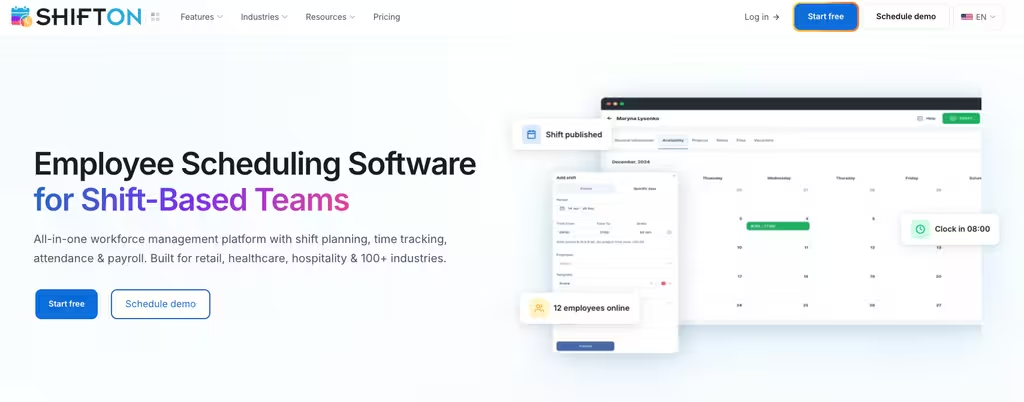
What sets Shifton apart in this list is the modular pricing. Instead of a flat per-seat fee that bundles features you may never use, you switch on exactly what your team needs. Shift scheduling is free for up to 10 employees, and past that you pay $1 per employee for the basics plus the modules you add. That ties the bill to the modules you actually use.
- Free plan for up to 10 employees with no time limit, with scheduling, swaps, and three base reports included
- Modular add-ons so you pay per employee only for payroll, time off, advanced attendance, or GPS location as you need them
- Automatic shift planning that handles swaps, availability, and multi-location coverage
- Real-time time tracking and attendance through the paid Attendance module, feeding payroll and reporting through paid modules
- Native mobile apps so staff manage shifts and swaps from their phones and clock in with the paid Attendance module
Best for: shift-based and multi-location teams that want a free starting point and the option to bolt on payroll, attendance, and location control without switching systems.
Where it falls short: the free plan stops at 10 employees and leaves out attendance, payroll and other paid modules, including GPS work-location control at $5 per employee a month with a 10-day trial.
Run your whole team from one platform
Scheduling for up to 10 employees, then add time tracking, attendance, payroll and more as paid modules only when you need them.
Zoho People
Zoho People is the HR side of the well-known Zoho suite, and it leans toward records and processes rather than shift scheduling. If you want an employee management system that holds the employee database, onboarding, leave, and performance in one HRIS, this is a strong, affordable pick, especially if you already run other Zoho apps.
Zoho keeps a free plan for up to five users, which is unusual for a full HRIS, and paid tiers start low. Essential HR costs $1.25 per user a month billed yearly ($1.50 monthly) and Professional $2 ($2.50 monthly), while Premium and Enterprise add performance management and deeper automation. Every paid plan needs at least five users.
- Free plan for up to 5 users covering core employee records and time off
- Onboarding workflows, document management, and a central employee database
- Leave and attendance with timesheets, plus roster management from the Professional plan
- Performance management from Premium, with the Zia AI assistant from Essential HR
Best for: small and mid-sized teams that want an HR-first people management software at a low per-user price, particularly existing Zoho customers.
Where it falls short: shift rosters only arrive on Professional and performance reviews on Premium, so a team that needs both pays for the upper tiers.
15Five
15Five is a different kind of employee management tool. It is not about clocking hours. It is about developing people. The platform centres on performance reviews and engagement surveys, with goals and manager coaching alongside, which makes it a fit for companies where the priority is retention and growth rather than shift coverage.
There is no free plan here. Pricing is billed annually across three tiers: Engage at $4 per user a month for surveys and engagement, Perform at $11 for reviews and OKRs with 360 feedback, and Total Platform at $16 combining both plus manager microlearning. Add-ons for coaching and compensation sit on top.
- Engagement and pulse surveys with benchmarking and heat maps
- AI-assisted performance reviews, 360 feedback, and a talent matrix
- OKRs, goal tracking, and structured weekly check-ins
- Manager training and coaching content as paid add-ons
Best for: HR and people teams focused on performance management, engagement, and development, not hourly scheduling.
Where it falls short: the pricing page lists no free plan or trial and only yearly billing, and none of its plans includes rosters or a time clock.
Homebase
Homebase is a popular staff management app for hourly teams in retail, food service, and local businesses. It bundles scheduling, a time clock, team messaging, and hiring, and it is well known for a free plan that covers a single location, handy for a first café, shop, or salon getting off spreadsheets.
Homebase's free Basic plan works for one location and up to 10 employees and includes basic scheduling, basic time tracking, and point-of-sale integration. Paid plans are priced per location rather than per user, which can be a bargain for larger teams: Essentials at $24 a month per location billed annually ($30 monthly), Plus at $56 ($70 monthly), and All-in-One at $96 ($120 monthly), each with unlimited employees. Payroll is an add-on at $49 a month plus $6 per employee.
- Free plan for a single location with rotas and time tracking
- Per-location pricing with unlimited employees on paid tiers
- Team messaging, hiring tools, and PTO controls
- HR and compliance features on the top plan, payroll as a paid add-on
Best for: single-location hourly businesses that want a free start, and multi-location operators who prefer paying per site instead of per head.
Where it falls short: the free plan ends at one location and 10 employees, and payroll is never included, even on All-in-One; it costs $49 a month plus $6 per employee paid.
Sling
Sling, part of the Toast family, is a lean scheduling-first tool for shift workers. It handles rosters, time-off requests, and internal communication, and adds time tracking and labor-cost tools on its paid tiers. For teams that want a simple online staff management system without a lot of HR overhead, it is easy to adopt.
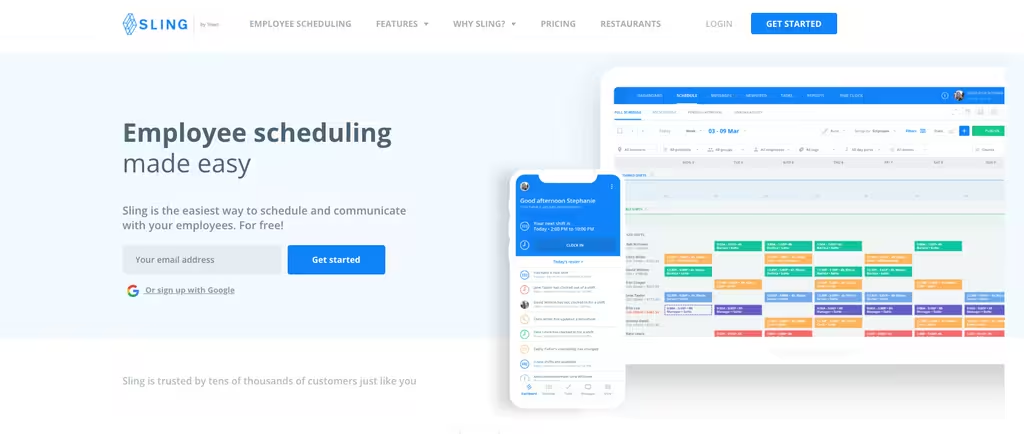
Sling's free tier covers up to 30 users with scheduling, time-off requests, private messaging, and a team newsfeed. Premium adds mobile time tracking, labor-cost tracking, and overtime alerts at $2 per user a month ($1.70 billed annually), while Business adds kiosk time tracking, PTO management, and reporting at $4 per user ($3.40 annually). A 15-day trial covers the paid features.
- A free plan with shift management, time-off requests, and messaging
- Mobile and kiosk time tracking on paid plans
- Labor-cost and overtime controls to keep the wage bill in check
- No-show and PTO tracking on the Business tier
Best for: small shift teams that want a free rota first and can add affordable time tracking later.
Where it falls short: the free plan has no time clock, and kiosk time tracking, PTO management and reports are reserved for the $4 Business tier.
Deputy
Deputy is a well-established workforce management system aimed at scheduling and time tracking, with labor compliance on top. It is a common choice for healthcare and hospitality operators, as well as retailers who need auto-scheduling and want to keep on the right side of break and overtime rules across shifts.
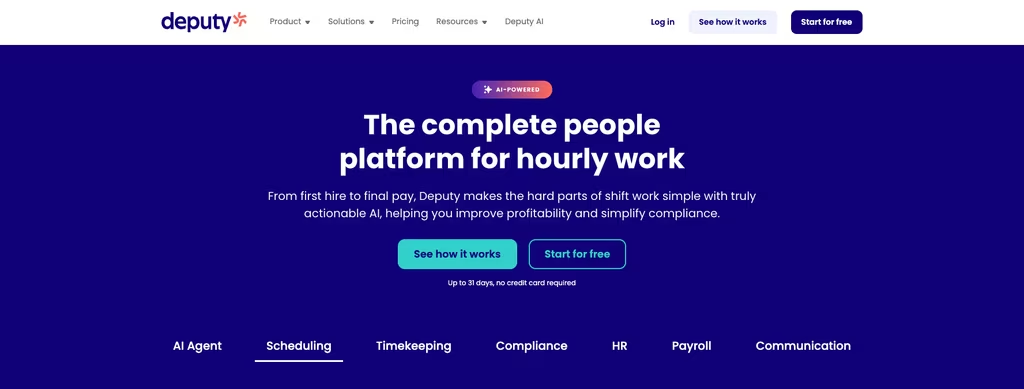
Deputy does not offer a permanent free plan, but there is a free trial. Paid pricing runs per user per month, with annual billing about 10 percent cheaper than monthly and a minimum spend of $30 a month on monthly plans: Lite at $5, Core at $6.50 (the most popular tier), and Pro at $9 billed annually ($5.50, $7.25 and $10 monthly), which folds in advanced analytics and messaging. An HR module is available as a $2 per-user add-on. Scheduling, time clocking, shift swapping, and leave management are included across the plans.
- Auto-scheduling that accounts for availability, skills, and cost
- Time and attendance with labor-compliance guardrails
- Shift swapping, leave management, and team messaging
- Payroll and HR integrations, with an optional HR add-on
Best for: mid-sized shift operations that need compliance-aware rostering and are comfortable paying per user.
Where it falls short: there is no permanent free plan, monthly plans carry a $30 minimum spend, and auto-scheduling starts on Core rather than Lite.
Gusto
Gusto approaches employee management from the payroll end. It is a full-service payroll and benefits platform with hiring and onboarding plus HR tools layered on, popular with US small businesses that want payroll and taxes handled in one place, benefits included rather than a rota app.
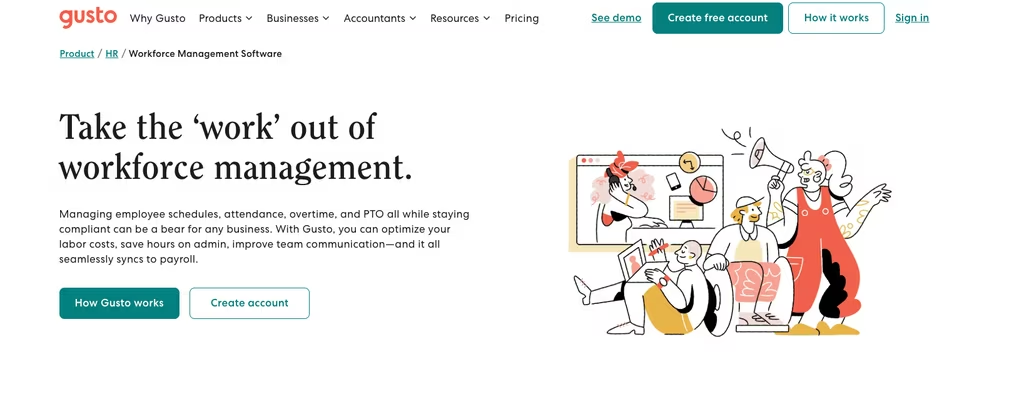
There is no free plan. Gusto charges a monthly base fee plus a per-person rate: Simple at $49 a month plus $6 per person, Plus at $80 plus $12, and Premium at $180 plus $22. A Solo plan for owner-operators who also pay contractors runs $49 a month plus $6 per person. Time tracking arrives on the Plus tier and up.
- Full-service payroll with automatic tax filing
- Benefits administration: health, 401(k), and more
- Hiring and onboarding, with offer letters
- Time tracking and PTO on higher tiers
Best for: US small businesses that want payroll and benefits at the centre of their people management, with HR tools attached.
Where it falls short: it is built around US payroll, and the Simple plan leaves out time tracking unless you move to Plus ($80 a month plus $12 per person) or pay for the add-on.
How to Choose the Right System for Your Team
Start from the job, not the feature list.
These seven tools solve overlapping but distinct problems, so start from the job you most need done. If your day revolves around who works when, a scheduling-led platform (Shifton, Homebase, Sling, or Deputy) will serve you best, and Homebase covers basic attendance on a free plan, while Shifton scales through paid modules, attendance among them, and Homebase through per-location tiers. If your priority is HR records and process, Zoho People is the affordable HRIS. If it is performance and engagement, 15Five owns that lane. And if payroll is the beating heart of the operation, Gusto is built around it.
Worth knowing: Per-user and per-person pricing looks cheap at a handful of employees and adds up fast at scale. A team of 40 on a $9 per-user plan is $360 a month before add-ons. Modular pricing with a low base rate per employee, where you pay only for the extras you switch on, holds its cost better as you grow.
Which One to Pick, by Team Type
A shortcut for the most common setups. Every match below rests on the plan limits and prices quoted above.
- A shift team of up to 10 people spread over several sites: Shifton, since its free plan covers scheduling, swaps and three base reports, and its pricing page lists unlimited schedules and locations.
- One café, shop or salon with 10 staff or fewer: Homebase Basic, free for a single location and connected to your point-of-sale system.
- A rota for up to 30 people that does not need to clock hours yet: the Sling free plan, with mobile time tracking later from $1.70 per user billed yearly.
- A larger hourly operation with break and overtime rules to respect: Deputy Core at $6.50 per user a month billed yearly, the first Deputy tier with auto-scheduling.
- An HR team that needs records, leave and onboarding: Zoho People from $1.25 per user billed yearly, or 15Five if reviews and engagement surveys come first.
- A US small business where payroll is the main job: Gusto, from $49 a month plus $6 per person.
Frequently Asked Questions
What is the best employee management software in 2026?
It depends on the job you need done. For shift-based and multi-location teams, Shifton leads because it pairs a free plan for up to 10 employees with scheduling, then adds time tracking, attendance, and payroll through paid modules. Zoho People is the strongest HR-first choice, 15Five owns performance and engagement, and Gusto is built for payroll. Match the tool to your main pain point rather than chasing the longest feature list.
Is there free employee management software?
Yes. Shifton offers a free plan for up to 10 employees with no time limit that includes scheduling, swaps, and three base reports; the time clock is a paid module. Zoho People has a free tier for up to five users, Homebase covers a single location of up to 10 employees for free, and Sling has a free scheduling plan. 15Five and Deputy do not offer permanent free plans, and neither does Gusto, though Deputy provides a free trial.
How much does employee management software cost?
Most staff management tools charge per user or per employee each month, typically from around $1.25 to $16, though several offer free plans. Per-location tools like Homebase start near $24 a month per site, and payroll platforms like Gusto charge a base fee plus a per-person rate. Modular tools such as Shifton stay free up to 10 employees while no paid module is on, then bill $1 per employee for the basics plus add-ons like payroll or GPS location control, so you pay only for the modules you switch on.
What features should an employee management system have?
At minimum, look for scheduling, time tracking and attendance, a mobile app for your team, and reporting. Depending on your needs, useful extras include time-off management, payroll (or payroll integration), plus performance reviews and onboarding. The best fit is the platform that covers your core job well without charging for features you will never use.
What is the difference between employee management and HR software?
Employee management software usually centres on day-to-day operations - scheduling and attendance, plus communication for the people actually working shifts. HR software leans toward records and onboarding, with compliance and performance tracked across the employee lifecycle. Many platforms overlap: Shifton and Homebase, like Deputy, start from operations, while Zoho People and Gusto start from HR and payroll. Some teams run one tool for each.


Start making changes today!
Optimize processes, improve team management, and increase efficiency.