

4 Best Free Construction Management Software for Builders in 2026

Most construction teams don’t lose money on materials. They lose it on the gap between what happened on site and what got written down – the timesheet someone filled in from memory on Friday, the change order that never made it back to the office, the crew that showed up to a job that got pushed a day. Paid platforms promise to close that gap, but for a small builder running thin margins, another monthly per-seat bill is a hard sell.
The good news: there is real free construction management software that does the core job without a credit card. This guide compares four tools – Shifton, ClickUp, Fieldwire, and Connecteam – on what their free plans actually include, where each one fits, and where the free tier quietly runs out. Whether you’re looking for a free construction management app for the field, a project management platform for the office, or a simple way to schedule construction crews, one of these will cover the basics. If you are still choosing what kind of contracting business to start, the construction business ideas guide lists the trades worth considering.
We looked at the free plan only: user and project caps, what features are locked behind paid tiers, and how usable each one is on an actual job site – not in a demo. Every price and limit below comes straight from each vendor’s own pricing page as of 2026.
What to Look for in Free Construction Management Software
“Free” covers a lot of ground. A free construction project management tool that caps you at one project is fine for a solo remodeler and useless for a GC juggling five sites. Before you commit a crew to any system, the free tier needs to clear a few bars.
- Real user and project caps – the free plan should hold your actual team and active jobs, not a single trial project. This is where most free construction software for small builders quietly pushes you to upgrade.
- A mobile app workers will use – the office can live in a browser; the crew can’t. If clocking in or checking a task takes more than two taps on a phone, adoption dies in the field.
- Scheduling and task assignment – knowing who is where, on which job, and what they’re meant to be doing. A construction management app that can’t put the right people on the right site isn’t managing much.
- Field-to-office communication – photos, notes, and updates that flow back without a phone call. Construction communication software earns its keep by killing the “wait, which version?” problem.
- Time and labor tracking – even a free construction management app should let you capture hours, because labor is the line item that decides whether a job made money.
No free plan nails all five. The trick is matching the gaps to what your business can live without – for now.
The 4 Best Free Construction Management Software Tools in 2026
We ranked these four by how much real work each free plan does for a construction crew – not by how long the feature list reads in a demo. Shifton leads because its free tier covers the schedule, and the time clock and labor reports are modules you add when a job needs them. The other three each own one job well: ClickUp for office planning, Fieldwire for plans and field markup, and Connecteam for all-in-one crew communication. Read each by the gap you are trying to close, not by the brand.
Shifton
Shifton is built for teams that work in shifts and move between locations – which describes most construction crews better than any office project tool. The free plan covers up to 10 team members with full access to the core features: shift scheduling and a calendar, open shifts and shift swaps, the iOS and Android mobile app, overtime control and three reports. The pricing page also lists unlimited schedules and locations. The time clock is the paid Attendance module. For a small builder or a single crew, that’s a working system on day one, not a stripped trial.
Where Shifton pulls ahead of the general project tools on this list is the field reality. With the paid Attendance module on, workers clock in from the mobile time clock with their phone, the office builds and publishes a shift schedule in minutes and reassigns crews the moment a job slips a day, and the hours that come back can feed the paid payroll module instead of a Friday-afternoon spreadsheet someone fills in from memory. Because the pricing page lists unlimited schedules and locations on the free plan, running three sites or thirty doesn’t change the plan – you add locations, not subscriptions. The whole thing runs in 40 languages across the app, which is the difference between adoption and a stack of paper logs on a mixed crew where not everyone reads English on a small screen. And when a project does need more – advanced labor reports, location tracking, payroll data per period – those arrive as modules you switch on, most with up to 60 days free (10 days for GPS location tracking), rather than a forced jump to a higher per-seat plan you mostly won’t use.
That last part is the quiet advantage. You start free and grow into features, not out of a contract.
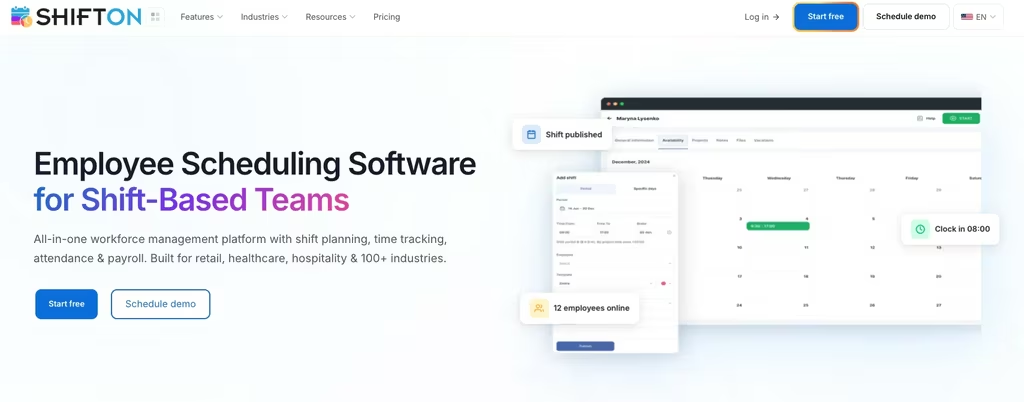
- Crew scheduling: build weekly schedules, assign crews to job sites, and handle shift swaps without a phone tree
- Time clock and attendance: the paid Attendance module ($1 per employee a month, trial up to 60 days) shows real clock-in and clock-out against the planned shifts
- Modular pricing: the base plan is free for up to 10 people and $1 per employee a month after that or once any module is on; add modules like payroll or location tracking only when a project needs them, most with up to 60 days of free access (10 for location tracking)
- Reports: budget, minimum hours and employee reports are free; the working hours report is a paid module ($0.50 per employee a month)
Best for: small builders and contractor crews that want free scheduling, with time and labor tracking as paid modules in the same login – and the room to add more later instead of switching systems.
Run your crews without paying for software you don’t need yet
Shifton’s free plan covers up to 10 workers with scheduling and the mobile app. Add Attendance, payroll and GPS location modules only when a job calls for it.
ClickUp
ClickUp isn’t built for construction, but its Free Forever plan is one of the more generous in project management, and plenty of contractors use it to run the office side – RFIs, submittals, budgets, and task lists – as free construction project management software. The free tier includes unlimited tasks, unlimited free-plan members, collaborative Docs, Kanban boards, sprint management, and a Calendar view, with 60MB of storage and one Form.
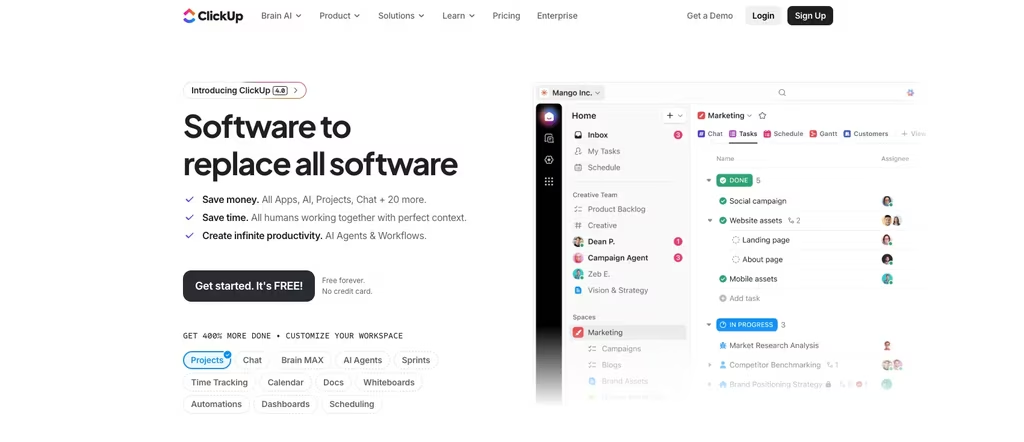
The strength is flexibility. You can shape ClickUp into a punch-list tracker, a project timeline, or a document hub, and the unlimited-member free plan means the whole office can collaborate without a bill. The catch is that 60MB of storage fills fast once you’re attaching site photos and PDFs, and there’s nothing construction-specific out of the box – no plan markup, no field-first mobile flow. It’s a strong general project management platform that you adapt to construction, not a construction project management application that already knows the workflow.
Best for: office-side planning and document collaboration where the team is comfortable building their own structure. When the free storage runs out, the Core plan starts at $9 per user per month billed yearly.
Fieldwire
Fieldwire (now part of Hilti) is the most construction-native tool here. It’s built around plans and the field: viewing drawings, marking up sheets, assigning tasks tied to a location on the plan, and tracking punch lists. If your problem is the field-to-plan gap – the foreman working off a marked-up PDF that’s three revisions old – this is the free construction project management app that targets it directly.

The free Basic plan covers up to 5 users, 3 projects, and 100 sheets at no cost. For a small crew on one or two active jobs, that’s genuinely workable. The ceiling is the project and user count: a growing GC hits the 3-project wall quickly, and the next step is the Pro plan at $39 per user per month billed annually – a real jump. Fieldwire is the right call when sheet management and plan-based task tracking are the core need, and you can live inside the free caps.
Best for: field crews and subcontractors who work off drawings and need plan markup, punch lists, and task tracking more than scheduling or payroll.
Connecteam
Connecteam is a deskless-workforce platform, not a construction tool specifically, but its free Small Business plan is unusually complete: it’s free for up to 10 users with access to all features across its Operations, Communications, and HR hubs. For a 10-person crew, that bundles scheduling, a time clock, digital forms, and team chat into one app – useful breadth for general contractor work where safety checklists and crew messaging matter as much as the schedule.
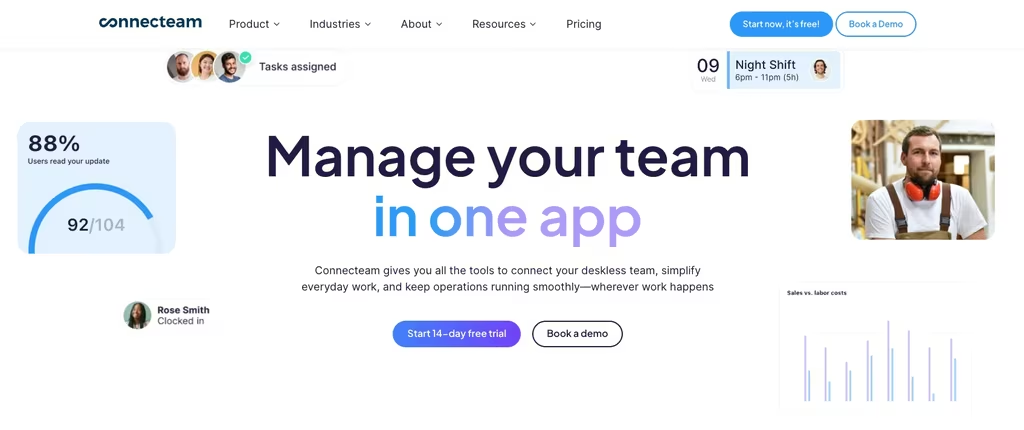
The hard line is the user cap. Connecteam’s free plan is all-or-nothing at 10 users – cross that and you move to paid, where the Operations Hub Basic plan starts at $29 per month billed yearly ($35 monthly) for the first 30 users plus $0.8 per additional user ($1.0 monthly). The platform is broad rather than construction-deep: no plan markup, no job costing tied to drawings. But for a small builder who wants scheduling, time, forms, and communication in one free app, the breadth is the draw.
Best for: small general contractors who value all-in-one communication, forms, and scheduling for a crew of 10 or fewer.
How the Free Plans Compare on Cost and Limits
The word “free” hides very different ceilings. Here’s where each plan caps out and what the first paid step costs, so you can see which free construction management app fits your crew before the upgrade prompt shows up:
- Shifton: free for up to 10 team members, then $1 per employee a month for everyone, or as soon as any module is on. Paid modules are added per employee through the pricing calculator, most with up to 60 days free (GPS 10 days)
- ClickUp: free for unlimited members but 60MB storage and 1 Form. Core plan from $9/user/month billed yearly
- Fieldwire: free for 5 users, 3 projects, 100 sheets. Pro plan $39/user/month billed annually
- Connecteam: free for up to 10 users with all features. Operations Hub Basic from $29/month billed yearly for the first 30 users, then $0.8/user
For crews that grow past the free tier, the per-seat math diverges fast – which is why a modular model that only charges for what a job needs ages better than a flat per-user jump. If labor cost is your real pain point, our breakdown of construction payroll software goes deeper on getting hours to paychecks accurately.
Which Free Construction App Fits Your Team
The right pick depends less on feature counts and more on what’s costing you time right now.
If the daily fire is crews, shifts, and hours – who’s on which site and whether their time is captured – Shifton is the most usable free construction management software for the scheduling side of that job, because scheduling is free for up to 10 people, and the time clock and labor reports are modules you add per employee.
If your bottleneck is office planning and documents and you have someone willing to build the structure, ClickUp turns into capable free construction project management software for RFIs, budgets, and task lists.
If the gap is plans and the field – drawings, markups, punch lists – Fieldwire is purpose-built, as long as one or two active projects fit inside the free caps.
And if you want everything in one app for a small crew – schedule, chat, forms, time – Connecteam bundles it free up to 10 users. Many small builders end up pairing a field tool with a crew tool; there’s no rule that says one free construction management app has to do all of it.
Related read:Contractor scheduling software for outsourced crews – if you run subcontracted or rotating teams, here’s how to keep the schedule from falling apart.
How Free Construction Management Software Works on the Job Site
The mechanics of software for construction crews are simpler than the category makes them sound. A worker opens the app on their phone, sees the schedule, and clocks in on arrival at the site. The system records the hours and, if the tool supports it, the location. Tasks for the day are already assigned. Nobody stands around waiting for a text.
Through the day, the crew updates task status, logs notes or photos against a job, and flags anything that needs the office. Plan-based tools like Fieldwire tie those updates to a spot on the drawing; crew-based tools like Shifton and Connecteam tie them to a person and a shift. At the end of the period the office reviews hours and task progress in a dashboard, already tallied and ready to push into payroll or invoicing.
That’s the whole pitch, minus the marketing.
That loop, from schedule to clock-out to paycheck, is where the accuracy comes from. The errors in construction labor budgets almost always originate in the manual handoff – the paper timesheet, the verbal change, the number re-keyed from a photo. For crews where billable hours are the whole margin, a purpose-built time tracking app for contractors tightens that loop even further. A free construction project tracking tool removes the handoff, which is most of the battle even before you pay for a single advanced feature.
Mistakes Builders Make When Choosing Free Construction Software
Treating “free” as one thing. A free plan that caps projects at one or three is a different product from one that caps users at ten with unlimited projects. Match the cap to your actual jobs and crew before you migrate anyone. The wrong cap turns free construction management software into a two-week trial you didn’t know you signed up for.
Buying office software for a field problem. A general project management platform can technically hold construction tasks, but if your real issue is crews clocking in across multiple sites, you’ll build spreadsheet workarounds that defeat the point. Pick the tool that already speaks your workflow – field, plans, or crews.
Ignoring crew adoption. The best feature set is worthless if the crew won’t open the app. Test the mobile experience with two or three workers before rolling it out. If clocking in or checking a task isn’t near-instant on a phone, it won’t stick on a job site.
Forgetting the upgrade cliff. Every free plan ends somewhere. Before you commit, look at what the first paid tier costs and whether it scales in steps or in one jump – a $39-per-seat leap lands very differently than adding a single module when one project needs it.
Compare the Best Free Construction Management Software at a Glance
| Tool | Free plan | First paid tier | Best for |
|---|---|---|---|
| Shifton | Up to 10 users; scheduling, mobile app, three reports | Modules added per employee (calculator) | Crew scheduling, time, and labor |
| ClickUp | Unlimited members, 60MB storage, 1 Form | $9/user/mo (billed yearly) | Office planning and documents |
| Fieldwire | 5 users, 3 projects, 100 sheets | $39/user/mo (billed annually) | Plans, markups, punch lists |
| Connecteam | Up to 10 users, all features | $29/mo billed yearly, first 30 users + $0.8/user | All-in-one for small crews |
FAQ
Is there genuinely free construction management software, or just trials?
Yes, several are free-forever, not trials. Shifton is free for up to 10 team members, ClickUp and Connecteam both have free plans (ClickUp for unlimited members, Connecteam for up to 10 users), and Fieldwire’s Basic plan is free for 5 users and 3 projects. The limits differ – some cap users, some cap projects or storage – but none of these are time-limited trials.
What’s the best free construction management app for a small builder?
It depends on your main pain. For scheduling crews, Shifton’s free plan is a strong start because the pricing page lists unlimited schedules and locations; tracking hours adds the paid Attendance module. For plan and drawing work, Fieldwire is purpose-built. For office task and document management, ClickUp’s free tier is hard to beat. Many small builders run two free tools rather than forcing one to do everything.
Can free construction software handle multiple job sites?
Some can. Shifton’s pricing page lists unlimited schedules and locations on the free plan, so multiple sites don’t cost extra; projects are a separate paid module ($1 a month flat). Fieldwire’s free plan caps you at 3 projects, which limits how many active jobs you can run. ClickUp and Connecteam don’t cap projects but cap storage or users instead. Check the specific limit that matters for how your business is structured.
Do free construction management apps include time tracking and payroll?
Basic time tracking, often yes; full payroll, usually not on the free tier. Shifton sells the time clock as the paid Attendance module ($1 per employee a month, trial up to 60 days) and payroll as another module ($0.50). Connecteam includes a time clock free. ClickUp and Fieldwire focus on tasks and plans rather than labor, so they’re weaker on hours and payroll. If labor cost is your priority, choose a crew-focused tool first.



Start making changes today!
Optimize processes, improve team management, and increase efficiency.