

5 Best Lawn Care Scheduling Software for a Lawn Care Business 2026
- Shifton - best lawn care scheduling and crew management software
- Jobber - all-in-one landscaping CRM, quoting, and invoicing platform
- LMN - landscape business management software with serious estimating
- Service Autopilot - lawn care management software for recurring services
- Yardbook - free lawn care and gardening business software
- Lawn Care Scheduling Software Compared: Prices and Free Plans
- Frequently Asked Questions About Lawn Care Software
This list of lawn care scheduling software is for small lawn care crews, from a solo owner to a few trucks, that need crew scheduling and time tracking rather than a full field-service suite.
Shifton is our product, and we ranked it first. Prices and limits were read from each vendor's pricing page on 6 October 2026.
If you run a lawn care business, software is the difference between a 12-hour day spent chasing crews and a 9-hour day where the crews chase the work. Spreadsheets, group texts and paper invoices stop scaling somewhere around the third truck on the road, and after that the cracks start showing up as missed jobs and slow payments.
The right lawn care software (sometimes spelled lawncare software) puts scheduling, dispatch, time tracking, quotes and invoicing in one place, so crew leaders, office staff and clients look at the same information. Depending on your niche the same tool gets called landscaping business software, lawn maintenance software or lawn service business software. The job is identical.
We compared five tools used by lawn mowing crews, landscaping companies and gardening businesses across the US, and ranked them by what each one does for daily field use rather than by what its marketing pages say. Most of the picks have a mobile lawn care app for the foreman, a desktop view for the office and, in some cases, a customer-facing layer for clients. Costs change, so check the vendor page before buying.
Lawn Care Scheduling Software Compared: Prices and Free Plans
Some of these tools bill per user, some per company, some give you a free tier, and some add a one-time fee on top. The table shows the entry point of each one and how it is billed.
| Tool | Free plan | Price from | Best for |
|---|---|---|---|
| Shifton | Yes, up to 10 employees | Past 10 employees, $1 per employee a month for every employee; paid modules $0.50 to $5 per employee a month | Small crews that need scheduling, with a time clock as a paid module |
| Jobber | No; 14-day trial of the Grow plan | $49 a month (Core, 1 user) on monthly billing; $29 a month billed annually | Quotes, invoicing and payments on one client record |
| LMN | No; demo on request | $297 a month (Starter), plus a one-time onboarding fee | Landscape contractors who bid on estimates |
| Service Autopilot | No; demo on request | $49 a month (Startup) at annual subscription rates, plus a sign-up fee | Recurring routes across several trucks |
| Yardbook | Yes, supported by ads | $0; premium features for larger companies are paid | Solo operators and two-person crews |
How We Picked the Best Lawn Care Business Software
Plenty of tools claim to run a lawn care business. Most of them either started as a generic CRM and bolted on field features, or started as accounting software and bolted on scheduling.
The five we kept were either built for outdoor service crews from day one (software for landscapers, lawn care techs and gardening businesses) or are mature enough to handle real landscaping workflows without a workaround for every other task. A few are full lawn care management systems; others are focused tools you pair with a second product.
We checked each tool against the things that matter to a mowing or landscaping crew on a busy Tuesday:
- Crew scheduling that survives reality: drag-and-drop reschedules, route optimization, and a mobile app a crew leader can use on a 6-inch screen with grass clippings on it
- Quotes and estimates you can build on the property and email before the truck pulls away
- Invoicing and payments, including recurring billing, automated reminders and online card or ACH payments
- Time tracking and GPS: who clocked in where, and whether the crew reached the job before clocking on
- Customer history with notes, photos and old jobs at each property
- Pricing that scales with crew size instead of hiding features behind upgrades
We ordered the list by how well each platform handles the day-to-day work of a small lawn care crew, not by marketing budget.
5 Best Lawn Care Scheduling Software Tools for Small Crews
Shifton - best lawn care scheduling and crew management software
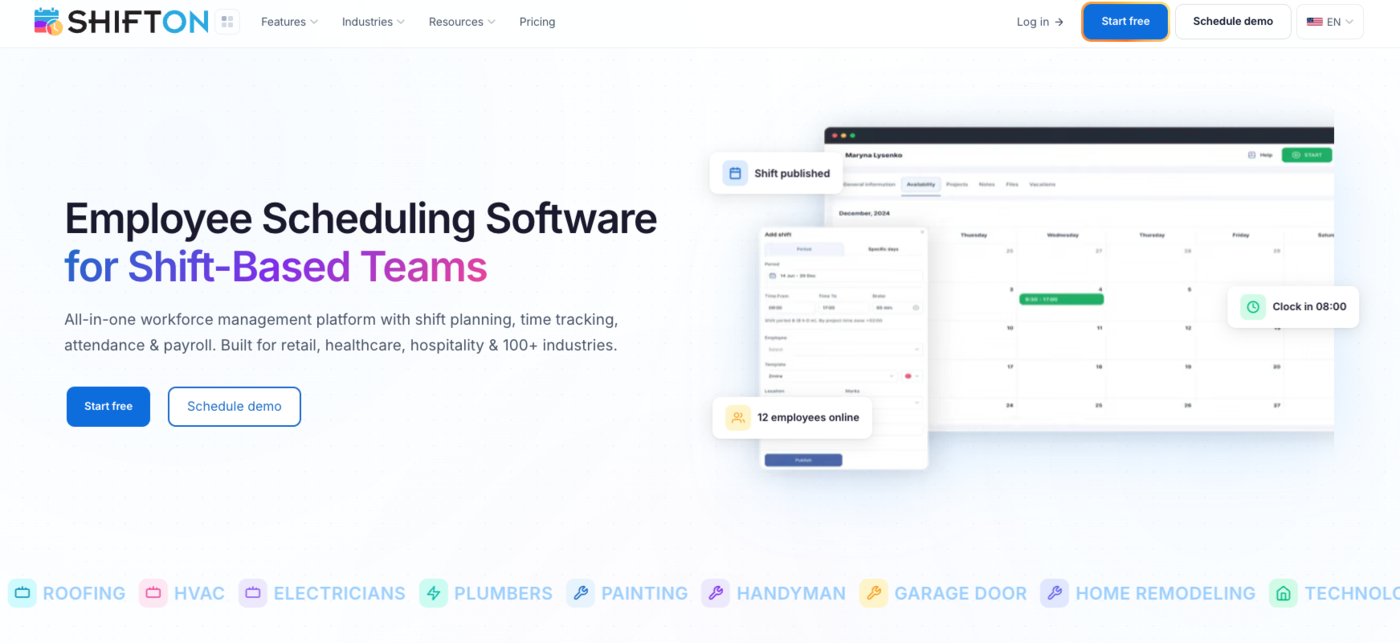
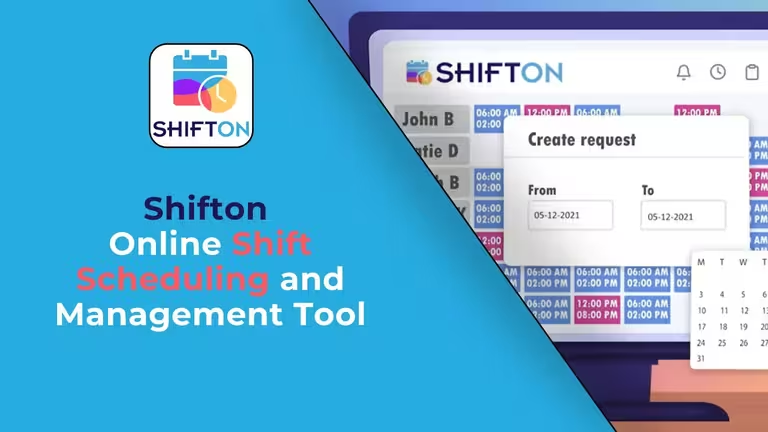
Shifton is workforce management software built for businesses that send people out into the field on a schedule.
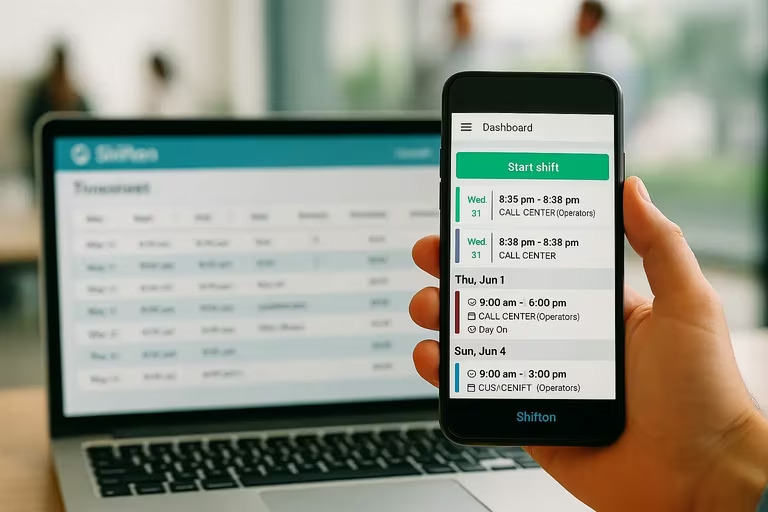
For lawn care, that means a foreman opens the app, sees the day's properties and, with the Attendance add-on, taps to clock in when the truck reaches the curb. The free plan covers up to 10 employees with no time limit while no paid module is on, which is enough for many owner-operators and small crews to run scheduling at zero monthly cost.
Crew scheduling is built with the schedule creation wizard or by hand, and manual editing and open shifts let a manager move a crew member between trucks when someone calls in sick at 6 a.m. Work location control is an add-on that uses GPS to show where the crew was during the shift, which closes the gap between billed hours and actual hours. Crews that also need hours on a clock can compare the free time clock apps, and the best crew management software roundup covers the wider crew picture.
- Shift schedule builder with the creation wizard, manual editing and time zones for crews working across cities
- Mobile time clock through the Attendance add-on on iOS and Android, with GPS location from the Work location add-on
- Task assignment per job (mow, edge, blow, fertilize) comes with Shifton Service, the field service product, free for up to 2 employees
- Payroll module ($0.50 per employee a month) that turns hours and rates into gross salary for each pay period, with an API for connecting other systems
- Reports: budget and minimum hours per week in the base plan, plus the Employee working hours report as an add-on
Pricing. Free for up to 10 employees with scheduling, the mobile app and three basic reports; the time clock is the Attendance add-on. From the 11th employee, every employee is billed $1 a month, and turning on a paid module also turns on that Basic functions charge. Modules stack on top per employee a month: Payroll $0.50, Attendance $1, Work location control with GPS $5. Paid modules come with a free trial of up to 60 days (10 days for Work location control).
A 50-employee operation using scheduling, payroll, attendance and GPS comes to about $375/mo ($7.50 per employee), and the bill grows only with headcount.
Best for: lawn care businesses that bill hourly, run more than one crew, or want GPS-checked time tracking without enterprise pricing. Solo operators with a single helper can stay on the free plan, which makes it a strong free lawn care software for small business.
Where it falls short: GPS location is a paid module at $5 per employee a month with a 10-day trial, and once the team passes 10 employees every employee is billed $1 a month.
Shifton's shift scheduling is the place to start if your schedule still lives in a group chat.
Run your lawn care operation without the spreadsheet juggling
From single-truck setups to multi-fleet operations: build the schedule, publish it weekly, and keep every job on it. A GPS route map of the shift comes with the Work location module ($5 per employee, 10-day trial).
Jobber - all-in-one landscaping CRM, quoting, and invoicing platform
Jobber is an all-in-one app for home service businesses, lawn care and landscaping included. It is built around a customer record: every property, quote, visit, invoice and payment is attached to the same client.
If your bottleneck is the office side (chasing payments, sending estimates, keeping client communication in one searchable thread), Jobber is the platform to look at first.
- Online booking and a quote-to-invoice flow: the client requests a quote on your site, you approve, schedule, complete and bill in one path
- Recurring jobs and visits, so a weekly mowing route or a biweekly fertilizer schedule generates its own visits
- A drag-and-drop calendar and a crew app for the field, with route optimization from the Grow plan
- Card, ACH and automatic payments, plus tipping
- A client hub where customers see quotes, approve work, view invoices and pay
Pricing. On monthly billing with no commitment: Core $49/mo for 1 user, Connect $139/mo (5 users), Grow $199/mo (10 users) and Plus $499/mo (15 users). Billed annually, the same plans are $29, $99, $149 and $399 per mo. Each extra seat is $29/mo, and the 14-day free trial runs on the Grow plan.
Past the included seats, each hire adds $29, so a 15-person crew on Grow pays $145 extra every billing cycle.
Best for: established lawn care companies that already book most of their work, want a polished customer-facing experience, and prefer paying for one tool that does everything decently over three tools that each do one thing well.
Where it falls short: Core includes a single user, and route optimization only starts on Grow ($199/mo without a commitment).
LMN - landscape business management software with serious estimating

LMN was built for landscaping and lawn maintenance contractors, and it shows in the parts of the product most generic tools skip.
The estimating module is the headline feature: you build budgets from real labor and material costs, mark up against a target margin, and the software tells you whether the bid you're about to send is profitable. For larger lawn care companies that bid on commercial properties or full-service landscape contracts, that level of cost detail is the reason LMN gets picked over Jobber.
Complexity is the trade-off. LMN has a steeper learning curve than the all-in-one tools, and the interface feels denser. Crews use the LMN Crew App for time tracking and job notes, with crew-member licenses included in each plan and more available for a fee.
If you're a two-truck operation that mostly mows residential lawns, LMN is probably more software than you need. If you're scaling toward $1M+ in revenue with crews, equipment and bid-driven contracts, the budgeting and estimating tools start to pay for themselves.
Pricing. LMN Starter is $297/mo (1 office/crew lead license and 5 crew member licenses) and LMN Professional is $648/mo (3 office/crew lead licenses and 15 crew member licenses), both after a one-time onboarding fee. Enterprise starts at 100 users and is priced by sales. The pricing page offers demos and lists no free trial.
Best for: landscaping contractors and larger lawn care businesses where accurate estimating and crew time tracking decide whether a season is profitable or break-even.
Where it falls short: the entry plan is $297/mo plus an onboarding fee, and there is no free trial to test it first.
Service Autopilot - lawn care management software for recurring services
Service Autopilot, often shortened to SA, was built around the recurring-service model that defines most lawn care businesses: weekly mowing, biweekly maintenance, monthly fertilization, snow removal in winter.
Its calling card is automation. The Automations workflows, which start on the Pro Plus plan, fire when a job ends, an invoice is paid or a client cancels, and that cuts the dispatch and follow-up admin of a multi-truck operation.
- Scheduling, dispatch, invoicing with integrated payments and expense tracking on every plan
- Route optimization and a dispatch calendar from the Pro plan
- The Service Autopilot mobile app, included in all plans
- Smart Maps, QuickBooks Online two-way sync and the client portal, included in Elite and priced on request below it
Pricing. Startup $49/mo, Pro $199/mo, Pro Plus $499/mo, and Elite on request. All prices are annual subscription rates, and each plan adds a sign-up fee. Startup includes 1 business seat and 1 mobile license.
Best for: lawn care companies running heavy recurring schedules across multiple crews and trucks, where most of the daily work is dispatching the same routes to the same clients on the same cadence.
Where it falls short: the $49 Startup plan has no route optimization, Smart Maps and QuickBooks sync cost extra below Elite, and the listed prices are annual subscription rates.
Yardbook - free lawn care and gardening business software
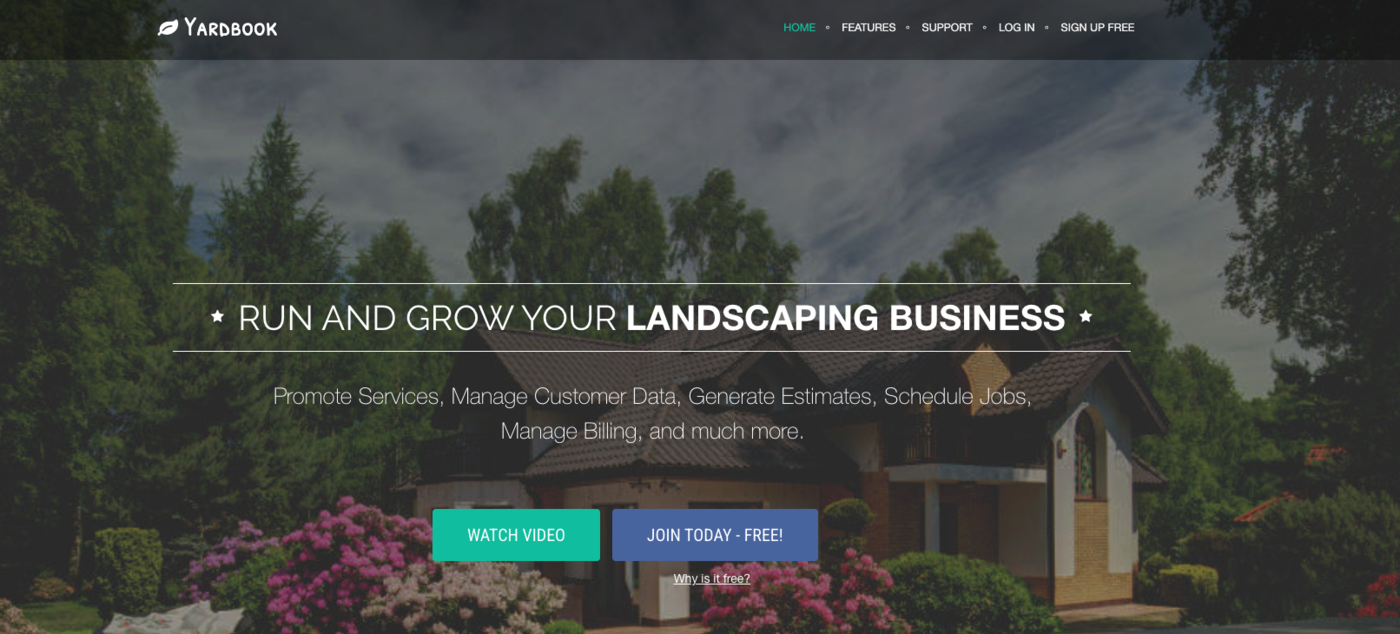
Yardbook is a well-known free option in this space, and for solo operators or two-person crews who haven't outgrown a simple system, it covers a surprising amount of ground.
Customer management, estimates, scheduling, invoicing, expenses, a time clock and chemical application tracking all sit in the free product, which is paid for by sponsored ads. Premium features for larger companies cost extra.
Best for: solo lawn care operators, side hustles and very small crews who want real software but aren't ready to pay a subscription yet. The interface looks dated next to Jobber or Shifton, but the workflows hold up for a 1-2 truck operation.
Where it falls short: the free version runs on ads, and the features larger companies need sit in paid premium tiers.
Types of Lawn Care and Landscaping Software
"Lawn care software" is a catch-all, and the lawn care business apps that fit a solo operator are not the landscaping management software a 40-crew company runs. Before comparing tools, it helps to know which slice you need:
- Scheduling and crew software: lawn care scheduling software and lawn care dispatch software that assigns crews to routes. This is where a lawn care scheduling app, landscaping business scheduling software or lawn maintenance scheduling software lives, and where Shifton fits as crew-first software for lawn care business teams.
- Routing software: lawn care routing software and landscape maintenance routing software that orders stops so trucks waste less fuel and daylight.
- CRM and client software: lawn care CRM for customer history, quotes and follow-ups; Jobber and Service Autopilot lead here.
- Estimating and bidding: lawn care estimate software, lawn care pricing software and lawn care bidding software for quoting jobs; LMN is built around this.
- Invoicing and billing: lawn care invoice software, lawn care billing software and landscaping invoicing software that turns completed jobs into paid invoices.
- Free and all-in-one: free lawn care software and lawn care business management software for operators who want one tool; Yardbook is the popular free pick.
Many owners end up combining two: a lawn care app for scheduling and crews plus a landscaping service software or CRM for billing. The right software for a lawn care business depends on whether your bottleneck today is the field (scheduling, routing, dispatch) or the office (estimates, invoicing, accounting). The five tools above are ranked with that split in mind.
This might interest you:Shifton for lawn service scheduling - how Shifton handles crew schedules and same-day changes when the weather turns.
What Lawn Care Software Should Actually Do for Your Business
Marketing pages all promise the same five or six things, and the demos all run smoothly. The real question is what your operation needs the software to handle without breaking.
Scheduling and dispatch that handles weather and last-minute reroutes
Lawn care schedules don't survive contact with reality.
It rains on a Tuesday, three of Wednesday's lawn mowing properties slide into Thursday, two crews need to swap because one of them is closer to the new starting point, and the whole calendar shifts by lunchtime.
Good lawn care scheduling software supports drag-and-drop rescheduling, batch reassignment to a different crew, and instant notifications to the field so the foreman doesn't show up to a property that was rescheduled an hour ago. Field service route optimization covers the underlying mechanics in more detail.
The same logic applies to a lawn mowing schedule app or a dedicated dispatch system: both should re-route in seconds, not in tabs and copy-paste.
Software either earns its keep on the worst day of the week or it doesn't earn it at all. A Tuesday rainout on a normal week shouldn't take an hour of admin to resolve. A good scheduling system shifts the affected jobs in two clicks, sends the crews a push notification with the new order, updates the customer-facing portal so people who were expecting a Tuesday mow know it's now Thursday, and keeps the route sane so you're not driving across the county to recover. A weak system makes you do all of that manually, twice, and miss two of them anyway. That gap is what you actually pay for, and it shows up when the calendar breaks rather than when it runs smoothly.
Time tracking with GPS and geofencing
Honest crews still benefit from GPS-backed time tracking, because it removes the back-and-forth on whether someone clocked in early or stayed late on a job.
Geofencing, in particular, automates the awkward question of whether the time entry happened on-site. Many lawn care employee time tracking apps now bundle this in, but some lawn care systems still treat GPS as an upgrade you pay extra for.
Quotes, estimates, and bidding without spreadsheets
Estimating software that lives on the foreman's phone or the owner's tablet is the difference between sending a quote that day and sending it three days later when the prospect has already booked someone else.
Look for templates, photo attachment, e-signature, and a clean PDF the client can sign on their phone.
Invoicing, recurring billing, and payment automation
Recurring billing saves more time than almost anything else in lawn care. Once you set up a weekly mowing client on auto-bill, you stop sending the same invoice 26 times a year.
Look for a tool that handles recurring schedules, ACH and card payments, and automated reminders for the few clients who still pay by check.
Customer history, notes, and property details
Less glamorous, but just as useful, is the CRM layer.
Every property has a story: the gate code, the dog that bites, the section of lawn the homeowner doesn't want mowed, the irrigation head you broke last August and replaced. A good landscaping CRM keeps that information attached to the address, not buried in a foreman's text history.
Reporting that tells you which jobs make money
Tools that survive your first scaling crisis are the ones that report on labor cost per job, gross margin per service line, and crew productivity by route.
Not every lawn care reporting tool gets this right. Some all-in-one tools only show top-line revenue without the cost side, which makes the dashboard pretty but not useful.
How to Choose Lawn Care Scheduling Software for Your Crew
Pick the tool that fits the size you are now, not the size you hope to be in three years. Buying a full suite in year one usually means paying for features nobody on the crew opens.
A rough rule of thumb:
- Solo operator or owner plus one helper: Yardbook free, or Shifton free if you want a mobile schedule (the time clock is an add-on)
- 2-5 person crew, mostly mowing residential: Shifton (free up to 10 employees), or Jobber Core/Connect if the customer-facing side matters more than crew control
- Multiple crews, mixed residential and commercial: Jobber Grow, Service Autopilot Pro, or Shifton with the GPS module
- Larger landscaping contractor with bid-driven work: LMN Professional, sometimes paired with a separate scheduling layer
- Heavy recurring services across multiple trucks: Service Autopilot Pro Plus or Shifton with the full module stack
If the bottleneck is the office side (chasing payments, sending quotes, customer communication), lean toward Jobber or Service Autopilot.
If the bottleneck is the field side (dispatch, GPS checks, crew time, payroll accuracy), lean toward Shifton. If it is bid accuracy on commercial work, lean toward LMN.
Pick the bottleneck first, then the tool.
Plenty of owners end up running two tools: one for the customer-facing side and one for crew operations. That's fine, as long as both talk to QuickBooks or export data your accountant can use.
Frequently Asked Questions About Lawn Care Software
What is the best software for a lawn care business?
It depends on what you need it for. For small crews focused on scheduling, Shifton's free plan for up to 10 employees is hard to beat, with time tracking and crew accountability available as paid modules. For established companies that put CRM, quoting and online payments first, Jobber is the common pick. For commercial landscape contractors who bid heavy work, LMN's estimating module is the reason most of them switch.
Is there free lawn care software?
Yes. Shifton is free for up to 10 employees with scheduling, the mobile app and three basic reports; the time clock is an add-on. Yardbook is free and paid for by ads, which suits solo operators and small crews who need basic CRM and invoicing.
How much does lawn care business software cost?
List prices on the vendors' pages run from free to $648 a month. Shifton is free up to 10 employees, then $1 per employee a month plus optional modules. Jobber starts at $49 a month on monthly billing ($29 billed annually). Service Autopilot runs $49 to $499 a month at annual subscription rates plus a sign-up fee. LMN starts at $297 a month for the Starter plan, after a one-time onboarding fee.
What features should I look for in lawn care scheduling software?
Drag-and-drop scheduling, recurring routes, mobile access for crew leaders, GPS-backed time tracking and route optimization. Anything beyond that is nice-to-have. The dealbreakers are usually a clunky mobile app or a scheduling system that can't handle a Tuesday rainout without an hour of admin work.
Can lawn care software replace QuickBooks?
Generally no, and it shouldn't try to. Jobber and Service Autopilot include invoicing and payment processing, but the books still live in your accounting software for tax season, so check how each tool syncs or exports to QuickBooks before you buy.
Do I need separate software for landscaping CRM and crew scheduling?
Many established lawn care companies run two tools, one for customers and one for the field. All-in-one platforms like Jobber try to do both, but specialized tools usually do their core job better. If you're under five employees, one tool is enough. Above that, a CRM-plus-scheduling pairing tends to scale more cleanly.
What is the best scheduling app for a lawn care business?
For field-first operators, the best scheduling app for a lawn care business is one that handles crews, routes and time tracking from a phone. Shifton is our pick as a lawn care scheduling app, with Jobber and Service Autopilot strong if you also want a built-in CRM. Test the crew-side mobile experience before you commit.
Is there separate software for landscaping businesses?
Landscaping business software is largely the same category as lawn care software, and the same tools cover both. Whether you search for landscaping management software, lawn maintenance software or landscaping service software, the five platforms here apply. Larger landscape companies lean on estimating-heavy tools like LMN, while smaller lawn and landscape crews do well with scheduling-first software such as Shifton.


Start making changes today!
Optimize processes, improve team management, and increase efficiency.