

The 11 Best Employee Communication Apps for Deskless Teams in 2026
Most of the world's workforce does not work at a desk, and internal communication tooling was built for the minority that does. Retail floors, hospital wards, warehouses, construction sites and service fleets share one structural problem: the people who most need a message have no company email address, no laptop and no reason to open an intranet. Team communication apps are the category built to reach them.
An employee communication app is software that delivers company messages to staff who have no desk, no company email address and no laptop, usually through a phone app or SMS, with targeting and read tracking a group chat cannot give you. The category now covers three different products filed under one name: chat tools built for channels and threads, internal comms platforms built for announcements and reach reporting, and workforce apps where the message is attached to the shift it belongs to. Buying across categories instead of within one is how companies end up paying for a team communication platform nobody opens. It happens constantly.
This guide compares 11 team communication apps for 2026 on what they do for a distributed, hourly or frontline workforce, and it separates the three categories instead of pretending a chat tool and an internal comms platform are competing for the same budget line. Every free tier, seat cap and price below came off the vendor's own pricing page in September 2026 and were rechecked in October 2026. Where a vendor quotes only on a call, that is what we print, and five of the eleven do exactly that for at least part of their pricing.
Our Top Picks
Eleven apps made the list. Three of them cover most situations.
Connecteam
Best overall for deskless teams that want chat, a company feed and the schedule in one mobile app. Free for life up to 10 users, all hubs included.
Pumble
Best free plan. Unlimited users and unlimited message history at $0, which no other chat tool here matches.
Yourco
Best for workers with no app. Everything runs over SMS from a company number, so nobody downloads anything.
Why trust us?
Shifton is our own product, so we left it out of the ranking and described it in a separate block below the list, using only what its pricing page lists. Better to say that in the opening than let you find it three scrolls down.
The other ten we can defend line by line. Prices, seat caps and free-tier limits were read off each vendor's own pricing page on 3 September 2026, not copied from a rival roundup. Four of these companies publish no prices at all, and we say so instead of printing a number we made up.
How We Ranked These Team Communication Apps
Ranking team communication apps when you sell one of them requires stating the method up front. Five criteria decided the order, weighted toward the frontline case because that is where this category either works or quietly fails.
Reach without corporate IT. Whether a worker with no company email address, no domain account and no company device can be onboarded the same day. Tools that need an IT-provisioned identity scored lower for hourly workforces regardless of how good the product is.
Published pricing. A price you can read without a sales call is worth more than a feature. Vendors that publish per-user rates scored above vendors that quote, and we did not penalise the quote-only ones on quality, only on how hard they are to evaluate.
Targeting and proof of delivery. A company-wide feed with no read data is a noticeboard.
Depth of the free plan. Not whether one exists but what it withholds. A 90-day message history cap and a 10-user ceiling are very different constraints, and both get named in the entries below.
What else it replaces. Communication is rarely the only gap in a frontline operation, and the tools that also carry scheduling, attendance or task assignment cut the number of subscriptions a manager has to defend at budget time. That consolidation is worth more at 40 employees than at 4,000, because a small operator feels every separate licence, while an enterprise has a procurement function whose whole job is absorbing them. We weighted it accordingly, and it is the reason Connecteam, with the schedule and the time clock in the same app as its chat, sits at the top of this list.
Prices, seat caps and free-tier limits were read off each vendor's own pricing page on 3 September 2026. Nothing here is taken from a competitor roundup, and no number was estimated where a vendor declined to publish one.
What Separates a Real Deskless Communication Tool From a Chat App
Most team chat apps were designed for people at desks. That heritage shows the moment you hand one to a warehouse crew or a floor of nurses.
Four things decide whether staff communication tools survive contact with a frontline workforce. Reach comes first: can you get a message to someone who has no company email, no laptop, and possibly no personal smartphone with storage to spare? Then targeting, because a notice meant for the Tuesday night shift at one site should not ping 400 people. Then proof of receipt, since "I never saw it" is the single most expensive sentence in shift work. And finally, whether the message sits next to the work it refers to, or in a separate app the employee has to remember to open.
That last point is where workforce tools pull ahead of pure messaging. If your team's communication breakdowns are mostly about who is working tonight and whether they confirmed, a scheduling platform with built-in messaging closes the loop that a chat app leaves open. Companies running shift patterns across sites usually find the fix in retail workforce scheduling rather than in another group chat.
Access is the criterion that decides rollouts, and it is the one most buying guides skip. There are four ways staff get into these products, and they are not interchangeable. An account tied to a company email address works for office staff and excludes most of a warehouse. A mobile app with a personal phone number or an employee code works for anyone willing to install something, which is the majority but never all of them. SMS from a company number needs no install and no account at all, which is why it survives in fleets and on plants. And an intranet login assumes a browser and a desk.
Get this wrong and the cost lands twice: once on the licence, and again on the IT hours spent provisioning identities for people who will open the app four times a year. The column in the comparison table below states, for each of the 11 apps, how staff actually reach it.
Two more filters worth applying before you shortlist. Cost per head matters more than headline price when half your workforce is part-time, and several tools on this list bill per active employee, not per seat. And auto-translation stops being a nice-to-have the moment your crews speak four languages, which on a construction site or in hospitality is normal.
The 11 Best Employee Communication Apps for 2026
Connecteam
Connecteam is the widest all-in-one employee app for deskless teams, and its communication hub is a genuine product rather than a checkbox. You get personal and group chat, a company feed for announcements, an employee directory, surveys, events and a knowledge base, all in the same mobile app as the time clock and the schedule.
The catch is how it is sold. Connecteam prices per hub, and Operations, Communications, and HR and Skills are three separate subscriptions. A team that wants scheduling and the company feed is buying two products, which is how a $29 headline turns into something rather different at renewal. The Basic tier is $29 per month billed yearly (or $35 monthly) and covers the first 30 users, then adds $0.50 to $0.80 per extra user depending on the hub.
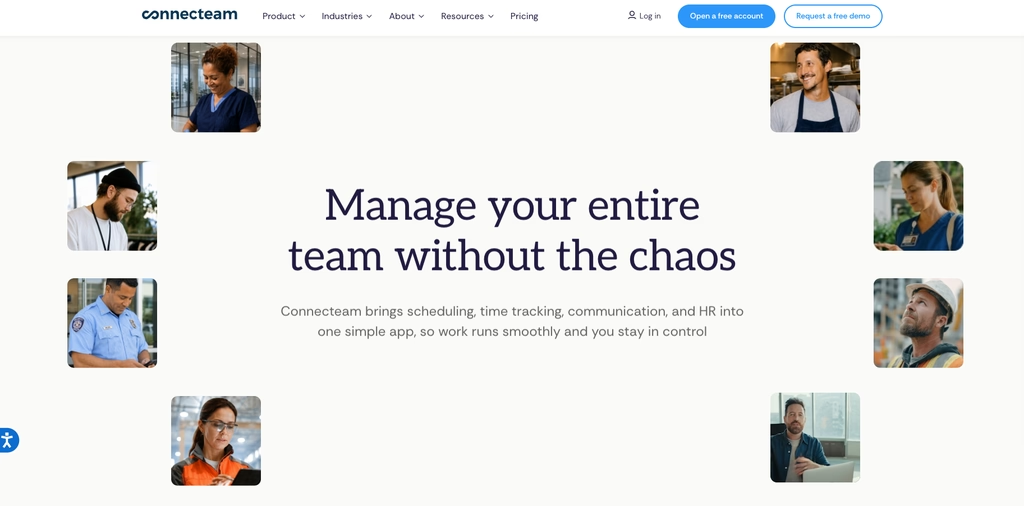
- Direct messages, group threads, plus an announcements stream with read tracking
- Pulse surveys and event sign-ups, so neither needs a separate tool
- A knowledge base and help desk sitting where staff already are
- Free for life up to 10 users, all hubs and all features included, which is unusually generous at that price
Where it falls short: the hub model. Communications, Operations and HR are billed separately, so an all-in-one rollout is two or three subscriptions, and the free-for-life plan stops hard at 10 users with no partial upgrade path.
Best for: frontline businesses under 30 staff that want one app for everything and can live with per-hub billing as they grow.
Slack
Slack remains the reference point for team chat software, and for good reason. Channels, threads, huddles and 2,600-plus integrations make it the strongest workplace messaging app on this list for anyone whose work already happens on a computer.
For deskless teams it is a harder sell. The free plan keeps messages searchable for only 90 days, caps you at 10 apps, and limits huddles and Slack Connect to one-to-one. Pro is $8.75 per user per month billed monthly, or $7.25 billed annually, which is the highest per-seat price among the chat and workforce tools here and becomes painful across a few hundred part-time staff. There is also no scheduling, no shift concept and no attendance, so Slack answers "how do we talk" without touching "who is working tonight".
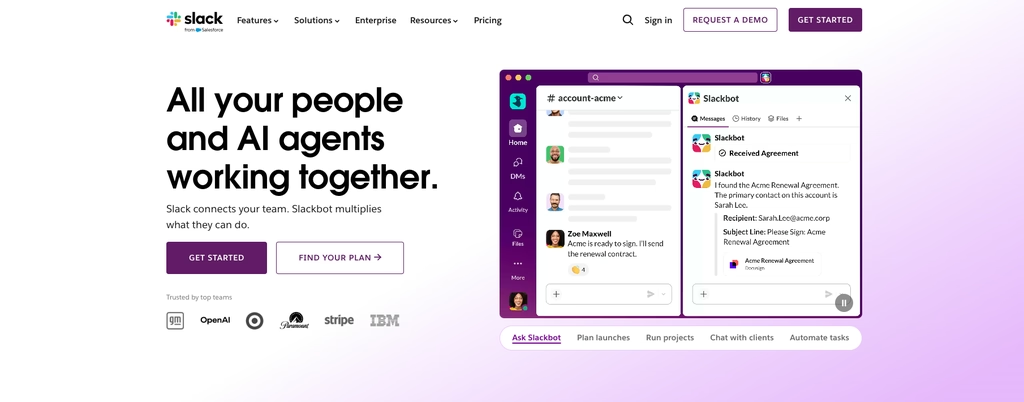
Where it falls short: cost and memory. It is the most expensive per seat among the chat and workforce tools on this list, the free plan hides anything older than 90 days, and huddles and Slack Connect are one-to-one only until you pay.
Best for: office and hybrid teams, and mixed companies that already run Slack at HQ and need something else entirely for the floor.
Staffbase
Staffbase is an enterprise internal communications platform, not a chat tool, and it is built for comms teams who publish, not for employees who converse. The product set says as much: an employee app, a desktop intranet, targeted internal email, digital signage for break rooms and factory floors, plus audio briefings and live town halls.
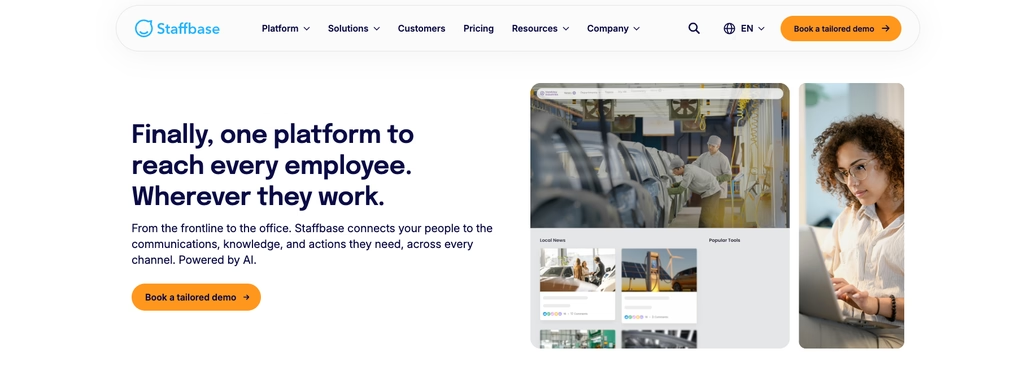
- One editor pushes to the app, the intranet, internal email and break-room signage
- A named plan for workforces that have no company email at all
- Reach and engagement reporting a comms lead can take to a board
Staffbase quotes on a call. The page states plainly that there is no generic price list, and there is no free tier or published trial, so evaluating it means booking a call. That is normal at this end of the market and still worth knowing before you shortlist.
Where it falls short: evaluation friction. No free plan, no published trial and no price list mean the shortlist stage runs entirely through a sales team, which rules it out for anyone who needs a decision this quarter.
Best for: organisations above roughly a thousand employees with a dedicated internal comms function and a budget line to match.
Workvivo
Workvivo, now part of Zoom, takes the employee-experience angle: a social activity feed, news articles, newsletters, campaigns, shoutouts for recognition, livestreams, plus auto-translation. It reads more like an internal social network than an announcements board, which is exactly the point for companies trying to build culture across sites.
Two things to check before you commit. Cost depends on licence count and is quoted on a call, never published. And Chat and Workvivo TV are separate add-ons, so the base platform is a feed rather than a full staff communication app.
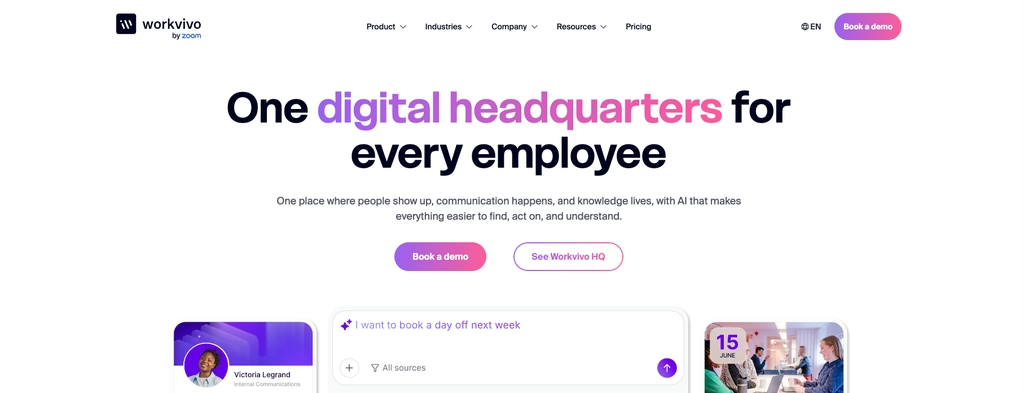
Where it falls short: the base platform is a feed. Chat and Workvivo TV are priced as add-ons, so a like-for-like comparison with an all-in-one app means asking which modules the quote covers before you compare the number to anything else.
Best for: mid-size and large employers where engagement and recognition matter as much as getting the message out at all, particularly if you already run Zoom.
Pumble
Pumble is the strongest free team chat app here, and it is not close. Unlimited users, unlimited message history, unlimited channels and 10 GB of workspace storage at $0 is a better free tier than Slack offers, and the history cap is what usually pushes small teams off Slack in the first place.
Paid plans stay cheap: PRO is $2.49 per seat per month billed annually, $2.99 monthly, with Business at $3.99 and Enterprise at $6.99 annually. You upgrade mainly for group video calls, screen sharing and analytics, since free is limited to one-to-one calls.
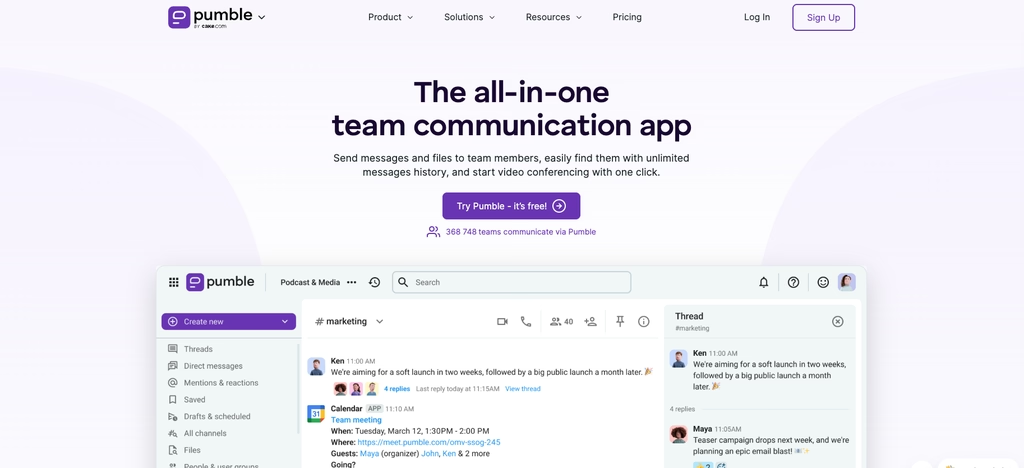
- Unlimited free history, so nothing disappears after 90 days
- No seat cap on the free plan, so the whole company fits without paying
- Familiar layout of channels, DMs, threads and mentions, which makes a Slack migration an afternoon of work
- Voice and video messages, useful when two people are never on shift at the same time
Where it falls short: it is chat and nothing else. No scheduling, no attendance, no targeted announcements by shift, and group calls with screen sharing sit behind the paid plan.
Best for: budget-conscious teams that want free team chat software without a message-history cliff, and small businesses replacing Slack.
Pebb
Pebb is a workplace app that bundles chat, a people directory, shift scheduling, clock-in and timesheets in its $2.50 Basic plan, then adds an org chart, video calls, a company news feed, time off, tasks, forms, a knowledge base and files in the $4 Premium plan. For a small frontline business that wants communication and basic workforce features from a single vendor, that combination is unusual at the price.
- Basic $2.50 and Premium $4 per user per month, with no annual toggle published
- Unlimited spaces, teams and branches on every plan even on the entry plan
- A people directory, with an org chart on Premium, that makes a 200-person company navigable
One thing to watch: Pebb markets itself around a free workplace communication app, but the current pricing page lists no free plan, only a trial whose length is not stated anywhere on the page. Ask before you plan a rollout around it.
Where it falls short: what it discloses. The pricing page lists no free plan despite the marketing, the trial length is never stated, and no annual rate is published, so the only way to model a two-year cost is to ask.
Best for: small and mid-size frontline companies that want an employee app for internal communication plus light scheduling in one subscription.
Yourco
Yourco solves the hardest problem on this list by refusing to solve it the usual way. Instead of asking deskless workers to download an app, it runs everything over SMS from a dedicated company number. No install, no login, no storage argument, no training session. If your workforce is drivers, agricultural crews or plant staff over the age of 50, this is often the only channel that gets read.
The free plan covers up to 50 employees with unlimited messaging, unlimited history and three admin seats. Pro is $3 per month up to 200 employees, but read the footnotes: that is per active employee, and there is an additional $10 monthly base fee. AI translation across 135-plus languages, segmentation, scheduled sends and built-in polls round it out.
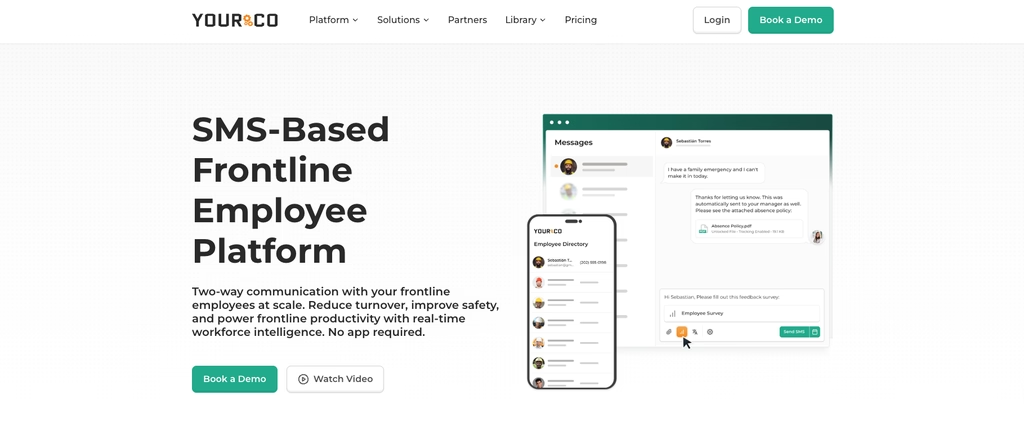
Where it falls short: it is a messaging channel, not a workplace. No scheduling, no files beyond attachments, no feed, and Pro stops at 200 employees before you move to enterprise pricing.
Best for: manufacturing, logistics and agriculture crews, where asking 300 people to install an app is a project in itself.
Haiilo
Haiilo pairs an employee app and desktop intranet with communities, a personalised timeline, newsletters, digital signage and audience targeting. Auto-translation covers 28 languages and read receipts give comms teams reach metrics rather than guesses. There is also an AI assistant, AVA, layered across it.
Its second product is employee advocacy, and that is the only part with a public price: from $15 per seat per month on Starter, with a minimum of 100 seats on the plan card and 150 users in the FAQ. The intranet packages are quoted individually.
- Targeted publishing, with audiences split by site, by role, by language or by department
- Read receipts and reach reporting for anything that has to be acknowledged
- Advocacy built in, if you want staff amplifying company posts on their own networks
Where it falls short: the intranet, which is the main product, carries no public price at all. The one published rate belongs to the advocacy tool and comes with a floor of 100 to 150 users, so small deployments are not really on offer.
Best for: large employers running a real internal comms programme who also care about employer branding.
LumApps
LumApps is an enterprise digital workplace: intranet, employee communities, enterprise search, micro-apps, AI agents and a mobile app aimed at frontline staff. Beekeeper, one of the better-known frontline communication tools, is now part of it, which strengthens the deskless side considerably.
Evaluating it takes patience. There is no usable rate card at all: the published pricing URL returns a 404 and the page that replaced it shows no tier names, no plan structure and no numbers. Everything runs through sales.
Where it falls short: there is no pricing information to work from. The published pricing URL returns a 404, so even the plan names have to come out of a sales conversation.
Best for: enterprises replacing an ageing intranet, especially Google Workspace and Microsoft 365 shops with a frontline population to reach.
ContactMonkey
ContactMonkey is narrower than everything above and better at the thing it does. It plugs into Outlook and Gmail so internal comms teams build and send employee newsletters from the inbox they already live in, then get open rates, click maps and read-time analytics on the other side.
- A drag-and-drop builder inside Outlook and Gmail, with no separate sending platform to learn
- Real engagement data: opens, clicks and read time, broken out by segment
- Surveys and dynamic content for personalising by department or location
Every plan is quoted on request, and SMS, Pages and external sending are paid add-ons outside the base licence. For a workforce without company email addresses, the email-first model is the wrong shape regardless of price.
Where it falls short: it assumes everyone has a work email address, which is the exact assumption that breaks on a frontline workforce. SMS, Pages and external sending are separate add-ons, and none of the three plans carries a public price.
Best for: internal comms teams at desk-heavy organisations who send newsletters and need to prove somebody read them.
Outside the ranking: Shifton, our own product, when team messages are mostly shift notifications
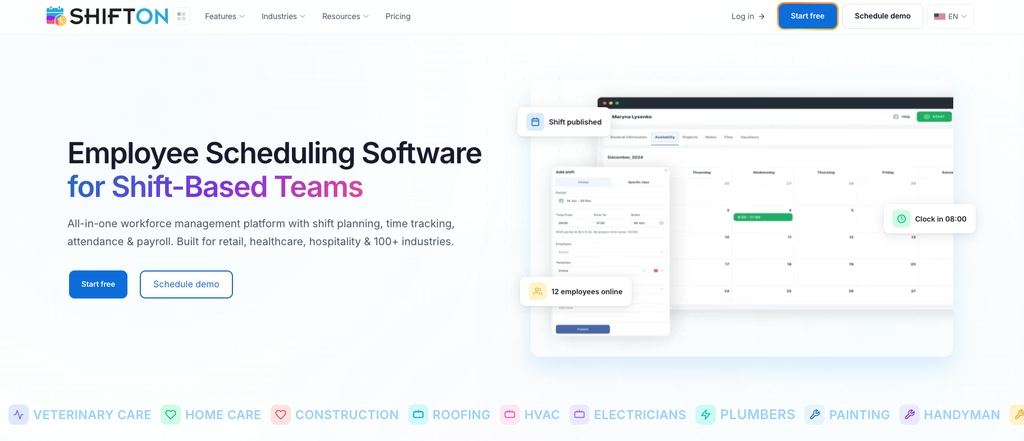
Shifton is our own product, so it sits here rather than in the ranking above. It is shift scheduling software, not a messaging app: its pricing page lists no chat, no company feed and no targeted messaging. What it does send is notifications about the schedule, which covers the case where most of what staff need to hear is that a shift changed, opened up or needs cover.
The free Basic functions, for up to 10 employees while no paid module is on, include push notifications on the phone, email notifications, the iOS and Android mobile app, open shifts and shift swaps between employees. The SMS Notifications module texts staff about changes in work arrangement, the status of time-off requests, shift exchange and available-shift requests, and added holidays; the module is listed as free, but each SMS is paid from the company balance at $0.20 to $0.70 depending on the recipient’s country.
Emergency shifts and notifications, at $0.50 per employee a month, alerts every employee without an overlapping shift when an urgent shift opens, with a notification text you write yourself. Switching on SMS Notifications or Emergency shifts also starts the Basic functions charge.
- Push and email notifications: part of the free Basic functions, delivered through the iOS and Android app
- Open shifts and shift swaps: staff pick up unassigned shifts and swap with each other, also in the Basic functions
- SMS Notifications: texts on schedule changes, time-off status, shift requests and added holidays, each SMS $0.20 to $0.70 from the company balance
- Emergency shifts and notifications: $0.50 per employee a month, an alert to everyone free to cover an urgent shift
Pricing is modular, not tiered, which suits teams that do not want to buy a whole suite to get one thing. The free plan covers up to 10 employees with no time limit while no paid module is on. Beyond that, or with any module on, Basic functions run $1 per employee per month, Payroll $0.50, Attendance tracking $1, and GPS-based Work location control $5. You pay for the modules you switch on.
Where it falls short: Shifton sends notifications; it is not a messaging app or a social intranet. The pricing page lists no chat, no company news feed, no targeting by site or department and no read tracking, so a team that needs conversation or announcements should pick from the ranked list above.
Best for: shift-based and hourly teams whose communication is mostly about the schedule itself: changes, open shifts, swaps and urgent cover.
Stop announcing schedule changes in six separate chat threads
Publish the schedule and let push and email notifications tell staff what changed. Free for up to 10 employees while no paid module is on.
Compare the Best Team Communication Tools at a Glance
The same 11 apps side by side on what decides a purchase: whether there is a genuine free plan, what paid access actually starts at, how a worker without a company email address gets in, and the job each one is built to do. Prices are as published by each vendor in September 2026.
| App | Free plan | Paid from | Reaches staff via | Built for |
|---|---|---|---|---|
| Connecteam | Yes, up to 10 users, all hubs | $29/month billed yearly, first 30 users, per hub | Mobile app (iOS, Android) | All-in-one deskless operations |
| Slack | Yes, 90-day message history | $7.25 per user/month billed annually | App or browser, account required | Office and hybrid team chat |
| Staffbase | No | Quote only, no public price list | Employee app, intranet, email, signage | Enterprise internal comms across app, email and signage |
| Workvivo | No | Quote only, priced by licence count | Employee app and web | Employee experience, recognition and culture |
| Pumble | Yes, unlimited users and history | $2.49 per seat/month billed annually | App or browser, account required | Free team chat without a history cap |
| Pebb | No free plan listed, trial only, length not published | $2.50 per user/month (Premium $4) | Mobile app and web | Chat, scheduling and clock-in; news feed on Premium |
| Yourco | Yes, up to 50 employees | $3 per active employee/month plus $10 base fee | SMS from a company number, no install | SMS to workers who will never install an app |
| Haiilo | No | Intranet quoted; advocacy from $15 per seat/month | Employee app and desktop intranet | Large-scale internal comms and advocacy |
| LumApps | No | Quote only, no pricing page published | Intranet plus a frontline mobile app | Enterprise intranet and digital workplace |
| ContactMonkey | No | Quote only across all tiers | Email inbox, so an address is required | Internal email newsletters with analytics |
| Shifton (our own product, not ranked) | Yes, up to 10 employees while no paid module is on | $1 per employee/month (modular) | Mobile app (iOS, Android) and web | Shift notifications: push, email, paid SMS |
How to Choose Employee Communication Software for Your Team
Start from the failure you are trying to stop, not from a feature list. Four common ones, and what each points at.
If messages keep missing the shift they were meant for, the problem is coordination, not messaging, and a tool that keeps the schedule and the message in one app will fix more than a chat app will. That is the case for most retail floors, restaurants, clinics and security rotas alike, and it is the reason Connecteam leads a list about communication apps. Teams already comparing options at that level should also look at broader team management software, since the two categories overlap heavily.
If half your workforce has no company email and no appetite for another app, SMS wins. Yourco exists for exactly this, and no amount of polish on a feed solves the download problem.
If you have a comms function that publishes to thousands and has to report on reach, you are shopping for an internal communications platform, and the quote-only vendors here are the serious ones. Expect a sales cycle and a five-figure budget.
And if you simply want people talking in channels without paying per seat, Pumble is the cheapest credible answer, with Slack as the upgrade once integrations start to matter more than price. Whatever you pick, run it on one site or one department first. Rolling a company-wide communication tool out everywhere at once is how you find out in month three that nobody opens it. Keeping the schedule and the message in the same place is the habit that makes adoption stick, which is also why automated schedule notifications tend to outperform manual announcements.
What Employee Communication Apps Cost in 2026
Published rates in this category run from $0 to $7.25 per user per month on annual billing, with Slack's monthly rate at $8.75 and Haiilo's advocacy tool at $15 as the outliers, and the spread is not really about quality. It tracks what the tool is for.
Chat tools are the cheapest and most transparent: Pumble at $2.49 per seat annually, Slack at $7.25. Scheduling tools that send shift notifications sit low too, because the notifications ride along with the schedule you were buying anyway: Shifton, outside the ranking, charges $1 per employee per month for the Basic functions and is free up to 10 employees while no paid module is on. Employee apps built for the frontline, Pebb and Yourco, occupy the $2.50 to $4 band, though Yourco's per-active-employee model plus its $10 base fee makes small deployments cost more per head than the headline suggests.
Then there is the quote-only end of the market. Staffbase, Workvivo, LumApps and ContactMonkey publish no prices, and Haiilo publishes one only for its advocacy product. Four of eleven vendors keeping pricing behind a call is worth planning for: budget several weeks for procurement, and ask early whether the number is per employee reached or per admin seat, because internal comms platforms are often sold on the former while you are mentally budgeting the latter.
Per-user rates hide the number that matters, which is the monthly invoice at your headcount. Below is what 100 employees costs each month at each vendor's own published rate, on annual billing where an annual rate exists. Five vendors show no figure: four publish nothing, and Haiilo publishes only its advocacy tool.
| App | Published rate | 100 employees per month |
|---|---|---|
| Connecteam | $29 for the first 30 users, then $0.50 to $0.80 each, per hub | $64 to $85 for one hub |
| Pumble | $2.49 per seat, billed annually | $249 |
| Pebb | $2.50 per user (Basic) | $250 |
| Yourco | $3 per active employee plus a $10 base fee | $310 |
| Slack | $7.25 per user, billed annually | $725 |
| Staffbase, Workvivo, LumApps, ContactMonkey | Not published | Quote only |
| Haiilo | Intranet quoted; advocacy from $15 per seat with a 100 to 150 seat floor | Quote only at this size |
| Shifton (our own product, not ranked) | $1 per employee, base module | $100 |
The spread across published vendors is roughly elevenfold for a hundred people, and the cheapest entries are not the weakest products. They are the ones where messaging travels with something else you were already buying. Connecteam looks lowest of all on that table, with the caveat that the figure covers a single hub, so a company wanting communication and operations doubles it.
One line item that catches people out is add-ons. Chat is an add-on at Workvivo. SMS is an add-on at ContactMonkey. Connecteam splits communication and operations into separate subscriptions. The quoted base is rarely the invoice.
Frequently Asked Questions
What is the best employee communication app for frontline workers?
It depends on how the workforce reaches the app. For shift-based frontline teams, Connecteam ranks first here: chat, a company feed and the schedule share one mobile app, free to 10 users and billed per hub after that. For crews who will not install anything, Yourco runs entirely over SMS from a company number and covers up to 50 employees at no cost. If what staff mostly need is word of schedule changes, Shifton, our own product, sends push and email notifications free for up to 10 employees while no paid module is on.
Are there any free team communication apps?
Five apps on this list have a permanent free plan. Pumble is the most generous of them, with unlimited users, unlimited channels and unlimited message history at no cost. Yourco covers up to 50 employees over SMS. Shifton and Connecteam are both free up to 10 users, Shifton adding scheduling and Connecteam adding all of its hubs. Slack has a free plan as well, but it hides messages older than 90 days, which is the limit small teams hit first.
What is the difference between employee communication apps and intranet software?
An intranet is a destination, and a communication app is a delivery channel. Intranets store documents, policies and pages that staff visit when they need something, and they assume a browser and an account. Employee communication apps push messages out to a phone, target them by site or shift, and report on who read them. Several products on this list do both, which is why the enterprise entries here are described as platforms: Staffbase, Haiilo and LumApps each pair an employee app with a desktop intranet behind it.
How do you communicate with employees who have no company email address?
Three channels work in practice. SMS reaches anyone with a phone and needs no install or account, which is why Yourco built its whole product on it. A mobile employee app with push notifications works when staff will download one and someone supports them through setup, and this covers most retail, hospitality and healthcare teams. In-app messaging inside a scheduling tool reaches people who already open that app to check their shift, which makes it the lowest-effort route for rota-based operations. Email is the one channel that does not work here, so an email-first tool is the wrong shape regardless of how good it is.
Are employee communication apps secure?
They are more secure than the alternative most frontline teams default to, which is personal WhatsApp and SMS threads. Company messages in a personal chat app live on personal devices, cannot be retrieved when someone leaves, and give an employer no audit trail at all. A managed communication app puts messages under admin control with role-based permissions, retention settings and the ability to remove access on the day someone stops working for you. What to verify with any vendor: where data is hosted, whether single sign-on is available on your plan, how long messages are retained, and what happens to the message history when an account is deactivated.
What is the best employee communication app for small businesses?
Up to 10 employees, take a free plan and pay nothing. Shifton covers scheduling free at that size, plus push and email notifications for schedule changes; Connecteam gives you every hub free to the same ceiling, and Pumble has no seat cap at all if pure chat is what you need. Between 10 and 50 people the decision usually turns on whether communication is a chat problem or a scheduling problem, and the answer decides whether you pay $2.49 per seat for a messenger or $1 per employee for a scheduling platform that sends the shift notifications.
What features should an employee communication app have?
Prioritise reach over richness. The app should work on a low-end phone over mobile data, deliver push or SMS alerts, target messages by site, by shift or by role instead of blasting everyone, and confirm who has read anything critical. Auto-translation stops being optional on multilingual sites. Role-based permissions keep a company feed from turning into a group chat. Anything that needs a laptop to use properly will lose half a frontline workforce in week one.
How much does employee communication software cost per user?
Published per-user rates in 2026 range from about $1 to $7.25 per month on annual billing, with Slack at $8.75 monthly and Haiilo advocacy at $15 as outliers. Scheduling platforms that send shift notifications start at about $1 per employee, dedicated chat apps run $2.49 to $7.25, and frontline employee apps sit between $2.50 and $4. Enterprise internal communications platforms publish no per-user rate at all and quote on workforce size, so treat any specific figure you see attributed to them elsewhere with suspicion. At 100 employees the published options work out between $64 and $725 per month.



Start making changes today!
Optimize processes, improve team management, and increase efficiency.