

 English
  Español
  Português
  Deutsch
  Français
  Italiano
  日本語
日本語  中文
中文  हिन्दी
  עברית
עברית  العربية
  한국어
한국어  Nederlands
  Polski
  Türkçe
  Українська
  Русский
  Magyar
  Română
  Български
  Čeština
  Ελληνικά
  Svenska
  Dansk
Dansk  Norsk
Norsk  Suomi
Suomi  Bahasa Indonesia
  Tiếng Việt
  Tagalog
  ไทย
ไทย  Latviešu
  Lietuvių
  Eesti
Eesti  Slovenčina
  Slovenščina
  Hrvatski
  Македонски
  Қазақша
  Azərbaycan
  Afrikaans
  বাংলা
বাংলা Architect Scheduling Software for Firms & Design Studios
Assign architects, drafters and project staff across live projects, track billable hours against deadlines, and keep labor cost under control from one architect workforce management platform.


Project-Based Staffing Across Live Work
An architecture practice rarely runs one job at a time. Concept, design development, documentation and site phases all pull on the same people at once, and the studio only stays profitable when the right architect sits on the right project at the right stage. Building the schedule around live projects rather than a fixed weekly grid keeps every deadline staffed without overloading anyone.
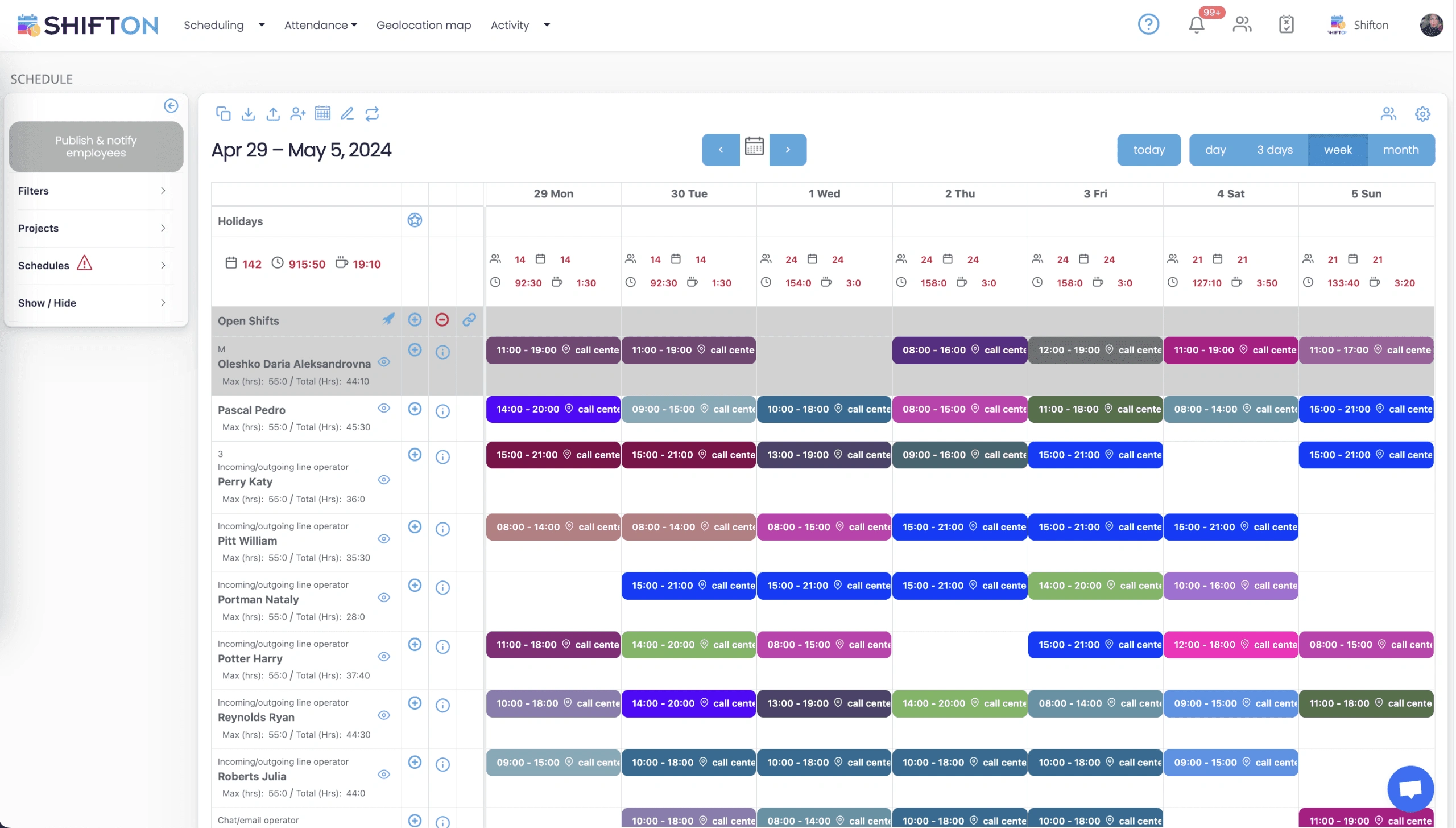
Billable Hours and Labor Cost Control
Fees are set against a budget, and that budget only holds if hours land where they were planned. Time bleeds into non-billable work, revisions stretch a phase past its allowance, and the overrun stays hidden until the project is reviewed. Tracking hours as the schedule fills turns cost control from a monthly surprise into a running decision.
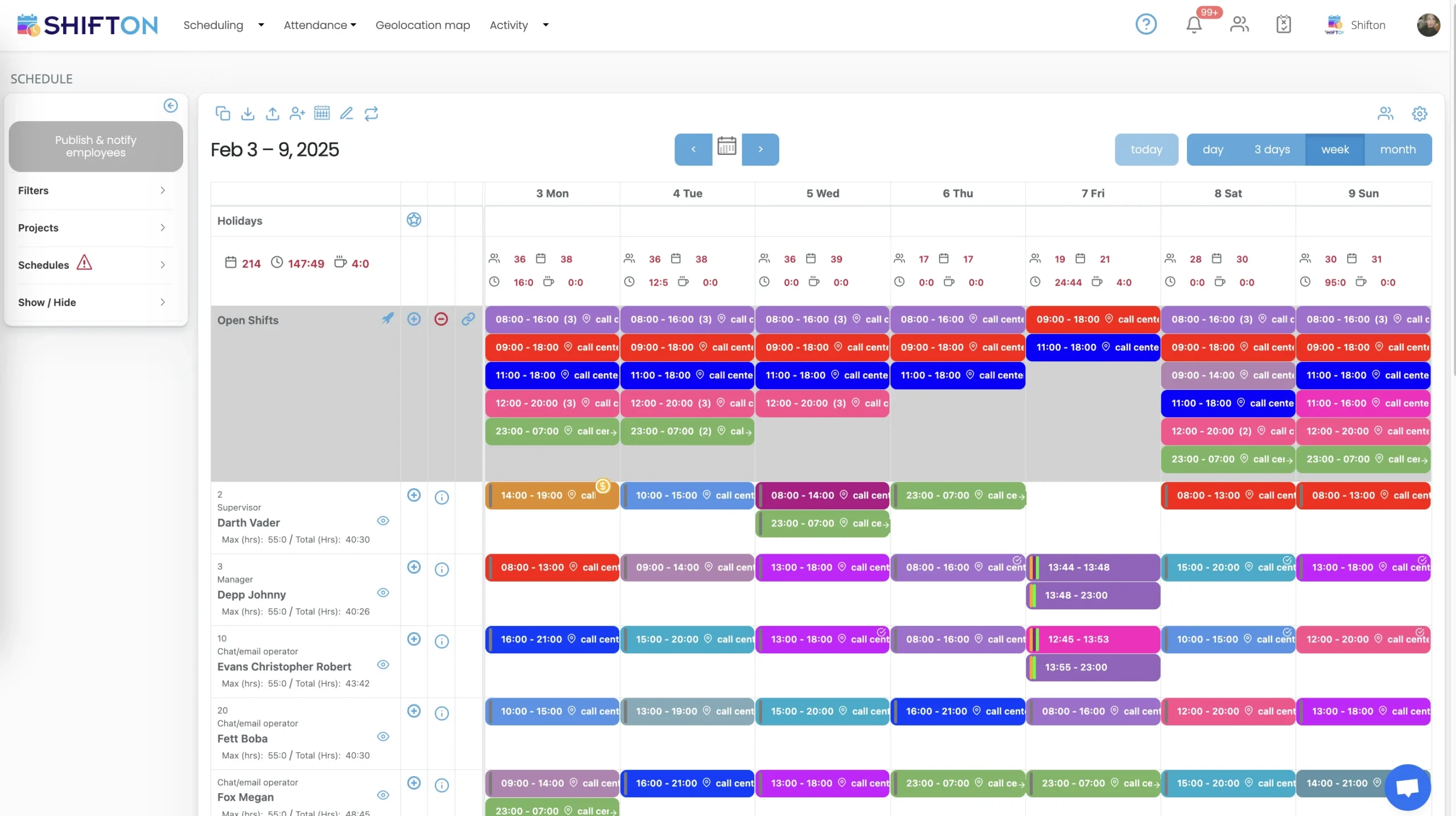
Studio, Site and Remote Teams in One View
Design work no longer sits in one room. Some staff are at the studio, others visit sites or work from home, and a single project can span all three in a week. When the plan lives on a spreadsheet, nobody has a clear picture of who is where until a deadline is already at risk.
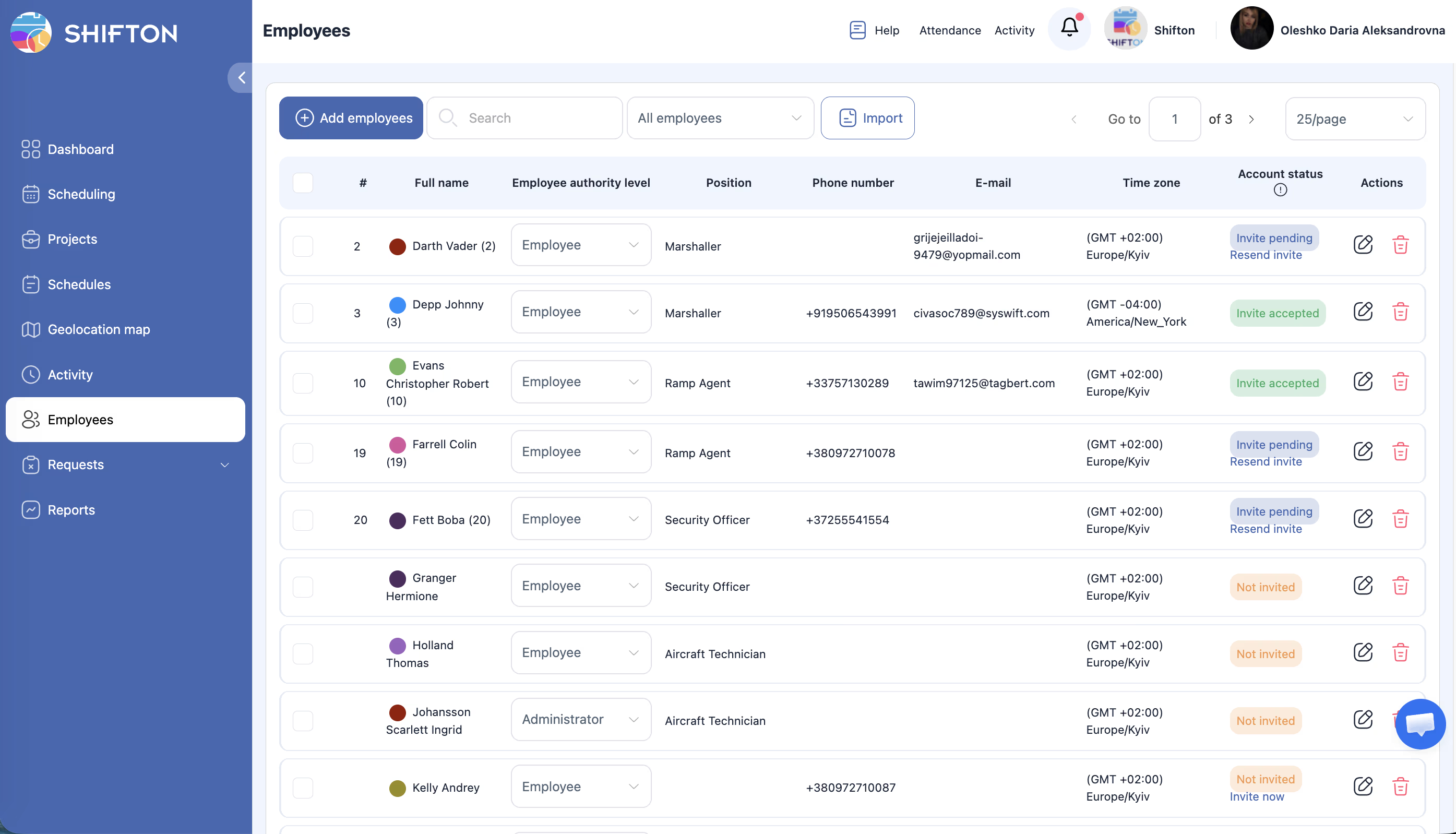
Deadlines, Changes and Team Communication
A schedule is only as good as it stays when a client shifts a submission or a phase slips. The studio needs to rebalance fast, without a round of calls to work out who has capacity to absorb the change and who is already at their limit.
Start with the Free Plan
No time limits. Get full access to core features and upgrade when you're ready.
Read the full guide to architect scheduling
Run an architecture practice for any length of time and the same tension keeps returning. The work is project-based and the calendar is not. Several commissions move at once, each at a different phase, and every one of them needs the right people for a stretch that rarely lines up with a tidy working week. Concept needs a designer, documentation needs drafters, a site phase pulls a project architect out of the studio for two days, and all of it has to happen without a deadline quietly slipping because nobody saw the clash coming.
Most scheduling tools were built for shift work, where demand is steady and everyone works the same hours. A design studio does not run like that. People carry different disciplines and seniorities, they split their week across projects, and their time is measured against a fee rather than a clock. A tool that ignores that reality gets abandoned inside a month, and the practice falls back to a shared spreadsheet and a whiteboard that is out of date by lunchtime.
What architect scheduling software actually has to do
Strip away the feature lists and the job comes down to a few things. Let a principal or studio manager assign a week of work across several projects quickly. Show billable hours and labor cost against the fee before the plan is locked, not after the project is reviewed. Reach a team that is split between the studio, client sites and home. And hold up when a deadline moves, because in a busy practice it always does. An architect scheduling app that clears those bars beats one with a longer feature list solving problems a studio does not have.
Staffing projects without overloading the studio
An architecture firm is not one team working one job. It is a set of overlapping projects competing for the same people, and profitability lives in how well that competition is managed. Good architecture workforce management treats each project as its own demand while keeping the whole studio in one view. Work is assigned against phases and milestones rather than a fixed grid, so a documentation push and a concept sprint can both get the hands they need in the same week. Capacity shows at a glance, which means an overloaded senior or an idle drafter is visible before it turns into a missed submission or a wasted salary. Resource scheduling for architects is really about matching finite talent to shifting demand without burning anyone out.
Keeping billable hours and labor cost in view
Fees are agreed against a budget, and that budget only survives if hours land where they were planned. The danger is that they rarely announce themselves. A revision cycle runs longer than allowed, time drifts into non-billable coordination, a phase quietly absorbs more days than the fee covers, and none of it shows until the project is closed out and the margin has already gone. An architect time tracking system that sits inside the schedule makes that spend visible while there is still room to act. Hours are logged to the project and phase they belong to, projected labor cost shows against the fee as work is booked, and a utilization alert catches an overloaded week before it becomes an overrun. The same records export cleanly for invoicing, so the hours a client is billed for match the hours the studio actually worked.
One schedule for studio, site and remote work
Design work is spread out now. Some of the team is at the studio, some are on site walks or in client meetings, and some work from home for part of the week. A single project can touch all three inside a few days. When the plan lives in a spreadsheet, nobody holds a reliable picture of who is where, and the gaps only surface once a deadline is already under pressure. An architecture firm scheduling system puts studio, site and remote staff on one shared schedule. Availability and time-off are collected before the plan is built rather than chased afterward, reusable templates roll a proven staffing pattern onto a new commission instead of starting from a blank grid, and role-based coverage keeps the right blend of seniors, architects and drafters on every project so no job is left top-heavy or under-supported.
Absorbing changes without losing a deadline
Client dates move, a phase slips, an approval lands late, and the whole plan has to flex around it. The practices that handle this well are not the ones that never get surprised, they are the ones that can rebalance in minutes. When a submission shifts, the studio needs to see at once who has the capacity to absorb the extra work and who is already at their limit. Reassignment happens in a tap, spare capacity can be offered to everyone qualified, and a conflict or deadline alert flags the moment a plan puts a submission at risk. A change notification reaches the affected people straight away instead of through a round of calls, which is the difference between a controlled adjustment and a scramble the week before a deadline.
Reaching a team that is rarely at one desk
Architects and drafters are not sitting waiting for an email about next week. They are on a site, in a review, or heads-down in a model, and a printed plan by the studio door went stale the moment it was pinned up. A mobile-first approach reaches people where they are. Assignments publish straight to phones, changes send a notification the instant they happen, and time-off and availability are logged in the app before the schedule is built. The full feature set covers assignments, time tracking, notifications and reporting, so a change to the plan reaches the right people at once rather than through a chain of messages that half the team never sees.
Choosing the right tool for your practice
Test any platform the way the studio will actually use it. Open it on a phone, since that is where most of the team will check their week. Build a full week across several projects and time how long it takes. Move a deadline and confirm the system shows you the clash. Log a few hours against a project and check that they export in a shape your invoicing can use. The tool that survives those tests is the one still in use next year. Under ten employees, Shifton's free plan handles the whole job with no time limit, which covers a small studio comfortably. As a practice grows and takes on more concurrent work, the paid tiers add multi-project reporting, deeper cost control and advanced settings. Either way the goal holds steady: a schedule that reflects the real project load, billable hours that match what was actually worked, a labor line that lands where the fee planned it, and a team that always knows what they are on. That is the difference between running a studio's workload and firefighting it, and it is where the right architect scheduling software earns its place.
Frequently Asked Questions
What is architect scheduling software?
Architect scheduling software plans and shares who works on which project across an architecture firm. Shifton assigns architects and drafters to projects and phases, tracks billable hours and labor cost, and lets the team see their work from a phone.
Can it track billable hours by project?
Yes. Log time to the project and phase it belongs to, then export hours by project, person or phase for invoicing and utilization reporting. Projected labor cost shows against the fee before work is booked.
Does it handle studio, site and remote staff together?
Yes. Studio, site-visit and remote team members sit on one shared schedule, so the practice has a single view of who is available and who is already committed across every location.
Can the team see their assignments on a mobile app?
Yes. Assignments publish straight to phones, changes send a notification the moment they happen, and staff can log availability and time-off before the schedule is built.
Is there a free plan for small architecture studios?
Yes. Shifton's free plan covers up to ten employees with no time limit, which suits a small studio. Paid tiers add multi-project reporting, deeper cost control and advanced settings as the firm grows.






Ready to transform your field operations?
Join thousands of field service companies that trust Shifton to run smarter every day.