

8 Best Healthcare Staff Scheduling Software for Hospitals (2026)
Staffing a hospital ward, a multi-site clinic, or a home care agency is a continuous exercise in coverage. Sick calls, census changes, and shift swaps revise the staff schedule throughout the day, and every open shift has to be filled by a staff member who is qualified, credentialed, and within their hours. Managed on a spreadsheet, those gaps turn into overtime and staff burnout, plus coverage that is hard to defend in a compliance review.
Healthcare staff scheduling software is built to manage that complexity systematically. The right healthcare scheduling tool does more than place names on a calendar. It tracks credentials, holds staff-to-patient ratios, lets clinical staff self-schedule and swap shifts from a mobile app, tracks worked time against payroll, and maintains a clean record for compliance. Effective healthcare scheduling software replaces reactive, manual coordination with a stable, predictable staff schedule that the whole workforce can rely on.
This guide breaks down the eight best healthcare staff scheduling software platforms for 2026, what each scheduling tool is genuinely good at, where it falls short, and the real published pricing for each. We start with Shifton and then move through four well-known scheduling systems used across hospitals, clinics, and care homes. Every pricing and feature note reflects what each vendor publishes on its own site as of 2026, so you can match a platform to how your healthcare facility actually runs. If you are still at the naming stage, our list of healthcare company name ideas is a useful first step.
This might interest you:Shifton for Healthcare Staff Scheduling – how Shifton keeps shift coverage stable across wards without burning out your team.
Why Healthcare Staff Scheduling Is Harder Than It Looks
Most scheduling software was built for retail or hospitality, where one barista is more or less interchangeable with another. Healthcare breaks that assumption. A shift is not filled until it is filled by someone qualified, credentialed, and within their hours – and the cost of getting it wrong is measured in patient safety, not a slow checkout line.
Three pressures make healthcare scheduling its own discipline, and they pull in different directions. Coverage is the loudest of them: sick calls, census spikes, and surgical add-ons rewrite the staff schedule hour by hour, so a scheduling tool has to show open shifts and understaffed units in real time rather than at the end of the week. Underneath that sits compliance. Staff-to-patient ratios, mandatory rest between shifts, license expirations, union rules – all of it has to hold while the schedule churns, with an audit trail to prove it did. And then there is the human cost. Plug every coverage gap by leaning on the same exhausted nurses and the schedule quietly turns into a retention problem, one resignation at a time.
This is why generic shift planners struggle in clinical settings and why purpose-built healthcare scheduling software earns its place. The best scheduling tools treat coverage, credentials, and compliance as first-class features, not add-ons – and they put a real mobile app in the hands of the staff doing the work, so the schedule everyone sees is the one that is actually running.
What to Look for in Healthcare Staff Scheduling Software
Before comparing tools, it helps to know which features actually matter on a ward. A long feature list is easy to print; the short list below is what separates healthcare scheduling software that holds up on a working ward from software that demos well but fails under real clinical conditions.
- Credential and license awareness, so the scheduling software flags an expiring RN license or a missing certification before it puts that person on the schedule – not after the shift is already worked.
- Real-time coverage and ratio visibility, so coordinators can see open shifts and understaffed units and close them before they touch patient care or break a staffing ratio.
- Self-scheduling and shift swaps from a mobile app, with manager approval built in. On its own, self-scheduling clears out most of the phone-tag that fills shifts the slow way.
- Time tracking tied to payroll – clock-ins, breaks, overtime, and shift differentials flowing from the time clock into payroll without anyone re-keying a timesheet.
- A clean compliance audit trail: who worked, who approved each change, and when – exactly what you want on hand when a regulator asks.
- A mobile app staff will actually use, because nurses are not at a desk – if the scheduling app is clunky on a phone, adoption dies and you are back to group texts.
- Integrations with the payroll, HR, or EHR tools you already run, so staff data and hours move once rather than getting entered twice.
Keep those in mind and most of the marketing noise filters itself out. What is left is really just price, mobile quality, and how complicated your scheduling rules actually get. A single clinic with interchangeable roles needs far less than a 600-bed hospital juggling credentialed providers across thirty specialties.
How We Chose These Healthcare Scheduling Tools
We prioritized platforms that healthcare teams run day to day, not generic calendars loosely marketed to clinical settings. Each scheduling tool here had to handle shift-based work, support a real mobile experience for clinical staff, and publish enough about its capabilities to evaluate honestly. We weighed scheduling depth, time tracking, compliance support, ease of use for clinical staff, and pricing transparency. Where a vendor keeps pricing behind a quote, we say so plainly rather than invent a number. The result is eight healthcare staff scheduling software options that cover everything from a small clinic to an enterprise health system.
The 8 Best Healthcare Staff Scheduling Software in 2026
Shifton
Shifton is a workforce management platform built for shift-based teams, and healthcare is one of the environments where its scheduling engine earns its keep. If your day revolves around coverage – keeping every ward, clinic, or care route staffed without sliding into overtime – Shifton is designed around exactly that problem rather than bolted onto a generic HR suite. It is healthcare staff scheduling software that leads with the schedule, not with a sales call.
The scheduler builds a week with a creation wizard or by hand and handles open shifts, so a coordinator can fill gaps before they become a safety issue. Clinical staff get a mobile app for iOS and Android where they see their schedule and swap shifts, and with the paid Time off requests and Attendance modules they request time off and clock in, which removes much of the manual phone coordination a charge nurse handles at the start of a shift. Managers handle swaps and time-off requests in the same flow, so the staff schedule on screen always matches who is actually working the floor.
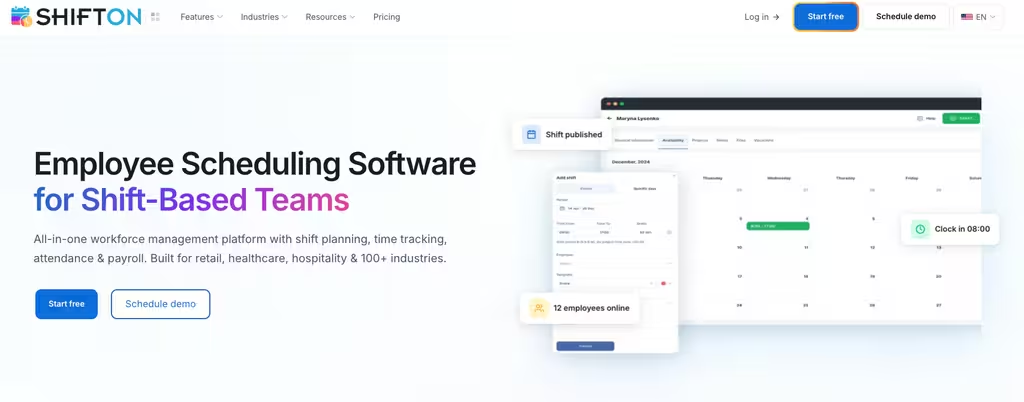
Where Shifton pulls ahead for healthcare is the rest of the stack around the schedule. With the paid Attendance and Work location control modules ($1 and $5 per employee a month), time tracking runs through a mobile time clock with GPS, so a home care agency can confirm a caregiver clocked in at the right address, and with the paid Breaks and Payroll modules, breaks and hours feed into payroll. Time-off and emergency-shift tools let you backfill a last-minute call-off without rebuilding the entire week, and the paid Forecasting module models demand so you staff to the actual load instead of a guess. For multi-site groups, schedules and reports stay in one place across every location and time zone.
- Shift scheduling: schedules built with a creation wizard or by hand, with open shifts and shift swaps.
- A mobile time clock (paid Attendance) with GPS work-location control (paid, $5 per employee a month), plus overtime control in the base plan and the paid Breaks module, with hours counted toward payroll.
- Time-off and emergency shifts (paid modules): request and approve time off, and notify free staff about last-minute call-offs.
- Demand forecasting (paid module, $2 per employee a month), with the budget report in the base plan.
- Free for up to 10 team members – no time limit while no paid module is on, with paid modules added only as you need them.
On price, Shifton skips rigid tiers. The shift scheduling core is free for up to 10 people, and you turn on modules – payroll, time-off, location control, forecasting – as you need them. Any paid module (or an 11th employee) switches on the $1 per employee a month Basic functions fee for everyone. Each paid module comes with a free trial of up to 60 days, except Work location control, which has 10 days. For a single clinic that needs solid scheduling now and payroll later, that beats paying for an enterprise bundle on day one.
Best for: hospitals, clinics, and care agencies that want coverage-first scheduling and mobile self-service without a heavy implementation.
Keep every clinical shift covered
Build staff schedules, fill last-minute gaps, and let your team swap shifts from a mobile app.
Connecteam
Connecteam is an all-in-one operations app for deskless teams, and a lot of smaller healthcare employers – clinics, home care, senior living – reach for it because scheduling, time tracking, and team communication live in one place. Where it stands out is the communication side: you can broadcast a policy change or fill an open shift without bolting on a separate messaging tool, which matters when half your staff never sit at a computer.
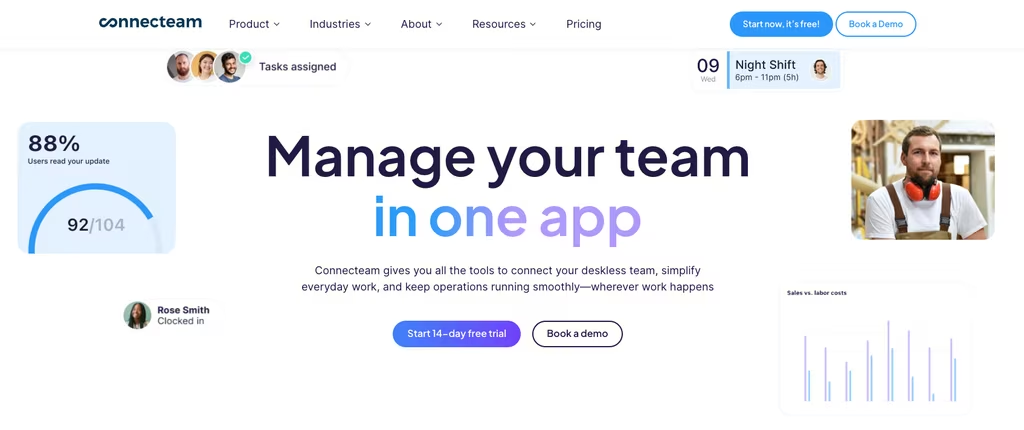
The scheduling tool itself is solid for general shift work: drag-and-drop shifts and open-shift claiming with approval, paired with a GPS time clock and timesheets that export to payroll. There is also an updates feed and a knowledge base for storing SOPs and protocols, so onboarding and policy sit alongside the schedule.
- Drag-and-drop scheduling with open shifts that staff claim with approval.
- GPS-based time clock and timesheets that export to payroll.
- In-app chat, updates feed, and a knowledge base for SOPs.
Pricing is friendly at the low end. A free Small Business plan covers up to 10 users, and paid plans run Basic at $29/month, Advanced at $49/month, and Expert at $99/month, each fixed for the first 30 users and then charged per user above that. The tradeoff is that Connecteam is built for general deskless work, so it lacks the clinical-specific layers – credentialing, acuity, ratio rules – that a purpose-built hospital scheduler brings. For a small practice that values communication as much as the schedule, that is often a trade worth making.
Best for: small to mid-sized care providers that want scheduling and team communication in one affordable app.
Deputy
Deputy is a widely used scheduling and time-tracking platform that healthcare employers pick when they want clean shift management with strong compliance guardrails. Its auto-scheduler builds a week based on availability and qualifications, and it factors break and overtime rules into the plan, so the labor cost of a schedule is visible before you ever publish it.
For a clinic that lives and dies by accurate timesheets, the time-and-attendance side is the draw. Clock-ins capture real hours, the system flags overtime and missed breaks, and that data flows into payroll cleanly.
- Auto-scheduling by availability, role, and qualification.
- Time clock with break and overtime rule enforcement.
- Demand-based scheduling with clear labor cost visibility.
Published pricing is transparent: Lite at $5, Core at $6.50, and Pro at $9 per user per month on annual billing, with custom plans through sales. Note the minimum monthly spend of $30 per invoice on monthly plans, which makes the very smallest teams pay a little more than the headline per-user rate suggests. Deputy is a schedule-and-time engine first; it is not a clinical credentialing system, so facilities with heavy regulatory tracking often pair it with another tool.
Best for: clinics and groups that want predictable per-user pricing and tight time-and-attendance compliance.
Shiftboard (ScheduleFlex)
Shiftboard’s ScheduleFlex is one of the coverage-first options on this list. UKG acquired Shiftboard in 2025 and describes it as scheduling for mission-critical, heavily regulated operations such as energy and manufacturing, where demand shifts fast and a shift has to be filled by someone actually qualified to work it. Managers can adjust shifts as plans change while the platform automation keeps schedules adaptive, which is meant to close coverage gaps faster than a manual call tree.
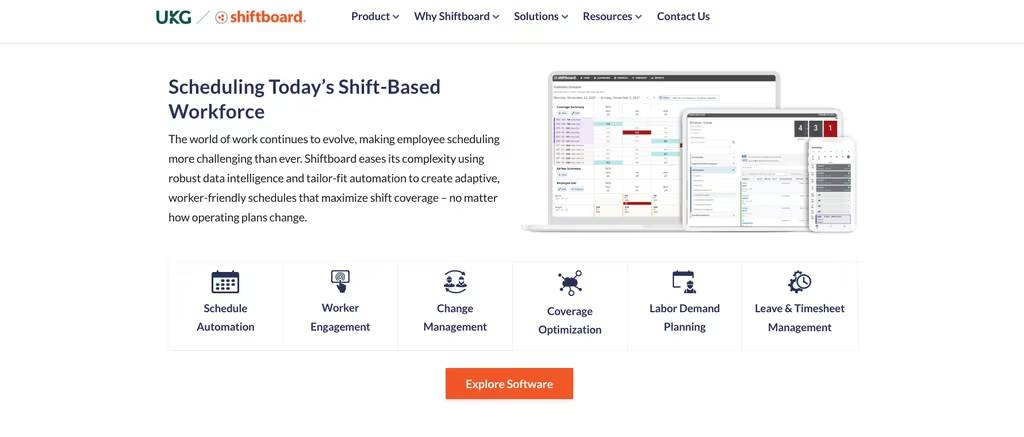
Coverage is the headline. UKG lists fatigue management, union compliance, labor planning, and employee flexibility as what the platform optimizes, which matters when one manager covers several wards or sites.
- Adaptive schedules that follow immediate operational needs.
- Fatigue management and union compliance rules.
- Labor planning tied to demand.
Shiftboard does not publish pricing - it is quote-based, so you will talk to sales to get a number, and onboarding tends to suit larger or more complex operations rather than a single small clinic. Its UKG announcement points to energy and manufacturing, so ask about the healthcare fit in the demo. If your scheduling rules are genuinely complex and coverage is the daily battle, this is a strong fit.
Best for: mid-size and larger healthcare facilities with complex, demand-driven coverage needs.
QGenda
QGenda is the enterprise name in physician and provider scheduling. It serves more than 4,500 customers and 850,000 physicians, nurses, and staff, and brings physician scheduling, credentialing, time and attendance, and workforce analytics into one system instead of a stack of separate tools. For a large health system juggling rules-heavy provider schedules, that consolidation is the whole point.
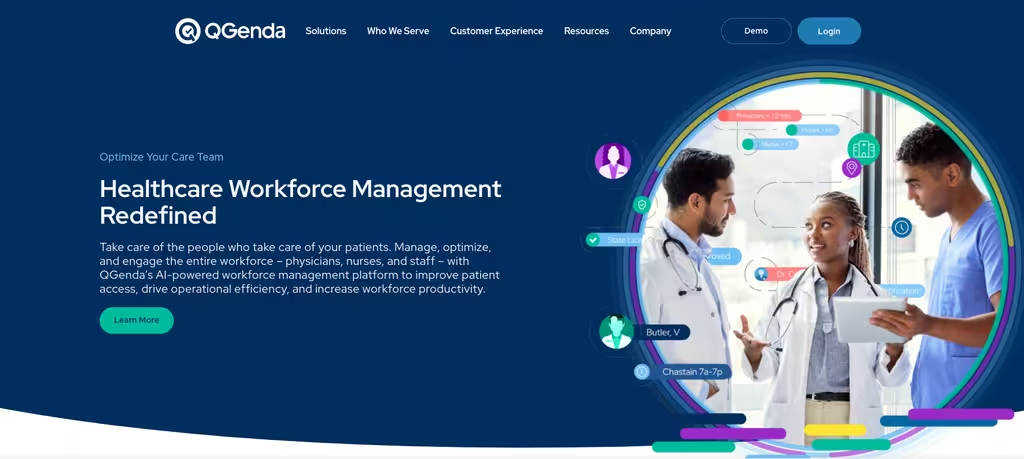
The pitch is depth. QGenda builds provider schedules with an automated, rules-based engine, keeps credentialing on the same platform, and rolls workforce analytics on top so leadership can see staffing and labor trends across the enterprise.
- Advanced physician and nurse scheduling with rules-based automation.
- Credentialing management alongside the schedule.
- Time tracking and enterprise workforce analytics.
QGenda does not list public pricing; you request a demo, so it lands best where the budget and complexity justify it. It is a healthcare-only platform, and its own pages describe an automated, rules-based scheduling engine. For an enterprise that needs provider scheduling and credentialing under one roof, it remains a serious contender.
Best for: large hospitals and health systems with complex physician scheduling and credentialing needs.
NurseGrid
NurseGrid earns its place by being built for one job: nurse scheduling. The free NurseGrid app is already in the pockets of hundreds of thousands of nurses who use it to track their own shifts, swap with colleagues, and see the unit calendar. That existing habit is the quiet advantage. When a manager rolls out NurseGrid Manager on top, the schedule shows up in an app the staff already open every day, so adoption does not become its own project.
NurseGrid Manager adds the department layer: building the roster, filling open shifts, and approving swaps and giveaways with one click. It is scoped to nursing teams rather than a whole hospital, which keeps it focused but also means large multi-department systems will find it narrow. The free app is genuinely free for individual nurses; the manager side is where the paid plan sits.

Pricing: NurseGrid app free for nurses and healthcare workers. NurseGrid Manager is paid at $5 per user per month and has a free trial; the page does not state its length.
Best for: Nursing departments that want a scheduling tool their nurses already know and use, without introducing an unfamiliar system.
ShiftMed
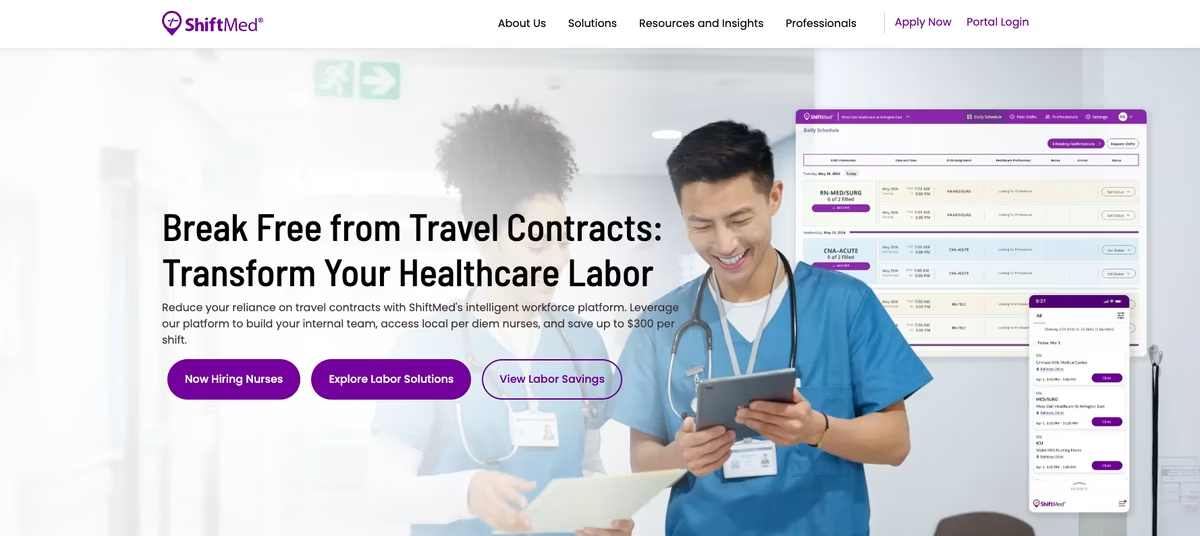
ShiftMed works differently from everything else here, and it helps to know that going in. It is not a roster builder. It is an open-shift and staffing layer that sits on top of the scheduler a hospital already runs, watches for gaps in real time, and routes each open shift first to the facility’s own float pool, then to a network of W-2, fully credentialed community clinicians, before any agency or travel labor gets a call.
The whole argument is cost. Filling a gap from an internal pool or a local W-2 nurse runs far below a travel contract, and ShiftMed reports savings of $200 or more per shift against premium staffing. That framing tells you who it fits: health systems fighting agency spend and chronic open shifts, not a small clinic that just needs next week’s roster on a screen.
Pricing: Not published. ShiftMed sells a guaranteed-savings model and quotes on request.
Best for: Hospitals and health systems trying to cut agency and travel reliance and manage open shifts across a large workforce.
OnShift
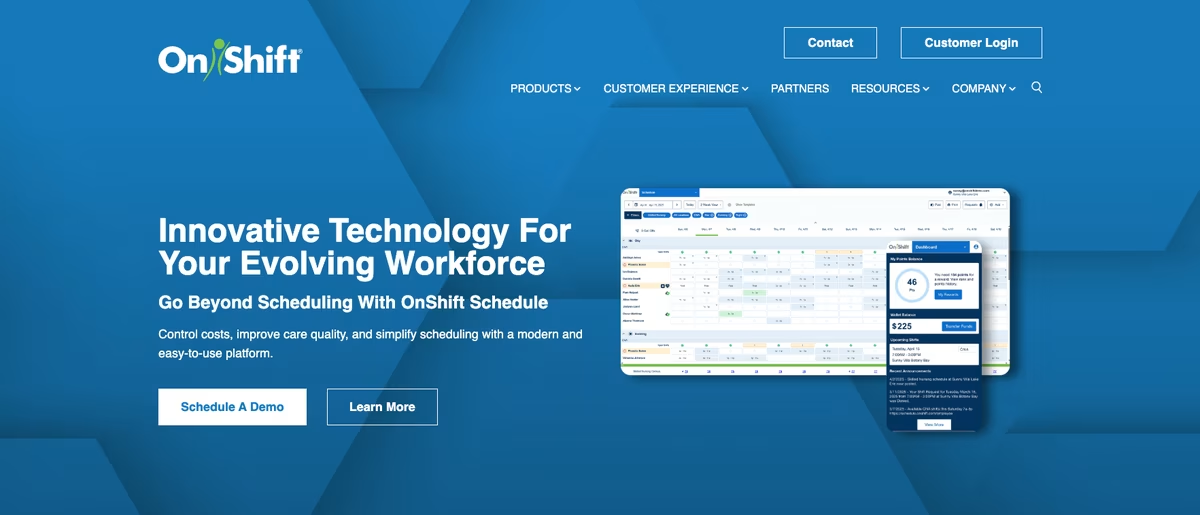
OnShift is workforce management built specifically for long-term care and senior living, and that focus runs through everything it does. Skilled nursing and assisted living carry pressures a general tool tends to miss: hard staffing ratios, high turnover, and overtime that creeps in every time someone calls off. OnShift is shaped around those constraints rather than retrofitted to them.
Scheduling is the core, but the platform reaches past it into hiring, onboarding and staff retention, so a facility can recruit, roster, and retain in one place. When someone calls off, it recommends replacements based on work history, availability and cost, and it connects to the HRIS, clinical, and timekeeping systems a care operator already runs. Pricing is not published, which is normal for this end of the market but means budgeting starts with a sales call.
Pricing: Quote-only, tailored to the facility. No public rate; budgeting starts with a demo.
Best for: Long-term care and senior living operators that want scheduling alongside hiring and retention in one platform.
Compare These Healthcare Scheduling Apps at a Glance
A quick side-by-side before you shortlist. Pricing reflects each vendor’s published 2026 rates; “by quote” means the vendor does not list prices publicly.
| Tool | Free plan | Paid from | Best for |
|---|---|---|---|
| Shifton | Up to 10 team members | Usage-based modules | Coverage-first scheduling for clinics and care teams |
| Connecteam | Up to 10 users | $29/mo (first 30 users) | Small care providers wanting scheduling plus chat |
| Deputy | Trial only | $5/user/mo (annual) | Predictable per-user pricing and time compliance |
| Shiftboard | Not published | By quote | Complex, demand-driven coverage |
| QGenda | No | By quote | Enterprise physician scheduling and credentialing |
| NurseGrid | Free nurse app; Manager paid | $5/user/mo | Nursing departments |
| ShiftMed | No | By quote | Cutting agency and open-shift cost |
| OnShift | Quote only | By quote | Long-term care and senior living |
How Healthcare Scheduling Platforms Handle Shift Swaps and Coverage
Self-scheduling is the feature that quietly saves the most hours. Instead of a coordinator working the phones every time someone calls out, staff open the app, see what is free, and claim the shifts they want – the manager just approves the trade. The good platforms guard coverage while this happens. A swap that would drop a unit below its required staffing ratio gets blocked, and overtime is factored in, so you do not plug one gap and open a payroll hole somewhere else.
The clinical-versus-general split is clearest right here. QGenda leans hard on credentialing and Shiftboard on compliance rules, so an open shift is offered with those rules in view. Connecteam goes the other way - open shifts are quick to claim, which is great when any role can cover any other and a headache when it cannot. Shifton lands in between, with open-shift visibility and shift swaps that hold coverage steady but skip the multi-week setup the enterprise tools ask for.
Whichever tool you settle on, you are after the same outcome: fewer frantic calls at 6 a.m., fewer shifts going uncovered, and a staff schedule the team helps keep honest because they are the ones editing it.
How Scheduling Software Cuts Overtime and Burnout in Healthcare
Overtime in healthcare is rarely a deliberate budget line. It is what is left when coverage breaks and the only person who can stay is the nurse who just finished a twelve-hour shift. Do that often enough and overtime stops being a number on a report – it becomes the reason your best people hand in their notice. Healthcare scheduling software goes after the root cause, which is almost always visibility.
Show open shifts and understaffed units in real time and a coordinator can spread the load early, before it lands on the same three exhausted people every week. Forecasting buys a head start: if the software sees a census spike coming, you can staff for it instead of paying overtime to scramble after it hits. Self-scheduling works from the other end – when staff pick shifts that fit their actual lives, the schedule matches real availability, so fewer assignments bounce back and fewer gaps open to begin with.
It all adds up to a calmer schedule. Steady coverage means fewer 6 a.m. calls and fewer no-shows, and a team that trusts the roster instead of bracing against it. Burnout never lands on a dashboard, but a scheduling system that holds overtime down and gives staff a real say in their shifts pushes it the right way – and you tend to see the proof months later, in retention figures no scheduling tool will ever put in a report.
Time Tracking, Payroll, and Compliance for Healthcare Teams
A schedule is only half the job. The other half is what actually happened on the floor – who clocked in, who stayed late, whose break got swallowed by a code – and moving that from the time clock to payroll without errors creeping in. Healthcare makes this harder than most industries: shift differentials, on-call pay, and overtime rules pile on top of each other, and a manual timesheet is where they quietly go wrong.
Good healthcare scheduling software closes that loop.the system captures the real hours against the scheduled shift, and breaks, overtime, and differentials get calculated instead of re-typed by someone at month-end. From there the data lands in payroll or a connected HR system, and the hours people worked finally line up with the hours they are paid for. Shifton (through its paid Attendance and Payroll modules), Connecteam, and Deputy all wire time tracking into payroll this way, while QGenda sells it as a separate Time and Attendance solution.
Compliance rides on that same data. Credential and license tracking keeps unqualified staff off the schedule in the first place; ratio rules hold as shifts move around; the audit trail records who approved what, and when. For any facility handling sensitive patient information, that record – plus the access controls wrapped around it – is not a nice-to-have. It is the thing you reach for the day a surveyor asks exactly how a given shift was staffed.
Choosing the Right Workforce Management System for Your Facility
The best healthcare staff scheduling software for a 12-provider clinic is not the one a 600-bed hospital should buy, and matching the tool to your size saves both money and a lot of frustration. A small clinic or home care agency mostly wants three things: fast setup, a mobile app that is not painful, and pricing that does not assume an enterprise budget. That is the sweet spot for Shifton’s free tier, Connecteam’s low entry price, or Deputy’s flat per-user rate.
Step up to a mid-size facility – multiple units, credential rules, demand that swings by the hour – and you want a platform built around those constraints rather than coping with them. That is where Shiftboard’s demand-driven scheduling and Shifton’s coverage tools earn their place. At the top end, when physician scheduling, credentialing, and workforce analytics all have to live in one system across dozens of specialties, QGenda is purpose-built for that kind of scale.
The test does not really change with size. Does the scheduling system hold coverage steady, keep overtime honest, and protect staff data, while staying simple enough that the people on the floor actually open it? You do not need a long evaluation to find out. Load a free trial, schedule one real week in it, and within a few days you will know whether it fits how your staff actually works.
Healthcare Scheduling Software for Different Care Settings
“Healthcare” is a big tent, and the staff scheduling software that suits a hospital is rarely the one that suits a two-room clinic. Rules, staff mix, and shift patterns all shift with the setting, so it helps to picture how each kind of facility actually leans on a scheduling tool day to day.
A hospital has to juggle credentialed nursing staff across many units, hold staff-to-patient ratios as the census moves, and run shift swaps without ever dropping coverage – the natural home for rules-heavy systems like QGenda and Shiftboard, with Shifton’s coverage tools helping charge nurses fill open shifts on the fly. A clinic or physician group is a calmer picture: fewer staff, a steadier schedule, and no need for enterprise overhead, so an affordable, easy scheduling app like Shifton, Connecteam, or Deputy usually handles it.
Nursing homes and assisted living run on consistency. Residents want the same trusted faces, and a single expired certification can put compliance at risk, so software that tracks licenses and keeps shift patterns stable matters more here than any flashy feature. Home care agencies add their own wrinkle: staff work off-site, so the scheduling app needs a mobile time clock with GPS to confirm a caregiver really clocked in at the right address. The thread running through all of them is the same – the best healthcare scheduling software is whichever one fits your staff size and shift complexity, and how much of your team works off a phone instead of a desk.
Common Staff Scheduling Mistakes in Healthcare
Even with good software, a few scheduling habits keep coverage fragile. Spotting them is half the fix.
The most common is scheduling from a spreadsheet nobody can see in real time. A nurse calls out, the staff schedule is instantly wrong, and nobody notices until the unit is already short – whereas scheduling software staff can open on their phones keeps everyone on one version. Close behind is ignoring overtime until payroll runs; if the scheduling tool does not surface overtime while you build the schedule, you learn the cost only once it is spent. Good software puts labor cost and overtime in front of you before you publish. And then there is the habit of leaning on the same dependable people for every gap. It works right up until those staff burn out, and a scheduling system that spreads open shifts across the whole team protects coverage and retention at once.
A quieter one is treating credentials as someone else’s job. Keep scheduling and credential tracking in separate tools and an expired license eventually slips onto the schedule – usually surfacing during an audit, which is the worst possible moment to find out. Healthcare scheduling software that ties credentials to the schedule simply will not assign an unqualified staff member, so the whole risk turns into a non-event. Sort out these four and most coverage headaches shrink on their own.
Time Tracking and Timesheets in Healthcare Scheduling Software
Scheduling says when people should work; time tracking records what actually happened. In healthcare those two have to meet, because shifts almost never run to plan – a nurse stays late through a code, a caregiver starts a home visit early, a break disappears entirely. When scheduling software does not capture those real hours, timesheets drift away from reality and payroll quietly eats the difference.
with breaks, overtime, and shift differentials worked out automatically. That record becomes the timesheet, and the timesheet flows into payroll without anyone re-keying a line. The vendors get there by slightly different routes: Shifton verifies off-site hours with GPS work-location control (a paid module), Deputy measures breaks and overtime against compliance rules, Connecteam exports clean timesheets straight to payroll. The payoff is the same either way – the hours staff work and the hours they are paid for finally agree, and there is a clean record on file the day someone asks.
It reaches past the time clock, too. The best scheduling software keeps an eye on credentials and license expirations, remembers who picked up which open shift, and logs every approval in an audit trail. That running history is what makes compliance defensible instead of reactive.
From Staff Scheduling to Healthcare Workforce Management
Staff scheduling is the way in, but most healthcare organizations eventually want a wider view of their workforce. That is what workforce management offers – scheduling, time tracking, and labor analytics in one place, so leadership can see how a single staffing decision ripples out across coverage, cost, and compliance for the whole operation rather than one unit at a time.
The platforms here sit at different points on that spectrum. Shifton pulls scheduling, time tracking, and reporting into one workforce platform built for shift-based healthcare teams, with time tracking and most reports as paid modules. QGenda reaches furthest into enterprise analytics, following provider scheduling, credentialing, and labor data across an entire health system. Deputy and Connecteam cover hours and scheduling for smaller healthcare workforces without dragging in the enterprise weight.
For most facilities the practical path is gradual: start with staff scheduling, add time tracking so worked hours line up accurately against the schedule, then grow into fuller workforce management as you scale. Pick healthcare scheduling software that can handle more than the calendar – hours, credentials, coverage, labor cost – and the same tool keeps serving your team as your staffing needs grow, instead of being outgrown inside a year.
Rolling Out New Scheduling Software With Your Staff
Even the best healthcare staff scheduling software falls flat if your staff will not open it, so the rollout needs as much attention as the feature list. Begin by importing your existing staff, roles, and recurring shift patterns instead of rebuilding the schedule by hand – every tool here supports some form of import. Then run one real week in the new software next to your old process, so coordinators learn to trust the schedule before they have to depend on it.
Adoption is won or lost on mobile. If staff can install the scheduling app, find their shifts, request time off, and swap a shift from their phone inside the first week, it sticks. Keep the early going simple – publish the schedule, let people self-schedule open shifts, and switch on the heavier modules like payroll and forecasting only once the basics are second nature. A scheduling system your workforce actually opens beats a powerful one gathering dust, which is the whole reason an easy mobile experience runs through every pick in this guide.
Related reading:6 Best Employee Scheduling Software for Small Business – if you also run non-clinical teams. For a ready-made starting point, our nurse scheduling template pairs well with any tool on this list.
Frequently Asked Questions
What is the best healthcare staff scheduling software in 2026?
There is no single winner for every facility. Shifton is the best fit when coverage and mobile self-service matter most and you want flexible, usage-based pricing. QGenda and Shiftboard suit large or rules-heavy operations, Deputy fits teams that want predictable per-user pricing, and Connecteam works for small providers that value built-in communication alongside the schedule.
How much does healthcare scheduling software cost?
It ranges widely. Deputy publishes per-user pricing from $5/user/month on annual billing, Connecteam starts at $29/month for the first 30 users, and Shifton is free for up to 10 people while no paid module is on, with usage-based modules on top. Shiftboard and QGenda are quote-only, so their cost depends on your size and the complexity of your scheduling rules.
Is there free healthcare staff scheduling software?
Yes. Shifton offers a free plan for up to 10 team members with no time limit that includes shift scheduling and the mobile app, as long as no paid module is on. The time clock is a paid module ($1 per employee a month). Connecteam also has a free Small Business plan for up to 10 users. Larger facilities usually move to paid plans for advanced compliance, credentialing, and analytics.
What features should a hospital look for in a scheduling system?
Prioritize credential and license awareness, real-time coverage and ratio visibility, mobile self-scheduling with manager-approved swaps, time tracking that flows into payroll, and a clean audit trail for compliance. Those five cover the situations that actually cause problems on a ward.
Can healthcare staff swap shifts from a mobile app?
On most modern platforms, yes. Shifton lets staff take open shifts and swap shifts in the mobile app, Deputy offers shift swap and find-replacement, Connecteam lets staff claim open shifts with approval, and QGenda lists swapping and requesting workflows. The difference is how strictly each scheduling tool enforces qualification and coverage rules during the swap.
Does scheduling software help reduce overtime?
It can, significantly. By showing open shifts and understaffed units in real time and forecasting demand, scheduling software lets you spread coverage before it piles onto a few staff as overtime. Self-scheduling also keeps the schedule aligned with real availability, so fewer gaps open in the first place.



Start making changes today!
Optimize processes, improve team management, and increase efficiency.