Legal Call Center Solutions: Boost Communication & Client Satisfaction

Unlock the power of legal call centers for your firm. Discover efficient solutions, boost client satisfaction, and improve operations. Read more now!

Legal Call Center Solutions: Boost Communication & Client Satisfaction
Written by
Admin
Published on
6 Jun 2025
Read Min
11 - 13 min read

Lead Introduction

Welcome to our detailed guide on call center solutions for law firms. In today’s legal market, integrating a legal call center with a firm’s phone answering service is vital for client satisfaction and smoother operations. Whether you need a virtual receptionist or a special legal intake center, this article covers all aspects of modern legal communication support.

Legal Call Center Solutions: The Change in Law Firm Call Center Services

The legal field is changing fast, affecting how law firms connect with clients. Today, having legal call centers, including virtual receptionist services, is crucial for staying relevant. These call centers blend tech and skilled staff to streamline client interactions. Embracing these solutions can boost client engagement and reduce missed chances, which is essential in today’s busy world.

Better Client Communication with Legal Call Center Solutions

A trusted legal call center ensures every client call is managed quickly and professionally. Better communication comes from a law firm answering service that misses nothing important. Be it a legal phone answering service or a virtual receptionist for lawyers, regular client interaction builds trust. For example, law firm service experts handle inquiries, schedule meetings, and manage legal intake processes smoothly, embedding the brand’s values in every conversation.

Blending Tech and Human Interaction

Modern legal call centers combine tech with human empathy. A virtual receptionist service uses software with skilled operators for an optimal blend of automation and personal care. These platforms invest in lasting CRM systems to capture crucial data while maintaining a human touch. This balance meets the varied needs of law firms, big and small.

Boosting Efficiency Through Specialization

Specialty call centers for attorneys, such as attorney phone answering services, cater to the unique challenges that legal professionals face. With a focus on legal communication, these services understand complex terms and client needs. This results in faster responses, fewer mistakes, and greater client satisfaction, leading to more referrals and business growth.

Why Virtual Receptionists Are Great for Lawyers

Virtual receptionists have transformed how law firms handle incoming calls. As firms strive to compete, these services offer clear advantages in cost, flexibility, and professionalism. They ensure each client call is answered with a personal touch, boosting the firm’s image while managing high call volumes without a hitch.

Cost-Efficient Solution

Outsourcing call handling to virtual receptionist services can lower law firm overhead. Instead of hiring full-time staff, firms opt for a flexible, scalable solution. With a legal call center, you pay for what you use, avoiding the extra costs of employment while keeping service standards high. Plus, virtual receptionists eliminate the need for extra space and training resources.

Scalable and Adaptable

Law firms need flexible solutions for growth and changes. A legal call center can scale with your business. Whether call volumes spike or drop, the service adjusts seamlessly, providing consistent performance, no matter the business cycle.

Professionalism and Higher Client Satisfaction

Professionalism in every contact is key for law firms. A dedicated answering service ensures every client gets prompt, courteous responses. Clients value a personal touch that eases their legal worries. This service level boosts client satisfaction and retention. A legal call center also smooths out miscommunications and delays by enabling swift data capture and follow-up actions.

Maximizing Efficiency in Legal Intake Centers

Legal intake centers are the backbone of a law firm’s communication strategy. They sort and direct inquiries, ensuring no important cases or clients are missed. Streamlining intake is key since it forms the first contact with potential clients, setting the stage for effective case management.

Optimizing Workflow

An organized legal intake center uses advanced routing and scheduling systems to ensure inquiries are addressed properly. With their help, law firms prioritize calls efficiently, making sure clients get timely help. Effective triage systems transform operations, minimize delays, and ensure urgent calls are handled well. For more on managing workflow, check out insights on field service management.

Data-Driven Performance

Your legal call center’s effectiveness is measured by tracking metrics like response time and client satisfaction. Using data analytics helps refine call handling practices, producing detailed reports that reveal improvement areas and confirm service quality. These insights guide firms in maintaining high service delivery standards.

Seamless Software Integration

Modern legal practices need seamless integration between call center solutions and management software. This ensures data capture is accurate and workflow isn’t interrupted. Integration not only boosts efficiency but creates a unified experience. Many service providers offer customization to fit your protocols, easing the transition.

Benefits of a Legal Phone Answering Service

A legal phone answering service can transform any law firm by handling calls with precision and reliability. These services manage client inquiries, enabling your legal team to focus on casework while maintaining strong communication.

Better Inquiry Responses

Law firms need quick responses. A legal answering service delivers fast, quality interactions, helping build client trust and boosting conversion rates. With a dedicated team, even peak periods are handled smoothly, bridging potential communication gaps.

Personalized Client Engagement

Personalization affects how firms are viewed. Virtual receptionists for lawyers tune calls to meet unique client needs. They provide initial information, schedule consultations, and send reminders. This personal approach ensures each call is valued.

Always Available

Firms stay competitive by being available anytime. A 24/7 legal call center can handle inquiries promptly, reassuring clients their concerns are a priority and enhancing accessibility.

Case Studies and Success Stories

Real examples show the impact of advanced call centers. Many firms have greatly improved client satisfaction and efficiency through specialized virtual receptionist systems, transforming client communication dynamics.

Success Story: Transforming a Mid-sized Firm

A legal call center solved many issues for a mid-sized firm, cutting wait times and improving assignments, resulting in better client retention and referrals. This success story highlights how combining human expertise with tech can drive growth. Learn more about workflow management here.

Success Story: Boost in Intake Efficiency

Using a legal intake center transformed an established firm. Virtual receptionists reduced missed inquiries, enhanced satisfaction, and improved reputation. Read more on call center best practices.

Quantitative Outcomes

Research shows a legal answering service boosts client engagement by up to 35%. Firms reported fewer drop-offs and more scheduled consultations, improving satisfaction. These studies stress a robust call center is essential for staying competitive.

Selecting the Right Law Firm Call Center

Choosing a call center or answering service is strategic, affecting efficiency and reputation. Consider these factors to align services with your firm’s needs.

Key Selection Criteria

Evaluate these aspects:

  • Experience with Legal Clients: Ensure proven success with legal clientele.
  • Scalability: The service adapts seamlessly to call volume changes.
  • Tech Integration: Verify compatibility with your systems.
  • Customization: Adaptable solutions for your firm’s needs.
  • Data Security: Extremely important for confidentiality.

Thoroughly compare features, reviews, and metrics before deciding. For more insights, see our article on call center scheduling software.

Provider Questions

Ask potential providers:

  • What’s your average call response time?
  • How do you ensure data safety?
  • Can we integrate your service with our systems?
  • What customization options exist?
  • How do you measure client satisfaction?

These questions help assess the reliability and capability of a call center, ensuring you choose a good match.

Ensuring Quality Improvement

After choosing, consistently assess service quality. Set KPIs for resolution time and satisfaction to enhance efficiency. Regular reviews ensure the answering service stays responsive to client needs, delivering superior communication consistently. For more, check our guide on performance metrics.

Integrating Call Center Solutions

Successful call center integration involves aligning tech and business strategy. This ensures seamless communication without disrupting legal activities. Achieving this balance needs planning, strategic implementation, and continuous training.

Integration Strategy

Follow these steps:

  1. Review Communication: Identify gaps a call center can fill.
  2. Set Goals: Aim for better response times, satisfaction, and lead conversion.
  3. Select Tech: Choose systems that integrate well and offer analytics.
  4. Train Teams: Ensure understanding of new systems for client interactions.
  5. Monitor Outcomes: Continuously evaluate feedback and system performance.

This approach ensures a smooth integration, adding real value to your practice. For more insights, visit the NCBI site for expert info on tech integration.

Ongoing Training

Continuous training helps teams use the call center’s full potential. Regular workshops and performance reviews keep service standards high, positioning the firm as a leader in client service.

Using Feedback for Growth

Analyzing client feedback is crucial. Regular reviews of reports and testimonials offer insight for improvements. Legal call centers should capture metrics and engage with client opinions to refine processes. Check out our post on dialogue strategies for more guidance.

Challenges in Legal Call Center Management

Despite many advantages, challenges can arise. Managing high volumes, data accuracy, and automation with personal service are common hurdles. Addressing them early helps your firm get the most from call center services.

Efficiently Managing High Volumes

High call volumes need a refined system for quick processing. A legal call center with modern response techniques distributes calls efficiently across operators, reducing wait times and improving service. Our article on reducing call volume has more strategies.

Data Integrity and Security

Legal data sensitivity demands strict security. A trustworthy answering service uses protocols to protect client info and meets data protection regulations. Keeping data secure is vital as digital processes become more common.

Balancing Automation and Personal Touch

Balancing automation with human interaction is key. While technology speeds call processing, the human element adds understanding, essential in legal communications. A good mix of systems and trained operators maximizes efficiency and client satisfaction.

Future Trends in Call Centers

The future of legal call centers is promising, with tech advances and evolving expectations leading the way. Innovations in AI, chatbots, and predictive analytics will enhance efficiency, service quality, and cost savings.

AI and Machine Learning

AI in call services can improve call routing accuracy and response times. Machine learning analyzes patterns to predict peak times, aiding resource planning. For more on AI in business, visit NCBI for academic insights.

Voice Recognition and NLP

Advances in voice recognition help virtual systems understand and process client needs with accuracy, improving service response. With mature technology, firms will benefit from more responsive services blending auto and human solutions.

Omnichannel Communication Expansion

Today’s clients want to connect through various channels. Future centers will likely handle these streams all in one. This approach keeps interactions consistent and secure, offering unmatched client accessibility.

Complementary Technologies in Legal Communication

Call centers are part of a wider tech framework enhancing service quality. With complementary tech like workforce management and call scheduling, firms can create a solid communication infrastructure.

Forecasting Workforce Demand

Forecasting demand ensures efficient call center operation. Tools like these optimize resource allocation, keeping centers responsive to client needs. For insights, read our article on workforce forecasting.

Work Location Control

As lawyers go mobile, managing locations is key. Control modules help manage mobile teams, ensuring the phone service aligns with on-field operations. For more, see our blog on work location control.

Scheduling and Monitoring

Scheduling keeps teams aligned with call trends. Modern tools integrate with call centers for real-time monitoring and staff adjustments. See more in our post on optimizing schedules.

Advanced Strategies for Attorney Services

Using advanced strategies in answering services raises quality. Focusing on personalization, efficiency, and follow-ups, legal call centers evolve to meet client needs. By leveraging expertise, a call center can change attorney-client engagement.

Custom Responses

Customization ensures responsiveness and professionalism. By shaping responses based on inquiries, services deliver personal interactions that build trust. Techniques like scripting and targeted training enhance service.

Proactive Communication Strategies

Proactive strategies, like follow-ups and confirmation calls, boost satisfaction. Virtual receptionists not only handle calls but remind clients about appointments, preventing miscommunications.

Using Analytics for Improvement

Analytics are key to optimizing services. Tracking indicators like call duration and satisfaction helps identify improvements. Continuous analysis ensures centers remain adaptable. For more, read our article on analytics.

Integrating Call Centers into Strategy

Integrating centers well requires more than tech—it’s a core part of strategy. A comprehensive approach ensures that services align with firm goals, improving communication and performance.

Aligning with Goals

Consider call center integration an investment in strategic goals. A well-implemented service helps achieve targets, from expanding reach to improving experiences.

Continuous Improvement Culture

Promotion of continuous feedback and innovation helps maximize results. Regular training, reviews, and analytics foster a culture of improvement, ready to adapt to trends.

Conclusion: Advancing Legal Communication Excellence

In short, adopting a law firm call center transforms client engagement. From comprehensive services to specialized ones, it’s about boosting communication, efficiency, and growth. Advance technology, personalized strategies, and analytics set your support apart.

With a top phone answering service, your firm enjoys 24/7 availability, satisfaction, and scalability. Now’s the time to embrace enhanced communication. Discover more solutions on our blog, like why Shifton is a must-have or optimizing operations, and elevate your service. Transform your communication today and help your practice flourish with confidence.

Insurance Call Center Outsourcing: Boost Service & Cut Costs

Unlock the potential of insurance call centers. Discover how outsourcing can boost service quality and cut costs. Order our solutions today!

Insurance Call Center Outsourcing: Boost Service & Cut Costs
Written by
Admin
Published on
5 Jun 2025
Read Min
9 - 11 min read

Insurance companies are always looking for ways to give better service and cut costs at the same time. That’s where an insurance call center comes in. If you want to know why setting up a call center or considering insurance call center outsourcing could help your business, you’re in the right place. This guide shows how call centers can boost your service with new tools and solutions.

Understanding Insurance Call Centers

An insurance call center is where companies handle customer calls, help with claims, sell policies, and manage renewals. They don’t just answer questions quickly but also provide expert assistance. Companies use call centers to adapt to market shifts and maintain high service levels. A study on ScienceDirect confirms that call centers improve customer satisfaction and resolve claims faster. So, having an efficient call center is a game-changer for staying competitive.

Why They Matter

Insurance call centers are no longer just basic help desks. They serve multiple roles, from boosting service quality to managing risk. Every call can build trust and share important policy and claims information. Beyond routine tasks, call centers gather market feedback, helping refine products and services. This blend of advanced tools and human touch makes them flexible and ensures every issue is handled effectively. It’s this combination that helps insurance agencies stand out.

The Role in Today’s Agencies

For today’s insurance companies, having a call center isn’t just about support—it’s key to doing business. The industry demands timely, informed customer interactions. A well-run call center can handle fluctuating call volumes, reduce wait times, and resolve urgent issues quickly. When linked with CRM tools, you track customer needs and behavior. This creates upselling opportunities and helps retain customers, while also making operations smoother.

Why Insurance Call Center Outsourcing Is Smart

Outsourcing your insurance call center can deliver strong benefits—balancing cost savings with service quality. By entrusting call handling to a third party, your in-house team can focus on core tasks. Outsourcing reduces overhead and taps into expertise you might lack internally. It’s also flexible, scaling up or down as call volumes change, ensuring consistent service even during peak demand. This lets you concentrate on developing new products and growing your market.

Cutting Costs with Insurance Call Center Outsourcing

One major reason to explore insurance call center outsourcing is to save money. Passing call duties to specialists reduces expenses related to staffing, training, and infrastructure. It’s a scalable solution—expand or contract the service as needed. This flexibility is invaluable during high-volume periods, such as promotional events or claim surges, minimizing customer wait times. Outsourced centers often employ top-tier technology and security measures, keeping you current without heavy overhead.

Improving Service Quality

Having an expert team in an outsourced call center means delivering exceptional customer service. These agents are trained to handle complex issues, not just routine inquiries. Outsourcing provides you with a team well-versed in industry best practices. With advanced systems in place, every interaction is seamless, allowing you to offer empathy and efficiency. Detailed performance reports also help you refine strategies and continuously improve service delivery.

Running a Dedicated Insurance Call Center: The Edge

A dedicated insurance call center—whether in-house or outsourced—brings operational benefits beyond simple call handling. It optimizes call routing, reduces wait times, and can integrate analytics for a holistic customer view. Modern systems enhance response times and reinforce your brand by providing insights into customer trends and behaviors.

Managing Calls the Efficient Way

A successful insurance call center relies on reliable call management systems. These automatically distribute calls based on priority and agent availability. Automated responses handle frequently asked questions quickly, freeing human agents to tackle more complex issues. Real-time monitoring and reporting allow managers to adjust workflows and maintain high service standards.

Linking with CRM Systems

Integrating your insurance call center with CRM platforms is extremely powerful. Agents can access customer data in real time, enabling them to resolve issues efficiently. Personalized service enhances relationships, and insights from CRM data help tailor future offerings to customer needs. For more on workforce planning, see our article on workforce demand forecasting.

Setting Up Effective Call Center Strategies

Building an efficient insurance call center requires strategic planning that balances technology and human factors. Agencies must integrate call systems with comprehensive training programs and monitor performance closely to achieve optimal results. Tools like real-time analytics enable quick responses to customer inquiries. Continuous feedback loops ensure processes improve over time.

Recruitment and Training

An insurance call center depends on hiring and training the right people. Agents’ skills directly impact service quality. Ongoing training ensures they can handle everything from routine questions to complex claims. Investing in continuous skill development builds a high-performing team, transforming routine interactions into strong customer relationships.

Tech Integration

Effective insurance call centers rely on cutting-edge technology. Seamless tech integration provides real-time data on call metrics, agent performance, and customer satisfaction. AI-driven tools can handle routine inquiries, reducing agent workload. A combination of systems enhances both efficiency and customer care standards.

The Role of Modern Tech in Insurance Call Centers

Modernizing an insurance call center with innovative technology is crucial to staying competitive. Implementing cloud solutions, AI chatbots, and advanced analytics shortens call handling times, while performance tracking enables continuous improvement. Adopting these technologies elevates service quality and strengthens customer engagement.

Cloud Solutions for Flexibility

Cloud-based platforms offer an insurance call center unmatched flexibility. These solutions allow quick scaling and easy adaptation to workload changes without heavy hardware investments. They ensure service continuity during peak periods by facilitating seamless updates and workforce management.

The Impact of AI

Incorporating AI into an insurance call center unlocks further efficiency. AI bots handle simple, repetitive tasks, freeing agents for more critical issues. These tools reduce response times and maintain service consistency. Leveraging analytics from AI interactions enhances personalization—building customer trust and loyalty.

Shifton Solutions in Call Center Management

Call centers seeking a competitive edge should consider software like Shifton’s for optimized management. With real-time tracking and intelligent scheduling, these tools simplify running an insurance call center, whether in-house or outsourced. Shifton’s solutions ensure consistent service quality, improving customer satisfaction through well-organized operations.

Perfecting Scheduling

Effective scheduling in an insurance call center is critical. Tools like Shifton dynamically adjust rosters to match demand while keeping employees satisfied. This balance reduces burnout and maintains high service levels. For more details, see our article on call center work schedule management.

Live Analytics for Better Oversight

Data-driven decisions are key in insurance call centers. Shifton’s real-time analytics provide insights into performance, call volumes, and customer satisfaction. Such data helps identify bottlenecks and areas for improvement, driving ongoing enhancements in service delivery.

Boosting Customer Satisfaction

An insurance call center aims to elevate customer satisfaction. By delivering thoughtful, personalized service, call centers build lasting trust with clients. This is vital in insurance, where trust underpins policy renewals and referrals. Enhanced satisfaction leads to stronger retention and new sales, essential for healthy business growth.

Delivering Personal Service

One cornerstone of insurance call centers is personalization. By leveraging CRM data, agents offer tailored assistance, addressing unique customer needs and recommending appropriate solutions. Personalization outperforms generic service, creating richer experiences and fostering long-term loyalty.

Swift Handling of Issues

Rapid issue resolution in an insurance call center is crucial. Through intelligent call routing and quick responses, call centers address customer concerns promptly, minimizing wait times and frustration. This responsiveness builds immediate trust and supports ongoing loyalty.

Future Directions in Insurance Call Centers

Customer service and insurance call centers continually evolve, adopting AI-driven tools and omnichannel approaches. These trends transform how companies interact with clients, increasing efficiency and convenience. Predictive analytics allow call centers to anticipate needs and optimize operations—fostering deeper customer connections.

Becoming Omnichannel

Omnichannel strategies elevate insurance call centers. Integrating phone, email, chat, and social media ensures consistent customer experiences across platforms. This unified approach boosts satisfaction and convenience, setting a new standard for agencies.

Predictive Tools for Proactive Service

Predictive analytics shape the future of insurance call centers. By analyzing historical data, these tools help forecast customer needs, enabling proactive engagement. This not only enhances service but also strengthens trust—helping agencies stand out in a competitive market.

Building a Strong Call Center Strategy

Creating a robust strategy for an insurance call center requires addressing technology, staffing, and processes. Integrating in-house and outsourced resources achieves maximum efficiency. By leveraging both internal expertise and external support, agencies gain personalized service and cost-effective operations.

Steps to Form Good Strategies

Developing an effective insurance call center plan involves several steps: assess current performance, set clear objectives, identify technology gaps, and establish continuous improvement cycles using regular analytics and feedback.

Mixing Internal Skills with External Help

Combining in-house expertise with insurance call center outsourcing creates a powerful hybrid model. This approach lets agencies benefit from personalization while tapping into external resources when needed. Learn more in our article on Shifton’s call center tools.

Success Stories and Learning

Several insurance agencies have thrived by fully embracing insurance call centers. By blending in-house operations with insurance call center outsourcing, these companies achieved higher satisfaction and lower costs. Their success stories demonstrate how technology, strategic planning, and skilled staffing drive results.

Examples That Inspire

Consider an agency that outsourced its call center. They reduced costs by 30% and increased satisfaction by leveraging AI and advanced analytics. Such real-world outcomes highlight how a well-executed call center strategy can boost service metrics.

Valuable Lessons

Learning from successful insurance call center strategies provides best practices. Invest in quality technology, continuously train staff, and keep service metrics transparent. A hybrid model delivers both agility and cost efficiency—meeting today’s insurance challenges effectively.

Wrapping Up and Taking Action

In summary, an effective insurance call center boosts customer satisfaction, operational efficiency, and overall growth. Whether you build in-house or choose insurance call center outsourcing, the benefits are substantial. Embrace advanced tools, invest in ongoing training, and leverage solutions like Shifton’s to elevate service delivery and cultivate client trust.

Explore more through blog posts like “How Shifton Improves Call Center Workflow” and others. Now’s the time to harness the power of a focused call center—driving your agency toward unmatched efficiency and growth. Order our solutions and step into efficient customer service today! Embrace innovation for productivity and world-class client experiences.

Top Free Field Service Management Software for Efficient Operations

Maximizing field service efficiency is vital for business success. Discover the top free Field Service Management software options to streamline operations and enhance customer satisfaction.

Top Free Field Service Management Software for Efficient Operations
Written by
Admin
Published on
12 Feb 2025
Read Min
16 - 18 min read

The efficiency of field service operations can make or break a company’s success. Field Service Management (FSM) software has become an essential tool for businesses that rely on a mobile workforce, helping to streamline operations, improve customer experience, and enhance service delivery. Fortunately, numerous options are available, including several free field service management software solutions that can meet the needs of various organizations. This article will delve into the best options to choose from and provide an overview of what FSM software entails, who requires a free field service management software, and what important features to look for.

What Is Free Field Service Management Software?

Free field service management software provides businesses with tools to automate and streamline various aspects of field service operations without incurring software costs. These free field service management software tools allow users to manage work orders, schedule appointments, assign technicians, track inventory, and communicate efficiently with clients and team members.

This free field service management software increases productivity and directs focus toward customer satisfaction. By eliminating manual processes and reducing paperwork, organizations can optimize their field services, ensuring quicker response times and improved service delivery. The term best free field service management software encompasses software options that are both cost-effective and feature-rich, catering to small and medium-sized businesses aiming for efficiency without the financial burden.

Who Needs Field Service Management Tools

Field Service Management (FSM) tools have become indispensable in various industries that depend on field operations and mobile workforces. The need for such tools arises from the desire to optimize workflows, improve communication, and enhance overall service delivery. Organizations looking to manage field operations efficiently can benefit greatly from FSM solutions. Below, we will explore in detail who needs these tools and how they can bring value across different sectors.

  1. HVAC Companies: Companies providing heating, ventilation, and air conditioning (HVAC) services are among the primary users of field service management tools. HVAC technicians often work in various locations, dealing with service calls for system installations, repairs, and maintenance. FSM software allows them to effectively schedule appointments, route technicians, and manage inventories, ensuring they have the necessary parts on hand for each job. The result is reduced downtime and enhanced customer satisfaction as service agents can complete tasks efficiently and transparently.
  2. Plumbing Services: Plumbing services often deal with emergencies that require immediate responses, making field service management tools vital. With the ability to prioritize jobs based on urgency, manage work orders, and efficiently dispatch technicians, plumbing companies can minimize response times and improve service levels. FSM tools also typically include customer relationship management (CRM) features that allow plumbing businesses to maintain comprehensive client records, track previous service calls, and even schedule follow-up maintenance. This leads to improved customer relationships and increased likelihood of repeat business.
  3. Electrical Contractors: Electrical contractors require a robust scheduling and project management framework due to the complexity of the projects they undertake. FSM software enables them to manage deadlines, allocate resources efficiently, and track the progress of multiple jobs simultaneously. This oversight is crucial for keeping costs down and ensuring compliance with industry regulations and safety standards. Furthermore, integration with billing and invoicing systems ensures accurate financial tracking, making it easier for electrical businesses to manage their bottom line.
  4. IT Service Providers: In today is tech-driven world, IT service providers play a critical role in maintaining technological operations for a myriad of businesses. They require FSM tools to handle service tickets, schedule onsite visits, and coordinate tasks among team members. Advanced FSM solutions can help track service performance metrics, allowing IT firms to measure response times and service quality, which are essential for competitive differentiation. With mobile access, technicians can log actions, update ticket status, and communicate with clients in real-time, enhancing the overall efficiency of IT operations.
  5. Landscaping and Grounds Maintenance Services: Companies in the landscaping and grounds maintenance sectors often juggle multiple clients, each requiring regular service. Field service management software aids in scheduling and dispatching, enabling these businesses to provide consistent service while optimizing routes for fuel efficiency. Tracking service quality through customer feedback forms integrated into the software can enhance the reputation of landscaping companies, driving new business through word-of-mouth and online reviews.
  6. Facility Management Firms: Facility management encompasses a wide range of services, from janitorial upkeep to maintenance of equipment and systems. FSM tools are essential for facility management companies to streamline operations, track maintenance schedules, and manage service requests from tenants or clients. By utilizing automated workflows, these firms can ensure that all tasks are documented and prioritized, leading to improved service delivery and tenant satisfaction.
  7. Equipment Repair and Maintenance Providers: Companies focused on equipment repair and maintenance in industries like manufacturing and construction often rely on FSM tools to manage service requests, inventory, and technician schedules. These tools enable quick response times and seamless coordination between the office and field staff. By effectively managing work orders and providing technicians with access to crucial equipment details and service history, businesses can perform repairs quickly and efficiently, thereby reducing equipment downtime in client operations.
  8. Delivery and Logistics Companies: In the logistics and delivery sector, timely service and efficiency are paramount. FSM tools help routing, scheduling, and tracking deliveries in real time. With integrated GPS tracking and route optimization, LLCs can reduce fuel expenses, speed up delivery times, and enhance customer service. The data amassed in these systems also provides valuable insights into operational bottlenecks, enabling continuous improvement over time.
  9. Home and Commercial Cleaning Services: Cleaning services, whether residential or commercial, need to manage multiple jobs for various clients efficiently. Field service management tools assist in scheduling jobs, dispatching staff, and managing customer preferences and feedback. This organization facilitates a higher level of service consistency while helping cleaning providers make data-driven decisions about workforce management, customer outreach, and job pricing.
  10. Telecommunications Providers: Telecommunications companies often have field technicians who install and maintain communication lines, internet connections, and other infrastructure. FSM tools allow them to efficiently manage these teams, schedule installations or repairs, and handle customer interactions smoothly. The agile capabilities of field service management also mean telecommunications companies can quickly adapt to changing schedules and customer demands, ensuring a high level of service reliability.

Each sector benefits from the ability to streamline operations, enhance scheduling and dispatching, and improve customer engagement. By configuring FSM software to meet their specific needs, organizations across these industries can enhance their operational efficiencies, reduce costs, and improve overall service quality, ultimately leading to higher customer satisfaction and loyalty. As businesses continue to evolve and expand their services, the importance of effective free open source field service management software tools will only continue to grow.

Practical Dispatch Guides by Industry

If you’re researching FSM tools, it helps to see how scheduling, dispatch, and work orders look in real workflows. Here are a few practical guides that break down common setups by industry and service type:

These examples can help you map the features you need (dispatch, work orders, mobile updates, proof of work) to the way your team actually operates.

5 Important Things To Look For In Field Service Management Solutions

When considering a field service management (FSM) solution, businesses must evaluate various features and functionalities to ensure they select the software that best meets their operational needs. An effective FSM solution will not only streamline workflows but also enhance customer satisfaction and improve overall efficiency. Here are five critical aspects to look for when choosing field service management software:

  1. User-Friendly Interface: Choose software with an intuitive, easy-to-navigate design. A user-friendly interface ensures that technicians and office staff can quickly learn to use the system, maximizing productivity and minimizing frustration.
  2. Work Order Management: Look for solutions that enable seamless creation, assignment, and tracking of work orders. Key features include categorization, prioritization, and real-time status monitoring to enhance communication and responsiveness.
  3. Scheduling and Dispatching: Effective scheduling tools are essential. Opt for FSM solutions that offer drag-and-drop scheduling, calendar views, and real-time updates, along with GPS integration to optimize routes and resource allocation.
  4. Mobile Access: Ensure the software provides mobile applications or responsive web interfaces that allow field technicians to access work orders, update job statuses, and communicate with the back office in real time, even when offline.
  5. Integrations: Choose FSM solutions that can seamlessly integrate with existing business systems, such as CRM and accounting software. Effective integrations streamline workflows, enhance data exchange, and improve overall operational efficiency.

By focusing on these five critical aspects, you can select a field service management solution that meets your organization’s needs and enhances performance.

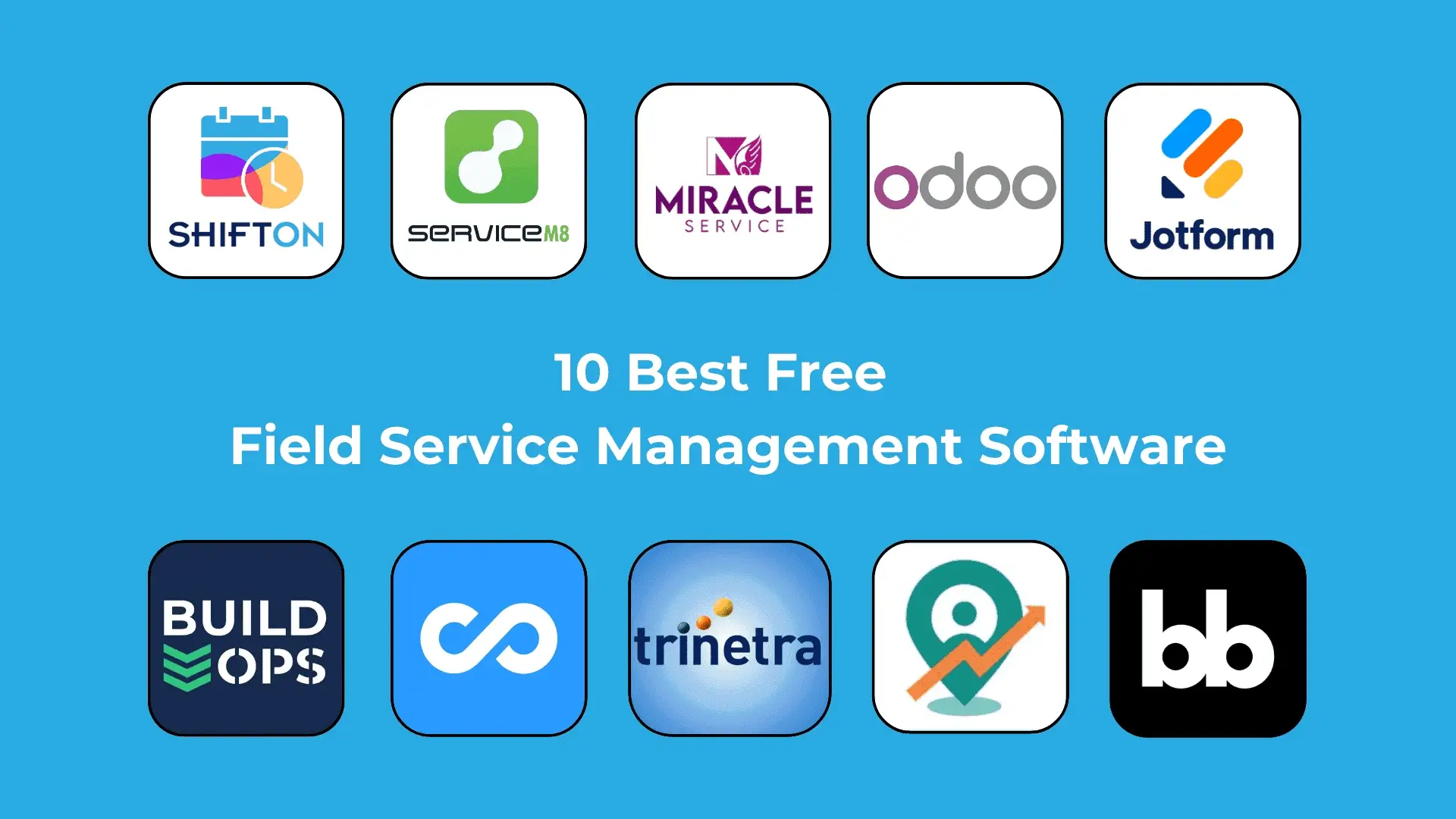
The 10 Best Free Field Service Management Software Programs

1. Shifton Service — Best Free Field Service Management Software

Shifton Service is the leading free field service management software designed specifically for businesses looking to streamline their service delivery. It offers tools to manage work orders, schedules, and technician assignments efficiently. Features:

  1. Work Order Management: Easily create, assign, and track work orders in real-time.
  2. Scheduling: Drag-and-drop calendar feature for efficient scheduling of jobs.
  3. Mobile Access: Technicians can access job details and update statuses on the go.
  4. Customer Database: Maintain client information and service history for personalized service.

Shifton Service can integrate with various third-party applications, including CRM systems, accounting software, and communication tools, to enhance workflow efficiency

2. Connecteam

Connecteam is an all-in-one field service management software that focuses on task management, team collaboration, and reporting. It is suitable for businesses of all sizes looking to improve efficiency. Features:

  • Task Management: Create tasks and assign them to team members with deadlines.
  • time tracking: Monitor employee hours and productivity with a built-in time clock.
  • Communication Tools: Chat features allow for instant communication among team members.
  • Reporting: Generate insightful reports to analyze performance metrics.

Connecteam offers integrations with popular tools like Zapier, QuickBooks, and Google Drive, enabling seamless data flow between platforms.

3. JotForm

JotForm provides customizable forms and workflow automation for field service management. It allows businesses to collect data efficiently, streamline operations, and ensure accuracy in field service processes. Features:

  1. Custom Forms: Build and customize forms with drag-and-drop functionality.
  2. Data Collection: Capture customer information, feedback, and service requests easily.
  3. Approval Workflows: Automate approval processes for faster service delivery.
  4. Mobile-Friendly: Access forms and data collection tools from mobile devices.

JotForm supports integration with a range of applications, including Google Sheets, Salesforce, and PayPal, enhancing its functionality across business operations.

4. Budibase

Budibase is an open-source low-code platform for building custom internal tools, including field service management applications. It allows businesses to automate workflows and manage data effectively. Features:

  • Custom Application Development: Build tailored applications specific to field service needs.
  • Automated Workflows: Streamline processes by automating repetitive tasks.
  • Database Management: Manage and query data easily, ensuring accuracy and availability.
  • User Management: Control user permissions and access settings for data security.

Budibase can integrate with various API-driven platforms, including Google Workspace and Slack, making it easy to incorporate into existing systems.

5. Miracle Service

Miracle Service is a comprehensive field service management solution designed for service-oriented businesses. It offers tools for managing service requests, technician dispatch, and billing. Features:

  1. Service Order Management: Keep track of service requests from initiation to completion.
  2. Field Technician Dispatch: Optimize routes and dispatch jobs efficiently to technicians.
  3. Inventory Control: Manage inventory levels and track parts and products used in services.
  4. Customer Portal: Allow customers to view service history and submit requests.

Miracle Service integrates with various accounting and ERP solutions like QuickBooks and Sage, providing a unified approach to managing service operations.

6. ServiceM8

ServiceM8 is an intuitive cloud-based field service management software that helps small businesses manage their operations more efficiently. It focuses on scheduling, invoicing, and customer relationship management. Features:

  • Scheduling & Dispatching: Simple drag-and-drop scheduling and automated reminders.
  • Invoicing: Generate professional invoices and accept payments on-site.
  • Client Management: Keep track of customer information and service history.
  • Mobile App: Comprehensive features available through a mobile application for technician convenience.

ServiceM8 integrates with various applications, including accounting software like Xero, and has a REST API for additional custom integrations.

7. Trinetra iWay

Trinetra iWay is an efficient field service management software that enables businesses to optimize operations through GPS tracking, route optimization, and work order management. Features:

  1. Live Tracking: GPS tracking of field technicians for real-time visibility.
  2. Route Optimization: Optimize routes to reduce travel time and increase productivity.
  3. Work Order Management: Streamlined process for creating and managing work orders.
  4. Reporting and Analytics: Comprehensive reporting tools to track performance metrics.

Trinetra iWay can integrate with popular GPS and mapping services, alongside CRM and project management tools.

8. Odoo

Odoo is a powerful suite of open-source applications that includes modules for project management, CRM, sales, and field service management. It is designed for companies looking for an integrated business solution. Features:

  • Integrated Modules: Seamless integration between field service management and other business functions.
  • Invoicing and Payments: Easily manage billing and transactions.
  • Customizable Dashboards: Visualize data with tailored dashboards for quick insights.
  • Mobile Support: Access all features via mobile devices.

Odoo integrates with eCommerce platforms, accounting software, and various third-party apps, making it a versatile choice for many businesses.

9. Delta Sales App

The Delta Sales App is designed for businesses to manage their sales and field service tasks effectively. It merges sales tracking with field service management to ensure customer satisfaction.

Features:

  • Sales Management: Track leads, customer interactions, and sales progress.
  • Field Service Management: Schedule and manage service requests alongside sales activities.
  • Reporting Tools: Generate reports on sales performance and service efficiency.
  • Customer Relationship Management (CRM): Maintain relationships and follow up on leads effectively.

The Delta Sales App integrates with other sales and marketing platforms, enhancing capabilities and collaboration between departments.

10. BuildOps

BuildOps is a robust cloud-based platform specifically tailored for field service businesses in the construction and maintenance industries. It focuses on streamlining processes and enhancing operational efficiency. Features:

  • Job Management: Track jobs from start to finish with task assignments and updates.
  • Scheduling: Eliminate scheduling conflicts and optimize technician assignments.
  • Inventory Management: Monitor inventory and manage stock levels efficiently.
  • Financial Reporting: Robust financial tools to track costs and improve budgeting.

BuildOps integrates with various accounting and workflow management tools, ensuring that all aspects of the business can work together seamlessly.

Comparison Chart of the Best Free Field Service Management Software

Here is a comparison chart of the best free field service management software based on the descriptions, features, and integrations previously provided.

Software

Description

Key Features

Integration Options

Shifton Service

Best free option for managing service delivery.

Live Tracking
Work Order Management

Scheduling

Mobile Access

Customer Database

Integrates with Zapier, QuickBooks, and various CRM, accounting tools, and communication apps.

Connecteam

All-in-one tool focusing on task management and team collaboration.

Task Management

Time Tracking

Communication Tools

Reporting

Integrates with Zapier, QuickBooks, Google Drive, and others.

JotForm

Customizable forms for efficient data collection and workflow automation.

Custom Forms

Data Collection

Approval Workflows

Mobile-Friendly

Integrates with Google Sheets, Salesforce, PayPal, and more.

Budibase

Open-source low-code platform for building custom applications.

Custom Application Development

Automated Workflows

Database Management

User Management

API-driven integrations with Google Workspace, Slack, etc.

Miracle Service

Comprehensive solution for service-oriented businesses.

Service Order Management

Field Technician Dispatch

Inventory Control

Customer Portal

Integrates with QuickBooks, Sage, and other accounting/ERP solutions.

ServiceM8

Cloud-based software for small businesses focusing on scheduling and billing.

Scheduling & Dispatching

Invoicing

Client Management

Mobile App

Integrates with Xero and offers REST API for custom integrations.

Trinetra iWay

Efficient management via GPS tracking and route optimization.

Live Tracking

Route Optimization

Work Order Management

Reporting

Integrates with GPS and mapping services, as well as CRM tools.

Odoo

Open-source suite with modules for integrated business solutions.

Integrated Modules

Invoicing and Payments

Customizable Dashboards

Mobile Support

Integrates with various eCommerce platforms, accounting software, and third-party apps.

Delta Sales App

Merges sales tracking with field service management.

Sales Management

Field Service Management

Reporting Tools

CRM

Integrates with sales and marketing platforms for enhanced collaboration.

BuildOps

Tailored for construction and maintenance industries.

Job Management

Scheduling

Inventory Management

Financial Reporting

Integrates with accounting and workflow management tools.


This chart provides a concise comparison of the various software options, showcasing their unique features and integration capabilities, allowing potential users to make informed decisions about which tool best fits their needs.

Summing Up and Final Thoughts

In summation, free field service management software presents an excellent opportunity for businesses looking to improve their field service operations without hefty software costs. As we have explored, numerous high-quality options exist, each offering unique features and capabilities to cater to specific needs.

Field Service Management Considerations For Certain Businesses

Some considerations when choosing a free field service management software include the specific requirements of your industry, the size of your team, and the types of services you offer. Understanding these nuances allows businesses to select the software that best fits their operational needs.

What Are The Emerging Trends Of Field Service Management Software

As technology continues to advance, several trends are emerging in the field service management industry. These include the increased use of AI for predictive maintenance, mobile-enabled solutions for technicians, and enhanced customer service through real-time communication and feedback tools. Keeping an eye on these trends can help businesses stay ahead of the curve.

How Much Does Free Field Service Management Software Cost

While many free field service management software options are available, organisations must also consider the potential costs associated with scaling, additional features, or premium upgrades. However, selecting the best free field service management software that aligns with company goals can provide significant long-term savings and improvements in efficiency.

Ultimately, the right free open source field service management software can transform your business processes, enhance customer satisfaction, and improve your bottom line. As you embark on your search, remember the features and capabilities that matter most to your organization, and do not hesitate to explore the wide array of solutions available.


Release v1. Updates and Improvements, Enhancements in Field Service

At Shifton, we consistently work on enhancing our service functionality and improving solutions in employee shift planning and field service management. We believe that meaningful enhancements in field service require not just upgrades, but thoughtful solutions that match real-world workflows. We’re excited to share our latest updates—developments that reflect ongoing enhancements in field service and […]

Release v1. Updates and Improvements, Enhancements in Field Service
Written by
Admin
Published on
2 Feb 2025
Read Min
3 - 5 min read

At Shifton, we consistently work on enhancing our service functionality and improving solutions in employee shift planning and field service management. We believe that meaningful enhancements in field service require not just upgrades, but thoughtful solutions that match real-world workflows.

We’re excited to share our latest updates—developments that reflect ongoing enhancements in field service and platform functionality across key modules.

Enhancements in Field Service and Platform Functionality

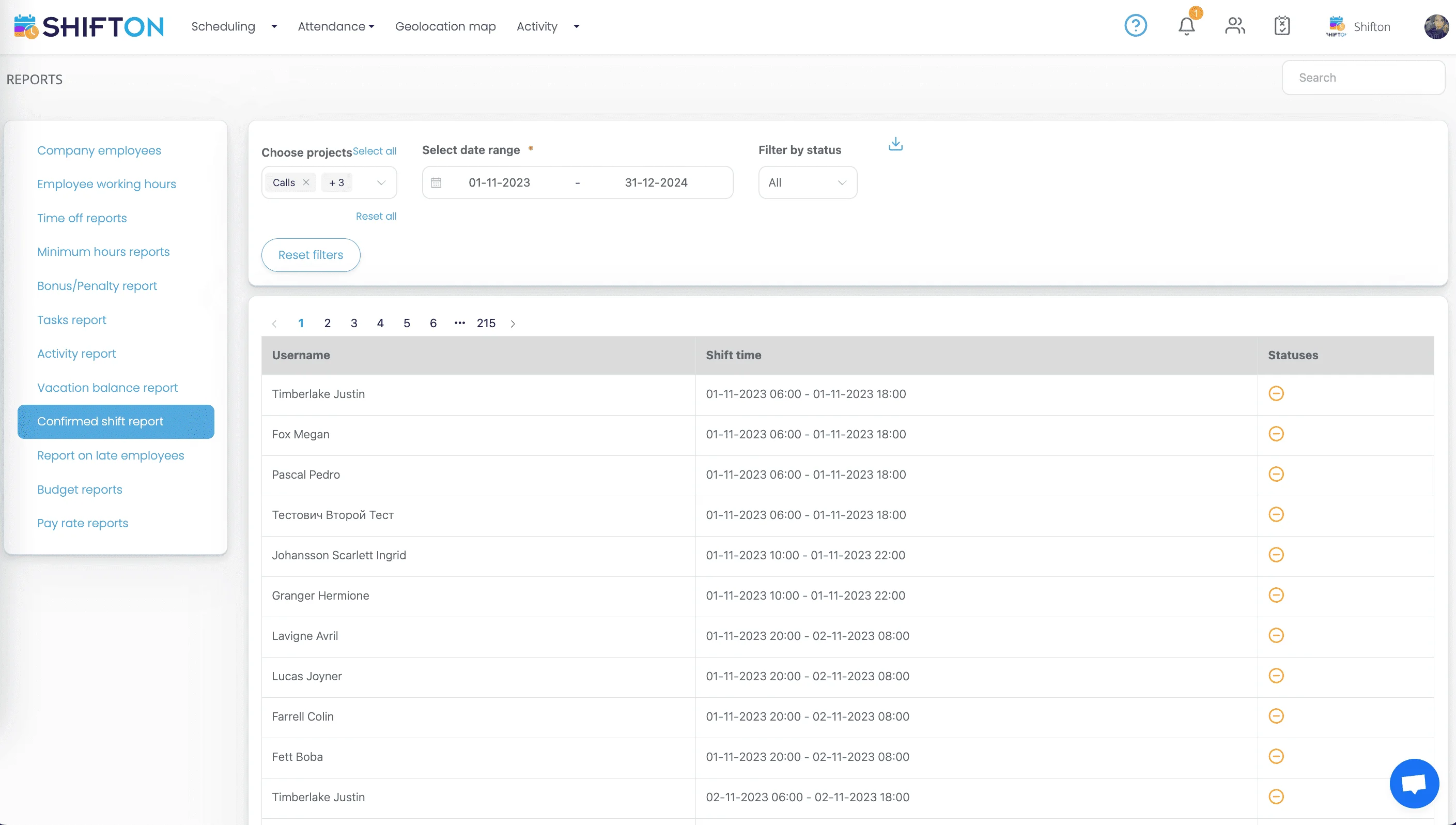
Among the latest enhancements in field service is the ability to download the Confirmed Shifts Report. Now, users cannot only view reports in-app but export them directly to Excel for further analysis and archiving.

This upgrade simplifies administrative reporting and strengthens documentation procedures—crucial improvements in day-to-day service operations.

User-friendly reporting dashboard for efficient analysis and management of reports.

In addition, activity data retrieval was added to our API documentation. These enhancements in field service infrastructure offer more ways to integrate Shifton into external systems and automate data operations.

The documentation now covers how to retrieve, delete, or edit activities and templates using predefined commands, enabling greater flexibility for teams relying on system interoperability.

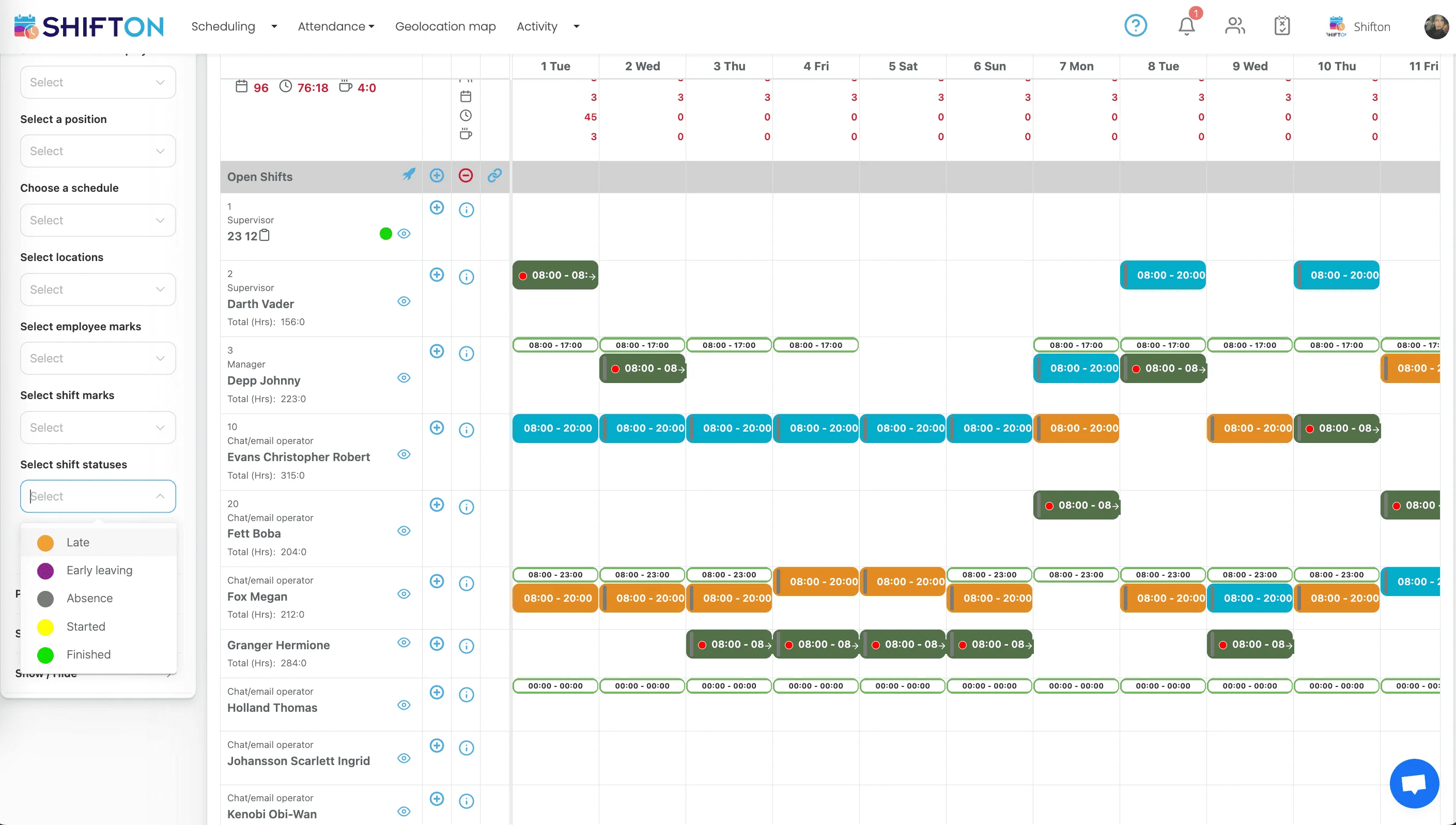
We’ve also introduced a smarter calendar filter for shift statuses. These types of enhancements in field service improve how managers view and react to changing schedules in real time.

Using the Attendance module, users can now filter shifts by status—such as Late, Started, Ended Early, Absence, or Completed—alongside templates and employees. This adds another layer of control to field operations.

Efficient employee scheduling dashboard with color-coded shifts and customizable options for streamlined management.

Another major development is the option to begin unscheduled activities through the Activity module. These enhancements in field service flexibility are especially valuable in industries where tasks shift quickly and unpredictably.

This new feature empowers employees to begin tasks independently—without waiting for a manager to assign or define each specific activity—reducing delays and boosting productivity.

Enhancements in Field Service: Task Management Upgrades

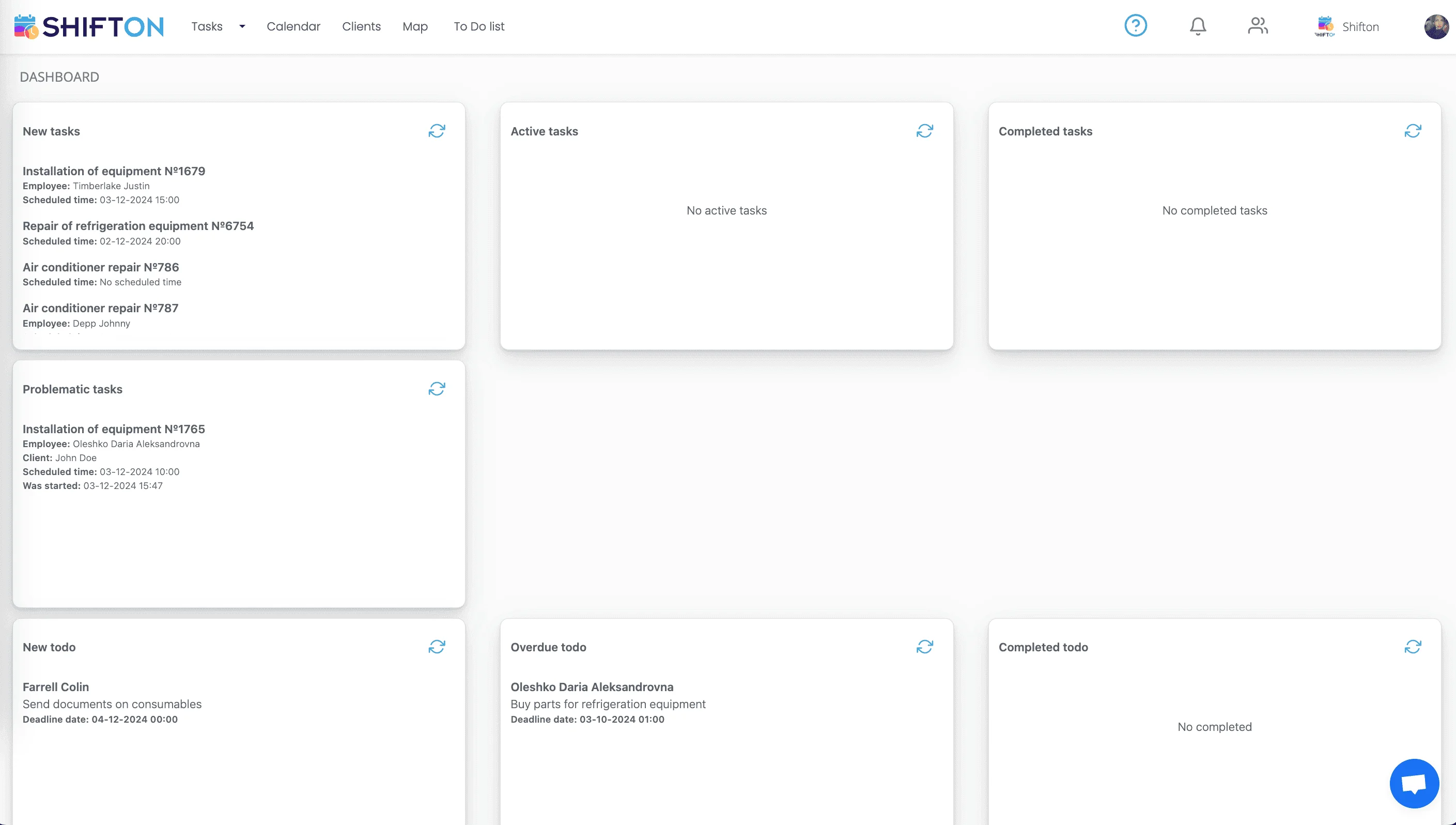
A redesigned task dashboard has been launched—one of the most impactful enhancements in field service management this year. This view consolidates key task data for managers, dispatchers, and team leaders.

The dashboard shows all active, upcoming, and overdue tasks in one place. You’ll find clearer task statuses, assigned team members, and timelines, making oversight easier and more effective.

Task Dashboard & File Attachments: Key Enhancements in Field Service

Streamline productivity with SHIFTON’s organized task management interface for efficient workflow.

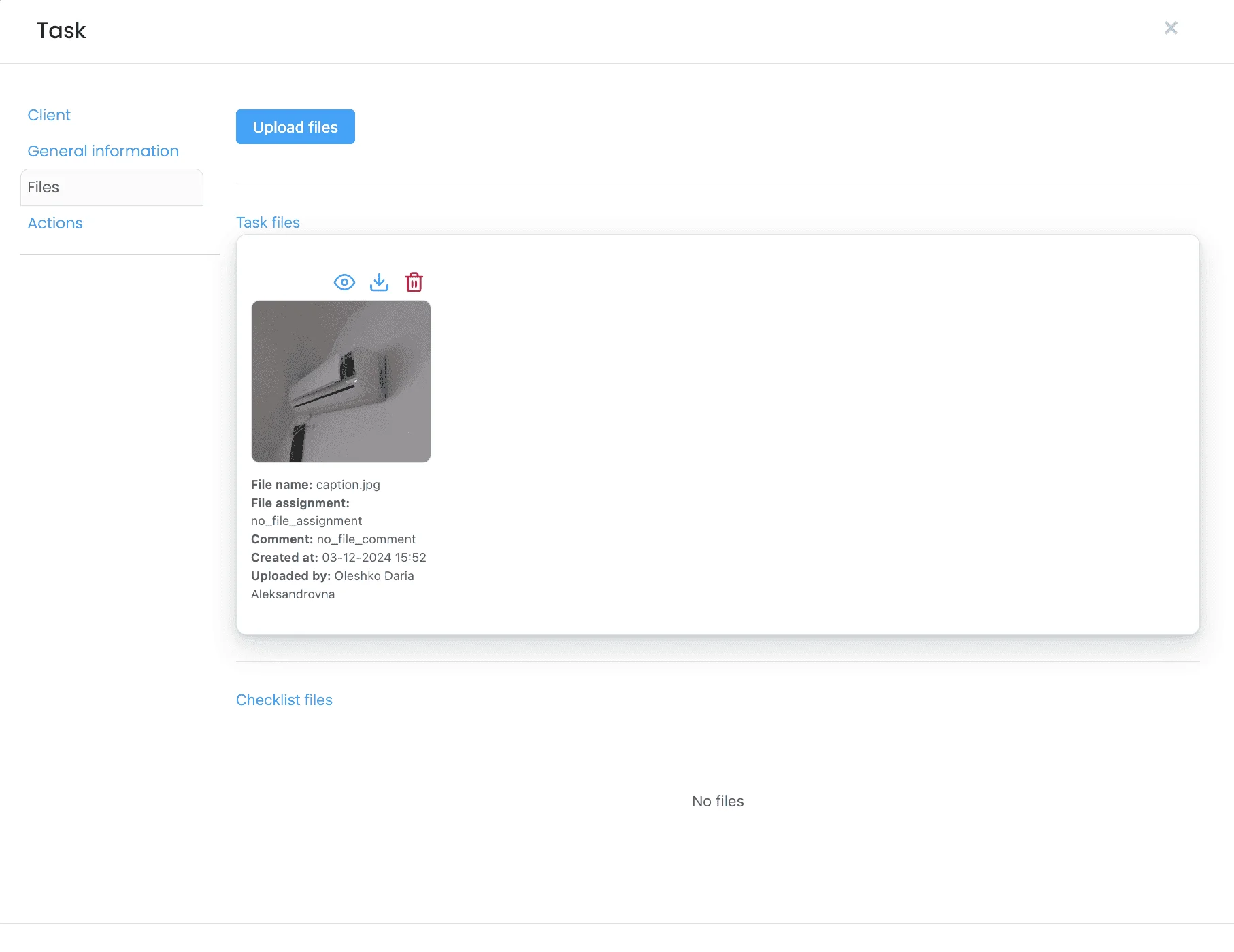
We’ve also added the ability to attach files to tasks—documents, agreements, images, and specifications can now be added directly into the task window. These document-centric enhancements in field service help field workers stay fully informed before arrival on site.

Now, whether it’s a photo of faulty equipment or detailed cost breakdowns, everything is in one place for technicians, reducing errors and support calls.

Task management interface with file uploads, client details, and collaborative task checklist.

All of these upgrades represent the next level of enhancements in field service—smarter tools, more autonomy, and seamless data handling to empower teams wherever they are.


Shifton vs. Connecteam: Comparison Overview

Choosing the right workforce management tool can significantly impact business efficiency and employee satisfaction. For companies evaluating their options, understanding the differences between Shifton vs. Connecteam is crucial. This article provides a detailed comparison, helping businesses select the best platform for their unique needs. Whether you are managing a call center or overseeing a retail […]

Shifton vs. Connecteam: Comparison Overview
Written by
Admin
Published on
26 Dec 2024
Read Min
6 - 8 min read

Choosing the right workforce management tool can significantly impact business efficiency and employee satisfaction. For companies evaluating their options, understanding the differences between Shifton vs. Connecteam is crucial. This article provides a detailed comparison, helping businesses select the best platform for their unique needs. Whether you are managing a call center or overseeing a retail chain, this guide will clarify which solution aligns with your goals.

More articles comparing different services are available in our section.


What is Shifton

shifton logo Shifton is a comprehensive workforce management tool designed primarily for businesses in the service, retail, and hospitality industries. Its primary focus is on simplifying employee scheduling, enhancing time tracking, and improving team communication. With Shifton, managers can create and manage work schedules effortlessly, accommodating employee availability and preferences to foster a positive work environment. The platform allows employees to clock in and out via a user-friendly mobile app, ensuring accurate time tracking and reducing administrative overhead. Moreover, Shifton features built-in communication tools that facilitate interaction among team members, allowing for efficient updates and collaboration. Additionally, Shifton provides reporting capabilities that offer insights into attendance, labor costs, and workforce productivity, enabling managers to make data-driven decisions. While it can be integrated with various HR and payroll systems, Shifton is particularly favored by small and medium-sized businesses looking for an intuitive and affordable solution to streamline their workforce management processes.

What is Connecteam?

Connecteam is a comprehensive business management software designed to streamline employee communication, task delegation, and training. Its mobile-first approach makes it particularly appealing for field service teams, retail businesses, and hospitality managers. Key features of Connecteam include:

  • Communication tools: Real-time messaging, announcements, and surveys.
  • task management: Create, assign, and track tasks effortlessly.
  • Employee training: Simplified onboarding and ongoing training modules.
  • Time tracking: Monitor hours worked with an integrated time clock.

Connecteam’s strength lies in its versatility, catering to industries requiring robust mobile workforce management. However, it is essential to assess its capabilities compared to Shifton.

Comparison Overview: Shifton vs. Connecteam – Key Features

Both Shifton and Connecteam offer a variety of features to manage workforce needs. Here is a closer look at what sets them apart: Core Features

  • Shifton: Focuses on shift planning and scheduling. Ideal for call centers, healthcare, and businesses requiring advanced shift optimization. Includes tools for employee availability tracking and automated scheduling.
  • Connecteam: Prioritizes communication and training, making it perfect for distributed teams needing seamless collaboration.

User Experience

  • Shifton: Simplified interface for quick schedule adjustments and shift swaps.
  • Connecteam: A more robust, feature-rich dashboard, which can feel overwhelming for smaller teams.

Mobile Support

  • Both platforms offer mobile apps, but Connecteam’s app has broader functionality, especially for field service scheduling and communication.

Shifton vs. Connecteam: Similarities

Despite their differences, Shifton and Connecteam share several commonalities:

  1. Mobile-Friendly Solutions: Both offer apps to manage on-the-go workforce needs.
  2. shift scheduling: Core functionality includes creating and managing employee schedules.
  3. Integration Options: Compatible with popular business tools to streamline workflows.
  4. Analytics and Reporting: Basic reporting features for tracking workforce productivity.
  5. Support: Both platforms provide customer support and training resources.

Shifton vs. Connecteam: Differences

While both tools address workforce management, their unique approaches set them apart:

  • Scheduling Focus:
    • Shifton specializes in shift planning software, with advanced algorithms for optimizing schedules based on employee availability and preferences.
    • Connecteam includes basic scheduling features but excels in task management and communication.
  • Industries Served:
    • Shifton is tailored for call centers, healthcare, and retail.
    • Connecteam is better suited for field service scheduling, hospitality, and remote teams.
  • Customization:
    • Shifton offers industry-specific templates for quick scheduling.
    • Connecteam provides customizable workflows for training and task assignments.

Shifton vs. Connecteam: Pros and Cons

Platform Pros Cons
Shifton
  1. Excellent for shift scheduling and workforce optimization.
  2. Automated features save time and reduce errors.
  3. Affordable pricing for small to medium businesses.
  1. Limited advanced communication tools.
  2. Less robust for training and employee engagement.
Connecteam
  1. Comprehensive communication and task management tools.
  2. Ideal for industries with distributed or mobile teams.
  3. Strong focus on employee training and onboarding.
  1. Pricing can be high for small businesses with limited needs.
  2. Overwhelming feature set for users seeking simple scheduling tools.


Shifton vs. Connecteam: Pricing

Pricing structures for Shifton and Connecteam vary based on features and team size:

  • Shifton: Offers transparent pricing plans tailored for small to large teams, with options for pay-as-you-go or annual subscriptions.
  • Connecteam: Subscription-based pricing with tiered plans. Advanced features like training modules and analytics are available in premium tiers.

Shifton vs. Connecteam: Comparison Table

Feature Shifton Connecteam
Shift Scheduling Basic Basic
Task Management Limited Comprehensive
Mobile App Focused on scheduling All-in-one functionality
Employee Training Basic Robust
Industries Served Call centers, retail, healthcare Hospitality, field services
Pricing Affordable Moderate to high


5 Recommendations for Choosing Between Shifton vs. Connecteam

  1. Define Your Needs: Prioritize scheduling? Opt for Shifton. Need communication and training? Choose Connecteam.
  2. Consider Your Industry: Evaluate which platform aligns with your sector’s requirements.
  3. Evaluate Team Size: Shifton’s simplicity benefits smaller teams, while Connecteam scales better for larger operations.
  4. Test Both Platforms: Use trial periods to determine usability.
  5. Review Budget: Assess pricing models and ROI for your business.

Ten Questions You Must Ask: Comparison Overview Guide

  1. What features are essential for my business?
  2. Does the platform support mobile workforce management?
  3. How does the pricing align with my budget?
  4. Are there industry-specific tools?
  5. Which platform offers better scalability?
  6. What is the user onboarding experience?
  7. Are there integration options with existing tools?
  8. How does the platform handle customer support?
  9. What analytics and reporting features are provided?
  10. Can the tool adapt to my business as it grows?

Shifton vs. Connecteam: Use Cases

Shifton

  • Call centers manage dynamic schedules.
  • Retail stores are optimizing employee availability.
  • Healthcare administrators ensure staff coverage.

Connecteam

  • Field service teams requiring task management.
  • Hospitality businesses need seamless communication.
  • IT teams handling remote workflows.

Final Thoughts on Shifton vs. Connecteam: Which Is Best For Business

Selecting the right platform depends on your business needs. Shifton excels in shift planning and workforce optimization, making it ideal for call centers and healthcare. Connecteam, with its robust communication and training features, is perfect for industries relying on mobile workforce management. Assess your priorities and use the recommendations above to make an informed choice.

More detailed on the topic:

Shifton vs 7Shifts: Comparison Overview

Shifton vs. Deputy: Comparison Overview

Shifton vs. When I Work: Comparison Overview


What is Strategic Route Planning? Best Practices

Strategic route planning is a critical component in today is logistical landscape, serving as a systematic approach to designing the most effective and efficient routes for transportation. To understand what route planning entails, one must delve into its meaning and significance. At its core, route planning is the process of determining the optimal paths for […]

What is Strategic Route Planning? Best Practices
Written by
Admin
Published on
25 Dec 2024
Read Min
16 - 18 min read

Strategic route planning is a critical component in today is logistical landscape, serving as a systematic approach to designing the most effective and efficient routes for transportation. To understand what route planning entails, one must delve into its meaning and significance. At its core, route planning is the process of determining the optimal paths for vehicle travel, which is essential for minimizing costs and maximizing service delivery. Strategic route planning goes a step further by incorporating long-term goals and objectives into the routing plan, ensuring sustained efficiency and effectiveness over time.

So, why is route planning important? Implementing efficient route planning solutions allows organizations to respond proactively to various challenges, ultimately leading to significant route planning benefits. By understanding the nuances of strategic route planning, businesses can enhance their logistical capabilities and streamline operations. This introduction sets the stage for exploring best practices in achieving optimal outcomes through strategic route planning.

What is Strategic Route Planning?

Strategic route planning is an essential process that focuses on optimizing transportation routes to enhance operational efficiency and reduce costs. But what exactly is route planning? At its core, route planning is the method of determining the best paths for vehicles to travel, taking into account various factors such as distance, travel time, and delivery schedules.

Strategic route planning takes this concept further by integrating long-term objectives and market conditions into the routing plan, allowing businesses to adapt to changing environments while maintaining efficiency. Why is route planning important? Effective route planning solutions not only streamline logistics operations but also minimize fuel consumption and improve delivery times.

With strategic route planning, companies can benefit from enhanced decision-making, leading to significant route planning benefits like improved customer satisfaction and reduced operational costs. By understanding the meaning of route planning and implementing efficient strategies, businesses can ensure that they remain competitive in today is fast-paced economy.

Route Planning vs. Daily Routing

When discussing logistics, two terms often come into play: route planning and daily routing. But what is route planning? At its essence, route planning involves the systematic development of the most efficient travel paths for vehicles, taking into account various logistical factors such as distance, traffic, and delivery timeframes. This strategic approach is crucial for optimizing operations and maximizing resource utilization.

On the other hand, daily routing refers to the specific schedules and paths that vehicles follow on a day-to-day basis. While daily routing can stem from a broader routing plan developed through strategic route planning, it typically focuses on the execution of predetermined routes that meet immediate operational needs.

So, why is route planning important? Efficient route planning enables businesses to save on fuel costs, reduce delivery times, and enhance customer satisfaction. Moreover, implementing effective route planning solutions can lead to measurable route planning benefits, such as increased productivity and better resource allocation.

To summarize, while both route planning and daily routing play vital roles in logistics, strategic route planning lays the groundwork for efficient operations, ensuring that daily routing aligns with overarching business goals and customer expectations. Understanding the relationship and differences between these two concepts is essential for any organization aiming to optimize its transportation logistics.

What are the Benefits of Implementing Strategic Route Planning for Businesses

Strategic route planning plays a crucial role in enhancing business operations, encompassing various advantages that can significantly impact a company’s bottom line. Let’s explore the benefits of implementing strategic route planning for businesses.

1. Cost Savings

One of the primary route planning benefits is the potential for significant cost savings. By optimizing routes, businesses can reduce fuel consumption and minimize wear and tear on vehicles. Efficient route planning means fewer operational expenses, making it a vital part of a company’s routing plan.

2. Improved Efficiency

What is route planning if not a means to achieve improved efficiency? Strategic route planning allows businesses to streamline their logistics operations, leading to faster deliveries and better allocation of time resources. This efficiency is crucial for meeting customer expectations and staying competitive in the market.

3. Enhanced Customer Service

Why is route planning important for customer service? A well-executed routing plan results in timely deliveries, which directly impacts customer satisfaction. When businesses implement strategic route planning, they can ensure that customers receive their products when promised, fostering loyalty and trust.

4. Optimized Resource Allocation

With strategic route planning, businesses can better allocate resources, such as vehicles and personnel. Efficient route planning ensures that resources are used optimally, allowing for greater flexibility and responsiveness to changes in demand. This can lead to improved overall performance and reduced operational costs.

5. Reduced Environmental Impact

Another significant benefit of strategic route planning is the reduction of a business is carbon footprint. Efficient route planning solutions help minimize fuel usage, thereby lowering greenhouse gas emissions. This not only contributes to sustainability efforts but also enhances the company’s reputation among environmentally conscious consumers.

6. Data-Driven Insights

Strategic route planning involves analyzing data to make informed decisions. By utilizing route planning solutions, businesses can gain insights into operational patterns, identify inefficiencies, and make adjustments accordingly. These data-driven insights lead to continuous improvement and a more effective routing plan.

In summary, the meaning of route planning extends beyond just determining paths for vehicles; it encapsulates a strategic approach that offers substantial benefits. From cost savings and improved efficiency to enhanced customer service and environmental sustainability, businesses that implement strategic route planning are better positioned for success in today is competitive landscape.

Importance Of Route Planning For Field Teams

For field teams operating in various industries, effective route planning is indispensable. But what is route planning? In essence, it is the process of determining the most efficient paths for team members to take while completing their daily tasks. Strategic route planning not only enhances operational efficiency but also delivers a myriad of benefits that can significantly impact a business is overall performance.

Streamline Operations

One of the primary reasons why route planning is important for field teams is that it helps streamline operations. By developing a thoughtful routing plan, teams can minimize time spent traveling from one location to another, allowing them to allocate more time to actual work. Efficient route planning reduces the complexity of managing daily tasks, enabling field teams to focus on delivering results rather than navigating logistical hurdles.

Reduce Fuel Costs

Implementing route planning solutions is a practical way to reduce fuel costs. By optimizing travel routes, businesses can significantly decrease the distance traveled and the amount of fuel consumed. This translates into substantial savings over time, which is especially critical for field teams that frequently commute to various job sites. Efficient route planning not only benefits the budget but also supports a more sustainable approach to operations.

Reduce Carbon Emissions

A growing concern for many organizations is their carbon footprint. Strategic route planning contributes to reducing carbon emissions by ensuring that vehicles take the most efficient paths. In today is environmentally-conscious market, adopting green practices resonates well with customers and stakeholders alike. By prioritizing efficient route planning, field teams can reflect a commitment to sustainability and social responsibility.

A Stronger Brand Reputation

Finally, effective route planning enhances a company’s brand reputation. Customers appreciate timely service, and when field teams can consistently meet or exceed expectations due to efficient route planning, it fosters trust and loyalty. A routing plan geared towards reliability and efficiency not only improves customer relations but also sets the business apart from competitors.

In conclusion, understanding the meaning of route planning and its role in operations highlights its significance for field teams. From streamlining operations and reducing fuel costs to cutting carbon emissions and strengthening brand reputation, strategic route planning is an invaluable component of successful field operations. Implementing route planning solutions provides numerous advantages that contribute to the long-term growth and sustainability of a business.

How Does Strategic Route Planning Address Complex Logistical Challenges

In an increasingly complex logistical environment, businesses must navigate numerous challenges to maintain efficiency and satisfaction. Strategic route planning emerges as a vital solution. But what is route planning in this context? It refers to the process of determining optimal paths for transportation and delivery, utilizing technology and data to overcome logistical hurdles.

Reduce Driving Time

One of the most notable route planning benefits is the ability to reduce driving time. By implementing efficient route planning methodologies, organizations can analyze traffic patterns, distance metrics, and customer locations. As a result, strategic route planning minimizes unnecessary travel, allowing drivers to reach their destinations quicker. This not only improves operational efficiency but also leads to greater productivity throughout the day, as staff spend less time on the road and more time completing essential tasks.

Visualize Routes

Understanding the meaning of route planning goes beyond just mapping paths; it is about visualizing routes for better comprehension and analysis. Advanced route planning solutions often incorporate mapping technologies and analytics, enabling teams to visualize their routes with clarity. This capability allows field teams to preemptively identify potential roadblocks or change points in their journey. When teams can visualize their routes effectively, they can make informed decisions quickly and adapt to unexpected challenges, further enhancing their efficiency.

Improve The Customer Experience

Why is route planning important for customer experience? By ensuring timely deliveries and efficient service, businesses can significantly enhance the customer experience. Strategic route planning means that deliveries arrive within specified windows, leading to satisfied customers who appreciate reliability. When businesses optimize their routing plans, they are not just meeting expectations—they are exceeding them, which fosters loyalty and encourages repeat business.

Continual Performance Improvement

Strategic route planning also facilitates continual performance improvement. With data collection and analysis as core components of modern route planning solutions, companies can revisit and tweak their routing plans regularly. By continuously monitoring performance KPIs (Key Performance Indicators), organizations can identify inefficiencies or trends that need addressing. This ongoing refinement ultimately leads to more efficient operations and better resource utilization.

Inefficient Route Planning

Conversely, inefficient route planning can lead to a host of logistical challenges. Businesses that neglect strategic route planning often face increased driving times, higher fuel consumption, and resource wastage. It is essential to recognize the negative impact that poor route planning can have on both operational costs and service quality. By adopting a more strategic approach to route planning, organizations can transition from inefficient practices to streamlined processes, alleviating many logistical burdens.

Traffic Congestion And Delays

Traffic congestion and unexpected delays represent significant hurdles for logistical operations. Efficient route planning incorporates real-time traffic data to help businesses avoid congested areas and minimize delays. By anticipating potential traffic issues, companies can alter their routing plans proactively, ensuring on-time deliveries and reducing frustrations for both drivers and customers. Overall, strategic route planning acts as a buffer against the unpredictability of traffic conditions.

Time Window Compliance

In industries like logistics and delivery, adhering to strict time windows is crucial. Strategic route planning helps companies efficiently manage time window compliance by ensuring that deliveries fit within their allocated schedules. When businesses utilize precise route planning solutions, they can optimize time allocation for each route, reducing the risks of late deliveries and enhancing their reputation for reliability.

Capacity And Resource Constraints

Understanding capacity and resource constraints is essential in effective route planning. Strategic route planning allows businesses to analyze their vehicle capacity and resource availability. This insight ensures that operations remain efficient, preventing overloading vehicles or wasting resources. By strategically planning their routes based on available capacity, organizations can make the most of their fleet and personnel.

Dynamic Changes And Last-Minute Requests

The reality of logistics and field operations is that dynamic changes frequently occur, including last-minute requests from customers. Strategic route planning is equipped to handle these challenges by allowing quick adaptations to the routing plan. With real-time data and proactive planning, field teams can accommodate new delivery requests or changes in schedules without significantly disrupting their operational flow.

Complex Routing Constraints

Finally, businesses often face complex routing constraints stemming from various factors, such as road restrictions, delivery windows, and diverse delivery locations. Strategic route planning solutions are designed to navigate these complexities effectively. By considering all relevant constraints in the routing plan, companies can create functional and efficient routes that account for all logistical challenges, ultimately improving operational efficiency.

In summary, the effectiveness of strategic route planning in addressing complex logistical challenges can not be overstated. By reducing driving time, visualizing routes, improving customer experiences, and tackling various constraints, route planning emerges as a critical strategy for logistics. Companies that implement efficient route planning solutions reap substantial benefits, enhancing their overall operational efficacy.

Best Practices for Strategic Route Planning

In the world of logistics and field services, effective route planning is a cornerstone for achieving operational efficiency and satisfying customer needs. But what is route planning, and why is route planning important? Essentially, route planning encompasses the process of determining the best paths for transportation to optimize various logistical operations. The significance of strategic route planning cannot be overstated, as it enables businesses to minimize costs, enhance productivity, and improve overall service delivery. Here, we outline four best practices for achieving efficient route planning.

Opt For Software That Can Work Quickly

To achieve the maximum route planning benefits, utilizing advanced software is essential. Efficient route planning requires tools that can process large volumes of data quickly, including traffic conditions, delivery windows, and geographic constraints. Opt for software solutions designed for rapid calculations and updates, enabling you to adapt your routing plan on the fly. The ability to make quick adjustments can significantly enhance operational agility, allowing businesses to address logistical challenges proactively rather than reactively.

Adopt A Hybrid Approach

One-size-fits-all solutions rarely lead to optimal results. A hybrid approach to strategic route planning combines both automated software solutions and human expertise. While routing plan software can efficiently compute optimal routes based on data, human judgment is invaluable for handling unique circumstances or unexpected challenges that may arise in the field. This balance of technology and human insight can help you improve your efficient route planning while retaining flexibility and responsiveness in your operations.

Leverage What-If Scenarios

In the realm of logistics, planning for contingencies is vital. Leveraging what-if scenarios allows businesses to foresee the impact of changes in route variables, such as additional stops or altered customer requirements. By modeling various scenarios, companies can better understand the potential outcomes of their routing plan adjustments. This practice is crucial in ensuring that your strategic route planning is robust and capable of accommodating fluctuating conditions and demands in real-time.

Maintain Multiple Plans In Parallel

Maintaining multiple routing plans in parallel is another effective strategy for successful strategic route planning. This approach enables organizations to prepare for various contingencies, such as changes in customer demand, weather disruptions, or unforeseen freight capacity issues. By having ready-to-implement alternative routing plans, businesses can reduce downtime and enhance operational resilience. This flexibility can significantly improve efficiency and service reliability, ensuring that teams are always a step ahead in addressing logistical challenges.

In conclusion, understanding the meaning of route planning and implementing best practices for strategic route planning is vital for organizations that wish to improve their logistical operations. By opting for quick and effective routing software, adopting a hybrid approach, utilizing what-if scenarios, and maintaining multiple plans, businesses can maximize their route planning solutions. The result will be not only enhanced operational efficiency but also improved customer satisfaction, underpinning the importance of sound route planning methodologies in today is fast-paced environment.

Choosing the Right Route Optimization Software

In today is fast-paced logistics and transportation sectors, understanding what is route planning and how it contributes to overall operational effectiveness is crucial. Route planning refers to the systematic process of determining the most efficient paths for delivering goods or services. As companies look for effective ways to enhance their logistical operations, the importance of strategic route planning cannot be overlooked. Choosing the right route optimization software is a critical decision that can greatly influence your business’s performance.

When assessing route planning solutions, it is essential to understand the specific features and functionalities they offer. Look for software that provides comprehensive tools for route planning, including real-time data analysis, traffic updates, and geolocation capabilities. Efficient route planning involves not just determining the quickest or shortest route, but assessing multiple variables like time windows, vehicle capacities, and customer preferences. The right software will offer these functionalities, ensuring your routing plans are both effective and adaptable.

Why is route planning important? At its core, it enhances efficiency and flexibility in logistics operations. Choose software that not only reduces driving time and operational costs but is also flexible enough to adapt to changing circumstances. An effective routing plan should allow for dynamic adjustments based on real-time conditions such as traffic interruptions, last-minute customer requests, or unplanned road conditions. This flexibility can enhance the overall route planning benefits, ensuring timely deliveries and improved customer satisfaction.

The meaning of route planning extends beyond calculations and algorithms—it is about usability for the workforce. Opt for software with user-friendly interfaces that can be easily navigated by your team, whether in the office or in the field. A complicated system may slow down your operations and lead to errors. Training time should be minimal, allowing for a smooth transition to the new system and ensuring that staff can leverage the software’s capabilities effectively.

Strategic route planning is most effective when it can integrate seamlessly with other operational tools and data sources. Assess whether the software can connect with your existing Customer Relationship Management (CRM), Enterprise Resource Planning (ERP), or Inventory Management systems. Efficient route planning relies on data from various sources; ensuring that your chosen software can pull from these systems will enhance accuracy and streamline operations.

To maximize the route planning benefits, look for software that offers robust analytical features. Data analytics can provide insights into routing efficiencies, helping businesses make informed decisions in the future. Histories of past routing plans should be analyzed to identify trends that can inform better decision-making and improve future strategic route planning efforts.

Conclusion

In conclusion, the process of selecting the right route optimization software is integral to achieving efficient route planning and successful logistical operations. By understanding the significance of route planning, evaluating potential software solutions, focusing on user experience, ensuring data integration, and utilizing analytical features, organizations can better navigate their route planning journey. The right software solution can lead to improved operational efficiency, cost savings, and enhanced customer satisfaction, all of which are vital in today is competitive market. Ultimately, investing in quality route planning solutions will ensure that your logistical operations thrive and adapt to the ever-changing demands of your business environment.

What is Route Optimization? A Comprehensive Guide

Route optimization is a critical aspect of logistics and supply chain management that focuses on determining the most efficient routes for transportation. In today’s fast-paced world, businesses strive to enhance their operational efficiency, reduce costs, and improve customer satisfaction. Route optimization aids in achieving these goals by leveraging advanced algorithms, data analytics, and technology to […]

What is Route Optimization? A Comprehensive Guide
Written by
Admin
Published on
24 Dec 2024
Read Min
27 - 29 min read

Route optimization is a critical aspect of logistics and supply chain management that focuses on determining the most efficient routes for transportation. In today’s fast-paced world, businesses strive to enhance their operational efficiency, reduce costs, and improve customer satisfaction. Route optimization aids in achieving these goals by leveraging advanced algorithms, data analytics, and technology to streamline delivery processes. This comprehensive guide will delve into the principles of route optimization, explore its benefits across various industries, examine the tools and techniques employed, and offer practical insights on how organizations can implement effective routing strategies. Whether you are a logistics manager, fleet operator, or business owner, understanding route optimization is essential for navigating the complexities of modern transport networks and ensuring your operations run smoothly.

What Is Route Optimization?

Route optimization is the process of determining the most efficient travel paths for vehicles to follow when delivering goods or providing services. This technique assesses variable elements such as traffic conditions, distance, delivery windows, and the number of stops to ensure that businesses can optimize their travel routes effectively. By employing route scheduling optimization, organizations can minimize travel time and costs while maximizing productivity.

To achieve route optimization, various tools and technologies play a crucial role. Software for route optimization is designed to assist users by automating the planning process, taking into account multiple factors to deliver optimal routes. This type of route optimization solution can significantly improve efficiency for businesses, particularly those that require route planning optimization on a daily basis.

A thorough guide to route optimization software includes understanding the type of route optimization software available on the market, as well as their respective route optimization software cost. These solutions range in price and functionality, catering to businesses of all sizes. Companies can also benefit from specialized route optimization service providers who offer tailored solutions to meet specific needs.

GPS route optimization tools further enhance this process by integrating real-time data, allowing for real-time route optimization that adapts to changing circumstances. Utilizing a route optimization map helps visualize the most efficient travel routes, while route optimization GPS brings navigation assistance into the equation.

In scenarios where deliveries involve multiple destinations, the ability to optimize route with multiple stops becomes increasingly important. Ultimately, the benefits of route optimization extend beyond cost savings, as organizations can improve customer satisfaction and enhance their overall operational performance.

With a clear understanding of how route optimization works, businesses can effectively implement strategies that lead to optimized travel routes and make informed decisions about which route optimization software best meets their needs.

How Does Route Optimization Work?

Route optimization works by analyzing various data inputs and applying algorithms to identify the most efficient routes for transportation. The process begins with gathering essential information, including starting points, destinations, delivery times, and any necessary stops.

  • Data Collection: With real time route optimization organizations collect data on delivery locations, required timeframes, vehicle capacities, and current traffic conditions. This comprehensive data forms the basis for effective route optimization.
  • Algorithm Application: Advanced algorithms, often utilized in route optimization software, analyze the collected data to determine the most efficient paths. These algorithms take multiple variables into account, including distance, time constraints, vehicle speed, and traffic patterns.
  • Route Planning Optimization: Once the software processes the data, it generates several potential routes. Route schedule optimization allows businesses to prioritize deliveries based on urgency and other factors, enabling better time management and resource allocation.
  • Real-Time Adjustments: Most modern route optimization solutions provide real-time updates that allow businesses to react quickly to changing traffic conditions, weather, or unexpected delays. GPS route optimization tools facilitate this by providing accurate and timely navigation assistance.
  • Implementation and Monitoring: After selecting the optimal route, drivers follow the generated plan. Businesses can monitor performance and gather feedback to continuously refine their route optimization planning, ensuring ongoing improvements in efficiency.

By leveraging these strategies, organizations can effectively optimize travel routes, reduce operational costs, and significantly enhance their service delivery capabilities.

Key Benefits of Route Optimization

Route optimization offers a multitude of advantages that can significantly enhance operational efficiency for businesses across various industries. Here are some of the most prominent benefits:

Cost Reduction (Cost-Saving Techniques)

Route optimization significantly contributes to cost reduction by minimizing fuel consumption and enhancing overall operational efficiency. Companies can employ various cost-saving techniques such as utilizing software that evaluates the most efficient routes based on real-time data and historical trends. By reducing the number of miles driven and avoiding congested areas, businesses can lower fuel expenses. Additionally, fewer miles mean reduced vehicle maintenance costs, leading to a more sustainable bottom line. This holistic approach allows companies to analyze various factors—from driver behavior to traffic patterns—enabling them to identify opportunities for saving while maintaining service quality.

Time Management

Effective time management is critical in the logistics and transportation industries, where timely deliveries can significantly impact customer satisfaction. Route optimization facilitates better time management by providing accurate estimates for travel times and suggesting optimal routes that take into account traffic, road conditions, and delivery windows. This allows drivers to adhere to schedules more closely, improving on-time performance. Companies can also reorganize their daily operations—whether adjusting delivery times or reassigning tasks—based on these insights, resulting in an efficient, organized workflow that maximizes productivity.

Reduce Dispatching Workload

By automating the route planning process, route optimization significantly reduces the workload on dispatch teams. Rather than manually assigning routes, dispatchers can leverage optimization software to automatically create efficient delivery schedules. This automation minimizes human error, improves accuracy, and speeds up the dispatching process. As a result, dispatch personnel can focus on more strategic tasks, such as addressing customer concerns or planning for unforeseen events, rather than getting bogged down in day-to-day operational details

Compliance With Regulations

For companies involved in transportation and logistics, compliance with various regulations—such as Hours of Service (HOS) requirements for drivers, weight restrictions, and environmental regulations—is essential. Route optimization software helps companies remain compliant by ensuring that routes adhere to legal constraints and operational rules. By planning routes that keep vehicles within legal weight limits and optimizing driving schedules to avoid HOS violations, businesses can prevent costly fines and improve their operational integrity and reliability.

Empower Satisfaction

Customer satisfaction is paramount in any business; therefore, optimizing routes can directly impact how customers perceive a company is service quality. Timely deliveries enhance the overall customer experience, fostering trust and loyalty. By using route optimization tools that consider customer preferences and timeframes, businesses can improve their responsiveness to customer needs. Enhanced customer satisfaction often leads to repeat business and positive word-of-mouth referrals, creating a competitive advantage in the marketplace.

Efficiency Enhancement

Route optimization is fundamentally about enhancing operational efficiency by finding the most effective ways to reach delivery destinations. Through the analysis of various data points—such as traffic patterns, delivery times, and vehicle capacities—organizations can streamline their operations. This efficiency translates to shorter travel times, lower operational costs, and maximized resource utilization. Ultimately, efficiency enhancement leads to improved performance metrics across the board, helping businesses thrive in competitive environments.

Resource Allocation

Effective resource allocation is key to maximizing productivity and minimizing waste in logistics operations. Route optimization aids companies in making informed decisions regarding which vehicles and drivers to assign to specific tasks based on their capacity and availability. By avoiding overuse of certain vehicles, businesses can distribute workloads evenly across their fleet, prolonging the lifespan of each vehicle and reducing operational disruptions. This strategic resource allocation not only enhances operational flexibility but also ensures that delivery resources are used in the most efficient manner possible.

Delivery Profitability

Enhancing delivery profitability involves not only reducing costs but also maximizing revenues. Route optimization contributes to this goal by improving delivery efficiency and customer satisfaction, ultimately leading to higher sales volumes. By cutting unnecessary travel time and expenses, companies can expand their service areas and take on more delivery requests without significant increases in operational costs. As a result, businesses can operate more profitably while offering competitive pricing and better service levels that attract and retain customers.

End-to-end Ground Level Visibility

Achieving end-to-end visibility in logistics operations is crucial for ensuring smooth processes and informed decision-making. Route optimization tools provide real-time tracking and data analytics, enabling businesses to monitor every aspect of their logistics from start to finish. This transparency helps organizations identify potential issues early, optimize routes based on real-time data, and communicate effectively with customers about delivery statuses. Enhanced visibility fosters proactive management and allows companies to adapt quickly to changes in demand or operational conditions.

Enhanced Tracking

Enhanced tracking capabilities through route optimization software allow businesses to monitor vehicles in real time, providing valuable insights into their location and status. This tracking capability helps companies manage their fleets more effectively, ensuring that drivers stay on schedule while also allowing dispatchers to intervene if problems arise. Improved tracking also enhances accountability among drivers and provides customers with accurate delivery timelines, contributing to higher levels of customer trust and satisfaction.

Reducing Delivery Turnaround-Time

Reducing delivery turnaround time is a crucial competitive factor. Route optimization plays a vital role in achieving this by streamlining the entire delivery process, from planning to execution. By calculating the shortest and quickest routes based on current traffic conditions, businesses can deliver goods faster. Additionally, efficient route planning minimizes delays caused by unforeseen obstacles, leading to consistently short turnaround times that improve overall operational performance and enhance customer satisfaction.

Addresses The Travelling Salesman Challenge

The Travelling Salesman Problem (TSP) is a classic optimization issue, where the goal is to find the shortest possible route that visits a set of locations and returns to the origin point. Route optimization software tackles this challenge by implementing advanced algorithms that efficiently solve TSP, enabling logistics companies to optimize routes with multiple stops. By finding the most efficient paths, businesses can lower fuel costs, reduce delivery times, and enhance their service capabilities, ultimately improving operational efficiency.

Cut CO2 Emissions

Reducing CO2 emissions is increasingly becoming a priority for companies looking to enhance their sustainability efforts. Route optimization directly contributes to this goal by minimizing travel distances and improving fuel efficiency. By selecting the most efficient routes and reducing unnecessary idling, organizations can significantly lower their carbon footprint. Implementing environmentally friendly practices not only meets regulatory requirements but also appeals to environmentally conscious consumers, enhancing the company is reputation in the marketplace.

What Business Challenges Does Route Optimization Solve?

The logistics and transportation sectors face a myriad of challenges that can hinder operational efficiency and customer satisfaction. One powerful solution to these challenges is route optimization. This process involves utilizing advanced technologies and algorithms to determine the most efficient paths for delivery vehicles, significantly improving operations.

But how does route optimization work? By leveraging data from GPS systems and real-time traffic reports, optimization route software can calculate the best routes, considering factors like delivery windows, vehicle capacities, and road conditions. This strategic approach not only streamlines the planning process but also addresses common hurdles such as unexpected delays, inefficient manual planning, and rising customer expectations.

In this exploration of the business challenges that route optimization solves, we will reference a comprehensive guide to route optimization software and highlight the many benefits of route optimization, from enhanced productivity to improved sustainability. By employing effective route optimization strategies, businesses can navigate the complexities of logistics with confidence and agility, ultimately leading to greater success in their operations.

Unexpected Delays

Route optimization is a powerful solution for managing unexpected delays that can occur during transportation. Real-time data inputs—such as traffic conditions, road closures, and weather events—allow optimization route software to dynamically adjust routes on the fly. This adaptability helps minimize disruptions and maintain delivery schedules even in the face of unforeseen challenges. By employing GPS route optimization, businesses gain visibility into active conditions, allowing for quick decision-making. As a result, companies can proactively notify customers of potential delays, enhancing communication and maintaining trust.

Driver Schedules

Managing driver schedules can be complex, particularly when dealing with multiple deliveries and varied shifts. Route optimization simplifies this process by automating and refining the scheduling of routes and driver assignments. By using a comprehensive guide to route optimization software, organizations can analyze driver availability, capacity, and proximity to delivery locations, ensuring optimal allocation of resources. This leads to more effective use of driver time, reduces fatigue, and allows for compliance with legal driving regulations, ultimately resulting in higher productivity and lower operational costs.

Manual Planning

Manual route planning can be time-consuming and prone to errors, which may lead to inefficient routes and heightened operational costs. Route optimization greatly improves this aspect by leveraging advanced algorithms and technologies to plan routes swiftly and accurately. Instead of relying on guesswork or outdated maps, businesses can utilize route optimization software to automate the planning process. By inputting key variables such as delivery locations and time windows, companies can quickly arrive at the most efficient route options. This not only saves time but also significantly enhances overall operational efficiency, freeing up staff to focus on more strategic tasks.

Customer Expectations

In an era where customers expect timely and transparent service, meeting customer expectations is critical for business success. Route optimization provides a solution to this challenge by ensuring on-time deliveries and increasing overall service reliability. By utilizing the benefits of route optimization, businesses can effectively communicate real-time updates and estimated delivery times to customers. This transparency boosts customer confidence and satisfaction, as they are kept informed throughout the delivery process. Moreover, with optimized delivery routes, businesses can fulfill more orders within a shorter timeframe, enhancing the overall customer experience and fostering long-term loyalty.

Route Optimization Use-Cases For Your Industry

Route optimization has emerged as a critical tool to help organizations streamline their operations, reduce costs, and enhance customer satisfaction. By leveraging advanced algorithms and data analytics, companies can minimize travel times, optimize resource allocation, and adapt to the ever-changing dynamics of transportation and delivery.

This guide explores several compelling use cases of route optimization tailored to specific industries. From food delivery to healthcare and logistics, we will highlight how businesses can tackle unique challenges and improve their operational efficiency through effective route planning. Whether you are seeking to enhance service delivery, reduce fuel expenses, or meet rising customer expectations, understanding the transformative potential of route optimization will empower you to make informed decisions for your organization, is success.

1. Food Delivery

In the food delivery industry, timely deliveries are critical to maintaining customer satisfaction and ensuring the quality of perishable goods. With the rise of various food delivery platforms and increasing consumer expectations, optimizing delivery routes has become essential.

Primary Industry-Specific Pain Points

The food delivery industry faces several unique challenges that can impact efficiency and customer satisfaction. Fluctuating traffic patterns often lead to delays, making it difficult to meet customer expectations for timely deliveries. Additionally, the perishability of food items creates a pressing need to minimize transit times. On top of this, varying customer demands and order sizes complicate route planning, resulting in higher operational costs and lower efficiency if not managed effectively.

How Route Optimization Addresses These Pain Points

Route optimization provides food delivery services with the tools necessary to streamline their operations. By analyzing real-time traffic data, delivery schedules, and customer locations, optimization algorithms can generate the most efficient routes. This not only decreases delivery times but also helps reduce fuel consumption, lowering operational costs. Moreover, the ability to plan routes that are responsive to last-minute changes in orders ensures that businesses can adapt to dynamic customer demands, ultimately leading to improved service quality and customer satisfaction.

2. Installation, Inspection, And Maintenance

In industries that involve installation, inspection, and maintenance services—such as utilities, telecommunications, construction, and HVAC—efficient scheduling and routing of technicians and service vehicles are crucial. Ensuring that teams arrive at job sites on time can significantly impact project timelines, service quality, and overall customer satisfaction.

Primary Industry-Specific Pain Points

  • Unpredictable Job Durations: Job completion times can vary significantly based on site conditions, the complexity of the task, and unforeseen issues that may arise during service.
  • High Travel Costs: Fuel and vehicle maintenance represent substantial expenses, especially for companies managing large territories.
  • Multiple Service Calls: Technicians often have several appointments in a day, requiring careful routing to accommodate customer preferences and minimize delays.
  • Resource Limitations: Availability of skilled technicians can create scheduling challenges, leading to inefficiencies and potential service delays.
  • Compliance Requirements: Many inspections and maintenance tasks are subject to regulatory requirements, necessitating accurate tracking and documentation of service visits.

How Route Optimization Addresses These Pain Points

  • Efficient Scheduling: Route optimization software can analyze various factors such as job locations, technician availability, and historical job durations to create efficient schedules that maximize productivity and reduce downtime.
  • Real-Time Traffic Updates: By incorporating real-time traffic information, these tools can help technicians avoid congested routes, ensuring they arrive on time and reducing travel-related stress.
  • Multi-Stop Route Planning: Advanced algorithms can generate optimal routes for multiple service calls, balancing travel time and service requirements, ultimately improving operational efficiency.
  • Cost Reduction: By minimizing travel distances and times, route optimization helps to lower fuel consumption and reduce overall operational costs, leading to better bottom-line performance.
  • Enhanced Customer Experience: Timely arrivals and consistent communication regarding service status and arrival times strengthen customer trust and satisfaction, fostering loyalty and repeat business.

In summary, route optimization plays a pivotal role in the installation, inspection, and maintenance sectors. By addressing industry-specific pain points, organizations can enhance service delivery, reduce operational costs, and improve customer experiences.

3. Logistics

Logistics is a core component of supply chain management, responsible for the efficient movement of goods from point of origin to final destinations. Given the complexity and scale of logistics operations, companies often face numerous challenges that can hinder productivity and impact cost-effectiveness.

Primary Industry-Specific Pain Points

In the logistics sector, common pain points include fluctuating fuel costs, unpredictable delivery windows, increasing customer demand for faster delivery times, and the complexity of managing diverse transportation modes and routes. Companies grapple with balancing the need for timely deliveries against the rising expenses associated with labor and transportation. Additionally, the lack of real-time visibility into fleet operations can lead to inefficiencies, missed deadlines, and customer dissatisfaction.

How Route Optimization Addresses These Pain Points

Route optimization offers significant solutions to these challenges by leveraging advanced algorithms and data analysis to streamline delivery processes. By implementing route optimization software, logistics companies can automatically generate the most efficient delivery routes based on various factors, including traffic patterns, delivery windows, and vehicle capacities. This not only reduces travel time and fuel consumption but also enhances overall fleet utilization.

Moreover, real-time tracking capabilities enable logistics providers to monitor deliveries and make necessary adjustments on-the-fly. This adaptability helps to mitigate delays caused by unforeseen circumstances such as traffic jams or unexpected weather conditions. As a result, companies can meet customer expectations for timely deliveries while also minimizing operational costs.

Furthermore, route optimization enhances visibility across the entire supply chain, allowing logistics managers to assess performance metrics and make data-driven decisions. This fosters continuous improvement in the logistics process and empowers organizations to respond quickly to market changes or customer needs.

In summary, the integration of route optimization in logistics operations significantly alleviates many industry-specific pain points. By improving efficiency and reliability, companies not only bolster their bottom line but also enhance customer satisfaction, positioning themselves for long-term success in a competitive market.

4. Retail & Distribution

In the retail and distribution sector, efficient logistics and distribution are vital for maintaining a competitive edge and ensuring customer satisfaction. Retail businesses face a multitude of challenges that can affect overall efficiency and operational costs.

Primary Industry-Specific Pain Points

Retailers deal with a range of pain points including the need for fast and reliable deliveries to meet customer expectations, particularly in a landscape where e-commerce is booming. Fluctuating demand patterns make inventory management more challenging, leading to potential overstock or stockouts. Additionally, managing multiple delivery locations with varying requirements can create complexities in route planning. Given the rise in returns, retailers also contend with reverse logistics, further complicating distribution processes. Seasonal surges in demand, financial pressures to minimize transportation costs, and the need for precise tracking and accountability result in an ever-present struggle for retailers in this dynamic environment.

How Route Optimization Addresses These Pain Points

Route optimization serves as a powerful tool for addressing these challenges by enhancing the efficiency of distribution processes. By utilizing advanced algorithms that analyze real-time data such as traffic conditions, delivery requirements, and customer preferences, route optimization software can create the most effective routes for drivers. This capability allows retailers to ensure timely deliveries, thereby enhancing customer satisfaction and loyalty.

Furthermore, route optimization helps retailers better manage inventory by predicting demand patterns and improving the accuracy of stock replenishment. By understanding delivery trends, retailers can optimize their fleet allocations and ensure the right products are delivered to the right locations at the right time, reducing the risks of overstocking or stockouts.

Additionally, as the volume of returns grows, route optimization can facilitate reverse logistics by optimizing return pick-ups and redistributions. This ensures a smoother process for handling returns, which not only minimizes costs but also improves the customer experience.

In conclusion, the implementation of route optimization in retail and distribution can significantly alleviate industry-specific pain points. By improving delivery efficiency, enhancing inventory management, and streamlining reverse logistics, retailers can better meet customer demands while optimizing operational costs, ultimately positioning themselves for sustained growth and success in an increasingly competitive market.

5. Field Sales

Field sales play a crucial role in driving revenue for many businesses by directly engaging clients, building relationships, and closing deals on-site. However, field sales representatives face unique challenges that can hinder their effectiveness and efficiency in meeting sales targets.

Primary Industry-Specific Pain Points

One of the primary pain points in field sales is managing travel time effectively. Sales representatives often spend a significant portion of their day driving between client meetings, and inefficient routing can lead to lost time and missed opportunities. The unpredictable nature of traffic, varying appointment durations, and the challenge of prioritizing client visits can further complicate scheduling. Moreover, sales teams may struggle with coordination between team members, making it difficult to share information about leads and customer interactions.

Additionally, maintaining a balance between face-to-face meetings and administrative tasks can diminish the time sales reps spend on revenue-generating activities. The pressure to meet quotas while juggling these responsibilities creates added stress and can reduce overall productivity.

How Route Optimization Addresses These Pain Points

Route optimization provides a solution to many of the field sales challenges by streamlining travel routes and improving scheduling efficiency. By utilizing sophisticated algorithms that account for real-time traffic conditions and appointment locations, route optimization software enables sales representatives to plan their daily routes more effectively. This leads to reduced travel time, allowing reps to allocate more time to client interactions, ultimately increasing sales opportunities.

Additionally, route optimization can help in prioritizing client visits based on various factors such as potential value, relationship stage, and geographical proximity. By ensuring that high-value clients are visited at optimal times, sales teams can maximize their effectiveness and improve overall engagement.

Collaboration tools integrated with route optimization software also facilitate enhanced communication among team members, allowing for the sharing of lead information and adjustments to schedules in real-time. This not only promotes teamwork but also ensures that all sales reps are aligned in their strategies, leading to a coordinated approach in addressing client needs.

In summary, integrating route optimization into field sales operations addresses key pain points by enhancing travel efficiency, improving scheduling, and fostering better collaboration among sales teams. As a result, sales representatives can focus on building relationships and closing deals, significantly boosting productivity and ultimately driving revenue growth.

6. Healthcare

The healthcare industry is multi-faceted and vital to society, but it faces several challenges, particularly in logistics and patient care delivery. Efficient management of resources and services is critical for ensuring the wellbeing of patients and the operational effectiveness of healthcare providers.

Primary Industry-Specific Pain Points

Healthcare organizations, including hospitals, clinics, and home health services, encounter a variety of pain points. Key challenges include:

  • Timeliness of Patient Care: Delivering timely medical services is crucial, especially in emergencies. Delays can lead to adverse patient outcomes.
  • Complex Scheduling Needs: Healthcare appointments often have varying requirements based on patient needs, specialist availability, and geographic factors. This complexity can lead to inefficient use of staff and other resources.
  • High Operational Costs: Transportation and logistics represent a significant cost factor for healthcare organizations, particularly in home healthcare and patient transport services.
  • Regulatory Compliance: Healthcare providers must adhere to strict regulations regarding patient rights, data privacy, and service delivery standards, which can complicate logistics.
  • Patient No-Shows and Cancellations: When patients miss appointments, it disrupts scheduling and resource allocation, leading to increased costs and reduced efficiency.

How Route Optimization Addresses These Pain Points

Route optimization provides powerful solutions to the logistics challenges faced by healthcare providers by enhancing the delivery of services:

  1. Improved Timeliness: By optimizing transportation routes based on real-time data, healthcare organizations can ensure that medical personnel reach patients on time, whether for scheduled appointments or urgent care. This improves patient outcomes and satisfaction.
  2. Efficient Scheduling: Route optimization tools can analyze multiple factors, such as patient locations, appointment lengths, and staff availability, to create efficient daily schedules. This reduces gaps and overlaps in appointments, maximizing the use of healthcare resources.
  3. Cost Reduction: By minimizing travel time and distance, route optimization helps reduce fuel and labor costs. This is particularly beneficial for home healthcare businesses that rely on transportation for service delivery.
  4. Regulatory Compliance: Advanced route optimization can help ensure that healthcare providers meet service delivery timeframes mandated by regulations, thereby reducing the risk of non-compliance.
  5. Reduced Patient No-Shows: Route optimization software can also assist in managing patient communication and reminders, facilitating better adherence to appointment schedules. By understanding travel logistics, healthcare providers can proactively address potential issues that may lead to missed appointments.

In summary, integrating route optimization in healthcare logistics effectively addresses critical pain points, enhancing the delivery of timely, efficient care while also reducing operational costs. This ultimately leads to improved patient experiences and outcomes and allows healthcare providers to allocate resources more effectively.

7. Pest Control

The pest control industry plays a vital role in maintaining hygiene and safety in residential and commercial properties. However, it faces several specific challenges that can impact its efficiency and service quality.

Primary Industry-Specific Pain Points

  • Inefficient Route Planning: Pest control technicians need to travel to multiple job sites, which can result in wasted time and increased operational costs if routes are not optimized.
  • Time-Sensitive Services: Many pest control services, especially in emergencies or during pest outbreaks, require prompt response times. Delays can lead to customer dissatisfaction and potential health risks.
  • Scheduling Conflicts: Coordinating technician schedules with customer availability can be complex, particularly when dealing with last-minute service requests or cancellations.
  • Varied Job Duration: The time required to complete pest control treatments can significantly vary based on the type of pest issue, making it challenging to plan efficient routes.
  • High Fuel Costs: With rising fuel prices, inefficient travel can lead to significantly increased operational costs, affecting overall profitability.

How Route Optimization Addresses These Pain Points

Route optimization software can calculate the most efficient routes for pest control technicians, taking into account traffic patterns, job site locations, and appointment times. This helps in reducing travel time and fuel consumption while maximizing service delivery.

  1. Quick Response Times: By enabling rapid route adjustments based on real-time data, pest control companies can respond more quickly to emergency calls or urgent service requests. This can enhance customer satisfaction and retention.
  2. Intelligent Scheduling: With features like automated scheduling and real-time updates, route optimization tools can help coordinate technician schedules based on customer availability and job requirements, reducing conflicts and enhancing service efficiency.
  3. Dynamic Adjustments: Route optimization can account for varying job durations by adjusting scheduling and routes dynamically. As technicians complete jobs, the software can reassign them to new tasks based on proximity, ensuring minimal downtime.
  4. Cost Management: By reducing travel distances and optimizing routes, companies can lower their fuel expenses, which is critical in maintaining profitability, especially with fluctuating fuel prices. Additionally, this contributes to a lower environmental impact, appealing to eco-conscious customers.

In summary, implementing route optimization within the pest control industry addresses pivotal pain points by enhancing operational efficiency, improving response times, and managing costs effectively. This allows pest control companies to deliver timely and satisfactory services, ultimately leading to higher customer retention and business growth.

Other Industries

The world encompasses a diverse range of industries, each with unique characteristics, challenges, and innovations. From logistics and transportation to healthcare and retail, these sectors play vital roles in the economy and society at large.

In the logistics and transportation industry, the focus is on efficiently moving goods and services from one location to another. This sector is critical for global trade and commerce, ensuring that products reach consumers in a timely manner. Similarly, the food delivery sector has seen significant growth, driven by the demand for convenience and the use of technology to streamline orders and deliveries.

Healthcare is another essential industry, providing medical services, pharmaceuticals, and care to individuals. This sector faces challenges such as managing patient logistics, ensuring timely access to care, and adapting to technological advancements.

In construction, the focus is on building infrastructure and facilities. This industry is characterized by project management complexities and the need for efficient resource allocation. Meanwhile, retail is constantly evolving, driven by consumer preferences and technological advancements in e-commerce, which require businesses to adapt their supply chains and delivery methods.

The waste management industry is increasingly important as cities grow and sustainability becomes a focus. Efficient waste collection and recycling practices are essential for maintaining public health and protecting the environment.

Ultimately, the diverse industries of the world are interconnected, each contributing to the overall economic landscape and responding to the changing needs of society. As they navigate their specific challenges, many are turning to advancements in technology, including route optimization, to enhance efficiency and service delivery.

How To Improve Efficiency With Route Optimization Software

Optimizing routes is essential for improving efficiency and reducing costs. Route optimization software enables companies to streamline their logistics and transportation processes, ensuring that deliveries are made on time and resources are utilized effectively. By leveraging modern technology, organizations can achieve significant improvements in their operational performance and customer satisfaction.

Leveraging Technology for Route Optimization

To effectively enhance route optimization, businesses must embrace the latest technological advancements. One crucial aspect is the integration of GPS and telematics systems. These technologies provide real-time tracking and location data, allowing companies to monitor their vehicles and assets on the move. By analyzing this information, businesses can identify traffic patterns, road conditions, and other variables that may affect travel time. This data empowers organizations to make informed decisions, adjusting routes dynamically to avoid delays and reduce fuel consumption.

Furthermore, the utilization of real-time data and analytics plays a vital role in route optimization. By collecting and analyzing data on delivery schedules, customer preferences, and seasonal demand fluctuations, companies can create more efficient routing plans. Analytics tools can simulate various routing scenarios and provide insights into the potential outcomes, helping businesses choose the most effective strategies for their operations. Harnessing data in this manner ensures that companies remain agile and responsive to changing circumstances.

Additionally, businesses can benefit from dedicated route optimization software solutions that are tailored to their specific needs. Platforms like Shifton offer comprehensive services designed to enhance routing efficiency, manage fleet operations, and improve overall logistics performance. These solutions allow users to easily input parameters such as delivery locations, time windows, and vehicle capacities, generating optimized routes that save time and resources. By adopting such software, organizations can streamline their operations, achieve cost savings, and provide better service to their customers.

Final Thoughts About Route Optimization

In conclusion, route optimization is a powerful tool for businesses looking to improve their operational efficiency. By leveraging technology such as GPS, telematics, real-time data, and tailored software solutions like Shifton, organizations can optimize their logistics processes and respond swiftly to market demands. In an increasingly competitive landscape, investing in route optimization not only enhances productivity but also contributes to greater customer satisfaction and long-term success. Embracing these technologies positions businesses to navigate the complexities of modern logistics with confidence and precision.


Field Service Engineer vs Field Service Technician: A Brief Differentiation

Today, the roles of a field service engineer vs technician have become increasingly vital. Both positions are crucial for maintaining equipment, troubleshooting issues, and ensuring customer satisfaction. However, these roles of a field service engineer vs technician differ significantly in terms of responsibilities, qualifications, and skill sets. In this article, we will explore the nuances […]

Field Service Engineer vs Field Service Technician: A Brief Differentiation
Written by
Admin
Published on
19 Dec 2024
Read Min
13 - 15 min read

Today, the roles of a field service engineer vs technician have become increasingly vital. Both positions are crucial for maintaining equipment, troubleshooting issues, and ensuring customer satisfaction. However, these roles of a field service engineer vs technician differ significantly in terms of responsibilities, qualifications, and skill sets. In this article, we will explore the nuances between a field service engineer vs technician, helping you to understand their unique contributions to field service management.

What is a Field Service Engineer?

A Field Service Engineer is a specialised professional who focuses on the installation, maintenance, and repair of technologically complex systems and equipment. They are often employed in sectors like telecommunications, manufacturing, and IT. Their role typically involves problem-solving technical issues, providing expert advice, and ensuring optimal performance of equipment.

What is a Field Service Technician?

A Field Service Technician is primarily responsible for troubleshooting and repairing equipment and systems. While they may work closely with engineers, their focus tends to be on the hands-on repair and maintenance of technology and less on design or complex technical support. Technicians often work in various industries, including appliances, consumer electronics, and industrial machinery.

Key Duties of a Field Service Engineer: Responsibilities That Make the Role Stand Out

Both roles serve essential functions within an organisation, but they approach their tasks from different angles. Below is a comparison table that highlights the differences between field service engineer vs technician:

Aspect Field Service Engineers
Field Service Technicians
Education Typically, hold a bachelor is degree in engineering or a related field May have an associate degree or vocational training
Technical Skills Advanced technical skills, problem-solving abilities, and system design knowledge Practical skills for installation, maintenance, and repair
Certifications Often hold professional engineering licenses or certifications relevant to their specialization Certifications may focus on specific equipment or systems (e.g., HVAC, electronics)
Work Environment Typically work in diverse settings, including client sites, manufacturing facilities, and sometimes remote locations Primarily work on-site at facilities, repair shops, or client premises
Problem-Solving Address complex, high-level issues that require critical thinking and innovation Solve daily operational issues and perform routine problem-solving
Client Interaction Frequently interact with clients, often in a consultative role Interact with clients, but mainly focused on task execution and support
Travel Requirements Often required to travel extensively to client locations or project sites May have limited travel, depending on the job requirements
Salary Range Generally, a higher salary for field service engineers range due to advanced skills and responsibilities Typically, lower salary range; varies based on experience and industry
Career Advancement Opportunities to advance to managerial or higher engineering roles Opportunities to specialize or advance into engineering or supervisory roles

Educational Background and Qualifications Field Service Engineers vs Technicians

Field Service Engineers usually hold a degree in engineering or a related technical field, such as electronics, mechanical engineering, or information technology. This advanced educational background equips them with comprehensive knowledge of complex systems and technical principles, enabling them to tackle intricate challenges in various industries. The rigorous coursework typically covers subjects like circuit design, programming, systems integration, and project management. Consequently, Field Service Engineers are well-prepared to handle complex technical issues and design innovative solutions tailored to specific customer needs.

Moreover, many Field Service Engineers enhance their qualifications further by obtaining professional certifications relevant to their industry. Such certifications may include specialised training in equipment installation, maintenance practices, or troubleshooting methodologies. These credentials bolster their expertise and increase their marketability in the job market, potentially leading to higher pay scales, such as the salary of a field service engineer.

On-the-job training also plays a critical role in the development of Field Service Engineers’ skills. As they gain practical experience in the field, they become more adept at understanding the intricacies of the systems they work with and the specific requirements of their clients. Their advanced education, combined with practical training, equips them with the necessary competencies to excel in their roles, ensuring they can provide effective and efficient service to customers.

In contrast, field service engineer vs technician typically require a diploma or specialised vocational training, which focuses more on practical skills and hands-on experience than theoretical knowledge. Educational programmes for Technicians often include a combination of classroom instruction and fieldwork, providing them with the opportunity to gain real-world experience from the outset. This practical training is crucial as it places an emphasis on learning how to operate, troubleshoot, and repair a variety of systems and equipment.

Common fields of study for aspiring Field Service Technicians may include industrial maintenance technology, mechatronics, or electronics technology. These programmes often cover essential topics such as electrical systems, mechanical systems, and troubleshooting techniques. While a degree is not always required, many employers prefer candidates with certifications that validate their skills, such as those offered by industry-recognised bodies.

Field Service Technicians also receive ongoing training to stay current with evolving technologies and industry standards. This commitment to lifelong learning enables them to keep pace with advancements in tools, machinery, and systems. Such proactive development not only enhances their skill sets but can also positively influence their career trajectory, leading to increased responsibilities and potentially higher earnings, thereby closing the gap between the field services technician salary and that of Field Service Engineers.

In summary, while both field service engineers vs technicians play essential roles in the field service industry, their educational backgrounds and qualifications differ significantly. Engineers often pursue higher education in engineering or a related field, paired with advanced certifications, while Technicians typically focus on vocational training and hands-on experience. Understanding these differences can provide valuable insights for businesses seeking to hire the right professionals and for individuals considering a career in the field service sector.

Core Responsibilities Field Service Engineers vs Technicians

Understanding the core responsibilities of field service engineer vs technician

is essential for grasping how these roles contribute to the success of any organisation that relies on field services. While both positions share the common goal of ensuring equipment functionality and customer satisfaction, their specific responsibilities vary significantly due to the technical depth and nature of their roles. Field Service Engineers regularly engage with complex technical systems and require specialized knowledge to design solutions, while Field Service Technicians focus on the practical aspects of equipment maintenance and repairs. By delving into the specific tasks associated with each role, we can better appreciate their unique contributions to the field service management landscape.

Field Service Engineer Roles and Responsibilities

Field Service Engineer responsibilities encompass:

  • Installing and configuring complex equipment and systems: Field Service Engineers are tasked with the initial setup of high-tech equipment, making sure every component is optimally placed and integrated for best performance. This often requires understanding intricate designs and specifications unique to each system.
  • Conducting diagnostics and troubleshooting to resolve technical issues: When equipment malfunctions arise, Field Service Engineers step in to conduct detailed diagnostics. Their engineering background allows them to identify root causes of issues and implement effective solutions that not only fix the immediate problem but also help avoid future complications.
  • Liaising with the engineering team to address design flaws or improvements: A vital part of their role includes working closely with design engineers. By providing feedback based on their field experiences, they can influence improvements and modifications in design, resulting in better products and services.

Finally, Field Service Engineers play a crucial role in ensuring that clients understand the systems they are using. By offering thorough training sessions, they empower customers with the knowledge to operate and maintain equipment, enhancing both user satisfaction and equipment longevity.

Field Service Technician Role

Field Service Technician roles mainly include:

  1. Performing regular maintenance checks on equipment: Field Service Technicians are responsible for ensuring that equipment remains in optimal operating condition. This involves conducting routine maintenance checks to identify any potential issues before they escalate into serious problems. Regular inspections help prolong the life of the equipment and enhance its efficiency.
  2. Responding promptly to service calls for repairs: When clients face equipment malfunctions, Field Service Technicians are expected to respond quickly. Their ability to efficiently diagnose issues in a timely manner is crucial, as prolonged downtime can lead to operational setbacks for customers. Prompt responses are key to maintaining strong customer relationships and trust.
  3. Diagnosing and fixing malfunctioning equipment: A core aspect of a Technician’s role involves troubleshooting faulty equipment. They use their practical skills and technical knowledge to diagnose issues and apply effective repairs. This hands-on problem-solving ability ensures that machinery continues to function correctly and supports overall operational efficiency.

Proper documentation is essential for any field service role. Field Service Technicians maintain detailed records of maintenance and repairs carried out, which is not only important for accountability but also aids in tracking the equipment’s performance and historical issues. These records provide valuable insights for future maintenance and can help inform decisions regarding repairs versus replacements.

Skill Sets and Competencies of Field Service Engineers vs Technicians

In the field service industry, the demand for highly skilled professionals is ever-increasing, and the skill sets required for Field Service Engineers and Field Service Technicians differ significantly. Understanding these competencies is essential for both organisations seeking to hire the right talent and individuals aspiring to enter this dynamic field. Field Service Engineers typically need a robust analytical mindset, advanced technical skills, and the ability to navigate complex systems. In contrast, Field Service Technicians are often required to possess practical problem-solving skills, manual dexterity, and customer service competencies.

Both roles demand a unique blend of technical expertise and interpersonal abilities, but their focuses vary to address the challenges found within their respective responsibilities. By examining the specific skill sets and competencies of each role, we can draw a clearer picture of what makes both Field Service Engineers and Technicians valuable assets within any operational framework.

Field Service Engineer Skills

Field Service Engineers typically require a deep understanding of engineering principles and complex systems. This includes expertise in areas such as software engineering, network protocols, and hardware configurations.

  • Problem-Solving Abilities: Their role often involves diagnosing advanced technical issues. Engineers must think critically, apply engineering concepts, and develop innovative solutions to intricate problems that arise in the field.
  • Strong Communication Skills: Liaising with clients and collaborating with engineering teams requires excellent verbal and written communication skills. Field Service Engineers must convey complex technical information clearly and concisely to clients who may not possess the same level of technical understanding.
  • Project Management Skills: Many Field Service Engineers are involved in comprehensive projects, necessitating strong organisational and project management abilities. They often oversee the complete installation and functionality of systems, coordinating timelines and managing resources effectively.

Field Service Technician Skills

Practical skills are the cornerstone of a Field Service Technician’s expertise. This includes an aptitude for performing repairs, conducting maintenance tasks, and troubleshooting equipment—a skill set honed through hands-on training and experience.

  • Customer Service Orientation: Technicians frequently interact with clients and must present themselves professionally. Effective listening skills and the ability to understand and address customer concerns are vital for fostering a positive customer experience.
  • Time Management Skills: Field Service Technicians often juggle multiple service calls in a single day. Strong time management skills and the ability to prioritise tasks ensure that they meet customer demands promptly and efficiently.
  • Attention to Detail: Precision is key when diagnosing issues and making repairs. Technicians must be detail-oriented, ensuring that every aspect of their work meets safety and industry standards to prevent future malfunctions.

In summary, the skill sets and competencies required for Field Service Engineers and Field Service Technicians reflect the distinct challenges faced by each role. While Field Service Engineers engage with complex systems that demand a high level of technical understanding, critical thinking, and project management capabilities, Field Service Technicians excel in practical troubleshooting, customer engagement, and efficient time management. Recognising these differences is essential not only for effective recruitment and training, but also for fostering a collaborative environment where both Engineers and Technicians can thrive.

Salary Expectations Field Service Engineers vs Technicians

When considering the salary of a Field Service Engineer, it varies significantly based on experience, industry, and location. Typically, the salary of a Field Service Engineer ranges from $50,000 to $80,000 per year.

On the other hand, the field service technician salary tends to be lower, generally falling between $45,000 and $70,000 annually. However, this figure can increase based on experience, skill level, and the complexity of the equipment they service.

Field Service Management’s Future

Driven by advancements in automation, artificial intelligence, IoT (Internet of Things), and data analytics, the future of FSM is set to enhance efficiency, improve customer experiences, and redefine traditional service delivery models. These innovations are not merely trends; they represent a fundamental shift in how organisations operate and engage with their customers. Field service professionals are increasingly expected to leverage these technologies to optimise workflows, reduce costs, and deliver faster, more effective service solutions.

This future landscape is characterized by a proactive approach to service, where predictive maintenance and real-time data analytics enable technicians to anticipate issues before they occur, minimizing downtime and enhancing operational efficiency. Additionally, the integration of mobile technology and digital platforms is empowering field service teams to communicate seamlessly and access critical information on-the-go, further streamlining processes. As organisations adapt to these changes, the emphasis will also be on enhancing training and skill development to equip professionals with the necessary competencies to thrive in a tech-driven environment.

Why the Field Service Engineer Role Is Becoming Increasingly Demanded

Industry Demand and Outlook Field Service Engineers vs Technicians

As technological advancements continue to grow, the demand for both Field Service Engineers and Technicians is expected to remain strong. Companies increasingly rely on skilled professionals to maintain and manage complex equipment, highlighting the importance of both roles in the workforce.

Career Progression and Opportunities Field Service Engineers vs Technicians

Both career paths offer unique progression opportunities. Field Service Engineers can advance into managerial or specialist roles in engineering, while Field Service Technicians may move into supervisory positions or further their education in technical fields, expanding their roles and responsibilities.

Effective Way To Track The Work Of Field Service Engineer And Field Service Technician

To effectively manage and track the work of Field Service Engineers and Field Service Technicians, many organisations are turning to management tools like Shifton. Shifton streamlines operations, allowing businesses to schedule service calls, monitor real-time progress, and manage customer interactions efficiently. This system improves communication and enhances productivity across the field service teams.

Summing Up

Understanding the distinctions between a Field Service Engineer vs. Technician is essential for anyone considering a career in field service management or seeking to hire professionals for these roles. While both positions share common goals of customer satisfaction and equipment maintenance, they differ significantly in educational requirements, responsibilities, salary expectations, and skills required. As the industry continues to evolve, both roles will remain crucial in ensuring that businesses operate efficiently and effectively.

Complete Guide: How to Become a Field Service Technician in 8 Steps

Enjoy solving problems and working with your hands? A field service technician role might be perfect for you. These professionals handle repairs, installations, and system diagnostics, facing new challenges every day. In this guide, we’ll explore the role, key skills, and earning potential. Let’s get started! What is a Field Service Technician? A field service […]

Complete Guide: How to Become a Field Service Technician in 8 Steps
Written by
Admin
Published on
5 Dec 2024
Read Min
14 - 16 min read

Enjoy solving problems and working with your hands? A field service technician role might be perfect for you. These professionals handle repairs, installations, and system diagnostics, facing new challenges every day.
In this guide, we’ll explore the role, key skills, and earning potential. Let’s get started!

What is a Field Service Technician?

A field service technician repairs, installs, and maintains equipment on site. Their role is crucial in industries such as IT, healthcare, and many others.

What do Field Service Technicians do?

How To Become a Field Service Technician. Image 1They could be in rural areas, repairing wind turbines; in busy offices, fixing routers; or in hospitals, ensuring vital equipment operates flawlessly. A field service technician is a problem solver and technical genius who carries a “superhero costume” in a small bag on their back.
Though duties vary by industry, common tasks include:

  • Installation: Installing new equipment and bringing it into operation.
  • Maintenance: Regular checks to ensure smooth operation of equipment.
  • Repair: Quickly identifying issues and resolving them to minimize downtime.
  • Training: Teaching clients how to use the equipment safely and efficiently.
  • Documentation: Keeping detailed records for future use and diagnostics.

Traits of a Successful Field Service Technician

A good specialist must:

  • Quickly and independently solve problems.
  • Possess current technical knowledge. Practical experience is mandatory.
  • Communicate effectively with different categories of clients.
  • Be resilient to physical stress.
  • Be ready for rapid changes in the situation.

For example, a technician working at a wind farm may be required to climb an 80-meter turbine to service the blades or troubleshoot the generator in bad weather conditions. Coolness and calmness in such situations make them successful.

Key industries where field service technicians work

How To Become a Field Service Technician. Image 2Field service technicians work in a wide range of industries, each with its own demands.1. Technology and ITThe technology and IT industry is a major employer of field service technicians. These specialists are essential for maintaining networks, servers, and equipment. Their duties include:

  • Network setup: Installing routers, switches, and firewalls to ensure secure connections.
  • Equipment repair: Repairing computers, servers, and data centers; minimizing downtime.
  • Software updates: Installing and updating software to ensure compatibility and smooth operation.

2. HealthcareModern medical equipment plays a crucial role in ensuring quality patient care. Field service technicians are especially important for hospitals, clinics, and diagnostic centers.
Their duties include:

  • Diagnostic equipment: Maintenance and repair of X-ray machines, CT scanners, and MRI systems.
  • Life support devices: Ensuring reliable operation of ventilators, defibrillators, and dialysis machines.
  • Staff training: Instructing medical staff on the safe and effective use of equipment.

3. Energy

  • Solar systems: Installation of inverters, setup and repair of panels, maintenance of energy storage systems.
  • Wind turbines: Maintenance of blades and generators, often in remote locations and challenging weather conditions.
  • Power grids: Diagnosing and resolving issues in distribution networks to ensure stable energy supply.

4. Manufacturing

  • Conveyor maintenance: Maintaining the operation of robotic arms, conveyors, and other equipment.
  • Preventive maintenance: Conducting regular inspections to prevent breakdowns.

5. HVAC (Heating, Ventilation, and Air Conditioning)HVAC technicians ensure the reliable operation of climate control systems in residential and industrial premises.
Their tasks include:

  • Scheduled maintenance: Performing regular checks to improve system efficiency.
  • Troubleshooting: Repair of heating, ventilation, and air conditioning systems.
  • Standards compliance: System upgrades in accordance with environmental and technical standards.
  • Customer consultation: Recommendations for energy saving and equipment operation.

The average annual salary of a field service technician

Salary data is available on Glassdoor and Indeed:

  • USA: $55,000–$70,000
  • United Kingdom: £30,000–£40,000
  • Canada: CAD 60,000–CAD 70,000
  • Australia: AUD 60,000–75,000
  • New Zealand: NZD 55,000–70,000

How much does a field service technician earn per hour?

In the USA, the hourly rate is $20–$35, depending on experience and certifications. Beginners earn about $20, while experienced professionals can earn over $50 per hour.

Advantages of working as a field service technician

How To Become a Field Service Technician. Image 3

1. Variety in workOne of the main advantages of being a field service technician is the constant variety in tasks. Each assignment is unique, requiring adaptability and critical thinking. For example, one day a technician might be repairing a turbine in a remote area, and the next day installing solar panels for a client. The dynamic nature of the work keeps it interesting and prevents boredom.2. Job securityField service technicians are always in demand, especially as technology, automation, and renewable energy develop.

  • Industry dependency: Sectors such as healthcare, telecommunications, and energy rely on these professionals to prevent downtime.
  • Economic stability: This job is necessary even in difficult times. For example, during the COVID-19 pandemic, technicians serviced vital equipment in hospitals, such as ventilators. Their expertise proved to be extremely important during the global crisis.

3. Competitive compensationField service technicians earn above-average wages and can increase their income with experience or specialization in high-paying industries. The average salary in the US is about $56,000 per year, and it increases significantly with experience.4. Freedom and flexibilityThis job provides significant autonomy and suits people who are capable of managing their time independently.

  • Self-scheduling: The ability to organize your schedule based on client calls and needs.
  • Instant decisions: It is often necessary to make important decisions on the spot quickly.
  • Travel benefits: Working in different locations adds variety and even an element of adventure to the daily routine.

Challenges of working as a field service technician

Despite advantages such as high salary, the physical demands in this profession can be significant. Long working hours, frequent travel, and working in various conditions (from cramped spaces to open sites in any weather) can be challenging.
Moreover, the job requires a high level of responsibility, as technicians tackle critical issues, especially in industries like healthcare or energy, where downtime can have serious consequences.
It is also important to consider the need for continuous learning due to constant technological advancements. Acquiring or updating certifications is an important part of maintaining competitiveness and a high level of professionalism.

How to Become a Field Service Technician

Step 1: Obtain the Necessary Education

There are several pathways to acquiring the education required for this profession:

  • High School Diploma: Most entry-level positions require a diploma or its equivalent. Focus on mathematics, physics, and computer science courses. Attend technical seminars or vocational courses if possible.
  • Higher Education: While higher education is not mandatory, having a degree can be an excellent foundation and addition to your resume. Popular fields include information technology, engineering technology, electronics, and HVAC systems.
  • Special Certifications:
    • HVAC Certification: Prepares for work with heating, ventilation, and air conditioning systems, including environmental standards and cooling.
    • Renewable energy certificates: Cover the installation and maintenance of solar panels, as well as the implementation of green technologies.
    • CompTIA A+ or Network+ certificates: Ideal for technicians who want to work in the IT field.

Step 2: Complete internship training

An internship is a period during which you work under the guidance of an experienced technician, learning practical aspects of the job, such as:

  • Diagnosing equipment issues using tools.
  • Repairing equipment under supervision.
  • Understanding client requirements and providing solutions.

Internship benefits

How To Become a Field Service Technician. Image 4

  • Hands-on training: Allows you to gradually master responsibilities without unnecessary stress.
  • Industry exposure: You will learn about daily tasks and challenges.
  • Networking: Establish valuable connections with mentors and professionals.
  • Paid training: Most internships are paid, allowing you to combine learning with earning.

How to find an internship

  • Reach out to professional organizations such as the Air Conditioning Contractors of America, which offer internships in specific fields.
  • Contact companies directly, check professional schools and colleges that partner with businesses.
  • Visit job sites such as Indeed or LinkedIn.

What to expect from an internship

The duration of the internship varies depending on the profession, but usually lasts from 1 to 3 years. Initially, you will be assigned minor tasks such as equipment installation, and later on, more complex ones like system diagnostics and repairs. All this occurs under the supervision of an experienced specialist who will provide advice and feedback.

Step 3: Field Service Technician Skills

3.1. Exceptional Customer Service

Research shows that even the quality of doctors’ work is rated higher if they are friendly and clearly explain the problem. The basic rules of friendly communication, which keep clients coming back, include:

  • Listen carefully and do not interrupt, even if you think you already understand the problem and are ready to solve it.
  • Use plain language and avoid technical jargon.
  • Remain calm, even if the situation around you is chaotic.

3.2. Customer Satisfaction

Satisfied customers will recommend the services and become loyal clients.

  • Follow up with clients after the visit to ensure the problem is resolved and answer any additional questions.
  • Offer care and preventative tips.
  • Arrive on time and work efficiently.

3.3. Tool Proficiency

  • Attend hands-on workshops to familiarize yourself with tools like multimeters, thermal imagers, and cable testers.
  • Keep up to date with tool updates specific to your specialization.
  • Keep tools in good condition: clean, calibrate, and store them properly.

3.4. Technical Competence

  • Obtain certifications such as CompTIA A+ for IT, HVAC licenses, or renewable energy accreditations.
  • Keep up with new technologies and industry trends through courses and publications.

3.5. Conducting Preventive Maintenance

One key aspect of good work is the ability to prevent problems.

  • Allocate time for identifying signs of wear and potential breakdowns.
  • Maintain detailed documentation of inspections conducted.
  • Share maintenance tips with clients to extend the lifespan of equipment.

Step 4: Find Your Niche

1. Research labor market trends

How to research:

Job sites: Platforms like LinkedIn, Indeed, and Glassdoor provide insights into high-demand industries.Industry reports: Publications such as those from the U.S. Bureau of Labor Statistics highlight growing industries.

2. Analyze geographic demand

Some industries are more in demand in certain regions. Knowing which industries are prevalent in your area or in places you are willing to relocate to can help narrow down opportunities.Examples:

  • Wind and solar energy are particularly relevant in U.S. states like California and Texas, as well as coastal regions.
  • Medical equipment maintenance technicians are most in demand in cities with large hospital networks.

3. Self-assessment of skills and interests

All factors are important, but don’t forget to ask yourself: “What do I like to do?” “What do I love?” Choose a niche based on your strengths, whether it is flexibility, physical strength, or the ability to clearly explain safety rules to clients.

  • Deep technical knowledge is especially valuable in IT.
  • In medicine and the renewable energy sector, specialists who can quickly understand and solve problems are always needed, as delays in these areas can lead to significant financial losses or threats to life.

4. Monitoring government and corporate investments

Industries that receive government support or significant corporate investments usually begin to grow and become more stable. For example:

  • Tax incentives for the installation of renewable energy sources or grants for hospital infrastructure modernization.
  • Large companies implementing 5G or automating production processes.

Thus, if the government announces additional funding for renewable energy projects, it will be a signal for increased demand for technicians in the near future.

Step 5: Build a strong network of contacts

How To Become a Field Service Technician. Image 5Surrounding yourself with a network of professionals ready to help and share knowledge is everyone’s dream, but building a professional network requires effort. Start simple: meet people from your field. It doesn’t matter where you meet them: on a website, in social media comments, or at a seminar. Create connections and save contacts.

Maintain an active profile on a professional social network. Share advice or thoughts. Sincerity attracts people, and its absence repels them. Don’t focus only on yourself: explore the opinions of other professionals, participate in discussions.

If you see that you can help, offer your assistance. Gradually, you will earn a reputation as a skilled and friendly professional who others will be happy to help in return.

Step 6: Develop your professional profile

1. Choose the right platformsLinkedIn is an excellent tool for connecting with other field service technicians, companies, and recruiters in various industries. For more specialized roles, consider industry-specific platforms like HVACJobs.com or RenewableEnergyJobs.com, where positions that match your skills are posted. If your work allows for visual presentation, creating a personal website can professionally showcase projects, certifications, and achievements.2. Optimize your LinkedIn profile

  • Photo: Choose a photo where you look friendly and professional.
  • Headline: Specify the desired position and key skills. Example: “Field Service Technician | HVAC Specialist | Renewable Energy Expert.”
  • Resume: Briefly describe your skills, certifications, and career goals relevant to your industry.
  • Skills and Recommendations: List technical and interpersonal skills, request recommendations from colleagues or mentors.
  • Recommendations: Ask for written recommendations from former employers or mentors to enhance your profile’s credibility.

Step 7: Emphasize Practical Experience

How To Become a Field Service Technician. Image 6If you have no field service technician experience, there are always ways to gain it.1. Volunteer ProjectsOffer your skills for free or at a low fee, especially at the beginning of your career. Focus on small tasks like basic maintenance or diagnostics.

  • Example: Participating in servicing HVAC systems in community centers or schools provides practical skills.

2. Temporary or Freelance ProjectsFreelancing offers the chance to work on diverse projects and helps build a portfolio. Short-term gigs are often posted on platforms like Upwork or TaskRabbit.3. Build a PortfolioDocument your projects with photos, reports, or feedback from clients and managers. Use your portfolio to showcase your skills when applying for permanent field service technician positions.

Step 8: Applying for Suitable Positions

Once you have improved your skills and gained practical experience, it’s time to focus on the roles that best align with your career goals and professional skills.

How to apply effectively

1. Research CompaniesIdentify companies in your desired industry where your interests and skills best match. Look for organizations with a good reputation for employee development and career advancement.

  • If you are interested in healthcare, consider companies involved in servicing diagnostic equipment, such as Siemens Healthineers or GE Healthcare.

2. Tailor Your Resume and Cover Letter

  • Adjust your resume for each job, highlighting relevant skills, certificates, and experience.
  • In your cover letter, explain how your skills align with the specific needs of the company and the position.
  • For example, for a job in telecommunications, emphasize your experience in troubleshooting network issues and working with 5G technology.

3. Use Your Network

  • Reach out to your network on LinkedIn or other professional groups to learn about job openings or get referrals.
  • Attend career fairs or industry events to meet recruiters or hiring managers in person.

4. Interview Preparation

  • Be prepared to discuss practical experience related to field service technician work.
  • Practice explaining how you’ve solved complex problems or provided excellent service in past roles.

Building a successful career as a field engineer

To succeed in this profession, technical skills alone are not enough. You need to continually learn, improve planning, and maintain good relationships with colleagues.

Setting goals

How To Become a Field Service Technician. Image 7Move forward with a clear goal, but don’t forget to take care of yourself along the way.

  • Short-term goals: Focus on immediate achievements, such as obtaining certifications, completing a complex project, or mastering a new tool.
  • Long-term goals: Consider where you want to be in 5–10 years — for instance, specializing in a niche, moving to leadership positions, or starting your own business.
  • Use the SMART approach: Ensure your goals are specific, measurable, achievable, relevant, and time-bound.

A field engineer might set a short-term goal to obtain a certification in advanced diagnostic tools within six months, and a long-term goal to lead a team of technicians in a renewable energy company.

Gathering feedback

Feedback is valuable and helps you grow. Employers appreciate when you request it, showing your proactiveness.How to request feedback:

  • From supervisors: Ask for regular evaluations of your work and specific advice for improvement.
  • From colleagues: Ask for opinions regarding your teamwork and technical execution of tasks.
  • From clients: After finishing the project, ask clients to share their impressions of your work.

Stay updated on industry trends

Technology is rapidly evolving, and the best way to remain in demand as a field service technician is to monitor trends and learn new tools as they emerge. The simplest way is to subscribe to newsletters, but taking refresher courses from time to time can be especially useful.Examples of trends to watch:

  • In renewable energy: The development of energy storage technologies, such as lithium-ion batteries.
  • In telecommunications: The expansion of 5G networks and the development of IoT devices.
  • In healthcare: The integration of artificial intelligence in diagnostic equipment.

Strengthening business relationships

With clients

  • Always strive to exceed client expectations—both in speed and quality of work. This will strengthen your relationships.
  • Be clear and accessible. When working with complex systems, it’s easy to forget how difficult it can be for clients to understand what is happening.

With colleagues

  • Be responsive and willing to collaborate on joint tasks.
  • Don’t hesitate to help others and share your expertise—people are more likely to help you when you need it.
  • Keep in touch with former colleagues and professional contacts; statistically, friends and connections often help you find new opportunities.

After reading this text, do you see yourself as a field service technician? If yes, or if you are still interested in this profession, we wish you good luck on your journey!

USA Payroll Taxes: What Are They and What Do They Fund

Payroll taxes fund vital social programs such as Social Security and Medicare, impacting nearly all working individuals and their employers. Understanding the various components, calculations, and obligations empowers businesses to streamline their payroll processes while ensuring compliance with federal regulations. This guide provides an in-depth overview of US payroll taxes, breaking down their structure and […]

USA Payroll Taxes: What Are They and What Do They Fund
Written by
Admin
Published on
28 Nov 2024
Read Min
19 - 21 min read

Payroll taxes fund vital social programs such as Social Security and Medicare, impacting nearly all working individuals and their employers. Understanding the various components, calculations, and obligations empowers businesses to streamline their payroll processes while ensuring compliance with federal regulations.

This guide provides an in-depth overview of US payroll taxes, breaking down their structure and significance and offering insights on effective management tools like Shifton software to optimize payroll tax management.

What are US payroll taxes?

USA payroll Taxes Photo.1

Payroll levies in the United States are levies imposed on employers and employees that fund social insurance programs and various government services. These levies primarily support Social Security, Medicare, and unemployment insurance, creating a crucial social safety net for American citizens. Unlike income levies, which are calculated based on net earnings, US payroll taxes are derived directly from gross wages, reflecting both employee contributions and employer obligations.

Why USA Payroll Taxes Are Essential for Business Compliance

Understanding US Payroll Taxes

USA payroll Taxes Photo.2

Federal payroll levies in the United States encompass contributions for Social Security and Medicare, collectively known as the Federal Insurance Contributions Act (FICA) tax. On pay stubs, these contributions are typically listed under the labels MedFICA and FICA. Additionally, federal income tax is withheld from employee paychecks and contributes to the U.S. Treasury, which is the general fund.

In many states, as well as certain cities and counties, income levies may also be imposed and withheld as part of payroll levies. It is important to note that while employees contribute to federal income duty, employers are solely responsible for paying federal unemployment taxes on behalf of their employees.

Payroll taxes are collected by federal authorities, along with corresponding state governments, in various nations, including the United States. These payroll duty deductions are clearly itemized on an employee’s pay stub, detailing the amounts withheld for federal, state, and local income taxes, as well as for Medicare and Social Security contributions.

The revenue generated from payroll levies is allocated to fund specific governmental programs, healthcare services, and workers compensation. Furthermore, local government entities may implement a modest payroll tax to support the upkeep and enhancement of community infrastructure and services, such as emergency responders, road maintenance, and public parks.

Components of US Payroll Taxes

USA payroll Taxes Photo.3

Payroll levies play a crucial role in the financial framework of the United States, providing essential funding for various government programs and services. Understanding the different components of US payroll taxes is vital for employers and employees alike, as these elements directly impact take-home pay and job security.

USA Payroll Taxes: Breakdown and Overview

Payroll taxes are a fundamental aspect of the broader taxation system in the United States, directly influencing both employers and employees. They serve as essential funding mechanisms for vital social programs, including Social Security and Medicare, as well as unemployment benefits.

  • Social Security Levy represents a significant part of US payroll taxes in the U.S., designed to fund the Social Security program which provides retirement, disability, and survivor benefits to qualifying individuals. Social Security is levied at 6.2% on wages up to the annual earnings limit, which is adjusted annually based on inflation. Employers also match this contribution, meaning a total of 12.4% goes into the Social Security system for each employee up to the earnings cap. For income earned beyond this limit, no further Social Security tax is withheld.
  • Medicare Levy applies to all covered wages without any earnings limit. Currently, the Medicare rate is set at 1.45% for employees, with employers matching this amount, bringing the total Medicare duty contribution to 2.9%. For high-income earners, an additional Medicare surtax of 0.9% is imposed on wages exceeding specific thresholds—200,000 for individuals and 250,000 for married couples filing jointly.
  • Federal Unemployment Levy (FUTA) is a federal levy that employers alone pay, and it helps fund unemployment benefits for workers who lose their jobs through no fault of their own. The standard FUTA rate is 6.0% on the first $7,000 of each employee’s wages. However, employers may receive a credit of up to 5.4% if they pay their state unemployment taxes timely, effectively reducing the FUTA rate to as low as 0.6%.
  • State Unemployment Levy (SUTA) varies from state to state. Each state administers its unemployment insurance program, with rates determined by the state is unemployment fund balance and regulatory requirements. Employers typically contribute to SUTA based on their payroll sizes and claims history, which means that higher claims can lead to increased rates.
  • Additional Local Levy, certain municipalities may impose local payroll taxes to support essential community services and infrastructure needs. These local taxes can vary widely depending on the jurisdiction, often funding local emergency services, road maintenance, and public parks.

Accurate payroll processing not only aids in maintaining compliance with tax regulations but also fosters trust and transparency between employers and employees, contributing to a more satisfied workforce.

Understanding the FICA Tax

USA payroll Taxes Photo.4

So, what is FICA tax? FICA (Federal Insurance Contributions Act) tax is critical in the structure of payroll taxes in the USA. It encompasses both Social Security and Medicare taxes, combining employee and employer contributions to create essential funding for these programs.

Computation of FICA Taxes

USA payroll Taxes Photo.5

The Federal Insurance Contributions Act (FICA) tax is a cornerstone of the payroll tax structure in the United States, playing a pivotal role in funding essential social programs like Social Security and Medicare. Taxes are primarily composed of two components: the Social Security levy and the Medicare tax. Each of these components has distinct rates, rules, and limits that must be adhered to, ensuring compliance with federal regulations. To know how much FICA tax is, you can use a FICA tax calculator.

For employers, it is important to not just know how to calculate FICA tax accurately, but also have a thorough understanding of federal law and the difference between payroll vs income taxes, as mistakes can lead to costly penalties and back payments. Moreover, employees need to grasp how these taxes are calculated to understand their deductions, anticipate their future Social Security and Medicare benefits, and make informed decisions regarding retirement and healthcare planning.

  • Social Security Rate: Currently, the Social Security duty rate is 6.2% on earnings up to a specified limit, while employers match this amount, leading to a total of 12.4%.
  • Medicare Rate: The Medicare duty rate stands at 1.45% for all earnings, with no upper limit. Employers likewise match this, totaling 2.9%.

Additionally, individuals earning over a certain threshold may incur a Medicare surtax of 0.9%, which is not matched by the employer.

Additional Federal US Payroll Taxes: What You Should Know

USA payroll Taxes Photo.6

Apart from FICA, there may be other applicable federal US payroll taxes. The Federal Unemployment Tax Act (FUTA) imposes a tax of 6% on the first $7,000 paid to each employee. Employers use this levy to fund unemployment benefits for workers who lose their jobs. Understanding these additional federal taxes, as well as their respective filing deadlines and payment processes, is essential for employers to maintain compliance and avoid costly penalties.

Is US Payroll Tax Applicable to Everyone?

USA payroll Taxes Photo.7

Payroll levies apply to most employees, including full-time, part-time, and temporary workers. However, some exceptions exist. For instance, independent contractors or specific categories of employees, like certain non-resident aliens, may not be subject to standard US payroll taxes. Employers should verify that they are following federal and state guidelines in determining who should be subjected to US payroll taxes.

Payroll Taxes vs. Income Taxes: Key Differences

USA payroll Taxes Photo.8

When it comes to understanding our personal finances, distinguishing between payroll taxes and income taxes is essential. While both types of taxes impact our take-home pay, they serve different purposes and operate under distinct frameworks. Understanding the key differences between payroll taxes and income taxes can provide clarity on how these taxes contribute to government funding and social programs.

  1. Purpose: Payroll levies fund specific social programs (like Social Security and Medicare), while income taxes generally contribute to broader government spending.
  2. Calculation Basis: Payroll levies are calculated as a percentage of gross wages; income taxes are based on net income after deductions and credits.
  3. Responsibility: Payroll levies are jointly paid by the employer and employee, whereas income taxes are primarily the responsibility of the individual taxpayer.

Understanding these differences is critical when managing payroll, as both types require different calculations and compliance approaches.

Social Security Tax in Payroll

USA payroll Taxes Photo.9

Social Security duty is a vital component of payroll that funds retirement, disability, and survivors benefits in the USA. Social Security levy is a payroll tax designed to fund the Social Security program in the United States, which provides vital benefits to millions of Americans, such as retirement, disability, and survivor benefits.

This levy is essential for maintaining the financial security of individuals and families. It is collected from both employees and employers under the Federal Insurance Contributions Act (FICA), as well as from self-employed individuals through the Self-Employed Contributions Act (SECA).

Employers are responsible for withholding the Social Security levy from their employee’s paychecks and remitting it to the government.

For self-employed individuals, the duty is calculated based on their net business earnings. Importantly, the funds collected are used to pay benefits to current beneficiaries rather than being allocated to individual accounts.

For employees, the Social Security rate is set at 6.2% of gross wages, with employers matching this contribution, bringing the total duty rate to 12.4%. In 2024, this levy applies to earnings up to a maximum limit of $168,600. Any income exceeding this threshold is exempt from Social Security tax, although the Medicare tax still applies to all earnings without any cap.

Earnings Limit for Social Security US Payroll Tax

USA payroll Taxes Photo.10

There is an annual cap on earnings subject to Social Security tax, meaning employees only pay this levy on income up to a designated threshold, which may be adjusted annually. Income above this limit is exempt from Social Security taxation.

Pros and Cons of the Social Security Tax Cap

The Social Security duty cap, which limits the number of earnings subject to the Social Security levy, is a significant aspect of the payroll tax structure in the United States. As with any policy, there are both advantages and disadvantages to this cap, which have implications for taxpayers and the broader Social Security system. Delving into the pros and cons of the Social Security duty cap can provide a nuanced understanding of how it affects individuals across different income brackets.

Pros:

  • Reduction of Tax Burden for Higher Earners: One of the primary benefits of the Social Security levy cap is that it alleviates the burden on higher-income individuals. Since the current Social Security rate sits at 6.2% for employees, a cap on earnings means that only a portion of their income is subject to this tax. This can result in substantial savings for high earners, allowing them to allocate more of their income toward investments, savings, and discretionary spending.
  • Incentivization of Income Growth: The cap can serve as an incentive for high earners to pursue additional income opportunities. Knowing that only a specific amount of their total income is taxed for Social Security could encourage individuals to seek promotions, work overtime, or take on additional work. This, in turn, can spur economic growth, as increased earnings often lead to increased consumption and investment.
  • Maintaining a Progressive Tax System: The inclusion of a tax cap on Social Security contributions helps maintain a degree of progressivity within the U.S. tax system. By shielding higher earners from additional taxation beyond a certain point, the policy attempts to balance the contributions across income levels while ensuring that lower and middle-income earners are not unduly burdened by high rates.

Cons:

  • Potential Funding Shortfall for Social Security: One of the primary drawbacks of the Social Security tax cap is that it may lead to funding shortfalls in the Social Security system over time. With the cap limiting the amount of income that can be taxed, high earners contribute significantly less to the fund than they would if there were no cap. As the population ages and the ratio of workers to beneficiaries declines, this limitation on contributions could jeopardize the financial viability of the Social Security system and its ability to meet future benefit payouts.
  • Disparity in Benefits: Limiting contributions through the tax cap can result in disparities between what high earners pay into the system and what they ultimately receive in benefits. Since Social Security benefits are calculated based on a worker’s earnings history, individuals who are subject to the cap may accumulate lower benefit amounts relative to their earnings over their careers compared to lower earners who pay into the system on all their income. This may raise questions about the equity of the system and whether it adequately serves all taxpayers.
  • Administrative Complexity: The existence of a tax cap adds a layer of complexity to the administration of US payroll taxes. Employers need to be diligent about tracking employee earnings and ensuring that they properly apply the cap when calculating FICA taxes. This complexity can lead to administrative errors if not managed effectively, resulting in compliance issues or incorrect withholdings that can impact both employers and employees.

Providing clear explanations about the pros and cons allows for more informed discussions about US payroll taxes and their implications for future benefits. Knowledge of these factors can empower employees to make better financial decisions regarding their retirement planning and overall financial health, contributing to a more secure future for themselves and their families.

Medicare Tax in Payroll

The medicare levy is assessed on all covered wages and plays a crucial role in funding healthcare services for older adults and certain disabled individuals. There is no earnings cap, so all income is subject to this tax, making it a significant feature of payroll calculations.

Unemployment Tax Requirements

Employers must pay federal unemployment levy (FUTA) and often are required to contribute to state unemployment taxes (SUTA) as well. These taxes help fund unemployment insurance programs for people who lose jobs without cause.

How to Calculate FUTA Tax?

To calculate FUTA tax: The standard rate is 6% on the first $7,000 of employee earnings. Many states provide a tax credit of up to 5.4% against the FUTA, reducing the effective rate. Employers must ensure timely payments and accurate reporting to avoid penalties and maintain compliance.

Taxes for Self-Employed Individuals

Self-employed individuals face a unique set of responsibilities that differ from traditional employee obligations. They are subject to self-employment taxes that combine both the employee and employer contributions for Social Security and Medicare.

Payroll Tax vs. Self Employment Tax: What the Differences

While both payroll levy and self-employment tax fund Social Security and Medicare, they differ in calculation:

  1. Payroll levy: Applies to employees and is split between the employee and employer.
  2. Self-Employment levy: Covers both halves, meaning self-employed individuals pay a total of 15.3% on their net earnings up to the Social Security wage base and 2.9% for Medicare, plus any applicable surtax for higher income.

Understanding these differences helps self-employed individuals make informed planning decisions.

Explanation of Payroll Withholdings

Payroll withholdings refer to amounts deducted from an employee is paycheck for taxes, benefits, retirement contributions, and other required deductions. Accurate documentation of withholdings is essential for compliance and ensuring employees receive the correct net pay.

Calculating Federal Income Tax Withholdings Without Wage Brackets

Calculating federal income tax withholdings without relying on wage brackets can seem daunting, but it is a manageable task when employing the right methodology, such as the Annualized Income Installment Method. To ensure accuracy for your payroll taxes in the USA, several factors must be considered, including the applicable tax rate, payment frequency, and overall income structure.

Understanding what is the federal tax rate for payroll withholdings is crucial since it directly affects the calculation of payroll tax withholdings. The federal tax rate is determined by the employee is total income after deductions, and it can vary based on personal circumstances. Employers need to be proficient in how to calculate payroll tax withholdings to ensure that the correct amounts are withheld from each paycheck.

Utilizing a payroll tax withholdings calculator can streamline this process by automatically factoring in various elements, such as filing status and allowances. In the absence of wage brackets, understanding the progressive tax rates and being able to compute them accurately becomes even more important for maintaining compliance.

In addition to the federal income tax, it is essential to consider other components of payroll taxes, including payroll taxes, Social Security, and payroll taxes, Medicare. The Social Security payroll tax limits the amount taxed for Social Security benefits to a specific annual cap, which is revised periodically. Understanding these limits ensures that both employers and employees are aware of how much income is subject to taxation for these critical social programs.

Overall, payroll taxes payments are a significant responsibility that employers must manage. What are payroll taxes used for? Primarily, these taxes fund essential services such as Social Security and Medicare, which provide financial support and healthcare for millions of Americans.

Navigating payroll taxes in the USA and payroll tax calculator in the USA requires a thorough understanding of various factors, including the calculation of federal income tax withholdings. By focusing on the federal tax rate for payroll withholdings and utilizing tools like a payroll tax withholdings calculator, employers can accurately determine withholding amounts, ensuring compliance and accuracy in paycheck calculations while supporting essential social programs.

General Tax Calculations

Employers must understand what the tax calculation, the formula, and the methods used for general tax calculations across various aspects of payroll. Familiarity with this process helps maintain compliance while minimizing errors in employee taxation.

Making Payroll Tax Payments

Making US federal payroll tax is an essential responsibility for businesses across the United States, ensuring compliance with federal regulations while contributing to social programs. Understanding the ins and outs of US employer payroll taxes is crucial for employers, as it involves navigating various components such as federal payroll tax payments, unemployment payroll tax, and contributions to Social Security and Medicare. Employers can now streamline their payment processes through electronic payroll tax payments, providing a convenient option for managing their obligations.

When it comes to making these payments, many companies opt for payroll tax online payment systems, which allow for quick and efficient submissions. This modern approach simplifies the payroll taxes payment process, making it easier for employers to keep track of their federal payroll tax withholdings and avoid late fees or penalties.

Understanding the difference between the U.S. payroll tax vs self-employment tax and the payroll tax vs income tax difference is critical for any employer, particularly when examining the differences between payroll tax vs. self-employment tax. While payroll tax typically refers to the taxes withheld from employees, including contributions to Social Security and Medicare, self-employment payroll tax pertains to individuals who work for themselves and must pay both the employer and employee portions of these taxes.

So, what are payroll taxes used for? US payroll taxes are primarily utilized to fund essential programs, including Social Security, Medicare, and unemployment benefits. To grasp these financial obligations fully, it is helpful to review a payroll tax breakdown that outlines the various components involved.

Federal payroll tax withholdings encompass different types of taxes e.g. US payroll tax vs income tax, including hospital insurance payroll tax, which is part of Medicare, and federal unemployment payroll tax rate, which supports the unemployment system. Employers bear a payroll tax employer responsibility to ensure that these contributions are made accurately and on time to avoid potential penalties.

For payroll tax calculations, many businesses find it beneficial to utilize a payroll tax calculator in the USA. These tools help calculate how much needs to be withheld based on earnings and deductions, ensuring compliance with the federal regulations. Additionally, understanding the federal payroll tax payments allows employers to budget effectively and avoid unexpected expenses.

As we differentiate between payroll tax vs. income tax, it is important to note that while US payroll taxes are specifically tied to employment and funding social programs, income taxes are based on overall income and fund various government functions. Knowing how does payroll tax works in the USA and the difference is crucial for understanding the overall impact of these taxes on an individual’s finances.

In conclusion, understanding how payroll tax works in the USA is imperative for employers.

By utilizing tools such as the payroll tax USA calculator and ensuring timely electronic payroll tax payments, businesses can maintain compliance. In doing so, they not only fulfill their financial responsibilities but also contribute to vital services that support the broader community.

Outsourcing Payroll Tax Management

Outsourcing payroll tax management can simplify compliance and reduce workload for businesses, enhancing overall efficiency. Organizations can leverage specialized payroll tax management software, such as Shifton, the best automatic payroll tax manager, to automate payroll tax calculations and reporting.

Shifton software provides:

  • Streamlined payroll management: Automating calculations minimizes errors and saves time.
  • Tax Compliance Tracking: Ensuring compliance with federal, state, and local regulations.
  • Ease of Use: User-friendly interfaces make the management of payroll tax processes less daunting for HR personnel.

Outsourcing payroll tax management is a strategic approach that can significantly alleviate the burden of compliance and minimize the workload for businesses. By leveraging advanced software solutions like Shifton, organizations can automate complex payroll levy calculations and reporting processes, leading to enhanced efficiency and accuracy.

Shifton software offers a range of benefits, including streamlined payroll management, which reduces the likelihood of errors and saves valuable time for HR teams. Additionally, the tax compliance tracking feature ensures that businesses stay aligned with ever-changing federal, state, and local regulations, safeguarding them against potential penalties. Adopting such solutions simplifies payroll levy management and empowers businesses to operate more effectively in a complex regulatory environment.

The Bottom Line of USA Payroll Taxes

Navigating payroll taxes is crucial for compliance and success in the business landscape. Employers must keep the following in mind:

1. How Do Payroll Taxes Work in the USA?

Understanding the mechanics of payroll taxes allows both employers and employees to know their rights and responsibilities. Proper compliance avoids penalties and supports the funding of essential social programs.

2. How to Use Shifton for US Payroll Taxes?

Shifton provides user-friendly solutions for managing payroll levies. The program automates calculations, helps track compliance, and simplifies reporting processes, allowing businesses to allocate more time to core activities.

3. The Employer and Employee Responsibilities for US Payroll Taxes

Both employers and employees carry specific obligations regarding payroll levies. Employers must diligently calculate, withhold, and remit taxes, while employees must understand their contributions to ensure they receive proper benefits. Through understanding and careful management of US payroll taxes, businesses can navigate their obligations successfully, contributing positively to the economy at large.

The Ultimate Guide to Field Service Automation: What is it & How to Implement

For organizations having teams dispersed in the field, coordinating appointments, managing resources, and performing service to customers may be more challenging than people think. Earlier there was no solution to this problem. Field service Automation (FSA) is the answer to this and introduces technology to help optimize processes and improve productivity while ensuring the satisfaction […]

The Ultimate Guide to Field Service Automation: What is it & How to Implement
Written by
Admin
Published on
20 Nov 2024
Read Min
21 - 23 min read

For organizations having teams dispersed in the field, coordinating appointments, managing resources, and performing service to customers may be more challenging than people think. Earlier there was no solution to this problem. Field service Automation (FSA) is the answer to this and introduces technology to help optimize processes and improve productivity while ensuring the satisfaction of customers. FSA integrates everything – task scheduling, GPS, team interaction, and analysis – into a single management control system from one desktop or mobile device.

In this publication, we will look at what exactly «Field Service Automation» is and the reasons behind its importance and functioning. You will learn about the important elements that enable the operation of FSA, for instance, the scheduling software, portable application, work order management, and actionable strategies for its success in an organization. Last but not least, we will address the issue of which FSA solution is the best, and we will illustrate that of Shifton, a unique solution that makes the process of field operations automation as easy as possible.

What is Field Service Automation

FSA involves employing software systems and other technological means to make the working processes of mobile teams inside or outside office buildings, such as service engineers, field agents, or repair teams, efficient. In this manner, companies can implement FSA which allows scheduling, dispatching, tracking as well as reporting procedures to be done automatically thus improving the service provision and minimizing the operational costs while enhancing the satisfaction of the consumers.

Concerning the targeting of work orders, FSA allows organizations to consider factors such as the abilities of the mobile person, their location, and their availability and provide for only the most suited person for the task at hand. It usually encompasses mobile devices, GPS, centralized scheduling, and two-way communication for the benefit of the field worker is performance and keeping in touch with the office. FSA has found applications in sectors like telecommunications, utility provision, healthcare, and logistics, among others where field operations are necessary in delivering services to clients.

Offering streamlined data gathering services, and seamless connectivity along with Advanced services such as field data analytics are features of FSA that enable the organization to manage and operate its field business efficiently – projecting potential problems and improving the quality of services offered constantly.

Why Is Field Service Automation Important

The Field Service Automation (FSA) system is crucial for all field operations businesses as it makes such field services efficient, affordable, and consumer-centric as well. This is the reason why it is essential in contemporary business:

  • Optimizes Resource Usage. FSA ensures that the right field service technicians or agents have the right skills and qualifications for the particular task they undertake. This ensures that there is little between tasks or lapses in service delivery and optimal utilization of resources. Thus the services will be rendered within a very short period of time.
  • Lessens Operational Costs. The incorporation of FSA in the organization will also lead to lower operational expenditure as it will eliminate the need for manual intervention in internal processes such as scheduling and dispatching of workers. In addition, it encourages efficient organization of activities thus conserving petrol, minimizing unnecessary moving around, and reducing the total operational costs.
  • Enhances Customer Satisfaction. FSA reduces the duration of service delivery and offers consumers progressive information concerning service appointments, thus enhancing reliability and clarity. FSA enables firms to meet or even surpass consumers’ expectations thus enhancing their satisfaction and addiction to the firm.
  • Offers Immediate Information. FSA offers managers real-time information on all field activities enabling quick and efficient decision-making based on facts. Having this kind of visibility assists organizations in performance management, in the quick fixing of problems, and in the enhancement of service delivery.
  • Improves Communication and Cooperation. The irritants of field staff working in isolation of the office are removed. This reduces the chances of mistakes as all the information is made available to the mobile workers to perform their jobs effectively.
  • Assistance for the Advancement and Expansion of Businesses. While growing, FSA systems can incorporate other jobs, technicians, and areas without the extra workload in management. This flexibility is important for organizations that have growing service regions or consumer bases.
  • Provides for Predictive Maintenance. Using past data, FSA can help ascertain maintenance requirements of equipment or assets and when such maintenance will be due eliminating surprises of breakdowns and expensive repairs.

How Does Field Service Automation Work

Field Service Automation (FSA) involves the deployment of digital technologies, mobile applications, and the analysis of data in developing a fluid and effective field operation. It starts with the process of obtaining relevant information from several sources including consumer service history, requests for services, equipment history, and availability of technicians. The information is organized in a single unit and free access for all departments concerned makes for an efficient formulation of policies and their implementation.

One of the essential scopes of FSA is concerned with the scheduling and dispatching processes. Using real-time data such as GPS position, availability, and skill level of the field technicians, the system allocates identified tasks to the best-qualified personnel. With such features in place and usage, FSA helps to cut down on intervening travel, manages the task allocation system without troubles, and more significantly allocates each task to the relevant person efficiently.

The field personnel are equipped with mobile applications that are linked to the FSA interface and can receive job notifications, search for specific data, and interact with their operations center concurrently. Being connected, they are able to fill in work reports correctly, update the status of work in progress, or even take or upload images and signatures needed in the field to the system in real-time straight into the database.

Apart from overseeing the day-to-day operations, functional service architecture has provisions for asset inventories, supplies, and even repair services. The management is provided with a virtual dashboard displaying real-time status for all the ongoing activities in the field, which allows them to plan better and mitigate any arising challenges. With the aid of advanced analytics, FSA can even predict when maintenance will be required and facilitate changes in the strategy of businesses to preventative maintenance in an effort to minimize operational interruptions.

In short, Benefits of Field Service Management Ian is Field Service Management coordinates all types of fieldwork: scheduling, communication, data collection, and monitoring the performance of employees in the field. Because of this integrated strategy, organizations can work better and provide better services while still managing complicated field operations which results in an efficient and fast service delivery that is consumer-oriented.

Benefits of Field Service Automation

Field Service Automation (FSA) presents various benefits to companies that coordinate activities of outside teams, including service and delivery personnel. By streamlining processes such as scheduling, dispatching, and tracking FSA allows a business to function and serve a consumer more quickly. FSA also has benefits beyond operational efficiency improvements that aid in the increase of productivity, decrease cost, and enhance consumer satisfaction. In a time and communication resource-dependent industry, the benefits of FSA become radically revolutionary enabling firms to cope with and surpass the current service provision standards.

Enhanced Efficiency

FSA allows for better scheduling and dispatching, ensuring that tasks in the field are distributed in a way that minimizes travel as much as possible while increasing productive hours.

Higher Productivity Levels

The completion of the work would be much quicker for field teams, with almost all handheld devices and access to data and electronic management of task systems considerably improving productivity.

Reduced Operational Costs

Those due to the automation of repetitive actions as well as those on top of the need to employ other workers, reducing paperwork, and so on, cost less on fuel and time.

Faster Response Times

Using real-time information and routing FSA enables the teams to attend to the requests in the least possible time.

Field Routing and Mapping

An FSA shows routing features and enables the field worker to travel using the shortest route, hence reducing travel time and increasing productivity.

Improve Data Management

By digitizing the process of data gathering, FSA allows for easy storage, retrieval, and analysis of data to enhance operations.

GPS Fleet Tracking

Through this technology, the firm is capable of tracking the fleet’s position at any time, which assists in the management of the company’s assets, improving the routing of the vehicle and the safety of its driver.

Centralized Scheduling and Dispatching

FSA comprises a single system for scheduling activities and dispatching resources reducing the chances of conflicts and enhancing the organization of tasks.

Inventory, Asset & Maintenance Management

The field personnel can monitor and record the use of any equipment or inventory, schedule maintenance, and guarantee the availability of assets when required.

Enhance the Customer Experience

FSA helps to improve consumer satisfaction and enhance consumer confidence through less response time and communication of the status of requests in progress.

Tips on How to Implement Field Service Automation

The rollout of Field Service Automation (FSA) necessitates a careful balance in both technology and operational change. This is in consideration of the fact that there are lessons on how people behave that need to be adhered to. Below are some vital steps accompanying the introduction of the field service automation systems.

Carry out a Pre-Implementation Assessment of Current Practices

Before the implementation of FSA, it is imperative to carry out an information and operational practices survey to understand the context in which there are opportunities for the introduction of automation. This stage entails workflow processes and their clarifications with their weak points and outlining the areas that would henceforth be contributed by automation. Speak to the field teams, the back-office personnel, as well as other interested parties as these would assist in establishing achievable objectives and reasonable aspirations about the new system. This evaluation indicates potential improvements while establishing a baseline for assessing the impact of the FSA system after its deployment.

Select, Customize, and Integrate

Selecting the most appropriate FSA solution for one’s organization is crucial. Examine the type of software available in the market for your business, and the one that can grow with your operations. Personalization is essential in any solution that will be used for your existing processes. Check that the application can work with other applications in use, such as CRMs, inventory, and billing systems, to ensure the smooth transfer of information between departments. A good FSA system implementation should discourage the occurrence of data islands and promote teamwork in the organization.

To Pilot Test

Start with the practice of FSA in a specific setting or assign it to a few selected field agents. This stage is known as the piloting phase which seeks to test the functionality in its natural ecosystem, while pinpointing any operational constraints or system modifications needed for an extensive application. Analyze the responses of the test group to optimize the system within the expectations of both field operatives and those working in the back office. An effective pilot can serve as a guide for expansion and help in convincing all stakeholders.

Supercharge Your Field Operations

Field Service Automation has the potential to change the way field operations are executed by improving scheduling, route management, and task assignment. Utilize all the features of the system to ensure that everyday activities run smoothly. As an illustration, the FSA software can issue work orders based on geography, free time, and the worker is qualifications so that the relevant specialist comes for the particular work. This method of optimizing field operations also leads to less wastage of time as well as money in traveling and enhances the work output, all at the same time improving the quality of service.

Empower Your Field Teams

The dominant users of FSA are the Field teams, and therefore, it is vital to ensure that the field teams are provided with the necessary tools, training, and support that allow them to utilize the system. Provide mobile devices or apps that allow them to access job details, log data, as well as communicate with the back office in real time. Such empowerment works well in their productivity and enhances their satisfaction in work since they can accomplish their duties more easily and with fewer interruptions or hindrances.

Drive Back Office Efficiency

FSA is not limited to field operations only; it can also greatly improve the efficiency of back-office functions. Tasks such as scheduling, dispatching, and reporting that would normally require manual work would instead be carried out easily through the system, thereby allowing the personnel to concentrate on more strategic work. By having access to data in real-time, the managers will be able to keep a closer watch on the activities in the field, control the resources better, and make quick decisions, which will increase the performance of the field team and the whole operation as well.

Do More With Data

The FSA provides useful information on every detail of field activities, including how much time was taken to complete a task or how much equipment was used. Use the information to draw conclusions, forecast developments, and enhance the next service. Employ analytical tools to contribute to measuring some other key performance indicators (KPIs) like response times, rate of completion, and consumer rating among others. Such insights allow you to improve processes with a data-based practice to enhance workflow, consumer satisfaction, and enable guaranteed gradual betterment.

Deliver Touchless Service

Currently, touchless service has become a vital addition. FSA allows such things as remote diagnosis, use of e-signatures, and real-time information which enables consumers to receive service without any contacts. For FSA systems, consumers can request alerts regarding job arrival time, job progression, or after-service care even when there is no body-to-body contact. This approach enhances consumer satisfaction and serves as an indication that you value health and convenience.

Build A Real-Time Picture Of Your Operations

In managing any operation, one needs to appreciate the work in the field at any given time. The FSA feeds managers with information regarding where technicians are located, how far the job has progressed, and if any problems are occurring. This level of discretion allows for responding to issues in a more timely manner and also, improves the decision-making process. Responses to the insights in real-time can assist in the optimal allocation of resources, enhancement of inter-team relations, and adjustment of interventions to uphold service provision standards.

Streamline Your Operations

As a result of such full coverage, it is easy for managers to detect and resolve issues that impede the flow of work. Such a system reduces the wait times, optimizes the deployment of resources, and improves the overall output. The companies are capable of maintaining the service offered at a high level and promptly responding to market changes because the operations are improved based on current data.

Predict Failure Ahead Of Time

To assist clients in preventing any equipment breakdowns or service changes, FSA employs predictive analysis. The system can give warnings by anticipating the problems using analysis of the trend of the past data on the assets of the company, and thus preventive maintenance can be done rather than waiting until the problem is worse and causing interruptions in the operations of the firm. This proactive approach enables a cut down on the cost incurred in repairs and enhances the reliability of services provided.

Run Training Programs

Implementation of FSA is only possible if there is full orientation of all the users. FSA training programs should cover advanced functions of the software besides the basic use of the software. As well as introducing further training in a bid to help the teams understand changes in the software or new developments and give assistance in overcoming any problems experienced in using the system. Staff that have undergone training can work faster and more efficiently and this means maximizing returns from the FSA system.

Adapt and Optimize Work Processes

Implementation of Field Service Automation will most probably uncover chances for enhancement of the prevailing processes. Process improvement should be an ongoing method once the system is embedded within the operations. Listen to the field workers and office workers about the system and when necessary, make changes. Process Improvement is a continuous process that is aimed at achieving better results and therefore enterprise FSA is enhanced and not wasted.

Monitor Performance

Ongoing performance evaluation is necessary to determine if FSA is effective. Utilize performance indicators such as the number of jobs completed, turnaround times, and client responses to evaluate the extent to which the system has achieved its goals. Take note of the weaknesses and leverage numbers to make changes that will ensure FSA does not lose its relevance in terms of the value it provides in supporting your services. Monitoring allows you to remain flexible and proactive in meeting any new needs or trends in your field operations.

Key Components of Field Service Automation

FSA is a package of useful utilities not only aimed at improving but also easing service business operations. When all components work together they present a platform that allows for scheduling, monitoring, management of data, and relations with clients with significant ease. Below are the most remarkable items that make FSA so vital.

Scheduling Software

Despite the term that FSA Scheduling Software is very descriptive, the systems enable auto allocation and automatic dispatch of field-based teams on grounds of their readiness, their geo-location, and their resource training or skill. This tool helps allocate resources easily, thus ensuring that the right people are taken at the right tasks and at the right time. Also, it decreases the occurrence of scheduling and timing conflicts, thereby improving operation efficiency and service speed.

Mobile Applications

Mobile applications are necessary for interacting with and the back office on the operation of field agents. Via mobile apps, the technicians can perform activities like accessing work orders, changing the state of tasks, and chatting with teammates. These applications included GPS, digital signatures, and checklists to facilitate field agents in undertaking their duties effectively while remaining linked to the centralized systems for data consistency.

GPS Tracking

The managers get to know about the position and the shifting of field teams with the help of GPS tracking for their teams, which allows routing to be done accurately, response times improved and the usage of fleet and assets to be controlled. In addition, GPS tracking system management improves accountability and safety because the back office operation can keep an eye on the field agents and even change their routes if necessary.

Work Order Management

Work order management is one of the basic features of FSA which has made it easy to create, assign, and follow up on job orders. FSA manages this process from the beginning to the end by making sure that all the work orders are entered, ranked, and tracked. This section reduces potential errors in task allocations and helps prevent missed or forgotten jobs from occurring plus dairy capturing the needed work provision for later uses.

Inventory Management

The inventory management aspects of FSA allow the field teams to monitor and control the use of their tools and spare parts. It also provides information on a stock level so that the field agents can acquire the materials needed to perform the tasks. Automated field service and systems of inventory management also help eliminate stock-out situations, facilitate easier purchase ordering, and reduce lead time, which all lead to improvement in profit margins.

Analytics

Analytics is an advanced feature of FSA that uses raw data to generate practical solutions. It also monitors key performance indicators including service completion time, first-time fix rate, and consumer satisfaction score. This enabling feature allows companies to find out patterns, quantify the output, and evaluate the performance of field activities so as to enhance business processes with improvements that are based on facts.

Customer Relationship Management (CRM)

The Customer Relationship Management (CRM) capabilities in FSA support firms in storing, managing, and analyzing all engagements and interactions with their current and potential customers. This component focuses on all the customer-related data, thus helping in providing better service including resolving issues raised earlier. Moreover, when CRM is integrated with FSA, better management of the clients is achieved, thus improving the satisfaction and loyalty of the clients.

Remote Diagnostics

Remote diagnostics provide the mobile fleet with the capabilities to solve problems before calling a technician to the place of work. This feature cuts on over-reliance on the field and out of the understanding of the problem; a technician arrives ready to work. Because the costs of traveling tend to be high over time in a year, companies are in a rush to learn how to conduct remote diagnosis of the problems affecting their operations.

Integrations

FSA systems show optimal results when used in combination with other applications such as ERP, billing, and customer service systems. This helps create an effective transfer of information between different departments without data remaining stagnant in one place. By connecting the FSA to other fundamental systems, an organization builds an ecosystem that promotes efficiency and data integrity.

Scalability

The ability to scale a system refers to the capacity of the field service automation software system to be modified in size or age to fit the changing requirements of the business. For instance, as certain companies generally tend to mature and grow, the level of pressure exerted towards the operations of the field service tends to rise, hence, calling for a greater level of automation. These FSA installations can be expanded to accommodate additional users and or services as well as features, making it unnecessary to revamp the system,m making it ideal for the foreseeable future.

Scale Your Enterprise Operations with Customizable Solutions

Flexible FSA solutions have an inherent capacity for modification, making it possible for the users to develop the system in line with their particular execution processes. This is particularly critical for large companies with varying service provisions as it provides the ability to configure processes, design unique KPIs, and modify the solution to suit different sectors. Adaptable solutions are encouraged because they allow businesses to take full advantage of FSA by integrating it deeply with their goals and the needs of their customers.

Choosing the Right Field Service Automation Solution

Choosing the appropriate Field Service Automation (FSA) software is of great importance to any business that seeks to boost efficiency, improve the quality of service and optimize processes. Given the numerous available options, organizations should look at the features, scalability, integration capabilities, and degree of personalization of the FSA that would address their working conditions and aspirations for growth.

Field Service Automation Software

An advanced Field Service Automation (FSA) system must be flexible enough to take care of crucial service functions to the extent of making calls and sending messages. The best FSA system is one that has features that enable communication between field agents and the back office efficiently, with GPS integration for better routing, and data collection for easy analysis. In addition, such software should provide a mobile option for on-field service persons so that they can fill in or edit job details while on the field. The best FSA application allowing all these will vary according to the industry is requirements, because it will be ideal for workflow modification and task arrangement, hence it is important to select such software that will grow with your business needs.

Automate Your Field Service Processes with Shifton

Shifton is a powerful Field Service Automation tool that covers all the major aspects of field service management. Thanks to features offered by Shifton such as intelligent tasks scheduling, real-time GPS tracking, and data management on a single platform, businesses can carry out myriad operations and reduce interdepartmental friction between field and office staff and administration of repetitive tasks. It also supports smart changes in the planning of the working calendar, allowing mastering any sudden changes or surprises. Shifton is a mobile-centric design that enables field agents to view schedules, submit progress reports, thus increasing visibility and efficiency.

For instance, Shifton customizes the software in such a manner that it meets the operational needs of more businesses and that it can be attached to other systems like CRM and ERP. Shifton is the primacy on automating crucial aspects saves management planning load and time wastage which in turn helps the respective firms to operate at a higher speed and efficiency. Opting for Shifton will aid even further in field service operations as this software has the potential to revolutionize field operations management and customer care-related services by enabling timely feedback-based services.

Field Operations: 30 Best Practices for Optimization

Field-made services management plays a great role in organizations that make use of the personnel who are sent out to the field to execute certain activities. These are utilities, telecoms, hospitals, HVAC services, and many others. field service management ensures the optimization of processes and control of field activities such as scheduling, dispatching, and tracking […]

Field Operations: 30 Best Practices for Optimization
Written by
Admin
Published on
18 Nov 2024
Read Min
19 - 21 min read

Field-made services management plays a great role in organizations that make use of the personnel who are sent out to the field to execute certain activities. These are utilities, telecoms, hospitals, HVAC services, and many others. field service management ensures the optimization of processes and control of field activities such as scheduling, dispatching, and tracking of Android employees. This promotes timely and effective service provision, which is crucial for sustaining customer gratification and healthy business turnover. Therefore, in this aid, we will address in depth what a service field manager is, the activities carried out, ways to improve these activities, and 30 effective practices that will help harness the full potential of these activities.

What is Field Operations and Service Management

Field Service Management (FSM) deals with the arrangement and management of resources within an organization that is meant to render high-quality services to customers on location. These kinds of services usually entail fixing, setting up, keeping in working condition, and offering backup services in virtually any line of work that involves utilities, telecommunications, healthcare, HVAC as well as manufacturing industries. There is a need to administer a wide range of processes and the relevant resources, including but not limited to skills and processes such as planning work, scheduling dispatch of technicians, vehicle and equipment census, inventory, and customer contact preservation.

Essentially, all field management service revolves around a common goal of increasing operational productivity and satisfying customers by ensuring field technicians are provided with appropriate tools, parts, and information to perform their tasks. Field service managers have to schedule and optimize the routes of field services supplied, react to orders, and supervise the fieldwork to maintain the quality and time of delivery.

A good Field Service Management practice will also include the use of capable technologies such as mobile applications, tracking devices, and automation tools, which enable users to receive up-to-the-minute information, enhance system processes, and cut down on the amount of work done manually. This implies that field technicians can view job particulars on their mobile devices, change the status of work in progress, and give updates on the service in a timely.

What Are Field Service Operations

Field service operations denote the various activities that technicians, or service agents, perform outside the organization’s main facility. These operations are mostly engaged with the customers and may include installation, maintenance, or repairs, and troubleshooting of the company is products or services within the customer’s premises. For field service teams, efficient operations translate to making the necessary arrangements such that the technicians can turn up for work and meet all requirements to the letter and on time.

Field service operations are by all means not simple remotely because the very nature of fieldwork calls for a lot of unpredictability. For instance, the technicians have to manage a lot of factors such as delays in traffic, breakdown of tools, unforeseen additional repairs needed, and in some cases even a language barrier. As a result, resilient and efficient field service operations management should have the components of thorough planning, elasticity, and a highly coordinated management structure.

FSM solutions are for dispatching and optimizing the routes and tracking of the field manpower and the resources needed. These activities call for very good customer service because the technicians in most cases are the only ones interacting with the customers on behalf of their organization.

What is and How to Optimize Field Service Operations

Field Service Operation (FSO) refers to the various tasks and functions performed by individual service technicians or teams that work at the location of the client, away from the central offices or the headquarters of the company. Typical for such industries as utilities, telecommunications, HVAC, and healthcare, these operations are, to a great extent, customer-oriented and include activities such as installation, maintenance, inspections, repairs, as well as nea­rest-future responses. These field services mainly strive to fix customers’ problems, upkeep machinery or equipment, and provide ongoing services for the benefit of the customers, respectively.

Particularly, efficient field service operations are fundamental to business because they influence several key metrics: customer satisfaction, service delivery, and in turn, overall profitability. It is important to note that most of the time field service teams are the contact with customers, therefore it is important to equip them with the right tools, information, and support that they may need. On top of that, to avoid service downtime and increase field service productivity, it is required to coordinate additional aspects such as technician schedules, routes, and inventories.

Improving the field of service operations procurement entails the application of other methodologies, the greatest in class, the use of new technologies, and cooperation to enrich clients’ experiences in the services market. Let’s delve into the most effective mechanisms of field service optimization:

  1. Automate Scheduling and Dispatching:
  • Why It Is Important: One of the most lengthy and intricate components of FSO is the scheduling and dispatching of technicians, especially in situations involving several service calls within a given day or within service areas that are wide apart.
  • How to Optimize: Introduce automatic scheduling software to allocate technicians according to their skills, proximity, and availability. This software enables faster turnaround and increases the chances of first-visit resolution by ensuring the correct technician is assigned to the right job. Besides, automation can be useful in accommodating last-minute changes to the schedule or emergencies and quickly deploying resources to achieve the set objectives.
  1. Leverage Real-Time Data:
  • What You Need to Know: Every management and dispatch team requires awareness of the field operations in real-time for effective controlling, which consists of making adjustments in the actual situation.
  • How to Improve: Introduce the use of mobile applications or any other communication systems that enable the operatives to communicate their status, position, and work advancement in real-time. This will improve management capabilities, enabling managers to control performance in the field, mitigate delays, and also manage the customers better.
  1. Invest in Mobile Solutions for Field Technicians:
  • Why It Matters: Timely access to the relevant data at the site is essential for the technician to perform his role effectively or satisfy the client’s expectations.
  • How to Improve: Provide technicians with a phone or a computer to enable them to view the specific job assignment, customer details, and, instruction books. In addition, mobile solutions enable technicians to change the status of a job, raise problems, and request assistance while on the job, increasing their effectiveness and minimizing mistakes.
  1. Improve Communication Channels:
  • Why It Is Important: In the absence of effective communication, there will always be delays, misunderstandings, and dissatisfaction among customers.
  • How to Optimize: Use mobile apps or unified communication platforms to make communication between dispatchers, managers, and technicians efficient and effective. This allows proper communication in such a way that a technician can ask for help, get an alert about the nature of the job, and also notify the customers in case of changes such as delays in service.
  1. Use Predictive Analytics for Preventive Maintenance:
  • Why It Matters: Waiting for things to break down before planning any servicing can be expensive, in making repairs, may take time which may affect the customers negatively.
  • Ways To Enhance: Predictive technology incorporates historical maintenance services data and machine sensors to help establish when corrective action should be taken. By looking at changes in equipment performance over time, companies can schedule a maintenance activity before any problem arises, minimizing the need for carrying out emergency repairs and enhancing customer satisfaction.

30 Best Practices for Field Service Management

In the contemporary day and age of the service industry characterized by the importance of time, it is crucial to implement effective field service management to enhance customer service quality, improve operations, and cut costs. There are several aspects within a field service manager’s or team member’s jurisdiction, such as, but not limited to, the following: making sure the customers are served on time, ensuring that the right people go to the right places, and keeping inventories in check. The integration of some of the best practices for managing a framework will assist the organizations in increasing the efficiency of the operations, communication among the stakeholders involved, and customer satisfaction in general. In this section we have compiled 30 field service management best practices, to enable field service managers and teams to perform optimally, remain relevant, and constantly provide great service.

Best Practices to Enhance Field Operations Efficiency

It is quite important to train and develop your field technicians constantly. Training on new technologies, updated industry standards, and customer service skills makes sure that your staff is well-equipped to meet all the challenges that may come across. Furthermore, reskilling always helps build a technician’s confidence and also aids in retention by providing growth prospects.

2. Track Of The Right KPIs

This is also one of the most famous field service best practices. Assessment of performance metrics, also identified as Key Performance Indicators (KPI), such as First-Time Fix Rate, Mean Time to Repair (MTTR), Customer Satisfaction Score, and others, serves to quantify efficiency. When managers look at relevant KPIs, this helps them understand operational strengths and weaknesses, enabling them to make decisions based on facts.

3. Prioritize Clear Communication Channels

Proper communication between the dispatchers and the technicians, as well as the customers, reduces the chances of errors and increases the efficiency of service delivery. Put measures like real-time communication applications within the team to ensure every one of them is in the loop. In such transparency, the slowness may be reduced, the service may be better, and the clients may attain a high level of confidence.

4. Use Mobile Solutions For Real-Time Updates

Providing technicians with mobile devices ensures they are informed about job details changes, directions adjustments, and stock levels in real-time. Additionally, mobility solutions facilitate quick reporting, provide managers with updates on the progress of jobs, and help in retrieving customer records within no time, which enhances the smoothness of operations.

5. Implement GPS Tracking For Technicians

Resource management or utilization is enhanced through GPS tracking, as the actual locations of the technicians are tracked more accurately. This helps the managers in allocating jobs well according to the locations, hence reducing distance traveled and fuel consumed. Also, GPS tracking increased the transparency of the customers by providing updates on the arrival of the technicians themselves.

6. Optimize Routes To Reduce Travel Time

Route optimization shortens the distance, minimizes fuel consumption, gears up the service vehicle, and lessens traffic strain. Telematics and other tools that look into traffic situations and road conditions help utility personnel finish more jobs in a shorter time. Routing capabilities help people in the field to get more work done and increase the chance of completing work on the first visit.

7. Use Automated Dispatching Tools

Automated dispatching software is a computer program that assigns jobs to technicians depending on their availability, skill, and geographic position. This makes better use of resources and cuts down on the waiting periods for customers. Also, automation will help avoid the chances of overbooking and make the process of dispatching simple, especially during busy periods.

8. Understand The Signals Of Potential Equipment Problems

The technicians ought to be taught to identify indications that denote possible malfunction of the equipment. Symptoms such as strange sounds or vibrations should be clear to technicians to mitigate damages when such problems arise. Acting fast can avoid major repairs, hence less time will be lost in fixing the machine.

9. Maintain An Up-To-Date Inventory System

Current and effective control of the stock inventory eliminates the possibility of delays in carrying out a job caused by the unavailability of specific spare tools or equipment. Therefore, the technicians do not have to make unnecessary rounds in searching for the required objects and making them wait. When possible, employ a computerized inventory control system to know the quantities of supplies on hand, when to automatically replenish the stock and keep the necessary inventory.

10. Use Advanced Scheduling Software

Modern planning and scheduling systems enable managers to assign resources taking into account room and bed availability, customers’ and technicians’ priorities, and skill levels. This assistance ensures that customers do not get «overbooked» and makes it easy for the organization to cope with changes at the last minute, which is an improvement in service delivery.

11. Monitor And Manage Technician Performance

With the assistance of performance evaluations, managers can identify the best employees and also offer further training for those who require it most. The use of metrics aids in the assessment of performance trends through the provision of job completion rates, feedback from customers, and the timely and speediness of service among others.

12. Use Predictive Maintenance Techniques

In the world of predictive maintenance, one predicts problems with equipment conformance or performance using information before these problems come into being. It makes it possible to act before the action is too late. This kind of management can increase the lifespan of equipment, and cut down costs and incidents that require external help that would often lead to the halting of work for extensive periods.

13. Maintain Regular Equipment Inspections

Periodic inspections are an effective method of identifying potential problems that may cause failures later on. Any company, through its management, knows how periodically scheduled maintenance helps them avoid very serious problems, increase the fail-free operation of their equipment, and decrease the number of unexpected service repairs that disturb the operational processes.

14. Offer Remote Support Options

Technical assistance is provided through a video call, or the problem is fixed via remote login, thus the technician does not come on-site, which reduces the number of hours spent on the road and enhances first-call fix resolution. It also presents the advantage of quickly resolving minor concerns quite easily.

15. Focus On Customer Communication And Collect Feedback

Incorporating both periodic communication and feedback collection helps the firm appreciate how customers’ expectations and possible complaints evolve. Such an active engagement process would boost the retention of existing customers and fine-tune services to their changing consumption patterns.

16. Collect And Analyze Data Regularly

Data amassed through the course of the operations has a bearing on some trends as well as areas that may need to be improved. While regular analysis entails complacency, it allows companies to make informed decisions backed with data aimed at improving the situation and also correcting the service level as per the needs of the environment.

17. Implement A Robust Reporting System

A good reporting system enhances accountability and transparency in the organization. For instance, elaborate reports enable the management to supervise the Key Performance Indicators (KPI) indices, the standards of services provided, and strategically plan the distribution of resources and alteration of operations.

18. Reduce Paperwork

Adopting the use of electronic systems helps in lessening the amount of paperwork, speeding up the processes, and reducing the chances of lost or erroneous information. This change also enables the technicians to concentrate on their primary responsibilities, which enhances the turnaround time and precision of service provided.

19. Optimize Work Order Life Cycle

Costing the lifetime of a work order more effectively manages work and avoids unnecessary waiting, making a more orderly progression between job phases. Digital work order management tools provide enhanced tracking, quicker approvals, and status updates in real-time.

20. Provide Technicians With Right Tools And Right Information

To be productive, technicians must also have the relevant tools and information on the specifics of every assignment. Therefore, they carry with them technical documents, and customer background information and access information in real-time so that they can perform the jobs well and on time.

21. Free Up Time For Your Team

With the help of technology, a task such as data entry, or report preparation, which is often manual and mundane,e can be completed quickly. Such changes facilitate the technicians and the managers concentrating on more productive and complex roles, as the rest of the routine work has been advanced so well. This enhances the morale of the team and minimizes chances of burnout since most of the repetitive tasks have been done less.

22. Establish A Centralized System

A centralized system is where all the data is stored in one place, which can be accessed by all the members of the team. This promotes teamwork, enhances precision, and provides access to schedules, inventories, and client information at the same time without any restrictions.

23. Stop Delaying Service Delivery

According to research by many institutions, punctuality in terms of prearranged services goes a long way in ensuring customer satisfaction. To avoid delays, it is important to simplify and improve processes, employ good scheduling practices, and equip the technicians with what they need to do the job on time.

24. Set Clear Service Expectations

Managing client expectations, and reducing the chances of their disappointment, could be made possible by setting the desired service parameters at the very beginning. This involves setting expectations about deadlines, pricing, and a clear description of the procedures to be followed in availing the service.

25. Provide Transparent Pricing

Transparency in pricing enables the prevention of communication imbalance and earns the client’s commitment. Have provisions to clearly state and identify the costs of services provided as well as the cost of extra services associated with the primary service to win the trust of the clients and enhance satisfaction.

26. Continuously Monitor Service Performance

There are regular performance ratings with feedback mechanisms that help to ensure that service delivery standards are achieved. Effective longitudinal monitoring of performance enables firms to make appropriate adjustments without compromising service quality.

27. Create A Culture Of Continuous Improvement

Promoting a culture of continuous improvement encourages a two-way attitude of looking for solutions and seeking better ways of doing things. Such a culture thrives on constant education, clients and staff responding positively to suggestions, as well as appreciation of improvement efforts.

28. Implement Preventive Maintenance Strategies

With preventive maintenance, the chances of equipment breakdown are slim, therefore ensuring that assets are always in use. This approach lessens the need for emergency repairs, prevents a quick degradation of the assets, and boosts uptime.

29. Ensure Safety And Compliance Standards Are Met

Observed safety and compliance standards ensure the safety of customers and technicians, minimize the risk of litigation, and comply with the law. These are achieved since the training is continuous and certifications are renewed after a certain duration.

30. Enhance Communication And Collaboration

Now let’s explore the last of the field service best practices. Collaboration and communication tools like team messaging applications and project management software support the culture of teamwork and help keep both the technicians and the managers on the same page. Such teamwork can assist in reducing the turnaround time of services, facilitating the resolution of issues, and increasing customer satisfaction.

Grow Your Business with Shifton Field Service Management Software

In order to extend their field service optimization, businesses on the lookout for growth encounter a great remedy in Shifton Field Service Management (FSM) software. Designed to cut across specific core processes, Shifton integrates scheduling, dispatching, communication, and real-time monitoring all in one place to focus on efficiency and growth.

Easy scheduling and dispatching are some of the compelling benefits that Shifton field management service software presents. By allowing managers to allocate jobs concerning the availability, skill set, and locality of technicians, Shifton makes sure that the most suited technician attends any job every time. This shortens the period for customers and also reduces the operational costs of the company. There is also a significant element of Automation which makes it less cumbersome and even more precise in scheduling and dispatching, able to withstand high peaks of demand, enabling managers to work on the big picture instead of being bothered by very small details.

Shifton also offers the possibility of real-time GPS tracking, which allows the management to know where every technician is and how much progress they have made on a task. Such a level of information not only enhances security but also helps in making quick changes on who has been dispatched to clients with a specific request or a problem that needs urgent attention. GPS tracking serves this purpose well, but it also incorporates route management to enable technicians to complete their jobs within the shortest time possible, hence conserving fuel and increasing the number of jobs done within the same day. By allowing for less time wasted on travel, Shifton can increase the output of its users, which in turn increases the income levels and satisfaction of the user’s clients.

At the foundation of Shifton’s FSM software, communication, and collaboration play an important role. The system enables managers, technicians, and customers to work together towards a common goal, while also updating each individual on the steps of the service. The updates are in real-time, enabling customers to get arrival and status notifications and therefore trusting the company and making the experience more enjoyable. For technicians, the availability of instant communication devices enables them to troubleshoot, call for assistance, and get the latest information before reporting to the field effectively. Another component of Shifton providing additional value to customers is the data and reporting capabilities, equipping businesses with the ability to evaluate their performance, highlight the aspects requiring changes, and monitor the selected key performance indicators (KPIs).

Data helps managers to make measurable and actionable decisions that yield positive results for the company. Firms with the help of such indicators as technician efficiency, customer service, and equipment upkeep can improve processes over time, lower expenses, and achieve higher levels of performance. Shifton Field Service Management software not only gives businesses a driver of their today’s operations but also a driver of their sustained competitive advantage. Thus thanks to a combination of automation, 24/7 tracking, increased communication, and data analysis, Shifton helps businesses to serve better, be more efficient, and grow in an upmarket.

Paid vs Unpaid Breaks: How to Set Up

In today’s work environment, well-organized breaks are key to keeping employees productive and in good spirits. Paid and unpaid breaks are important aspects of labor relations that require careful consideration. Each type of break has its own pros and cons that need to be considered when developing an effective policy. In this article, we will […]

Paid vs Unpaid Breaks: How to Set Up
Written by
Admin
Published on
16 Nov 2024
Read Min
11 - 13 min read

In today’s work environment, well-organized breaks are key to keeping employees productive and in good spirits. Paid and unpaid breaks are important aspects of labor relations that require careful consideration. Each type of break has its own pros and cons that need to be considered when developing an effective policy. In this article, we will look at how to properly set up a break system at your company to meet the needs of employees and comply with legal regulations. Allow yourself to delve into the details that will help create a comfortable atmosphere in the workplace. Read about the main pluses of paid vs unpaid breaks.

Paid Breaks: Definition and Impact on Time Tracking and Payroll

Paid breaks play an important role in employee time management. They are periods during which an employee is paid even if he or she does not actually perform his or her work function. This has an impact on timekeeping because such breaks are not deducted from the total working time, thus avoiding misunderstandings when calculating wages. It is important to realize that having paid vs unpaid breaks in a company can significantly improve employee morale and productivity.

When paid vs unpaid breaks are set up properly, employers can create a comfortable work environment, providing employees with the opportunity to rejuvenate. Not only has this had a positive impact on employee health, but it also helps to reduce employee turnover. Employers should keep in mind that developing a paid vs unpaid breaks policy may require extra effort, but the results will definitely be worth it. While there may be initial costs, the long-term benefits in terms of increased productivity and employee satisfaction will outweigh the costs.

Unpaid Breaks: Definition and Impact on Time Tracking and Payroll

Unpaid breaks, as opposed to paid breaks, involve time when the employee is not remunerated for work. These breaks may be taken for rest, meals or personal business and are usually deducted from total working time when calculating wages. With a clearly stated policy regarding paid vs unpaid breaks, companies can avoid legal issues and misunderstandings from employees regarding working conditions. Unpaid breaks can be frustrating for employees, so it is important to manage their duration and frequency.

Employers should be aware that unpaid breaks can affect the overall level of employee satisfaction. If the timing and number of such breaks are optimally timed, it will help minimize negative effects on staff morale. An adequately planned policy on paid vs unpaid breaks can also reduce the risk of burnout and increase productivity, as employees will have the opportunity to recover. Successful implementation of unpaid breaks will depend on a company’s culture and its approach to managing people.

Types of Breaks: Understanding Paid vs Unpaid Breaks

There are several types of breaks that can be implemented in a company. The main categories include manual and automatic breaks. The right combination of these types can create a balanced and comfortable work environment. Employees need to feel free to manage their time, which can increase their engagement and productivity. Policies regarding paid vs unpaid breaks should be inclusive and ensure that the interests of both employees and employers are aligned. As a result, only the right break policy will improve overall performance and employee satisfaction.

Manual Breaks in the Context of Paid vs Unpaid Breaks

Manual breaks are completely dependent on the employee’s initiative. They give the employee the opportunity to manage his/her own schedule and determine when exactly he/she needs to take a break. This can be particularly useful in the following aspects:

  • Flexibility: The employee can choose when to take a break based on his or her condition, level of concentration or progress of tasks. This provides the opportunity to rest exactly when needed, which can prevent overwork.
  • Increased Productivity: By allowing employees to take breaks as they see fit, companies often notice that employees become more productive. The ability to control vacation time can increase engagement and job satisfaction.
  • Improved psycho-emotional well-being: Employees who feel tired or overwhelmed can take short rest breaks, which can reduce stress levels and increase overall well-being.

But, manual breaks can also have some drawbacks:

  • Lack of structure: Some employees may abuse this type of break, which can negatively impact productivity and team performance.
  • Unpredictability: Managers may find it difficult to plan work if employees decide to take breaks based on how they feel.

Automatic Breaks

Automatic breaks, on the other hand, are set by the employer. They follow a predetermined schedule and are governed by specific rules and standards. Key aspects of automatic breaks include:

  • Structured time management: Employers can use automated breaks to create a predictable work schedule, which helps with work planning and task allocation.
  • Maintaining a balance between work and rest: Regular breaks help to ensure that employees are not overloaded by providing protected time to rest.
  • Maintaining time records: Automatic breaks make it easier for employers to track working hours and the use of paid and unpaid breaks, which helps in complying with labor regulations and laws.

On the other hand, automatic breaks can have downsides:

  • Less flexibility: Employees may feel limited in their ability to manage their schedule and decide when they need to take a break.
  • Reduced motivation: If breaks are strictly regulated, this can have a negative impact on employee motivation as they lose a sense of control over their time.

How to Activate the Breaks

Activating breaks in the workplace requires a systematic approach and a clear policy. In order to successfully implement a break system, it is important that each employee understands their rights and responsibilities. With a specific break structure in place, employees will be able to utilize their time off without worrying about being underpaid. In addition, integrating a paid vs unpaid breaks policy means clearly communicating to employees which breaks are paid and which are unpaid. This will create a transparent atmosphere and help avoid misunderstandings.

To activate breaks, employers need to develop appropriate guidelines and mechanisms that allow employees to easily navigate the rules. These mechanisms can include special apps, reminders and other tools that provide automation of processes. It is important to keep the system simple and straightforward to avoid duplication and create room for increased productivity. Effective implementation of a paid vs unpaid breaks policy will be the key to successful time management in the workplace.

How To Access The Paid Breaks Setting

To gain access to setting up paid breaks, managers and HR departments need to familiarize themselves with corporate policies and existing labor agreements. It is important to understand what time frames fit the definition of paid vs unpaid breaks and how they affect the overall performance of the company. Based on this data, it is possible to design and adapt a system that works best for the organization. This will help to create a harmonious and satisfying working environment in the company.

Rosters & Paid And Unpaid Breaks

Lists of paid and unpaid breaks help employers and employees to clearly understand which breaks they can use in their work. These lists play an important role in the time management and payroll processes by avoiding errors and misunderstandings. To strike a balance between paid vs unpaid breaks, clear and transparent criteria must be created to determine which breaks will be considered paid and which will not.

Employers can take different approaches to creating lists based on the legal regulations and requirements of their industry. Clearly defined rules and criteria can improve employee satisfaction and ensure compliance with labor laws. Making changes and adjustments to the lists is a dynamic process that always takes into account new employee needs and working conditions. This will maximize employee comfort without compromising the company’s interests.

Timesheets & Paid And Unpaid Breaks

Break schedules are an important tool for organizing workflow. They help to clearly delineate the time available for rest, which helps to improve overall productivity. Effective management of paid and unpaid break schedules can minimize downtime and promote a healthy work environment. It is important that these schedules also take into account the different factors that affect workers well-being, such as workflow intensity and team needs.

When creating schedules, managers should be guided by the concept of paid vs unpaid breaks, among other things. Flexibility and the ability to adapt schedules to changing work conditions help create a comfortable environment for employees. As a result, employees will be able to better manage their time resources, which will increase their overall satisfaction level. Properly allocating time for breaks will not only improve productivity, but also team morale.

Rostering And Paid And Unpaid Breaks

In today’s workplace environment, it is important to consider various aspects of the work schedule, including such nuances as paid and unpaid breaks. Working out these aspects not only allows you to optimize work time, but also to increase employee satisfaction. Paid breaks allow employees to recuperate and reduce fatigue, while unpaid breaks can provide time for personal business. It is important to balance the number and duration of these breaks as it directly affects productivity. Proper design of paid vs unpaid breaks in a company can play a key role in improving the overall atmosphere in the workplace.

Paid Break Costing

When it comes to the value of paid breaks, it is important for employers to consider that it is not just an additional expense, but an investment in employee health and productivity. Every hour of paid vs unpaid breaks means not only funding time away from the workplace, but also creating an environment that fosters a better mood and performance for employees. Studies show that employees who are able to enjoy paid vs unpaid breaks tend to perform better in the quality of their work. Hence, realizing the true cost of such breaks can help employers make better decisions regarding their HR policies.

Swag With Paid And Unpaid Breaks

While the topic of paid vs unpaid breaks may not seem obvious at first glance, it opens up new horizons in reinforcing corporate culture. Branded souvenirs that are not directly related to work, such as cups, notepads or thermoses, can become a symbol of the value a company places on its employees by providing opportunities to enjoy paid vs unpaid breaks. These seemingly small details can make ordinary breaks more meaningful and memorable. Through souvenirs, companies can transform the perception of a simple vacation into a dynamic corporate practice, thus strengthening the bond between employees and employers.

Effect On Employee Morale And Retention

Paid and unpaid breaks have a direct impact on employee morale, and consequently on retention rates. When employees feel they are given the opportunity to rest and recover, they become more committed to their workplace and less likely to seek new opportunities. Studies show that the opportunity to have regular paid vs unpaid breaks elicits a positive reaction in the team, which helps to create an atmosphere of trust and mutual support. In turn, a healthy work environment reduces stress levels and increases motivation, making employees more productive and satisfied with their jobs.

Can You Mix Paid Breaks And Unpaid Breaks

The issue of whether paid and unpaid breaks can be combined is relevant for many employers and employees. This may depend on company-specific policies and the specifics of governing legislation. Some organizations practice a seamless integration of paid vs unpaid breaks, allowing employees the flexibility to adapt their time off depending on their current tasks. This approach can offer an effective solution where employees can have clarity over their time and employers can ensure the right level of productivity and satisfaction for their teams. Importantly, however, these combinations should be spelled out in corporate policy to avoid misunderstandings and conflicts.

Final Thoughts On Paid Breaks Vs Unpaid Breaks

In summary, as we dive into the world of paid and unpaid breaks, we can see that their impact on work organization and employee morale cannot be underestimated. With a clear understanding of how paid vs unpaid breaks work, companies can not only improve internal processes, but also reduce employee turnover. Properly balancing these breaks allows for a more productive and healthy work environment, which in turn leads to a higher overall standard of living for employees and a successful company as a whole!

What is Field Service Management (FSM)

Field Service Management (FSM) is a fundamental administrative component of businesses engaged in fieldwork of any kind, whether providing installation, maintenance, or repair services. FSM solutions enhance task scheduling, routing, and management of data, which in turn aids the companies in the field in providing better services to the customers. In this article, we present […]

What is Field Service Management (FSM)
Written by
Admin
Published on
14 Nov 2024
Read Min
28 - 30 min read

Field Service Management (FSM) is a fundamental administrative component of businesses engaged in fieldwork of any kind, whether providing installation, maintenance, or repair services. FSM solutions enhance task scheduling, routing, and management of data, which in turn aids the companies in the field in providing better services to the customers. In this article, we present Field Service Management from A to Z, examining its core elements, types of field service activities, main obstacles, and trends related to them.

Field Service Management Overview

The term Field Service Management (FSM) encompasses a range of solutions that enhance the functionality of an organization in managing operations, human resources, customers, and stocks of goods and services – particularly at the level of field work performed away from the organization’s physical premises. FSM is typically understood as a class of software designed for tools for scheduling, dispatching, monitoring, and reporting field staff activities.

FSM entails portable tools that enable mobile functionality which in turn makes it convenient for the worker to view the work orders, search customer data, or take information in the field. By leveraging field management service software, businesses can optimize workflows, minimize idle time, and deliver exceptional customer assistance. The overall goal is to cut down operating expenses, manage time effectively, and raise the rate at which services are rendered successfully on the first time of asking.

In sectors with complicated logistics such as telecom, health care, utilities, and manufacturing, field management service software has become integral. FSM aims at eliminating the chances of manual scheduling errors, communication breakdowns, and delays between the customers, and therefore the level of satisfaction reached.

Key Components Of Field Service Management

There are often various important elements incorporated into FSM systems, which facilitate the smooth and effective running of field processes. Each of these elements serves a function in ensuring that processes are completed appropriately and on schedule and with few operational difficulties. The following are some key components:

Mobile First

Field service technicians are on the road most of the time, hence, FSM systems are always mobile. Mobile First FSM systems enable technicians to carry more than just work orders and customer names with them. A mobile application or interface helps to keep the workforce in touch and up-to-date messages are sent to the technicians.

Integrated

A robust FSM system should be capable of integrating with other business systems for example CRM and ERP. This provides data transfer between the departments so that the field personnel have access to the customers, their products, as well as their billing at all times.

Proactively Capturing Data

Every good FSM solution has data as its foundation. In doing so, field management service software helps managers turn «what happened» into «what will happen» by capturing data in advance and allowing this performance, trends, and decisions to be based on hard evidence. Also useful for the advancement of processes is the data collected in the field during the execution of the work, this includes time taken to complete tasks, the state of equipment, subjects’ feedback, etc.

What Are The Different Types Of Field Service Activities

Practically every field service management practice comprises several activities that depend on the sector and the company itself. Below are some of the most frequently practiced field service activities.

Installation

This includes the placement and fixing of new equipment or systems within the customer’s premises. This could be anything ranging from kitchen gadgets to giant industrial robots. Proper management ensures that installations are planned, executed, and even monitored.

Maintenance

Preventative maintenance is done to ensure that machines or systems are working all the time in their best condition. In order to prevent the machines from staying idle for a long period of time, FSM solutions assist in the organization of preventive maintenance schedules.

Repair

Repair services include the diagnosis and rectification of a defect. Through effective control of the FSM, the process of repairing can be made efficient by providing the technician on-site with the necessary tools and spare parts.

Removal

Removals of certain apparatus might also form part of the field service offered. Many FSM systems monitor removals by accounting for inventory control and upholding safe disposal that is usually environmentally friendly.

Scheduled Work

FSM solutions assist in carrying out forecasted work operations like inspections and scheduled service calls. Scheduled work usually makes the customers happy as there are few instances of unannounced breakdowns.

Education

Education services may also be extended by the technicians during the process by equipping clients or their staff with the necessary skills on either the use of the machines or adherence to the maintenance calendar. Education is important in terms of reducing service calls and increasing user satisfaction.

Common Challenges In Field Service Management

Field management service software shows many advantages, but has its demerits as well. Companies need to find answers to these in order to boost performance and keep their customers happy. These are a few of the most frequent challenges in field service management.

1. Scheduling And Routing Inefficiencies

It is often challenging to schedule jobs and assign technicians in an effective manner especially when the customers are not centrally located. Field management service software in this case often has routing optimization which uses less time when traveling while more time on productive work.

2. Poor First-Time Fix Rate

The first-time fix rate is a performance measurement in FSM. When technicians fail to fix a problem on their first attempt, it creates extra expenditure as well as a lack of satisfaction from the customers. This is where FSM comes in, making sure that the relevant tools and information are available before the technicians go out on a job.

3. Difficulty Accessing Real-Time Data And Customer History In Remote Locations

Technicians might not always be able to access real-time information such as stock levels or order back history, while in the field. Mobile access in FSM solutions enables a technician to be equipped with relevant information at the right time.

4. Training of Field Service Technicians

Sufficient training contributes to effective field service. Such training loss seems to be a problem, especially with families who have widespread geographical distribution. This easing factor and many others are the reasons why field management service software today has a training module or cloud training systems.

5. Supporting Service Technicians In The Field

Service technicians must be able to reach help and the appropriate troubleshooting tools when faced with such circumstances, and they are working off-site. Some FSM solutions would enable real-time chat, video conferencing, or even augmented reality to assist the technician.

6. Dispatching Field Technicians

It is never easy to be tasked with the right individuals and equip them with the necessary logistical requirements. Most FSM solutions have improved the assignment of jobs through the use of automated dispatching technicians and GPS tracking.

7. Workforce Changes

Employee turnover or changes in seasons can hinder service delivery. FSM tools assist in overcoming the adverse effects of these changes in the workforce as they facilitate their integration, assignment to roles as well as scheduling.

8. Real-Time Communication

The importance of communication in FSM cannot be overemphasized. FSM systems generally provide real-time communication features for users to interact with the dispatchers, technicians, and customers.

9. Prioritizing Urgent Service Calls While Balancing Routine Maintenance Requests

It can still be easy to blend working on urgent calls with doing routine work. FSM solutions tend to have priority-based scheduling, which enables urgent jobs to be done while continuing with the normal services.

10. Ensuring Personal Safety While Working In Varying And Potentially Hazardous Environments

Safety management systems are part and parcel of the features offered under field management service software, which also comprises safety protocols and checklists to ensure that technicians observe safety at work.

11. Managing And Meeting Rising Customer Expectations For Rapid And Effective Service

Thanks to technological advancements, service providers are now able to render their services to their clients faster than ever. FSM contributes to making this possible by simplifying the process.

12. Integration Of Field Service Management Technologies

However, the integration of FSM technologies with IoT, AI, and predictive analytics, for instance, is important and will determine the organization’s readiness for the future. Correct integration ensures that resources are utilized efficiently, data is improved, and processes are streamlined.

Difference Between Field Service Management And Field Service Providers

There oftentimes exists a mix-up between FSM, which stands for Field Service Management, and Field Service Providers, but they actually have different meanings. FSM is a concept that refers to the systems and deployment of resources in the management of fieldwork, whereas field service providers are those who actually go out into the field and perform the work. These are management tools that enhance the effectiveness and overall quality of provided services, aimed at the customer’s needs or satisfaction.

What Does a Successful Field Service Operation Look Like

Running a successful field service operation calls for effective processes, skilled technicians who are appropriately trained and equipped, and maximized customer satisfaction. The following are the elements that help in the success of any FSM operation:

Mobile-First Field Operations

In mobile field service management, the technicians are able to download work orders, talk to dispatch, and check back on their status with the mobile solutions provided.

Service Integrated To Other Systems

Integration of such systems ensures that all customer data, stock levels, and billing information can be retrieved by the relevant stakeholders,

Proactively Capturing Service Data

This makes it possible for managers to fine-tune their approaches in the face of ongoing construction because they will have up-to-date information at all times.

Field Service Trends

Felt Service Management is at a much faster pace these days considering the fact that there are disruptive technologies improving how organizations service, track, and manage field services. In addition, as customer demand increases, FSM solutions are also embracing trends that are geared toward improving productivity, efficiency, and client satisfaction. Some of the most potent defining field service management trends are structured in the forecasting of the future of FSM.

1. Adoption Of Augmented Reality (AR) For Remote Assistance

Augmented Reality (AR) is where a technician is assisted by a remote expert who provides guiding instructions, technical drawings, and other useful tools over the camera of the device they are working on. AR has been very useful in sectors that involve intricate apparatus where the technician has to know who to call even if they are not on the site.

With AR, technicians can call on experts stationed elsewhere who can talk them through processes, thereby mitigating the chances of making mistakes and increasing first-time fix rates. Even training programs stand to benefit from AR; it is possible for recruits to be given a simulation of the processes that they will have to handle before actually meeting reality. Operating costs and turnaround times for maintenance, thanks to AR technology, are very low making the users extremely happy as there is effective service given at a record time.

Example: An example of this is found in the telecom sector, where an AR base repair man understood the work scope of advanced complex networked systems that he had to work on.

2. Increased Use Of Drones For Inspection And Monitoring

Drones are revolutionizing field service, particularly for inspection tasks in industries like energy, construction, and utilities. Drones equipped with cameras and sensors can access high-risk areas, like power lines, pipelines, and rooftops, where human access is limited or dangerous. This trend allows technicians to conduct inspections remotely, collecting visual data from aerial views without risking personal safety.

Drone technology not only improves safety but also speeds up inspections and reduces downtime. Many drones are now equipped with high field service management definition cameras, thermal sensors, and 3D mapping technology, providing detailed imagery that can be analyzed instantly. By integrating drone-collected data with field management service software, companies can quickly identify maintenance needs and make proactive decisions, saving both time and money.

Example: In wind energy, drones inspect turbine blades for damage or wear, allowing maintenance to be scheduled before minor issues become major problems.

3. Greater Reliance On Predictive Analytics For Maintenance

The silver lining of this trend is that it reduces the chances of any breakdown as companies are able to resolve such discrepancies even before they result in loss of production. For example, with the use of machine learning and artificial intelligence, it is possible for the FSM system to use historical data and recognize trends to know when the equipment will break down. As the economy recovers, building maintenance will be taken towards predictive maintenance to reduce costs associated with heightened emergency repairs and to enhance the life cycle of the assets, particularly those that are costly or difficult to replace. Predictive analytics-empowered FSM systems are very aggressive and help companies ensure that serviced equipment is always in use, hence preventing any negative consequences that can arise from service unavailability due to breaks in equipment.

Example: In manufacturing, predictive analytics can signal when machinery is likely to need repairs, allowing technicians to schedule maintenance at optimal times to avoid interrupting production.

4. Expanding Integration of IoT Devices

The Internet of Things (or IoT) attaches the Internet to virtually anything, be it machines, devices, or any sensors, making it possible for these things to interact in real-time. In the case of FSM, its IoT integration infers that the system can continuously receive performance data from field equipment to a central system. This information helps in determining the health, usage, and other issues of the equipment so that companies are able to act in good time.

IoT field service management is capable of performing several functions without the need for human intervention such as when informing technicians that certain equipment requires spare parts, reordering supplies, and even managing the stock levels. The capability of IoT allows field service organizations to employ more of a data-centering approach, which is very useful where there is a lot of equipment interlinked together in the industry. IoT helps avert outages, reduce response times, and enhance service efficiency.

Example: In HVAC systems, IoT sensors command over temperature & humidity, and such anomalies are relayed to field service teams in a timely manner preventing system breakdowns.

5. AI

There are numerous use cases of AI in FSM ranging from enhanced scheduling to simplifying the interactions with the customers through artificial intelligence. AI works with large datasets looking for correlations that can be used to predict certain events, such as when a technician will arrive, how long repairs will take, or what will be the service outcome. This ability is revolutionizing the ways field management services are planned, tracked, and executed.

AI is other great asset is found in intelligent scheduling, which enables the allocation of tasks to field workers according to their skills, location, and availability. Most importantly, AI has been of great assistance in giving solutions to problems; for example, an AI-enabled diagnostic machine can recommend possible solutions by using existing service information and also the performance of the equipment. Simple questions and requests from customers are taken care of by bots, who can talk and help customers all the time, creating a better customer experience.

Example: In utilities, AI-led scheduling can help assign the correct technician to a job based on a required skill set and travel distance, leading to quicker response times.

6. Automation

Field service management in recent times has a heavy reliance on technology, thereby making it possible for organizations to eliminate processes that are performed manually, which would in turn delay operations and elevate costs. Technology and automation in FSM touch on all aspects of business processes such as job allocation and alert systems, inventory management, and even billing. Routine processes can be automated, and this alleviates the burden of inconsistency and human errors and enhances the service response.

For example, with automated scheduling, management spends less time assigning work while also ensuring that the right technician is scheduled for the right job. Appropriate notifications or reminders are usually done with field management service software for both the technicians and customers assisting in providing the services in a timely manner. More so, automation of tasks like data entry, and preparing invoices and reports also reduces the workload involved in the desk jobs and allows the employees to concentrate on more important duties.

Example: For example, in the case of healthcare, the FSM system keeps track of equipment maintenance services and automatically schedules timely checks for particularly essential equipment like MRI devices rather than doing it manually.

FSM vs. Mobile Workforce Management: What is the Difference

Management of Field Services (FSM) and Management of Mobile Workforce (MWM) play an essential role in harnessing remote teams, yet they have different purposes as they address varying organizational needs. Even though they pursue similar ends, like improving efficiency, to making better use of available resources, they do not deal with the same facet of management of the workforce and have different tools designed for those purposes.

Field service management (FSM) focuses mainly on those businesses with field services such as maintenance, repairs, and installations. It aims specifically at organizations that are required to deploy service technicians, respond to service requests appropriately, and observe a considerable level of satisfaction from the customers. The objectives of FSM solutions include work order management, inventory management, customer management, and industry-based reporting systems. FSM tools assist dispatchers in assigning the appropriate technicians for each job, according to the skills, distance, and urgencies of the jobs, by providing the features of customer histories, schedules of services, and availability of technicians. Such a focus on service delivery is suited for industries such as telecommunications, utilities, HVAC, and healthcare where the customer’s skilled labor demand is high in servicing the clients and ensuring services are available.

Mobile Workforce Management Sibella, in contrast, is a more generic level for addressing the problem of tracking and managing large targets or a number of mobile/remote people irrespective of the sector. While FSM is aimed at service-event-related jobs, MWM tools explore how to maximize output from the mobile workforce in terms of time management and productivity and this range of workers could be delivery drivers, salespeople, or even field forces in general. MWM solutions focus on dynamic location updates, productivity, and performance rates, task delegation, and compliance, which makes them preferable in retail, logistics, sales, and other sectors alike. It is not merely organizing customer service events towards a given goal, the design aims to achieve, but maximizing the effectiveness of each member of the workforce, decreasing the amount of time traveled, and completing the necessary functions within the relevant timelines. As a rule, in MWM, people tend to focus more on scheduling to enhance the productivity of resources and ensure compliance with schedules by personnel for effective management of resources.

FSM, in actual use, is based on principles suited for service industries where every assignment involves some degree of specialization and customer contact. FSM systems include applications angled towards customer service such as enabling clients to book, monitor, and assess service through a web portal. This is particularly useful for service brands as they aim to grow their image and increase customer retention over time. MWM, on the other hand, centers on the aspect of task completion. It is not about engaging the customer that much, but rather output, output, and more output, less wasted time, and more productivity from the moving teams.

One other important difference is the way data is obtained and processed. For example, FSM gathers more granulated data metrics on repair times, equipment performance, the efficiency of technicians, and customer satisfaction as a way of improving service delivery. MWM on the other hand, aggregates information on attendance, route efficiency, and task performance with the objective of improving workforce productivity. This integrated operational approach in FSM is appropriate for some industries that want and keep detailed service records while in MWM, it is all about service efficiency.

Taking all the above considerations into account, we can say that FSM and MWM address different aspects. The former includes practices employed in sectors where accurate detailing and the subsequent engagement with the customer is crucial, while the MWM is rather broad and deals with optimizing the deployment of resources across any field team. Hence familiarity with these distinctions will help organizations determine the most suitable strategy for implementation based on existing business processes and the industry.

The Future Of Field Service Management

As industries are transitioning to a more connected and technologically advanced model of operation, Field Service Management is also developing at a very fast rate. Innovations such as automation, AI, IoT, and cloud technologies are revolutionizing field service, making processes more efficient, improving customer response, and boosting customer experience. This part will also look at each of these emerging technologies how they are changing field service management, and what is likely to change for companies in the coming years.

Field Service Automation

The primary driver of the FSM has been Automation, which is used to ease and quicken even the most mundane operational processes to improve productivity and uniformity. Take a look at how automation is helping in FSM:

  • Managing Schedule and Scheduling Personnel and Resources: With Automation in place, FSM systems can schedule and dispatch field technicians depending on real-time parameters such as the geographical location, qualification, and workload of the technician, thus reducing the non-productive time as well as travel expenses. For instance, when a technician is through with a task ahead of schedule, auto-scheduling will enable the technician to be allocated to the next job instantly.
  • Performance Improvement: Lots of repetitive manual procedures e.g. report generation, stock replenishment, and customer communication can now be automated. Technicians are now able to spend more time dealing with the work than with unnecessary office activities.
  • Enabling Better Service with Technology: With the help of some easy automation and machine learning, FSM systems will automatically know when something will go wrong with the equipment even before it happens and carry out the necessary maintenance practices so as to avoid paralysis of the systems.
  • Increased efficiency through the use of information technology: Automated systems such as the use of bar codes have led to real-time tracking of inventories and alerting of retailers whenever they need to reorder consumables, which in turn lessens the waiting time of the technicians, and hence improves the first-time, fix rates.

It is expected that automation will only continue to grow in FSM, enabling companies to optimize their operations, minimize mistakes, and address requests for service promptly, thereby improving satisfaction levels among customers.

AI In Field Service Management

The role of artificial intelligence or AI in field service management is improving at rates never thought while the core system remains unchanged. That is, thanks to data and analysis as well as improving machines, careful predictive maintenance is being utilized, and workflows and even customer service are better.

  • Predictive Analytics: Maintenance or failure of certain equipment can be anticipated based on historical service data. This understanding enables planning strategies that will help to minimize downtimes and even increase asset life.
  • Smart Routing and Scheduling: Thanks to AI, it has become easy to assign routes and time to jobs carried out, taking into account aspects like traffic conditions, weather, level of the technician, and levels of urgency for the job among others. This allows for production dispatching schedules that are realistic in terms of time, fuel, and other resources enhancing productivity with cost savings.
  • AI-Powered Chatbots: AI-oriented chatbots have gained much popularity in FSM as they help offer customer services throughout the day and night. These bots are capable of responding to frequently asked questions by the customers, giving progress on services that customers have requested, and referring difficult questions to human beings.
  • Machine Learning for Continuous Improvement: In diasporic distribution management where logistics services are in a pretty advanced stage, such systems fitted with machine learning will enhance the very operations by making their alteration able to accommodate live data rendering the prediction sharper and service operations better with time.
  • Improved Customer Profiling: AI can evaluate user input, service activity, and customer feedback data to generate valuable information that would assist in meeting the unique requirements of consumers and enhance retention rates.

As for now, AI-enhanced technologies appear to find more application in FSM systems even though their capabilities have been extended recently in such a way that those systems can make quicker and more efficient decisions to the benefit of the users.

IoT Field Service

Looking at modern aspects of the functionality distributed asset management relies more on ICT, particularly IoT, which allows its users to monitor and collect information on remote assets while using the service. Devices connecting to the IoT in the field provide information that allows the organization to offer a more extensive and timelier service to its customers.

  • Real-Time Asset Monitoring: The equipment is fitted with IoT sensors that measure and relay performance parameters such as temperature, and pressure, among others, periodically without human intervention. Such trends of performance can be used by FSMS to predict problems and plan maintenance before the operational activities are interfered with.
  • Remote Diagnostics: M2M technology makes it possible for technicians to conduct remote diagnostics on systems and equipment to ascertain problems prior to sending people to the field. This minimizes the risk of wasting a lot of resources on mobility as some issues can be fixed even without sending people to the field or only sending a few.
  • Enhanced Predictive Maintenance: By virtue of the fact that data streamed in from the course of the work is always analyzed, FSM systems based on the IoT will be able to predict when machinery is bound to fail and will also be able to organize advance maintenance activities without fail, in order to ensure better performance and avoid long downtimes.
  • Geolocation and Tracking: Geolocation devices integrated with the systems are used in FSM systems to provide real-time locations of the field agents and their equipment, enabling appropriate assistance with accurate ETAs and better judgement on resource distribution by the managers.
  • Automated Alerts and Notifications: Automatic alerts can also be programmed to some devices when any of the set standards are achieved, for example, the decline in performance to a certain level. This allows for proactive management of incidents from the technical perspective even before the clients are affected.

The integration of IoT in FSM is making operations more focused on anticipatory action and on the use of data, thus decreasing the costs associated with reactive maintenance and improving the quality of services.

Cloud Field Service Management

The conventional paradigms of service management are gradually being transformed by the advent of technology and more specifically, cloud technology. The solutions are growth-oriented as well as easy to deploy. Shared systems for field service management supported by the cloud help an organization in its business processes and improves the interaction of employees, who are located in different places at the same time.

  • Access from Anywhere, at Any Time: With cloud field service management systems, every technician is able to work on orders, information about clients, and other materials regardless of their geographical location so long as they have an internet connection. This is very important in the management of a mobile workforce as it provides the technicians with access to vital information that they may need while on the move without any form of interruption.
  • Scalability and Flexibility: Cloud FSM platforms are very flexible and scalable in nature allowing companies to increase or decrease the number of users or the available features when the need arises. This assists them in coping with new business or seasonal operational demands without the need to make permanent changes in their structures.
  • Real-Time Update of Data: With the aid of cloud technology, field agents receive prompt updates to all connected devices. This promotes information flow among managers, dispatchers, and even other team members, thereby improving their response and decision-making abilities.
  • Cost Implications: Cloud-based FSM system lessens IT expenditure by getting rid of on-site servers and the necessity of system upkeep. Firms can have content upgrades and enhancements on a routine basis without incurring hardware or field service operations software upgrade costs.
  • Improved Communication: Cloud FSM services are likely to have accessories such as tools that enable communication like shared dashboards, live works, and sharing of files. This helps strengthen the bonding of the technicians with the dispatchers and the managers by making sure that everything is kept within proper channels.
  • Protection of Information and Adherence to Regulations: Several cloud service providers put in place complex security policies on their level to the extent of using measures such as encrypting and applying two-way authentication to FSM data. Also, the cloud infrastructure is mainly self-regulated, meaning less burden for the organizations in facing external constraints.

The transition to cloud-based facilities and asset management systems allows organizations to be more agile and dynamic, providing the necessary aspects for changing market and customer demand.

Examples Of Field Service In Different Industries

Field Service Management (FSM) is of importance in different sectors as it supports organizations in the maintenance, repair, installation, and servicing of machines and systems, which are located away from the organization. As lathe energizes and utilities, it is FSM that keeps the lifeline services in the focused areas like electricity, water, and gas, as well as alternative sources of energy in control. For example, power companies depend much on the services of field technicians who inspect and repair power lines, transformers, and substations. These technicians use an FSM System that allows them to assign and manage various military schedules, and track the current progress of projects, fit for emergencies and emergencies themselves, whilst at the same time reducing the time taken to cause a halt and still abiding by the set health and safety codes.

Renewable energy companies also have FSM systems to service, for example, solar panels and wind turbines that are regularly situated far away from facilities. By leveraging IoT sensors and data, FSM solutions allow techs to monitor the condition of machinery and carry out maintenance of the parts much in advance thereby warding off chances of breakdowns and increasing output. Therefore, this is often important in sectors that depend on pieces of equipment that work in harsh conditions, as FSM solutions help improve service effectiveness and enhance the performance of the equipment.

When it comes to water and gas supply services, the application of FSM significantly helps in overseeing the upkeep and fixing of pipes and meters as well as other essential installations. Field technicians, on the other hand, have the mobile version of the FSM application, which offloads them with work orders but also gives them live updates on the conditions of the system. Therefore, problems such as leaking pipes, worn-out meters, or even pollution do not take too long to fix, which enhances the service delivery and the satisfaction of the customers.

Similarly, FSM has found its way into the telecommunications industry during the network deployment and maintenance phases, for example fixing networks of cell sites and optical fiber cables. Field service is a major component of telecommunications as technicians are needed on site for the installation, maintenance, and repair of devices, field management service software helps to cut down the time taken to plan for the work. This further helps organizations cut the amount of time wasted on travel, and increase efficiency in service delivery by answering calls for service within the shortest time possible in order to maintain effective network connectivity to clients. The downside is that it takes away from the satisfaction of the customer’s overall experience, since they do not have to burn the entire trip on service request logging and equipment status checking.

Telecom companies also rely on FSM to manage installations and servicing of Customer Premises Equipment (CPE) such as modems, routers, and set-top boxes. Implementing field management service software makes it possible for companies to equip their technicians with all the necessary tools and information before sending them out to the customer’s premises for installations or repairs. In a fast-paced market, where there is relentless pressure from the end consumers, FSM offers all the equipment that is required to provide an uninterrupted but efficient service and still manage field activities effectively.

Unlike other sectors, such as healthcare or manufacturing, field service management is tailored so that the field service teams are able to fulfill the demands of the industries. For example, in medicine, FSM is applied in the servicing of medical apparatus to guarantee that the equipment is not only ready for use but also meets health safety levels. Conversely, in the realm of manufacturing, FSM acts as a preventive measure for unwarranted losses resulting from idling of productive operations owing to repair works on the production machines. Lastly, in transport systems, FSM applications are geared towards the effective utilization of the fleet operators’ management system in maintaining vehicles at the highest yard to facilitate maximum operation of the fleet.

On their own, the benefits brought about by the use of FSM systems in the various sectors of the organizations aid in making the operations more efficient, cheaper, and all the more pleasing to clients. By ordering work management systems that include appointment setting, work tracking, and real-time communication, FSM has become an essential component for companies that wish to remain ahead of the competition and to provide premium service in an ever-difficult environment.

20 Strategies to Scale Your Business Effectively with Human Resource Planning

Effective business scaling requires not only bold ideas, but also competent human resource management. Human resource planning and strategic planning play a key role in ensuring company stability and growth. In a rapidly changing marketplace, organizations must adapt with innovative approaches to HR management. In this article, we will look at 20 strategies that will […]

20 Strategies to Scale Your Business Effectively with Human Resource Planning
Written by
Admin
Published on
13 Nov 2024
Read Min
17 - 19 min read

Effective business scaling requires not only bold ideas, but also competent human resource management. Human resource planning and strategic planning play a key role in ensuring company stability and growth. In a rapidly changing marketplace, organizations must adapt with innovative approaches to HR management. In this article, we will look at 20 strategies that will help you grow your business effectively. Firstly, you should know — what is a human resource planning system? By applying these methods, you will not only be able to optimize your processes, but also create a human resource plan correctly.

Understanding Human Resource Planning

Human resource planning (HR planning) is a strategic process that helps organizations forecast and manage workforce needs to achieve their goals. This process involves analyzing the current state of the workforce, identifying workforce requirements, and developing plans to attract, create a human resource plan, develop, and retain workers. Understanding the basics to create a human resource plan allows organizations not only to make the best use of their resources, but also to prevent staffing shortages or redundancies, which is especially important in times of market instability.

An important part of HR-planning is the assessment of the current staff composition and its compliance with the company’s strategic HR goals. This includes analyzing the qualifications, experience, and potential of employees. Identifying bottlenecks in the workforce allows organizations to develop targeted training and development programs, which helps to create a human resource plan, internal talent, and reduce dependence on the external labor market.

Another critical aspect of HR planning is forecasting staffing needs. This may involve analyzing market trends, demographic changes, and internal factors such as employee retirements or job transitions. A properly conducted forecast helps avoid disruption and provides the foundation for building a strong and competitive team that is ready for change and new challenges. If you want a practical way to translate forecasts into “how many people do we actually need and when,” this guide on planning staffing capacity against demand is a helpful next step.

In addition, modern HR planning uses various tools and methods to optimize HR processes. These can be electronic HR record systems that automate routine processes, as well as analytical tools to evaluate the effectiveness of HR strategies. The introduction of technology into HR planning can create a human resource plan more flexible and adaptive, allowing it to respond quickly to changes in the business environment and the company’s internal needs. So, how to create a human resource plan?

Strategies for Effective Human Resource Planning

Effective human resource planning is an important foundation for the success of any organization. It implies a strategic approach to human resource management that not only meets current business needs, but also builds long-term potential for sustainable growth. In a rapidly changing marketplace, organizations are faced with the need to adapt and anticipate changes in workforce needs. Proper planning helps to accommodate changes in economic conditions, demographic trends, and regulatory changes.

Current HR management practices should include proactive strategies to improve the quality of the workforce. This involves the use of modern tools for analyzing and assessing human resource potential, as well as developing flexible programs that can meet the challenges of the times. It is also important to realize that human resource planning is not just a statistic, but an opportunity to create a human resource plan jobs and foster a supportive work environment where employees feel engaged and valued.

To get the best results in HR planning, it is very important to take into account the personal and professional aspects of employees. Strategies to support their development and skill development, reward them fairly and create a human resource plan and a healthy corporate culture are integral to successful human resource management. Ultimately, effective human resource planning contributes to building a strong, motivated and cohesive team ready to overcome any challenges.

Strategies for Effective Business Growth through Human Resource Planning

Conducting a workforce analysis is the primary step when you create a human resource plan. It includes assessing the current state of the workforce, studying the qualifications and skills of employees, and identifying missing competencies. This helps to identify bottlenecks and plan the necessary steps of human resource planning to eliminate them. Analyzing workforce data also helps in identifying factors that contribute to talent retention and productivity, which forms the basis for further strategies and initiatives.

2. Developing a Robust Talent Acquisition Strategy

Creating a robust talent acquisition strategy requires a comprehensive approach that includes effectively positioning the company as an attractive employer. This can be accomplished by developing a vibrant employer brand, conducting targeted recruitment campaigns and utilizing social media to reach a wide audience. It is also important to optimize the hiring process to create a human resource plan that is transparent and efficient, which will increase the chances of attracting top talent.

3. Implementing Employee Development Programs

Employee development programs play an important role in talent retention and quality improvement. Creating customized development plans that include training, mentoring, and professional growth opportunities not only helps create a human resource plan for employees’ skills but also strengthens their commitment to the company. Such initiatives help create a human resource plan environment where workers feel supported and can grow in their careers, which in turn has a positive impact on productivity and innovation.

4. Promoting Diversity and Inclusion

Promoting diversity and inclusion in the work environment not only meets today’s societal demands when you create a human resource plan, but also actively contributes to productivity and innovation. Creating a team with diverse backgrounds and perspectives allows for unconventional solutions and approaches that give the company a competitive advantage. The implementation of the inclusion policy requires corporate training and the creation of a safe environment where each employee can express his/her opinion and be heard.

5. Utilizing Workforce Analytics

Using workforce analytics helps organizations create a human resource plan informed by data-driven decisions. This can include analyzing trends in employee turnover, assessing productivity, and identifying factors that affect employee engagement. Modern analytics tools allow HR professionals to predict future needs and allocate resources optimally, ensuring that the team and the company as a whole are maximized.

6. Leveraging Employee Feedback

Utilizing employee feedback is becoming an indispensable tool for corporate growth and development. Regular surveys and focus groups provide an opportunity to identify current employee concerns and expectations, which in turn helps to customize internal processes and practices according to their needs. This feedback helps to create a human resource plan and an open dialog between management and staff, which improves the team atmosphere and promotes higher employee engagement.

7. Fostering a Positive Work Culture

Building a positive work culture is the foundation for the sustainable development of the company. This includes creating an atmosphere of trust, openness and support where employees feel valued and motivated. It is important to practice honesty in communications, celebrate worker achievements and actively involve them in the decision-making process. A positive culture promotes job satisfaction and reduces employee turnover, which in turn enhances overall productivity and business performance.

8. Offering Competitive Compensation and Benefits

Offering competitive compensation and benefits is an important aspect of attracting and retaining talent. In addition to a competitive salary, companies should look at fringe benefits such as health insurance, retirement plans, flexible human resource schedule, and remote work opportunities. These elements create a human resource plan for the company more attractive to potential employees and help increase satisfaction among current employees, which is an important factor in maintaining motivation and an established work environment.

9. Planning for Workforce Changes

When you create a human resource plan, workforce change planning involves a proactive approach to managing staffing needs in the face of major market changes. This may be driven by internal factors such as business scaling or the introduction of new technologies, as well as external factors such as economic changes or legislative initiatives. The ability to adapt quickly and anticipate hiring needs will be one of the key steps in hrp process to ensure business continuity and maintain a competitive position in the marketplace.

10. Enhancing Remote Work Capabilities

Expanding remote work options is becoming not only a trend, but also a strategic advantage for many companies. Giving employees the flexibility to choose where they work helps to increase their productivity and reduce stress levels. It is important to provide the necessary tools and technology to help maintain effective communication within the team, as well as implement corporate initiatives to foster team spirit. This strategy helps in attracting talent from different regions, thereby expanding the talent base and improving the overall performance of the company.

11. Building Leadership Development Programs

Designing leadership development programs is a critical aspect of strengthening a company’s position in a competitive environment. Such programs not only identify and develop the potential of existing workers, but also create a human resource plan, a leadership culture that will foster growth and performance over time. Incorporating a variety of learning methods – such as coaching, mentoring, and interactive training – helps participants learn the skills needed to effectively manage teams and projects. In addition, programs often include elements of self-reflection and feedback to ensure that development is personalized and tailored to each employee’s unique needs. Thus, focused work on leadership development creates a sustainable talent pool that is ready for business challenges and contributes to the achievement of the organization’s strategic goals.

12. Integrating Technology in HR Processes

Integration of technology into HR processes is a key element in the transformation of management practices, making them more transparent, efficient and convenient for both employees and management. Modern solutions such as HR workflow management systems, automated performance appraisal tools and e-learning platforms automate routine tasks and capture large amounts of data, which in turn helps HR create a human resource plan with more informed decisions based on analytics. Technology is also opening up new opportunities for employee engagement through mobile apps and online surveys, making it easier to establish feedback and improve company culture. The integration of new technologies not only helps optimize workflow, but also improves overall employee satisfaction and productivity, which is a critical aspect for the success of today’s businesses.

13. Crafting a Talent Retention Strategy

Developing a talent retention strategy is a multidimensional process that requires a deep understanding of employee motivation and needs, as well as the specifics of the organization itself. Effective strategies to create a human resource plan can include creating a competitive compensation system, offering opportunities for career growth and professional development, and fostering a positive corporate culture where employees feel valued and supported by management. To successfully retain talent, it is important to ensure employee engagement and job satisfaction, which can be achieved through achievement recognition programs, training and mentorship. Sustained employee engagement not only increases worker loyalty and productivity, but also creates a positive image of the company in the labor market, which plays a key role in attracting new talent and strengthening the employer brand.

14. Engaging in Continuous Learning and Development

Engaging in continuous learning and development is becoming a necessity in a rapidly changing world where knowledge and skills are rapidly becoming obsolete. Companies focused on long-term success understand the importance of creating an environment where employees can continually create a human resource plan, improve their skills and learn new areas. This can include internal and external trainings, online courses and certification programs, allowing employees to adapt to changes in their career field. In addition, continuous learning fosters higher levels of engagement as employees see that their personal and professional growth is a priority for the organization. Ultimately, this not only builds trust and loyalty to the employer, but also contributes to the company’s success in an increasingly competitive marketplace.

15. Promoting Work-Life Balance

Promoting work-life balance is becoming an integral part of modern HR management, as a healthy balance contributes to employee satisfaction and productivity. Companies that realize the importance of this aspect are introducing various initiatives such as flexible working hours, telecommuting options and mental health support programs. This not only creates a comfortable environment for employees, but also reduces stress and burnout, which has a positive impact on the overall climate within the team. In addition, taking care of employee health and well-being strengthens the corporate culture and trust in management, showing that the organization values its employees not only as workers but also as individuals. Thus, promoting work-life balance is an important step towards creating a high-performing and sustainable organization.

16. Building a Strong Employer Value Proposition (EVP)

Creating a strong employer value proposition (EVP) is key to attracting and retaining talented employees in a highly competitive labor market. An EVP is a set of unique benefits and values that a company offers its employees, including not only competitive salaries and benefits, but also opportunities for professional development, corporate culture, health and wellness support programs, and the ability to influence important decisions and projects. It is important to remember that an EVP should not just be a formal set of statements, but a reflection of employees’ actual experience at the company, so regular surveys and feedback are critical to optimizing it. Having a clear and attractive EVP helps companies stand out from the competition and becomes a powerful tool for building a positive image of the employer and making it more attractive to candidates.

17. Collaborating with External Talent Sources

Collaborating with external talent sources involves companies actively engaging with various organizations, academic institutions and career platforms to access a vast pool of qualified talent. Engaging external talent not only enriches the corporate culture, but also brings fresh ideas and perspectives to the decision-making process. Companies can create a human resource plan, internship programs and joint research with universities, participate in career fairs and professional societies to help connect with future talent. This approach can significantly speed up the hiring process and improve the quality of recruitment by ensuring the right level of diversity and inclusiveness in the team. Moreover, actively engaging with external sources also contributes to an employer’s positive image in the marketplace and expands the organization as a trusted partner for talent.

18. Ensuring Compliance and Legal Considerations

Ensuring compliance and legal issues in the field of human resource management represents an important aspect for every organization, as compliance with legal regulations and standards avoids serious legal risks and financial losses. It is necessary to regularly audit internal processes regarding hiring, firing, compliance with employee rights and licensing obligations, which requires special attention to changes in labor laws. Companies should invest in training HR staff and managers on legal issues, and create a human resource plan, internal policies and procedures to ensure compliance and safeguard employee rights. A risk management system, regular legal human resource tips and the implementation of preventive measures help to create a human resource plan and a safe and fair working environment, which also has a positive impact on the company’s reputation and employee trust.

19. Continuously Evaluating HR Strategies

Continuous evaluation of HR strategies is an important vector to ensure that human resource management is effective and relevant in a dynamic business environment. Regular analysis of current processes, results from employee surveys and feedback will help identify weaknesses and opportunities for improvement, allowing you to quickly make changes and adapt strategies to new challenges. Data analytics tools, such as monitoring key performance indicators (KPIs) and analyzing employee turnover, provide valuable information to inform decisions and form the basis for further action. In addition, appraisals should not be a one-off, but part of the corporate culture to create a human resource plan atmosphere of transparency and engagement among employees, as well as expand horizons for personal and professional growth. As a result, the constant evolution of HR strategies contributes to the creation of a more flexible and adaptive organization, ready for changes in the business landscape.

20. Building a Strong Community Presence

Creating a strong presence in the community becomes not only a matter of corporate social responsibility, but also an important aspect of strategic business development, ensuring the attractiveness of the employer and strengthening its image. Participation in local projects, social initiatives and educational programs allows not only to build positive relationships with residents and organizations, but also to identify the needs and expectations of the target audience. This creates branding and inclusion opportunities, which makes the company more visible in the labor market. Additionally, active community involvement can be a source of inspiration for employees, motivating them to participate in similar initiatives, which in turn improves corporate culture and team cohesion. Ultimately, to create a human resource plan not only promotes business growth, but also contributes positively to sustainable community development and a better quality of life.

Implementing the Strategies

Implementing HR strategies is a critical step toward building a high-performance organization. It involves analyzing existing processes, identifying needs, and identifying opportunities for improvement, enabling the firm to adapt to changes in the business environment and maximize the potential of its employees.

Step 1: Assessing Your Current HR Policies

The first step in implementing strategies is to assess current HR policies to help identify the strengths and weaknesses of existing management processes. This analysis includes reviewing organizational structure, hiring and training techniques, and examining employee satisfaction levels. Conducting interviews and worker surveys can provide valuable feedback that can help identify aspects that need to be changed or improved.

Step 2: Setting Measurable Objectives

In the second step, it is important to set clear and measurable goals that will direct the team’s efforts towards achieving strategic initiatives. These goals should align with the overall business goals of the company and be based on carefully collected data. Utilizing the SMART (Specific, Measurable, Achievable, Relevant, Time-bound) principle will help create a human resource plan goals clearer and more understandable, thus providing the necessary focus for the entire HR process.

Step 3: Engaging Stakeholders in the Planning Process

Involving stakeholders in the planning of the human resources process is key to creating a shared understanding of goals and objectives. The participation of managers, HR professionals, and the employees themselves forms a collective approach to the results, which can increase motivation and support from all levels of the organization. Collaborative discussions and feedback sessions can help incorporate the views of each participant and identify additional ideas for developing HR strategies.

Measuring the Success of HR Strategies

Measuring the success of HR strategies is an important process that provides an objective assessment of the effectiveness of the initiatives being implemented. It involves the use of tools and metrics that provide insight into how staffing changes affect productivity and the overall company atmosphere.

Key Performance Indicators (KPIs) for HR

To objectively create a human resource plan, it is necessary to identify baseline metrics that will help track progress and performance.

  • Employee turnover rate.
  • Employee satisfaction level.
  • Time spent on filling vacancies.
  • Effectiveness of training programs.
  • A number of innovations have been implemented in the processes of human resource planning.

Using KPIs in human resource management allows you to focus on results and create a human resource plan with informed decisions to improve HR strategies.

Regular Reviews and Feedback Mechanisms

Regular reviews and feedback mechanisms allow HR to create a human resource plan, monitor and adapt to the dynamics of change. Periodically analyzing the results, getting feedback from employees and top management, helps in identifying successful approaches and areas for improvement. In this way, the organization can ensure continuous improvement and alignment with business needs.

Conclusion

Making conclusion, implementing HR strategies and measuring them is an important step to achieve sustainable growth and successfully scale the business. A clear understanding of objectives, active stakeholder engagement and the use of KPIs provides a solid foundation for strategic HR management!

The Complete Guide To New York Payroll & Payroll Taxes

Introduction to payroll and payroll tax in New York can raise many questions for employers and employees alike. The process involves not only accurately calculating payroll, but also understanding the complex tax system that applies in the state. Changing laws and local requirements can complicate the task, causing businesses to be wary of potential penalties […]

The Complete Guide To New York Payroll & Payroll Taxes
Written by
Admin
Published on
12 Nov 2024
Read Min
27 - 29 min read

Introduction to payroll and payroll tax in New York can raise many questions for employers and employees alike. The process involves not only accurately calculating payroll, but also understanding the complex tax system that applies in the state. Changing laws and local requirements can complicate the task, causing businesses to be wary of potential penalties for non-compliance. In our guide, we will cover key aspects of payroll and tax reporting to help you stay on track. Understanding these principles, how long to keep payroll records in New York and how much is payroll tax in New York is an important step towards successfully managing your company’s finances. Everything will be good when setting up a new employee, what is important about the payroll info tab.

New York Payroll & Payroll Taxes: What are State & Local Taxes

There is a question: what is the new payroll tax? Payroll taxes in New York represent an important aspect of the financial system for both employees and employers. These taxes include several components that can often be confusing, especially for those new to doing business in the state. Understanding what payroll taxes do employers pay in New York not only helps you stay within the legal framework, but also allows you to effectively plan your company’s budget. In this section, we will take a closer look at the specifics of payroll tax in New York, including income taxes, property taxes, and other important aspects. This is important to avoid trouble with the tax authorities and optimize your finances.

New York Payroll & Payroll Taxes: Income Taxes

Income taxes in New York are levied on the income of individuals and companies. These taxes are one of the main sources of revenue for the state budget and vary depending on the level of income. Employers are required to withhold a portion of income tax funds directly from their employees’ paychecks as part of the payroll tax New York system. New York income tax rates are progressive, meaning that the higher the income, the higher the percentage of tax will be withheld. In addition, there are various deductions and credits that can be taken into account that can reduce the overall tax on income. This is important to consider when planning your payroll and tax deductions in order to properly calculate the amount your employer will have to pay. It is also worth noting that New York City provides its own local taxing authority, which can affect the total amount of income tax for your employees. Different cities, such as New York and Yonkers, may have their own rates and rules that are part of a robust payroll tax new york system.

Property Taxes

Property taxes in New York represent another important component of the financial system. They are levied on property owners and play a key role in funding local schools, emergency services and infrastructure. Employers should consider these taxes, especially if they own commercial real estate. In addition, property taxes can vary depending on the location of the property and its assessment. Local governments determine rates and regulations, and this is important for any business that wants to remain financially sound. These taxes are often included in payroll tax New York calculations to ensure correct deductions. Keep in mind that estate taxes are not direct payroll taxes in New York, but the impact on the overall financial costs of a business makes them important to understand. This allows employers to do better budget planning and payroll tax New York rates in the context of the overall tax burden.

Sales Tax

Sales tax in New York is a tax that is levied on goods and services offered to consumers. The sales new york payroll tax rate varies by jurisdiction, but the general rate in New York is 4%, while local governments can add their own percentages. These taxes can have a significant impact on business expenses, especially for retailers. It should be noted that sales tax is not directly related to payroll or payroll tax in New York, but its importance in running a business cannot be underestimated. Employers must be mindful of how sales taxes affect pricing and, therefore, overall company revenues. Properly managing these taxes is part of sound financial planning. While sales tax does not directly affect employee wages, it is nonetheless an important factor to consider in the overall financial picture, especially when allocating resources and budgeting for payroll tax in New York. It is also important for employers to keep up with changes to this tax to stay informed.

Use Tax

The New York use tax is imposed on goods that were purchased out of state but are used, stored, or consumed within the city. This tax applies if the goods were not subject to sales tax at the time of purchase. It is used to ensure fairness and equity in the marketplace, especially given the activity of remote sellers. Employers who purchase goods or equipment without paying sales tax may be required to pay use tax, which in planning is another component associated with payroll tax in New York. This can affect a business’s overall expenses and its financial statements. Understanding use tax is important for all businesses that order goods from other states. Failure to keep track of these tax liabilities can lead to unexpected expenses, making managing these taxes an important aspect of overall business financial management.

Surcharge Tax

The additional tax in New York represents an additional burden on high-income earners, mainly affecting those whose income exceeds a certain threshold. This tax was introduced to increase budget revenues and support social programs. Employers must take this tax into account when calculating the total amount withheld from wages, which constitutes another element within the payroll tax in New York. Supplemental tax rates are also progressive and can vary by income level, making it another variable in a complex tax system. Withholdings will depend on the employee’s total income, so employers must be careful to properly calculate all deductions. This will help avoid misunderstandings and potential penalties. Notifying employees of the additional tax and its impact on their wages can improve transparency and trust between employers and employees, which will have a positive impact on the overall team atmosphere. Proper understanding of this tax is important for each party and is an integral part of the payroll tax in New York.

Yonkers Surcharge

The Yonkers Supplemental Tax is a local tax that is levied on the residents of this city. It is added to the standard income tax and is intended to fund local initiatives and services. Understanding this tax is critical for Yonkers residents because it directly affects their net paychecks. Employers in Yonkers also need to be aware of how this tax affects the overall payroll tax New York process. Withholdings must be accurately calculated to avoid problems with the taxing authority’s inspection. Proper record-keeping and accounting for all local taxes makes managing financial transactions much easier. Although the additional tax in Yonkers may seem insignificant compared to other taxes, its impact on the net payroll of employees can be tangible. Consequently, the importance of accounting for it as part of overall taxation and budget planning becomes apparent. Familiarizing oneself with these taxes ensures that both employers and employees can effectively manage their financial obligations in the context of payroll tax in New York.

New York Payroll Tax Exclusions & Exemptions

Payroll taxes in New York can vary greatly depending on a variety of factors. However, there are certain exemptions and exclusions that can reduce the tax burden for both employees and employers. Understanding these conditions can allow you to optimally manage your tax obligations. Let’s take a look at the main exemptions and exclusions: Exemptions and exclusions:

1.  Minimum wage:

Employees earning below the minimum wage may be exempt from certain taxes.

2. Certain types of compensation:

Bonuses that are paid under certain programs may qualify for a tax exemption if they meet specified criteria.

3. Employment of temporary employees:

Temporary and contract employees may be subject to different tax rates and may qualify for an exemption depending on their status.

4. Payment of child care benefits:

Benefits paid by employers for child care may be exempt from payroll taxes.

5. Participation in retirement plans:

Contributions to certain retirement plans can reduce an employee’s taxable income, which will also reduce tax liability.

6. Medical expenses:

Employers may offer medical plans that exempt portions of wages from taxation. Understanding these exemptions and exclusions will help you and your employer plan your finances effectively and minimize your tax liability. To take advantage of these opportunities, it is recommended that you consult with a tax advisor or accountant who can help interpret and apply the tax laws correctly in your particular case.

New York Labor Laws & other HR Requirements

New York labor laws include a number of rules and regulations designed to protect the rights of workers and employers. These laws cover a wide range of issues, from minimum wages to requirements to ensure safe working conditions. One of the key aspects is compliance with wage laws, where payroll tax new york plays an important role. Employers are required to correctly calculate and pay payroll taxes and provide employees with full information on all withholdings. Under labor laws, employees are entitled to a variety of benefits, including vacation and workplace accident insurance. Employers must be careful to comply with these requirements, as violating them can result in serious legal consequences and penalties. Understanding the payroll tax New York rules is also necessary for proper reporting and payment of taxes. Employers must ensure that they are not only complying with the law, but also creating a positive atmosphere in the workplace. Another important requirement is reporting new hires and maintaining the documentation necessary to fulfill obligations. Given the multi-layered nature of employment law, it is important to remember that employees are entitled to equal opportunity and protection from discrimination. Equal employment opportunity laws not only protect the rights of employees, but also promote a fair competitive environment. Thus, complying with labor laws and payroll tax New York requirements becomes an important task for every employer.

Minimum Wage

In New York City, the issue of minimum wage is at the forefront of the minds of legislators and workers alike. The minimum wage rate is regularly reviewed to keep up with economic conditions and the needs of the population. The current minimum wage in New York City is $15 per hour for most workers, which provides a solid level of income in a high standard of living. Employers are required to take this into account when calculating payroll tax in New York, as taxes also depend on workers wages. Employees have the right to complain about non-payment of minimum wages and employers can face serious consequences if such facts are confirmed. Workplace customs and regulations require employers to strictly enforce minimum wage standards. It is important to remember that any attempts to evade paying the minimum wage can result not only in financial loss but also in criminal prosecution. Therefore, proper calculation of payroll tax in New York is an important part of labor management.

Minimum Wage & Labor Poster Laws

Minimum wage laws in New York require employers to display special labor posters informing employees of their rights. These posters contain information about the current minimum wage as well as other important labor conditions. Failure to comply with this requirement can result in fines and other penalties. Employers should remember that informing employees of their rights is not only an obligation, but also a way to create a more transparent and trusting relationship. In addition, proper compliance with payroll tax New York rules contributes to the correct calculation of paychecks. The compliance process is monitored by various government agencies and inspectorates. Employers must be prepared for inspections and must be able to provide all necessary documentation. Despite some difficulties, informing employees of their rights is an important element of business well-being and social responsibility. Properly managing payroll tax in New York also includes an adequate approach to compliance with all laws and regulations, which in turn can reduce the risk of conflict and litigation.

Reemployment Tax

The New York Re-Employment Tax was enacted to fund programs designed to help the unemployed return to active employment. This tax is levied on employers and is used to provide various services such as job search counseling and job training. The amount of the tax depends on the number of employees and the state of the unemployment insurance fund. Hence, proper calculation of payroll tax in New York is important for the overall financial stability of the business. Employers are required to take this tax into account when calculating their tax liability. Incorrect calculation or ignorance of the requirements can result in penalties and additional financial costs. It is important to keep up with changes in tax laws to stay within the law. After all, the effectiveness of reemployment programs can benefit not only employees but also the economy as a whole, and payroll tax compliance is one of the most important aspects of the process.

Unemployment Insurance

Unemployment insurance in New York provides temporary financial support to workers who have lost their jobs through no fault of their own. This type of insurance is administered by the state and funded through taxes levied on employers. The rules for receiving benefits depend on length of service and salary, as well as other criteria. Payroll taxes (payroll taxes in New York) also play a key role in building the unemployment insurance fund. Employers must make timely contributions to ensure that workers have access to these funds when needed. Unpaid or miscalculated taxes can lead to underfunding of the fund and, as a result, more unemployed workers without access to needed assistance. Ongoing analysis and proper reporting of payroll taxes in New York will help employers avoid problems and protect their employees.

Non-resident Employees

Non-residents working in New York are also subject to taxation on income earned in the state. Thus, employers should consider this aspect when calculating payroll tax in New York for their employees who are not permanent residents of the state. The taxes that are withheld from the paychecks of non-residents may differ from those for residents, and this is an important nuance that employers should consider when keeping records. Non-resident employees may be eligible for certain deductions and credits, which must also be considered in the taxation process. Constant changes in the law can make things complicated, so employers need to stay up to date on the current rules and regulations. Maintaining proper payroll tax reporting in New York will avoid conflicts with tax authorities and ensure that business is conducted legally.

New Hire Reporting

Appropriate reporting of new hires is a requirement for all employers in New York. Laws require companies to notify government agencies of new hires within a certain period of time from the date of hire. This is necessary to ensure that workers are properly accounted for and their rights are protected. Reporting helps the state provide employment support and streamlines processes related to unemployment insurance and taxation. Payroll tax New York compliance is also an integral part of this process. Companies should pay attention not only to the reports themselves, but also to the deadlines for filing them. Fines and other penalties may apply for non-compliance. Transparency in reporting new hires contributes to a safer and more law-abiding business environment. Thus, employers should closely monitor the hiring process to ensure compliance and save money on unnecessary fines and tax liabilities associated with payroll tax in New York.

Equal Opportunity Employment Laws

New York State’s Equal Employment Opportunity laws are designed to protect the rights of employees and ensure fair access to the workforce for all citizens regardless of race, ethnicity, or other status. The foundational document is the Employment Practices Law, which prohibits discrimination on various grounds, including race, color, sex, religion, sexual orientation, and disability. This law covers all areas of the employment relationship, including hiring, retention, promotion, and termination. Employers are required to provide equal opportunity to all applicants and employees and to take adequate measures to prevent discriminatory practices in their workforce. In addition, the federal Equal Employment Opportunity Commission (EEOC) works with the New York State Division of Human Rights to ensure legal compliance. Employees who experience discrimination have the right to file complaints and contact the appropriate authorities, who are required to investigate and, if necessary, impose fines on the offending employers. These laws not only protect individuals, but also promote an inclusive and diverse work environment, which in turn affects overall productivity and business success. Employers are encouraged to implement awareness-raising programs to ensure that their employees are aware of these laws.

PTO Policy

New York’s Equal Employment Opportunity laws are designed to prevent discrimination in the hiring, firing and promotion process. All occupations and positions within a company must comply with basic principles of equality to ensure fair working conditions for all employees. Employers are required to comply with these laws, which includes confirming that they do not discriminate on various grounds such as race, gender, age and other characteristics. Violations of these standards can lead to serious consequences for employers, including fines and lawsuits. People belonging to certain groups have the right to be protected and to be able to realize their employment opportunities. Employers should also be mindful of payroll tax in New York, as an improper approach to discrimination issues can result in additional financial costs and a negative impact on the company’s image.

Sick Leave Policy

New York’s sick leave policy consists of establishing rules under which employees are entitled to paid or unpaid leave in the event of illness. This policy is designed to protect the health of employees and ensure their rights under the employment contract. Employers should ensure that their external and internal documentation is up to date with the current legal requirements. Thus, proper sick leave policies contribute to a comfortable work environment. Workplaces where sick leave policies are enforced have less employee turnover and increase overall employee satisfaction. Proper management will lead to a positive company image and reduce the risks associated with employee rights lawsuits. Accounting for all taxes, including payroll tax in New York, in the event of medical shutdowns limits the potential legal ramifications and increases the level of protection for both employer and employee.

Paid Family Leave Policy

Paid family leave in New York is an important part of the policy to support workers when they need to care for family members or when a new child arrives. The law guarantees all employees the right to such leave, making it a key element of the state’s social policy. Employers are required to develop their internal policies to comply with these requirements and ensure that employee rights are protected at the company level. Leaves of absence can vary in type and duration, depending on the specific situation. Privatization of certain types of leave is often a source of conflict between employees and employers. Taking care to foster positive attitudes toward such leaves can increase employee loyalty and reduce the likelihood of litigation. Considering payroll tax, the new york aspects of family leave planning also plays a significant role in optimizing the financial cost to the business.

Jury Duty Paid Leave Policy

New York’s paid juror leave laws require employers to pay their employees for time spent serving in court. This ensures fairness and protects the rights of citizens performing their public duty. Not only is it the employer’s responsibility to provide time off to attend court hearings, but also consider that this process also affects payroll tax in New York. Compliance with regulations related to paid jury duty leave minimizes legal risks for businesses and confirms their willingness to support employee civic engagement. Employers should properly manage their tax obligations and consider all the nuances regarding payroll tax in New York associated with this category of leave. This will create a positive image in the eyes of employees and the community at large.

Labor Laws

New York labor law is a complex set of rules and regulations that govern the relationship between employees and employers. It covers a wide range of issues, from minimum wages to workplace safety. An important element of labor law is the protection of workers’ rights, which creates a more level playing field for all participants in the labor process. Knowing and adhering to payroll tax New York rules also becomes an integral tool for doing business successfully in this state. Employers adhere to the law to ensure that they fulfill their obligations properly and avoid penalties. Keeping in mind the peculiarities of labor laws can significantly affect the company’s reputation in the labor market. It is necessary to closely monitor changes in the legislation and adapt in a timely manner.

Child Law Labor Laws

New York’s child labor laws define the working conditions and protections for underage workers. These laws strictly regulate the minimum age for employment and set limits on working hours and working conditions. The main purpose of these laws is to protect the rights of children and adolescents to a safe and healthy work environment. It is important to realize that any violations can result in serious penalties for employers, including tax and payroll tax consequences that may result from improperly recording employees. In addition, employers have a duty to provide children and young people with suitable working conditions, taking into account their health and training. The laws protect not only the children but also the employers themselves from possible legal consequences. Understanding and complying with these laws will greatly assist in maintaining safe and law-abiding business practices. Knowledge of payroll tax New York issues in this context becomes essential to developing a responsible approach to working with minors.

Payment Obligations

Payroll obligations in New York relate to both the minimum wage and fringe benefits and allowances due to employees. Employers are required to comply with statutory regulations to ensure fair pay. It is also the responsibility of employers to comply with the terms and conditions of employment stipulated in employment contracts. Ignoring these requirements can lead to legal action and significant financial losses. An important aspect of managing payroll obligations is correctly calculating and paying all required taxes, including payroll tax in New York. In addition, employers must accurately represent their payroll structure and account for all withholdings in their calculations. This is especially important in an environment of constant changes in the law, making it essential to keep internal processes up to date. The right approach to pay helps create a transparent environment for employees and fosters a positive corporate culture. Thus, adherence to payroll obligations and attention to the nuances of payroll tax in New York represent an important part of human resource management.

Disability Insurance In New York

Disability insurance in New York provides protection for workers who are temporarily unable to work due to an accident or illness. This insurance is funded through employer contributions and provides appropriate assistance to the employee during difficult times. Every employer must enroll in disability insurance and pay the required contributions as per state laws. Misunderstanding and calculating payroll tax in New York in this context can lead to legal consequences and penalties. To be compliant, employers must provide their employees with the appropriate information about coverage and benefit terms. The right approach to organizing disability insurance will also create a sense of stability among employees, which in turn will have a positive impact on their productivity. Strict adherence to tax obligations, including payroll tax in New York, will perfectly complement the company’s employee support policy.

Workers’ Compensation Insurance

Worker’s compensation insurance is an important aspect of New York labor law. This insurance is designed to protect employees who are injured in a workplace accident. Employers are required to provide their employees with such insurance and participate in its funding through taxes and contributions. Proper design and adequate calculation of payroll tax in New York with respect to this type of insurance will help avoid many problems with the law and ensure that the rights of workers are protected. In addition, creating a safe working environment is a necessary addition to the employer’s obligations. It prevents accidents and reduces financial risks for the company. Employers who care about the safety of their workers often see an increase in productivity and a decrease in employee turnover. Thus, complying with all regulations and being involved in an accident insurance system will help create a successful business and minimize payroll tax liabilities in New York.

Metropolitan Commuter Transit Mobility Tax (MCTMT)

The Commuter Mobility Tax (MCTMT) is a special tax enacted in New York City to fund transportation infrastructure improvements. The tax is levied on employees who use commuter public transportation services, and its amount depends on a variety of factors, including income and frequency of use. Employers are also required to properly account for this tax when calculating payroll tax New York to avoid potential penalties for improper withholdings. It is important for employers to keep up with current tax rates and changes in the law so that they update their internal procedures in a timely manner. This will allow them to maintain compliance with the law and increase employee loyalty, which in turn can lead to increased productivity. Thus, understanding the IRMT and proper payroll tax new york reporting should be part of an overall labor management strategy.

How To Calculate & Process New York Payroll

New York State. A proper approach to this process not only helps maintain the rule of law, but also builds employee confidence and enhances job satisfaction. With a complex tax system, including payroll tax in New York, employers need to be diligent in ensuring all legal compliance to avoid penalties and misunderstandings. Every step of the payroll accounting process must be handled with care and accuracy, from proper paperwork to New York City payroll tax withholding. The payroll process can be broken down into several important steps, each of which requires careful attention and knowledge of state requirements. First of all, you need to make sure that you are in compliance with all New York State wage garnishment laws, as violating these regulations can have serious consequences. Next, it is important to gather all the relevant documents that will help you properly handle payroll calculations, including tax withholding forms and other supporting information. Thorough preparation in this aspect will make payroll processing easier and faster, as well as reduce the likelihood of errors in the future.

Step 1: Make Sure You Are Following All New York Payroll Laws

Legal compliance is a fundamental step in the payroll process. It is important to familiarize yourself with the current laws that govern payroll tax in New York to ensure you are legally compliant. This includes minimum wage rates, overtime rules, and vacation pay requirements.

Step 2: Have the Proper Employee Documentation

Correctly collecting and maintaining employee documentation is an important step in preparing for payroll. Appropriate forms and statements will help simplify the process of deducting taxes and fees.

Payroll Forms

Payroll forms are essential documents that facilitate the accurate processing of employee compensation within an organization. They include a variety of forms such as W-4 for tax withholding, I-9 for employment eligibility verification, and state-specific payroll forms that vary by jurisdiction. These forms are crucial for ensuring compliance with federal and state tax laws, as they determine how much tax should be withheld from employees’ paychecks and confirm their legal right to work. Additionally, payroll forms help in tracking hours worked, calculating employee benefits, and maintaining accurate records for audits. Proper completion and maintenance of these forms not only support smooth payroll operations but also protect the organization against potential legal issues related to employment and taxation.

Withholding Forms

There are several key forms that must be completed for proper payroll processing:

  1. Form IT-2104. Form IT-2104 is used to determine the tax withholding levels of New Yorkers, which helps establish the correct payroll deduction amounts.
  2. Form IT-2104.1. This form is for workers who have received tax deductions to indicate that they may be entitled to lower withholding amounts.
  3. Form IT-2104-E. Form IT-2104-E is used for individuals who want an exemption from tax withholding from wages if they meet certain criteria.
  4. Form IT-2104-IND. Form IT-2104-IND is designed for self-employed individuals, allowing them to clarify their tax withholdings.
  5. Form IT-2104-MS. This form is used to adjust tax withholding for large families who have additional tax liability.
  6. Form IT-2104-SNY. Form IT-2104-SNY is used to determine tax deferrals for a certain category of workers in New York to ensure that tax deductions are correct.
  7. Form PFL-WAIVER. This form, also known as the Paid Family Leave Waiver, allows employees to waive certain withholdings in case they do not wish to participate in the fund.

These are the basic forms you need to know.

Step 3: Calculate Your Employee’s Pay

The calculation of wages is quite simple if all the data on employees is collected correctly. It is necessary to take into account sick leave, vacations, overtime and other factors that affect the final amount. After that, you can move on to calculating payroll tax in New York.

Step 4: Deduct Federal & State Payroll Taxes

It is important to properly calculate and deduct both federal and state taxes. This includes Social Security, Medicare, and New York State taxes, which play a significant role in relating to payroll taxes in New York.

Federal Payroll Taxes

Federal payroll tax New York includes Social Security and Medicare taxes, which are generally deducted from paychecks automatically. Employers are required to make these withholdings regularly to avoid potential penalties.

New York Payroll Taxes

In addition to federal taxes, New York’s tax system has its own rates that vary depending on income, so it is important to keep up with changes in the law for proper tax withholding.

Step 5: Process Payroll

After all the calculations and deductions, it is time to transmit paychecks to employees. This can be done through direct deposit, paper checks, or other methods that work best for your employees.

Step 6: Do not Forget To Keep Records

Keeping records of paychecks and taxes is not only a legal requirement, but also a good practice for businesses. Keep all documents related to payments, calculations, and billing forms, which will help in case of an audit.

Payroll Tax Due Dates In New York

Tax deadlines can vary depending on the amount of payments and number of employees, so it is important to stay up-to-date on current payment requirements.

Pay Frequency In New York

The frequency of payments can vary – they can be weekly, bi-weekly, or monthly, and it all depends on your business and employee preferences. It is important to establish a clear schedule to simplify the process and comply with payroll tax new york laws.

How To Submit Payroll Taxes In New York

Filing payroll tax in New York is an important obligation for every employer. There are several ways to file that help make the process more convenient and efficient.

Enroll In E-Services

E-filing and filing taxes electronically can make the process much easier. It avoids errors and gives you access to a variety of tools to manage your payroll tax New York calculation.

File By Mail

For those who prefer traditional methods, filing payroll tax new york returns by mail is also still an option. It is important to make sure that all documents are properly completed and mailed on time.

Shifton Full-Service Payroll Software

Using payroll software such as Shifton Full-Service Payroll can greatly simplify the entire process. These systems automatically take into account changes in tax laws and allow for efficient payroll management. Here are Salary Calculation, Wage Arrangement, Overtime Cost Calculation, Law Regulations Appliance, Bonuses and penalties.

New York State Payroll Tax & Business Resources

An important aspect for businesses in New York State is understanding the tax obligations and resources available to employers. Knowing all possible benefits and subsidies allows you to optimize costs and effectively manage your budget with payroll tax in New York!

20 Effective Strategies to Reduce Call Volume in Call Center

In today’s business environment, effective call center management is becoming a key factor in a company’s success. Reducing call center call volume not only helps to make the call reduction the workload of employees, but also improves the quality of customer service. In this text, we present 20 practical tips to help optimise processes and […]

20 Effective Strategies to Reduce Call Volume in Call Center
Written by
Admin
Published on
7 Nov 2024
Read Min
16 - 18 min read

In today’s business environment, effective call center management is becoming a key factor in a company’s success. Reducing call center call volume not only helps to make the call reduction the workload of employees, but also improves the quality of customer service. In this text, we present 20 practical tips to help optimise processes and make your call center more productive.

What is a High Call Center Volume

The first question: what is call volume? High call volume meaning is a term used to describe a situation where a call center records a significant number of inbound and outbound calls in a given period of time. This can vary depending on a number of factors such as seasonal fluctuations, marketing campaigns, new product or service launches, and changes in consumer demand.

Factors contributing to high volume:

  • Seasonality: Some companies experience peak volumes during certain times of the year. For example, retail shops may see an increase in calls during the holiday season when customers experience an increase in interest in shopping.
  • Marketing activities: The launch of new advertising campaigns or promotions certainly attracts the attention of customers, which leads to an increase in the number of calls. Consequently, this requires increased efforts from the call center in handling incoming queries.
  • Product or service problems: If a company has a major problem with service or product quality, this can lead to an increase in the number of calls from customers with questions and complaints that need to be addressed immediately.

In other words, high call center volume is a complex and multifaceted process that requires a strategic approach and operational management to ensure high quality customer service, retain customer loyalty and make efficient use of company resources.

Understanding the Impact Of Contact Center Call Volume

Understanding the impact of call volume in the contact center is a key aspect of successful help desk management. When the number of inbound and outbound calls increases, it can indicate changing customer interest and a need for deeper engagement. However, high call volumes can also put a significant strain on agents, leading to the need to develop management strategies to efficiently resolve queries without compromising service quality.

Analyzing Call Data and Identifying Trends

Call data analysis in the contact center is an important tool for identifying trends and improving the customer experience. It not only tracks the number of incoming calls over a period of time, but also provides a deeper understanding of the dynamics of customer interactions. Establishing patterns such as peak times, typical queries and call duration helps organizations adapt to customer expectations and improve the performance of their support teams.

What Factors Contribute to Elevated Call Volumes

An analysis of the factors contributing to an increase in the number of calls to contact centers is a key aspect for optimizing support services and improving customer satisfaction. Let’s take a look at the most significant ones:

  1. Marketing campaigns
    Launching promotions and marketing campaigns significantly increases call volume. Adverts that can engage customers often lead to an increase in questions and enquiries. For example, promotional offers, discounts, or new products can attract attention and create a desire to learn more, leading customers to contact customer service.
  2. Seasonal fluctuations
    Time of year, holidays and seasonal sales have a noticeable impact on call volume. In the run-up to big holidays like Black Friday or New Year’s Eve, sales and support professionals can expect a surge in calls. Increased demand for certain products during certain seasons can also be a reason.
  3. Quality of previous interactions
    If a customer did not receive a satisfactory or complete response to their query last time, they are likely to contact the contact center again. This creates additional challenges and the need to improve the quality of service.
  4. Problems with the product or service
    When technical glitches, product defects or service errors occur, it leads to an increased demand for support. Customers ask how to resolve the problem or get compensation, which also increases the number of calls.
  5. Advancement in technology and availability of communication channels
    With the introduction of new technologies such as chat rooms, social media and mobile apps, customers are becoming more accustomed to interacting with companies quickly and easily. This can lead to more frequent calls to the contact center when customers are looking for alternative means of communication.
  6. Changes in company policies
    Any changes in terms of service, return policies, or price changes can raise questions from customers. They may want to learn more about the new policies, which triggers additional calls.
  7. Increased customer base
    An increase in the number of customers, as a consequence of new sales or business expansion, inevitably leads to more calls. New customers are often unfamiliar with products and services, which triggers calls for support.

Understanding these factors allows companies to manage call flows more effectively, optimising the handling of enquiries and improving customer satisfaction.

Impact of High Call Volume on Businesses

The impact of a high number of calls on a business can be both positive and negative. On the one hand, a high volume of calls can indicate a growing interest in a company’s products or services. It can indicate that marketing strategies are working effectively and customers want to learn more about the offerings. For businesses, this opens up new opportunities to increase sales and strengthen customer relationships. However, to capitalize on this, a company needs to provide quality service and prompt responses to enquiries.

On the other hand, a surge in the number of calls can pose challenges. If the contact center ca not cope with the load, it can lead to long waits on the line and poor quality of service. Customers who are dissatisfied due to waiting times or inattention to their enquiries may seek alternative companies, which in turn will have a negative impact on brand reputation. Thus, it is crucial to strike a balance between call volume and quality of service.

To effectively deal with high call reduction volume, companies must collaborate with modern technology and strategies. Implementing automated call handling systems, staff training and process optimization can significantly improve service levels. In addition, analyzing the reasons for increased calls will help to understand which aspects of the business need attention and improvement. Ultimately, paying attention to call volumes and the quality of call handling will be the key to successful business development in a highly competitive market.

20 Ways to Reduce Call Center Call Volume

Reducing to reduce call volume can significantly improve customer service efficiency and make call reduction operational costs. In this text, we will look at 20 practical methods to help optimize call center operations and make call reduction the number of incoming calls, while maintaining high levels of customer satisfaction. So, how to reduce call volume in a call center?

1. Make Your Website Easy to Navigate

The first place to start with call reduction is by creating an intuitive and user-friendly website. If users can easily find the information they need, the likelihood of them calling with simple questions is greatly reduced. Clear menus, user-friendly search functions, and well-organised content pages should be used. Make sure product and service information and contact details are easily accessible.

2. Provide Frequently Asked Questions (FAQs)

A Frequently Asked Questions (FAQ) section in call reduction can be a great resource for customers. It should cover the main questions users ask and provide in-depth answers. Update this section regularly, based on actual calls, to reflect current customer concerns and queries. This will make call reduction the number of calls related to generic questions.

3. Promote Key Channels of Communication

In addition to calls, customers should have several alternative communication channels such as email, chats or social media. Make sure information about these channels is available on your website and in correspondence with customers. Highlight the benefits of each channel to motivate users to contact through them rather than over the phone.

4. Use Uniform Messaging

Creating uniform messages across all communication channels also helps avoid customer confusion. You should use the same tone and style of communication in emails, text messages and on the website. This makes customers feel more confident and reduces the likelihood of immediate call reduction due to confusion.

5. Utilize IVR Messages

Interactive voice response (IVR) can significantly help in filtering calls. A properly set up IVR system will allow customers to quickly find the department or information they need without waiting for an operator. Integrating voice prompts with frequent questions can improve customer satisfaction and make the call flow.

6. Pinpoint Reasons for Customer Calls

By regularly analyzing calls, you can identify common reasons why customers contact the call center. By creating ad-hoc reports and statistics, you can find ways to address these issues. For example, if many people call with questions about the status of an order, this may be a signal that you need to improve the process of informing customers.

7. Improve First-Call Resolution Rates

Resolving customer questions from the first call can make call reduction repeat enquiries. Invest in training your operators so they can effectively resolve customer issues. If a customer gets all the answers they need on the first contact, the likelihood of a repeat call is greatly reduced.

Digital Adoption

8. Offer Personalized AI-Powered Assistance

Using AI to provide personalized assistance can greatly improve the customer experience. Chatbots can handle simple queries, offering customers instant answers and solutions. They can analyze user behavior and suggest options, which can help make the call volume.

9. Automate Order Tracking and Updates

Automating the call reduction processes involved in tracking and updating the status of orders also helps in reducing call flow. Sending automated notifications to customers via email or SMS can keep them updated on the status of their order without the need to call the call center. Customers will get all the information they need, saving them from worries and questions.

10. Implement Call Routing with AI

Using artificial intelligence technologies for call routing helps in directing customers to the most appropriate experts. Call reduction can increase the speed at which their issues are resolved and improve overall satisfaction. AI can analyze queries and determine which agent is most qualified to solve a particular problem.

11. Direct Customers to Digital Sources

Directing customers to digital sources of information is an important step in optimizing service. When customers have access to online resources, they can find answers to their questions on their own, reduce the burden on the support team, and solve common problems on their own. This not only increases customer satisfaction, but also reduces the amount of time customers have to wait for answers from employees. The use of chatbots, interactive guides and frequently asked questions (FAQs) allows users to quickly find the information they need, which in turn can significantly speed up the process of solving their problems.

12. Leverage Asynchronous Channels

Asynchronous communication channels, such as email and messengers, can significantly change the way you interact with customers. They allow users to ask questions and get answers without the need for an instant response, which is especially useful in high-stress support environments. With this approach, employees can manage their time more effectively by focusing on complex queries that require adequate attention and resolution. In addition, asynchronous channels enable more detailed correspondence, allowing customers to more clearly articulate their questions and provide the data they need.

Passwordless Sign-In

13. Mitigate Issues with Forgotten Passwords

One of the most common problems users face is forgotten passwords. Fixing this problem can significantly improve the usability of services and build customer trust. Implementing solutions that enable multi-factor authentication, as well as alternative login methods such as biometric authentication or social media login, can significantly reduce the number of instances where users lose access to their accounts. By reducing reliance on passwords, companies can create a more secure and convenient environment for their customers, which in turn can help retain them and make call reduction user turnover.

14. Lower Registration Related Queries

Call reduction, the volume of registration-related queries can be achieved by streamlining the process. Simplifying registration forms, reducing the information required, and allowing social accounts to be used for authorization can make call reduction the number of problems users encounter. Making the registration process easier not only makes call reduction the number of enquiries, but also helps to increase conversion rates, which means an increased chance of users interacting further with the service. Automation and the use of technologies such as OAuth can also have a positive impact on this call reduction process, providing users with a smoother and faster login experience.

15. Minimize Account Lockouts

Account lockouts can cause users significant stress and negative emotions. To minimize such situations and call reduction, it is necessary to implement more flexible security approaches that take into account user behaviour and individual habits. Utilizing technologies that monitor and alert users to suspicious activity can help avoid unnecessary blocking. Implementing multifactor authentication can also significantly reduce the risk of accounts being compromised, thereby staying on the security side without further inconveniencing users. Effective management of these call reduction processes ultimately leads to a higher level of trust from customers and increases their brand loyalty.

16. Alleviate the Need for User Education

Call reduction, the need for user education can be achieved by creating an intuitive interface and incorporating educational elements into the product experience itself. The use of contextual cues tailored to the user’s tasks and scenarios of interaction with the service can significantly reduce the time spent on training. It is important to remember that the simpler and clearer the interface is, the less time the user will need to get used to it, which will allow them to focus on the main functions and tasks. Self-service call reduction functionality can also be considered, which will give users the ability to find the information they need and solve problems on their own.

17. Reduce User Downtime

Call reduction user downtime is critical for any business. To minimize time costs, companies can implement monitoring and analytics systems to quickly identify and resolve bottlenecks that occur during service interactions. Setting up system status notifications will also keep users informed and make call reduction dissatisfaction. Backing up data and having contingency plans in place will help in the event of critical failures, ensuring business continuity and minimizing downtime. Thus, attention to detail in this area leads to significant time savings for both users and company employees.

18. Eliminate Password-Related Cyberattacks

Password-related cyberattacks pose a serious threat to user security. To counter this, a layered approach to security that includes not only data encryption, but also regular updates to authentication algorithms is necessary. The introduction of suspicious activity notification systems also allows for a quick response to potential threats. It is important to educate users on the basics of secure password handling and the risks associated with them. Creating a secure environment for users can make call reduction the risk of attacks and build trust in your service, which will have a positive impact on its popularity.

19. Stop Fraudulent Activity

Curbing online fraud requires the integration of technologies that effectively monitor anomalies in user behavior. The introduction of modern machine learning algorithms and big data analysis helps to identify suspicious users and their actions at an early stage. Creating a system of automatic notifications of suspicious activity, as well as implementing multifactor authentication, can significantly improve security. In addition, it is important to actively engage with users, informing them about precautions and possible threats. The more transparent the system is, the more confidence users will have that they are in a secure environment.

20. Reduce Third-Party Support

Call reduction, reliance on third-party support can make call reduction costs, and speed up the customer service process. It is important to develop internal competencies and ensure that all the necessary tools are in place to resolve issues on their own. This includes setting up resource centers and training staff so that queries can be handled efficiently without the need to turn to external providers. It is also worth considering using open source software or licenses that allow you to modify and tailor solutions to your needs. In this way, the company will not only make call reduction operational costs, but also increase its flexibility and independence in managing services.

Call Center Volume Reduction: How to Measure Success

Call reduction workload requires a systematic approach to improve efficiency and service quality.

1. Establish Key Performance Indicators (KPIs)

Key Performance Indicators (KPIs) are the basis for measuring the success of a call center. They identify how well customer service is being delivered and how processes can be improved. KPIs may include average call handling time, customer satisfaction levels and the number of enquiries resolved from the first contact.

2. Establish Realistic Goals and Benchmarks

Setting realistic goals and benchmarks will help direct employee efforts in the right direction. It is important that goals are achievable yet ambitious to motivate the team to continually develop and improve service quality.

3. Monitor Call Center Performance Data

Systematic data tracking allows you to react quickly to changes in call center performance. Analyzing not only quantitative but also qualitative indicators, such as customer satisfaction, will allow you to identify bottlenecks and find areas for improvement.

4. Optimize Call Center Strategies to Enhance Performance

Continually optimizing your operational strategies is a necessary step to improve the overall efficiency of your call center. This may include implementing new technologies, improving call routing processes, and training staff in modern customer service techniques.

5. Encourage a Culture of Continuous Improvement

Creating a culture of continuous improvement will improve both team atmosphere and service quality. Rewarding employees for initiatives and innovations aimed at improving customer service will inspire them to be proactive and increase overall productivity.

6. Assess the Long-Term Impact of Call Center Strategies

Evaluating the long-term impact of the strategies implemented cannot be overlooked. Regularly analysing the results achieved through the changes will not only help you evaluate their effectiveness, but also identify new opportunities for growth and improved customer service.

The Takeaway: How Shifton Solutions Can Reduce Call Volume

Shifton Solutions offers effective solutions to make call reduction, resulting in a significant reduction in call volume. Forecasting module analyses historical data, including traffic and call volumes, to create accurate schedules that take into account various variables such as holidays and weekends. This allows you to more intelligently distribute workload among employees and anticipate peaks in calls.

The activity module gives you the ability to create unique task types, which helps you serve your customers faster and more efficiently. For example, the system can automatically assign employees with the right skills to work with VIP customers during specific hours.

These tools not only increase productivity, but also simplify employees’ lives with a user-friendly app that allows them to quickly exchange shifts, manage schedules, and send requests for holidays or sick leave without the need for unnecessary communication with managers. All of this contributes to a more efficient and harmonious work environment, which ultimately makes call reduction volume and increases customer satisfaction!

A Comprehensive Guide to Field Service Metrics & Key Performance Indicators

In today’s business environment, field service performance plays a key role in achieving success and competitiveness. Field service performance metrics and key performance indicators for field service (KPIs) help companies evaluate and improve their operations by optimizing processes. Properly analyzing these metrics not only identifies weaknesses, but also allows for strategic planning to improve productivity. […]

A Comprehensive Guide to Field Service Metrics & Key Performance Indicators
Written by
Admin
Published on
6 Nov 2024
Read Min
27 - 29 min read

In today’s business environment, field service performance plays a key role in achieving success and competitiveness. Field service performance metrics and key performance indicators for field service (KPIs) help companies evaluate and improve their operations by optimizing processes. Properly analyzing these metrics not only identifies weaknesses, but also allows for strategic planning to improve productivity. In this guide, we will look at the most important metrics to help you manage your field teams. By mastering these tools, you can dramatically improve service quality and increase customer satisfaction.

What Are Field Service Metrics

Field service performance metrics are metrics that measure the performance of field teams as well as the quality of service provided. These metrics help companies determine how quickly and efficiently tasks related to off-site customer service are completed. Proper use of field service performance metrics allows you to not only analyze the current situation, but also identify areas for improvement, which ultimately leads to improved customer satisfaction and increased profits.

It is important to realize that offsite service metrics can vary depending on the nature of the business and industry. They may include field service performance metrics such as response time to calls, number of orders completed, customer satisfaction, and cost of service. Effectively monitoring these metrics allows organizations to not only track their performance, but also compare themselves to their competitors.

With the help of modern technology, such as field service performance metrics software, companies can greatly improve the process of collecting and analyzing data. Such solutions provide automation of many processes, allowing professionals to focus on key aspects of customer service. As a result, this leads to increased efficiency, reduced costs, and improved overall company productivity.

Essential Field Service Software Capabilities

Field service software provides a number of powerful tools that greatly simplify the KPI service management. Its functionality is aimed at improving the quality of customer field service performance metrics and optimizing internal processes. Let’s take a closer look at the main features that such software offers.

1. Appointment Booking Capability

One of the key features of field service performance metrics software is the ability to book appointments. This feature allows customers to schedule appointments with field service professionals in advance. By integrating with calendars and time field service management metrics and systems, the software automatically generates available time slots and offers them to clients.

Thus, customers can choose a convenient time, which greatly improves the convenience of field service performance metrics. In addition, having an appointment feature helps avoid confusion and conflicts associated with multiple appointments for the same time. This in turn reduces negative feedback and increases customer satisfaction.

In addition, the ability to make an appointment allows staff to prepare for an appointment in advance. By knowing the date and time of the visit, professionals can gather all the necessary materials and information, making the service more focused and efficient. In the end, this process not only makes it easier for customers, but also helps improve overall team productivity.

2. Integrated Real-Time Notification Capability

Another important offsite service software feature is the integrated real-time notification system. This feature provides quick notifications to both customers and field technicians of any changes in the field service performance metrics schedule.

The notification system allows customers to be informed about the technician’s arrival time, schedule changes and other important aspects. These notifications can be sent through various channels including SMS, email and mobile apps. This not only keeps customers informed, but also creates a sense of responsiveness from the company.

For field technicians, such a feature is also extremely useful. Notifications allow them to respond quickly to schedule changes or emergencies. As a result, it greatly increases their mobility and availability to complete assignments, which ultimately improves service and customer loyalty.

3. Integrated Workflows Capability

Integrated workflow capability is another key feature that significantly improves the efficiency of outbound field service performance metrics. Through automating a number of processes such as task assignment, project management, and execution tracking, the software enables a higher degree of coordination among field teams.

Workflows become more transparent and manageable, avoiding unnecessary delays and errors. Professionals can quickly access the information and resources they need, making them more productive. Importantly, the ability to tailor workflows to the specific needs of the company makes it possible to maximize performance.

In addition, analyzing data on completed tasks and the performance of individual specialists allows management to identify team strengths and weaknesses. This process of analysis is essential for continuous improvement and overall performance. Ultimately, an integrated workflow system enhances service quality and customer interactions.

4. Offline Mode Capability

Finally, offline mode of operation is another important feature of field service performance metrics software. This feature allows technicians to perform their tasks even when there is limited internet connectivity. In the field, where connectivity can be unstable, this feature proves to be indispensable.

Professionals can complete reports, update statuses, add notes, and other tasks without worrying about a stable Internet connection. All information is stored locally and synchronized with the central system as soon as the connection is restored. This minimizes the chance of data loss and ensures uninterrupted operation.

Offline mode also increases the flexibility and mobility of field technicians. They can focus on their tasks without being distracted by connectivity issues. Ultimately, this leads to better field service performance metrics, quality and customer satisfaction, which is a top priority for any field service company.

What Are Field Service Key Performance Indicators

Field service KPIs are specific metrics that measure the quality and productivity of the field service team. These field service performance metrics help organizations analyze their performance, identify weaknesses, and make informed decisions to improve processes.

Key KPIs for field service performance metrics:

  1. Response time – the average time it takes to respond to a customer inquiry.
  2. Number of tasks completed – the total number of tasks completed in a given time period.
  3. Customer Satisfaction Rate – the percentage of customers who are satisfied with the service provided.
  4. Percentage of completed calls/visits – the percentage of successfully completed tasks compared to the total number of appointments.
  5. Uncompleted task balance – the number of tasks that were not completed on time.

These field service performance metrics help not only to monitor performance, but also to customize processes according to customer requirements and current market trends.

Why Is It Important To Define KPIs In Field Service Operations

Key performance indicators (KPIs) play a critical role in managing field service operations. Not only do they help track tasks, but they also provide critical data for analyzing team performance, improving customer experience and optimizing resources. Defining and regularly measuring KPIs allows organizations to identify areas for improvement, minimize costs and improve service quality, all of which lead to increased competitiveness. These field service performance metrics are the basis for informed decision-making and development strategy. Companies, by understanding and analyzing their KPI for service technicians, can adapt to changing market conditions and customer demands, which further enhances their reputation and builds sustainable customer relationships. So, the proper definition of KPIs becomes an essential tool for achieving long-term goals and improving overall business performance.

Measuring Field Service KPIs: Strategy-Driven vs. Metrics-Driven

It should also be remembered that successful KPI implementation requires a clear understanding of the company’s objectives. Qualitatively highlighted indicators, whether based on a strategic approach or entirely on field service KPI metrics, will help to better manage field service and allocate resources efficiently, enabling expected results to be achieved.

The difference in Approach: Strategy-Driven vs. Metrics Driven

The strategy-based approach focuses on the long-term goals and overall development plan of the company. In this context, KPIs are defined according to strategic priorities, such as increasing market share, reducing service cycle time, or improving customer experience. These field service performance metrics help employees understand how their daily tasks contribute to larger organizational goals.

Data-driven field service KPI, on the other hand, aims to measure specific results and compare them to predetermined standards. These KPIs may include the number of services performed, complaint response times, and customer satisfaction levels. This approach provides the ability to assess current performance and identify bottlenecks, which helps in responding quickly to changing situations.

By combining both approaches, organizations can create a comprehensive evaluation system that seems to bridge the seeming gap between long-term goals and short-term results. This helps teams to be more coordinated and focused on achieving both strategic and operational objectives

1. Operational Efficiency

Operational efficiency is one of the key aspects of successful field service operations. A strategy-driven approach focuses on optimizing processes and reducing costs while improving field service performance metrics quality. By making sure that all phases of the field team’s operations are maximized, productivity and customer satisfaction can be significantly increased.

On the other hand, data-driven field service performance metrics allow teams to quickly adapt to current conditions by identifying deviations from standards and making necessary changes in a timely manner. For example, if it turns out that the response time to customer inquiries exceeds the norm, the team can make adjustments and reschedule to improve efficiency.

Thus, the combination of strategic and indicative assessment helps to achieve high results in operational efficiency, which in turn helps to reduce costs and increase profits.

2. Productivity and Performance

The performance of the field service performance metrics team directly affects the overall performance of the company. A strategic approach to KPIs allows you to set long-term goals for productivity growth, such as increasing the number of successful completed visits or reducing turnaround times.

Data-driven field service performance metrics help to quickly track team performance in real-time. For example, using mobile apps to monitor employee time and successfully completed tasks can quickly identify gaps and provide opportunities for training and development.

Ultimately, the combination of strategic and indicative KPIs sets the stage for continuous productivity growth, leading to improved field service performance metrics, quality and a more competitive company.

3. Customer Experience

Customer experience is the centerpiece of any field service strategy. The strategy approach focuses on creating seamless, positive interactions with customers at all stages of service, ensuring their needs and expectations are met.

With KPI data, companies can get instant customer feedback on field service performance metrics, quality. This enables them to easily identify deficiencies and respond quickly, which greatly improves the customer experience.

Today’s consumer expects a high level of service, and a company’s ability to adapt to these expectations through constant analysis and updating of service approaches becomes critical to customer retention and building a strong reputation.

4. Customer Engagement

Attracting new customers is an important aspect of long-term growth. A strategic KPI approach enables organizations to identify target customer segments and develop appropriate marketing and field service performance metrics strategies to best meet their needs.

A metrics-based approach allows for clear tracking of the results of marketing efforts and their impact on attracting new customers. For example, assessing how the number of new customers changes as a result of optimized service processes helps identify effective practices.

In this way, aligning strategic and indicator-based KPIs helps create a system that not only attracts customers but also retains them, improving overall field service management KPI.

5. Customer Satisfaction

Customer satisfaction is the litmus test of field service success. A strategic approach aims to create long-term relationships with customers and continuously improve the quality of service provided.

With KPI data, companies can track customer satisfaction and identify areas for improvement. This allows for feedback to be used to improve service quality and adjustments based on customer feedback.

Improving strategies to improve satisfaction, combined with performance data, creates a powerful toolkit for building a successful and sustainable business in a competitive environment.

25 Field Service Metrics and Key Performance Indicators

Let’s take a look at the top 25 field service performance metrics and KPIs you need to know about.

1. Service Request Volume

Service request volume is the most important metric for estimating the workload of a field service performance metrics team. It shows how many requests are received in a given period and allows you to forecast resource requirements. Regularly analyzing request volume helps to identify seasonal trends and reallocate tasks to facilitate better work planning.

2. Service Request Backlog

The service request log serves to document all incoming requests, including date, time, type of request and status. It provides process transparency and helps in analyzing the performance of the field service performance metrics desk. In addition, this log can serve as a basis for future improvements by identifying typical problems and areas for optimization.

3. Inflow and Outflow of Cases

Comparing the inflow and outflow of calls allows you to assess helpdesk utilization and predict potential problems. If the inflow of calls exceeds its outflow, it may indicate a lack of resources or a deterioration in service quality. Analyzing this metric helps not only in optimizing performance but also in improving customer satisfaction.

4. Technician Utilization

The efficiency of utilization of technicians helps in measuring whether the working hours of employees are optimally allocated. This may include analyzing the time spent on tasks versus total work hours. A high utilization rate indicates a quality work organization, while a low one may indicate a need to revise work processes.

5. Inventory And Spares Turnover Rate

Inventory and spare parts turnover rate shows how quickly a company is able to utilize its resources to complete tasks. This metric helps to minimize storage costs and manage inventory availability and avoid delays in customer field service performance metrics. Efficient inventory turnover helps to increase overall productivity and reduce risks associated with shortages of needed materials.

6. Service Request And Activity Type

Analyzing service requests based on activity type reveals which services are most in demand. This knowledge helps companies tailor their offerings and optimize processes based on real customer needs. Understanding the types of requests also facilitates more targeted training for technicians.

7. Number of Jobs Done

The number of jobs completed serves as an indicator of the effectiveness of the field service team. Regularly recording this metric allows you to monitor productivity and develop methods to improve it. Ensuring that scheduled tasks are completed on time has a significant impact on customer loyalty and satisfaction.

8. Meanwhile to Complete the Job

Average turnaround time is an indicator that shows the efficiency of the field service performance metrics processes. It allows you to assess how quickly the team is able to complete tasks and where delays may occur. Reducing this time has a positive impact on the overall level of service and helps improve customer satisfaction.

9. Average Travel Time Per Task

Average travel time per task characterizes field service logistics and helps analyze employee routes. Optimizing travel time can significantly reduce overall costs and increase the number of orders completed. This metric is also important for scheduling work time and distributing the workload of technicians.

10. Repeat Visits

The number of repeat visits can indicate the quality of field service performance metrics provided and the level of customer satisfaction. A high level of repeat visits may indicate a lack of skill or incomplete resolution of a problem the first time. Managing this metric will help the team identify weaknesses and improve service quality.

11. Average Time To Resolution

Average time to resolution is a metric that shows how long it takes on average to resolve a customer issue. Reducing this time is critical to improving customer satisfaction and customer service efficiency. Regular analysis of this metric allows you to identify difficulties and optimize processes.

12. Average First Response Time (FRT)

Average First Response Time shows how quickly the team responds to customer inquiries. A quick response is important for creating a positive impression and is the first step to the successful resolution of an inquiry. This metric can be the basis for developing strategies to improve field service performance metrics quality.

13. Average Reply/Response Time

Average response time reflects the speed at which the field service team responds to customer inquiries. It is critical for maintaining high standards of field service performance metrics, quality and resolving customer issues. Analyzing this metric can help in adapting processes and optimizing the workload of the team.

14. First-Time Fix Rate

The first resolution rate is the proportion of requests that were successfully resolved during the first contact with the customer. A high ratio indicates a high level of technician professionalism and the ability to quickly identify and resolve issues. Improvement in this metric contributes to higher customer satisfaction and lower re-service costs.

15. Case Escalation Requests

Escalation requests indicate the number of instances where a customer’s problem was not resolved at the first level. A high escalation rate may indicate a lack of specialist skills or difficulty in understanding the problem. This indicator is a signal for training and business process review.

16. Customer Effort Score (CES)

The Customer Effort Score measures how much effort a customer had to put in to resolve their problem. A low effort score often correlates with high customer satisfaction. Analyzing this metric helps to identify service bottlenecks and lead to improved customer experience.

17. Churn Rate

The churn rate shows the percentage of customers who have stopped using a company’s services. A high churn rate can signal a lack of service quality or customer dissatisfaction. Analyzing this metric will help identify the causes of churn and develop effective retention strategies.

18. Account/Customer Summary

An account or customer summary shows a complete picture of the relationship with a particular customer, including the history of interactions and services performed. It helps teams better understand the client’s needs and tailor their offerings. This tool is critical for forming long-term relationships and building loyalty.

19. Active And Inactive Accounts

Analyzing active and inactive accounts allows organizations to track trends in the usage of their services. An increase in inactive accounts may indicate field service performance metrics quality issues or a mismatch in customer needs. By working with this metric, companies can focus on resuscitating inactive customers through targeted campaigns.

20. Customer Satisfaction Score

Customer Satisfaction Score (CSAT) provides valuable information on how satisfied customers are with services. It is the primary metric for evaluating the quality of services provided and identifying areas for improvement. Continuous monitoring of CSAT helps the company to respond quickly to problems and improve overall field service performance metrics levels.

21. Net Promoter Score (NPS)

The customer loyalty score (NPS) measures the likelihood that customers will recommend a company to others. A high NPS indicates strong customer loyalty and satisfaction, leading to long-term business success. Companies can use this metric to analyze their market position and make strategic decisions.

22. The Remote Resolution Rate

The remote resolution indicator shows how successfully customer problems are resolved remotely, without the need for a specialist visit. A high level of this metric can reduce costs and field service performance metrics time. This metric also contributes to resource optimization and overall efficiency.

23. The Rate Of Interventions Performed in the SLA limits

The Service Level Agreement (SLA) intervention rate demonstrates how well a company is meeting its standards. Maintaining this indicator at a high level is critical to meeting contractual obligations and increasing customer confidence. Companies that take their SLAs seriously gain a competitive advantage in the marketplace.

24. Employee and Contractor Turnover

Staff and contractor turnover is an important indicator of the sustainability of a field service team. A high turnover rate can signal problems within the team or a lack of worker satisfaction. Reducing turnover rates helps retain qualified staff and maintain a consistently high level of field service performance metrics.

25. Overall Costs

Total costs of field service performance metrics are a critical metric for business management. They account for all costs associated with service delivery and identify inefficient practices. Controlling total costs helps optimize resources and improve a company’s financial performance.

What Are Key Performance Indicators for Maintenance

Effective maintenance plays an important role in ensuring the reliability and longevity of equipment. Key performance indicators (KPIs) help organizations measure and improve the performance of their maintenance processes. Let’s take a look at the key KPIs that help measure maintenance performance.

Mean Time-to-Repair (MTTR)

Mean Time to Repair (MTTR) is a metric that measures the time it takes to get equipment back up and running after a failure. MTTR includes all phases: diagnosing the problem, preparing for repair, repairing the equipment, and testing the equipment after it is returned to field service performance metrics. Optimizing MTTR is critical to minimizing downtime and losses associated with rearranging or stopping production processes. A high MTTR value may indicate a need to improve technician training, spare parts availability, or diagnostic processes, which can ultimately impact overall plant productivity.

Maintenance Backlog

The Maintenance Backlog serves as an important tool for managing maintenance processes. This document records all scheduled work that, for whatever reason, has not been completed on time. Understanding the reasons for these incomplete jobs helps to identify bottlenecks in maintenance planning and organization. By analyzing data from the logbook, a strategy can be developed to optimize maintenance schedules, minimize downtime risks, and increase overall equipment reliability. Regular review of the backlog also helps to improve discipline among maintenance personnel.

Mean Time-Between-Failures (MTBF)

Mean Time Between Failures (MTBF) is another critical KPI that shows the average amount of time equipment operates without failure. MTBF is calculated as the ratio of total equipment uptime to the number of equipment failures during a given period. High MTBF values indicate high equipment reliability and efficient maintenance processes. MTBF can be increased by modernizing equipment, implementing modern technologies and a reasonable approach to preventive maintenance planning.

Equipment Uptime

Equipment uptime is an indicator that reflects the total duration of operation without failures during operation. This time can be defined as the period from commissioning to the first failure. Tracking this metric allows companies to assess the reliability level of their equipment and identify potential areas for improvement. Improving uptime is directly related to the quality of maintenance, as well as the proper selection and use of materials and spare parts. Ultimately, increasing this metric results in greater customer satisfaction and cost savings.

Field Service Technician Metrics

Metric Description Importance
First-Time Fix Rate Percentage of issues resolved on the first visit. Indicates efficiency and customer satisfaction.
Average Response Time Average time taken to respond to service requests. Affects customer satisfaction and service level.
Mean Time to Repair (MTTR) Average time taken to complete repairs. Reflects technician efficiency and resource allocation.
Utilization Rate Percentage of time technicians spend on productive tasks vs. total available time. Helps in workforce management and planning.
Customer Satisfaction Score Rating from customers post-service. Direct measure of service quality and technician performance.
Service Level Agreement (SLA) Compliance Percentage of service requests meeting SLA requirements. Essential for maintaining contractual commitments.
Cost per Service Call Average cost incurred for each service call. Important for budgeting and financial analysis.
Repeat Visit Rate Percentage of service calls that require a follow-up visit. Indicates quality of service and potential training needs.
Technician Productivity Number of service calls completed per technician per day. Measures efficiency and workload management.
Inventory Turnover Rate Frequency at which inventory is used and replenished. Important for managing parts and reducing costs.


Field Service Dispatcher and Scheduler Metrics

Metric Description Importance
Schedule Adherence Percentage of scheduled appointments that are met on time. Reflects the effectiveness of scheduling and planning.
Average Dispatch Time Average time taken to assign a technician to a service request. Impacts response times and customer satisfaction.
Technician Availability Rate Percentage of time technicians are available for new jobs. Helps optimize resource allocation and scheduling.
First Contact Resolution Rate Percentage of issues resolved during the first customer contact. Indicates effectiveness in resolving issues without escalation.
Job Completion Rate Percentage of jobs completed within the scheduled time frame. Measures efficiency and effectiveness of dispatching.
Customer Satisfaction Score Rating from customers regarding their service experience. Direct measure of service quality and dispatcher performance.
Average Time to Schedule Average time taken to schedule a service appointment after a request is made. Affects overall service delivery and customer experience.
Emergency Job Response Time Average time taken to respond to emergency service requests. Critical for customer trust and service reliability.
Resource Utilization Rate Percentage of technician capacity utilized for productive work. Important for maximizing workforce efficiency.
SLA Compliance Rate Percentage of service requests that meet established Service Level Agreements. Essential for maintaining contractual obligations and customer trust.


How to Choose the Right Field Service Metrics

Consideration Description Importance
Alignment with Business Objectives Ensure that your field service goals support overall business objectives. Helps in prioritizing metrics that drive business success.
Accessibility of Data Determine what data is readily available for analysis and reporting. Ensures that metrics can be tracked and measured effectively.
Actionability of Metrics Assess whether the metric can lead to actionable insights and improvements. Metrics should inform decision-making and operational changes.


Planning Your Field Service Metrics

Planning for field service indicators is a critical step in achieving high performance in the field. The first step is to find and collect all the data that can influence the generation of field service performance metrics. This includes analyzing service history, performance data, and customer feedback. Studying this data will help identify current trends and problem areas, which will allow you to more accurately customize field service metrics to meet the needs of the business. In addition, it is recommended to regularly review and update the information gathered to account for changes in market conditions and business processes.

The next step is to disseminate the field service performance metrics to all stakeholders. It is important that supervisors, managers and field service workers have access to up-to-date information. This can be achieved through regular meetings, newsletters or the use of specialized digital platforms. Keeping an open dialog and sharing information helps teams better understand their tasks and direction to improve performance, which in turn promotes more cohesive work.

A key aspect of successful planning is clearly communicating goals to the field service performance metrics workers. Goals should be formulated to be specific, measurable, achievable, relevant and time-bound (SMART). This will enable workers to clearly understand their responsibilities and expectations and help motivate them to achieve high performance. Clarity and clarity in the formulation of goals provide a solid foundation for effective work and contribute to improved team morale.

Determine Your Field Service Goals

Setting field service goals requires an in-depth analysis of business needs and customer expectations. Clearly articulated goals help guide the team’s efforts and provide a basis for further action. For example, a goal could be to reduce response time to customer requests or improve service levels in a particular region.

Understanding the company’s priorities and translating them into specific goals will help optimize field service performance metrics, processes and achieve greater customer satisfaction.

It is also important to keep in mind that goals should be adaptive. The market and customer needs can change, and field service goals must be aligned with these changes. Regularly re-evaluating goals helps avoid stagnation and guides the team toward innovation. Involving employees in the goal-setting process can increase buy-in and commitment, as they will feel engaged in the process and realize the importance of their roles.

Tracking and Reporting Field Service Metrics

Effective tracking of field service performance metrics indicators is fundamental to achieving the goals set. Utilizing analytical tools and monitoring techniques allows teams to regularly assess their performance. Key field service performance metrics such as turnaround time, customer satisfaction and number of tasks completed should be monitored on a regular basis.

This provides the opportunity to react quickly to any deviations and adjust strategies in real time.

Reporting on field service performance metrics is an equally important aspect. It is important not only to collect data, but also to present it in a format that is easy to analyze and understand. Regular reports help to keep all stakeholders informed of developments and provide transparency of processes. Furthermore, the use of visualized data such as graphs and charts can make it much easier to comprehend information and identify trends.

Field Service Dashboards

Monitoring dashboards are becoming increasingly popular tools for managing field service performance metrics. They allow you to summarize productivity and performance data in one visually appealing graphic. With today’s technology, dynamic dashboards can be created that update information in real-time, allowing teams to respond quickly to changing conditions.

Using dashboards makes data more accessible and understandable to everyone involved in the process.

Dashboards can also be a powerful tool for increasing employee engagement. Installing these dashboards in offices or workplaces creates a constant reminder of goals and field service performance metrics, which builds a competitive spirit and a desire to achieve high performance. Employees can see their contribution to the big picture and an understanding of how their efforts impact the success of the entire team, which certainly boosts morale and productivity.

How Shifton Helps You Track Field Service Metrics KPIs and Metrics

In today’s business environment, where competition is growing by the day, the ability to accurately track key performance indicators (KPIs) and field service performance metrics is becoming critical to success. Shifton is platform offers many opportunities to monitor and improve these field service performance metrics, allowing companies to optimize their business processes and provide the most efficient customer service possible.

Close More Jobs with Efficient Call Booking

Effective call booking is at the heart of any field service performance metrics provider’s success. Shifton offers an intuitive interface for managing field service performance metrics requests, making it easy to process orders quickly and easily. The platform includes the ability to automatically distribute calls based on location, technician availability and task complexity. This not only reduces customer wait times, but also increases the likelihood of closing more orders. With the ability to integrate with other systems such as CRM, Shifton makes the entire process as transparent and efficient as possible.

Optimize Service Delivery with Smart Scheduling & Dispatching

Shifton also provides tools for intelligent scheduling and dispatching, which significantly improves service delivery. Using machine learning and data analytics algorithms, the system predicts the workload of dedicated workers, allowing you to adapt work schedules and resource plans in advance. This level of optimization helps minimize downtime and ensures that the right resources are available at the right time. As a result, companies can respond to customer requests faster, improving not only their efficiency but also customer satisfaction.

Keep Your Field Service Technicians Agile with Shifton Mobile

With the Shifton Mobile app, field service technicians can manage their work from anywhere at any time. The platform offers features that allow technicians to retrieve job information, update service statuses, and communicate with the team in real-time. This means that even when out of the office, technicians stay connected and can respond quickly to changing conditions. The flexibility makes them more productive and allows them to instantly resolve any issues that arise during the service process.

Boost Customer Metrics by Delivering Awesome Customer Service

An equally important aspect is customer service. Shifton provides tools to collect feedback, monitor satisfaction, and analyze customer interactions. Important settings for automatic notifications and post-service surveys help you collect useful data that can be used to improve the quality of work. The better you understand your customers’ needs, the more personalized and high-quality your field service performance metrics can be.

This commitment to continually improving the customer experience not only increases satisfaction, but also helps form long-term customer relationships.

Overall, utilizing the Shifton platform is a powerful step towards improving the efficiency of your field service operation. The integration of all these features into one system makes it a very useful tool for both managers and field service professionals. With Shifton, your KPIs and field service performance metrics will be under control, giving you a competitive edge in the marketplace!

13 Best Field Service Management Software Solutions

In today’s customer-focused business, the best field service management software plays a key role in ensuring a high level of customer satisfaction and optimizing work processes. Every year, the number of companies offering on-site services is growing, which makes the management of such processes particularly relevant. In this article, we will look at the 13 […]

13 Best Field Service Management Software Solutions
Written by
Admin
Published on
3 Nov 2024
Read Min
8 - 10 min read

In today’s customer-focused business, the best field service management software plays a key role in ensuring a high level of customer satisfaction and optimizing work processes. Every year, the number of companies offering on-site services is growing, which makes the management of such processes particularly relevant. In this article, we will look at the 13 best software solutions for field service management, which will help improve your business efficiency and maximize the ease of interaction with customers.

Our Top Picks For The Best Field Service Management Software

  1. Shifton ServiceA flexible scheduling software for remote businesses.
  2. ServiceTitanRobust fo

    Top Features to Look for in Field Service Management Software

    r larger teams, offering end-to-end management.

  3. JobberSimpler, ideal for smaller teams with streamlined scheduling and invoicing.

What is Field Service Software?

Field service management software consists of specialized systems and tools designed to optimize and automate field-related processes. Such solutions find application in a variety of industries including agriculture, construction, customer service, and even emergency services.

One of the main tasks of leading field service management software is to coordinate activities related to fielding field technicians. This can include route planning, assigning tasks to employees, and monitoring their progress in real time.

The functionality of such programs often covers several key aspects:

  • Scheduling and Dispatching: Users can create and edit field trip schedules based on job specifics and resource availability. This helps to avoid downtime and improve operational efficiency.
  • Real-time Monitoring: Modern systems allow you to track the location of employees and the progress of tasks. This can be useful for both management and worker safety.
  • Inventory and Resource Management: Software can keep track of the availability of necessary materials and equipment, minimizing interruptions due to lack of resources.
  • Reporting and Analysis: Systems collect data on tasks performed, time spent, and resources. Analyzing this information helps improve management and identify process bottlenecks.
  • Integration with Other Systems: Many solutions can integrate with CRM, ERP, and other corporate systems, which helps all parts of the company work more cohesively.

So, FSM software is a powerful tool that helps organizations not only effectively plan and coordinate field trips, but also improve the overall quality of customer experience. In a highly competitive market, the availability of such technologies becomes an important factor in the success and sustainable development of a business.

What Are The Benefits Of Field Service Management Software?

When choosing the best field service management software, you should pay attention to a few key benefits to maximize its capabilities:

  1. Increased EfficiencyAutomating routine tasks such as scheduling appointments, assigning tasks to employees, and tracking fulfillment increases efficiency. Intuitive interfaces and algorithms reduce the time spent on administrative tasks, allowing employees to focus on more important aspects of their work.
  2. Enhanced ProductivityImplementing field service management software leads to increased productivity. Management systems allow for better organization of workflows, significantly reducing the time it takes to complete tasks. For example, such solutions can optimize routes for field service workers, minimizing travel time, saving time, and allowing more tasks to be accomplished in less time.
  3. Improved Customer SatisfactionBy streamlining service delivery processes and improving communication with customers, companies can respond faster and more efficiently. Systems can provide customers with the ability to track the status of a request or order fulfillment, which creates transparency and increases trust in the company.
  4. Optimized Resource AllocationThis approach avoids overutilization or underutilization of equipment and human resources. Platforms can automatically suggest the best options for task allocation based on available resources and employee location, contributing to a more efficient use of funds.
  5. Better Communication and CollaborationModern field service management software systems include tools for instant messaging, project collaboration, and real-time updates. This creates a unified platform for communication and collaboration, reducing errors and improving overall service quality.
  6. Enhanced Reporting and AnalyticsLeading field service management software provides powerful reporting and analytics tools. These capabilities allow professionals to collect and analyze data on performance, costs, and other important aspects of the business. Deep analytics help identify bottlenecks in processes, make informed decisions, and find ways to improve.

Who Needs Field Service Management Tools?

Today, the best field service management software tools are becoming key to a multitude of industries that require employees to be dispatched to job sites. This can include maintenance, equipment installation, repairs, and a host of other services. Here are some of the main users:

  1. Equipment Maintenance Companies
    • Mechanical and electrical services: Needed to schedule maintenance and repairs at customer sites.
    • IT service technicians: Use field service management software for system troubleshooting.
  2. Delivery and Logistics Services
    • Courier services: Optimize delivery routes and times.
    • Transportation companies: Control cargo movement and vehicle condition.
  3. Real Estate Service Companies
    • Property management companies: Oversee maintenance personnel work, including utilities and cleaning.
    • Security services: Manage security calls and respond to incidents.
  4. Agricultural Enterprises
    • Farms: Manage technician departures for equipment repair and maintenance.
    • Agronomists and field technicians: Monitor tasks in the fields.
  5. Systems Integrators and Technology Companies
    • Video and audio installers: Schedule jobs and manage resources for equipment installation.
    • IoT-enabled services: Manage data and monitor equipment performance in the field.

Key Functions of Field Service Management Tools:

  1. Scheduling and Dispatching
    • Automatically create work schedules based on employee availability and call prioritization.
    • Notifications to customers of assigned services and job times.
    • Tools to manage emergency calls and changes to scheduled tasks.
  2. Route Optimization
    • Algorithms to calculate the most efficient routes for field staff.
    • Account for traffic, congestion, and other factors to minimize travel time.
    • GPS integration for real-time navigation.
  3. Inventory Management
    • Control the availability of necessary materials and equipment to provide services.
    • Automated tracking of deliveries and stock status in warehouses.
    • Demand management and procurement planning.
  4. Communication and Feedback
    • Tools for rapid interaction between field staff and the central office.
    • Systems to get feedback from customers when work is completed.
    • Real-time chat and messaging capabilities.
  5. Reporting and Analytics
    • Create reports on completed jobs and evaluate employee performance.
    • Analyzing customer data and identifying trends in customer relationships.
    • Monitoring the fulfillment of KPIs (key performance indicators).
  6. Mobile Solutions
    • Mobile applications for anytime, anywhere access to information and tasks.
    • Ability to document work performance and receive reports on a mobile device.
    • Synchronization with cloud systems for data storage.
  7. Integrations with Other Systems
    • Capabilities to integrate with CRM systems to manage customers and their requests.
    • Synchronization with ERP systems to keep track of finances and resources.
    • Integration with customer support systems to handle inquiries and complaints.

Top Best 13 Field Service Management Software Tools

These tools help in planning, monitoring, and managing tasks related to outreach, improving efficiency and customer satisfaction. Here is a list of top software tools:

  1. Shifton
    • Strives to find a program that not only solves current problems very efficiently, but also has the ability to adapt to growing business requirements.
    • Key criteria for success include user interface, integration, mobility, analytics, and process automation.
  2. ServiceTitan
    • Designed for home service companies such as plumbers, electricians, and HVAC.
    • Features include scheduling, worker management, invoicing, and job tracking.
    • Integrates with systems like QuickBooks and Google Calendar.
  3. FieldPulse
    • Cloud-based management solution for small businesses.
    • Offers tools for job scheduling, project management, invoicing, and client communication.
    • Integrates with QuickBooks and Stripe.
  4. Workiz
    • Designed for companies like cleaning and plumbing services.
    • Features job scheduling, invoicing, customer management, and workflow automation.
    • Integrates with online booking platforms and Zapier.
  5. Housecall Pro
    • Comprehensive solution suitable for various industries.
    • Offers scheduler, CRM features, billing, and online booking tools.
    • Integrates with QuickBooks, Mailchimp, and other services.
  6. Jobber
    • Cloud-based solution for SMBs to track jobs, invoice, and communicate with clients.
    • Features include schedule management, workflow automation, CRM, and online payment.
    • Integrates with QuickBooks, Xero, and Stripe.
  7. ServiceMax
    • Geared toward large enterprises.
    • Offers job tracking, inventory management, performance analysis, and reporting.
    • Integrates with ERP systems and Salesforce.
  8. Service Fusion
    • Comprehensive FSM service with scheduling, customer management, and billing.
    • Integrates with GPS for vehicle tracking and QuickBooks for accounting.
  9. RazorSync
    • Cloud-based software with invoicing, schedule management, and client communication.
    • Offers a mobile app for field access and integrates with QuickBooks.
  10. ServiceBridge
    • Suitable for businesses like cleaning and construction.
    • Provides routing, time management, billing, and CRM features.
    • Offers marketing automation and CRM integration.
  11. Zuper
    • SaaS platform with scheduling, task management, and results tracking.
    • Offers a mobile app and integrates with QuickBooks.
  12. mHelpDesk
    • Cloud-based solution for project management, invoicing, and client management.
    • Features document automation and QuickBooks integration.
  13. Salesforce Field Service
    • Extension for the Salesforce platform for large organizations.
    • Offers process automation, inventory management, and customer interaction.
    • Supports integration with multiple third-party applications.

How To Choose the Best Field Service Software

Choosing the right field service management software can significantly impact business efficiency. Consider the following aspects:

  • Essential Features: Look for scheduling, billing, CRM, and mobile app capabilities.
  • Types of Software: Decide between total management solutions, specialized tools, or integrated systems.
  • Ease of Use: Ensure the platform is intuitive for quick acclimatization.
  • Customer Support: Choose a provider with reliable support and available resources.
  • Integrations: Ensure compatibility with other systems you use.

By considering these factors, you can select a solution that optimizes your processes and meets your specific needs.

Call Center Management: Best Practices To Elevate Your Business

Maintaining customer happiness, guaranteeing smooth operations, and providing outstanding customer service all depend on effective call center best practices administration. This thorough manual examines call center best practices that may boost control station performance, simplify procedures, and improve the total customer experience. Using these tactics can help your organization grow, regardless of whether your focus […]

Call Center Management: Best Practices To Elevate Your Business
Written by
Admin
Published on
1 Nov 2024
Read Min
27 - 29 min read

Maintaining customer happiness, guaranteeing smooth operations, and providing outstanding customer service all depend on effective call center best practices administration. This thorough manual examines call center best practices that may boost control station performance, simplify procedures, and improve the total customer experience. Using these tactics can help your organization grow, regardless of whether your focus is on sales, tech support, or support.

What Is Call Center Management

What is a call center? Call center supervision covers all the processes, tools, and management of call center techniques required for the best practices in day-to-day operations. It includes oversight of agents, deploying the proper types of enabling technologies, building lean operations, and formulating plans to satisfy client demands. Effective management guarantees that consumer questions are answered quickly, which boosts brand reputation, lowers attrition, and increases customer loyalty.

Fundamentally, call centers, make sure that operators are capable of providing consistent client experiences, are well-equipped, and are motivated. Managing the workforce, monitoring service, securing product quality, and ongoing training are some of the many facets involved in this.

Call Center Evaluation Checklist

Managers may determine their call center’s best practices strengths and shortcomings with the use of a comprehensive evaluation checklist. Frequent evaluations are necessary to guarantee seamless operation and ongoing development. The following are the main elements to assess:

  • Agent performance: Examine indicators like mean handle time, consumer ratings, and resolution rates regularly. This aids in determining high performers and others who might want further instruction;
  • Tools and technology: Examine the software and tools your company’s call center best practices employs. Make sure they can meet your operating demands and are current;
  • Establish a procedure for evaluating quality control of the caliber of consumer contacts regularly. Find trends that can point to reoccurring problems;
  • Feedback from customers: Get input from customers to learn about their experiences. Utilize this data to inform data-driven enhancements;
  • Operational effectiveness: Track key performance indicators (KPIs) such as the number of calls, average response time, and cost per call. Utilize these indicators to assess areas that need attention and efficiency.

Managers may keep a firm understanding of the overall system power and health of their call center best practices by regularly completing these assessments. They may put focused initiatives into place to increase agent productivity, maximize technology use, and increase the satisfaction of your customers by identifying these points that need improvement.

Additionally, ongoing evaluations ensure that the call center best practices adapt to evolving client demands and industry norms, which eventually results in a more efficient and successful operation.

Why Is Strategic Call Center Management Important

Keeping things running smoothly calls for a strategy, the call center best practices management. It guarantees that consumer questions are answered quickly, which boosts customer happiness, lowers attrition, and enhances brand recognition. Additionally, strategic management aids in:

  • Allocating resources as efficiently as possible: Appropriate scheduling guarantees that there are always enough agents to answer calls, cutting down on wait times and avoiding overloads;
  • Increasing response times: Improve customer experience when they obtain prompt replies because of streamlined procedures and effective contact routing;
  • Agent productivity enhancement: Agents can carry out their responsibilities more successfully if they are given the appropriate resources and training;
  • Cutting expenses: By getting rid of pointless effort and process optimization, effectiveness management lowers operating expenses.

Additionally, a culture of continuous development is promoted through a strategic view of call center best practices leadership that solicits agent insight into operations and client interactions. In addition to assisting in identifying areas for betterment, this proactive tool approach empowers staff members, fostering a sense of worth and engagement in their work.

In addition, executives can tailor benefits to meet the needs of changing demands by using data analytics to learn about client behavior and preferences. In the end, spending money on strategic management results in more responsive and nimble call center best practices that can adjust to shifting consumer demands and market conditions, ensuring the company’s long-term success.

20 Call Center Management Best Practices

More than all it takes to make a profit is to answer the phone; strategic planning, efficiency control of resources, and a thorough comprehension of client demands are all essential. Call center managers must implement call center best practices that streamline workflow and increase operator effectiveness, and provide outstanding client experiences if they want to succeed in this fast-paced setting.

You can use the next steps to enhance your productive use and guarantee constant service quality, from utilizing the newest technology to cultivating a pleasant workplace culture. We go over 20 call center management best practices and management techniques below that can improve your business’s operations and increase client happiness.

1. Enhance call center efficiency with AI

Managing client relations and operational efficiency may be revolutionized by incorporating artificial intelligence (AI) into your contact center. AI greatly lessens the strain on human agents by automating repetitive operations like data input, call center best practices, and answering frequently asked questions. In addition to streamlining processes, this automation reduces the possibility of human mistakes, guaranteeing more precise and reliable service delivery.

Furthermore, chatbots driven by AI can provide clients with real-time access to services, responding to questions 24/7 without requiring human assistance. By cutting down on wait times and offering immediate answers, these chatbots may help with troubleshooting, answer frequently asked questions, and walk users through simple procedures, improving the entire customer experience.

2. Schedule agents effectively with workforce management tools

A key tactic for preserving operational effectiveness is scheduling agents to leverage personnel scheduling software by call center best practices projections. This program enables managers to predict peak call periods and distribute resources appropriately by evaluating previous data and anticipating patterns. Optimal coverage is guaranteed by this proactive strategy, which is essential for managing variations in client demand.

Companies may drastically lower the risk of overstuffing or understaffing by precisely predicting call center best practices. While understaffing frequently leads to longer client wait times and more annoyance, overstaffing can result in needless labor expenses and agent idle time. Both situations have the potential to negatively impact consumer happiness and experiences.

3. Conduct periodic quality assurance checks

Monitoring calls regularly is essential to guaranteeing that agents adherence to good practices and provide consistent levels of customer service call center best practices. This practice offers important insights into how well agents are carrying out their responsibilities, in addition to aiding in evaluating client impact engagement.

In this procedure, quality assurance (QA) checks are essential because they methodically assess recorded conversations to make sure they adhere to set standards. These assessments enable managers to define areas for growth, identify knowledge or skill gaps, and suggest particular training needs.

Furthermore, QA tests help agents build a culture of responsibility and ongoing improvement. Managers may encourage agents to improve their service delivery by giving them constructive criticism and praising their excellent work.

4. Continuously train agents

Agents must get continual training to stay up to date on corporate policies, new services, and products. This ongoing training gives agents the most up-to-date information and resources to help clients efficiently, boosting their confidence in their capacity to deliver precise information and answers. Additionally, frequent training sessions aid in the development of critical soft skill training focusing on skills including effective negotiation, compassion, and positive listening.

Since they allow agents to comprehend client demands, resolve issues, and establish rapport, these abilities are essential for fostering great customer experiences. Businesses that invest in ongoing professional development not only improve the efficiency of their agents but also help ensure consumer happiness, retention and loyalty, which eventually improves company results.

5. Provide agents with robust customer profiles

To enhance the overall experience in a contact center, it is essential to provide agents with comprehensive client profiles. Comprehensive details like prior encounters, buying history, and personal preferences should all be included in these profiles. Agents may provide a more individualized experience by using this data to customize their discussions to fulfill the demands and interests of certain customers.

An agent who is aware of a customer’s past purchases, for example, might give better call center management tips on products or handle problems more skillfully, demonstrating to the client that their past is important. Additionally, operators can swiftly comprehend the context of the customer’s problems thanks to insights into previous contacts, which facilitates a more seamless connection and quicker resolution timeframes.

In addition to improving customer happiness, this degree of customization strengthens bonds with clients, promoting loyalty and repeat business.

6. Collect customer feedback

It is critical to ask clients for feedback following their contacts in order to in-depth knowledge of their needs, needs, and interests. Use a variety of techniques to get this input, such as follow-up emails, post-call research, or focused response forms that are simple to find on your website or app. In addition to giving consumers a voice, these tools demonstrate that you value their opinions and are committed to improving their experience.

After gathering input, spend some time doing a detailed analysis of the information. Seek out trends or reoccurring themes that can point to the development of needy areas. This study can provide important information about service gaps, pain areas, and consumer satisfaction. You may improve service delivery and overall customer happiness by implementing adjustments that directly address consumer problems in response to this input.

7. Analyze call center data

Managers may find and comprehend a variety of trends in call center best practices operations by using data analysis, a potent tool. Managers may detect when their call center best practices are most busy and modify personnel numbers by looking at information like peak call hours. Analyzing typical problems that clients have also aids in identifying common pain areas, which can lead to a higher quality standard of service offers and more efficient agent training.

Additionally, monitoring patterns in agent performance offers information on the advantages and disadvantages of both individuals and teams. Managers may identify areas where more training or assistance may be required and share best practices with the team by praising high-performing agents.

8. Invest in intuitive call center tools

By streamlining processes and automating tedious jobs, modern call center best practices software significantly enhances operation efficiency. These technologies let agents focus on providing great customer service instead of being bogged down by administrative tasks by reducing their manual labor.

Furthermore, modern call center best practices software ensures that information moves efficiently across functional divisions by incorporating other corporate tools like communication platforms and Customer Relationship Management (CRM) systems.

Purchasing these cutting-edge technologies does more than just simplify operations but also greatly enhances the agent and customer user experience. Agents can react to questions promptly and efficiently because of features like omnichannel support, real-time analytics, and intelligent call center best practices, which raise customer satisfaction levels.

9. Do not neglect agent burnout

To avoid agent burnout, pay attention to their workload and offer assistance. Employee morale and productivity can be severely impacted by a high-stress workplace, which can increase turnover rates. Agent performance may suffer when they feel overburdened by their duties or the frequency of calls, which can have a direct effect on the caliber of services.

It is crucial to establish frequent check-ins and promote candid communication in order to counteract this, enabling agents to voice their worries and difficulties with their jobs. Pressure can also be reduced by offering opportunities for breaks, stress management training, and mental health support.

10. Leverage call routing

A crucial component of contemporary contact centers that greatly improves the client experience is intelligent call center best practices. Sophisticated algorithms are used in this process and data analytics to route calls to the best agent depending on the individual requirements and preferences of the client. By ensuring that questions are handled by agents with the necessary experience, this focused successful call center strategies not only increases resolution times but also lowers transfer rates, when consumers are transferred between numerous agents before their issue is fixed.

When a consumer calls with a technical issue, for example, the system can determine the nature of the issue and connect the call to a technical support specialist. In addition to reducing the client’s annoyance, this raises the possibility of a first-contact resolution, which eventually boosts customer satisfaction.

11. Prioritize security and compliance

Make sure that every engagement complies with applicable laws, particularly when dealing with private client information. In addition to avoiding legal repercussions, this complying is critical for preserving consumer faith in your company. Laws that regulate the management and protection of personal data, such as the General Data Protection Regulation (GDPR) and the Health Insurance Portability and Accountability Act (HIPAA), should be thoroughly understood by organizations.

Invest in safe systems that protect consumer data with access restrictions and cutting-edge encryption techniques to make compliance easier. Update these systems often to fix any vulnerabilities, and carry out in-depth audits to make sure data protection procedures are being followed.

12. Create self-service resources for agents

Internal development of a comprehensive know-how base is critical to enhancing the call center best practices processes’ effectiveness. A thorough set of Frequently Asked Questions (FAQs), thorough troubleshooting manuals, and standardized call scripts that agents may easily consult when interacting with customers should all be included in this resource. Agents can respond accurately and promptly by centralizing this data, which greatly improves reaction speeds and increases customer loyalty satisfaction levels.

Furthermore, as new goods or services are released or when frequent problems arise, it is simpler to update and modify a well-structured knowledge base. By ensuring that agents always have the most up-to-date information available to them, this flexibility lowers the possibility of disinformation and boosts agents’ confidence while making calls.

12. Establish call center etiquette guidelines

To guarantee that clients receive consistent and expert service, it is crucial to establish clear rules about language, tone, and interaction procedures. Agents can better grasp the desired communication style that complements the company’s brand identity by using these principles as a foundation.

Organizations may provide a consistent customer experience across all touchpoints by defining standards for language and tone, whether they are official, pleasant, or sympathetic. Furthermore, clear engagement standards give agents detailed guidance on how to respond to a range of consumer situations, including complaints and questions.

14. Offer performance incentives

A major call center best practices management tactic is to reward employees for top achievements and customer satisfaction ratings. By acknowledging and applauding these successes, you foster a supportive and inspiring work atmosphere, in addition to recognizing the effort and commitment of your team. Employees are more likely to stay involved and dedicated to upholding good service standards when they perceive that their efforts are appreciated and rewarded.

There are many different types of incentives, including bonuses, possibilities for professional growth, and public recognition. These incentives work as strong inducers, pushing agents to go above and beyond in their dealings with clients.

15. Draft call center SOPs and SLAs

Because they outline duties, expectations, and procedures for both agents and management, Standard Operating Procedures (SOPs) and Service Level Agreements (SLAs) are essential parts of efficient call center best practices administration.

The SOP call center provides thorough instructions that specify the precise procedures that agents must adhere to in different situations, guaranteeing that all client interactions maintain the same high standards of service. This uniformity lowers the possibility of mistakes or misunderstandings during client contact, in addition to assisting in providing dependable and effective service.

16. Lower call volume with self-service for customers

One efficient way to handle common queries without requiring agent engagement is to provide self-service solutions, such as automated replies, online FAQs, and help centers. These solutions shorten wait times and increase customer satisfaction by enabling them to discover answers to their problems quickly and effectively. Common questions may be answered by automated solutions, which offer immediate assistance and free up agents to work on more difficult problems that need human involvement.

Further reducing the need for direct contact with agents is the ability of a well-organized online FAQ section to walk clients through troubleshooting procedures or offer comprehensive information about goods and services. Help desks with user-friendly search features make it simple for users to browse subjects and find pertinent information.

17. Give agents visibility into their schedules

Allowing agents to see and control their calendars encourages a sense of accountability and ownership, while also enabling them to take charge of their work-life balance. Agents may better organize their personal obligations, appointments, and downtime by having simple access to their calendars via an intuitive website.

Because workers are more likely to stay motivated and engaged when they believe their personal needs are taken into account, this flexibility can dramatically lower absenteeism.

18. Give customers the option for a callback (or text-back)

Having a callback facility greatly reduces client wait times, which frequently result in annoyance and discontent. Customers may go about their day without being distracted by their phones by being able to request a callback, knowing that they will get help as soon as an agent is available. In addition to improving the client experience overall, this shows that you value their time.

19. Make your call center omnichannel

Make sure your contact center is capable of managing social media, chat, email, and the phone. In addition to enabling smooth customer interactions, an omnichannel call center strategy gives customers the freedom to interact with your company on the platform of their choice.

In the fast-paced world of today, where customers need prompt and effective assistance, this adaptability is essential. Customers may transition across channels without losing continuity when you integrate them, so they can begin a conversation on one platform and go on to another without repeating themselves. Customer satisfaction is increased by this seamless experience, which shows that your company respects their time and tastes.

20. Encourage team collaboration

Improving knowledge-sharing and problem-solving skills in the call center best practices requires cultivating a culture of collaboration among agents. When agents work together, they may exchange knowledge and experiences, which results in better answers to shared problems. By putting collaborative technologies like project management software, shared documents, and instant messaging platforms into place, team members may communicate more easily and have easy access to information.

Cooperation is also greatly aided by holding regular team meetings. These gatherings give agents a controlled setting in which to share call center improvement ideas, talk about their experiences, and come up with answers to persistent problems.

Best 16 KPIs Metrics for effective contact center management

Key Performance Indicators (KPIs) are crucial measurements that shed light on a contact center’s overall performance, production, and efficiency. Managers may pinpoint development opportunities, streamline procedures, and raise customer happiness by routinely tracking and evaluating these KPIs.

When KPIs are used effectively, they not only aid in analyzing present performance but also establish standards for future expansion. The 16 most important KPIs listed below should be monitored by every contact center to make sure they are fulfilling their objectives and providing excellent customer care.

Average handle time (AHT)

Calculates the typical length of a customer engagement, taking into account follow-up duties, chat time, and wait time. This indicator offers important information about the call center best practices and general effectiveness. Managers can spot patterns in customer behavior and operational performance by looking at the overall amount of time spent on each customer engagement.

Targeted improvements are possible when the components of this duration are understood, such as the amount of time agents spend actively chatting with clients against the length of time they spend waiting.

Call Arrival Rate

For call center best practices managers, the volume of calls received during a certain time period is a crucial indicator that offers important information about traffic trends. Managers can see trends in consumer questions, seasonal variations, and peak times by examining call volume statistics.

With this knowledge, they may better manage resources and optimize staffing levels, guaranteeing that there are enough agents on hand to answer incoming calls. Furthermore, proactive planning – like modifying timetables or launching marketing campaigns during times of high demand – is made possible by the recognition of these traffic patterns.

Transfer rate

One important performance metric that shows how well the original call center best practices worked is the proportion of calls that were routed to a different agent or department. A high transfer rate might be a sign of ineffective call routing procedures or inadequate agent training to handle certain client concerns.

An efficient call center best practices system should ideally make sure that clients are connected to the best agent possible who can answer their questions on the initial call. Managers can see trends and ascertain whether some departments are getting an excessive amount of transferred calls by looking at transfer rates.

Total Calls Handled

Monitors the number of calls that are successfully handled, offering information on productivity and workload. This measure allows management to evaluate how well agents are responding to consumer questions and is a crucial indicator of the contact center’s operational effectiveness.

Organizations may make smarter staffing and resource allocation decisions by examining the number of calls they handle to find trends and patterns in consumer demand. Furthermore, knowing call center best practices aid in identifying peak times, which may guide scheduling tactics to guarantee that there is enough staff on hand to satisfy client demands.

Call abandonment rate

Calculates the proportion of consumers who, frequently as a result of lengthy wait times, hang up before interacting with an agent. This statistic, sometimes referred to as the call abandonment rate, is essential for evaluating both customer happiness and call center best practices, operational effectiveness. Long wait periods usually cause customers to become frustrated, which can result in a bad opinion of the brand. This is usually shown by a high abandonment rate.

Managers may optimize personnel numbers and enhance queue management by keeping an eye on this measure, which helps them spot trends in call traffic and peak times.

Percentage of Calls Blocked

One crucial indicator that might point to underlying capacity problems in a contact center is the rate at which inbound calls cannot be connected. This indicator frequently shows how well the call center best practices can manage the amount of incoming questions during busy periods. A high call blockage rate might mean that there aren’t enough lines or agents to handle client demand, which could result in irate callers and even lost business.

Managers can see trends and patterns that indicate the need for more people, better technology, or better scheduling procedures by keeping a careful eye on this rate. By resolving these capacity concerns, more callers will be able to quickly connect with an agent, which will increase operational effectiveness and boost customer satisfaction.

First contact resolution (FCR) rate

One important indicator of the call center best practices efficiency in rapidly resolving client problems is the proportion of issues that are handled within the initial conversation. This key performance indicator (KPI) emphasizes the caliber of the services rendered in addition to the agent’s effectiveness.

When a significant portion of consumer questions are answered during the initial call, it shows that agents are well-educated, have the required resources, and can rapidly retrieve detailed client data.

First Response Time (FRT)

One important indicator of client satisfaction is the speed at which representatives answer a basic question. Fast response times have a big impact on the customer’s entire experience in addition to demonstrating the call center best practices’ effectiveness. Customers expect prompt service when they contact you with queries or issues; delays can cause annoyance and discontent. A timely response shows that the business respects the client’s time and is dedicated to helping.

Fast response times can also result in greater first contact resolution rates, as agents successfully address problems within the initial engagement, hence boosting client loyalty and confidence.

Customer satisfaction (CSAT) score

What is the key to success in a call center? A key element in assessing overall consumer satisfaction with the service is direct client input, which is frequently obtained through surveys. Aspects of the customer experience including response speed, agent professionalism, and the efficacy of the solutions offered are frequently covered in these surveys.

Businesses may learn a lot about what their consumers value and where they need to improve by examining this input. Additionally, getting direct input from clients encourages involvement and engagement since they believe their views are respected.

Repeat Call Rate

One important indicator that reveals possible service gaps is the number of clients who return calls with the same problem. Repeat contacts frequently suggest that the first resolution was either unclear or ineffectual, which irritates the consumer and the agent.

This pattern may indicate fundamental issues with the contact center’s procedures, such as poor agent training, a lack of knowledge, or poor communication tactics.

Cost per call (CPC)

One important indicator for tracking operational performance and cost-effectiveness is the average cost to the call center best practices of processing a single call. Agent salary, infrastructure and technology expenditures, and overhead related to call center best practices and environment maintenance are all included in this statistic. Managers can see potential overuse or underutilization of resources by looking at this average cost per call.

Attrition Rate

One important indicator of staff retention and the general health of the company is the pace at which workers depart the call center, best practices. High turnover rates may be a sign of deeper problems including work discontent, a lack of options for professional progression, or insufficient assistance and training.

By keeping an eye on this indicator, management may see any issues early and put focused plans in place to raise worker happiness and engagement. Call center best practices may increase retention rates and eventually have a more seasoned and informed workforce by creating a favorable work environment and addressing the issues that contribute to turnover.

Average Speed of Answer (ASA)

One important indicator that has a direct influence on customer experience is the average time it takes an agent to answer an incoming call. Customers anticipate prompt replies when they contact customer service; excessive wait times can cause annoyance and discontent. According to research, a customer’s opinion of the quality of the service can be greatly impacted by a few extra seconds.

In addition to improving the overall experience, a prompt response demonstrates the company’s dedication to providing excellent customer service.

Customer Churn Rate

One important statistic for evaluating overall service quality and customer satisfaction is the proportion of consumers who discontinue using a service during a certain period. In addition to demonstrating how well a company’s products work, this turnover rate also points to possible flaws in the ways to improve call center customer service provided or how customers are engaged.

How to improve call center customer service? A high turnover rate might be an indication of deeper problems like poor customer service, unhappy customers, or superior alternatives from competitors. On the other hand, great customer loyalty and a satisfying user experience are usually reflected in a low turnover rate. Businesses may use focused techniques to improve service quality, retain clients, and eventually spur growth by tracking and evaluating churn rates.

Net Promoter Score (NPS)

A crucial indicator of a client’s propensity to refer others to your business is customer loyalty. This metric represents a deeper emotional bond and level of trust that consumers have with your brand, going beyond basic contentment. Customers who are satisfied with your service are more likely to recommend you to friends, family, and social media, as well as to make more purchases in the future.

Because word-of-mouth advertising has the power to greatly affect the opinions and decisions of prospective clients, companies must foster customer loyalty through outstanding customer service, regular contact, and continuous engagement tactics. Long-term profitability and a larger market share might ultimately result from a strong customer loyalty statistic.

Customer Effort Score (CES)

This indicator evaluates how simple it is for clients to fix problems, offering important information about how well your service procedures are working. In addition to improving the client experience, a quick resolution process shows how capable your support staff is. Customers want prompt and efficient responses when they run across problems. Long or complicated resolution procedures can cause annoyance, lower satisfaction, and eventually customer attrition.

How to Leverage Data in Your Call Center

In call center best practices management, data is a potent instrument that can be used to increase overall performance, optimize operations, and enhance customer service. Managers may make well-informed decisions that improve productivity and deal with any problems before they become more serious by using data properly. The following are essential tactics for utilizing data in your call center best practices:

1. Hire the Best Employees and Train Them

Utilize data to determine the characteristics and abilities that distinguish high-achieving agents. To draw in the top candidates, you may improve your recruiting standards by examining performance indicators. Data on knowledge gaps and ongoing training guarantee that agents keep becoming better.

2. Assign Specific Roles to Employees

Managers may learn more about each team member’s strengths by using data. You may create a more productive and successful team by assigning responsibilities based on their performance analysis.

3. Keep Communication Lines Open

Utilize data to pinpoint team communication obstacles. Frequent feedback sessions can aid in rapidly resolving problems and preserving a cohesive work atmosphere when they are backed by insights from performance data.

4. Establish Incentives for Better Performance

Setting specific, quantifiable goals is made possible by data-driven performance tracking. Agents might be encouraged to maintain high levels of quality and productivity by offering incentives to those who reach or surpass certain criteria.

5. Ensure Proper Scheduling and Workflow Balance

Utilize data to examine agent availability, call volumes, and peak hours. This aids in the development of efficient schedules that guarantee clients are served quickly, limit downtime, and lessen agent stress.

6. Track Call Center Metrics

To learn more about the general performance of your call center best practices, keep a close eye on indicators like Average Handle Time (AHT), First Contact Resolution (FCR), and Customer Satisfaction (CSAT). These measurements offer a thorough understanding of the areas in need of development.

7. Invest in Technology

Use instruments that facilitate effective data collection and analysis. Sophisticated software may track customer contacts, agent performance, and workflow procedures, giving management useful information.

8. Know the Laws in Your Area

Make sure you are in compliance by being aware of the local data privacy rules and regulations. Keeping an eye on compliance metrics can help you stay out of trouble with the law and keep your consumers’ confidence.

Use Shifton To Manage Call Center Operations

From scheduling to performance monitoring, running a call center best practices involves juggling a lot of moving components. Shifton is a flexible solution made to make these procedures more efficient so that managers may concentrate on increasing customer satisfaction and operational efficiency. This is how Shifton may assist:

Effortless Scheduling

Managers can simply create, edit, and oversee work schedules with Shifton’s scheduling tools. Shifton guarantees that there is always sufficient coverage without overstaffing by examining data on peak call periods and agent availability.

Bottom Line

A comprehensive strategy that incorporates the appropriate blend of technology, data-driven insights, and skilled operators is essential for effective contact center administration. Call centers can increase productivity, boost customer happiness, and propel corporate success by putting call center best practices into practice and tracking performance using important indicators.

Managing these intricate processes is made simpler by tools like Shifton, which provide managers with the assistance they need to effectively lead their staff. Any call center best practices may achieve steady development and maintain its competitiveness in a constantly changing business with a well-defined plan in place.

A Complete Guide for Shift Planning in 11 Essential Steps for Efficient Shift Management

In today’s business environment, effective shift management plays a key role in ensuring stability and productivity of the team. Proper scheduling can not only increase employee motivation, but also optimize work processes, minimizing the risks of overload and underload. In this guide, we will present 11 basic steps that will help you organize shifts as […]

A Complete Guide for Shift Planning in 11 Essential Steps for Efficient Shift Management
Written by
Admin
Published on
30 Oct 2024
Read Min
25 - 27 min read

In today’s business environment, effective shift management plays a key role in ensuring stability and productivity of the team. Proper scheduling can not only increase employee motivation, but also optimize work processes, minimizing the risks of overload and underload. In this guide, we will present 11 basic steps that will help you organize shifts as efficiently as possible. These steps will allow you to improve understanding within your team, adapt to change, and improve your overall customer experience. Dive into the details and create the perfect schedule to help your business succeed!

10 Key Benefits of Shift Planning

Shift planning is an important process to keep your team organized and ensure that tasks are completed efficiently. In this section, let’s take a look at the top 10 benefits of proper shift management, which will help you understand why this aspect is so important for business success.

1. Save Time

Time efficiency is a cornerstone of effective shift planning. Here is how it plays out in a more detailed manner:

  • Organized Workflows: By using a well-structured shift schedule, employees can seamlessly align their tasks without confusion. This orchestration minimizes idle time, enabling workers to focus on their roles effectively.
  • Automated Solutions: Advanced scheduling software automates the scheduling process, allowing managers to move away from manual, time-consuming methods. These tools not only create initial schedules but also provide quick, real-time adjustments as workloads change due to unexpected variables like absenteeism or fluctuating demand.
  • Adaptability and Flexibility: In fast-paced environments, being able to adapt to changes on the fly is crucial. Automated systems allow quick reallocation of personnel based on immediate operational needs. For instance, if demand spikes suddenly, managers may easily call in additional staff or shift people from lower-traffic areas.
  • Freeing Managerial Time: Managers often find themselves bogged down with administrative tasks. With automated scheduling, they can redirect their efforts towards strategic planning and leadership, concentrating on initiatives that can foster growth and innovation. This shift not only enhances their effectiveness but also boosts team morale as managers are more available for support and guidance.

2. Control Labor Expenses

Effective shift planning serves as a critical tool for managing labor costs, allowing for optimal budget alignment:

  • Workload Assessment: A comprehensive evaluation of workload patterns enables managers to determine the exact number of workers needed at any given time. By aligning staffing levels with projected tasks, organizations may reduce the likelihood of overstuffing during slow periods or understuffing during peak times.
  • Data-Driven Decisions: Utilizing analytics can illuminate trends in labor costs, revealing areas where expenses may be trimmed. For example, historical productivity data may highlight certain shifts where overtime hours are excessive. With this insight, management can make informed decisions about staffing levels, potentially reducing unnecessary hours while maintaining service quality.
  • Prevention of Burnout: Effective scheduling not only controls costs but also enhances employee well-being by distributing workloads evenly across shifts. This approach minimizes the risk of burnout and associated absenteeism, which can lead to unexpected labor costs and reduced productivity.
  • Budget Maintenance: Having a clear picture of labor expenditures helps in crafting more accurate budgets. When you may predict the labor costs based on optimized schedules, it becomes much easier to stay within financial constraints and avoid unexpected expenses.

3. Increase Productivity

The interplay between shift planning and productivity is essential to any successful organization:

  • Optimal Work Hours: Scheduling workers during their peak performance times—such as aligning shifts with their natural energy peaks—maximizes engagement and output. When workers feel their personal preferences and biological rhythms are acknowledged, they tend to be more motivated and productive.
  • Enhanced Collaboration: When teams work together during predetermined shifts, it fosters a sense of camaraderie and collective purpose. This interaction can lead to greater innovation, efficiency, and quality of work, as team members communicate effectively and share knowledge seamlessly.
  • Focus on Quality Standards: Clearly defined shifts help to establish norms and expectations, enhancing accountability. Employees working during the same time frames can set collective goals, driving commitment to high standards with mutual support.
  • Feedback and Improvement: Well-structured shifts create opportunities for regular feedback loops. Managers may assess performance closely during particular shifts, enabling focused training, mentorship, and continual improvement based on real-time assessments.

4. Flexible Access and Adaptability

Shift planning provides organizations with the flexibility to manage change in the workplace. In today’s ever-changing market environment, this quality becomes especially important:

  • Rapid response to change: Companies must be able to instantly modify schedules in response to fluctuations in demand, unexpected events, or changes in staffing policies. This is especially true for industries such as retail and services, where workloads may vary greatly depending on the season or time of year.
  • Adapt to unforeseen circumstances: Having a flexible shift scheduling system allows you to quickly replace workers when conflicts and unforeseen situations arise, such as illness or other personal circumstances. This helps to keep operations stable even under uncertainty.
  • Improved resource management: Flexibility in scheduling helps optimize workforce allocation, minimizing overwork and avoiding situations where resources are used inefficiently.
  • Increased employee satisfaction: Flexible scheduling can help workers feel more valued and motivated, as they can tailor their working hours to individual needs and preferences.

5. Data-Driven Decision-Making

Modern shift planning systems allow you to collect and analyze data on performance, employee behavior, and work trends. Let’s look at all factors in more detail. This opens up new opportunities to make informed decisions. Analyzing employee behavior and workload trends helps you understand which times of the year or week more workers are needed. This helps to avoid under- or overloading at certain times. Using data to forecast labor needs helps to significantly improve resource efficiency. This may potentially lead to lower costs for labor budget overruns. Data may influence not only operational decisions but also strategic planning. For example, by analyzing shifts, companies may make informed decisions about expanding their business or changing their operating models. Thus, utilizing data for decision-making is becoming a key success factor in modern resource management and improving business performance.

6. Improve Employee Morale

Proper shift planning is also directly related to employee morale. When workers see that their schedules are pre-planned with their preferences and needs in mind, it creates a positive impression of the company. Respect for work time and the ability to influence their schedules contribute to employee satisfaction and loyalty. Happier workers tend to perform better and strive to achieve overall business goals.

7. Lower Employee Turnover

Scheduling shifts can reduce employee turnover, which is important for the long-term stability of a business. When workers feel that their schedules and needs are taken into account, they are more likely to stay with the company for the long term. It also reduces the cost of training new workers and increases the overall experience level of the team. A stable workforce creates a more stable atmosphere and enhances teamwork.

8. Better Service Quality

Effective shift management also affects the quality of customer service. When the most experienced and trained workers come out during certain hours of operation, it leads to better customer interaction and higher levels of customer satisfaction. Scheduling systems can help identify peak activity times and ensure that the right number of workers are available to absorb customer requests, which in turn affects the reputation of the company.

9. Adherence to Labor Laws

Another important aspect of shift planning is labor law compliance. Understanding and complying with legal regulations regarding working hours, breaks and days off helps to avoid legal problems. Proper shift planning promotes compliance, which minimizes risk and protects the business from legal turmoil.

10. Ensure Workplace Safety

Proper shift management is also directly related to workplace safety. When working hours are properly scheduled, it avoids employee overload and fatigue that may lead to accidents and injuries. Systematic shift allocation, employee health checks and compliance with occupational health and safety standards contribute to a safer work environment, which is vital for all organizations.

Which industries use shift planning

Shift planning finds wide application in various industries. It is most prominently used in areas such as:

  • Retail: to manage the schedules of salespeople and cashiers, depending on customer flows.
  • Service sector: for example, in restaurants and hotels, where it is important to ensure the constant presence of workers during peak hours.
  • Healthcare: where proper scheduling of doctors and nurses shifts is critical to the delivery of quality care.
  • Manufacturing: to regulate operations in factories and plants where a team is needed at all times to keep the production process moving.
  • Logistics and transportation: where it is important to optimize the schedules of drivers and operators to ensure efficient delivery of goods.

Thus, competent shift planning contributes not only to improving the efficiency of the company, but also to improving the quality of life of workers, which is an important aspect for successful business in today’s environment.

How to Plan Employee Shifts Effectively? 11 Steps for Success

Shift planning is an important task that requires attention to detail and a strategic approach to ensure the team’s effectiveness. In this article, we will look at 11 steps that will help you organize the shift planning process in a smart and efficient way.

Step 1: Assess Business Needs

Before you start shift planning, you need to understand the needs of your business. Assess the workloads expected in the coming days or weeks and determine how many workers you need to complete tasks. This may include analyzing past performance data and seasonal fluctuations. Also, consider which specific tasks require more attention and people. If you want a deeper method for matching demand to available hours and headcount (so your rota is based on numbers, not guesses), this guide on workforce capacity planning is a strong companion to shift planning.

Step 2: Set A Staffing Budget

Budgeting is an important aspect of successful shift planning. Determine how much money you may allocate to staff payroll. This will allow you to optimize your schedule and avoid overtime that could lead to additional costs. Also consider possible options for overlapping shifts and the ability to replace workers when needed.

Step 3: Understand Employee Availability

Pay attention to your employees’ availability, including their work hours, vacations, and any other commitments. Conduct regular surveys or team meetings to learn about their schedules. Keeping employee availability in mind helps minimize conflicts and increase job satisfaction.

Step 4: Consider Your Employee’s Shift Work Preferences

Every employee has different preferences regarding work hours. Some may prefer morning shifts, while others may prefer evening shifts. By taking these preferences into account, you increase team motivation and satisfaction, which in turn increases productivity. Creating an «open shift» system can help workers choose times that are convenient for them.

Step 5: Set Clear Shift Planning Rules (find the shift pattern that is right for you)

Clear rules can help you avoid misunderstandings and increase transparency in the scheduling process. Develop a system that makes it easy for all workers to familiarize themselves with the schedule and understand its changes. Determine what changes to the schedule are possible and how they will be handled.

Step 6: Choose a shift plan

There are many shift patterns: fixed shifts, rotating shifts, templates, and others. Choosing the right plan depends on your business needs and employee preferences. A rotating schedule may be appropriate for large teams, while small groups may work successfully on a fixed schedule.

Step 7: Ensure Shifts Are Balanced

It is important to balance the workload of employees and avoid overloading them. Estimate the number of hours each employee spends on shifts. This will help prevent burnout and keep team morale high. Monitor productivity regularly and make changes to the schedule if necessary.

Step 8: Be Flexible With Schedule Changes

You need to be prepared to change schedules in response to unforeseen circumstances, such as employee illnesses or unexpected changes in business needs. Establish rules for shift swapping that allow employees to swap shifts when coordinated with management.

Step 9: Set A Date For Sharing The Rota

Creating a date for rotation or shift exchange will help avoid confusion and lack of clarity in schedules. Maintain transparency and make sure all employees know when shifts can be exchanged and what the rules are for doing so.

Step 10: Keep Your Team In The Loop

Keeping your team regularly informed of any changes to schedules or scheduling rules is important. Use a variety of communication channels, from town hall meetings to messengers to emails, to keep everyone up to date on the current situation.

Step 11: Utilize Shift Planning Tools (Monitor and Adjust)

Modern shift planning tools may make the process much easier. Use software that allows you to monitor and adjust schedules as needed. This will help you stay organized, as well as ensure that all workers have access to up-to-date information.

The Impact of Poor Shift Planning

Poor shift planning leads not only to internal problems for the company, but also creates the risk of losing its reputation in the external market.

Operational Disruption

Poor shift planning can cause major disruptions to a company’s operations, especially in continuous process organizations such as restaurants, hospitals, and factories. Inefficient shift planning often causes under- or overstuffing on different shifts, which may cause a shortage of resources during peak workload periods. As a result, a company may not be able to keep up with the volume of orders or services, negatively impacting reputation and revenue.

When workers fail to complete their tasks on time or work in uncomfortable conditions, there are overlaps that lead to errors and delays. For example, in hospitals, a shortage of nursing staff can become critical in emergency situations, jeopardizing the health of patients. This, in turn, increases pressure on the remaining staff, making it difficult to accomplish tasks.

In addition, disruption can have a negative impact on team morale. When workers see their workflow disrupted due to poor planning, they may begin to lose motivation and interest in performing their duties. This can lead to a decrease in overall productivity levels, which is certainly not good for the entire organization.

Improper shift allocation may also cause customer dissatisfaction. For example, in the service industry where customers expect fast and quality service, even small delays can lead to loss of customers. In the end, poor shift planning inevitably affects a company’s financial performance.

To top it all off, constant disruptions may cause additional costs. Companies that struggle to fulfill their obligations to customers often face losses related to compensation and refunds. These additional costs may have a significant impact on the overall financial stability of an organization.

Employee Dissatisfaction and Turnover

Improper shift planning is one of the main causes of employee dissatisfaction. If workers are not confident that their schedules are fair, they may start to feel unappreciated. Lack of flexibility in scheduling, not being able to adjust shifts to suit personal needs, can be a cause of absenteeism and low motivation.

Constant schedule changes and uncertainty often lead to stress among workers. If an employee does not know when and how much they will work, it may affect their personal life and health. As a consequence, workers start looking for more stable jobs, which leads to increased employee turnover.

Employee turnover in turn requires additional training costs for new workers. The cost of recruiting and training new workers can have a serious impact on a company’s budget. Rapid turnover can also cause additional problems with team dynamics and a decrease in overall performance.

In addition, high employee turnover may negatively affect the work culture in an organization. Inconsistent team composition makes it difficult to establish a trusting relationship between workers and management. Incorrect workflow expectations can lead to a negative opinion of the company and lower its attractiveness to potential candidates.

Thus, poor shift planning not only increases employee turnover, but also creates an unhealthy work environment. Employees may begin to feel emotionally drained, which in turn reduces their productivity and efficiency in completing tasks.

Compliance Issues

Problems with shift planning can also lead to inconsistencies with labor laws and internal company standards. Many organizations are required to comply with working hours, rest and overtime standards, which requires careful planning. Poor compliance with these standards can lead to legal consequences and fines for the company.

Improper scheduling can lead to workers being forced to work more than the limit, resulting in overwork and non-compliance. This may lead to employee dissatisfaction and potential lawsuits against the company. Companies that fail to comply with labor laws risk losing the trust of customers and partners.

Lack of transparency in the shift planning process also causes suspicion and resentment among employees. When workers see that decisions made are not justified, it may cause resentment and a sense of injustice. Lack of communication and transparency may negatively affect employee engagement levels, which in turn affects overall performance.

In addition, compliance issues can also cause difficulties in coordinating interdepartmental processes. Improper staff allocation can lead to different departments not working at a consistent pace, which ultimately affects the fulfillment of the company’s overall goals. In such a case, some form of disagreement between departments may arise, which reduces the level of teamwork.

Shift Planning Best Practices

Shift planning is a key task for successful workflow management. Efficient allocation of time and resources helps avoid overload, increases productivity and boosts employee morale. Below are best practices to help optimize the scheduling process.

Prioritize Communication

Communication is the foundation of successful shift planning. Establishing open channels of communication between managers and workers helps to create a transparent and trusting work environment. When workers may openly discuss their shift preferences, it makes them feel more involved in the process and reduces stress levels.

It is important to not only give workers a voice, but to actively listen to their opinions. Regular meetings or surveys may help identify the real needs and wants of the team. This can be particularly useful in situations where changes to the schedule are required, for example due to personal circumstances or increased workload.

In addition, a variety of channels should be utilized to disseminate schedule information. Effective communication tools such as internal chats, emails, or specialized apps can help keep workers informed of any changes and new policies in a timely manner.

Be Fair and Consistent

Fairness in shift allocation is key to stability within the team. If workers feel that schedule management is arbitrary or biased, it can lead to dissatisfaction and decreased motivation. Therefore, it is important to follow and stick to predetermined criteria for shift allocation.

Develop clear policies and procedures that explain how scheduling is done. Make sure the entire team is familiar with these rules and understands that they apply to all workers equally. Not only will this reduce conflict, but it will also create an atmosphere of trust and respect between management and subordinates.

Also, try to regularly review and update your scheduling methods to accommodate changes in business needs and employee requests. If a particular work-sharing scheme is causing repeated complaints, it may be worth considering a different strategy to avoid recurring problems.

Encourage Shift Swaps (Within Reason)

Shift swapping can be a great tool to help improve employee’s work-life balance. By allowing workers to swap shifts with each other, you greatly increase their ability to be flexible with their schedules, which can have a positive impact on productivity and morale.

But, it is important to set certain limits and rules for such substitutions. Above all, you need to make sure that the substitution will not negatively affect the quality of work or the routine of tasks. In this regard, it can be useful to develop a system for pre-approving substitutions with a supervisor or manager.

It is also worth considering that swapping shifts should be limited to a certain number of times per month to avoid abuse and maintain control over the workflow. Make sure each employee understands the significance of these rules and keeps an eye on schedules to ensure that changes do not cause negative consequences.

Use Employee Scheduling Software

Today’s technology offers many solutions to streamline the shift planning process. Schedule management software not only simplifies the creation of schedules, but also allows for quick changes and employee preferences. This is a tool that becomes indispensable in large teams.

With the help of specialized applications, you may easily track working hours, breaks, and accrued vacation days. This approach minimizes errors associated with manual data entry and also speeds up communication processes. Often, such systems allow workers to view their own schedules and notify their preferences, which makes management much easier.

In addition, the use of such technologies makes it possible to integrate with other programs, such as those for productivity accounting or bookkeeping. This can significantly optimize work processes in general and simplify interaction between different departments of the company.

Consider Training and Skills

When planning shifts, it is necessary to pay attention not only to current responsibilities, but also to the professional development of employees. Continuous training and learning new skills can significantly improve the performance of the entire team. Cross-training opportunities allow workers to expand their roles and increase business flexibility.

Develop a training plan for your workers that addresses the need for certain skills. Consider how training may affect shift schedules. If training is planned for a new employee, it is worth considering more experienced colleagues who can temporarily take over their tasks.

It is also important to pay attention to what skills are required for certain tasks during the planning process. This will help you not only in the distribution of work duties, but also in building an effective schedule, which in turn will have a positive impact on the quality of work and employee satisfaction.

Factor in Breaks and Compliance

Breaks are an important aspect of shift planning that should not be ignored. The way they are organized and their duration directly affect the level of employee performance. Clear adherence to legislation on work breaks not only demonstrates a concern for employee health, but also helps to reduce fatigue levels and increase productivity.

To successfully manage breaks, it is important to consider your employee’s workloads. On shifts where stress levels are expected to be high, it is worth providing extra minute breaks for mental relief. It is also advisable to arrange time for socializing between colleagues, which can help to create a more comfortable working environment.

Creating as fair a distribution of breaks as possible is also important. Make sure that each employee gets their breaks according to set guidelines so that no one is left out. Improper distribution of break time can cause resentment and have a negative impact on the team.

Be Prepared for Unexpected Changes

Shift planning is a process that requires flexibility. Despite careful preparation, unforeseen circumstances can always arise: illness, family circumstances, or changes in production needs. Therefore, being able to respond quickly to such changes is an important aspect.

It is recommended that an emergency plan be developed in advance. This plan shift should include ways to quickly find a replacement, reassign responsibilities and inform the team of any changes. This will ensure that the team is always prepared for the need to make adjustments.

It is also worth considering creating a database of «reservists» who can fill in for full-time workers when needed. This not only speeds up the replacement process, but also minimizes the impact of unexpected changes on the entire business.

Examples Of Shift Planning

Ideal shift planning involves using a variety of models that are appropriate for a particular company. For restaurants and hotels, a rotation model is often used, where workers circulate between positions following a set schedule. This not only helps develop skills, but also creates variety in each workday.

Another popular approach is the use of «flex scheduling», which allows workers to earn extra money by taking on extra shifts. These practices can work effectively in manufacturing, where fluctuations in orders require quick adaptation and sufficient manpower.

Also worth considering is the use of shift technology, which allows work to be organized in such a way as to minimize stress on individual workers. Long and short shifts can be combined to provide workers with an optimal balance of work and rest.

How To Choose The Best Shift Planning Software

Choosing the right shift planning software is an important step to ensure efficient teamwork and optimized processes. The right software can simplify routine tasks, reduce scheduling time and improve communication within the team. To choose the best solution, there are several key factors to consider.

How to choose the best shift planning software:

  • Functionality and Features: Make sure the software provides all the features you need, such as automatic schedule generation, the ability to accommodate employee requests, and options for change management.
  • Usability: The interface should be intuitive and easy to use for both administrators and employees. Check for a mobile version for ease of access.
  • Integration with Other Systems: Consider integrating with existing systems such as accounting, CRM, and other tools that are already in use in the company.
  • Support and Training: Evaluate the level of support provided by developers. Having training materials, webinars, and available technical support will make the transition to a new system much easier.
  • Data Security: Make sure the software you choose meets your security and data protection requirements. This is especially important if you handle employees’ personal information.
  • Reviews and Reputation: Research user reviews of the software. The more positive reviews and testimonials, the more likely you are to choose a quality solution.
  • Flexibility and Scalability: Choose a system that can adapt to your company’s growing needs. It is important that the software is flexible and can expand with more workers or changes in processes.

By applying these tips, you will be able to choose the most suitable software that will help your team to work efficiently and increase their productivity.

How to Calculate Your Shift Planning Cost

Calculating the cost of shift planning is an important task for human resource management. A proper calculation will help ensure efficient resource allocation and minimize costs. In this article, we look at the key steps in this process.

1. Calculate Labor Costs

The first and most significant step in generating shift planning costs is to estimate employee labor costs. This includes:

  • Basic Wages: Determine the average rate for each employee who will be involved in the shifts.
  • Hours worked: Multiply the rate by the number of hours worked to get the total cost for the selected period.

2. Account for Overtime

Do not forget to account for overtime hours. If workers work more than the established standard, their labor is often paid at higher rates. This should be factored into the calculation to avoid misunderstandings and additional costs.

3. Include Ancillary Costs

In addition to basic wages and overtime, it is important to include additional costs such as:

  • Taxes and Contributions: Social Security costs, medical fees, and other mandatory payments.
  • Training and Development: If your workers receive training or education, these costs should also be included in the total cost.

4. Consider Overstuffing and Understaffing

It is important to analyze the current state of your staff. If you have too many workers for your current needs, this can lead to excessive costs. Conversely, a shortage of workers may necessitate temporary workers, which will result in additional costs. Conduct a workforce needs analysis to optimize costs.

5. Sum Total Costs

The last step is to carefully summarize all the costs accounted for in the previous steps. This will give you the total cost of shift planning. It is important to track this data and conduct regular analyses to identify opportunities to optimize costs in the future.

Key Takeaways on Effective Workforce Planning with Shifton

The Shifton app has significantly improved the workforce scheduling process, provides task automation and flexibility in managing schedule shifts. With integrated notifications and the ability to quickly adapt to changes, it ensures constant communication between managers and workers. Using Shifton allows businesses to optimize resource utilization and minimize costs, ultimately resulting in increased overall productivity.

How Does The Shifton Shift Planning App Streamline The Process

Shift planning is one of the most critical tasks for businesses, especially in areas where high mobility and flexibility are required. The Shifton Shift Planning application greatly simplifies this process by providing an easy-to-use interface and many useful features. With Shifton, companies can easily manage shift schedules, optimizing workforce utilization and minimizing costs.

What Does a Shift Planner Do

The shift scheduler built into Shifton allows managers to quickly create and edit schedules. Key features include:

  1. Task Automation: Simplify the creation of schedules through automated suggestions based on employee availability and qualifications.
  2. Flexible Scheduling: The ability to easily adapt schedules to changing business needs, including replacing workers for unexpected situations.
  3. Team Communication: Integrated notifications and alerts help employees stay on top of changes to shift schedules, ensuring a high level of coordination.

How Can Businesses Start Their Free Trial Of The Shifton Shift Planning App

Companies can easily start using Shifton Shift Planning by registering on the official website and activating the free trial version. This will allow organizations to evaluate how the app’s functionality can improve their shift planning and workforce management. Do not miss the chance to test the capabilities of this powerful tool that will not only simplify the scheduling process, but will also help establish effective communication within the team. With Shifton, you will not have to worry about scheduling hassles anymore – transitioning to more efficient solutions will be easier than ever!

How Job Scheduling Software Supports Dispatchers

In today’s world, where speed and efficiency play a key role, task scheduling and dispatching software is becoming an indispensable tool for dispatchers. These professionals are responsible for coordinating various processes, managing resources and optimizing working time. The use of specialized software can significantly simplify their tasks, providing a clear organization of processes, minimizing errors […]

How Job Scheduling Software Supports Dispatchers
Written by
Admin
Published on
29 Oct 2024
Read Min
11 - 13 min read

In today’s world, where speed and efficiency play a key role, task scheduling and dispatching software is becoming an indispensable tool for dispatchers. These professionals are responsible for coordinating various processes, managing resources and optimizing working time. The use of specialized software can significantly simplify their tasks, providing a clear organization of processes, minimizing errors and increasing overall productivity. In this text, we will look at how exactly scheduling and dispatching software systems affect the work of dispatchers, what benefits they provide and how they help improve team collaboration.

What Is Job Scheduling And Dispatch Software

There is a question: what is job scheduling? Work scheduling and dispatching software are specialized applications designed to optimize task, resource and time management processes across industries. These are powerful tools that help organizations to align their operations more efficiently, manage work schedules and coordinate interactions between different departments.

The main purpose of such software is to automate routine tasks, thereby reducing errors, simplifying supervision, and improving overall team productivity. These systems allow dispatchers to monitor the status of tasks in real time, allocate resources, and respond to problems in a timely manner.

Key functions of scheduling and dispatching software include creating and managing projects, scheduling, monitoring task completion, and analyzing performance. Thanks to modern technologies such as cloud-based solutions and integration with other systems, such a program can be accessed anytime and from anywhere, which significantly increases the flexibility of work.

The Benefits of Using Job Scheduling Software for Dispatchers

In today’s world where speed and efficiency are paramount, utilizing job scheduling and dispatching software is becoming a necessity for dispatchers. Such platforms not only simplify the job management process, but also offer many benefits that help optimize a company’s operations. Let’s take a look at the main ones below.

Visibility for Contractors and Employees

One of the main advantages of job scheduling and dispatching software is increased visibility. Thanks to interactive dashboards and graphical interfaces, everyone involved in the process can access up-to-date information about current and upcoming tasks at any time. This allows contractors and employees to quickly navigate their responsibilities and eliminates the potential for miscommunication. Visibility of processes helps not only contractors but also managers to control the fulfillment of tasks and make adjustments promptly.

Assigning the Best-Suited Technicians

Job scheduling and dispatching software can greatly simplify the process of assigning specialists to certain tasks. With the help of built-in algorithms and the ability to analyze data, the system can automatically determine which employees have the necessary skills and experience to perform a particular job. This helps to avoid the situation when an unsuitable specialist is assigned to a task, which increases the quality of work performance and customer satisfaction.

Enhanced Time Tracking and Attendance Monitoring

An extremely important part of management activities is keeping track of employee time and attendance. Job scheduling and dispatching software allows you to track how much time each specialist spends on tasks, as well as actual attendance. This not only helps in payroll calculations, but also allows you to identify bottlenecks in the process, optimizing resource allocation.

Fewer Scheduling Conflicts

Lack of clear organization often leads to scheduling conflicts when multiple tasks overlap or delays occur. Job scheduling and dispatching software systems avoid these situations by automatically allocating resources and tasks. Dispatchers are able to see the workload of specialists in advance and adjust schedules, which significantly reduces the number of conflict situations.

Optimized Dynamic Route Planning

Dynamic route planning is an important aspect of dispatcher’s work, especially in logistics and transportation services. Modern software includes features that allow you to monitor traffic conditions in real time and modify routes based on traffic jams, weather conditions or other factors. This not only saves time, but also reduces fuel costs, which in turn helps improve the cost-effectiveness of the business.

Field App Access to Job Details

Scheduling systems often offer the ability to access job details through mobile apps. This is especially relevant for field teams, where getting data quickly can have a significant impact on the bottom line. Professionals can receive notifications of new assignments, schedule changes, and task recommendations without leaving their desk.

Improved Team and Customer Collaboration

Job scheduling and dispatching software improves communication not only within the team but also with clients. All project participants can easily share information, ask questions, and receive answers in real time. This creates a more transparent and trusting relationship, which in turn contributes to increased customer satisfaction.

Convenient File Access and Sharing

Being able to easily access the documents and resources you need is also an important aspect. Many scheduling and dispatching software systems offer document management features, allowing one-click access to all the necessary files associated with a particular job. This simplifies information sharing and ensures that critical materials are available to everyone involved in the process.

Leveraging Mobile Capabilities

Modern job scheduling and dispatching software systems increasingly offer solutions that are compatible with mobile devices. This allows employees and dispatchers to work from anywhere, which is especially important for businesses with active field operations. Mobile apps provide work flexibility, allowing for real-time operational updates and job management.

Actionable Job Insights for Better Scheduling

Continuous access to up-to-date job information allows dispatchers to make more informed decisions based on real data. This not only speeds up the planning process, but also makes it more accurate. With timely information, changes can be reacted to quickly, adjusting plans and resource allocation.

Thus, the use of job scheduling and dispatching software opens up a lot of opportunities for dispatchers to increase efficiency, improve collaboration and minimize conflicts.

This becomes especially relevant in an increasingly competitive environment, where every detail can play a role in business success.

The Importance Of Job Scheduling Software For A Dispatcher

In modern business, especially in areas that require high coordination and resource management, job scheduling and dispatching software programs have become indispensable tools for dispatchers. Their impact on the efficiency of teams and the success of tasks is enormous. Let’s look at the key aspects that emphasize the importance of scheduling and dispatching software.

Access All Schedules From A Single View

One of the major benefits of job scheduling and dispatching software is the ability to have unified access to all schedules and plans. This not only simplifies the tasks of dispatchers, but also speeds up the decision-making process considerably. Instead of having to switch between different sources of information, the dispatcher can see all the information they need in one interface. This includes schedules, employee utilization, resource availability, and even current task statuses. This access allows for faster response to changes in workflow and quicker rescheduling and dispatching software in the event of unforeseen circumstances. For example, if one of the employees gets sick or the project timeline changes, the dispatcher can reassign tasks in real time without wasting valuable time searching for information in different systems.

Streamline Work Order Scheduling

Effective work order scheduling and dispatching software is not only the key to successful task completion, but also the key to company profits. Planning software helps to automate and optimize this process. Most such systems have integrated algorithms that analyze the current workload, available resources and customer needs. Thus, based on the data collected, the software can suggest optimal routes to fulfill orders, which significantly reduces downtime and increases productivity. For example, a dispatcher can set parameters and the system will independently highlight cases when it is optimal to fulfill several orders simultaneously using a single resource.

Track Work Order Progress

Tracking work order progress is another important feature provided by scheduling and dispatching software. Modern systems allow you to monitor the status of tasks in real time, giving dispatchers the ability to respond to problems quickly. If any task is delayed, the system can automatically generate alerts, offering alternative solutions to minimize the impact of such delays on overall performance. Moreover, the software is often integrated with reporting systems, allowing you to quickly generate reports and analyze the performance of different orders.

Mobile Solutions For Dispatch Teams

Mobile technology also plays a crucial role in modern job scheduling and dispatching software. Many programs offer mobile apps that allow dispatchers and employees to stay connected and access plans and make scheduling and dispatching software anytime, anywhere. This is especially important in situations where employees are traveling or working at remote sites. With mobile solutions, dispatchers can make changes directly from the field, update task statuses, and receive feedback from performers. This not only speeds up the communication process, but also makes it more efficient, allowing everyone involved to stay informed and avoid misunderstandings.

How to Properly Utilise Automation and Improve Your Job Scheduling

Automating business processes can reduce routine tasks, improve accuracy, and speed up turnaround time. First, an organization must determine which processes can be automated. This may include:

  1. Scheduling automation: Using software to create work schedules and assign tasks avoids errors and miscommunications. AI-powered systems can analyze workloads and suggest optimal solutions.
  2. Reporting and analytics: Implementing tools to automatically generate reports will enable you to track tasks and adjust plans in real time. This helps to respond to changes quickly and increase the overall flexibility of the organization.

In today’s economy, where speed and accuracy of task execution play a crucial role, it is important to be able to competently use automation to optimize business processes.

Linking Tasks With Technicians

Effective communication between different departments is essential for the successful completion of projects. Automated task management systems can link task assignments to specific technicians, keeping in mind their qualifications and availability. This avoids delays and misunderstandings and increases the responsibility of each team member.

Ensuring Timely Parts Ordering And Availability

Today’s technology allows the supply chain to be set up in such a way as to avoid shortages of needed materials. Key steps in this process include:

  • Supplier integration: Creating automated systems for ordering parts allows you to track inventory in real time and automatically trigger the ordering process when a certain level is reached. This minimizes the risk of workflow stoppages due to material shortages.
  • Inventory Management: Using an inventory management system will not only allow you to keep track of your current inventory, but also make forecasts based on analyzing previous data. This is especially important in an uncertain market.
  • Communication with technical experts: A key element in this process is maintaining ongoing communication with technicians who can communicate the need for additional materials before shortages occur. Automated messaging systems can help simplify this process and make it more transparent.

Enhancing Worker Dispatch Efficiency

Workflow dispatching is an integral part of any production cycle. The following aspects are worth considering, improving its effectiveness:

  • Real-time monitoring: Implementing technology to track the status of tasks allows dispatchers to respond quickly to issues that arise. Using mobile apps to track task completion will make the process even more transparent.
  • Optimize routing: When planning routes and assigning tasks, factors such as traffic congestion, work schedules and resource availability must be considered. Automated systems can suggest optimal routes and schedules, which will significantly reduce the time it takes to complete tasks.
  • Feedback and training: Collecting task performance data and analyzing it helps identify weaknesses in workflow. Employee training based on the data obtained allows for continuous improvement of dispatching quality.

Proper use of automation, work scheduling and dispatching software, organization contributes to significant efficiency gains, cost savings and improved communication within the team. Linking tasks to technicians, ensuring timely ordering of parts, and optimizing workforce dispatching are all essential to creating a successful business that can adapt to changing market conditions. Adopting modern technology and continuous process improvement are essential to the sustainability of your organization.

Closing Thoughts. How Shifton Can Help with Scheduling Dispatchers Job

Shifton offers an intuitive interface and powerful automation tools that enable dispatchers to efficiently allocate tasks and optimize work scheduling and dispatching software in real time. Through data analytics and predictive algorithms, the system helps anticipate needs, improve team communication and reduce errors, which in turn improves overall productivity. In this way, Shifton becomes an indispensable aid in creating a harmonious scheduling and dispatching software system, allowing dispatchers to focus on the more important aspects of their work rather than on mundane tasks!

A Complete Guide for Field Service Management

You, a remote worker, need productivity when you require a field force manager and sales software for the administration of forces to deliver service effectively. It streamlines and automates everything from shipping and every facet from shipping to accounting and warehouse administration, enabling enterprises to reduce expenses, and boost customer satisfaction. With an emphasis on […]

A Complete Guide for Field Service Management
Written by
Admin
Published on
28 Oct 2024
Read Min
40 - 42 min read

You, a remote worker, need productivity when you require a field force manager and sales software for the administration of forces to deliver service effectively. It streamlines and automates everything from shipping and every facet from shipping to accounting and warehouse administration, enabling enterprises to reduce expenses, and boost customer satisfaction.

With an emphasis on field service management software products, this thorough overview examines the advantages, salient characteristics, and uses to administer staff members at a distance.

What is Field Service Management Software

What is field service management software? A digital application called Field Service, mobile workforce planning, and mobile software for the personnel administration. It assists companies with facilities tracking, ordering, dispatching engineers, and optimizing processes. The robust features of software enable organizations to do jobs effectively, enhance communication, and guarantee client pleasure.

A collection of business-critical proper means and functions to plan, execute, and monitor remote work duties are commonly integrated with Salesforce control software. Scheduling, service scheduling, work order monitoring, control asset whereabouts, and asset inventory tracking are all included in this.

Field service management software solutions frequently have the following essential features:

  • Work Order Management: expedites the process of creating, allocating, and monitoring work orders to guarantee their timely execution;
  • Dispatching: streamlines technician paths for effective service provision;
  • Mobile Access: enable remote engineers to access mobile applications so they may connect with the office, view task data, and change statuses;
  • Asset tracking: keeps an eye on the whereabouts and condition of property, plant, and office equipment to guard against loss and guarantee availability;
  • Inventory management: monitors and places new purchase requisitions for goods as needed to avoid shortages;
  • Client relationship management (CRM): Maintains client contacts and creates your maintenance records, strengthens bonds, and raises the caliber of services;
  • Data-driven decision-making is made possible by reporting and analytics that offer insight into system behavior measures.

Field force execution enables the smooth integration of field and administrative staff personnel by offering a single platform for these tasks, reducing mistakes, and improving operating effectiveness.

What Are The Benefits Of Field Planning Software

The purpose of field service management software, sometimes referred to as help manage the field, is to make managing mobile workforces easier.

Businesses may increase productivity, save operating costs, and increase customer care through rationalization of processes such as control, planning, and notification. The key benefits of field service management software:

Increases Productivity And Uptime

Scheduling, automatic routing, and report generation with remote service administration software such as field service management software, which minimizes mistakes and human labor. This ensures that your staff can concentrate on important activities by increasing machine up-time and decreasing downtime.

Field service managers may more efficiently arrange assignments with the benefit of hindsight, which guarantees that professionals arrive at project locations on time and with the necessary equipment and knowledge to do their work. Productivity is greatly raised by reducing time waste and optimizing job distribution.

Empowers Technicians

Field service management software enables engineers to provide quicker and more precise service by giving you instant insight into real-time information and service history. It enables them to comprehend client concerns and resolve them successfully, and frequently at the initial appointment.

Technicians are better equipped to tackle complicated jobs and achieve greater first-time repair rates when they have access to comprehensive work orders, prior service notes, and client information. They can also record concerns, take pictures, and update job progress straight from the field thanks to mobile capabilities, which lessens the administrative burden.

Reduces Costs

By automating the billing process, reducing driving time, and optimizing the route planning, field service management software lowers expenses. Getting rid of pointless paperwork saves time and lowers mistakes, which eventually saves money.

Businesses may decrease fuel consumption, vehicle wear and tear, and overtime costs by implementing intelligent scheduling and dispatching. While precise billing guarantees that clients are charged appropriately and prevents revenue losses, automating repetitive procedures also helps to save labor expenses.

Boosts Customer Satisfaction

Field service management software makes sure that clients are informed and happy by offering real-time information, prompt communication. Long-term relationships and trust are fostered by prompt replies and effective service.

Customers feel more confident and are more satisfied when they are told about the technician’s availability, job status, and projected time of arrival. Being able to serve clients promptly and effectively guarantees a satisfying experience, which promotes loyalty and repeat business.

Customer Experience

Customers feel appreciated when there is better coordination, quicker reaction times, and open lines of communication. Field service management software guarantees a flawless client experience, which improves ratings and retention rates.

Businesses may surpass client expectations and guarantee a flawless service experience by implementing field service management software features like self-service portals, automatic notifications, and individualized customer communication. Customer satisfaction increases the likelihood that they will leave favorable reviews, refer others to the service, and utilize it again in the future.

What Does Field Service Management Involve

To serve clients efficiently and effectively within the field, field service management entails several procedures and tactics. It includes several tasks that guarantee efficient operations and excellent client satisfaction. The following are essential elements of field service management software:

Efficient Scheduling And Dispatching

Scheduling and assigning the appropriate technicians to the suitable work according to the site, schedule, and skill level is made simple with field service management software. This guarantees that jobs are finished promptly and cuts down on wait times.

Field service managers may guarantee that clients receive the best possible service by assigning the most qualified professional to each assignment through efficient scheduling. The software’s clever algorithm allows it to plan tasks in a way that minimizes travel time and increases efficiency, which lowers operating expenses.

Service Planning And Management Of Digital Work Orders

Automate the process of creating and managing work orders. Field service management software makes it simple to track and update jobs, ensuring that nothing is overlooked. Paper forms are no longer necessary thanks to digital work orders, which guarantee that all data is appropriately recorded and available to all parties involved.

This helps companies react swiftly to any modifications or client requirements by facilitating quicker approval procedures, more efficient workflow, and real-time task status notifications.

Customer Interaction And Communication

Customers are kept informed about technician arrival times, job status, and any modifications to service schedules using field service management software, which has integrated communication facilities.

Building trust with consumers is facilitated by proactive and transparent communication, which keeps them updated on the service procedure. Better client interactions and overall service delivery result from this.

Seamless Invoicing And Billing

Automated invoicing lowers billing mistakes and expedites the payment process. Field service management software ensures that bills are issued on time by integrating invoicing with service completion. Precise billing guarantees that companies are promptly compensated for the field services management software rendered.

By integrating billing with service records, all billing is accurate and transparent, which lowers disputes and guarantees that clients are paid appropriately for the field services management software they get.

Real-Time Reporting And Insight

Receive up-to-date information about technician activities, performance, and field operations. Businesses may make data-driven choices with the use of field service management software, which offers insightful information.

Field service managers may pinpoint areas for development and enhance their service delivery by using data on customer feedback, technician productivity, service performance, and more. Additionally, real-time analytics enable a quicker reaction to problems as they emerge, guaranteeing that any interruptions are promptly fixed.

Flexibility And Adaptability To Changing Circumstances

Field servicing frequently entails unforeseen adjustments. Your team can adjust to unforeseen changes without any problems thanks to field service management software, which provides flexible scheduling and fast rescheduling.

Companies can easily manage last-minute cancellations, reschedule assignments, or provide more staff as required. This adaptability is essential to guarantee that client’s requirements are satisfied even in the face of unanticipated difficulties.

Inventory And Asset Tracking

Utilize field service management software, inventory management capability to keep track of tools, equipment, and replacement components. By ensuring that your specialists have the tools they require, you can cut down on delays and increase service effectiveness.

Businesses may guarantee that they always have the required equipment and components for manual operation, thereby increasing to increase on-site worker performance and reducing downtime, by maintaining precise inventory and asset records. Additionally, this aids in preventing overstocking and understocking, which may result in extra expenses or delays in service.

Integratie Met Andere Systemen

Field service management software offers a holistic approach to business administration by integrating with third-party applications, like billing applications, CRM, and ERP. By providing a consistent workflow among multiple systems, this feature enhances collaborative interdepartmental efforts and communication.

Companies may increase overall efficiency by streamlining procedures, increasing data accuracy, and minimizing the need for human data entry.

Mobility And Offline Access

Technicians frequently operate in locations without internet connectivity. Because field service management software has offline capabilities, users may access critical data and update tasks even when there is no internet connection.

This guarantees that field employees can carry out their duties efficiently wherever they are. The program makes sure that all changes are appropriately reflected in the system by immediately syncing the data when an internet connection is restored.

Custom Forms And Workflows

Make unique processes and forms based on your company’s requirements. Businesses may create and execute distinctive procedures using field service management software, guaranteeing operational consistency.

Adapting to fit is crucial for companies with particular needs or those working in specialized fields. By optimizing the way you work with configurable workflows, businesses can ensure correct and efficient job completion.

Why Do Service Businesses Need FSM Software Today

Numerous advantages provided by field service management software have the potential to revolutionize the operations of service firms. Organizations may increase their overall performance and efficiency by utilizing cutting-edge technology. The following are some of the main benefits of using field service management software:

  • Productivity and Efficiency: Automate manual procedures to cut down on mistakes;
  • Cost Reduction: Reduce operating expenses by streamlining processes;
  • Better Customer Experience: Improve service delivery and communication;
  • Scalability: Control expansion without using excessive amounts of resources;
  • Data-Driven Decision-Making: Strategic planning is aided by having access to real-time data.

Businesses may improve everyday operations and provide a more customer-focused and responsive service environment by combining these advantages. Adopting field service management software is essential to achieving lasting results and preserving a competitive advantage in the marketplace.

Common Industrial Applications of Field Service Management Software

With its ability to streamline field operations and improve service delivery, field service management software has emerged as a crucial tool for a variety of businesses. Its applications span several industries, each of which gains from customized field service management software solutions that tackle particular operating difficulties. Some of the most popular industrial uses for field service management software are as follows:

AC

A key factor in increasing operational effectiveness and raising customer satisfaction is field service management software, AC made especially for air conditioning (AC) companies. This software optimizes productivity and guarantees the timely completion of all jobs by offering a consolidated platform to handle different components of the service process.

The capacity of field services management software to effectively manage service requests is one of its primary characteristics. The program enables companies to promptly and precisely record client inquiries about problems with their air conditioning systems. This helps the team to efficiently prioritize critical instances and guarantees that no service request is overlooked.

Agriculture

Use field service management software in agriculture to effectively manage fieldwork and agricultural equipment maintenance. By automating scheduling, monitoring maintenance requirements, and managing work orders in real-time, this all-inclusive tool helps farmers and agricultural enterprises optimize their operations. Shifton’s user-friendly interface makes it simple for users to keep an eye on to ensure that the equipment, guarantees prompt repair to avoid expensive downtime.

Task distribution to field personnel is made possible by the software, which maximizes labor efficiency and boosts output. Shifton’s FSM software uses data-driven insights to assist agricultural organizations make better decisions, manage resources better, and eventually increase production.

Shifton offers the essential features you must have to ensure that your machinery and supervise field work, whether you are running a small or large farm. This improves operational effectiveness and boosts profitability.

Building Comp

Field service management software building comp offers a complete solution that guarantees the timely completion of projects, greatly improving efficient planning and communication for construction organizations. Shifton’s software minimizes the time spent coordinating activities across several teams and avoids manual mistakes by automating field service management and scheduling software operations.

It also makes it easier for clients, project field service managers, and field personnel to communicate with one another, enabling real-time updates and prompt problem-solving. In addition to improving overall risk management, this integrated strategy fosters team communication, which boosts output and streamlines processes.

Building organizations can more easily allocate project resources, manage visibility into project progress, and uphold high standards of quality using Shifton’s software, which eventually leads to happy clients and successful project outcomes.

Catering / Events

You can easily plan every part of the event setup using field service management software catering/events, making sure that everything goes without a hitch from beginning to end. You can effectively manage inventory with the program, which tracks equipment and supplies in real time to avoid shortages and make sure you have everything you need on hand. It also makes managing client requests easier, allowing you to react to questions or modifications promptly and efficiently.

Shifton’s FSM software greatly raises customer satisfaction while at the same time enhancing operative efficiency by optimizing these procedures. User-friendly interfaces and intuitive field service management software features free you from the burden of logistical issues so you can concentrate more on providing a remarkable event experience. Leverage Shifton’s FSM software to take your event management to the next level.

Cleaning

For cleaning businesses looking to improve both the service level and operational efficiency, field service management software is the perfect answer. It makes it simple for companies to handle work orders, set up routine cleaning appointments, and monitor the real-time availability of their cleaning crews.

This skill is essential for maximizing employee use, cutting down on idle time, and guaranteeing that customers receive prompt, effective service.

Additionally, the program provides tools like automatic reminders for clients and employees, which reduce missed appointments and enhance communication. Besides, automated invoicing streamlines the billing process, reducing paperwork and ensuring timely delivery, payment collection. Cleaning businesses may concentrate on providing top-notch services and raising client satisfaction levels by simplifying these procedures.

Construction

Because construction projects are complicated and always changing, it can be especially difficult to manage several teams, tools, and schedules. Every aspect, from organizing subcontractors to guaranteeing material availability, needs to be carefully planned and carried out.

To overcome these obstacles, Shifton’s field service management software construction is essential as it offers a complete solution for efficiently managing materials, scheduling work, and monitoring project progress.

Construction field service managers can quickly assign tasks to team members, distribute resources, and track their progress in real time with Shifton’s FSM software. Better monitoring and accountability are made possible by this capability, which guarantees that everyone is aware of their duties and due dates.

The program also offers job progress tracking capabilities, which aid in the early detection of any delays or bottlenecks and allow for proactive modifications to maintain project momentum.

Delivery

Delivery companies may dramatically enhance their operating efficiency and service quality by utilizing Shifton’s software. The field service management software delivery helps cut down on fuel use and travel time, which lowers costs and reduces carbon emissions.

Real-time vehicle tracking enables field service managers to keep an eye on each delivery’s progress and make sure that any possible delays are quickly detected and fixed. By optimizing resource allocation and cutting down on idle time, this proactive strategy not only guarantees on-time delivery but also improves the logistics process as a whole.

Electricians

Field service management software electricians give electricians access to precise task details, location data, and an extensive work order history, all of which are very beneficial. Electricians may optimize their everyday operations with the help of Shifton’s FSM software.

Electricians can comprehend the details of each task before they get on site because of the software’s real-time access to crucial information. Along with the job description, this also contains pertinent client remarks and records of prior field services management software. By making sure they have the appropriate equipment and supplies on hand, these insights enable them to plan effectively, reducing delays and increasing productivity.

Entertainment

For their initiatives to be successful, event and entertainment firms frequently need careful preparation and coordination. These companies have to balance a lot of responsibilities, such as staffing and logistical management, while still providing their customers and guests with a flawless experience.

By giving event field service managers the resources they require to function effectively, Shifton’s field service management software entertainment tackles these issues.

Event organizers can simply keep track of equipment inventory using Shifton’s software, making sure that everything they need is on hand and in excellent working order for every event. The technology makes it possible to schedule teams precisely, which optimizes labor resources and guarantees that the appropriate people are present at the appropriate moment.

The software is also made to easily accommodate last-minute modifications, enabling management to adjust to unanticipated events without affecting the overall quality of the service.

Field Services

Shifton’s field service management software field services offers a strong solution for companies that provide general field services management software, streamlining several operational procedures such as asset monitoring, personnel scheduling, and service delivery.

With the help of this all-inclusive platform, field service managers can effectively monitor team performance and resource allocation by having real-time visibility into every area of their operations.

Field service managers may easily allocate assignments based on technician availability and competence, coordinate projects, and make sure resources are used as efficiently as possible with Shifton’s platform. Businesses can quickly adjust to any unanticipated changes or emergencies in the field thanks to this capability, which also increases productivity and reaction times.

Garage Door

Using field service management software, a garage door may greatly help garage door service businesses operate more efficiently. They can effectively manage inventory, set up appointments, and track service requests thanks to this technology—all crucial for providing prompt and efficient service.

Garage door service firms may easily coordinate with their specialists in the field by using Shifton’s field services management software. Because of the software’s real-time updates, technicians may be informed instantly of any new service requests, schedule modifications, or urgent issues that require care.

This degree of communication guarantees that clients are informed at every stage of the service process and improves responsiveness.

Handyman

Handyman field services management software covers anything from simple installs and maintenance to intricate home remodeling jobs. For these companies to guarantee on-time service delivery and optimize production, efficient scheduling, and resource management are essential. Shifton’s field service management software handyman (FSM) software is made especially to deal with these issues by improving overall efficiency and simplifying processes.

Handyman companies may allocate projects according to the particular abilities and knowledge of their experts using Shifton’s FSM software, guaranteeing that the appropriate individual is sent out for every work. This raises consumer satisfaction levels in addition to improving the caliber of field services management software rendered.

Effective work order management is made possible by the software, which enables companies to monitor each job’s progress in real-time and modify schedules as needed.

Home Care

Using field service management software, home care can help home care providers improve the quality of care they give and streamline their operations. They may effectively plan caregiver visits with the help of this program, guaranteeing that clients receive timely, suitable support that is catered to their specific requirements. Care providers can keep thorough records that improve communication and care continuity by monitoring client interactions.

Additionally, field services management software gives home care providers the ability to efficiently manage care plans, guaranteeing that all caregivers have access to the most recent data about the health and preferences of their clients.

Shifton’s software goes one step further by giving caregivers the necessary information at their fingertips so they can provide reliable, superior care. In addition to fostering solid customer connections, this also guarantees adherence to legal requirements and improves overall operational effectiveness.

Home Remodeling/Repair

Projects involving home repair and remodeling may be complicated affairs, sometimes requiring several contractors and moving components. It might be difficult to manage deadlines, coordinate the activities of many teams, and make sure that everyone agrees.

This complex procedure is made simpler by Shifton’s field service management software home remodeling/repair (FSM) software, which gives project managers the ability to effectively plan jobs and track advancement in real-time.

Project managers may make comprehensive schedules that cover each stage of the renovation project using Shifton’s FSM software. This entails giving contractors particular assignments, establishing due dates, and monitoring the advancement of each team.

Project field service managers may promptly spot any possible delays or bottlenecks by centralizing this data, enabling them to make proactive changes to keep the project moving forward.

HVAC

Field service management software for HVAC is very beneficial for HVAC companies. The platform from Shifton was created especially to handle the particular difficulties that the HVAC sector faces, offering all-inclusive field service management software solutions that improve operational effectiveness.

With the help of the software, companies can efficiently plan maintenance visits, guaranteeing that specialists are sent out at the best times to satisfy client demands.

Shifton’s platform not only facilitates scheduling, but also effectively manages parts inventory, guaranteeing that technicians have the parts they need on hand for maintenance and repair work. This improves overall service quality by minimizing downtime and reducing delays brought on by missing parts.

Landscaping

Shifton’s field service management software landscaping may help landscaping businesses increase service delivery and streamline operations. With the help of this software, businesses can efficiently oversee seasonal field services management software like garden design, snow removal, and grass maintenance, guaranteeing that they always live up to client expectations.

Regular visitation allows landscaping companies to be present and build lasting connections with customers, which increases client loyalty.

To maximize the lifespan of tools and machines, the program also helps track equipment maintenance and usage. Businesses may prevent unplanned malfunctions that could interrupt operations and need expensive repairs by implementing early notifications and maintenance plans.

Lawn Care

Effective field service management and scheduling software and route optimization are essential for lawn care companies to have a competitive advantage and guarantee client pleasure. Operational effectiveness and service quality are directly impacted by the proper management. A variety of effective solutions created especially to improve these activities are available in Shifton’s field service management software, lawn care.

Shifton’s FSM software makes it simple for lawn care businesses to plan routine maintenance visits, guaranteeing that customers receive prompt, reliable service. In addition to preserving the lawn’s health, this proactive strategy fosters consumer loyalty and trust.

Businesses may minimize fuel expenses and travel time by using the software’s route optimization tools to determine the most effective routes for their service teams.

Moving

By giving companies a full range of options to improve operational efficiency, Shifton’s field service management software moving transforms the moving process. The program simplifies every part of the moving process with capabilities that make it easier to plan routes, schedule personnel, and follow the status of vehicles in real-time.

Moving businesses may save fuel expenses, maximize travel times, and guarantee staff are on location on time by strategically organizing their routes. By properly allocating resources and guaranteeing that the appropriate team is available for every task, the scheduling skills enable field service managers to minimize any delays.

Painting

Using field service management software, painting to improve client communication and operational efficiency may be quite beneficial for painters. They may schedule projects with ease thanks to this program, which guarantees that all the tasks are well-organized and that deadlines are reached without misunderstanding. Painters can prevent delays brought on by stock shortages and preserve a smooth workflow by monitoring paint supply and inventory levels in real-time.

Furthermore, in the painting business, good client communication is essential. By offering resources for prompt updates and progress reports, Shifton’s platform makes it possible for painters to keep clients updated on the status of their projects.

Pest Control

Shifton’s field service management software, pest control may greatly help pest control businesses by optimizing many operational procedures. With the help of the software, companies can effectively plan routine client visits, guaranteeing prompt interventions and preventative care. By tracking treatment programs, pest control experts may keep an eye on how well their services are working over time and modify their tactics to handle particular infestations or client issues.

Additionally, Shifton’s FSM software improves technicians’ route management by streamlining travel routes to reduce downtime and increase efficiency. Instead of spending time caught in traffic, this feature makes sure that technicians spend more time providing field services management software.

Plumbers

Shifton’s field service management software for plumbers is a great tool for plumbing companies since it simplifies several operational procedures. It effectively handles field services management software, routine maintenance plans, and emergency calls, guaranteeing that plumbing businesses can react quickly to client demands.

The program helps arrange normal maintenance activities to guarantee that customers receive consistent care in addition to tracking and prioritizing emergency service calls, which allows plumbers to respond to critical problems promptly. Plumbing specialists may anticipate client requirements and provide proactive care by using Shifton’s software, which maintains thorough records of previous service histories and maintenance programs.

Pool Maintainer

Field service management software pool maintainer may significantly improve the operational efficiency of pool maintenance companies. This program makes it simple for businesses to plan routine maintenance and cleaning procedures, guaranteeing that pools are constantly kept immaculate for their customers. Additionally, the platform enables efficient chemical supply tracking, which helps companies maintain ideal chemical levels and guarantees adherence to safety standards.

Pool service providers may effectively distribute resources and reduce field service management and scheduling software conflicts by using Shifton’s platform, which provides a full solution for managing client appointments.

The program also streamlines invoicing and money collection by automating the billing process. In addition to lowering administrative workloads, this improves cash flow management and guarantees that companies are paid on time for their field services management software.

Professional Services

Using Shifton’s software may be very advantageous for professional field services management software that needs on-site visits, such as consulting, auditing, or IT assistance. Organizations can easily manage projects, maintain customer history, and book appointments with this cutting-edge field service management software professional services tool.

Shifton’s software reduces the possibility of double booking and guarantees that service providers may efficiently manage their time by automating the scheduling process. Additionally, it makes it easier to manage client interactions and project milestones, which helps teams have a thorough grasp of each client’s particular wants and expectations.

Public Services

Field service management software in the public services may greatly simplify operations for public sector organizations, such as utilities and municipal field services management software. These organizations frequently deal with difficult problems in emergency response, resource allocation, and service delivery. Shifton’s platform offers a thorough resolution to these problems, allowing agencies to efficiently oversee their field activities.

Agencies may effectively send teams to different places using Shifton’s platform, guaranteeing that the correct people with the necessary talents are dispatched to handle certain situations. This lowers reaction times and maximizes resource utilization, all of which are critical in emergencies where prompt action may make all the difference.

Refrigerate

Shifton’s software, which provides a complete solution for controlling their operations, is quite advantageous for businesses that offer refrigeration field services management software. The program makes it possible to schedule maintenance chores effectively, guaranteeing that service appointments are maximized and synchronized with the availability of professionals. Businesses may reduce wait times and improve customer satisfaction by managing schedules well.

Shifton’s field service management software refrigerate enables companies to schedule as well as track inventories and components in real-time. For prompt repairs, this function makes sure that all required parts are easily accessible. Technicians may avoid service delays by promptly identifying and ordering any missing components thanks to instant access to inventory data.

Roofing

By using field service management software, roofing firms may greatly improve their performance. With the help of this software, they can effectively plan work schedules and make sure that teams are sent to job locations with the appropriate tools and at the appropriate times. Additionally, it makes equipment management easier, allowing roofing businesses to monitor tools and machines, reducing downtime, and increasing production.

In the roofing sector, efficient material monitoring is essential since it guarantees that supplies are accessible when needed, minimizing delays and any project overruns. In this regard, Shifton’s platform shines because it offers strong inventory management tools that enable roofing businesses to keep an eye on material levels and place automated supply orders.

Security

Security service companies may improve their operations in several important ways by utilizing Shifton’s field service management software. The program makes it possible to handle guard schedules effectively, guaranteeing that security guards are stationed at the appropriate times and locations. Maintaining a constant security presence is necessary to stop events and deal with any threats, and this skill is crucial for doing so.

The FSM software from Shifton makes it possible to track patrol routes in real-time. By using this tool, security field service managers may keep an eye on their staff’s activities and make sure that guards are following approved routes and doing comprehensive inspections. Security professionals can detect any deviations or overlooked locations by monitoring patrol routes, enabling prompt remedial action.

Snow Removal

Snow removal companies work in a dynamic environment where success depends on their ability to react quickly to shifting weather conditions. These businesses must have a dependable structure in place to efficiently manage their operations given the unpredictable nature of winter storms. Simplifying these procedures is made possible in large part by Shifton’s field service management software, snow removal.

Businesses may use the program to determine the best routes for snow removal while accounting for road conditions and real-time meteorological data. By taking a proactive stance, staff are sent to the areas that require urgent care, increasing productivity and cutting down on response times.

Social Care

Shifton’s field service management software, which is intended to improve the effectiveness and caliber of care delivery, might be of great use to social care providers. With the help of this cutting-edge software, organizations can efficiently plan caregiver visits, guaranteeing that clients receive timely, reliable support that is catered to their specific requirements.

Furthermore, Shifton’s FSM software allows for the maintenance of thorough client care plans, which are essential for monitoring development and modifying services as needed. Thus, caregivers can effortlessly monitor each client’s needs and preferences to offer effective and individualized care.

Solar Field Service

By using field service management software, solar field service can automate certain duties, and solar field service management software companies may greatly improve their operations. They can efficiently plan installations, oversee continuing maintenance, and closely monitor equipment during its whole lifespan with the help of this program. By utilizing Shifton’s platform, solar companies make sure that their professionals have all the resources and knowledge required to carry out their duties properly and efficiently.

Shifton’s software, which has capabilities to improve scheduling, enables service providers to strategically deploy resources, guaranteeing that specialists are sent to maintenance and installation tasks at the appropriate times. By cutting down on service wait times, this proactive field service management and scheduling software not only decreases downtime but also raises customer satisfaction.

Transportation

With Shifton’s field service management software, transportation businesses can design effective routes, track vehicle maintenance, and improve fleet operations. It offers real-time vehicle status information, which aids in better scheduling, lower fuel expenses, and improved fleet management in general.

These sector-specific applications show how Shifton’s FSM software can be tailored to meet different company requirements, offering effective ways to boost customer happiness, service delivery, and overall efficiency.

Top 15 Trends to Watch Out for in Field Service Management

Technology breakthroughs and shifting consumer demands are driving a continuous transformation in the field services management software environment. For companies hoping to improve their operational efficiency and service delivery, being ahead of the curve is essential. The following are some of the most important developments in field services management software to keep an eye on:

1. Self-service Portals

Self-service portals provide clients the ability to plan appointments, handle service inquiries, and monitor order status. By offering ease and lessening the effort for field services management software operators, this trend improves the client experience.

2. Cashless and Mobile Payments

The field services management software sector is increasingly embracing mobile and cashless payment methods. Using mobile devices, technicians may collect payments on-site, streamlining transactions and raising customer satisfaction.

3. Contactless Field Service and Support

Contactless field services management software has grown in favor as distant work and safety concerns have increased. Technicians may assist without physically visiting the customer’s location by using mobile applications, video conversations, and remote diagnostics, guaranteeing efficiency and safety.

4. Proactive and Predictive Maintenance

Data analytics are used in proactive and predictive maintenance to foresee equipment breakdowns before they occur. This aids companies in improving service quality, minimizing downtime, and scheduling maintenance at the best periods.

5. Backend Process Automation

Error risk is decreased and manual labor is reduced when backend procedures like scheduling, inventory management, and billing are automated. Businesses may increase productivity, save time, and streamline operations thanks to this trend.

6. IoT and Remote Monitoring

Real-time equipment monitoring is made possible by the incorporation of IoT devices into field services management software. By seeing any problems before they become serious, remote monitoring makes sure that professionals are only called in when needed.

7. Artificial Intelligence

AI-powered systems can recommend the most qualified technicians for certain jobs, optimize routes, and evaluate enormous volumes of data. Additionally, machine learning algorithms can forecast maintenance requirements, allowing businesses to proactively address problems.

8. Mobile and Cloud Solutions

Technicians may access task information, change work orders, and interact with the back office in real-time with mobile and cloud-based FSM systems. This trend increases field operations’ flexibility and makes it easier to provide field services management software efficiently.

9. Sustainability and Green Initiatives

Businesses are adopting eco-friendly strategies as a result of the increased emphasis on sustainability. Field services management software may measure carbon footprints, encourage the use of energy-efficient equipment, and optimize routes to consume less gasoline.

10. Predictive Analytics for Demand Forecasting

Businesses can estimate service demand, control inventory levels, and make sure technicians have the proper tools and supplies with the use of predictive analytics. Better customer service and more effective resource planning are the results of this trend.

11. Wearable Technology

Wearable technology, like smart watches and eyewear, is being utilized to help technicians out in the field. They improve the effectiveness and security of field operations by offering hands-free access to instructions, real-time communication, and augmented reality support.

12. Collaborative Tools

Effective communication between technicians and the back office is made possible by collaboration tools. Teams may improve service delivery by working together to swiftly address issues through the use of shared documents, video conferencing, and real-time chat.

13. Energy Management

FSM software’s energy management tools make it easier to monitor energy use and enhance equipment performance. This trend helps businesses’ environmental objectives, lowers operating costs, and encourages energy efficiency.

14. Regulatory Compliance and Reporting

Field services management software can help businesses adhere to industry standards. It ensures that all safety procedures are followed, tracks certifications, and automates the creation of compliance reports.

15. Global Expansion

Field services management software systems that can accommodate multilingual interfaces, many currencies, and various regional rules are becoming more and more necessary as firms grow internationally. Cross-border activities are made easier by this trend.

Overcoming Field Service Management Challenges with FSM Software

A distinct set of difficulties that might impede customer satisfaction and operational effectiveness are presented by field services management software (FSM). FSM software implementation, however, may greatly assist enterprises in overcoming these challenges. The following are a few of the most typical problems in field services management software and how FSM software may help:

1. Tracking Field Service Technicians

Monitoring the whereabouts and work status of field service specialists is one of the main obstacles. Field service managers can keep an eye on technician movements and guarantee effective work distribution using Shifton’s FSM software, which offers real-time tracking.

2. Resource Scheduling

Effective field service management and scheduling software is essential for field service companies. By automating the scheduling process, Shifton’s software makes sure that the appropriate specialist is paired with the proper task, cutting down on downtime and increasing output.

3. Real-Time Visibility

Businesses can react swiftly to changes when they have real-time visibility into operations. Field service managers may make well-informed choices thanks to Shifton’s FSM platform, which offers updates on work status, technician location, and client demands.

4. First-Time Fix Rates

For customers to be satisfied, first-time repair rates must be increased. To ensure that technicians arrive at the job site prepared, Shifton’s software allows them access to comprehensive job information, such as equipment history and diagnostic tools.

5. Customer Expectations

It is never easy to meet client expectations. With real-time alerts on service progress, anticipated arrival times, and post-service feedback options, Shifton’s FSM solution improves customer communication.

6. Data Management

It may be quite difficult to manage data from several sources. By combining data from several systems, Shifton’s software offers a single platform for information storage, analysis, and use to enhance service delivery.

7. Technological Adaptation

Businesses that provide field services management software may find it difficult to adjust to changing technologies. Because Shifton’s software is easy to use, businesses may incorporate new field service management software features more easily without interfering with their daily operations.

8. Skills Gap

Service quality may be impacted by the skills gap in the field services management software sector. The FSM software from Shifton aids in arranging training sessions, monitoring technician skill levels, and making sure that only competent individuals are allocated to particular jobs.

9. Cost Management

It might be difficult to control expenses while upholding good service standards. Businesses may improve financial management by using Shifton’s FSM platform to track spending, optimize routes, and save operating costs.

10. Paper-bound Processes

Dependence on paper-based procedures may result in mistakes and inefficiency. From field service management and scheduling software to billing, Shifton’s field service management software digitizes every procedure, offering a more efficient and environmentally responsible method of conducting business.

Tips to Choose the Best Field Service Management Software

To improve service delivery and streamline operations, selecting the appropriate field services management software is essential. With so many alternatives on the market, it is critical to make an informed choice that fits your company’s requirements. The following advice will assist you in choosing the ideal field services management software program for your company:

1. Understand Your Business Needs

It is crucial to thoroughly analyze your business requirements before choosing field services management software. You may match the capabilities of the program with your operational requirements by taking this fundamental step.

Take into account elements like the complexity and range of field services management software you provide, as well as the number and composition of your field staff. Knowing these components can help you find crucial field service management software features that deal with your particular problems, like scheduling, inventory control, or customer service.

Assessing your present workflow procedures and identifying any inefficiencies that require attention is also crucial. Look for software that includes sophisticated scheduling capabilities and integrated communication, field service management software features, for example, if your team has trouble keeping track of appointments or communicating with clients.

2. Choose Between On-Premise and SaaS Software

Software as a Service (SaaS) and on-premise options are available when choosing FSM software. While SaaS field service management software solutions are more adaptable, scalable, and simpler to run, on-premise software provides more control and data protection. Your budget, data privacy needs, and long-term objectives should all be taken into consideration while making your choice.

3. Omnichannel Customer Support

To interact with clients across a variety of channels, including chat, email, and phone, the software should provide omnichannel support. Customers may contact you via their preferred communication mode thanks to this function, which guarantees a flawless client experience. Businesses may improve their responsiveness and accessibility and build stronger consumer connections by combining many communication platforms.

In addition to offering a more individualized experience, omnichannel support helps service teams preserve context during encounters. To ensure continuity and relevancy in their replies, the service professional may easily access the history of earlier conversations, for example, if a client starts a chat session and then follows up by email.

In addition to increasing customer happiness, this degree of integration lessens annoyance brought on by needless clarifications.

4. Mobile Field Service App

For technicians who must access work information, update task progress, and connect with the back office while on the move, a mobile field services management software app is essential. Having instant access to necessary tools and information may greatly increase productivity and efficiency, especially in light of the growing need for field service positions. To help technicians make better decisions and deliver better service, the app should give them real-time access to work data, client history, and inventory levels.

It is crucial to make sure that field services management software has a strong mobile app with offline capabilities while assessing the program. Given that technicians sometimes operate in locations with spotty or nonexistent internet access, this capability is very crucial.

They may update task statuses, finish work orders, and get client signatures without being interrupted, and once they restore connectivity, all the data will be synchronized.

5. After-sales Support

Seamless software deployment and continued usage depend on quality after-sales assistance. The effectiveness of your field services management software may be greatly impacted by selecting a vendor that delivers thorough support.

Seek out a supplier who offers both one-time training sessions to acquaint your team with the system and continuing training materials to assist new hires in catching up as soon as possible.

Effective troubleshooting support is essential in addition to training. Make sure the supplier has a committed support staff that can handle problems as they appear, reducing downtime and maintaining the efficiency of your business.

Frequent software upgrades are also essential because they increase security, address known issues, and improve system functioning.

6. Ease of Implementation and Use

To ensure a smooth transition and no interference with current procedures, the software should be simple to use and straightforward to deploy. Sustaining productivity when implementing new software requires a smooth implementation procedure. Select a system that provides easy-to-use navigation so that people may become acquainted with the interface without requiring a lot of training.

Field service management software features that may be customized are crucial since they allow companies to modify the software to suit their operating requirements. Teams may more easily incorporate the program into their regular operations because of its versatility, which guarantees that it will work with current procedures.

7. Add and Monitor Service Tasks and Field Visits

Any firm that wants to improve service delivery and optimize operations must have an efficient field services management software (FSM) system. It should have an intuitive interface that makes it simple to create and monitor service jobs, making sure that no information is missed.

The program helps improve cooperation between field and office personnel by facilitating smooth field service management and scheduling software for field trips, reducing downtime, and increasing productivity.

Furthermore, a strong FSM solution makes it possible to use real-time data analytics to track the technician’s performance. This feature encourages a culture of responsibility and ongoing development by highlighting good achievers and pointing out areas that need work.

Furthermore, management may make well-informed judgments about resource allocation by using performance indicators, guaranteeing that the appropriate technician is paired with the appropriate work based on availability and skill sets.

Wrapping Up

A revolutionary move for companies looking to improve customer satisfaction and operational efficiency is the use of field services management software. Organizations may address typical field services management software problems like scheduling, communication, and resource allocation by utilizing cutting-edge technology and efficient procedures.

The advantages of FSM software are numerous, as we have examined, and include enhanced customer satisfaction, cost savings, productivity gains, and the capacity to make data-driven choices. FSM solutions may be customized to fit the unique requirements of different sectors, whether they be in the home care, construction, or HVAC industries.

Furthermore, organizations must keep ahead of the curve as trends in the field services management software sector continue to change, such as the emergence of self-service portals and the incorporation of artificial intelligence. Using state-of-the-art FSM software in conjunction with a forward-thinking strategy can enable firms to satisfy present needs while also adjusting to future obstacles.

Optimising Field Service Management With Shifton

Shifton’s approach to FSM is centered on custom software development. It assists companies in developing customized field service management software solutions that meet their particular needs, facilitating simplified and effective operations.

No matter where they are, technicians can access the platform on their mobile devices thanks to Shifton’s mobile-first approach, which uses React Native. This facilitates communication with the team, updating task information, and quickly resolving concerns. Scalability, strong integration capabilities, and user-friendly field service management software features are important considerations when choosing Shifton’s platform.

Propel Your Growth with Field Service Management Software

Businesses may greatly accelerate their growth by implementing efficient field services management software, which increases customer happiness, lowers expenses, and improves operational efficiency. The capacity of FSM software to automate important procedures like scheduling, invoicing, and inventory management is among its most significant characteristics.

Businesses may minimize downtime and optimize resource allocation by simplifying field service management and scheduling software to guarantee that the correct professional is allocated to the right work at the right time. Because of this automation, human mistakes are less likely to occur, and labor demands may be predicted more precisely. Furthermore, automated invoicing streamlines billing procedures, guaranteeing on-time payments and lowering administrative workloads, all of which improve cash flow management in the long run.

Gathering User Feedback And Iterating

For companies looking to improve their field services management software procedures, collecting customer input regularly is an essential practice. Businesses may find areas that require development, comprehend user preferences, and uncover pain points by actively listening to field staff and consumers.

In addition to improving comprehension of how the program is used in practical situations, this feedback loop aids in prioritizing feature improvements that offer the most benefit to users.

Shifton’s software development methodology emphasizes iteration because it understands that flexibility is essential in a market that is changing quickly. Shifton makes sure that its FSM platform stays in line with user requirements and market developments by consistently incorporating user input into the development cycle. New additions and enhancements that can greatly improve the user experience can be implemented because of this dedication to continuous iteration.

Providing Ongoing Support And Enhancement

For FSM systems to be successful in the long run, ongoing assistance is essential. Shifton helps organizations stay ahead of the competition and successfully handle new difficulties by providing ongoing support, software upgrades, and feature expansions.

Organizations may achieve long-term development and success in the cutthroat field service sector by implementing Shifton’s field services management software, which optimizes operations, increases productivity, and provides outstanding customer service.

Best Sleep Schedule For 12-Hour Night Shift

Working a 12-hour night shift can be challenging for sleep. Finding the best sleep schedule is key to maintaining energy. Here is a 12-hour shift schedule example using Shifton to optimize rest. Who Typically Works 12-Hour Night Shifts The 12-hour working shift attracts workers from a variety of fields, ranging from medicine to manufacturing. First […]

Best Sleep Schedule For 12-Hour Night Shift
Written by
Admin
Published on
25 Oct 2024
Read Min
16 - 18 min read

Working a 12-hour night shift can be challenging for sleep. Finding the best sleep schedule is key to maintaining energy. Here is a 12-hour shift schedule example using Shifton to optimize rest.

Who Typically Works 12-Hour Night Shifts

The 12-hour working shift attracts workers from a variety of fields, ranging from medicine to manufacturing. First and foremost are EMTs and paramedics, who provide 24-hour care to patients. In hospitals, there is always a need for doctors, nurses, and nurse practitioners who are ready to provide immediate assistance, especially in emergency situations. Night work requires special psychological stability, as night changes are often associated with high workload and stressful situations. Service workers such as security, cleaning and hotel workers play an equally important role in night shifts. Security guards ensure the safety of facilities at night, while cleaners keep the premises clean and tidy, and hotel staff take care of the comfortable temporary stay of guests.

7 Major Challenges of Working 12-Hour Night Shifts

Working 12-hour night shifts is often a necessity for many people, but it brings with it a number of serious problems and challenges that affect both the physical and mental health of workers. In this article, let’s look at seven of the main problems associated with long night shifts.

Disrupted Circadian Rhythms

The human body functions according to internal circadian rhythms that regulate the sleep-wake cycle. When a person works night shifts, this balance is disrupted, which can lead to a variety of consequences. Specifically, workers may experience sleep difficulties such as insomnia or shallow sleep. As the body is unable to adjust to the new sleep schedule for night shift workers, this can cause constant fatigue, reduce productivity, and increase the risk of various health conditions. Long-term disruptions to circadian rhythms can also increase the likelihood of developing chronic diseases, including cardiovascular disease and diabetes.

Increased Risk of Errors

Working at night requires high levels of concentration, but fatigue and delays in recovering function after a change can significantly affect the worker’s attention span. Problems with concentration can lead to an increase in errors, which can sometimes have a terrible impact on safety, especially in high-risk occupational fields such as medical, transport, and heavy industry. Incorrect actions during the night shift can cause not only production failures but also serious accidents, creating additional health risks for both the workers themselves and those around them.

Health Risks

The long-term health effects of night work are an important topic for many medical studies. Workers exposed to night shifts are more likely to suffer from a variety of health conditions, including insomnia, stress disorders, and digestive disorders. Since people are much more likely to resort to light snacks or flour products at night, this can lead to weight gain and other related problems. In addition, studies show that shift work may be associated with an increased risk of cancer, especially breast cancer in women, making this issue particularly concerning.

Mental Health Strain

Working night shifts is not only physically tiring, but also puts significant pressure on workers’ mental health. Misallocation of time resources related to work and leisure can cause a constant sense of isolation and depression. Night shifts sometimes become a temptation for workers to turn their psycho-emotional problems into an escape from reality, which can lead to substance abuse. The inability to participate in community and social activities due to irregular schedules only exacerbates overall mental health conditions, emphasising the need for serious attention to this issue.

Social and Family Impact

Working night shifts not only affects a worker’s health, but also their relationships with family and friends. The work best sleep schedule for night shift workers can create significant difficulties in maintaining social ties and interacting with loved ones. This can cause feelings of guilt or lack of attention to family, which in turn leads to conflict and misunderstandings. Even simple family events can become challenging tasks for workers, which can cause even more tension and stress. Difficulties in interaction will accumulate, creating a gap in family relationships that is difficult to fill.

Workplace Safety

Working night shifts is also at an increased risk of accidents and safety hazards. Dark hours, when much of the population is resting, create additional challenges, including loss of vigilance and increased risk to workers in a crime-prone area. The level of security monitoring is often reduced at night, leaving workers more vulnerable. Having additional security guards and implementing security technology can help reduce risks, but it is not always possible to provide full protection at all workplaces. For teams that must respond after hours, clear on-call coverage planning also helps reduce confusion and ensures the right people are available when incidents happen. And when nights get busy, consistent dispatch workflows for field teams can reduce last-minute scrambling and keep urgent calls moving smoothly.

Difficult Recovery

After long shifts, workers find it difficult to recover. The process of transitioning from insomnia and stress to normalcy takes a long time, which is usually why employees experience physical and emotional fatigue. Lack of recovery can affect quality of life by exacerbating sleep problems and contributing to stress accumulation. Employees who do not get enough rest often begin to perceive their work as a drudgery, which hurts their motivation and job satisfaction, creating an additional vicious cycle.

Sleep Tips And Strategies For Night Shift Workers

While working night shifts offers unique opportunities for career advancement, it also comes with significant health and sleep challenges. To minimise the negative impact of night work on your body, there are a few sleep tips for night shift workers and strategies to follow to improve your sleep quality. So, what is a good sleeping schedule?

When Should I Sleep When Working Night Shifts

Night shift workers are advised to create a personalised night shift workers sleep schedule based on their work hours. The optimal routine may be to sleep before the start of your shift. For example, if your shift starts at 22:00, it is best to go to bed around 14:00 or 15:00. This gives your body time to get adequate rest. It is important to avoid changing your sleep schedule unnecessarily: consistency is a key component in your body adapting to new environments.

How Do I Sleep During The Day To Prepare For A Night Shift

Sleeping during the day can be problematic due to natural light, the best sleep patterns for night shift. To improve your sleep environment, follow a few tips:

  • Create a dark space: Use eye masks or thick curtains to block out sunlight.
  • Use additional sources of soundproofing: Sound can interfere with sleep, so headphones or sound machines can help create a quiet atmosphere.
  • Maintain a comfortable temperature: Daytime sleep can be easier if the room is cooler.
  • Keep a routine: Stick to the same sleep schedule, even on weekends, so your body adapts more quickly.

Now, do you understand how to sleep when working night shift?

How Does Working Overnight Affect Your Sleep

So, how to change your sleep schedule for night shift? Working night shifts can lead to a host of sleep problems. These include:

  1. Decreased sleep quality: Daytime sleep is often less deep and short compared to nighttime sleep.
  2. Problems falling asleep: Due to changes in the internal biological clock, workers may have difficulty falling asleep even for the amount of time they have available for sleep.
  3. Increased anxiety and stress: Night work and lack of adequate rest can reduce resilience to stressful situations.

These aspects can worsen overall health and lead to chronic fatigue. You must understand how to adjust to working night shift correctly.

What Is The Healthier Way To Work The Night Shift

Taking care of your health can make a big difference in the quality of your night work. Here are some tips:

  • Eat right: Optimise your diet by reducing sugar and caffeine. Focus on proteins, vegetables and complex carbohydrates to keep your energy levels up.
  • Take regular breaks: Use breaks at work to recover. Pause for a few minutes every few hours to stretch and stretch your body.
  • Physical activity: Exercise not only improves your health, but also helps keep you awake during your shift. Choose light physical activity such as walking or short cardio sessions.

These tips help us to understand what is the best sleep schedule. In many 24/7 operations, sleep also improves when the workday is more predictable—clear work order tracking in the field helps reduce avoidable call-backs and last-minute chaos that can cut into recovery time.

Do Night Shift Workers Need More Sleep

Yes, night shift workers may need more sleep time to compensate for the reduced quality of sleep. Typically, adults need 7-9 hours of sleep per night, but night shift workers may need 1-2 hours more. With the stress of disrupting your normal routine, the extra hours of sleep will help maintain energy levels and productivity.

How Long Does It Take To Adjust To The Night Shift

Adapting to working night changes is an individual process that can take anywhere from a few days to a few weeks. On average, organisations recommend allowing at least 1-2 weeks for your body to get used to the new regime. However, this process can vary depending on the health, age, and general lifestyle of the employee.

5 Different 12-Hour Night Shift Sleep Schedule Examples

Night shift work requires employees to be flexible and adapt to unusual sleep patterns. The human body is organised in such a way that it requires stability and regularity. So for people working 12-hour changes, it is not just how much sleep they get, but also how they are organised. If your workplace uses 12-hour coverage and rotating teams, a structured pattern like the 2-2-3 shift rotation for 24/7 teams can make planning rest days and recovery more predictable.
Let’s take a closer look at five 12-hour shift schedule examples.

The Consistent Schedule: Sleep from 8 AM to 4 PM

This schedule involves the employee sleeping from 8:00 am to 4:00 pm, which is ideal for people whose changes start late in the evening, such as at 6:00 pm or 8:00 pm. This sleep schedule allows the body to adapt as it fixes certain hours when rest is needed. It is important to keep this schedule on a regular basis, even on weekends. Consistency helps the body to start producing the necessary hormones during sleep, which improves its quality.

In addition, it is important to consider external factors to improve the sleeping environment. Ideally, you should create a dark and quiet space by using thick curtains and earplugs. This will help eliminate sunlight and noise that can disrupt the sleep cycle. You should also keep your bedroom at a comfortable temperature so that your sleep is deeper and longer. This schedule helps avoid sudden mood swings and fatigue, which is especially important for maintaining performance during night shifts.

The Split Sleep Schedule: Sleep from 8 AM to 12 PM and from 5 PM to 7 PM

This schedule involves dividing sleep into two blocks: the first from 8:00 to 12:00 and the second from 17:00 to 19:00. This allows the employee to use the time between the two sleep sessions more productively, to attend to personal matters or to prepare for work. This approach is designed for those who want to optimise their working hours and maintain efficiency throughout the day, despite the lack of time for a full night’s sleep.

To implement such a schedule, it is important to organise the second block of sleep correctly. It is important to switch off all possible sources of distraction – phone, TV and other gadgets – in advance. This will ensure a deep sleep even in a short period of time. It is also important to keep in mind that a short nap, especially in the first half of the day, can help improve cognitive function, making it useful for working or studying the rest of the day. You should stick to the regime so that the second block does not disrupt the main sleep cycle.

The Nap-Focused Schedule: Sleep from 9 AM to 5 PM with an evening nap before work

This schedule assumes that the employee sleeps during the day from 9:00 to 17:00 and then takes an additional rest before work. This approach provides 8 hours of pure sleep and additionally allows for sleep before the start of the change. For example, after an afternoon nap, it is advisable to lie down for 1-2 hours before work to help avoid fatigue and increase concentration levels. Organising sleep during the day can be tricky, especially for those who are not used to sleeping when the sun is shining.

The Early to Bed Schedule: Sleep from 7 AM to 3 PM

This schedule implies that the employee sleeps from 7:00 am to 3:00 pm. It is suitable for those who prefer to wake up early but work night shifts. An example would be workers whose changes start at, say, 20:00. This schedule allows people to complete their main tasks in the first half of the day, be active and still get quality rest.

For good quality sleep on this schedule, it is important that the evening and night be as restful as possible. The employee should create an environment where sleep is not interrupted – minimise evening distractions and stress before bedtime. In this context, it is also important to protect personal space from extraneous sounds, including the use of white noise or sound backgrounds to improve sleep quality.

The Late Sleeper Schedule: Sleep from 10 AM to 6 PM

The last example assumes that the employee sleeps from 10:00 to 18:00. This schedule is suitable for people working shifts starting at 20:00 or 22:00. Going to bed late allows one to work productively and also maintain the habit of exercising during regular working hours. The employee will then get 8 hours of sleep, which in turn aids in the recovery of the body.

Another important aspect with this schedule is scheduling time for rest and hobbies between shifts. It leaves room to organise evening activities and personal life, which makes it more balanced – evening activities before the night shift can help boost motivation and mood levels. A foot in the door in order to effectively focus on work activities, it is important to keep your own needs and preferences in mind.

However, it is worth noting that this schedule also has its risks. In some cases, balancing the number of hours of sleep can lead to stress if an employee has difficulty falling asleep at night due to external factors. To cope with this problem, it may be necessary to optimise the sleeping environment – use dark curtains, avoid overly bright screens before bedtime, and stick to a restful structure, even at weekends.

10 Best Practices to Adjust Sleep Patterns to Long Night Shifts

Organising a sleep routine for long night shifts is a major challenge that requires attention to the various factors that affect the quality of rest. If you work nights, following certain practices can significantly improve your well-being and productivity. Let’s take a look at the top 10 best practices for adjusting your sleep patterns for long night changes.

1. Set a Consistent Sleep Time

Creating and maintaining a consistent sleep schedule is key to successfully adapting your body to night shifts. Try to go to bed and get up at the same time, even on weekends. This allows your internal biological clock to work more efficiently, helping your body get used to the new schedule.

2. Darken the Sleep Environment

Darkness promotes the production of melatonin, a hormone that is responsible for regulating sleep. Use blackout curtains or eye masks to block out light completely. Even small light sources such as appliance lights can interfere with your sleep, so try to minimise their influence.

3. Limit Caffeine Intake

Caffeine may raise your energy levels for a short time, but its effects can last up to several hours. Avoid drinking coffee, tea, and energy drinks 4-6 hours before bedtime. Remember, it is better to replace caffeine with water or herbal teas – not only will this help you sleep better, but it will also be beneficial to your health.

4. Create a Pre-Sleep Routine

Developing a routine before bed will help signal your body that it is time to rest. This can include activities such as reading, meditation, light stretching or listening to calm music. It is important to keep this routine consistent and soothing, which will help you relax faster.

5. Minimize Exposure to Bright Light Before Bed

Bright light, especially blue light (such as from phone and computer screens), can suppress melatonin production and interfere with your sleep. If possible, reduce your use of electronic devices an hour or two before bedtime. Instead, try engaging in something calmer and more relaxing.

6. Nap Strategically

If you have the opportunity to nap during your change, take advantage of it. Short naps of 20-30 minutes can help restore your wakefulness and concentration levels. However, avoid long naps as they can lead to sleep inertia and make you more tired.

7. Use Noise-Masking Devices

Noise can be a serious hindrance to a good night’s sleep. Use earplugs or noise-cancelling devices to create a comfortable atmosphere. You can also turn on white noise or quiet sounds to mask annoying sounds and help yourself sleep.

8. Stay Hydrated and Eat Healthily

Proper nutrition and hydration play an important role in your overall health. Avoid heavy foods before bed as they can cause discomfort and interfere with deep sleep. Focus on light snacks and make sure you drink enough water throughout the day to keep your body functioning optimally.

9. Avoid Long Commutes When Possible

Long commutes can add stress, especially if they occur during hours when your body is not ready for activity. If possible, take shorter routes or organise your schedule to minimise travel time. This will allow you more time to sleep and rest.

10. Exercise Regularly

Physical activity helps regulate stress levels, improves sleep quality, and increases your body’s overall resilience. Make time for regular exercise that fits your schedule. This could be a morning workout before work or a short workout between shifts.

Key Takeaways on 12-Hour Night Shift Sleep Schedule

The 12 hrs of sleep schedule is a unique pattern that requires careful attention to rest and wakefulness management as it can have a significant impact on a worker’s health, productivity and overall well-being. One of the key findings is that such long changes require careful adjustment of personal sleep patterns to compensate for the lack of daylight and allow for full body regeneration. Often workers face problems related to disrupted circadian rhythm, night shift, which can lead to chronic fatigue, increased anxiety, and even depression. Organising your working and personal time, as well as using relaxation techniques, can help to improve your overall performance and quality of life in the face of 12 hour night shift schedules!

What is the HIPAA Compliance

While the physical world made this information available to those who provided care, in our modern era — all digital data about you may be stored on a database somewhere halfway across the planet — there must be some standards by which PHI can move electronically to protect personal privacy and ensure security. The Health […]

What is the HIPAA Compliance
Written by
Admin
Published on
18 Oct 2024
Read Min
15 - 17 min read

While the physical world made this information available to those who provided care, in our modern era — all digital data about you may be stored on a database somewhere halfway across the planet — there must be some standards by which PHI can move electronically to protect personal privacy and ensure security.

The Health Insurance Interoperability and Accountability Act (HIPAA) was established to ensure the confidentiality of healthcare records as well as a roadmap for facilities around how data is managed ethically. HIPAA complying with regulations not only safeguards the confidentiality of medical records but also instills a sense of trust in the minds of patients and caregivers.

The intricacies of HIPAA regulatory compliance, including how it is defined, what it entails, and the various laws that apply and regulations that oversee it, are outlined in this article. This file defines «protected health information», specifies who needs to follow HIPAA regulations, and outlines the key components of an active corporate policy implementation process. Organizations may improve protection, avert possible breaches, and guarantee responsibility in the changing regulatory landscape by comprehending the subtleties of HIPAA compliance.

A Definition of HIPAA Compliance

Fundamentally, HIPAA compliance definition entails putting in place a series of technological measures, and physical precautions to shield PHI against breaches and unwanted access. This covers everything from using secure computer systems to store and transfer health information to educating employees about data privacy procedures. Establishing explicit rules and processes that specify how businesses should react to any data breaches and protecting patient rights is another aspect of compliance.

Why Is HIPAA Compliance Important

HIPAA adherence stops inappropriate usage, disclosing or getting patient info and other data concerning healthcare. HIPAA ensures that PHI is secure and protected, maintaining patient confidence and being legally compliant. Further, adherence helps companies to keep away from fines or supervisory consequences and reputation loss relating to HIPAA breaches. Compliance with HIPAA regulations shows a duty to maintain the fundamental level of privacy of patients, a critical factor in the delivery of health care.

In addition to the ethical aspect, it meets HIPAA-compliant requirements by law. Noncompliance may result in severe penalties, legal action, and the loss of company licenses. Even if data breaches are becoming more common, a strong culture of adherence is seen as the only way to ensure compliance with HIPAA.

What Is Protected Health Information

Any information in a medical record that may be used to identify a specific person and that was developed, utilized, or disclosed during medical services like diagnosis or treatment is otherwise referred to as confidential patient data.

PHI encompasses a variety of identifiers that link health data, including electronic and physical records, to particular people. To protect patient data integrity and confidentiality, HIPAA compliance PHI rules require strict controls over the handling of PHI.

Identifiers of PHI

Protected Health Information (PHI) includes a wide range of identification numbers that can be used to determine an Individual’s identity, either directly or indirectly. Healthcare organizations must be clear about what qualifies as PHI in order to be compliant with HIPAA compliance law.

Information about an individual’s past, present, or potential physical or mental health, medical services provided, or billing for those same benefits associated with an employee is deemed PHI. The identifiers listed below are those specified by HIPAA:

  • Names;
  • Geographic locations smaller than a state;
  • Dates (birth, death, admission);
  • Phone numbers;
  • Email addresses;
  • Medical record numbers;
  • Insurance account details;
  • Any other unique code or characteristic.

Healthcare HIPAA compliance providers and related entities must be able to recognize these identities. Organizations may lower the risk of data breaches and stay in compliance with HIPAA rules by managing and protecting PHI appropriately. Effective data administrative practices are crucial, since failing to preserve these identifiers can result in harsh fines and a decline in patient confidence.

Who Needs to Be HIPAA-Compliant

Any company or private citizen who has handling or access to protect your health information (PHI) is required to adhere to HIPAA. There are two broad classifications: «Business Associates» and «Covered Entities».

To protect student records across the healthcare ecosystem, it is critical to define the types of businesses that fall under the HIPAA regulatory umbrella. To protect the privacy, integrity, and confidentiality of covered medical record information, both the HIPAA Privacy Rule and the HIPAA Security Rule require that all organizations in the categories comply with the rules.

Covered Entities

A covered entity is a provider of direct healthcare services, such as clinics, hospitals, doctor’s offices, retail pharmacies, and medical plans. To ensure the security of their client’s information, they follow the HIPAA Compliance Rule.

These organizations must have policies in place to properly store and protect data and have the primary responsibility to obtain patient consent before sharing PHI. These organizations must follow the HIPAA Compliance Guidelines.

Business Associates

Often referred to as a business partner, a business associate is a party who provides health care services, such as IT, data analysis, and billing, to a health care provider. A covered healthcare provider must adhere to HIPAA as they may have patient personal details.

Agreements requiring the same degree of data security and compliance as the covered organizations must also be signed by business partners. Because a violation by a business associate can still result in fines for a covered enterprise, it is important to comply with this expanded network of partners.

What Are the HIPAA Rules and Regulations

The HIPAA Privacy Rule is a set of provisions covering particular areas of privacy and security aspects; the three major regulations are the Breach Notification Rule, the HIPAA Security Rule, and the HIPAA Privacy Rule.

These rules guarantee that businesses use rigorous data protection to shield PHI against dangers, illegal access, and abuse. The regulations provide a uniform framework that specifies the procedures for handling security events and how healthcare organizations should protect patient data.

HIPAA Privacy and Security Rules

The foundation of the HIPAA regulation is the HIPAA data privacy and security rules, which are designed to help ensure the survival, correctness, ease of use, and privacy of individually attributable health data information (PHI).

The HIPAA Privacy Rules are a key part of every healthcare organization and work together to assure that enterprises and their activities associates adhere to privacy, confidence, and informational security best practices in the industry. Compliance with these rules not only prevents fines but also builds trust with patients by reassuring them that their PHI is being handled properly.

HIPAA Privacy Rule

The HIPAA Privacy Rule establishes national rules for safeguarding the privacy of electronic medical records and other personally identifiable health information. The Privacy Rule restricts the use and disclosure of PHI without the patient’s consent. Patients have several other rights to respect personal life and privacy with regard to their individual medical data, including the opportunity to amend it, receive record copies, and understand the usage and exchange of their personal information.

HIPAA Security Rule

The HIPAA Security Rule, which addresses provisions for preserving the availability of secure, and protected areas of electronic PHI (ePHI), complements the Privacy Rule. The rule requires applying appropriate management, technological, and physical measures to prevent exposure to potential risks and vulnerabilities. The key to success for HIPAA compliance practices is to follow the standards of the HIPAA Security Rule. Limited access, frequent data reviews, and encrypting are among the precautions.

HIPAA Compliance Analysis

Identification of risks to the protection of medical information and the provision of the appropriate safeguards are necessary for a HIPAA compliance audit. To stay legally current with the latest HIPAA laws and requirements, organizations must periodically review their systems, policies, and practices. Additionally, analytics ensure that the healthcare worker remains auditable and will help determine areas that need improvement.

The Seven Elements of Effective Compliance

These seven essential components make up a successful HIPAA compliance program:

  • Putting stated rules and procedures into practice: Staff must be guided through a clear and concise presentation to protect data privacy;
  • Establishing a compliance officer and committee: All related services to compliance are managed by a specialized team;
  • Delivering efficient education and training: Workers need to comprehend and be able to apply the requirements for HIPAA compliance;
  • Establishing efficient routes of communication: Transparency depends on having open avenues for reporting problems;
  • Carrying out internal monitoring and auditing: Frequent audits assist in locating and fixing weaknesses;
  • Using widely reported disciplinary procedures to enforce standards: For compliance to be effective, accountability is necessary.

Resolving violations as soon as they are discovered and taking corrective action lowers the possibility of more serious violations.

Additionally, creating efficient lines of communication promotes a transparent culture by enabling employees to voice issues without fear of retaliation. Last but not least, enforcing standards through widely reported disciplinary procedures serves to highlight the importance of compliance throughout the whole business.

Demonstrate your dedication to serving patient’s data integrity by swiftly resolving reported violations, which eventually builds confidence and trust in the medical community.

Physical and Technical Safeguards, Policies, and HIPAA Compliance

Healthcare organizations must put in place thorough measures that preserve the Data Access, Protection, Privacy, and Security of Protected Health Information (PHI) to comply with HIPAA. These protections fall into three categories: administrative, technological, and physical.

While rules and procedures offer a foundation for upholding compliance at all organizational levels, physical and technical protections are essential to maintain the safety and security of PHI.

Physical Safeguards

The steps that are designed to maintain the material protection of the systems and facilities where PHI is held are referred to as physical safeguards. This covers endpoint and access control, and the appropriate disposal of equipment that contains PHI. Examples include surveillance systems to stop unwanted physical entrances, secured cabinets, and limited facility access.

Technical Safeguards

Technologies and procedures that protect ePHI are included in technical safeguards. To stop unwanted access, some examples include firewalls, secure access control, encryption, and monitoring systems. Since they help maintain the health care record’s integrity and guarantee that only authorized individuals may access them, these precautions are crucial for compliance HIPAA security.

Policies & Procedures

Organization’s handling of PHI is described in policy and procedure guides. To make sure that every staff member is aware of their obligations and to reflect changes in HIPAA compliance standards, these papers should be updated on a regular basis. Policies define what to do with data requests, handle security events, and conduct routine compliance checks.

What Are HIPAA Compliance Requirements

The criteria for HIPAA compliance differ based on the type of company and how it handles PHI. Implementing protections, doing frequent risk assessments, educating staff, and having procedures in place for reporting breaches are all examples of basic needs. All covered companies and business associates must comprehend what HIPAA compliance means and follow these guidelines. This guarantees that healthcare organizations are ready to react promptly to any possible security event at all times.

What is a HIPAA Violation

Failure by an organizational entity or business to the fair and usual practice standards and procedures outlined in the HIPAA Security Rule is a breach of HIPAA. Improper handling, and storage, may result in the exposure of protected health information (PHI) in access, disclosure, or misuse of PHI. Both intentional events, such as deliberate data intrusion, and non-intentional events, such as human error or lack of security, can result in a HIPAA violation.

Types of HIPAA Violations

The failure to secure PHI as provided in the HIPAA Compliance Privacy Rule is a violation of HIPAA. Breaches contain illegal access, data loss, the unauthorized disposal of PHI, and failure to conduct a security risk review. A violation can be willful, such as the unauthorized viewing of medical files, or unintentional, such as information being sent to the improper party.

HIPAA Penalties

Based on the severity of the infraction, HIPAA violations can range from fines to criminal prosecution. Serious violations may result in fines of up to $1.5 million annually, and deliberate disregard may result in jail time. To hold companies responsible and promote improved compliance, updated fines for HIPAA infractions were implemented. To make sure that companies take compliance seriously, these improvements include tougher rules and larger fines.

Real-World Examples of HIPAA Violations

Several real-world scenarios make the implications clear of not complying with HIPAA requirements. They typically revolve around data security lapses caused by insufficient security practices or human error and can result in hefty fines and reputation damage. Some high-profile examples include IT companies failing to secure information stores, hospitals improperly disposing of records, and health plans disclosing PHI through online directories.

The Most Recent HIPAA Updates

Several noteworthy revisions to HIPAA compliance have surfaced in recent years intending to enhance the security and privacy of Protected Health Information (PHI) and adjust to the rapidly changing medical technology environment. These updates cover important topics including the ongoing opioid problem and the growing usage of telehealth services and electronic health data.

Updated Penalties for HIPAA Violations

A major change in the way infractions are handled has been brought about by recent modifications that impose harsher fines on firms that do not comply with HIPAA regulations. The new rules highlight the need to follow existing standards by imposing much larger fines on businesses for repeated infractions. This increase in fines is more than just a punitive measure; it is a vital deterrence against carelessness and non-compliance, motivating healthcare organizations to give patient data privacy priority.

This shift is part of a larger worldwide trend toward stricter data security laws, where businesses are being held to higher standards than before. Regulators are realizing the necessity for stricter steps to guarantee that sensitive data is sufficiently protected as data breaches become more frequent and complex. As a result, healthcare providers, insurers, and business partners need to be proactive in their compliance efforts by implementing robust safeguards and encouraging an accountable culture inside their companies.

Better Enforcement and Accountability of Violations

More responsibility for violations and stricter enforcement measures have been implemented to make sure businesses take the HIPAA compliance requirement seriously. More frequent audits and evaluations of healthcare companies are the consequence of regulatory agencies like the Office for Civil Rights (OCR) stepping up their efforts to keep an eye on compliance. In addition to finding infractions, these audits are intended to offer recommendations for enhancing compliance procedures.

Stricter sanctions for non-compliance are a potent disincentive that forces businesses to make HIPAA compliance a top priority in their operations. Depending on the seriousness and kind of the infraction, financial fines can potentially amount to millions of dollars, which further encourages healthcare providers and their business partners to set up extensive compliance processes.

Potential Permanent Audit Program

A permanent audit program may be established by the Office for Civil Rights (OCR) to evaluate firm’s adherence to HIPAA rules regularly. To make sure that covered organizations and business partners follow the set criteria for preserving Protected Health Information (PHI), this proactive program aims to thoroughly assess their procedures and policies.

The OCR hopes to find possible flaws in compliance efforts—which are frequently overlooked until a breach happens—by carrying out routine audits. By using this strategy, companies may address vulnerabilities before they result in serious data breaches or violations, improving the security of patient information.

Additional Guidance or Regulations Regarding Opioids

In response to the opioid crisis, the Department of Health and Human Services (HHS) has introduced additional guidance under HIPAA compliance rules to ensure better management of opioid-related information. These guidelines allow healthcare providers more patient information transfer system flexibility with family members, caregivers, and treatment facilities in specific circumstances.

The goal is to promote better coordination of care for individuals struggling with opioid addiction, while still maintaining the privacy and security standards required under the HIPAA compliance privacy rule.

Information Blocking Rule

HIPAA compliance is strongly linked to the 21st Century Cures Act’s Information Blocking Rule. The purpose of this regulation is to stop actions that obstruct the use, exchange, or access to electronic health information (EHI).

This rule prohibits IT vendors and medical suppliers from taking any measures that would purposefully prevent or impede the exchange of health information. Maintaining openness and patient ownership over their own health data depends on this guideline being followed.

OCR’s Right of Access Initiative

To enforce HIPAA compliance regulations, the Office for Civil Rights (OCR) launched the Right of Access Initiative, which focuses specifically on patients’ rights to access their health information. This program makes ensuring that requests for medical records are handled quickly by healthcare professionals, without needless delays or excessive costs. The requirement for healthcare providers to adhere to the HIPAA compliance rules on patient data access top priority is reinforced by the OCR’s aggressive fines of noncompliant firms.

How Shifton Can Help in Shift Medical Assistant

Shifton is a versatile solution for the medical industry, offering essential tools to track work time and manage shifts efficiently. For medical professionals, such as nurses and medical assistants, working night shifts can present unique challenges. Shifton helps streamline these processes by providing an intuitive app to track time worked, ensuring proper logging of hours, and managing shift schedules seamlessly.

One of the key advantages of Shifton is its ability to save data on sick leave, making it easier for medical facilities to maintain accurate records of absences and ensure proper staffing. The work time tracker enables healthcare administrators to monitor shift patterns, track work time, and adjust schedules based on real-time data.

By using Shifton’s work time track feature, healthcare organizations can ensure that their staff, including medical assistants working night shifts, are scheduled efficiently. Shifton allows for better time management and transparency, helping to avoid burnout and improve patient care outcomes.

TOP 11 Best Cleaning Business Software Solutions

It might be difficult to run a contract cleaner, especially in terms of timing, customer relations, and payment processing. A lot of organizations are using commercial cleaning schedules and planning to companies to help maximize workflow and reduce costs and productivity. Processes are streamlined, communication is enhanced, and time management is made possible by these […]

TOP 11 Best Cleaning Business Software Solutions
Written by
Admin
Published on
7 Oct 2024
Read Min
22 - 24 min read

It might be difficult to run a contract cleaner, especially in terms of timing, customer relations, and payment processing. A lot of organizations are using commercial cleaning schedules and planning to companies to help maximize workflow and reduce costs and productivity. Processes are streamlined, communication is enhanced, and time management is made possible by these solutions.

The appropriate scheduling software for cleaning business can be the deciding factor, regardless of the size of your cleaning business – from a small maid service to a major commercial dry cleaner. The top 11 best cleaning business software programs that will simplify managing the company’s operations are covered in this post.

Our Top Picks

Shifton Service

A flexible scheduling software for cleaning businesses.

Connecteam

For cleaning companies, scheduling can be a time-consuming task

Jobber

To efficiently administer their staff and deliver top-notch customer service.

What Is Cleaning Business Software

Users of dry cleaner services software may manage operations, including staff scheduling, monitoring, and billing clients, in the usage of dry cleaner’s administrative tools. These systems, which include features that make daily administration easier, are specially made for cleaning firms. Scheduling software for cleaning business, help and other such services combine several features into a consistent interface, thereby reducing mistakes and saving time.

Company owners can concentrate on expanding their enterprises by using the finest software for dry cleaners, which automates monotonous chores like work assignments, scheduling, and billing. These systems may be customized to match your needs, regardless of whether you are running a large-scale commercial cleaning operation or overseeing a crew of apartment cleaning.

How Do Cleaning Business Software Systems Work

By combining essential functional elements into a unified platform, a cleaner company search tool allows cleaner firms all the resources they require to efficiently handle assignments. The majority of scheduling software for cleaning businesses lets users set up and maintain schedules, give staff assignments, watch the status of their jobs, and take care of billing and payments.

These scheduling software for cleaning business frequently have mobile apps with the authorization of housekeeping staff to examine work details, check timetables, and clock in and out while on the move. Integrating with GPS tracking devices makes it easier to keep an eye on workers and make sure they are in the correct places.

Benefits of Cleaning Business Software

There are several advantages to the use of planning tools in the area of the purification industry:

  • Better Scheduling software for cleaning business: The capacity to automate staff scheduling is one of the main benefits. This reduces the possibility of multiple reservations and guarantees that every shift is covered effectively;
  • Improved Communication: By facilitating communication between leaders and followers, an effective cleaning schedule tool streamlines processes;
  • Time management: Cleaning services software guarantees that workers arrive on time and finish jobs on schedule with features like time monitoring and automatic reminders;
  • Financial Management: A lot of systems combine the invoicing obligations and invoicing, which lessens administrative effort and guarantees on-time payments;
  • Scalability: The majority of solutions allow you to expand your business, no matter the length of your campaign cleaning software operation or small organization.

The 11 Best Cleaning Business Software Solutions

The correct scheduling software for a cleaning business is essential for effectively managing scheduling, staff coordination, client interactions, and general operations in a cleaning firm. With the increased need for cleaning services, from domestic cleanup to commercial janitorial jobs, adopting software customized for this business has become necessary.

Having trustworthy scheduling software for cleaning business and management systems may greatly streamline your operation, regardless of the size of your business – whether you run a small maid service or a huge commercial cleaning firm.

We will look at the top 11 scheduling software for cleaning businesses on the market right now in this section. Specialized functions like staff scheduling, dispatching, billing, and client administration are included in these systems; they are all you need to run a profitable cleaning company. We provide a range of solutions to suit the needs of various business sizes, and commercial dry cleaner industry solutions, including cleaning business applications and scheduling software for cleaning businesses for maid services. Let’s examine these excellent options and choose which best meets your needs!

Shifton

A flexible scheduling software for cleaning businesses called Shifton was created to make personnel scheduling and administration easier. Its intuitive layout makes it simple to keep an eye on working hours by creating employee schedules and managing shifts. Additionally, by improving work assignments and resource allocation, this cleaning company software raises the operational efficiency of cleaning businesses of all sizes, and also provides capabilities for task assignment, creating checklists, tracking the location of each employee on a map, service zones, and employee reports in the form of photos of completed work.

Scheduling software for cleaning business Shifton’s main advantages are its adaptable features and capacity to accommodate both small and large-scale businesses. It is a dependable task management and easy-to-use UI are frequently praised by users. Based on the demands and size of the firm, Shifton provides customizable price options.

How Shifton Can Help in Cleaning Business

For cleaning companies, Shifton’s scheduling software for cleaning business makes sure that all shifts are covered, jobs are allotted effectively, and staff members are informed of their daily obligations. Managers can keep an eye on employee productivity thanks to its real-time cleaning job-tracking capabilities, which are made possible by its task management and time-tracking tools.

Connecteam — Best all-in-one cleaning business software

Connecteam distinguishes itself as a complete and adaptable software for cleaning companies of all kinds. Connecteam provides an all-in-one platform to optimize everyday chores and boost production, regardless of the size of your company—whether you are overseeing a small cleaning staff or a major commercial business.

This program is among the greatest cleaning company software options available as it helps with scheduling software for cleaning businesses, communication, and job management in particular.

Efficient employee scheduling tools

For cleaning companies, scheduling can be a time-consuming task. With Connecteam’s scheduling software for cleaning business, you can simply create, change, and share schedules with just a few clicks.

By assigning work according to employee availability and location, you can make sure that the appropriate personnel is available when needed. Additionally, the platform automatically notification workers of their impending shifts, which lowers the likelihood of absenteeism or scheduling difficulties.

Time clock with GPS-tracking ability

Employees may use their cell phones to clock in and out using Connecteam’s time clock function. You can make sure your team members are on-site as scheduled by keeping an eye on their whereabouts throughout working hours thanks to GPS tracking capabilities. Businesses that oversee numerous sites or have remote workers may find this technology very helpful. Additionally, there are fewer mistakes and administrative burdens when time tracking and payroll are smoothly integrated.

Keep all important documents in one easily accessible place.

Access to a variety of documents, including equipment manuals, safety protocols, and cleaning checklists, is frequently necessary for cleaning enterprises. Scheduling software for cleaning business Connecteam offers a centralized platform where workers may save and retrieve all these vital papers from any location at any time. This feature makes things easier and guarantees that your staff always has the tools they need on hand.

Streamline employee communication

Managing cleaning crews requires effective communication, particularly when the teams are working in separate locations. With the integrated messaging capabilities that Connecteam offers, team members and management may communicate in real-time. Instantaneous updates, reminders, and crucial alerts may be sent to make sure that everyone is aware of the latest information and on board with the company’s objectives.

Easy task and project management

Scheduling software for cleaning business Connecteam streamlines the process of managing tasks and projects by providing a unified platform for assigning work, setting deadlines, and tracking progress. Managers may receive notifications when jobs are finished or if there are any delays because every work is logged in real-time. This function is very helpful for cleaning companies that have a lot of clients and have to manage several ongoing jobs at once.

Onboard and train new hires and existing cleaners

The ability to onboard and educate staff directly through the platform is one of Connecteam’s best advantages. Making sure that everyone is informed about corporate rules, cleaning procedures, and safety laws may be accomplished by creating and assigning training programs for recruits or by offering continuing education for current cleaners.

This guarantees a uniform degree of service while cutting down on the time and effort required to onboard new employees.

Jobber — Good for scheduling and dispatching

Prominent scheduling software for cleaning business Jobber is renowned for its advanced dispatch and schedule capabilities. For cleaning firms who want to efficiently administer their staff and deliver top-notch customer service, this software is ideal. Owners of cleaning businesses love Jobber because of its easy-to-use interface, which makes it simple to assign work, monitor progress, and manage customer relationships.

Employee scheduling and dispatching

You may quickly and simply schedule and deploy workers with scheduling software for the cleaning business, Jobber. You may allocate jobs to employees based on their availability and closeness to the work site via the planning program for cleaning firms, which ensures that time and travel are spent efficiently. Employees may stay informed and productive by receiving their schedules and job assignments straight on their cellphones thanks to the platform’s integration with mobile devices.

Online booking

The ability to arrange appointments online with Jobber is a big advantage for cleaners looking to ease client administration. Through your website or a specific app, customers may make direct service reservations, streamlining the process for both the company and its customers. This tool helps you fill your schedule more effectively by minimizing the need for back-and-forth communication.

Billing and invoicing

Scheduling software for cleaning business Jobber lets you create and submit bills straight through the site, streamlining the billing and invoicing process. A large portion of the administrative labor is automated by the program, which reduces mistakes and saves time. For customers who have not paid, you can also program automated reminders, which will guarantee prompt payments and improve your company’s cash flow.

ZenMaid — Good for automating processes

Scheduling software for cleaning business, called ZenMaid, is designed specifically for home cleaning services and companies. Its primary goal is to automate administrative duties so that business owners may spend more time concentrating on client delight and growth. For any cleaning service trying to maximize operations, ZenMaid is an essential tool because of its features that streamline billing, payroll, and scheduling.

Job scheduling

With the help of ZenMaid’s rugged schedule capabilities, you can assign tasks to employees according to their skill level and availability. Cleaning companies use scheduling software for cleaning businesses to make sure that every job is finished on time and that no shift is left empty. The system also allows for recurrent work scheduling, so you can set up repeat services for clients automatically.

Online booking

Customers may arrange appointments more easily with ZenMaid’s online booking system. With only a few clicks, customers may examine available time slots and book the desired housekeeping services. The scheduling software for cleaning businesses and the booking system are integrated, so your calendar is constantly current and free of conflicts.

Payroll

By interacting with your chosen payroll source and computing staff hours automatically, ZenMaid streamlines the payroll process. This feature guarantees that employees are paid on time and appropriately while also reducing administrative effort. Payroll handled, you can concentrate on expanding your maid service apps and raising client pleasure.

ServiceM8 — Good for creating customer quotes

For businesses seeking to enhance client satisfaction by providing precise and comprehensive quotations, ServiceM8 is a great scheduling software for cleaning businesses options. With this program, you can rapidly prepare quotations and deliver them electronically to clients, which is very helpful for firms that offer specialized cleaning services.

Customer quotes

It is easy and effective to create and deliver customer quotations with ServiceM8. With the program, you can create expert, itemized estimates that clearly outline the services you will offer and set expectations for your clients. Once a quotation is approved, it can be transformed into a job with only a few clicks, expediting the entire booking process.

Online booking

Additionally, scheduling software for cleaning business ServiceM8 has an online booking tool that lets customers make service appointments straight from your website. With the aid of this tool, filling up your calendar requires less work and less manual data entry. Additionally, it works in tandem with your schedule program to keep everything centralized and orderly.

Workwave — Good for commercial cleaning companies

Robust commercial scheduling software for cleaning business, Workwave is made to tackle the particular difficulties faced by large-scale businesses. Workwave delivers Customer Relationship Management (CRM) and Vehicle Driving Routes Optimization software to assist organizations in better managing their resources, personnel, and clients.

Route optimization

The route optimization function of scheduling software for cleaning business Workwave makes sure that your cleaning crews travel the most direct paths between tasks. This enables you to finish more tasks in a day and saves fuel and time. Route optimization is a crucial component of commercial cleaning business software that oversees several sites to maximize efficiency.

Customer relationship management (CRM)

Strong CRM capabilities are also included in Workwave, which support you in tracking job histories, managing client information, and upholding consumer contentment. By maintaining a record of your client’s preferences and service history, the CRM solutions let you forge closer bonds with them and make sure that every work lives up to their expectations.

Swept — Good for janitorial businesses

Swept is a scheduling software for cleaning business that was created especially for janitorial companies. It provides a full range of features that provide more effective and simpler management of cleaning crews. Designed specifically to satisfy the demands of the cleaning sector, Swept assists companies in streamlining their processes and guaranteeing that all facets of team management are efficiently and systematically managed.

Swept has a very intuitive scheduling interface, which is one of its main advantages. With the help of this cleaning scheduling app, managers can easily build and alter schedules and allocate work to individual employees depending on their talents and availability. Ensuring that every cleaning task is properly staffed, raises the standard of service generally and lowers the possibility of missed appointments.

Employee scheduling

Cleaning firms can assign jobs, manage shifts, and instantly alert personnel about their plans using Swept’s employee scheduling software for cleaning businesses. Additionally, the platform makes it simple to make last-minute schedule adjustments, guaranteeing that cleaners will always be where they need to be when they need to be.

This scheduling software for cleaning business covers both small and large janitorial operations and makes sure there are no misunderstandings.

Inventory management

For janitorial services to maintain track of cleaning materials, inventory management is essential. Swept streamlines this process by enabling teams to manage and monitor inventory levels using the app. Businesses can monitor items like safety gear, cleaning supplies, and tools, which minimizes downtime from stock shortages.

mHelpDesk — Good for finding new customers

Scheduling software for cleaning business like mHelpDesk was created especially for cleaning firms, with an emphasis on how important it is to streamline processes and find new business prospects through lead management. With a range of solutions that support firms in increasing productivity and spurring expansion, this robust platform addresses the particular requirements of the cleaning sector.

Lead management features

A robust lead management system provided by mHelpDesk helps clean companies monitor, handle, and close deals with leads. Businesses may concentrate on expanding their clientele by automating the procedure, which guarantees that no prospective consumer is lost. mHelpDesk streamlines lead tracking and acquisition through online forms, client questions, and referrals.

Customer Portal

One of mHelpDesk’s best features is its customer portal, which gives users access to a customized dashboard where they can contact the cleaning firm, examine bills, and make service requests. This improves the general customer experience and fosters trust, which makes it simpler for cleaning companies to keep repeat customers.

Hubstaff — Good for time tracking

Hubstaff is a highly respected professional contract scheduling software for cleaning business that is excellent at managing budgets and tracking the time of employees, making it a perfect solution for companies trying to save labor expenses and boost output. Hubstaff’s extensive functionality and simple interface enable cleaning firms to keep a close eye on their employees and make sure every minute spent on the task is recorded.

Employee time clock and labor budgeting

Managers of cleaning companies may ensure precise payroll calculations by tracking employee’s work hours down to the minute using the scheduling software for cleaning business Hubstaff’s time clock function. Managers may easily verify the whereabouts of staff members as they check in and out of employment thanks to Its smooth integration with GPS monitoring.

By giving organizations visibility into the amount of time and resources allocated to each task, the labor budgeting function may help them reduce wasteful spending and increase productivity.

Expense tracking

Another significant aspect of Hubstaff is expenditure management, which helps businesses manage and classify expenses such as cleaning supplies, employee overtime, and travel costs. Businesses may optimize budgets and make well-informed financial decisions with the support of the software’s comprehensive reports.

Workyard

One of the greatest scheduling software for cleaning business is Workyard, a comprehensive platform that assists enterprises in effectively managing their staff, monitoring time, and streamlining chores.

With an easy-to-use interface that streamlines daily operations and frees up managers and business owners to concentrate on expansion and service provision, Workyard was created expressly to meet the special requirements of the cleaning sector.

The sophisticated personnel management system of Workyard is one of its most notable features. Cleaning organizations can simply manage staff performance, onboard new workers, and keep an orderly record of each team member’s credentials and certifications using this application. By centralizing personnel data, managers may more easily allocate work based on availability and skill levels by having rapid access to critical information.

Scoring

Owners of cleaning businesses may monitor and assess staff performance using Workyard’s scoring tools, which are based on some indicators like work completion, timeliness, and customer satisfaction. This rating system helps companies find areas for development and promotes responsibility.

Highlights

Scheduling software for cleaning business Workyard is excellent at providing features for managing projects and accurate time monitoring that makes cleaning operations run more smoothly. Its user-friendly design and powerful scheduling capabilities guarantee effective communication and productivity between managers and staff. It is perfect for cleaning employees who are constantly on the road because it also offers mobile access.

Reviews

Users like Workyard’s capacity to lessen the administrative burden and enhance team collaboration. Numerous evaluations emphasize how accurately the platform tracks time and performance, which reduces costs for organizations by reducing employee theft and increasing output.

Pricing

Scheduling software for cleaning business, Workyard offers solutions that suit small and large cleaning enterprises at cheap prices. It is suitable for a variety of businesses since it provides adjustable price options according to the number of employees and the particular features a firm requires.

Housecall Pro

Another well-known scheduling software for cleaning business is Housecall Pro, which provides a wealth of features for efficiently managing cleaning crews, keeping track of tasks, and managing client contacts. Housecall Pro, which was created with cleaning companies’ requirements in mind, simplifies many operational procedures, assisting managers and staff in maintaining efficiency and organization.

The simple scheduling method of Housecall Pro is one of its best qualities. This program allows managers to effortlessly allocate assignments to their cleaning crew, assuring optimal coverage and eliminating schedule problems. Real-time scheduling viewing by users enables prompt alterations as needed. Additionally, the software automatically reminds users of impending tasks, which lowers the number of no-shows and late arrivals.

Scoring

Scheduling software for cleaning business, Housecall Pro receives great marks for usability and straightforward design. Because of its dependability in maintaining client connections, automating billing, and scheduling and dispatching cleaners, cleaning service owners frequently rank it as one of the top software options.

Key Features

Integrated payment processing, real-time task tracking, dispatching, and automatic scheduling software for cleaning business are some of Housecall Pro’s primary features. It is particularly noted for its strong communication facilities, allowing supervisors to convey updates to customers and cleaners, increasing overall task coordination.

Highlights

The Housecall Pro mobile scheduling software for cleaning business, which enables cleaners to access work details, log hours, and contact customers directly from their cellphones, is one of the app’s main features. It also interacts with common accounting platforms like QuickBooks, making it easier to manage invoices and payments.

Reviews

Users commend scheduling software for cleaning business Housecall Pro for its robust feature set, easy-to-use interface, and excellent customer service. Owners of cleaning businesses frequently comment on how the software helps them save time by automating administrative duties, allowing them to concentrate more on customer interactions and high-quality services.

Pricing

Housecall Pro provides a range of pricing options to suit the needs of small and big cleaning companies. Flexible monthly or yearly subscription choices are offered, and for companies in need of more sophisticated capability, other features can be added. Considering the variety of tools it comes with, the cost is competitive.

Compare the Best Cleaning Business Software Solutions

It is critical to evaluate several options according to their features, usability, and cost while choosing the best cleaning company software. Every software program has special features designed for various kinds of cleaning companies.

A comparison of the top cleaning business software options may help you choose the ideal fit for your company’s requirements, regardless of your need for scheduling software for cleaning business or a feature-rich management tool.

Take into account elements like user evaluations, customer service, and the tool’s ability to be integrated with current ones. By considering these criteria, you may evaluate which software delivers the greatest value for your organization. The primary software solutions discussed in this article are summarized below, along with a brief synopsis of their salient characteristics.

  • Shifton: Provides sophisticated job management and scheduling capabilities, making it the perfect choice for cleaning firms looking to maximize labor efficiency and improve manager-employee communication;
  • Connecteam is the best all-in-one cleaning software for businesses, perfect for task management, workforce scheduling, and communication;
  • Jobber: Outstanding for dispatching and scheduling, with robust online facilities for billing and booking;
  • ZenMaid: specializes in task scheduling and payroll administration automation for cleaning companies;
  • ServiceM8: renowned for generating quotations for clients and enabling online reservations;
  • Workwave: a good option for businesses who do commercial cleaning, offering CRM and extensive route optimization tools;
  • Swept: Designed specifically for cleaning companies, with exceptional staff scheduling and inventory control;
  • mHelpDesk: Excellent for generating leads, providing lead nurturing, and providing a customer portal;
  • Hubstaff: a labor budgeting tool and employee time clock, making it the perfect tool for time monitoring;
  • Workyard: An adaptable choice for cleaning firms that emphasizes job management and personnel performance rating;
  • Housecall Pro is a feature-rich scheduling software for cleaning businesses with a user-friendly mobile design and effective customer support features.

By evaluating these software options according to their features, cost, and usability, you can make an informed choice that supports your company’s objectives.

How to Choose the Best Cleaning Business Software

Selecting the finest cleaning company software requires determining your unique requirements and comprehending the fundamental features of different solutions. When assessing scheduling software for cleaning business and management tools, bear the following points in mind.

Important core features:

  • Employee Scheduling: To manage shifts, assign assignments, and deal with last-minute adjustments, look for software that provides simple scheduling features. This is necessary to guarantee that your cleaning crews are always present at the appropriate location at the appropriate time;
  • Task creation, delegation, and task monitoring are all made possible by efficient work management tools. Efficiency may be greatly increased by having real-time work progress tracking;
  • Billing and Invoicing: Financial operations are streamlined by automated billing and invoicing capabilities, which also lessen administrative burden and guarantee on-time payments;
  • Customer relationship management (CRM): By streamlining customer contacts, managing client information, and keeping track of communication history, an integrated CRM feature raises client satisfaction;
  • Mobile Accessibility: Having a mobile-friendly interface is essential because many cleaning crew members are always on the go. With their cell phones, staff members may check their schedules, get in touch with management, and report job status;
  • Analytics and Reporting: Comprehensive reporting solutions may give you performance insights, allowing you to pinpoint problem areas and make informed decisions.

I looked for usability features, like:

  • User Interface (UI): A clean, intuitive interface boosts user experience and decreases the learning curve for new staff. Seek software with an easy-to-use interface and unambiguous design;
  • Integration Capabilities: The ability to work with other tools (such as marketing platforms, payment processors, and accounting software) guarantees a smooth workflow and makes operations more effective;
  • Customer service: Fast and effective problem-solving depends on responsive customer service. Seek software that offers phone, email, and live chat assistance, among other channels of support;
  • Customization Options: Having the option to alter settings and features to meet your unique company requirements will improve the software’s general usefulness and level of satisfaction;
  • Scalability: Select software that can expand along with your company. Scalable solutions may grow with your needs, whether you add additional employees or diversify your services.

You may choose cleaning company software that not only satisfies your operational requirements but also raises overall productivity and client happiness by carefully assessing these key features and usability factors.

The Bottom Line On Cleaning Software

To sum up, the efficacy and efficiency of your business may be greatly increased with the correct cleaning software. Utilizing technology may help you run a large-scale company or the best software for a small cleaning business crew by streamlining workflows, enhancing communication, and eventually increasing profitability.

Important aspects to take into account while assessing the finest cleaning company software include task management, scheduling of employees, invoicing, and CRM functionalities. Evaluate usability elements including customer support, integration possibilities, and interface design as well.

The scheduling software for a cleaning business or management tool that best fits your needs may be chosen by taking the time to compare various options and comprehend your unique business requirements. Making this choice will ensure long-term success in the cutthroat cleaning sector by streamlining your processes and improving the customer and staff experience.

Payroll Software vs. Payroll Services: Differences & Comparison

Managing payroll is a critical feature for companies of all sizes, but it can be difficult to choose the right solution. While both salary payroll software vs. payroll services offer strong capabilities for handling payroll data, they can vary widely in functionality, cost, and control. Companies looking to streamline and optimize their company’s payroll operations, […]

Payroll Software vs. Payroll Services: Differences & Comparison
Written by
Admin
Published on
6 Oct 2024
Read Min
18 - 20 min read

Managing payroll is a critical feature for companies of all sizes, but it can be difficult to choose the right solution. While both salary payroll software vs. payroll services offer strong capabilities for handling payroll data, they can vary widely in functionality, cost, and control. Companies looking to streamline and optimize their company’s payroll operations, payroll software vs. payroll services, need to be aware of the different choices.

The purpose of this article is to look at the key components to weigh the benefits and limitations of using both payroll software vs. payroll service, to choose which is most appropriate for various kinds of businesses. Whatever the current or start-up guidance on which payroll system, payroll software vs. payroll services, will be the most effective for the accuracy of your company’s payroll data, you can use the guidance provided in this document.

What Is Payroll Software And Key Features

Payroll software is a comprehensive electronic application that helps automate and simplify the whole payroll management process for corporations of virtually any size. Removing human intervention via the payroll process helps reduce human error, save time, and increase operational effectiveness. Companies using this product can accurately calculate worker wages, allowances, and payroll deductions, taking into account a wide range of varying elements such as extra hours, time worked, and taxation regulations.

Payroll Calculation And Automation

Payroll computation automation is one of the main and most useful functionalities of the accounting package in payroll software vs. payroll services. This feature eliminates the request for manually entered file entries, thereby dramatically reducing the chance of human error.

It automatically calculates employee compensation based on pre-set drivers and rules, which can include hourly rates, flat rates, overtime, and bonuses, as well as various withholding requirements such as taxes, healthcare, and benefits. It optimizes the entire salary processing chain by assuring that each individual is properly paid on time.

Employee Time Tracking

Rich time-tracking tools are built into various types of salary software packages, giving companies a complete tool for keeping an eye on worker attendance, working hours, breaks, and overtime.

Payroll calculations are made sure to be precise and totally in line with the actual time that each employee works thanks to this integration. Reduce the likelihood of payroll software vs. payroll services human mistakes and avoid possible disputes over hours worked by automatically recording data from time clocks, biometric devices, or manual inputs.

Employee Information Management

It is payroll software vs. payroll services that all important personnel data, including name, address, and other personally identifiable information (PII), as well as bank account information for salary payments. It also securely stores Social Security and Tax records, as well as other personal information that must be kept up-to-date to maintain law and regulation compliance. The system also maintains an extensive database of employee perks, performance reports, and employment contracts.

With instant access to all employee-related documents, this single repository improves overall data management while streamlining data retrieval. It lowers the possibility of misplaced documentation and guarantees that documents are current, accessible, and arranged in a methodical manner.

Tax & Legal Compliance

Strong tax compliance features that automatically calculate federal taxes, and state, and local taxes by the most recent rules are often used with payroll software vs. payroll services. Because of this automation, each employee’s tax withholdings are guaranteed to be exact, accounting for things like income brackets, deductions, and exemptions. The program also produces the required paperwork, including payroll tax filings, W-2s, and 1099s, which lessens the administrative load on HR personnel.

Payments

Payroll software vs. Payroll services may be directly deposited into employee bank accounts thanks to the program, which guarantees prompt, safe, and effective payments. This procedure may be automated to remove the requirement for human check distribution, which lowers the administrative burden and error-proneness. Furthermore, by guaranteeing that employees receive their paychecks on the same day every cycle – regardless of weekends or holidays – direct deposits raise employee satisfaction.

The ability to process multiple schedules for different groups of employees or departments makes this a flexible feature that can be used by companies with a multitude of payroll needs. Hourly employees, for example, may be paid every week or every two weeks, while Salary employees may be paid monthly.

Benefit Calculation

When it comes to managing and calculating employee benefits like health insurance, retirement plans, paid time off (PTO), and other benefits like stock options or health and fitness plans, salary accounting is vital for organizations. These technologies automate the tedious and sometimes complicated process to ensure that retirement savings are included accurately in the payroll software vs. payroll services computations. For a variety of benefit schemes, the program may automatically deduct contributions, and ensure precision and compliance as well as corporate rules.

Payroll software vs. payroll services, for instance, can interface with third-party benefits providers, such as pension funds or health insurance firms, to maintain current benefit-related data. This decreases the risk of errors by ensuring that any modifications to worker position, amounts contributed, or premium rates are automatically recorded in the payroll system.

Analytics & Reporting

Payroll software vs. Payroll services, which has analytics built in, may produce thorough reports on a range of payroll-related topics, including personnel costs, employee compensation, tax contributions, benefit costs, and overtime payments. These reports deliver informative messages about the company’s financial situation, enabling organizations to spot patterns, get more control of resources, and make sure payroll costs are in line with overall spending plans.

The payroll software vs. payroll services can also follow the evolution through time, giving businesses the ability to evaluate department-specific expenditures, keep an eye on the evolution of employee remuneration, and even payroll software comparison performance over various periods or locations.

Employee Interface

The majority of payroll software comes with an employee portal where employees may examine tax information, amend personal information, and retrieve their pay stubs. The administrative burden on HR departments is greatly decreased by this self-service option since fewer questions about payroll software vs. payroll services, and personnel data are sent. For straightforward requests for their paychecks or tax withholdings, employees no longer need to get in touch with HR; instead, they may access the portal whenever it is convenient for them and obtain the information they want.

Employees may readily track their wages over time with the use of tools found on most employee portals, such as direct access to past pay stubs. Employees who have access to their pay history may check that all deductions – including taxes and benefits – are correct, which can help them manage their money more skillfully.

Payroll Software Pros And Cons

Payroll software has advantages and disadvantages that business things to think about before rolling out. While it can streamline payroll processes and boost efficiency, there are a few disadvantages to be mindful of.

Desktop And Mobile Access

The majority of software can be accessible from any desktop or mobile device because it is built in the cloud. For today’s businesses, this type of convenience is extremely valuable, allowing managers and HR professionals to manage payroll from virtually anywhere. Users can log in to review their earnings, change information, or request time off without having to be at the office.

In addition, real-time updates and file synchronization are typically built into payroll software vs. payroll services in the cloud, ensuring that all users have access to the most up-to-date information. This is particularly advantageous for businesses with dispersed or remote workforces, making it easy to collaborate and communicate across different functions and offices.

Data Security And Privacy

Security is one of the major concerns in administering payroll. Employee data is processed in payroll systems, including accounting data, personnel information, and payroll records. As such, it is critical to protect the privacy, data, and confidence of our users. Payroll software has solid safety mechanisms in place to protect private business details from unauthorized viewing and hackers.

These security measures often use sophisticated encryption methods to safeguard information, both payroll software vs. payroll services in transit and at rest. Private data is encrypted, rendering it indecipherable to all but legitimate users who have the required decryption keys. This means that even if data is intercepted in transit, it cannot be accessed by malicious actors.

Affordability

Payroll software may require large setup fees upfront, which vary by carrier and the features, but it is generally more affordable over time, even for small to mid-sized businesses.

Many payroll software solutions have tiered pricing, enabling organizations to find a plan that best fits their needs and budget. With their possible lack of financial resources, start-ups, and small businesses can find such agility very beneficial. After the program is configured, there are usually subscription fees to pay, which provide exclusive rights to new functionality, technical assistance, and updates.

Customization

The majority of payroll software is adaptable to the unique requirements of a company. Organizations may customize their payroll systems in a variety of ways to better meet their own operational needs and objectives. For example, companies might design customized reports that highlight particular metrics or workforce-related key performance indicators (KPIs). Management may make wise decisions with the use of these reports, which can offer insights into employee performance, overtime trends, and payroll expenditures.

Learning Curve

Payroll software has great benefits, but it often comes with a learning curve. To get the most out of the payroll software, entrepreneurs and HR teams must invest the time and commitment to understand its capabilities and features. This process can be particularly difficult for people who may not be technology savvy or have little knowledge of payroll software vs. payroll services.

The variety of tools and choices offered, from payroll computations to personnel data management, may first overwhelm consumers. It may take some time to become proficient at using the interface, entering data accurately, and making use of all the capabilities. To make sure that every team member is comfortable using the program, extra training sessions or workshops may be required in many circumstances due to its complexity.

Lack Of Professional Support

Payroll software necessitates that payroll administration be handled internally by teams, as opposed to payroll software vs. payroll services, which assign a dedicated team of resources to support the full payroll process on behalf of the company. To properly utilize the software, comprehend its functions, and keep up with changes in tax laws and payroll requirements, staff must get training.

For companies without specialized payroll personnel or with little HR expertise, the absence of expert help can be very difficult. These companies could have trouble processing payroll correctly, which might result in mistakes with employee remuneration, tax returns, and labor law compliance. Moreover, the internal staff has the sole responsibility for rectifying errors, which may cause them to neglect other crucial HR duties.

Recurring Software Fees

Payroll software is frequently less expensive than payroll services, but firms still need to take into account other costs, such as ongoing membership fees. Payroll software purchases may appear more affordable at first than the recurring expenses of using payroll software vs. payroll services provider, but it is important to factor these costs into overtime.

Payroll software subscription prices usually include access to new features, customer support, and software upgrades. Businesses may need to update their payroll software vs. payroll services or buy extra user licenses to handle new hires as their workforce expands and their payroll demands more complicated. These additional expenses might build up rapidly and could eventually require a substantial cash outlay.

Should Your Business Buy Payroll Software

Depending on your company’s unique demands, you must invest in payroll software. Even while the program has many advantages, like accuracy, cost savings, and automation, it might not be the best choice for every kind of business. When deciding if payroll software is the best option for your company, take into account the following criteria.

Startups And Small Businesses

Payroll software can be an affordable option for small organizations with fewer workers. It makes automation simple without requiring expensive payroll services.

Companies With In-House Hr Teams

Payroll software is frequently ideal for companies with seasoned HR departments. The group can monitor the program and ensure a smooth payroll procedure.

Businesses With Remote & Distributed Teams

Payroll software vs. Payroll services is ideal for organizations with distributed or geographically separated staff. Employees and supervisors may conduct payroll from any cloud-enabled storage, providing ease of use and flexibility.

Who Uses Payroll Software

Businesses of all sizes, from start-ups to well-established firms, employ payroll software. Payroll software is a reasonably priced option for small firms with tight resources. Software is used by larger companies with internal HR teams because of its controllability and versatility.

What Are Payroll Services And Key Features

Conversely, payroll services provide a more decentralized administration method of payroll. With this payroll software vs. payroll services, payroll processing is outsourced to a third-party company that manages all payroll-related matters, including compliance, tax filings, and payments.

Payroll Processing

Payroll processing is entirely handled by payroll services. This entails making sure that all tasks are completed by experts and includes processing tax withholding, paying employees, and computing salaries.

Personalized Consultancy

A lot of payroll software vs. payroll services provide individualized consulting, delivering professional counsel on employee benefits, payroll administration, and tax compliance. This consultation can be essential for organizations lacking in-house payroll experience.

Tax Filing & Legal Compliance

Payroll services guarantee that companies follow all applicable tax rules and regulations. By managing tax filings and supplying the required paperwork, they lower the possibility of legal problems.

Benefits Management

Benefits management, which assists corporate administration of employee fringe benefit plans such as health plans, retirement plans, and contribution to employee pension plans, is frequently included in payroll software vs. payroll services.

Payments & Deposits

Payroll direct deposit monitoring services ensure timely payment to employees and ensure the integrity of all operations.

Payroll Services Pros And Cons

Payroll services provide professional help with handling payroll-related duties, but like any other solution, each has its strengths and weaknesses. Businesses can determine whether hiring a third-party payroll service company is the best option by being aware of these.

Reliable Expert Services

Businesses may obtain skilled payroll specialists by using payroll services. This guarantees precision and lowers the possibility of payroll mistakes.

No Additional Overheads Or Management Problems

Since payroll services manage everything, businesses do not need to bother with payroll software vs. payroll services about updating software or conducting payroll themselves. As a result, there is less corporate expense and more time focused on your core business.

Scalability

Payroll services may grow together with supporting your business. Payroll services are flexible enough to meet your demands if you are expanding your workforce or branching out into new areas.

Higher Initial Investment

Payroll service’s primary disadvantage is their expense. Payroll software vs. payroll services may be expensive, in particular for smaller enterprises that can find it difficult to justify the larger upfront costs.

Data Security And Privacy Concerns

Payroll services manage sensitive information, however, outsourcing may cause privacy issues. To secure employee data, businesses need to be sure the service provider has stringent backup guidelines in place.

Who Uses Payroll Services

Larger companies or those without internal payroll knowledge are more likely to employ payroll services. Companies that trying to decrease the administrative load of payroll typically turn to these services for convenience and peace of mind.

Payroll Software Vs. Payroll Services: Five Differences

Businesses may handle their payroll more effectively if they are aware of the key differences between payroll software vs. payroll services. Below are five important contrasts that demonstrate how each choice fulfills varied company demands.

1. Functionality And Control

Businesses may directly manage their wage and wages management with the help of payroll accounting software. Payroll settings, personnel data management, and report generation are all customizable by users to meet their own needs. Payroll software vs. payroll services is made flexible by this feature, which enables HR departments to modify the program to suit their needs.

Payroll services, on the other hand, usually follow a set of procedures that are standardized and specified by the supplier. Although this might lower the learning curve and ease management, it could not have the customized features that certain organizations want. For firms that want particular changes or interfaces with current HR systems, payroll software may be the best alternative.

2. Cost And Investment

When deciding between payroll software vs. payroll services, cost is an important factor. Payroll software often has an initial purchase price and then ongoing subscription costs for maintenance and upgrades. For businesses with a steady workforce, this strategy may be more cost-effective in the long run than periodic service payments. On the other hand, the cost of payroll services is frequently determined by the number of employees and the business process complexity of the services provided.

While the initial expenses for payroll software vs. payroll services may be lower, they can increase over time, especially for bigger firms. Therefore, to ascertain which choice provides the most value, firms need to carefully examine their growth plans and budgets.

3. Expertise And Support

Businesses utilize payroll software vs. payroll services and rely on internal knowledge to handle payroll duties. HR personnel must be informed of payroll laws and industry best practices to do this. While a lot of software solutions provide resources and customer assistance, smaller businesses without dedicated HR teams may find it difficult to meet the degree of knowledge needed.

However, access to knowledgeable payroll specialists who are abreast of legal and regulatory developments is made possible by payroll software vs. payroll services. This can greatly lower the possibility of problems with compliance. Businesses that lack the expertise or capacity to handle payroll themselves may find peace of mind and regulatory compliance by outsourcing to a payroll provider.

4. Compliance And Risk Management

Compliance with tax rules and labor laws is crucial for any firm, and both payroll software vs. payroll services provide distinct methods of risk management. Generally, payroll software has compliance tools built in, which aid in automating tax computations and producing required reports. To account for modifications to rules and regulations, companies must make sure that they update the software regularly.

Payroll services, on the other hand, are responsible for making sure that payroll procedures adhere to legal standards. They are experts in compliance and risk management. This might be especially helpful for companies that operate under payroll services, and different regulations in several jurisdictions. The potential dangers connected with non-compliance can lead to penalties and fines, making the knowledge given by payroll software vs. payroll services vital.

5. Scalability And Flexibility

Scalability is yet another important thing to think about. When it comes to expanding small and medium-sized enterprises, payroll software might be a great choice. The payroll software vs. payroll services frequently allows for quick modifications as the organization grows by accommodating more staff and features. However, when the business grows, some software solutions could need to be upgraded to more costly versions, which could result in unforeseen expenses.

Contrarily, payroll software vs. payroll services may easily adapt to a company’s shifting demands, whether that means handling temporary workers or allowing for quick expansion. Without the fuss of software upgrades, they provide the flexibility to scale services up or down based on the needs of the business today.

Payroll Software Vs. Payroll Services: What Is Best For Your Business

Feature Payroll Software Payroll Services
Control Full control over payroll processing Limited control, relies on the service provider
Cost Initial investment plus subscription fees Ongoing service fees based on employee count
Expertise Requires in-house expertise for management Professional payroll experts handle everything
Compliance Automated compliance features, but requires updates Dedicated compliance management by experts
Scalability Can be cost-effective but may require upgrades Highly scalable without the need for upgrades
Customization High level of customization for specific needs Limited customization, often standardized processes
Learning Curve May have a steeper learning curve Generally user-friendly with support available
Risk Management Requires diligence to ensure compliance Lower risk with professional oversight

Elevate Your Payroll Process With Shifton

Shifton is a cutting-edge payroll solution developed to improve processing accuracy and efficiency. Shifton streamlines payroll administration for companies of all sizes by combining cutting-edge functionality and intuitive user interfaces.

Businesses that use Shifton gain from:

  • Entire Payroll Management: With a few clicks, automate computations, and employee payments;
  • Seamless Integration: To improve workflow and simplify data administration, just link with current HR systems;
  • Expert Support: Get in touch with committed support staff for help with any questions you have about payroll or compliance concerns;
  • Real-time analytics: Make strategic decisions by learning more about staff performance and payroll costs.

Investing in a system such as Shifton may greatly improve your payroll process, freeing up your company to concentrate on employee happiness and development while maintaining compliance and accuracy in payroll administration. Making the switch to a contemporary payroll system may hold the key to increasing productivity, adaptability, and control over your payroll procedures.

10 Best Call Center Scheduling Software Solutions

Efficient top call center software management necessitates careful planning and accurate scheduling. Ensuring that all shifts are covered, agents are engaged, and customer service runs well may be challenging without the right instruments. Scheduling software for call centers may be useful in this situation. These products aim to streamline the workforce management procedure while maximizing […]

10 Best Call Center Scheduling Software Solutions
Written by
Admin
Published on
3 Oct 2024
Read Min
16 - 18 min read

Efficient top call center software management necessitates careful planning and accurate scheduling. Ensuring that all shifts are covered, agents are engaged, and customer service runs well may be challenging without the right instruments. Scheduling software for call centers may be useful in this situation.

These products aim to streamline the workforce management procedure while maximizing agent output and cutting expenses. In this post, we will cover the top 10 scheduling software for call centers solutions that may help your business prosper, giving you crucial insights, features, pros, and drawbacks, along with information on how to select the best tool for your requirements.

What Is Call Center Scheduling Software and Why It Matters

A specific tool, scheduling software for call centers, is meant to assist contact centers in better managing their employees. It maximizes client support and operational efficiency by scheduling an automation process, which guarantees that the appropriate number of agents are accessible at suitable times.

With the use of this scheduling software for call centers, managers may make, distribute, and modify schedules that take into consideration a range of variables, including client demands, personnel availability, and peak call periods. It serves as the framework that controls call center activities, raises overall levels of client satisfaction, and increases agent productivity.

How Call Center Scheduling Software Improves Performance

In regard to call center management, efficient scheduling software for call centers has several advantages that enhance customer and employee happiness. This is how your contact center tool may be transformed by it.

The shift allocation process is first and mainly automated and made simpler by scheduling software for call centers, which saves time and effort compared to manual scheduling. By reducing the possibility of human mistakes, this technology makes sure that sufficient agents are on hand at busy periods to answer incoming calls. Consequently, agents are free to concentrate more on delivering great customer service rather than getting weighed down by administrative work.

Additionally, efficient scheduling software for call centers improves staff efficiency. Managers may make plans that match real demand by using these tools, which analyze and estimate call volumes based on past call data. Better resource allocation and the avoidance of situations where contact centers are either overstaffed or understaffed are the ultimate results of this, which lowers operating costs and boosts productivity.

Making use of effective scheduling software for call centers may result in more customer happiness, simpler operations, and higher employee morale. Contact centers may improve company outcomes by making use of technology to provide a more receptive and efficient workplace.

1. Higher agent productivity

Scheduling software for call centers ensures that agents perform effectively without being overworked or underused by automating shift assignments and job allocation. This lowers idle time and boosts output in general.

2. Improves transparency

Transparency among the workforce is promoted by the application of contact center solutions. Fairness and clarity are promoted by the fact that agents may seek time off, switch shifts, and view their schedules via a single, centralized website.

3. Higher agent engagement

When flexible scheduling is combined with equitable job allocation, agent morale and engagement are increased. Workers are more inclined to give their best work when they believe that their time is valued.

4. High-cost savings

Reduced scheduling mistakes, extra expenses, and no-show rates are all outcomes of effective scheduling. Businesses making use of the top scheduling software for call centers solutions benefit greatly from these cost savings.

5. Enhances customer experiences

Agents with a timetable are less anxious and more equipped to respond to questions from customers, which improves customer relations and satisfaction levels. Scheduling software for call centers helps to ensure the correct agents are accessible when they’re needed to provide excellent customer service.

6. Quick internal communication

Teams keep in sync and the scheduled call app runs well thanks to the capabilities of these scheduling software for call centers solutions that enable supervisors and agents to communicate instantaneously about essential updates or schedule modifications.

TOP-10 Call Center Scheduling Software Reviews

Businesses seek the greatest call center scheduling software to effectively oversee their employees and increase production. To keep your staff as organized as possible, we will examine the Top 10 scheduling software for call centers solutions in this study, paying particular attention to their primary features, benefits, and costs.

Shifton

Important characteristics:

  • Automated Scheduling: By automating the whole scheduling process, Shifton’s platform lowers mistakes and frees up manager’s time.
  • Employee Self-Service: By using a self-service portal, workers may view and switch shifts, which expedites communication.
  • Forecasting: Shifton platform’s forecasting tools allow you to predict call volumes and staffing requirements.
  • Mobile Access: Utilizing mobile devices to access the platform guarantees that staff members may manage their schedules while on the road.
  • Real-Time Updates: Shifton offers up-to-date information on personnel availability and schedule modifications in real-time.

Advantages:

  • An easy-to-use UI with rapid onboarding.
  • Flexible scheduling alternatives to accommodate different industry needs.
  • Employee independence via self-service tools.
  • Customer support.

Cons:

  • Open API for any integration.
  • Adding and inviting up to 100 employees.
  • Different roles (administrator, manager, employee).
  • Automated schedules (unlimited).
  • Open shifts.
  • Shift swapping/transfer.
  • Overtime control.
  • Night hours configuration.
  • One project.
  • Mobile app.
  • API access.

Pricing: Offer a free edition, and provide a tailored price to larger teams.

RingCentral Contact Center

Important characteristics:

  • RingCentral Contact Center provides omnichannel assistance, which includes chat, email, voice, and social media help;
  • AI-Powered Analytics: Acquire a profound understanding of call volumes and labor productivity;
  • Skill-Based Routing: Use skill sets to automatically route calls to the most qualified agent;
  • Tools to Optimize Workforce: These include personnel planning and forecasting, both essential for contact center administration.

Advantages:

  • Robust connection to more RingCentral tools.
  • Sophisticated analytics tools enabling more insightful analysis.
  • Dependable omnichannel assistance to improve client support.

Cons:

  • Greater price in comparison to certain rivals;
  • Perhaps because of its intricacy, it will take longer to set up.

Cost: Get an estimate from RingCentral by contacting them; prices vary depending on team size and specifications.

Deputy

Important characteristics:

  • Drag-and-Drop Scheduling: Use a visual drag-and-drop interface to easily create personnel schedules;
  • Compliance tracking lowers legal risks by ensuring that schedules adhere to labor laws;
  • Task management: Using the scheduling software for call centers, assign tasks to employees directly;
  • Real-Time Attendance: Monitor worker attendance in real-time to avoid having too many or too few employees.

Advantages:

  • A simple-to-use interface enables rapid generation of schedules.
  • Robust instruments ensure compliance with scheduling legislation.
  • Payroll system integration.

Cons:

  • Restricted advanced features in schemes with lesser tiers.
  • It may be expensive when used by larger groups.

Pricing: The Scheduling plan has a monthly starting price of $2.50 per user; higher-tier subscriptions include more capabilities.

Talkdesk

Important characteristics:

  • Omnichannel Engagement: Offers customer service across a variety of channels, including SMS, chat, and phone calls.
  • AI Workforce software in call center management: Utilize AI-driven technologies effectively in staff forecasting and scheduling.
  • Call Monitoring and Reporting: Enables managers to create thorough reports and keep an eye on calls in real-time.
  • Cloud-Based Solution: Remotely accessible and readily expandable.

Advantages:

  • Strong automation and AI characteristics.
  • Team performance is improved by real-time call monitoring.
  • The scalable option is appropriate regardless of team size.

Cons:

  • Greater pricing range in comparison to certain rivals.
  • New users may face a rather severe learning curve.

Cost: Based on the number of agents and features requested, a custom price will be provided.

Shiftboard

Important characteristics:

  • Scheduling Process Automation: By automating the scheduling process, Shiftboard lowers the possibility of human mistakes.
  • Advanced Reporting: Offers thorough statistics on attendance and performance of employees.
  • Mobile App: Worker’s cell phones may access schedules and updates.
  • Employees may switch shifts if their boss gives the go-ahead.

Advantages:

  • Scheduling that is automated minimizes administrative effort.
  • Employee mobile access increases flexibility.
  • Robust features designed to enhance workforce analysis reporting.

Cons:

  • Beginners may find it challenging to use the UI.
  • Few integrations with external parties.

Pricing: Enterprise-level pricing is offered, with a monthly starting price of $3 per user.

Assembled

Important characteristics:

  • Real-time schedule management: Modify schedules in real-time in response to personnel availability and call volume;
  • Tools for Forecasting: Make use of past data to predict personnel requirements and adjust schedules accordingly;
  • time-off management: By allowing employees to request time off directly through the app, leave may be managed more easily;
  • Integrations: Easily interfaces with scheduling software for call centers and widely used CRM solutions.

Advantages:

  • Strong forecasting capabilities for precise scheduling.
  • Fast modifications are possible with real-time updates.
  • User interface that is easy to use and understand.

Cons:

  • Limited options regarding customization.
  • Reporting features could be enhanced.

Cost: Based on the contact center’s size and requirements, a customized price is provided.

NICE Workforce Management

Important characteristics:

  • AI-Driven Forecasting: You may anticipate call volumes and staffing levels by using NICE’s AI-based forecasting solutions.
  • Intraday Management: Using real-time analytics, modify personnel requirements throughout the day.
  • Multi-skill scheduling involves assigning workers to appropriate calls according to their skill set.
  • Comprehensive Reporting: Provides in-depth analysis of worker performance and call center efficiency.

Advantages:

  • Sophisticated AI-powered technologies providing precise staffing.
  • Efficiency is increased by real-time intraday management.
  • Robust analytics and reporting capabilities.

Cons:

  • Increased price as a result of premium features.
  • Needs training to fully utilize its features.

Cost: Custom costs; get in touch with NICE for a thorough estimate.

TixTime

Important characteristics:

  • Easy Scheduling: Provides a user-friendly interface that allows users to arrange the schedule of call center representatives.
  • time tracking: Use the program to keep track of staff members’ hours and attendance.
  • Shift Alerts: Workers are informed of impending shifts or modifications to their schedules.
  • Payroll interaction: Accurate compensation is ensured by a smooth interaction with payroll systems.

Advantages:

  • Features that are easy to use and efficient in scheduling.
  • Reasonably priced options suitable for small companies.
  • Simple payroll system integration.

Cons:

  • Lacks sophisticated tools related to staff management.
  • Restricted reporting and analytics capabilities.

Pricing: It is among the more reasonably priced solutions, with a monthly starting point of $2 per user.

Humanity

Important characteristics:

  • Humanity uses automated scheduling to save time and guarantee the right amount of employees.
  • Mobile Access: Using the mobile app, staff members may see and modify their schedules.
  • Labor Law Compliance: Verify that the schedules you create comply with all applicable local labor laws.
  • Employees can switch shifts with ease as long as their manager approves.

Advantages:

  • Incredibly automated to allow simple scheduling.
  • Employees have more freedom with mobile access.
  • Legal hazards are decreased by compliance features.

Cons:

  • Increased price on sophisticated plans.
  • There are not many possibilities regarding integration.

Pricing: The starting price is $3 per user per month, with additional fees applying to advanced functionality.

Zoho Voice

Important characteristics:

  • Omnichannel communication facilitates effective client interactions by supporting email, SMS, and phone calls;
  • Call Recording: Record calls for quality control and training reasons;
  • Real-Time Analytics: Provides call analytics in real-time so that team performance can be tracked and adjusted as necessary;
  • Adaptable API Integration: Combine Zoho Voice with the helpdesk and CRM programs you now use.

Advantages:

  • Strong support across all channels ensures smooth communication.
  • Real-time analytics provide immediate information.
  • Affordably priced options are available to small and medium-sized enterprises.

Cons:

  • Excludes a few cutting-edge features available in premium systems;
  • Restricted resources for workforce management.

Pricing: One of the most economical solutions, starting at $1 per user each month.

Compare Table Call Center Software

Making the right choice to achieve the finest scheduling software for call centers may be made easier with a clear comparison of the leading options. The comparative table that follows lists the salient characteristics, costs, and ease of use of several call center scheduling solutions.

Software Key Features Pricing User-Friendliness
Shifton Real-time reporting, shifting, employee self-service, and AI-driven scheduling Free version, contact for pricing for large firms A user-friendly interface that integrates seamlessly and enables smooth navigation.
RingCentral Contact Center Workforce management, automated call routing, and omnichannel support Contact for pricing Rich in features, but considerable training is needed to fully utilize it.
Deputy Payroll integration, shift switching, automatic scheduling, and time tracking Starts at $2.50 per user/month An easy-to-use platform with adaptable features suitable for various business needs.
Talkdesk Advanced analytics, omnichannel capabilities, and labor management driven by AI Contact about pricing A contemporary interface that prioritizes customizability and simplicity of use
Shiftboard Employee scheduling software call center, compliance tools, real-time reporting, and demand forecasting Starts at $3 per user/month Adaptable and all-inclusive platform, while initial setup may be difficult
Assembled Demand forecasting, shift management, and optimal scheduling Contact about pricing Simple to use, with adjustable scheduling capabilities, ideal for medium-sized enterprises
NICE Workforce Management Multi-channel support, real-time performance metrics, extensive scheduling capabilities Contact about pricing Highly adaptable; however, individuals without a technical background will require additional training.
TixTime Flexible shift assignments, performance metrics, and employee scheduling Starts at $2 per user/month User-friendly tools featuring an effective UI, ideal for small to medium-sized teams.
Humanity Timekeeping, real-time reporting, dynamic scheduling, and mobile access Starts at $3 per user/month Extremely user-friendly and mobile-optimized design allows for effortless control while on the go.
Zoho Voice Real-time monitoring, omnichannel communication, and automated scheduling Starts at $1 per user/month Easy to navigate and straightforward, particularly suitable for small and medium-sized enterprises.


How to Choose Call Center Scheduling Software

Selecting the best scheduling software for call centers for your contact center requires weighing several considerations, including features, affordability, convenience of use, and integrations. Let’s examine the factors to consider regarding each of these elements.

1. Integrations

To guarantee that your scheduling software for call centers functions flawlessly with the other instruments in your contact center, integrations are essential. The entire effectiveness of the contact center is increased by its capacity to interface with analytics platforms, phone systems, chat software, and Customer Relationship Management (CRM) systems.

Important scheduling software for call centers to look for include:

  • CRM programs such as Zoho CRM or Salesforce, facilitate smooth data transfer between staff schedules and customer contacts.
  • Tools that manage the workforce by linking timekeeping, performance evaluation, and scheduling.
  • Communication platforms, including chat programs and VoIP services, that integrate with scheduling to ensure staff members are accessible when needed.
  • HR and payroll systems that simplify the management of employee hours, requests for time off, and payments.

Data silos can cause operational disruptions and lower team effectiveness in your contact center if they are not properly integrated.

2. Features and functionalities

A call center schedule software solution needs to be jam-packed with features that aid in workflow optimization as well as schedule management. Typical elements that improve scheduling effectiveness are as follows:

  • Automated Scheduling: Assign shifts automatically per worker availability, skill levels, and call volume requirements.
  • Real-time Monitoring: Monitor and modify schedules in response to sudden increases in call traffic or personnel shortages.
  • Self-Service Options: Give staff members the ability to use the platform to manage their schedules, switch shifts, or seek time off.
  • Forecasting Tools: Make more accurate scheduling decisions and reduce instances of overstaffing or understaffing by using past data to forecast future call traffic;
  • Analytics and Reporting: Detailed reports that facilitate data-driven decision-making for supervisors by assisting them in understanding trends, performance measures, and staffing requirements.

Because of these qualities, workforce management can be approached more proactively, guaranteeing that agents are where they should be when they should be and that the scheduling system is adaptable enough to handle unforeseen spikes in demand.

3. Pricing

When selecting scheduling software for call centers, cost is an important consideration. To ensure you receive value from your purchase, it is essential to compare the price and the features offered.

Typical call center scheduling tools provide:

  • Per user/month pricing: Many scheduling software for call centers solutions charge based on the number of users, which can be beneficial to small to mid-sized teams. TixTime software, ideal for small call centers, starts at $2 per user per month.
  • Unique pricing: Based on the scale of the contact center and the particular features needed, enterprise-level systems such as NICE Workforce Management and Talkdesk frequently provide unique pricing.

Take into account the following while assessing pricing:

  • Scalability: Can the scheduling software for call centers handle additional agents and sophisticated features as your company expands?
  • Costs associated with support and training: Certain platforms may charge extra for comprehensive onboarding or premium assistance;
  • Features: Does the program have several price tiers that, as you go up, unlock more features?

Making an educated choice requires weighing the potential of the scheduling software for call centers to increase operational efficiency against its cost.

4. User-friendliness

How simple it is for your staff to use and adjust to the scheduling software for call centers is determined by its user-friendliness. A simple design can increase adoption rates and general happiness, whereas a complicated interface may result in inefficiencies and even opposition from staff members.

The following criteria should be used to assess user-friendliness:

  • Software should have an intuitive interface with easily navigable menus, straightforward dashboard designs, and readily available tools for scheduling, switching shifts, and producing reports;
  • Mobile Accessibility: Since many best contact center software representatives work from home, having a smartphone is essential for receiving real-time schedule changes. Mobile-friendly platforms are provided by tools such as Deputy and Humanity, which enable managers and staff to oversee schedules while on the go;
  • Minimal Learning Curve: Introducing new staff to a scheduling software for call centers solution should not take a long period, especially in big contact centers. The best platforms are ones that have helpful staff, help centers, and guided lessons.

Selecting an easy-to-use platform guarantees that managers and staff can rapidly adjust, cutting down on downtime and increasing output.

The Bottom Line On Call Center Scheduling Software

Scheduling software for call centers is necessary to maximize staff management in contact centers. Through the optimization of shift assignment, performance monitoring, and data analysis, these solutions support the maintenance of appropriately staffed and effectively operating software contact centers. They enable managers to deploy resources wisely, distributing workloads and lowering the possibility of either an overstaffing or understaffing situation, which might result in lower service quality or higher operating expenses.

Advanced scheduling software for call centers also offers real-time reporting and analytics capabilities, which empower managers to make data-driven choices on resource allocation and staffing. These insights are useful for predicting future staffing needs, detecting peak hours, and analyzing call traffic patterns – all of which lead to increased customer satisfaction and productivity.

It is important to take several important things into account when choosing the best scheduling software for call centers, such as integrations, price, usability, and necessary features. Integrations with other corporate systems, such as CRM and HR software, may considerably expand the usefulness of the scheduling tool, allowing for easy data exchange and enhancing overall productivity.

In conclusion, carefully evaluating the unique requirements and goals of your company is essential to choosing the best scheduling software for call centers. Contact centers may optimize their workforce management procedures and increase customer happiness, performance, and operational efficiency by utilizing the appropriate technologies.

10 Best Payroll Apps To Consider

One of the hardest things for businesses to do is manage payroll, especially as they get bigger and more complicated. Payroll mistakes may cause HR departments needless worry, financial fines, and unsatisfied workers. Thankfully, contemporary payroll apps are made to streamline procedures, simplify calculations, and guarantee compliance with tax regulations. No matter how big or […]

10 Best Payroll Apps To Consider
Written by
Admin
Published on
28 Sep 2024
Read Min
9 - 11 min read

One of the hardest things for businesses to do is manage payroll, especially as they get bigger and more complicated. Payroll mistakes may cause HR departments needless worry, financial fines, and unsatisfied workers. Thankfully, contemporary payroll apps are made to streamline procedures, simplify calculations, and guarantee compliance with tax regulations. No matter how big or small your company is, choosing the top payroll apps is crucial.

We will examine the top 10 payroll apps in this post so you can decide which one best suits your company’s needs.

Why Payroll Apps Are Essential for Businesses

Payroll-related apps have developed into essential resources for companies of all kinds. Here is why they are so important:

  • Time-saving: When payroll functions including tax, wage, and deduction artificial computations, a lot of time is saved over manual processing;
  • Accuracy: Payroll apps guarantee that workers are paid the exact amount every time by minimizing human mistakes;
  • Compliance: Payroll apps assist businesses in adhering to respect local, state, and municipal laws and rules, which are frequently modified;
  • Employee Satisfaction: On-time and timely payouts are associated with higher employee morale and satisfaction;
  • Cost-effective: By removing the requirement for extra employees or outside services, streamlining the wage and hour procedure lowers operating expenses.

Effective wage administration is not just a convenience, but a need in the hectic corporate world of today.

What to Look for in a Payroll App

The best payroll tool to use relies on several variables. When comparing various choices, keep the following aspects in mind:

  • Ease of Use: HR staff and company owners should find it simple to utilize the app’s straightforward UI;
  • Integration: Verify whether the program easily combines with your current time-tracking, accounting, or systems for staff members;
  • Tax Compliance: To make sure you are constantly in compliance, the program ought to compute taxes and submit reports automatically;
  • Scalability: The payroll apps should be able to easily accommodate more staff members, locations, and complexity as your company expands;
  • Mobile Accessibility: To enable you to handle payroll while on the road, decent payroll apps should provide mobile access;
  • Cost: Find a price plan that works with the size and resources of your company. While some programs provide flat-rate pricing, others charge per employee;
  • Customer service: If you run into problems or have inquiries, you must contact someone you can trust.

Now let’s assess the top payroll apps on the market to help you select the ideal one for your company. Below is a table where you can find out brief information about each sought-after and popular app.

Comparison Table

Payroll App Best For Key Features Price
Shifton Small to mid-sized businesses Mobile app, cloud-based, and staff scheduling Free pricing
Quickbooks Accounting integration Automated reporting, direct transfer, and tax filing Starting at $45/month
Payroll4Construction Construction businesses Union monitoring, certified payroll, and job costing Custom pricing
ADP Large businesses Features that are customizable, compliant, and integrated Custom pricing
Gusto Small to mid-sized businesses time tracking, benefits administration, and tax filing Starting at $40/month
eBacon Construction and government Indicates, multi-state support, and certified payroll Custom pricing
Rippling All-in-one HR and payroll Easy integration, worldwide payroll, and full-service HR Starting at $8/user/month
OnPay Small businesses Limitless payrolls, compliance, and health benefits $36/month + $4/employee
Paychex Mid-sized to large businesses 401(k) programs, tax compliance, and benefits management Custom pricing
SurePayroll Small businesses Tax filing, simple payroll, and mobile payroll apps Starting at $19.99/month

Why Payroll Apps Are Critical for Efficient Business Operations

Shifton is a payroll program hosted in the cloud system and staff scheduling tool intended to help make payroll simpler for middle companie’s procedures. It provides company owners with a mobile-friendly platform that lets them control staff attendance, timetables, and wages accessible from any gadget.

Important characteristics:

  • Computerized payday procedure.
  • Scheduling and monitoring of employee time.
  • A mobile device can reach a stored in the cloud system.
  • Reports that can be tailored.

Best For: Shifton is the best option for little companies seeking an integrated payroll system at a reasonable price with integrated people management features.

Pricing: Free price according to suit specifications and the magnitude of the business.

Quickbooks

The payroll function of Quickbooks, a well-known accounting software brand, is a valuable addition to its line of company solutions. Because it offers complete solutions and fundamental payroll functionalities, rendering it appropriate for companies of every kind.

Important characteristics:

  • Payment automation returns and computations;
  • Combination using Quickbooks, a financial program;
  • Monitoring 401(k) strategies and medical advantages;
  • Staff making a direct deposit.

Ideal For: The payroll app from Quickbooks is particularly beneficial for businesses that already use it for accounting since it connects financial data easily.

Costing: Monthly rates for plans begin at $45; extra fees apply for perks.

Payroll4Construction

The construction sector is the target market for Payroll4Construction. It manages the intricate aspects of construction payroll, including work costing, union tracking, and certified reports of salary.

Important characteristics:

  • Certified union tracking and payroll;
  • Managing payroll for numerous states;
  • Researching jobs and pricing;
  • Combined with accounting applications.

Ideal For: Construction organizations, particularly those managing government contracts, require specialist payroll processes.

Costing: Personalized price according to the size of the company and the demands.

ADP

A renowned supplier of payroll solutions, ADP provides highly configurable payroll services to companies of all kinds. Amongst its products are processing paychecks, management of HR, and worker advantages.

Important characteristics:

  • Payroll administration for companies of different sizes;
  • Distribution of welfare and legislative assistance;
  • Interface with widely employed budgeting and HR payroll apps;
  • Strong reporting functionalities.

Ideal For: larger companies in need of an all-inclusive payroll and HR solution.

Costing: Specific costs are determined by the services required.

Gusto

A well-liked compensation program for firms that are small and medium-sized enterprises is Gusto. Employing and settling staff entitlements are only two of its many features. It is well known for having a simple layout.

Important characteristics:

  • Revenue efficiency of registration and accountability;
  • The management of worker advantages;
  • Monitoring time and project costs;
  • Combination utilizing payroll apps for accountancy.

Ideal For: Small to medium-sized companies seeking payroll administration systems that are simple to use along using a comprehensive welfare control framework.

Costing: Plans begin at $40 a month, plus extra costs for every worker.

eBacon

eBacon was created especially keeping businesses in mind in the government contracting and building sectors. It offers assistance for many states and on expediting approved payroll processes.

Important characteristics:

  • Verified conformance with the payment laws;
  • Assistance for multi-state payrolls;
  • Job reporting and pricing;
  • Accessibility on portable electronics.

Ideal For: Government contractors and construction businesses require expert payroll and support for adherence.

Costing: Specific prices are determined according to the business’s requirements.

Rippling

For companies trying to make their procedures simpler, Rippling offers a thorough approach that combines payroll apps and HR. The platform is quite flexible since payment integration and automation with other corporate technologies are two uses for it.

Important characteristics:

  • Worldwide payroll assistance;
  • Automation of respect and adherence to the law;
  • Administrator of advantages and enrollment of new hires;
  • Full incorporation with outside applications.

Ideal For: Payroll automation is necessary for businesses of all sizes, especially those with foreign employees, in addition to HR and IT management.

Costing: Personalized cost depends on the quantity of workers and other HR functions needed.

OnPay

Payroll apps that are easy to use and economical, OnPay is targeted at small and medium-sized enterprises. It incorporates payroll, HR, and many additional advantages, and its intuitive layout makes it a valuable tool for businesses looking for a simple payroll solution.

Important characteristics:

  • Infinite runs of payroll;
  • Electronic filing of taxes;
  • Gateway for independent repair versions by staffers;
  • Advantages and management of worker’s compensation.

Ideal For: Medium-sized companies looking for an intuitive payroll solution that incorporates HR features.

Costing: Begins at $40 a month + $6 for each employee.

Paychex

A well-known payroll tool, Paychex offers organizations an extensive array of payroll, perks, and HR services. With complex characteristics such as tax adherence and retirement planning, its customized plans make it appropriate for enterprises of all sizes.

Important characteristics:

  • Payroll taxes are administered automatically;
  • Payment schedules that may be customized;
  • Coordination of compensation and 401(k);
  • Smartphone app for access when traveling.

Ideal For: All sizes of businesses require a complete payroll and HR solution, particularly those requiring efficient execution of worker advantages.

Costing: Customized prices are determined based on the demands and size of the company.

SurePayroll

SurePayroll is a payroll application that is easy to use and reasonably priced, especially created with small enterprises in mind. SurePayroll is a preferred choice for new and because employing staff is made less difficult for small businesses, insurance filings, and advantages for workers are more straightforward and less complicated.

Important characteristics:

  • Automated tax returns and computations;
  • Tool for cellular payroll;
  • Incorporation with widely utilized bookkeeping payroll apps;
  • Advantages for employee’s health and retirement.

Ideal For: Startups and small enterprises seeking a cost-effective salary approach complete with all necessary features for levies and perks.

Costing: Begins at $19.99 a month + $4 for each employee.

Final Thoughts of Payroll Apps To Consider

Choosing the right payroll apps is essential for companies of all sizes. Payroll programs have the potential to improve operations, save time, and guarantee respect for tax laws involving companies of all sizes. As we have seen, every payroll tool provides special features and advantages suited to various company requirements.

With its extensive aid and robotics for worldwide payroll, Rippling shines out for businesses searching for a complete solution that integrates IT, HR, and payroll apps.

Based on your industry, the size of your business, and your particular payment needs, each of the payroll apps we have covered – QuickBooks, Payroll4Construction, ADP, Gusto, eBacon, Rippling, OnPay, Paychex, or SurePayroll – has advantages. To decide what is optimal for your company, it is critical to consider a payroll apps expense, connection safety capabilities, and ease of use.

In the end, the ideal payroll apps may ease the administrative load, boost accuracy, and assist companies in concentrating on expansion and achievement.

10 Best Employee Time Tracking Apps

WEB-Developer, [30.06.2025 11:42] Successful time management is essential in today’s hectic business environment. One way to solve this is through employee time-tracking apps that raise responsibility and increase productivity. Whether you are operating a small business or managing a large staff, adopting the correct time tracking app work tool may dramatically affect your operations. This […]

10 Best Employee Time Tracking Apps
Written by
Admin
Published on
27 Sep 2024
Read Min
11 - 13 min read

WEB-Developer, [30.06.2025 11:42]
Successful time management is essential in today’s hectic business environment. One way to solve this is through employee time-tracking apps that raise responsibility and increase productivity. Whether you are operating a small business or managing a large staff, adopting the correct time tracking app work tool may dramatically affect your operations. This post will talk about the top 10 time tracking employee apps for 2024 and how they may improve time management in your company.

What Are Employee Time Tracking Apps

Workplace timekeeping applications are devices designed to monitor and record work hours. Numerous time management chores, such as monitoring overtime, calculating payroll, and clocking in and out, maybe automated with the aid of these programs.

Tools for measuring staff time salient characteristics comprise:

  • Time logs: Register working hours either by hand or automatically.
  • Monitoring time spent on particular activities or projects is known as project tracking.
  • Reporting: Produce thorough reports for evaluations of outcomes or payroll.
  • Integration: Sync with financial applications or work time tracker software for handling projects, among other corporate tools.

By offering insightful data, these time tracking app work not only to facilitate employee attendance but also to raise overall productivity. They are crucial for effective labor management because of their capacity to accurately monitor working hours and communicate with a range of business applications.

Why Your Business Needs a Time Tracking App

Time monitoring applications provide several benefits, from enhanced transparency to better decision-making. This is why your company ought to think about utilizing one:

  • Enhanced Productivity: You may find inefficiencies and implement data-driven changes by keeping an eye on worker time.
  • Cost savings: Tools for time tracking save down on human error and administrative labor, particularly when processing payroll.
  • Compliance: By assisting in ensuring that workers abide by labor regulations, they help avoid legal problems arising from overtime or missed breaks.
  • Accountability: Employers and workers can both see where time is spent through real-time monitoring, which helps to keep everyone focused.
  • Remote Work Management: These applications are essential for companies that use remote workers because they provide a convenient means of monitoring enterprise and staff time status from any location.

Businesses may better solve inefficiencies and obtain useful insights into labor efficiency by putting time monitoring tools into practice. These systems help reduce administrative work and payroll mistakes, which improves financial accuracy.

Comparison Table of Employee Time Tracking

Considerations such as functionality, price options, and fit for your team’s size and requirements should all be taken into consideration when selecting the work time tracker software that works best for your business.

WEB-Developer, [30.06.2025 11:42]WEB-Developer, [30.06.2025 11:42]

App Best For Key Features Pricing
Shifton Scheduling & Shift Work Time monitoring, shift supervision, and reporting Free plan
When I Work Small Teams Mobile app, organizing, and time clock Free for small teams
Connecteam Deskless Workers Prioritizing mobile, monitoring GPS, and managing tasks $29/month for up to 50 users
TimeCamp Freelancers & Agencies Monitoring projects and integrating systems Free plan available
Toggl Track Simplicity Tracking with just a click and assignment categories Free for basic use
Timely Automation Constant monitoring and instantaneous analysis Starts at $8/user
ClickUp Project Management Tools for cooperation and monitoring of tasks Free plan available
ProofHub All-in-One Solution Attendance logs, Gantt charts, and task administration Starts at $45/month
Jibble Attendance Tracking GPS monitoring and facial detection Free for basic use
HoursTracker Freelancers Exporting timesheets and manually entering them Free for basic use


The main characteristics and cost analyses of a few of the top time tracking app work for employees now available are highlighted in this comparison. Any of such instruments may boost worker accountability, improve time management, and expedite procedures, depending on your business’s size, team structure, and unique needs.

10 Best Employee Time Tracking Apps for 2024

Why Use Employee Time Tracking Apps in Modern Workplaces

Companies aiming to increase output, manage remote teams, and guarantee proper payroll processing must select the best time tracking app work for employees. Finding an answer that satisfies your unique company needs is crucial, whether it is for organizing shifts, keeping track of attendance, or monitoring the progress of an initiative. There are a lot of solutions available. The ten best apps for tracking worker time are examined in this part; each offers a special collection of attributes aimed at assisting companies in better managing their workforces.

Employee Time Tracking Apps: Why Shifton Stands Out

Ideal for: Attendance + Work Location Control

Time tracking app work Shifton is made to make scheduling easier for companies where workers are assigned shifts. Managers may manage everything from scheduling to time log analysis in one location when monitoring time and managing shifts are combined.

Important characteristics:

  • Updates on shifts in real-time.
  • Thorough reporting.
  • Administration of worker’s availability.

Shifton is special because it adapts to different loads and working conditions. In addition, the app makes it easy to keep track of all the information that is relevant to you: reports, sick leave, holidays, and actual working hours. The application is also multilingual, so every employee can work here. In addition, there is an open API and webhooks available.

When I Work

Ideal for: Small groups

The simplified budgeting tools and time tracking offered by When I Work simplify the management of both part-time and full-time staff. Employees may use their smartphones to record owing to the straightforward-to-use nature of the time tracking app work UI, and supervisors can quickly establish timetables and evaluate hours spent.

Important characteristics:

  • Staff scheduling.
  • Movable timepiece.
  • Team messaging.

Cost: For small teams, free.

Time tracking app work When I Work is a great choice for companies who need to manage their workforces with ease and adaptability. It is ideal for groups with remote or field workers because of its mobile-first strategy, which guarantees that employees can clock in from wherever. Furthermore, the integrated team messaging function facilitates communication between supervisors and employees, optimizing shift coordination and reducing scheduling problems.

Connecteam

Ideal for: Remote teams and deskless employees

An effective time tracking app work called Connecteam is made for businesses whose workers work remotely. Businesses in the construction, logistics, or field services industries will find it suitable due to its mobile-first design and GPS-based time tracking.

Important characteristics:

  • GPS monitoring.
  • Management of tasks.
  • Tools for communication.

Cost: $29 a month for up to 50 users is the starting price.

WEB-Developer, [30.06.2025 11:42]
Time tracking app work Connecteam distinguishes itself with an extensive feature set that meets the needs of companies where workers are always on the go. With the use of its GPS tracking function, managers can monitor worker’s whereabouts in real-time and ensure responsibility. By giving managers the authority to assign tasks, the app further enhances job management by allowing users to establish deadlines and track progress directly from the platform.

TimeCamp

Ideal for: Agencies and independent contractors

Time tracking app work TimeCamp is perfect for independent contractors or teams on several projects since it provides an extensive feature set, including timesheets, invoicing, and project tracking.

Important characteristics:

  • Project handling linkage;
  • Billing;
  • Single-click time monitoring.

Price: $7 per user per month for premium plans; a free plan is also available.

TimeCamp distinguishes itself with its ease of use and adaptability, providing an interface that is easy to utilize and enables time monitoring with only a single click. Precise billing to clients is made simple by the invoicing feature, which also guarantees smooth workflow management through an interface with major project management applications.

Because of this, TimeCamp is quite helpful for independent contractors and organizations that oversee several customers and jobs.

Toggl Track

Ideal for: Basic timekeeping

Time tracking app work Toggl Track is renowned for being uncomplicated and easy to use, providing a simplified method of keeping track of time. It is excellent for freelancers and small teams because it has one-click timers and thorough reporting.

Important characteristics:

  • Easy to handle;
  • Reports that can be customized;
  • Connectivity with more than 100 applications.

Pricing: Paid subscriptions begin at $10 per user per month or free for up to five users.

For groups or individuals seeking a simple yet efficient time management tool, Toggl Track is ideal. Its smooth time tracking app work integration allows it to adapt to a variety of processes, and its easily customized reports offer productivity insights without being overly difficult for consumers.

With all the capabilities needed for small teams or independent contractors, the free plan is particularly alluring.

Timely

Perfect for: Monitoring time that is computerized

By keeping an eye on your work activities and producing precise timesheets, Timely automates time tracking. Businesses looking to minimize the amount of manual data needed for monitoring hours can use this work time tracker software.

Important characteristics:

  • Automated monitoring;
  • Instantaneous reporting;
  • Activity-related insights.

Cost: $8 per user per month is the starting price.

Work time tracker software Timely’s automated time monitoring system reduces logging mistakes and produces more accurate records. Managers may with the use of real-time statistics, have a better understanding of the time spent on various initiatives. And activity analytics.

Because of this, it is a great option for companies looking to maximize output without giving workers arduous tracking responsibilities. Businesses may simplify operations and use real-time data to inform smarter decisions and performance measurements by combining automation with smart data.

ClickUp

Ideal for: Cooperation and project management

App to track work hours ClickUp is Communication between the team and is facilitated by a versatile solution that incorporates handling the project and work monitoring functions. It is a great choice for companies searching for a one-stop shop.

WEB-Developer, [30.06.2025 11:42]
Important characteristics:

  • Managing tasks;
  • Project Schemas;
  • Monitoring of time.

Pricing: There is a free plan as well as premium options that cost $5 per user each month.

One of ClickUp’s greatest qualities is its flexibility; it provides tools for teams of various kinds, from small businesses to multinational corporations. Businesses may simply maintain project timeliness and simplify processes with their customizable interface and features.

The platform also allows interaction with other productivity tools, making it a smooth addition to any current tech stack. With enhanced teamwork and real-time updates, an app to track work hours ClickUp helps increase productivity whether you are in charge of a small project or an entire department.

ProofHub

Ideal for: Integrated timekeeping and project management

Task management, time tracking, Gantt charts, and other capabilities for full project management are included in the work time tracker software ProofHub. It is intended to facilitate effective team collaboration while monitoring time management.

Important characteristics:

  • Particular processes;
  • Time records;
  • Tools for cooperation.

Cost: There are no per-user costs; the monthly rate is $45 just.

For companies that want extensive timekeeping and aspects of project administration on one platform, an app to track work hours ProofHub stands out. Teams may customize workflows to meet their unique requirements, and time logs guarantee that all tasks are properly recorded.

ProofHub’s collaboration tools, which include file sharing, chat, and project discussions, may significantly boost group output and are an invaluable resource for organizations that oversee several initiatives and necessitate a centralized solution.

Jibble

Ideal for: Facial recognition and tracking attendance

App to track work hours Jibble is appropriate for companies that need to make sure employees are physically present because it focuses on attendance tracking. It precisely logs hours using facial recognition and GPS.

Important characteristics:

  • Face identification;
  • GPS monitoring;
  • Timesheets that are automatically generated.

Pricing: Basic use is free, while premium plans begin at $2.99 per user per month.

Time tracking app work Jibble is especially helpful for businesses where physical presence is essential, such as those in manufacturing, retail, and healthcare, because of its emphasis on GPS tracking and detection of faces. By eliminating the need for human attendance management, the automated timesheets guarantee correct payroll and compliance.

Its subscription plans offer more sophisticated capabilities at a reasonable cost, making it a versatile option for companies of various sizes and demands.

HoursTracker

Ideal for: Independent Contractors

For independent contractors who have to manually track their hours on many projects, HoursTracker is perfect. Users may export timesheets, measure time worked, and establish earning targets.

Important characteristics:

  • Personalized timesheets;
  • Manually entering the time;
  • Data export to PDF or CSV.

Pricing: Basic use is free; premium options are also available.

WEB-Developer, [30.06.2025 11:42]
App to track work hours HoursTracker offers freelancers handling a variety of jobs an intuitive interface. Its manual entry capabilities and configurable timesheets provide customers with total flexibility over how they monitor their time.

Final Thoughts of Employee Time Tracking Apps

In the current dynamic corporate landscape, time is a highly important resource. Applications for monitoring staff time offer a crucial way for companies to better manage this resource. Companies may uncover inefficiencies, increase overall output, and get further knowledge about how their workers spend their time by putting such technologies into practice.

Automating tedious administrative activities is one of the main advantages of utilizing time-monitoring tools. Time is saved, but there is also a noticeable decrease in human error due to this automation, particularly in timesheet administration and payroll processing.

In conclusion, with the way that the workplace is changing, systems for tracking worker hours are growing indispensable for contemporary companies. In addition to being useful for monitoring hours spent, these technologies offer valuable data on productivity, project management, and overall business efficiency.

TOP-10 Construction Payroll Software

Payroll can be difficult to oversee in the building sector. Payroll concerns in construction companies are complex and include anything from governing agreements, whole-time, and temporary staff to maintaining an eye on several project locations. In this post, we take a look at the top 10 selections for construction payroll software that will be offered […]

TOP-10 Construction Payroll Software
Written by
Admin
Published on
25 Sep 2024
Read Min
11 - 13 min read

Payroll can be difficult to oversee in the building sector. Payroll concerns in construction companies are complex and include anything from governing agreements, whole-time, and temporary staff to maintaining an eye on several project locations.

In this post, we take a look at the top 10 selections for construction payroll software that will be offered in 2024, including When I Work, Gusto, and Shifton.

Why Construction-Specific Payroll Software is Essential

For various technical issues, salary payments in the construction industry are typically more involved than in most industries, including:

  • Many job sites: Workers are dispersed over many places, and compensation may change according to the location.
  • Intricate timekeeping: Since construction workers frequently have erratic schedules, timekeeping is crucial.
  • Different employment types: Businesses must oversee full-time, contract, and temporary staff at varying pay scales.
  • Compliance: Depending on the area, building firms may be subject to different labor laws, union restrictions, and tax laws.

Relying on generic construction payroll services runs the potential for non-adherence, project delays, and human mistakes. Built especially for the industry, payroll management tools streamline these operations with features such as verified salary reporting, timekeeping, and rate control.

Top 10 Construction Payroll Software Solutions

The correct equipment might compensate the workers in building projects more precisely and productively. Unique tools are needed for the unique problems that construction businesses encounter. Due to their erratic work hours, several locations, and disparate rates of pay for distinct jobs, construction companie’s needs were beyond what is possible of the conventional payroll systems frequently utilized in other sectors.

With so many different construction payroll software solutions available, construction organizations need to select a customized way to match their particular needs.

Why Construction Payroll Software is Crucial for Managing Complex Payroll Needs

A whole labor planning construction payroll software solution called Shifton is beneficial to the efforts of construction companies to handle their payroll. It is intended to satisfy the intricate payroll and timekeeping needs of companies employing workers dispersed over several sites. With Shifton’s intuitive interface, businesses can allocate shifts, manage payroll, and keep track of time all from one place.

Some of Shifton’s salient traits are:

  • Shift management: Creating, allocating, and modifying shifts for employees at various working locations is simple.
  • Payroll that is automated: By utilizing Shifton’s time tracking system, payroll is calculated precisely and with precision actual hours spent, minimizing mistakes.
  • Reports: There is a list of available reports and the option to create custom ones upon client request.
  • Mobile availability: Employees may use the Shifton construction payroll software to enter and exit the clock, even from far-off places, guaranteeing accurate and current time logs.

When I Work

When I Work is a thorough scheduling process and schedule solution that interfaces with the company’s payroll system, therefore a priceless resource for building firms with fluctuating staffing needs. It helps companies manage shifts, monitor employee hours, and make sure that employee’s time is captured properly for payroll.

Important aspects of When I Work consist of:

  • Shift scheduling: Make shifts easy to create, modify, and assign, which facilitates the management of personnel spanning several working locations;
  • Keeping an eye on participation and time: Employees may use the construction payroll software to immediately document the hours they worked, and payroll systems will synchronize the information. To guarantee precise pay computations;
  • Payroll integrations: When I Work automatically transfers time and combining statements of punctuality using reliable payroll programs;
  • Mobile functionality: Ideal for construction sites that are continually on the move, this program enables customers to obtain their appointments and punch in and out from any location.

HCSS HeavyJob

HCSS HeavyJob is a powerful payroll and contract tracking system designed especially for the civil engineering industry. It is the best option for businesses that manage large projects with its extensive functions for monitoring personnel, time, and expenses directly from the job site.

Among the main attributes of HCSS HeavyJob are:

  • Production data and hours logged in the field: Operators can enter job and time data directly from the job site, allowing for real-time accounting;
  • Monitoring the cost of jobs: Enable automated payroll data-to-job cost correlation for precise budgeting and monitoring;
  • Union and verified payroll information: Verify adherence to comply with audited payroll and union regulations, which are required for federal contracts;
  • Payroll processing is made simpler using construction payroll software for smartphones things for workers. To log their hours on the go.

HCSS HeavyJob is natural for bigger building businesses that demand extended payroll and contract accounting capabilities to manage large work environments and labor forces.

Connecteam

Connecteam is the optimum payroll management using an HR construction payroll software and monitoring by construction organizations with workers dispersed across several locations and a mobile workforce. It provides a useful tool for workers managing time, payroll processing, supervisory facilitation, and staff communication.

Some of Connecteam’s primary features are:

  • GPS-based timekeeping: Employees may check in and out of designated work locations, guaranteeing precise time sheets;
  • Payroll integration: Keeping time and accounting schemes communicate so that workers are fairly compensated according to the number of hours they work;
  • Employee communication: It is simple to keep the whole team informed and on the same page with the built-in messaging and update tools;
  • Customized reports: Run payroll programs tailored to your organization’s specific needs.

Gusto

Known for its flexibility and usability, Gusto is an exceptional choice for a compact to medium-sized construction company. Gusto has several construction payroll software needs, like handling your building project payroll.

Gusto’s salient characteristics include:

  • Process payroll entirely automatically, including paying taxes, compensating employees for overtime, and calculating compensation;
  • Gusto aids in meeting the requirements of legislation and regulations by controlling tax rules and making sure state, municipal, and federal laws are followed;
  • Advantages administration: Gusto provides a total HR experience via overseeing user perks like health coverage and salary;
  • Design that is easy to use: The system is user-friendly, even for those with no prior billing expertise.

Payroll4Construction

Just as its name says, Payroll4Construction is designed especially for the heavy construction industry, offering payroll assistance that adheres to the specialized challenges of contractors. It is the perfect choice for businesses in need of an individualized approach that can manage complicated salary payment requirements, like union payroll, certificated payroll reports, and project-specific labor costs.

Among Payroll4Construction’s salient characteristics are:

  • Certified payroll reporting: Easily produce the certified payroll reports needed for contracts with the government;
  • Management of union payroll: Automate computations of union payroll, including rates of salary and benefits according to collective bargaining agreements;
  • Job costing: Provide comprehensive insights into project spending by directly connecting payroll data to job costs;
  • Mobile time entry: Employees can log in from a distance to ensure precise payroll processing.

Construction enterprises, particularly those engaged in public projects or employing unionized labor, who require payroll features specific to their sector may consider Payroll4Construction.

Rippling

Though not designed with the building industry in mind, Rippling is a whole system for handling recruitment and pay with ample customization capabilities to meet the special needs of this industry. By bringing together time and labor recording, payroll automation, and benefits into a single platform, Rippling simplifies workforce management.

Major aspects of Waves include:

  • Worldwide payroll: Perfect for businesses with global operations, Rippling can provide global payroll solutions for global as well as local and expatriate employees;
  • Time measurement linked: Using Rippling’s mobile construction payroll software, employees can log their hours and the data is delivered immediately to the payroll service via the system;
  • Integrating with third-party products: Rippling provides efficiency by combining with several HR systems, development, and budgeting;
  • Customizable reporting: Provide comprehensive payroll and labor cost information to assist in managing your capital initiatives for activities.

TriNet

TriNet is a solid candidate for the major construction businesses that require total human resource oversight construction payroll services. TriNet’s payroll solution is engineered to process intricate comp packages, such includes abiding by employment laws and trade union regulations.

Notable features of TriNet include:

  • Full-service payroll: TriNet handles all facets, including not only the actual payroll but also revenue compliance and filing;
  • Advantages administration: Besides payroll, we oversee your company’s benefits, for instance, plans for pension as well as health;
  • Compliance with Labour Laws: TriNet will ensure your company is in adherence to all applicable national and state employment laws;
  • Dedicated support: TriNet offers specific advantages and HR assistance to assist businesses in overcoming challenging payroll issues.

Deel

For businesses with a scattered workforce, Deel offers a thorough construction payroll services process and payment conformity solution that operates globally and is an outstanding alternative for businesses operating in the building industry who operate with offshore subcontractors or conduct business overseas. Deel reduces payroll complexity by handling tax law difficulties, regional labor standards, as well as over 150 nation’s legal and regulatory compliance.

Among Deel’s primary attributes are:

  • Global Payroll Administration: Construction firms may effortlessly use Deel to handle foreign payroll for both workers and contractors;
  • Payments to Contractors: Deel simplifies the management and payment of contracts or freelancers, no matter where they are located;
  • Legal and Compliance: By staying up to date on the most recent modifications to regional labor rules and regulations, Deel makes sure companies abide by them;
  • Integration: By connecting with well-known construction payroll software for finance like QuickBooks, Xero, and other enterprise solutions, Deel makes it simpler for data to be exchanged smoothly between payroll and other business operations;
  • Gateway for the self-service: Deel both vendors and staff may view their payment history, acquire pay stubs, and modify their payment preferences on this online assistance website.

For major construction organizations that often collaborate with multinational teams or subcontractors, Deel is a perfect fit. It frees up enterprises to concentrate on their initiatives as opposed to regulatory duties by doing away with the headache of maintaining payroll compliance across international borders.

SurePayroll

SurePayroll is an easy-to-use construction payroll services solution hosted in the cloud. Payroll administration is streamlined by automation devices that routinely compute payroll and file taxes. Because it has a strong emphasis on affordability and ease of use, SurePayroll may be a perfect choice for building enterprises looking for a trustworthy payroll system without the complications of bigger enterprise-focused choices.

Some of SurePayroll’s salient characteristics are:

  • Payment filing automation: SurePayroll streamlines the full payroll system to make certain that timely payments are made to independent workers and independent contractors;
  • Adherence and Income Filing: SurePayroll ensures that all tax rules are obeyed by automatically filing your business’s federal, state, and local taxes;
  • Payments via Check and Direct Deposit: SurePayroll offers an assortment of adaptable payment options, including direct financial transfer and check processing;
  • Mobile Access: Construction companies may handle payroll remotely with SurePayroll’s mobile construction payroll software;
  • Worker’s self-service: SurePayroll provides an automated website where employees may check their pay stubs, tax records, and benefit information to lessen the workload from administration on HR personnel;
  • Integration with Worker’s Compensation: SurePayroll helps with worker’s compensation policy administration, which is an essential service for businesses in the building sector.

Large to small-sized builders searching for an inexpensive, construction payroll software that is easy to use and facilitates compliance to paying taxes, and payment processing without any work on their part should consider SurePayroll.

Final Thoughts of Construction Payroll Software

Companies in the building industry who want to follow state, municipal, and federal labor standards must select the appropriate construction payroll software.

Building organizations should take into account several aspects while choosing a system for handling payroll, including:

  • Scalability: Will the program expand to make room for additional hires or bigger projects as your company grows?
  • Integrity: Examine the system’s compatibility with other time, project, and bookkeeping systems.
  • Compliance: Will the construction payroll software guarantee adherence to state tax laws, municipal employment laws, and restrictions unique to a certain industry?
  • Usability: Is it simple for executives and staff to utilize the tool?
  • Assistance and personalization: Are you able to customize the fix to meet your unique requirements with sufficient user support and configuration options?

By selecting suitable construction payroll software for handling payroll in the building sector, companies can reduce costly payroll errors, boost precision, and efficiently pay their employees. Investing in customized payment management in the building industry might be beneficial for small groups as well as huge, international operations will enhance your overall workflow and enable you to better focus on what you do best-creating and delivering quality projects.

How to Save Time And Money With Automatic Scheduling For Employees

Automatic scheduling software can make managing employee schedules far less complex and time-consuming for businesses of all sizes. Whether you are operating a small startup or a large corporation, creating and managing schedules manually is often fraught with inefficiencies, errors, and increased labor costs. In industries where employee shifts are critical to maintaining operations—such as […]

How to Save Time And Money With Automatic Scheduling For Employees
Written by
Admin
Published on
11 Sep 2024
Read Min
8 - 10 min read

Automatic scheduling software can make managing employee schedules far less complex and time-consuming for businesses of all sizes. Whether you are operating a small startup or a large corporation, creating and managing schedules manually is often fraught with inefficiencies, errors, and increased labor costs. In industries where employee shifts are critical to maintaining operations—such as healthcare, retail, and hospitality—manual scheduling can cause serious disruptions.

With the rise of automatic scheduling software, companies now have a powerful tool at their disposal. By implementing an automatic schedule generator, businesses can streamline their workforce management, save time, and reduce expenses. This technology is no longer reserved for large enterprises—small and mid-sized businesses are also adopting it to optimize their scheduling processes.

Why Automatic Scheduling is Essential

Workforce management goes beyond just assigning shifts to employees. It requires a detailed understanding of each employee’s availability, skills, and preferences, as well as a company’s demand patterns and regulatory requirements. Managing this manually leaves too much room for error—overstaffing or understaffing, missed shifts, and labor law violations are common pitfalls.

Here is where automatic scheduling software proves essential. It automates the scheduling process by analyzing data, including employee availability and workload forecasts, to generate efficient schedules that meet business demands. This is especially useful for companies that rely on shift-based workers or those with varying staffing needs throughout the week or month.

Beyond saving time, automatic scheduling ensures accuracy and compliance. It minimizes human errors such as double-booking, over-scheduling, or failure to account for mandatory rest periods and labor laws. As a result, your business avoids costly fines and ensures smooth operations without the inefficiencies associated with manual scheduling.

Moreover, automated scheduling allows for instant updates. When employees call in sick or the demand suddenly changes, businesses can make real-time adjustments with minimal disruption. This level of flexibility and responsiveness helps ensure your workforce is always optimized for current needs.

How Automatic Scheduling Works

At its core, automatic scheduling software uses intelligent algorithms and data input to generate optimized schedules. The process is straightforward, yet highly effective.

  1. Managers feed information into the system, such as employee availability, skill levels, and any scheduling preferences. This data forms the basis for generating schedules.
  2. Businesses can input rules related to maximum work hours, overtime limits, required breaks, and compliance with labor laws. These rules help the software adhere to legal requirements.
  3. Once the data is in, the software generates an optimized schedule based on both business needs and employee availability.
  4. If last-minute changes are needed—such as an employee calling in sick—the software allows for real-time updates. It can suggest replacements and adapt schedules accordingly.

Some advanced automatic scheduling software even incorporates machine learning, improving over time by analyzing patterns and predicting future scheduling needs. For example, if certain days or hours consistently require more staff, the software can forecast and adjust accordingly.

Key Benefits of Automatic Scheduling

Automating the scheduling process brings a host of advantages, making team management more efficient and less time-consuming. By reducing the need for manual input, businesses can free up valuable time and resources, allowing managers to focus on other important tasks.

Benefits of Automatic Scheduling for Employee Management

Manual scheduling can take hours, especially for larger businesses. Automatic scheduling software drastically reduces this time by generating schedules in minutes. The time saved can be spent on other critical tasks, such as strategic planning or improving operations.

Automated systems also allow businesses to schedule far in advance, with the option to repeat or adjust recurring schedules. This eliminates the need to create a new schedule from scratch every week or month.

Cost-Saving: Optimized Labor Costs, Fewer Overtimes

With automatic scheduling software, businesses can significantly reduce labor costs by optimizing staffing levels. The software ensures that employees are scheduled only when needed, preventing overstaffing and unnecessary overtime.

This not only cuts down on expenses but also ensures that staffing levels are aligned with demand. For example, retail businesses can ensure they have enough employees during peak shopping hours while minimizing staff during quieter periods. Similarly, overtime costs are reduced, as the system ensures compliance with working hour limits and break requirements.

Flexibility: Adaptability to Changes in Demand and Staff Availability

Businesses operate in dynamic environments where staffing needs can change suddenly. Automatic scheduling software provides the flexibility to adjust to these changes quickly. Managers can easily shift schedules based on fluctuating demand or employee availability, ensuring operations run smoothly even during peak times or unforeseen staffing shortages.

Additionally, many automatic scheduling systems allow employees to swap shifts or request changes within the system. This self-service functionality enhances employee satisfaction, as it gives them more control over their work schedules.

Accuracy: Minimizing Human Error and Conflicts

Human error is inevitable when scheduling manually. Overlooking an employee’s availability or accidentally scheduling someone for a double shift can lead to frustration and operational disruptions. Automatic scheduling software eliminates these errors by using data to generate conflict-free schedules.

The system ensures that employees are scheduled according to their availability and legal working hours, reducing the risk of scheduling conflicts or non-compliance. As a result, businesses avoid the fines associated with labor law violations and improve employee satisfaction through consistent, error-free scheduling.

Case Studies: Success Stories with Automatic Scheduling

Many businesses across industries have successfully implemented automatic scheduling software to improve efficiency, reduce costs, and enhance employee satisfaction.

For example, one famous large retail chain implemented an automatic schedule maker and reported a 15% reduction in labor costs within the first six months. The software optimized staffing levels, particularly during peak sales periods, which led to improved customer service without overspending on labor.

In the healthcare industry, hospitals adopted automatic scheduling software to manage the complex shift patterns of nurses and doctors. The system ensured that staff were scheduled in compliance with labor laws while also considering individual preferences. This reduced burnout among staff and improved overall job satisfaction.

In another example, a restaurant chain used automatic scheduling to accommodate fluctuating demand during holidays and special events. The software enabled managers to adjust staffing levels in real-time, ensuring that they had enough employees during peak times without overstaffing during slower periods.

Features to Look for in Automatic Scheduling Software

When choosing an automatic schedule maker, it is important to select software that aligns with your business needs. Here are some key features to consider:

User-Friendly Interface

The software should be intuitive and easy to use, with a clean, user-friendly interface. Managers should be able to quickly navigate the system, set parameters, and generate schedules without extensive training.

Customizable Options

Every business has unique needs when it comes to workforce management. Look for automatic scheduling software that allows you to customize shift patterns, employee preferences, and compliance rules. Customizable options ensure the software can grow and adapt as your business evolves.

Integration Capabilities

The ability to integrate with other business systems—such as payroll, HR, and time-tracking software—is essential. Integration ensures that schedules are seamlessly aligned with broader business processes, improving efficiency and accuracy across the board.

Mobile Access

Today’s workforce is increasingly mobile, and employees expect to have access to their schedules on the go. Choose software that offers mobile access, allowing employees to view and adjust their shifts from their smartphones. This feature also enables managers to make real-time changes when needed.

Common Challenges and How to Overcome Them

While automatic scheduling software provides many advantages, businesses may encounter some challenges during implementation. These can include resistance from employees who are used to manual scheduling or technical issues related to integrating the software with existing systems.

To overcome these challenges, it is important to provide training and clear communication to employees, emphasizing the benefits of automated scheduling for both the business and the workforce. Additionally, selecting software with strong customer support can help resolve any technical issues that arise during the transition.

How to Choose the Right Automatic Scheduling Tool

Selecting the right automatic scheduling software depends on your specific business needs. Start by assessing the size of your workforce, the complexity of your scheduling requirements, and your budget. Compare the features and pricing of different options, and consider software that offers a free trial or demo, so you can test it before committing.

Shifton, for example, offers a range of features at a lower price point compared to other automatic schedule makers. It provides a user-friendly interface, real-time adjustments, and customizable options—all while being highly cost-effective. Businesses that want to streamline their scheduling processes while keeping expenses down will find Shifton to be an ideal solution.

Conclusion

Implementing automatic scheduling software can save businesses significant time and money by streamlining the scheduling process, reducing errors, and optimizing labor costs. Whether you are running a small business or managing a large team, the benefits of automated scheduling are clear—improved efficiency, enhanced flexibility, and better compliance with labor laws.

Shifton offers businesses an affordable and highly functional solution for workforce scheduling. With features like real-time updates, customizable options, and seamless integration, Shifton helps businesses take their scheduling process to the next level.

To see how Shifton’s automatic schedule generator can transform your scheduling, book a demo today and start saving time and money with automated workforce management.

10 Best Attendance Apps For Your Business

Managing employee attendance is one of the key aspects of running a successful business. An efficient attendance app can simplify this task by automating time tracking, improving accuracy, and saving valuable time. And modern technologies have effective solutions for enhancing this process. Why You Need an Attendance App Managing employee attendance can be complex and […]

10 Best Attendance Apps For Your Business
Written by
Admin
Published on
11 Sep 2024
Read Min
9 - 11 min read

Managing employee attendance is one of the key aspects of running a successful business. An efficient attendance app can simplify this task by automating time tracking, improving accuracy, and saving valuable time. And modern technologies have effective solutions for enhancing this process.

Why You Need an Attendance App

Managing employee attendance can be complex and time-consuming for businesses of all sizes. Attendance apps provide solutions to streamline and optimize this process, reducing inefficiencies, errors, and increased labor costs. Whether you are operating a small startup or a large corporation, manual scheduling can cause serious disruptions, particularly in industries where employee shifts are critical—such as healthcare, retail, and hospitality. By automating attendance tracking, apps for attendance tracking help prevent such issues and ensure smoother operations.

An attendance app is essential for several reasons:

  • Automates attendance tracking, reducing manual input and freeing up administrative time.
  • Provides real-time data, minimizing errors and ensuring precise payroll and compliance.
  • Automates calculations and offers alerts to help avoid legal issues.
  • Allows employees to focus on core tasks, improving workflow efficiency.
  • Offers analytics and reporting for better decision-making and resource allocation.

Integrating an attendance app into your business operations can significantly enhance accuracy and efficiency, ultimately contributing to better overall performance.

Top 10 Best Attendance Apps for Your Business

With so many options available, finding the right attendance app for your business can be puzzling. Each app offers unique features that cater to different needs, but some stand out for their reliability and efficiency. Let’s dive into the top 10 options and look through their key functions.

Shifton

Shifton stands out as a leading attendance app offering a wide range of features designed to simplify employee scheduling and time tracking. It provides:

  • Create custom schedules tailored to your business needs, accommodating various shift patterns and employee preferences. This feature helps ensure that staffing levels meet business demands.
  • Utilize pre-designed holiday and shift templates to save time and avoid repetitive tasks. These templates streamline the scheduling process, making it easier to manage complex scheduling scenarios.
  • Allow employees to swap shifts effortlessly, ensuring coverage even in cases of sudden changes. This flexibility helps maintain operational efficiency and employee satisfaction.
  • Built-in tools help you adhere to labor laws and regulations. Shifton offers automated compliance checks and alerts to ensure your scheduling practices align with legal requirements.

The combination of these features makes Shifton an excellent choice for businesses looking for a cost-effective and feature-rich solution. Its user-friendly interface and comprehensive functionality provide a seamless scheduling experience.

When I Work

When I Work is another highly-rated attendance app known for its intuitive design and comprehensive features. Key benefits include:

  • Employees can easily swap shifts with approval from managers, offering flexibility and reducing the administrative burden. This feature enhances employee autonomy and simplifies shift management.
  • Streamlined process for requesting and approving time off, ensuring that absences are managed efficiently. The app simplifies the approval workflow and integrates time-off requests with scheduling.
  • Keep employees informed about schedule changes and updates through real-time notifications. This feature helps ensure that employees are always aware of their schedules and any modifications.

When I Work integrates seamlessly with various payroll systems, making it a versatile option for businesses that need both scheduling and payroll solutions.

Homebase

Homebase offers a robust set of tools for managing employee attendance and schedules. Its features include:

  • Employees can clock in and out using this attendance app on their mobile devices, providing a convenient and accurate way to track work hours. The mobile time clock reduces the risk of time theft and ensures accurate attendance records.
  • Create and manage schedules with ease, using an intuitive interface that simplifies scheduling tasks. The app allows for efficient scheduling of shifts, taking into account employee availability and preferences.
  • Built-in messaging features facilitate communication between team members, making it easier to coordinate schedules and address any issues promptly.

With its focus on ease of use and compliance, Homebase is ideal for businesses looking to streamline attendance management while enhancing employee communication.

Hubstaff

Hubstaff is designed for businesses that need detailed insights into employee time and productivity. Features of this attendance app include:

  • Monitor employee’s locations during their shifts, providing visibility into remote and field-based work. GPS tracking helps ensure that employees are at their designated work sites and enhances accountability.
  • Track hours worked and manage project budgets with precise time-tracking capabilities. The app offers detailed reports on employee time, allowing for accurate billing and budget management.
  • Assess employee performance and productivity with advanced analytics, gaining insights into work patterns and efficiency. This feature helps identify areas for improvement and optimize workforce management.

Hubstaff is particularly useful for remote teams and businesses that require detailed time tracking and project management.

ClickTime

ClickTime combines time tracking with project management capabilities. Key features of this attendance app include:

  • Monitor employee hours and project time, providing accurate records for payroll and billing. The app offers detailed time-tracking tools that help manage both employee hours and project timelines.
  • Allocate and track budgets for various projects, ensuring that resources are used efficiently. ClickTime’s budget management features support financial planning and cost control.
  • Generate detailed reports on time and resource usage, providing insights into project performance and employee productivity. The app’s reporting capabilities help in making data-driven decisions and improving project management.

ClickTime is suitable for businesses that need a comprehensive solution for managing both time and project budgets.

QuickBooks

QuickBooks is widely recognized for its accounting capabilities but also offers an effective attendance app functions. Features include:

  • Sync attendance data with QuickBooks Payroll, streamlining payroll processing and ensuring accuracy. The integration eliminates the need for manual data entry and reduces errors in payroll calculations.
  • Manage employee schedules and track time worked, integrating seamlessly with QuickBook’s accounting and payroll features. The app simplifies scheduling and integrates it with financial management.
  • Ensure adherence to labor laws with integrated compliance tools, helping avoid legal issues and maintain compliance. QuickBook’s compliance features support accurate record-keeping and legal adherence.

If you are already using QuickBooks for accounting, its attendance app provides a seamless extension of its payroll and scheduling features.

Connecteam

Connecteam offers a versatile attendance app with a focus on mobile accessibility. Key features include:

  • Employees can clock in and out from their smartphones, providing a convenient and flexible way to track time. Mobile access ensures that time tracking is accurate and accessible for remote and on-site employees.
  • Create and manage schedules with ease, using a mobile-friendly interface that allows for efficient scheduling on the go. The app’s scheduling features support dynamic scheduling and real-time updates.
  • Use built-in chat and messaging features to enhance communication and coordination among team members.

Connecteam is ideal for businesses of all sizes, offering customizable options and a mobile-first approach.

Calamari

Calamari is an attendance calendar app that provides a user-friendly interface for managing attendance and leave. Features include:

  • Easy clock-in and clock-out functionality, ensuring accurate records of employee work hours. The app simplifies time tracking and integrates with various payroll systems.
  • Employees can request time off and view their leave balance, streamlining the leave approval process. The app’s leave management features help ensure that absences are managed efficiently.
  • Syncs with various payroll systems for streamlined operations, providing a seamless connection between attendance tracking and payroll processing. Integration enhances overall efficiency and accuracy.

Calamari is a solid choice for businesses that need a straightforward solution for managing attendance and leave.

Deputy

Deputy offers a comprehensive suite of features for managing employee schedules and attendance. Key benefits include:

  • Create and manage schedules with real-time updates, allowing for efficient scheduling and adjustment. The app’s scheduling tools support dynamic scheduling and coverage management, making it a robust choice among attendance apps.
  • Track employee hours and attendance accurately, providing detailed records for payroll and compliance. Deputy’s time tracking features ensure accurate and reliable attendance data.
  • Works with various payroll and HR systems, providing seamless integration and enhancing overall operational efficiency. Integration with existing systems supports efficient workforce management.

Deputy is designed to help businesses manage their workforce efficiently while ensuring compliance with labor laws.

Timely

Timely focuses on automatic time tracking and project management, offering unique features to simplify attendance apps and productivity management. Key features include:

  • Timely automatically records time spent on various tasks and projects, reducing the need for manual time entry. This feature helps ensure accurate time logs and reduces administrative overhead.
  • Track project progress and allocate time effectively with integrated project management tools. Timely offers insights into project timelines and resource allocation, helping optimize project execution.
  • Generate comprehensive reports on time usage, project performance, and employee productivity. The app’s reporting capabilities provide valuable insights for making informed decisions and improving efficiency.

Timely is ideal for businesses that need an automated approach to time tracking and project management.

Final Thoughts on attendance apps for Your Business

Choosing the right attendance app can significantly enhance your business’s operational efficiency and productivity. Each app offers unique features, from basic time tracking to advanced project management and compliance support. When selecting an attendance app for employees, consider the following:

  • Ensure the app provides essential features like automatic time tracking, shift scheduling, and compliance tools.
  • Opt for apps that integrate smoothly with your existing payroll and HR systems to streamline processes and minimize manual data entry.
  • Select an attendance app with a user-friendly interface to simplify attendance management for both employees and managers, reducing training time.

Shifton excels in this area, offering a comprehensive suite of features including personalized schedules, pre-made templates, easy shift swapping, and built-in compliance with labor laws, all at a competitive price.

To see how Shifton can transform your scheduling and attendance management, book a demo today. Start saving time and money with automated workforce management and discover the benefits of our attendance apps. Experience the difference of a streamlined solution.

24-Hour Shift Schedule: Tips, Examples, And Templates

Managing a 24-hour shift schedule is crucial for companies that operate around the clock, such as hospitals, security firms, transportation services, and manufacturing plants. With a 24/7 operation, the importance of well-structured shifts cannot be overstated. Poor scheduling can lead to employee burnout, operational inefficiencies, and legal compliance issues. On the other hand, a robust […]

24-Hour Shift Schedule: Tips, Examples, And Templates
Written by
Admin
Published on
11 Sep 2024
Read Min
10 - 12 min read

Managing a 24-hour shift schedule is crucial for companies that operate around the clock, such as hospitals, security firms, transportation services, and manufacturing plants. With a 24/7 operation, the importance of well-structured shifts cannot be overstated. Poor scheduling can lead to employee burnout, operational inefficiencies, and legal compliance issues. On the other hand, a robust 24-hour shift schedule ensures smooth operations, optimal productivity, and satisfied employees.

24-Hour Shift Schedules Concept

Companies operating around the clock need reliable 24-hour shift schedules to cover every hour of the day. A key aspect of such scheduling is to ensure that no operational gaps exist while also balancing the well-being of employees. This involves distributing work hours among employees across different shifts, whether rotating, fixed, or split. By doing so, businesses can maintain seamless operations while giving employees the rest and work-life balance they need.

Scheduling can become a major administrative challenge, especially when done manually. Without automated tools like Shifton, businesses can struggle to manage overlapping shifts, shift swapping, and labor law compliance. With advanced scheduling software, businesses can create a well-balanced 24-hour shift schedule that is both flexible and legally compliant.

What is a 24-Hour Shift Schedule

A 24-hour shift schedule refers to a work arrangement where employees work in shifts to cover a full 24 hours each day. It is common in industries like healthcare, law enforcement, emergency services, and transportation, where operations must continue non-stop. These schedules can vary greatly depending on business needs, with common shifts lasting 8, 10, or 12 hours.

But how do 24-hour shifts work in practice? Employees are split into teams, with each team assigned to a shift covering part of the day. Shift schedules are typically divided into the following categories:

  • Morning Shift covers the first part of the day, typically 7 AM to 3 PM.
  • Evening Shift picks up after the morning shift, running from 3 PM to 11 PM.
  • Night Shift also called the «graveyard shift», covers late hours from 11 PM to 7 AM.

Key Elements of a 24-Hour Shift Schedule

The effectiveness of a 24-hour shift schedule hinges on careful planning and management. Here are a few key factors that determine its success:

  1. Depending on the industry and business needs, shifts may last 8, 10, or 12 hours. While 8-hour shifts allow for a better work-life balance, 12-hour shifts reduce the number of handovers but may increase employee fatigue.
  2. Ensuring employees have adequate rest between shifts is essential for avoiding burnout and ensuring sustained productivity.
  3. The schedule must ensure that critical positions are covered throughout all shifts, especially during peak hours or emergencies.
  4. Some schedules rotate employees through different shifts, while others keep employees on the same fixed shifts. The right choice depends on business needs and employee preferences.

Challenges of Implementing 24-Hour Shift Schedules

Though 24-hour shift schedules are a necessity for many businesses, they come with unique challenges. Implementing them efficiently requires consideration of employee well-being, labor laws, and operational requirements.

1. Employee Fatigue

Long hours, particularly overnight shifts, can lead to physical and mental fatigue. Without adequate rest periods, employees may experience burnout, reduced productivity, and an increased risk of errors. Night shifts, in particular, disrupt circadian rhythms, making it harder for employees to stay alert.

2. Compliance with Labor Laws

Labor laws vary from region to region, but they generally regulate maximum working hours, mandatory break periods, and overtime pay. It is essential that businesses comply with these regulations when implementing a 24-hour shift schedule, as violations can result in legal penalties and strained employer-employee relationships.

3. Communication Challenges

In a business with multiple shifts, maintaining effective communication across teams can be tricky. Employees on different shifts may have limited interaction, which can lead to misunderstandings or missed updates. Ensuring that employees are kept informed about their schedules, tasks, and any changes in company policies is critical to the smooth operation of 24/7 businesses.

4. Gaps in Coverage

Another common challenge is ensuring complete coverage of all shifts. Poorly managed schedules can leave certain hours understaffed, leading to disruptions in service. Managers must carefully plan shifts to avoid overlaps or gaps in coverage, especially during critical periods.

Types of 24-Hour Shift Schedules

There are several types of 24-hour shift schedules, each designed to suit different business needs. Choosing the right schedule depends on factors like the number of employees, the nature of the work, and the level of coverage required.

Rotating Shifts

A rotating shift schedule allows employees to work different shifts on a recurring basis. This means that an employee might work the day shift for one week, followed by the night shift the next week. Rotating shifts are particularly useful for ensuring fairness, as they distribute undesirable shifts, like overnight work, evenly among employees.

Rotating shifts also give employees the chance to experience different times of the day, which can lead to greater job satisfaction. However, they can also disrupt employee’s personal lives, especially when the rotation includes night shifts.

Fixed Shifts

In a fixed-shift system, employees work the same shift every day. This could mean working only during the day, only at night, or only in the evening. Fixed shifts provide stability and consistency for employees, allowing them to plan their personal lives more easily. However, fixed night shifts can still lead to long-term health issues, as consistent nighttime work can interfere with sleep patterns.

Split Shifts

A split shift divides the workday into two separate periods, allowing employees a long break in between. For example, an employee might work from 6 AM to 10 AM and then return for a second shift from 4 PM to 8 PM. Split shifts offer flexibility but can disrupt daily routines and lead to increased travel time for employees.

Tips for Managing 24-Hour Shift Schedules

Creating and managing an effective 24-hour shift schedule requires a combination of strategy, tools, and communication. Here are some practical tips to help you manage your 24-hour schedule more effectively:

Optimize Staffing Levels

Not all hours of the day require the same number of staff. For example, hospitals may need more staff during peak hours, while a security company may require additional personnel at night. Analyzing historical data on demand and workload can help you determine optimal staffing levels for each shift. But how do 24 hour shifts work in such cases? By using data-driven insights, you can avoid overstaffing during low-demand hours and understaffing during peak times, maximizing operational efficiency.

By evaluating staffing needs regularly, you will ensure that the right number of employees are on hand at all times, preventing burnout while keeping operations smooth.

Ensure Adequate Rest Periods

Fatigue is a significant concern when managing 24/7 schedules. Employees who work long shifts or irregular hours are more prone to errors, accidents, and health issues. Ensure that your employees have sufficient rest between shifts to maintain their health and productivity.

Most labor laws stipulate mandatory rest periods between shifts. For example, many regions require at least an 11-hour break between shifts. By incorporating these rest periods into your schedule, you can prevent employee burnout and ensure compliance with labor laws.

Use Scheduling Software

Manual scheduling is not only time-consuming but also prone to errors. That is where scheduling software like Shifton comes in. With Shifton, you can automate shift creation, manage shift swapping, and ensure compliance with labor regulations.

Shifton’s powerful features, such as pre-made templates and shift notifications, make it easy to manage even the most complex 24-hour shift schedule. The platform’s ability to optimize shift assignments based on employee preferences and qualifications also ensures a more efficient and satisfied workforce.

Communicate Clearly with Employees

In a 24/7 operation, clear communication is essential to ensure smooth transitions between shifts. Employees need to be informed of their schedules well in advance and updated about any changes. Tools like Shifton can automate communication, ensuring that employees receive real-time updates on their shifts via email or mobile notifications.

Good communication not only improves scheduling efficiency but also fosters better relationships between management and employees. When employees feel informed and involved, they are more likely to be engaged and motivated at work.

Examples of 24-Hour Shift Schedules

Let’s look at a few real-world examples of 24-hour shift schedules that are commonly used in various industries. These examples highlight how businesses can structure their shifts to maintain around-the-clock coverage.

Example 1: 4-On, 4-Off Schedule

In the 4-on, 4-off schedule, employees work four 12-hour shifts consecutively, followed by four days off. This schedule is particularly popular in industries that require constant staffing, such as manufacturing and emergency services.

Pros:

  • Allows for long rest periods between workdays.
  • Provides employees with more days off, leading to better work-life balance.

Cons:

  • Longer shifts can lead to fatigue, especially during night shifts.

Example 2: DuPont Schedule

The DuPont schedule is a rotating shift pattern used in industrial settings. It covers 24-hour shift schedules using four teams and follows a cycle of 12-hour shifts over four weeks. The typical cycle includes:

  • 4 day shifts
  • 3 days off
  • 4 night shifts
  • 7 days off

This setup allows employees to alternate between day and night shifts while enjoying longer periods of rest, such as the 7-day break every four weeks.

Pros:

  • Extended time off for recovery.
  • Balance between day and night shifts.

Cons:

  • Switching between day and night can be physically demanding.
  • Long 12-hour shifts may cause fatigue.

Example 3: Pitman Schedule

The Pitman schedule is common in industries like healthcare, emergency services, and law enforcement. It splits the workforce into four teams working 12-hour shifts. Over two weeks, each team works:

  • 2 days on
  • 2 days off
  • 3 days on
  • 3 days off

This schedule ensures continuous coverage and allows employees to alternate between day and night shifts while maintaining a reasonable balance between work and rest.

Pros:

  • Balanced work-rest cycle.
  • Predictable, fixed shifts.

Cons:

  • Switching between day and night can disrupt sleep patterns.
  • Longer shifts can result in fatigue.

24-Hour Shift Schedule Templates

Using customizable templates simplifies creating 24-hour shift schedules. Here are three practical templates that businesses can adopt and modify:

Template 1: 4-On, 4-Off Schedule

  • Type: Rotating 12-hour shifts
  • Shift Hours: Day (6 AM – 6 PM), Night (6 PM – 6 AM)

This template provides continuous coverage with a straightforward rotation, offering employees four days of work followed by four days off.

Template 2: DuPont Schedule

  • Type: Rotating 12-hour shifts
  • Shift Hours: Day (7 AM – 7 PM), Night (7 PM – 7 AM)

A more complex rotation, the DuPont schedule gives employees frequent rest periods, including a full week off every month.

Template 3: Fixed 8-Hour Shifts

  • Type: Fixed shifts
  • Shift Hours: Morning (7 AM – 3 PM), Afternoon (3 PM – 11 PM), Night (11 PM – 7 AM)

This template is ideal for businesses requiring continuous 24-hour coverage but preferring shorter shifts for employees, which can reduce fatigue.

Best Practices for Implementing 24-Hour Shift Schedules

Successfully implementing a 24-hour shift schedule requires careful management. Below are a few tips to ensure optimal results:

1. Conduct Regular Shift Audits

Evaluate your scheduling system regularly to ensure shifts are balanced and employees are well-rested. Check for issues like uneven workloads or excessive fatigue, and adjust accordingly.

2. Use Scheduling Software

Managing shifts manually is complicated, especially with rotating schedules. Automated scheduling tools like Shifton streamline this process, offering features like pre-made templates, compliance checks, and shift reminders.

Shifton’s functionality rivals other tools at a more affordable price, making it an excellent choice for businesses.

3. Consider Employee Well-Being

Frequent night shifts or long workdays can lead to burnout. Managers should prioritize employee health by ensuring adequate rest, providing mental health resources, and maintaining open communication channels.

Conclusion

Managing a 24-hour shift schedule can be challenging, but using rotating or fixed shifts and advanced scheduling software can significantly ease the process. Whether your team follows a 24/7 schedule or another shift pattern, using tools like Shifton ensures seamless scheduling and continuous coverage.

Ready to streamline your shift scheduling? Book a demo today and see how Shifton can help your business manage its workforce more efficiently.

Shifton online shift scheduling and management tool

Unpredictable planning methods can negatively influence both employees and the business as a whole. For most types of businesses (cafes and restaurants, call centers, delivery services and many others), coordination of personnel is the most important process on which the company's revenue depends directly.

Shifton online shift scheduling and management tool
Written by
Admin
Published on
27 Jun 2024
Read Min
3 - 5 min read

Experienced executives know that scheduling and managing shifts for staff have never been easy. Approximately 100% of companies have employees who are being torn between work, family, school / kindergarten activities, and possibly a part-time job. In the conditions of lockdowns and the pandemic many companies switched to remote work, which only adds complexity.

Implementing Effective Shift Scheduling Practices

Unpredictable planning methods can negatively influence both employees and the business as a whole. For most types of businesses (cafes and restaurants, call centers, delivery services and many others), coordination of personnel is the most important process on which the company’s revenue depends directly.

Trying to hire sufficient staff without paying too many costs? Do the specifics of your business require various adjustments to the schedule at a moment’s notice? We have a great solution for you!

Improve Workforce Efficiency with Reliable Shift Scheduling Solutions

Shifton is an online shift scheduling and management tool aimed to help you provide a stable workflow within a company. Try Shifton opportunities and you will no longer have to manage your schedules manually!

Shifton does not make mistakes when preparing a work schedule which means you can get the most out of your team avoiding financial losses.

In addition, thanks to the Shifton app for smartphones, your company work schedule will be available online for any employee 24/7. Any changes to the schedule are recorded within the system, which sends notifications and reminders to employees whose shifts are affected by the changes.

Shifton is the easiest way to plan and track the working hours of your employees. With the help of the application employees not only get 24/7 access to the work schedule via smartphone, but can also swipe shifts independently. In this case, the manager in charge does not have to look for a replacement for an employee who cannot take a shift for any given reason.

Shifton is also useful for company executives since it provides an option to manage work processes from anywhere and at any time, set current tasks and receive all the necessary reports. Ready-made work schedules can be edited, extended, reduced or copied. You can also add or remove employees from shifts and schedules – any changes are instantly recorded and the system automatically generates updated schedules based on new conditions.

Competent team management starts with the right tools. Shifton online scheduling tool is the perfect solution for companies of all industries and sizes.

Scheduling software — is it worth it?

Creating employee schedules plays a crucial role in the work organization. A business that operates 8 hours a day has a different schedule from the one with a 24/7 cycle. Companies can implement different solutions for calculating and paying salaries, make adjustments based on employee preferences and company demands.

Scheduling software — is it worth it?
Written by
Admin
Published on
26 Jun 2024
Read Min
5 - 7 min read

Simple scheduling solutions, including Microsoft Word and Excel, hardly keep the workflow steady. As the many industries, including restaurant, health, retail, and outsourcing moved into the digital age, hundreds of scheduling software products appeared which significantly simplified the process of timetable generation.

Before we dive into the possibilities of modern scheduling software, it is vital to get acquainted with types of work timetables.

What type of timetables can be made in an employee scheduling software

Of course, most modern companies use a fixed work schedule type due to its simplicity: the same number of hours and days every week – for example, when a company works Monday to Friday from 9 AM to 6 PM. It is used by pharmacies, small shops, customer services, government organizations. In some cases, employees can work overtime and get additional pay.

  1. Flexible

    On paper, this seems an ideal way of workforce organization: employees and employers agree on the number of hours and days which have to be met on a weekly basis. They can work 20–30 hours a week whenever they please or during a specific time of the day. Things get complicated when most employees want a flexible schedule. If this was not hard enough to deal with, there are a few flexible schedule subtypes:

    Compressed workweek. This variation of a flexible schedule takes a 40-hour week and squeezes it into a few days. For example, an employee can have three 12-hour or four 10-hour workdays but get an additional day-off or two.

    Flex. If employees chose this option, they can pick the time when their shift ends and starts, but will have to work the same number of hours every day,

    Result Oriented Work Environment. It does not require any working hours to count the salary, but instead, payments are based on the amount of work done: deadlines met and assignments completed.

    Split shift. This type of flexible timetable allows dividing the shift between different hours of the day. A worker can do 3 hours in the morning, 4 hours in the evening.

  2.  Rotating

    The less commonly used, but nevertheless alive and kicking schedule type is the rotating timetable. If a business adopts a rotating schedule, it will be able to operate 24/7 by breaking the cycle of production into three shifts: day, swing and night. This type of employee scheduling is mostly found in construction work, hospitals, power plants, and road work.

    Employee shifts change weekly or quarterly, depending on work requirements. For example, those who are employed on construction jobs may work the night shift for one week and switch to a day shift the next, Employees can find these hard to handle, as their sleeping and eating patterns have to constantly change.

Why switch to an employee scheduling software

These timetable types can seem a bit hard to handle, but luckily there is an abundance of employee schedule generators. They offer various features that make scheduling effortless for various types of businesses, no matter what they choose for all of their workers or for a group of them.

This is made possible thanks to the various settings this software has to offer:

  1. Schedule generation
    Users are able to generate schedules, no matter what type they choose to work with. Most online scheduling software offers to create any number of shift templates and schedules.
  2. Shift managing
    If there are changes in shift’s duration, they can be edited on the go. For example, if an employee wants to work more hours, but fewer days, some of their shifts can be deleted, while others are extended or shortened for a chosen period. Shifts that are not assigned to any employees can be deleted or taken by other workers.
  3. Shift swapping
    Should any unexpected circumstances occur, employees can easily swap shifts with one another, to avoid unnecessary time-wasting on exchanging shifts using third-party software and keeping the workflow in check. There can be a number of instances when this feature will come in handy. With that said, the management does have to confirm these requests to have some control over workforce organization.
  4. Time-off requests
    Last but not least, most modern employee scheduling solutions offer a way for employees to ask for time off. Maybe they are too tired, need a vacation, or will not be clocking-in tomorrow due to sickness. This can be done without using any third-party service. In some cases, users are able to attach documents to confirm that their absence is based on solid evidence.

There is an abundance of similar software products currently available on the market. They most various aforementioned features and some of their own. With that said, we can not recommend Shifton scheduling service hard enough. It provides company owners with a fast way of creating and deploying work schedules for any number of employees with various features under its belt and a flexible schedule generation system.

The Shifton service is one of the employee scheduling software products currently available on the market.

How to Create a Schedule for Employees Most Efficiently

Planning is more important than one might think! Today we will show you how to create a work schedule that will meet the needs and personal circumstances of each employee. In the long run, this can significantly increase your company's revenue.

How to Create a Schedule for Employees Most Efficiently
Written by
Admin
Published on
4 Jun 2024
Read Min
7 - 9 min read

In today’s tech-savvy world, managers know what it takes to whip up a schedule using those nifty schedule creators. Who would not want to nail the perfect work schedule, whether you are running a restaurant, call center, or any industry with shift work?

Today, we are exploring the art of crafting a work schedule that fits each employee’s unique needs and life circumstances. When we talk about top-notch schedule planning, we also talk about slick automated scheduling, killer reporting tools, seamless payroll integration, flexibility, and the ability to tweak things around the clock. Sounds interesting? Keep reading for all the details.

What Is a Schedule Creator?

A work schedule creator is a digital tool you can find online or in an app. It is a lifesaver for managers to schedule employee shifts and progress, making their jobs more manageable. Back then, managers had to manually do all the scheduling, which was wasting time. They had deal with messy schedules, last-minute holiday requests, absenteeism, and conflicts. But now, with automated scheduling software — an employee’s schedule creator, the problem is solved! Just use these ready-made templates to keep things simple and avoid disputes.

How to Create a Schedule for Employees Easily?

Managers can create schedules online with automated tools easily. Here is a laid-back guide to creating a scheduling spreadsheet:

  1. Fire up your spreadsheet program and start a fresh sheet.
  2. Toss in some column headings to keep things organized.
  3. Stick “Employee Name” in column A.
  4. If you are into employee IDs, pop those in column B.
  5. Label the following columns with the days of the week, starting with Monday or whatever works for your week.
  6. Drop in your employee names and IDs under the correct headings.
  7. Fill in the blanks with shift times, using “am” and “pm” for clarity, or go full military time if you are into that.

Once you have sorted it out, share the schedule with your team however works best — whether it is up on the bulletin board, through email, or on your internal chat. Ensure everyone can see freshly made schedules to know when to clock in. Easy, right?

Meet Shifton Daily Planner Online

Check out Shifton’s cloud service — it is like your go-to buddy for quickly planning work schedules! With a few clicks, you can tweak shifts, jot down notes, confirm who is in or out, handle time-off requests, and more!

Here is what you get:

  • A weekly schedule plannerthat keeps things legal.
  • Instant updates to keep everyone in the loop.
  • An open shifts auction to fill those gaps effortlessly.
  • Easy-to-use shift patterns for stress-free scheduling.
  • A timesheet trackerto tally up those hours and wages.

With Shifton, creating schedules is as easy as pie. It has cool automation features that speed things up, and you can save and reuse templates quickly. The result? A neat table that is a breeze to navigate.

Why You Should Use a Daily Planner Online for Staff Scheduling

So picture this: you are a manager and have to juggle employee schedules, right? Well, that is where scheduling software comes in handy. It is like having your assistant, but digital!

Here is why a daily planner is a game-changer:

  • Easy Templates: There is no need to start creating schedules from scratch every time. With a daily planner, you have got a bunch of schedule templates to choose from. Pick one that suits your business, and you are ready. It saves you time and keeps things looking professional.
  • Get Your Team Involved: Give your employees access to the system, and they can check their shifts themselves. Less schedule hassle for you, less back-and-forth. Plus, you get to approve any shift swaps, so it is all fair and square.
  • Handy Notifications: Turn on push notifications, and your team gets a heads-up when the latest schedule is up. No more excuses for missing shifts!
  • Smooth Conflict Resolution: Holidays? Planned time off? No problem. Employees can request time off directly, and you can approve or deny as needed. The scheduling app adjusts the schedule automatically.
  • Schedule Anywhere, Anytime: Forget being stuck in the office. With a Shifton daily planner, you can whip up schedules from anywhere with Wi-Fi. Whether at home or grabbing a coffee, you have got the flexibility to get things done when it suits you best.

By using the Shifton Schedule Planner, managers can save a ton of time making work schedules, giving them more space to handle other vital parts of running any business. This handy online tool is like having an extra pair of hands, making daily tasks smoother and keeping the restaurant running like clockwork. But let’s go more specific!

Get Ahead with Restaurant Management Software!

Have you ever heard of the Shifton schedule app? It is like a magic wand for restaurant owners, helping them increase staff efficiency and productivity. With restaurant managment software, you can quickly sort out employee shift schedules, ensuring everyone gets their fair share of time off to stay sharp. And the best part? Your staff can swap shifts hassle-free, giving them more freedom and boosting their motivation at work.

Here is why it is a game-changer:

  • It cooks up optimal staff rotation schedules in a snap, especially for those busy Friday nights or holiday rushes.
  • It is super easy to use. Everything’s neatly organized in one place.
  • You can check schedules and make changes anytime, anywhere — no more headaches.

With the Shifton app, managers can breeze through scheduling tasks and focus on running a smooth ship in the restaurant biz.

Discover How Workforce Management Call Center Software Can Help!

Managing a call center can be challenging. It requires extensive knowledge, including planning work shifts. Moreover, you are dealing with tight schedules, many customer calls, and high expectations from higher-ups. It is a tough job, no doubt. You must ensure customer satisfaction while protecting your team and the company’s bottom line.

The Shifton schedule planning service is like your trusty sidekick, making the whole process a breeze. It is all covered under one roof, from sorting out shifts to tracking tasks and leave requests.

Check out these perks:

  • The visual schedule builder whips up shift assignments like a pro.
  • It takes the pain out of creating schedules for any number of call center projects and staff.
  • Keeps schedule tabs on everything from staff availability to worked hours, so you are always in the loop.
  • When it comes to payroll, it is a lifesaver — it calculates salaries according to the given schedules, overtime, and all the details.

Plus, the Shifton app is super user-friendly, so everyone in the call center can get on board. With Shifton, managing schedules and tasks has never been easier!

Wrap-Up

So there you have it! Shifton’s schedule creator is the real deal when crafting the perfect work schedule for your crew. It is not just about nailing shifts; it is also about effortlessly managing schedule tasks, keeping up with social media, handling payroll, and ensuring employee comfort and well-being, among other things. Running a restaurant, or a call center, scheduling hotel shifts, or maintaining order in a salon or fitness center can be challenging. However, with Shifton, scheduling becomes a walk in the park.

Automated scheduling reduces time spent juggling schedules and ensures everyone’s in the right place at the right time. So why wait? Sign up now and try our online employee schedule app for free during the trial period!

First ever module review

Shifton conducting first ever module and pricing review. read more for details.

First ever module review
Written by
Admin
Published on
24 May 2024
Read Min
2 - 4 min read

With the release of our newest modules «Activities» and «Demand & Forecasting» it became clear, Shifton grew up to be something more than just a simple shift planning solution. As a fact, we have too many modules, and we want to simplify their understanding. We decided to merge some modules, providing more value at one click, effectively changing pricing for some modules, to reflect their increased value.


CRITICAL: Module Review Requirement

Base module will now include 3 additional reports: «Budget reports », «Company employees» and «Minimum weekly work time report ». Base price module will change to $1 to reflect those additions and tons of other features we added as base functionality during the years.

Module Review: Changes in Pricing and Features for Shifton’s Newest Modules

«Time off requests» will get beautiful insights, previously part of «Vacation Management» and the price will be $1. Now it includes «Time Off Reports» without any additional cost.

Modern shift management tool with chat and analytics for effective team scheduling and communication.


«Attendance» module price changing to $1 and following modules price aligned to $0.5: «Employee working hours», «Bonuses/Retentions» & «Pay rate reports». Latter is also renamed to «Payroll» to reflect recent additions to its functionality and our future plans to add even more.

Those changes will take immediate effect for all new customers. Existing customers will enjoy new extended modules at old price till September 1st 2024, after that their pricing will be updated too.

We value our customers and believe those changes will help them to manage features they need with more ease.

How to effortlessly adjust to a night shift scheduling

Most workers have a regular Monday to Friday work week with typical 9 - 10 AM to 6 - 7 PM workday. However, this method of scheduling employees doesn’t suit organizations and companies that have to work round-the-clock: hospitals, call-centers, and fire departments, just to name a few.

How to effortlessly adjust to a night shift scheduling
Written by
Admin
Published on
23 Apr 2024
Read Min
8 - 10 min read

Most workers have a regular Monday to Friday work week with a typical 9-10 AM to 6-7 PM workday. However, this method of scheduling employees doesn’t suit organizations and companies that have to work round-the-clock: hospitals, call-centers, and fire departments, just to name a few.

For example, many fire departments implement a 48/96 hour work schedule. That means that firemen typically have to work for two days straight and are given 4 days off. While they do have to be alert for two days with little time for sleep or rest, recent studies have shown that this shift work type leaves them enough time for leisure, sleep and preparing for the next rotation.

Each hospital must always have nurses available to provide 24/7 patient care. They can work 8/12-hour shifts on 3 workdays/3 days off or 2 workdays/2 days off schedule. As a rule, nurses work fixed shifts (day or night). For example, day-time nurses start working at 7 AM and finish at 7 PM, while night-time caregivers start at 7 PM, work late night shift hours and finish at 7 AM.

Call centers may have their own rules of shift work, however, there are several common ways of achieving a steady 24/7 work cycle. Managers typically divide a day into 2 or 3 shifts. In the first case, a day is divided into two 12-hour shifts for morning and evening workers. The second variant allows having three 8-hour shifts. For example: 6 AM – 2 PM (1st), 2 PM – 10 PM (2nd), and 10 PM — 6 AM (3rd).

In some cases, employees are required to alternate between shifts: work morning shifts for a couple of days and then switch to a night shift for the same period. According to the latest research, a change in working hours negatively affects sleep and eating patterns. Working a night shift schedule can cause insomnia, high blood pressure, weight and appetite disorders. This article will detail the proper ways of adapting to a night time schedule.

12-hour night shift scheduling sleep example

Human body’s circadian rhythm determines waking and resting hours. People who work in organizations with a 24/7 work cycle, including policemen, firemen, nurses, call center operators, and gas station workers, have their circadian clocks disrupted. As a rule, managers have to plan shift work so that workers will get an adequate amount of time for work and rest.

Compared to an 8-hour day shift, night shift (11 PM to 6 AM) work time is decreased from 8 to 7 hours. A worker can also agree to a 12 AM — 5 AM schedule, if necessary. Despite missing five work hours a week compared to their daytime colleagues, night-shift employees receive the same 40-hour-week salary. Night shift staff can be called in for extra hours of work, but do no more than 8 hours in 24 hours.

16-17-year-old staff members are forbidden from working between 12 and 4 AM. However, such workers are allowed to work from 10 PM to 6 AM if they are hired by hotels, retail shops, or hospitals. There are no limitations to night shift schedule hours for hospitals, emergency services, TV, and radio stations.

Many workers who have to make a transition from a morning to an evening shift experience exhaustion, insomnia, changes in weight and appetite. It takes them too much time to cope with new daily waking and sleeping hours, however, there are tricks that make this process less painful for inexperienced workers.

How to get a good night shift scheduling when working late evening shift hours

In order to painlessly transition between shifts, the body has to be prepared for the coming changes. If an employee switches between morning and evening shifts, the time of waking up and going to bed has to be prolonged or shortened. When an employee switches from a morning to a night shift schedule, he has to wake up and go to bed an hour later for a couple of days. In order to painlessly transition from a night to a morning working hours, employees have to wake up and go to bed an hour earlier for a couple of days.

Whenever your work begins, good night sleep is a guarantee of a productive day at the job. In general, workers have to sleep t least 6 hours a day to feel well-rested. Those working the night shift have a hard time achieving this goal due to the fact that our bodies are rigged to be active during the daytime. The solution to this problem is adapting the environment to that of the night time.

First and foremost, one should block out all of the noises. Switching off your smartphone, doorbell, and TV is a must. If you are accustomed to sleeping with the white noise on, you may purchase good noise cancelling headphones under 200 dollars to eliminate surrounding sounds interfering with your sleep. It will also work better if the bedroom is located in the quietest place of home. Having soundproof windows with good isolation will make it easier to isolate any outdoor noise. It is also good to tell friends and neighbors about your new sleeping schedule so that they don’t call you accidentally during those hours.

It is also important to make the room as dark as possible even when the sun is shining brightly outside. Covering windows with pitch black curtains is a good solution. Avoid eating or drinking before going to bed. Make it a habit of not taking alcohol or caffeine a couple of hours before going to bed. A good read, a hot shower/bath will make it easier for your body to relax and fall asleep.

How shift work changes appetite

The changes in circadian rhythm affect the body’s sleeping as well as eating patterns. Irregular or excessive food consumption, especially at night time, makes workers feel fatigued and restless. Both their productivity and health suffer as a result.

There are several tips for surviving the night shift with minimum risk of developing gastrointestinal diseases or gaining excess weight. Before going to work, it is important to have the biggest meal of the day. That way you will be energized and ready to take on the day. 6 PM is the best time to have that meal for those working late at night.

What to eat during night shift scheduling work

Suffering from drowsiness and fatigue seems to be one of the most common side effects of working the night shift. These feelings can be dealt with by sticking to a healthy diet. During night shifts it is better for workers to focus on high-protein food, including tuna, chicken, tofu, eggs, low-fat cheese. These products will keep employees alert and focused.

They can be combined into nutritious snacks an employee can bring to work. For example, you can pack some brown rice salad with chicken breast and tofu or a dietary vegetable and beans soup. You can also keep hunger at bay with hazelnuts, apples, greek yogurt, almonds, carrots, and hummus, are all perfectly good and healthy choices.

It is also necessary to drink enough water during the night shifts. An adequate amount of liquid will make you less dependent on coffee or sweets as sources of alertness and energy. Sugar-free black and herbal tea, fresh vegetable juices and cold water are all nice choices for hydration.

What to avoid during night shift work

Eating high-carbohydrate shortly before or during the night shift is a full proof way of getting yourself drowsy and unproductive. Things like potatoes, bread or cereals sedate and relax workers, making it harder for them to pull through the night shift.

Sweetened beverages and food that is high in sugar content can be just as harmful. Soda or a candy bar may seem like good sources of energy at first, but this kind of snack will make you sleepy a couple of hours later. Not to mention that during the night time a human body can’t process sugar effectively.

Too much caffeine is another health threat for night shift workers. It’s OK to drink several cups of coffee at the beginning of a night shift, but consuming it during the whole duration can cause insomnia and other sleeping disorders. Your daily dose shouldn’t be more than 400 mg of caffeine ( four small cups).

We hope that night shift workers will find the listed advice helpful. In industries that run late or 24/7 service operations, it also helps when teams have clear after-hours dispatch planning so urgent calls are routed quickly and coverage stays predictable.

For trades that handle urgent fixes, having a consistent system for dispatching emergency jobs can also reduce last-minute chaos and keep night shift teams from being overused when demand spikes.

A Complete Guide to Call Center Workforce Management

Many call-center managers are required to carry out important tasks. They have to give out tasks and keep an eye on the working process. One of the most vital tasks lies in creating worker schedules. In order to do that, managers have to know about the daily tasks of their subordinates, weekly operator rosters and keep tack on the number of calls every worker does.

A Complete Guide to Call Center Workforce Management
Written by
Admin
Published on
16 Mar 2024
Read Min
16 - 18 min read

Technologies are intended to make our lives easier, and in terms of business operation, WFM software fully complies with this statement. Do you know what this exceptional type of software product is? Probably, you want to launch WMF scheduling software to guarantee the flawless operation of your staff and business as a whole, but you still have no idea how to do that. Then, our article may be helpful for you.

What is Contact Center Workforce Management?

Contact center workforce management (WFM) is a strategic approach to optimizing staffing, scheduling, and overall workforce efficiency in call centers. It ensures that the right number of agents with the necessary skills are available at the right time to handle customer interactions. Effective workforce management call center solutions use AI-driven analytics, forecasting, and automation to enhance both employee performance and customer satisfaction.

The core elements of contact center workforce management include:

  • Forecasting – Predicting call volume trends to plan staffing needs.
  • Managing – Monitoring agent performance and workload distribution.
  • Scheduling – Creating optimized shift schedules to maintain service levels.

By implementing a structured call center workforce management solution, businesses can reduce costs, improve agent engagement, and enhance customer experiences.

Forecasting

Accurate call center workforce management forecasting is the foundation of effective WFM call center operations. It involves analyzing historical data, seasonal trends, and real-time demand to predict customer interactions. Key forecasting methods include:

  • Time-Series Analysis – Using past call volume patterns to predict future demand.
  • Workload Forecasting – Determining staffing requires based on anticipated customer interactions across multiple channels (calls, emails, live chat, etc.).
  • AI-Powered Forecasting – Leveraging machine learning algorithms to refine workforce predictions dynamically.

A well-structured workforce management call center scheduling process prevents overstaffing (which increases costs) and understaffing (which leads to long wait times and poor customer experiences).

Managing

Managing workforce management in call center operations involves:

  • Tracking Real-Time Agent Performance – Monitoring call resolution rates, handle times, and productivity metrics.
  • Optimizing Agent Utilization – Ensuring fair work distribution to prevent burnout and improve job satisfaction.
  • Ensuring Compliance – Adhering to labor laws, break schedules, and overtime regulations.

With a workforce management contact center system, managers can proactively identify bottlenecks, staffing inefficiencies, and training needs, ensuring smooth call center operations.

Scheduling

Proper workforce management and call center scheduling ensures that agents are assigned shifts that align with call volume patterns while maintaining work-life balance. Best practices include:

  • Automated Scheduling Software – Using AI to create optimized shift plans based on agent skills, availability, and demand.
  • Flexible Shift Models – Offering split shifts, hybrid work models, and self-scheduling options to improve employee satisfaction.
  • Dynamic Scheduling Adjustments – Adapting schedules in real-time to handle unexpected spikes in call volume.

A well-executed call center workforce planning strategy boosts productivity, reduces absenteeism, and improves agent retention.

How Does Workforce Management Work?

The main idea of workforce management software is to boost your staff’s operation and ensure that your human resources are applied tip-top according to their job roles, skills, and a certain schedule which should be maintained to streamline the whole workflow.

Typically, the WFM tool varies according to the requirements of the industry and the niche it is applied. Yet in general, the main duties you can handle with this type of software are as follows:

  • Development of successful and effective schedules for your employees in an automated mode.
  • Time management – namely, tracking your staff’s clock-ins and clock-outs, work hours, days off, sick leaves, etc.
  • Regulatory compliance – that’s what typical WFM software helps to regulate and implement in the company’s regiment.

That’s the core, and it can be accompanied by additional features and tasks a particular business needs. For instance, you can get a WFM application that can be used on multiple devices, apply labor forecasting tools integrated into it, or add some analytics tools and reports to the product to get clear and accurate analytics for further development of a company.

All these features depend on the idea of software developers mostly, and there are multiple products in the markets from basic free WFM software to more sophisticated and complex products offered on a paid basis.

Why Is Workforce Management So Important for Call Centers?

Effective workforce management in a call center ensures that customer service teams operate efficiently, cost-effectively, and with high employee engagement. Without a structured contact center WFM strategy, call centers face inconsistent service levels, high turnover rates, and unnecessary labor costs.

Key reasons why workforce management call center is essential:

  • Maintains Service Levels – Ensures customers receive timely responses with minimal wait times.
  • Optimizes Employee Performance – Helps agents stay productive without experiencing burnout.
  • Improves Customer Experience – Satisfied agents provide better service.
  • Controls Labor Costs – Prevents overstaffing and unnecessary expenses.
  • Boosts Agent Morale – Fair scheduling leads to happier employees.

A contact centre workforce management strategy aligns business goals with employee well-being, resulting in smoother operations and improved customer satisfaction.

WFM’s Role in a Contact Center

Call center WFM plays a crucial role in maintaining operational efficiency by addressing:

  • Staffing Needs – Ensuring the right number of agents are available per shift.
  • Call Routing Optimization – Assigning the best-suited agents to specific customer interactions.
  • Performance Monitoring – Tracking agent activity to identify improvement areas.
  • Schedule Compliance – Ensuring adherence to assigned shifts and break times.

By leveraging call center workforce management systems, businesses can streamline operations and improve service levels.

Why Use Call Center WFM Tools?

Adopting workforce management software call center solutions provides better scheduling, real-time monitoring, and workforce analytics. These tools are designed to:

Maintaining Service Levels

  • Ensures the right number of agents are scheduled based on call volume predictions.
  • Reduces abandoned calls, long wait times, and agent fatigue.
  • Helps maintain customer service KPIs, such as first-call resolution (FCR) and response times.

Optimizing Employee Performance

  • Provides data-driven insights into agent workload, call handling efficiency, and peak productivity hours.
  • Identifies training needs to improve call quality and response accuracy.
  • Prevents overworking employees by balancing workloads effectively.

Better Customer Experience

  • Improves call routing by assigning the right agent to the right task.
  • Reduces customer wait times, increasing satisfaction and loyalty.
  • Ensures consistent service quality across all shifts and time zones.

Optimizing Labor Costs

  • Prevents overstaffing during low-demand periods, saving payroll costs.
  • Reduces overtime expenses by ensuring proper shift planning.
  • Maximizes workforce utilization for higher ROI on labor investment.

Boosting Agent Morale

  • Provides predictable schedules that align with employee preferences.
  • Reduces burnout by ensuring reasonable workloads and rest breaks.
  • Increases retention by creating a positive work environment.

Implementing contact center workforce management software ensures better control over staffing, compliance, and service quality, leading to higher productivity and reduced operational costs.

Key Features of Call Center Workforce Management

A well-structured workforce management call center strategy depends on advanced tools and features that ensure accurate scheduling, real-time monitoring, and operational efficiency. Modern contact center workforce management software includes functionalities designed to optimize agent performance, control labor costs, and enhance customer service levels.

Here are the key features that make call center workforce management systems effective:

Staff Forecasting and Scheduling

One of the most critical aspects of workforce management in call center operations is accurate forecasting. By analyzing historical data, seasonal trends, and real-time demand, businesses can:

  • Predict call volume fluctuations and adjust staffing levels accordingly.
  • Schedule agents efficiently to prevent overstaffing or understaffing.
  • Improve service levels by aligning the right number of employees with expected workloads.

With AI-powered workforce management call center scheduling, managers can automate

Consistent Customer Experiences

A structured call center workforce planning approach ensures that:

  • Customers receive fast and efficient support, regardless of the time of day.
  • Service levels remain consistent across all shifts and channels (phone, email, chat, social media).
  • Agents are properly allocated to handle high-demand periods.

By integrating call center workforce optimization tools, businesses enhance customer loyalty and satisfaction.

Agent Job Satisfaction and Engagement

A workforce call center strategy isn’t just about productivity — it also focuses on agent well-being. The best workforce management contact center tools provide:

  • Flexible scheduling options that give employees control over their shifts.
  • Fair workload distribution, preventing stress and burnout.
  • Employee feedback mechanisms to keep agents engaged and motivated.

High agent engagement leads to lower turnover rates and a more efficient call center workforce.

AI-Optimized Schedules

Artificial intelligence plays a significant role in call centre workforce management by:

  • Predicting peak and slow periods with high accuracy.
  • Adjusting schedules dynamically based on real-time call volume.
  • Optimizing break times to ensure continuous coverage without disrupting service.

With AI-driven call center workforce management solutions, businesses reduce manual scheduling efforts and improve overall efficiency.

Shift Bidding

Allowing agents to bid for shifts based on their availability and preferences improves:

  • Work-life balance, making schedules more flexible.
  • Employee satisfaction, leading to better retention.
  • Fair shift distribution, ensuring that all employees get opportunities for desirable shifts.

Shift bidding is a key feature in modern workforce management software call center solutions.

Time and Attendance Tracking

Tracking work schedule adherence is essential for:

  • Ensuring employees clock in and out on time.
  • Managing absenteeism and identifying trends.
  • Preventing excessive overtime and labor law violations.

By integrating time-tracking features, managers maintain full visibility into workforce efficiency.

Real-Time Team Management

A workforce management call center solution must allow supervisors to:

  • Monitor agent activity in real-time.
  • Identify and address workload imbalances before they affect service levels.
  • Make live schedule adjustments to handle unexpected demand surges.

This feature ensures that managers can respond instantly to any scheduling or staffing issues.

Operational Efficiency

Using workforce management in a call center improves operational workflows by:

  • Reducing manual scheduling efforts, saving time and resources.
  • Optimizing shift coverage to maintain consistent service levels.
  • Enhancing workforce productivity, ensuring better customer interactions.

With the right call center WFM tools, businesses run more efficiently and cost-effectively.

Budget Savings

A properly managed workforce management call center strategy leads to:

  • Lower labor costs by preventing overstaffing and unnecessary overtime.
  • More efficient resource allocation, reducing wasted payroll expenses.
  • Better financial planning, ensuring labor budgets are aligned with revenue goals.

Companies that use contact centre workforce management software cut costs while improving service delivery.

Reporting and Analytics

Data-driven insights are essential for continuous improvement. A strong workforce management call centre system provides:

  • Performance tracking for individual agents and teams.
  • Detailed workforce reports to optimize shift planning.
  • AI-driven analytics to improve forecasting and staffing decisions.

With robust reporting tools, businesses make informed scheduling decisions that drive better results.

Benefits of Workforce Management Software

Investing in workforce management software call center solutions significantly enhances operational efficiency, employee satisfaction, and customer service quality. These systems automate complex tasks, improve accuracy, and provide data-driven insights for better decision-making.

Here are the top benefits of contact center workforce management software:

1. Increased Accuracy in Scheduling and Forecasting

Using AI-driven workforce management call center forecasting, businesses can:

  • Predict call volume fluctuations with precision.
  • Reduce scheduling errors that lead to overstaffing or understaffing.
  • Ensure optimal workforce distribution based on demand trends.

Accurate scheduling improves productivity, ensuring agents are available when they are needed most.

2. Reduce the Amount of Time Spent Scheduling

Manual scheduling is time-consuming and prone to human error. A call center workforce management solution automates:

  • Shift assignments, ensuring fair and balanced work distribution.
  • Break and lunch scheduling, optimizing agent availability.
  • Last-minute schedule adjustments, handling unforeseen absences seamlessly.

By eliminating manual scheduling tasks, managers save time and focus on improving customer service strategies.

3. Ensure Schedule Adherence

A contact center workforce management system ensures:

  • Agents follow their assigned work schedules.
  • Breaks and lunch periods comply with company policies and labor laws.
  • Real-time alerts notify managers of schedule deviations.

Adhering to schedules and policies leads to higher service consistency and regulatory compliance.

4. Understand Where Agents Need Extra Support

A strong workforce management call center system tracks:

  • Performance gaps, identifying agents who may need additional training.
  • Workload distribution, ensuring no employee is overworked or underutilized.
  • Real-time agent productivity, allowing for quick adjustments.

By analyzing workforce data, businesses can implement targeted training and coaching programs.

5. Create a Better Agent Experience

Happy agents deliver better customer service. Workforce management solutions help:

  • Provide fair and flexible scheduling that aligns with agent preferences.
  • Reduce stress and burnout by balancing workloads.
  • Offer self-scheduling features, giving employees more control over their shifts.

A better work-life balance leads to higher job satisfaction and lower turnover rates.

6. Promote Regulatory Compliance

Labor laws and compliance requirements vary across industries and locations. Workforce management in a call center ensures:

  • Adherence to work-hour limits and overtime regulations.
  • Automated break and lunch scheduling to comply with labor laws.
  • Accurate tracking of hours worked, preventing payroll discrepancies.

By maintaining compliance with legal requirements, businesses avoid penalties and improve workforce transparency.

Call Center Workforce Management Best Practices

Implementing call center workforce management best practices ensures that call centers operate efficiently, cost-effectively, and with high employee engagement. By optimizing scheduling, leveraging technology, and maintaining agent satisfaction, businesses can enhance service levels while reducing operational costs.

Below are the most effective best practices for workforce management call center operations:

1. Choose the Right WFM Software

Selecting the right workforce management software call center is critical for accurate forecasting, real-time scheduling, and performance tracking. Key factors to consider:

  • AI-driven scheduling capabilities to automate and optimize workforce allocation.
  • Real-time monitoring to track agent adherence and workload balance.
  • Self-service options that allow employees to swap or request shifts.
  • Analytics and reporting features to improve decision-making.

With contact center workforce management software, businesses can enhance productivity and optimize resource allocation.

2. Schedule the Right Agents at the Right Time

Proper scheduling prevents staffing shortages and excessive overtime costs. To optimize workforce management in a call center, companies should:

  • Leverage In-Depth Analytics. Use historical data and AI-based forecasting to predict call volumes, peak hours, and seasonal trends.
  • Empower Your Employees. Allow agents to request preferred shifts while ensuring coverage for critical time slots.
  • Build a Knowledge Base. Provide training and resources to enhance agent skills and improve scheduling efficiency.
  • Empower Employees with Self-Service. Enable shift swaps and availability updates through a workforce call center management system.
  • Continuous Learning. Offer ongoing training programs to improve agent efficiency and adaptability.
  • Don’t Forget About Shrinkage. Factor in absenteeism, breaks, and meeting times to ensure full shift coverage.
  • Be Adaptable. Use real-time scheduling tools to adjust shifts dynamically based on demand fluctuations.

By applying these scheduling strategies, businesses maximize workforce efficiency and agent productivity.

3. Help Keep Agent Morale High and Prevent Burnout

Agent well-being and engagement directly impact customer service quality. To maintain high morale, managers should:

Provide Schedule Predictability or Autonomy

  • Give employees advance notice of shift schedules to improve work-life balance.
  • Offer flexible scheduling options, such as hybrid work models or shift bidding.

Keep Agents Engaged

  • Implement gamification to make daily tasks more interactive and rewarding.
  • Foster a positive work environment with recognition programs.

Show Appreciation for Great Work

  • Provide incentives and bonuses for top-performing agents.
  • Recognize hard work and achievements to boost motivation.

A positive workplace culture leads to lower turnover rates and higher service quality.

4. Let AI Take the Grunt Work

AI-powered workforce management call center scheduling tools eliminate manual errors and streamline operations by:

  • Automating demand-based scheduling to prevent overstaffing and understaffing.
  • Optimizing agent assignments based on performance, skills, and customer needs.
  • Improving workforce flexibility with real-time shift adjustments.

With AI-driven workforce management contact center solutions, businesses enhance efficiency and reduce administrative workload.

5. Incorporate Employee (and Customer) Feedback

Listening to both employees and customers helps refine workforce management strategies. Best practices include:

  • Conducting regular employee surveys to identify scheduling challenges.
  • Using customer feedback to assess service levels and adjust staffing accordingly.
  • Implementing workforce management call center jobs reviews to improve agent performance and satisfaction.

Integrating feedback into call center workforce management solutions leads to better agent experiences and higher customer satisfaction rates.

How Software Can Support Your Call Center Workforce Management

Adopting workforce management software call center solutions simplifies staff scheduling, real-time monitoring, and performance tracking. Advanced contact center workforce management software automates forecasting, shift planning, and compliance tracking, ensuring businesses optimize resources while maintaining high service levels.

Here’s how call center workforce management systems support efficient operations:

Track KPIs and Metrics

Measuring key performance indicators (KPIs) allows businesses to improve workforce management call center strategies. Essential KPIs include:

  • Call Volume Trends – Tracks fluctuations in incoming customer requests to refine forecasting.
  • First-Call Resolution (FCR) – Measures how effectively agents resolve issues in a single interaction.
  • Schedule Adherence – Ensures employees follow assigned shifts and break schedules.
  • Occupancy Rate – Determines agent productivity levels to prevent overwork or underutilization.
  • Customer Satisfaction Scores (CSAT) – Evaluates service quality and agent performance.

By analyzing real-time data, businesses can continuously optimize workforce operations.

Automate Schedule Adherence and Approvals

Automating workforce management in a call center ensures schedule consistency by:

  • Enforcing work-hour limits to prevent excessive overtime.
  • Managing shift swaps while maintaining adequate coverage.
  • Automating break scheduling to comply with labor laws.
  • Providing real-time adherence alerts to help managers address issues proactively.

With workforce management call center scheduling tools, managers can reduce scheduling conflicts and improve compliance.

Enable Skills-Based Routing

Effective workforce management contact center strategies include skill-based call routing, which:

  • Matches customers with the most qualified agents, improving first-contact resolution.
  • Enhances operational efficiency by directing specialized inquiries to expert teams.
  • Reduces call transfer rates, leading to faster response times and improved customer satisfaction.

With AI-powered workforce call center solutions, businesses increase efficiency while optimizing agent workload distribution.

Use Predictive Forecasting

Call center workforce forecasting tools analyze historical trends, real-time demand, and seasonal fluctuations to:

  • Adjust staffing levels dynamically based on predicted workload.
  • Prevent overstaffing during low-demand periods, reducing labor costs.
  • Ensure peak demand is met with adequate agent coverage.

By leveraging predictive analytics, businesses improve workforce allocation and service consistency.

Спасибо за уточнение! Вношу правки в последний раздел, убирая упоминания ИИ и производительности.

How Shifton Can Help with Workforce Management Call Center Solutions

Shifton is a cloud-based service designed for employee shift planning and scheduling. It helps businesses efficiently manage workforce schedules, reduce administrative workload, and improve shift coordination. Key benefits include:

  • Automated Shift Planning – Quickly creates optimized work schedules, ensuring fair shift distribution.
  • Real-Time Adjustments – Allows managers to modify schedules instantly to accommodate staffing needs.
  • Self-Scheduling Features – Enables employees to bid for shifts, request swaps, and set availability preferences.
  • Flexible Scheduling Options – Supports fixed, rotating, and part-time shifts, making workforce management more adaptable.
  • Compliance Support – Helps businesses structure shifts according to labor laws and company policies.

With Shifton’s intuitive scheduling platform, businesses can streamline workforce planning, improve team coordination, and maintain seamless shift operations.

Security Scheduling Software: Discovering Features, Benefits, and Specifics

Automation can be used in almost everything, even in the niche of security services where besides special security monitoring tools you can also use security guard scheduling software to boost your company’s efficiency and increase it to the top levels. In Shifton, we have multiple successful cases of the implementation of security guard management software, […]

Security Scheduling Software: Discovering Features, Benefits, and Specifics
Written by
Admin
Published on
16 Mar 2024
Read Min
6 - 8 min read

Automation can be used in almost everything, even in the niche of security services where besides special security monitoring tools you can also use security guard scheduling software to boost your company’s efficiency and increase it to the top levels.

In Shifton, we have multiple successful cases of the implementation of security guard management software, and we can gladly share with the readers of our blog some secrets and bright sides of such a technical solution.

What is Security Guard Scheduling Software?

The core idea of security scheduling software is to optimize your human resources to make them work with the highest efficiency. In terms of a security department or a company providing security services and bodyguarding services, this product solves the following problems:

  • Correct scheduling to provide fair and clear shifts for everyone working in your company. You can make schedules and share them with your staff instantly in a single environment to inform them, or even to allow them to select when to work and which shifts to pick up.
  • Preventing overworking. That tool helps management to avoid extra loading some of its workers while others may stay lazy and earn less.
  • Control the time of your staff. Particularly, in Shifton, we use GPS in our security staff scheduling software and allow a business owner or a manager who is in charge to control each worker’s clock-ins and clock-outs, their absence in a workplace, or issues of being late.
  • Correct accounting processes. In the security service business, you have multiple features to consider when calculating payroll. With the help of an adjusted security guard schedule template, you can calculate salaries in the automated mode, add bonuses or penalties for each employee, and easily send ready-made tables with payroll calculations to your accounting department.

How Does Security Guard Scheduling Software Work?

Of course, each security scheduling software may have its peculiarities in terms of its functions, but typically, it works the same.

  • You have an environment your employees have access to where you create schedules by using pre-set templates or by developing your own template.
  • You can easily fill in the form and disperse work shifts and hours between your workers.
  • When it’s time to calculate payroll, the platform automatically counts work hours for each employee and creates a table or a report you can use further for payroll.
  • In case your software is also security guard tracking software, it offers special tools to indicate work hours and make your workers signal when they start their shifts and when they end them.

That’s a brief explanation of any security guard scheduling software. Yet, if you want it to be the most effective and provide you with advanced functionality, you can get all that merits from Shifton.

Shifton Best Security Guard Scheduling Software of 2024

Why do we claim Shifton is the best security guard management software? There are numerous reasons for that. In general, the core features making our product the #1 in the market for security service agencies and security departments are as follows:

  • Built-in scenarios and templates for successful scheduling of workflow in the agency. We provide customers with numerous templates which fit various types of business and hiring models, thus, you can adjust them to your particular workflow.
  • Special task module, which offers wide opportunities to assign tasks besides creating schedules and shifts. This multifactor assignment module helps to keep an eye on who and when is in charge and has to pick up the shift, and simultaneously assign tasks which should be done during the shift.
  • Easy and flexible changes in shifts. In case of an emergency or some extra situation, you can change shifts, provide replacements in shifts, and at the same time, you get instant information about the number of work hours of each worker to prevent overworking.
  • Instant communication with your staff. Shifton offers simple communication with the whole staff using built-in tools of the application. You can inform your workers timely about changes, get their feedback, and contact them via the app when your personnel is in the field.
  • Alert tools that help to deliver your messages to the staff instantly with seamless control of receiving them.
  • Advanced payroll tools that offer complex calculation of salaries, including the application of special scenarios of bonus accounting and penalties.
  • Tracking tools help to monitor the performance of tasks, taking shifts, and timely arrivals.

That’s the basic kit we offer, and besides it, you can use that tool for forecasting, analytics, and planning. There are multiple integrated report forms and analytic tools you get access to.

Understanding the Value of Security Guard Scheduling Software

Yet, what’s so special in security scheduling software to make it a must for niche businesses? Let’s consider the most impacting benefits.

Optimized Coverage for Security Goals

Nothing can be worse than understaffing in the security business. If you miss providing enough guards to reach the highest security levels, you miss more than a client, but you also miss your good reputation. With the help of special security scheduling software, you can plan your security coverage and engage as many people as you need for impeccable performance.

Improved Visibility and Accountability

Shifton, as an example of security management software, provides the highest level of visibility and accountability. You don’t need any more to write plans and check them in the office. Instead, you momentarily see schedules and current tasks for each employee, you know who is in the field right now and who is on their day off. You do not need to spend time on calls and clarifying the current state of affairs. You simply launch the app and get instant information about everything concerning your personnel.

Lower Scheduling Overhead

Save your time on scheduling and accounting multiple details. That can be done automatically by your security scheduling software. Even the most complex rules and calculations are performed error-free with the help of software.

Real-Time Monitoring

Tracking the workflow in real time is priceless. Thus, you can react timely to new circumstances, plan in advance further routines, and get instant information about emergencies, delays, or any extra situations. So, you can mitigate them timely to maintain streamlined operations.

Improved Communication

The core thing in each business is clear and fast communication between team members and managers. That’s why using security guard management software helps to maintain communication in the fastest and the most convenient mode. You can get instant feedback from your guards about the completion of their tasks, get information about required schedule changes from employees who cannot pick up the shift, or inform your staff about anything you want with guaranteed notification for everyone.

These features implemented in the new-gen technical background by Shifton help businesses engaged in security services comply with their goals and provide clients with impeccable levels of services. Besides, such software mitigates costs and time expenses for CEOs to help them focus on more important things instead of constantly monitoring, informing, and scheduling their staff.

How easy is hotel staff management in the hotel without wasting a lot of time?

Being a hotelier or a CEO in the hospitality business provides you with multiple duties, challenges, and emergencies which can be overcome using employee management software for hotels. It’s not a secret that a lion’s share of processes in any hotel is related to mutual communication with your staff. In hotels, you have lots of […]

How easy is hotel staff management in the hotel without wasting a lot of time?
Written by
Admin
Published on
16 Mar 2024
Read Min
6 - 8 min read

Being a hotelier or a CEO in the hospitality business provides you with multiple duties, challenges, and emergencies which can be overcome using employee management software for hotels. It’s not a secret that a lion’s share of processes in any hotel is related to mutual communication with your staff. In hotels, you have lots of employees as usual. Even if it is a family business, you cannot run it alone.

This fact leads to a new one: most difficulties and blunders you may face while trying to put your hotel business on its feet occur due to the lack of timely and effective communication between you and your staff. In Shifton, we clearly understand that and we can help you to cope with such situations by sharing our experience and our hotelscheduling software.

CRITICAL: You MUST include hotel staff management in the new heading.

How to manage hotel staff: keys for success

Your staff should work seamlessly because your hotel’s reputation and your clients’ loyalty depend greatly on their operation. This means that you should think out all possible challenges which may mitigate all the efforts you make to create a flawless hotel. Especially these ones need your consideration:

  • Lack of communication between your employees and teams.
  • Difficulties with shift scheduling and thus, occurring problems with customer service.
  • Low flexibility in staff management which leads to staff shortages with time.
  • Badly developed task management.
  • Lack of motivation and ineffective system of rewards and punishments.

Besides your efforts on how to mitigate these issues, employee management software for hotels may come in handy in checkout and adjustment of your staff operation. Save time, consider communication channels to reach out to your staff timely, but firstly, analyze which issues happen in your operation regularly to work on them.

Communication issues in the hospitality industry

The first and foremost thing you need to provide is communication in the hotel industry. You need your managers to timely book rooms for clients and inform maids about which rooms need to be cleaned. You need to get timely information about who and when starts the shift today and who will come to the shift tomorrow. Your bartenders have to inform about which supplies they need for the bar, and the security service has to provide timely reports. That’s just the tip of the iceberg, and communication is what forms the basis for success. What happens when it lacks?

  • The whole operation can fall into chaos.
  • Customers remain unsatisfied and can make negative reviews on your work.
  • Staff shortages are inevitable.
  • You lose money, and you lose good workers instead of making them more motivated.

Sounds sad, doesn’t it? Yet, you need just one thing besides your time for keeping hotels. That’s staff scheduling software for hotels, which helps to cope with multiple issues at once.

Effective Hotel Staff Management: Strategies for Seamless Operations

Automation of staff management and planning

When you get Shifton’s employee management software for hotels, you get an all-purpose tool in your hand.

  1. Your staff won’t miss their shifts or overwork due to a GPS-powered time clock which helps to clock in and out directly from their mobile devices.
  2. You create schedules for all teams as simply as possible due to integrated hotel employee schedule templates.
  3. You get instant information about your establishment’s operation using automated reporting in the software.
  4. You make daily tasks and operations streamlined, and time management is more effective in this case.
  5. Automated human resources tasks help you with a more efficient and personalized hiring and onboarding process.
  6. You get a framework for communication and information of your staff where employees can access important information while on the go as Shifton works as employee mobile apps for hotels.
  7. Getting feedback from your staff is essential, and you get a digital social feed that promotes employee engagement and collaboration.
  8. Seamless payroll and accounting integration with QuickBooks Online – that’s what helps you to calculate salaries fairly and quickly and motivate good employees automatically.

How to improve the management of a work team?

Efficient team management in the hospitality industry can make all the difference in customer satisfaction and overall business success. With Shifton, you can use the following tips and enjoy the results almost instantly.

  • Use special scheduling templates i.e., 2/2, 3/3, 1/3, 5/2 to create effective working shifts and distribute your staff logically and efficiently.
  • Use the Tasks tool to make assignments of tasks to employees, track their completion, create checklists for maids and cooks, for example, and check task statuses instantly to ensure everything is going OK. This eases the operation and helps to make task management work for your profit.
  • Notify your staff using their mobile apps. By operating in a common framework, your employees will get automatic push notifications and reminders, and they never miss them.
  • Provide higher flexibility by exchanging shifts, weekends, and sick days online. Your staff will be grateful if you react to their emergent needs for replacements or sick days quickly. And your business will get benefits from that too.
  • Motivate your employees with overtime bonuses. They can be calculated automatically as Shifton calculates the working hours of each employee and provides clear reports on who overwork today.
  • Manage breaks to make them not harming your business. Create pre-scheduled breaks or set limits on the number and duration of breaks.
  • Check the attendance and get timely information when actually a person starts and ends the shift, who was late or missed a shift.

These tips can help you with easily managing a hotel even if your team is of 100+ employees.

Employee management software for hospitality

With robust employee management software for hotels, you can more efficiently schedule employees and flexibly replace them in case of emergency.

  • Assign staff shifts based on job role, availability.
  • Use drag and drop, assign shifts in bulk, set recurring shifts, create customizable templates, and even allow employees to claim open shifts available.
  • Easily resolve scheduling issues with overtime alerts, limitation alerts, or scheduling conflict alerts.
  • Provide push notifications for employees to allow them to immediately accept or reject shifts directly from their mobile devices.
  • Include shift tasks, notes, and even files within the schedule, so employees know exactly what to do upon arrival to work.
  • Complete oversight over collaborative staff scheduling in real time, all while on the go.

Communication is the basis of effective hotel management. Yet, providing it can be a complex task. Thanks to the availability of modern automation tools, you can delegate a part of the communication and interaction processes in your staff to that solution. Today, Shifton offers hotel businesses a multipurpose automation tool that helps with staff management, shift management, emergent situations solutions, recruiting and motivating your team. Just pick it and use it to get success with this employee mobile app for hotels.

Ready to Supercharge Medical Staff Efficiency? Test Out the Nurse Scheduling Template

The team at Shifton keeps improving a tool for selecting and deploying medical staff for shifts, introducing the nurse schedule template. Nobody doubts anymore that efficient planning plays a crucial role­ in healthcare, guarantee­ing that hospitals and clinics operate. Let’s talk about how a chosen nurse scheduling app or template helps with online schedule planning. […]

Ready to Supercharge Medical Staff Efficiency? Test Out the Nurse Scheduling Template
Written by
Admin
Published on
13 Mar 2024
Read Min
5 - 7 min read

The team at Shifton keeps improving a tool for selecting and deploying medical staff for shifts, introducing the nurse schedule template. Nobody doubts anymore that efficient planning plays a crucial role­ in healthcare, guarantee­ing that hospitals and clinics operate. Let’s talk about how a chosen nurse scheduling app or template helps with online schedule planning.


Nurse Scheduling Templates: What Is It?

Nurse schedule templates are like the backbone of the hospital nurse shift management system. They’re pre-made documents that help managers plan when their nursing teams work. These schedules cover all sorts of shifts, from day to night. Plus, they consider each staff member’s stuff, like when they can and can’t work, to keep everyone happy and the schedule running smoothly.

How do Nurse Schedule Templates Boost Hospital and Clinic Management?

Nurse schedule templates are super crucial for running hospitals and clinics smoothly. Lots of healthcare places are using them to make nurse staffing schedules easier, and here’s why:

No Mess: These templates help cut down on mistakes in scheduling so you don’t end up short-staffed and scrambling to cover shifts. Managers can easily spot gaps or overlaps and fix them to make sure there’s always someone on duty.

Time Saver: Using healthcare staff scheduling templates or apps saves much time compared to making schedules from scratch every week. Tweak a pre-made template or update an app instead.

Happy Nurses: Nursing is challenging, so keeping nurses happy is vital. Using these templates means nurses get clear, fair schedules they can plan around. That makes for a happier, more productive team.

Transparency: Managing nurse scheduler apps and templates also makes schedules more transparent. Everyone can see who’s working when, so there’s no feeling like someone’s getting special treatment. It’s all about teamwork and making sure patients get top-notch care.

How to Create a Nurse Schedule Template

While countless templates are available online for staff scheduling, creating your own is straightforward — more accessible than you’d expect. It’s a one-time task that will save you time in the long run. Here are 5 easy steps for you to follow:

  1. Pick a platform. Use Excel, Google Sheets, or online nurse scheduling software.
  2. Personalize the template with your organization’s details and staff names.
  3. If necessary, include hourly rates for staff.
  4. Populate the schedule based on staff availability, ensuring everyone’s workload is balanced.
  5. Share the schedule with your team, controlling who can edit it as needed.
    Smiling diverse healthcare team in blue scrubs, showcasing unity and professionalism in patient care.


Enhancing Nurse Shift Schedules: 6 Helpful Tips

Healthcare organizations need to up their game regarding nurse scheduling to boost clinical and business results. Crafting a nurse shift schedule is just the beginning; to make it work for everyone, check out these six tips:

Use Nurse Scheduling Software

Nurse scheduling software rocks because it keeps everything clear and transparent, so your team always knows when and where they work. Say goodbye to old-school Excel sheets and give shift scheduling software like Shifton a spin. It makes scheduling a breeze, even with the medical staff’s crazy and ever-changing schedules. Plus, it handles time-off requests and keeps track of attendance and payroll — all in one handy spot.

Consider What Your Staff Want

When sorting out schedules, consider what your nursing crew likes. It’s an easy way to keep them happy, lift their spirits, and keep them around. Some folks prefer specific shifts, while others might want to avoid working on particular days. Working around these preferences will make your team happier and less likely to jump ship.

Have Backup Plans

Life’s unpredictable, so be ready for emergencies. While it’s unfortunate, these things happen, and they can disrupt the shift schedule, especially during those significant hospital shift changes. It’s great if you have an on-call nurse who can always come to help when needed, just like many clinics do.

Keep Your Schedule Updated

Don’t let your schedule gather dust. Make sure you keep an eye on the nurse’s schedule and give it a refresh now and then. That way, it stays current with any changes in staff availability, hospital needs, etc. The last thing you want is for your team to check an outdated schedule and miss shifts or show up late, throwing off the whole nurse shift change routine.

Give Your Nurses Some Rest

Make sure your nurses get enough downtime between shifts to recharge. When nurses don’t get enough sleep, they’re more likely to get needlestick injuries and deal with health issues like hypertension, obesity, diabetes, depression, and heart problems. Plus, working long hours can lead to compassion fatigue. That’s why it’s vital to automate shift planning. Smart shift scheduling software can handle scheduling without hiccups, unlike humans, who can mess things up.

Good Communication Is Key

Keeping your team informed about their schedules is critical to keeping everyone happy and avoiding mix-ups. Want to keep the good vibes flowing in your crew? Always keep them informed about what’s going on and any upcoming changes. Using a nurse scheduling app where everyone can quickly check in? That’s a great idea!

Final Thoughts

Using nurse staffing software makes managing your workload simpler and increases productivity. When this critical task isn’t done well, it can cause problems for nurses, nurse leaders, hospitals, and patients. Lousy scheduling can also make nurses unhappy and cost hospitals a lot in overtime pay. That’s where Shifton helps out! As a nurse manager, ensuring your nursing staff is well-organized is vital to facilitate seamless patient care.

With Shifton, you can:

  • Easily organize and oversee your nursing team to ensure adequate coverage.
  • Monitor patient care tasks, such as medication administration and procedures.
  • Coordinate and communicate with your team effortlessly.

Bid farewell to the headaches of manual scheduling. Everyone’s heard about it — in 2024, nurse scheduling apps will be rolling out. They’re all about making shift planning easier, reducing paperwork, and helping nurses balance work and life.

Give Shifton software a try today for smoother nursing management.

Productivity tips for time management in your workplace

Following the schedule is one of the most important things in any company’s working process. Professionals have to value their time and properly use it during working hours. Workers can take advantage of the following advice to make their job less hectic.

Productivity tips for time management in your workplace
Written by
Admin
Published on
12 Mar 2024
Read Min
3 - 5 min read

Following the schedule is one of the most important things in any company’s working process. Professionals have to value their time and properly use it during working hours. Workers can take advantage of the following advice to make their job less hectic.

Knowing your limits is one of the simplest productivity tips

Don’t be afraid to speak to your management, if you run into difficulties. Better make things clear from the get-go than wait until the situation spirals out of control. For example, if you need to book a hotel for a business trip, make sure that you make reservations for the right number of rooms with the hotel being in the right part of town. You should also ask about any financial limits.

You can’t always handle things by yourself. There is no shame in asking for help from your co-workers. If you were given a task you can’t handle, you can distribute work among some of your colleagues. This can be done if, for example, you are tasked with front-end work on an entire website. You can delegate the work on a couple of pages to fellow programmers. This way you will save yourself from unnecessary fatigue and will have a higher chance of finishing the assignment on time.

Effective Productivity Tips for Managing Workplace Time Efficiently

Whatever happens, you should stay focused on your responsibilities. Don’t jump off your chair the second you see your boss leaves the office. Focus on your work instead of aimlessly walking around the office and chatting with co-workers. We advise that you make a detailed work plan to keep yourself on track.

Try to keep away from distractions. There nothing wrong in calling our friends and loved ones from time to time. This practice, however, can turn into a bad habit if the phone calls and texting get out of control.

Organize your working space

Treating your work desk with respect has to be one of the top time management tips. Pay particular attention to where your documents are stored. That way you won’t waste precious time looking for them. Write down all of your assignments in a work journal or a digital document. Otherwise, you risk forgetting about them. You also shouldn’t eat where you work. This lowers concentration and makes you sleepy.

Be punctual

Try to arrive at work and leave on time. Taking too many days-off without a strong reason or without notifying your higher-ups is a bad idea. If you want to leave work earlier, tell your manager about it.

Don’t make colleagues wait for your part of the job to be done. Especially if you work on a big project and people rely on you. Your inaction or lazy work will affect their progress as well.

Four frame model of successful time management

It seems that many of us are capable of distributing our time and the time of our employees properly and in a rational way. If that’s the case, why are we so often confronted with the lack of this prominent, valuable and sadly finite resource?

Four frame model of successful time management
Written by
Admin
Published on
12 Mar 2024
Read Min
5 - 7 min read

It seems that many of us are capable of distributing our time and the time of our employees properly and in a rational way. If that’s the case, why are we so often confronted with the lack of this prominent, valuable and sadly finite resource? At first, it seems that we do everything right: write down plans in our notebooks, minimize distractions and stick to following our goals. Perhaps the root cause of our losses and time deficit lies in failing to follow effective time management rules? Let’s try to find out what can cause this and learn how to properly manage our time in an effective and rational manner.

In order to do this, we have to talk about the four frame model of time management. If we want to understand its principles, we must first define what time management actually means. Effective time management is a science, a tool or teaching about properly managing, distributing, organizing, recording and using time.

Why we need the time management process?

  • It is a tool that allows making the biggest number of set tasks in the shortest time possible;

  • Time management process helps set our work priorities straight;

  • It gives an opportunity to focus on the most vital tasks first and tackle less important responsibilities only after dealing with high priority level assignments;

  • By following proper time management models you will have time for leisure, family and a vibrant life outside of work.

Of course, you shouldn’t forget that effective time management is going to lead you to master new important skills and methods that are used in achieving specific goals and completing important projects. Time management process is a huge mechanism that contains a wide variety of actions, skills, and abilities as any other discipline. These include proper goal planning, delegating responsibility, making lists and plans, monitoring, analyzing time costs, evaluating the value of various actions, setting priorities, etc.

What is a four frame model exactly?

Classic time management emerged some time ago, back when there was a solitary approach towards management. The world is constantly developing and the same can be said about the study of effective time distribution. After the 2012 release of “Reframing Organizations: Artistry, Choice and Leadership” book by Lee Bolman and Terry Deal, time management process became viewed as a complex, multi-layered apparatus. That’s when the “four-frame model” notion first appeared. It is a system of controlling your time as well as the system, process, yourself, and other people.

The main difference between monostatic and four frame management is that traditional time management is more oriented towards controlling time was based on a single component — its priority. More specifically, it concerned doing your work tasks depending on the level of their importance. Four frame model is a more detailed, accurate and multi-faceted tool that uncovers patterns and different time management models.

In simpler terms, in order to make your and your employee’s work effective and successful, you have to forget about viewing time management process as a one-sided issue. When doing your job, you have to pay attention to all four factors mentioned below. Each of them will help you reach goals and keep up with the deadlines.

  • You have to learn how to use every minute of your time properly and control it completely;

  • A good company director has to develop a system of carrying out certain tasks, whether this concerns his own duties or work executed by his employees;

  • You have to be in complete control of how employees work on certain tasks and projects. We don’t suggest that you should constantly control every work process aspect. Not to mention that a company CEO has to inspect and supervise some of the most valuable or problematic work areas;

  • The final and not in the least bit important four frame time management factor: a good boss has to have self-discipline as well as the ability to control his subordinates, be self-collected, make rational and consecutive decisions.

Of course, one shouldn’t forget about self-discipline as it is important for employees of any position: from highest to lowest levels. When both you and your employee are orderly and polite, planning effective time management will be a breeze. In case you don’t have a proper level of self-organization and aren’t that good at setting your priorities straight, you will find it hard to systematize and structure your own time.

By using this model out of all time management models, you will start controlling your own time, your employee’s time and the work process as a whole. It seems as if this tool was specially tailored for your own perception of time, your attitude towards life and work. It will take into account the peculiarities of your system, as well as your work process into consideration and will be oriented towards the people who surround you.

Scheduling software for real estate and property management: what is it and which tasks to perform with it

Being a real estate agent is a task that consists of multiple functions, huge data, and constant communication with property sellers, buyers, and developers, although most of these functions can be delegated to special software for real estate management. Are you surprised? Then, let’s talk in detail about how real estate software for property management […]

Scheduling software for real estate and property management: what is it and which tasks to perform with it
Written by
Admin
Published on
10 Mar 2024
Read Min
7 - 9 min read

Being a real estate agent is a task that consists of multiple functions, huge data, and constant communication with property sellers, buyers, and developers, although most of these functions can be delegated to special software for real estate management. Are you surprised? Then, let’s talk in detail about how real estate software for property management and scheduling helps businesses maintain the highest level of services and, thus, high customer satisfaction.

Smartphone showcasing vibrant house model, highlighting top real estate apps for agents in 2023.

If you want to succeed in the competitive real estate industry, it’s crucial to go ahead of other agents. This means that you should not limit yourself to one location and get as many property offers to sell as possible. A real estate showing scheduler will come in handy to help you streamline your business and team.

Real estate scheduling apps do not limit you just to scheduling routines. They go far and also help you with multiple tasks you may have:

  • controlling your busy agendas;
  • securing more listing appointments;
  • planning cleaners’ visits and decorators’ work on the pre-showing stage;
  • calculating payroll for your staff if you are a real estate agency owner;
  • providing easy and effective communication within your team.

If you organize your schedule well, you will maximize the number of appointments and showings, which will have a direct impact on your commission check.

The Features of the Best Property Management Software in 2024

Let’s break down how software for real estate management can simplify your day-to-day routines, and which of its features come in handy specifically for real estate agents:

Job scheduling option

When you have a team working for you, you need to schedule their work, disperse the load, and check their assignments to provide a flawless operation of the agency, which brings you clientele and thus, profit. An opportunity to build optimal schedules for your employees based on each employee’s submitted availability and job qualifications is what you can appreciate in modern real estate scheduling software. In Shifton, for example, you can add all relevant information, such as location and tasks, and share assignments with your employees online, so your staff has everything they need to perform at their best on their mobile phones. Everyone gets their share of the work, and you avoid drawbacks and overlaps due to the use of a thought-out real estate scheduler.

Digital tasks, forms, and checklists for your best operations

When you have a shared field for simultaneous work with your team, you can streamline the whole workflow. Besides, this option can be used both for your employees’ tasks and for your personal task management plans.

  • You create tasks quickly and assign them to your employees,
  • You maintain a clear overview of their progress in real-time right in the real estate scheduling software. This could be anything from one-off maintenance requests to routine inspections and cleaning jobs.
  • You can add all the information your employees need to get to work and get the job done on time, such as notes and deadlines.
  • In a real estate scheduler like Shifton, you can develop custom reports, forms, and checklists for your staff to fill out, use electronic signatures to confirm each employee’s identification, and submit them back for your review to stay in the loop and ensure compliance.

Manage your facilities with ease

When you’re running a real estate agency, working as a freelance real estate agent, conducting an inspection service, or facilities management business, you need full oversight of all your resources at a glance. That is what real estate software for property management is used for. With it, you can indicate all the facilities and housing, add them to the list, manage them, and distribute tasks that concern these facilities to your staff. The main benefits you get from such solutions are as follows:

  • You can flexibly manage each facility or real estate object and indicate all the information about it using software for real estate management.
  • You can assign housing for sale for your employees to disperse responsibilities.

Ensure the safety and performance of your field staff

Real estate shift scheduling software allows you to equip your brokers, agents, inspectors, and field staff with the necessary tools to do great work, including digital safety forms and secure site sign-in and out. Besides, when your staff is in the field, they do not need to spend time after completion of their tasks to develop reports. In the best app for realtors Shifton, checklists and reports can be filled in remotely, from a mobile phone, and even on the go, which simplifies the working process.

Improve customer experience

Shifton, as an example of the best planner for real estate agents, delivers all the capabilities you need to drive a customer experience to a higher level due to advanced functionality including the following built-in tools:

  • An automated appointment confirmation and reminders that prevent you from missed appointments.
  • Rapid replacement scheduling when an agent can’t complete an appointment – you can replace them with another employee to streamline the operation and retain customers’ loyalty.
  • Location pairing to get the closest frontline workers to customers fast and save time and costs on long-distance appointments.
  • Comment fields to share information from previous jobs and provide instant feedback while your employees are in the field.
  • Virtual meeting options to scale up your team-building efforts and provide instant communication with the staff in a single online working space.
  • An intelligent job matching and automated staff scheduling based on business priorities to meet SLAs consistently. For example, enables property valuation companies to quickly assign available workers to new jobs to meet tight turnaround times for larger clients.

As a result, when you transmit numerous operations to the online field in real estate scheduling software, you get multiple benefits from streamlining all these processes to quicker completion of deals, and higher customer service.

What Are the Benefits of Property Management Software for Real Estate Businesses?

The main benefits of using special software for real estate management refer to its helpful essence and the thoroughly designed tools that are integrated into it.

  • It boosts efficiency by automating complex and repeatable daily tasks and processes. This further allows you to save time so that you can focus on the bigger picture.
  • It allows you to organize, manage, and track important information and processes on a centralized platform. Besides, you can share it instantly with your staff using cloud technologies.
  • It works in favor of your business’ security by providing a secure platform for managing sensitive information, such as tenant information, personal data of sellers, buyers, landlords, their payments, and other vulnerable information. Due to the high protection level, the real estate scheduling app and its cloud storage reliably protect it from leaks.
  • It provides you with real-time insights by giving you a clear overview of all data managed in the system and providing instant feedback from your workers. This lets you stay on top of your operations and make informed decisions timely and thoughtfully.

Times when for successful operation of real estate businesses, you needed just a paper planer and a calculator, are long gone. Today, to stay ahead of your competitors and gain more clients and profitable deals, you need to be fast, and client-oriented, provide agile and informed decisions, and develop synergy in your team. That all can be reached by using high technologies. In 2024, a real estate scheduler is a must for agents and agency owners. Moreover, if this scheduler is as advanced as Shifton, you gain even more benefits and develop an ecosystem that is useful for your staff communication.

Retail management tips that will take your business to the top

Many retail shop managers lack the skills and knowledge required to properly manage their staff. They might find it difficult to keep track of all of the employees, shifts, and replacements required for smooth business workflow.

Retail management tips that will take your business to the top
Written by
Admin
Published on
1 Feb 2024
Read Min
9 - 11 min read

The niche of retail is highly profitable and in demand, yet it has multiple hidden rocks which can lead to low efficiency of retail management. There is no need to fear them as retail management tips by Shifton may help you cope with the challenges on your way to the highest-efficiency retail management workflow.

The first thing to consider for an effective manager in retail is that this business requires from you to manage a diverse range of things and processes daily. Consider it a non-stopping water flow you need to manage. This flow includes overseeing all store employees, delegating multiple tasks to them, managing their completion, and at once, being a part of a team to provide synergy. Sounds a bit fantastic? It’s real when you have informational support and know how to synergize your retail team’s work. Shifton shares the most effective retail staff management tips to help you with that.

What is retail management and which tasks does a retail manager perform?

A retail manager is someone who manages a retail store, assists with management, or manages a certain department. Since retail stores can vary in size from small businesses with a few hundred feet of storefronts to large warehouses, malls, and supermarkets owned by huge corporations, the duties and tasks of a retail manager can vary. Moreover, they vary also from day to day depending on the current load on a selling point or a department, customer flow, and even seasonality.

Yet, most commonly, being a retail manager includes the following retail staff management tasks:

  • arranging the store environment to make it ergonomic and attractive for customers;
  • managing store employees, their tasks, and results;
  • maintaining and tracking goods available in stock;
  • shoplifting losses tracking, mitigation, and prevention;
  • customer service which depends on your assistance;
  • tracking sales over set periods and providing reports to higher executives.

Saying briefly, a retail manager is an employee who is responsible for the overall functionality and effectiveness of a selling point.

How to be a good retail manager

We offer you a couple of tips which suit retail managers of any type and at any size of business and provide resultative retail staff management when applied.

Effective Strategies for Boosting Retail Management Efficiency

Your selling point should work clockwise to bring profit. For this, you need your personnel to start their work timely and work simultaneously. Thus, even for a small grocery store, you need to provide proper retail scheduling. And regular and logical shifts in supermarkets or malls are a real must.

Although scheduling in the retail industry can be a nightmare, the solution is simple and it is embodied in modern retail scheduling software. With it, you do not need to keep in mind huge data massifs or write them in tables on paper to decide on time-off requests, vacations, emergencies, busy times, lazy times, sick times, etc. Instead, you use an automated tool and you can fill in new variables and data in it on the go.

Using a proper retail scheduler, you can perform multiple tasks at once.

  • Deciding on the best combination of employees for each shift to make their work the most efficient and customer-friendly. You can select teams for the shift based on their skills, hard work, and the synergy they have.
  • A retail scheduler like Shifton streamlines the scheduling process by providing alerts and suggestions so you can avoid double-bookings, conflicts, and scheduling someone when they can’t work. You optimize shift work schedules in a couple of moves, and you create optimal shift schedules instantly.
  • Distribution of schedules and shifts is also up to retail employee scheduling software. Your team has access to the dashboard in the app and they can easily get info about when is their shift or propose changes if they have some obstacles. You can organize everything in the cloud so that it’s available anywhere, anytime, and alerts your retail team instantly of any changes provided. Each employee can propose changes to the schedule, independently swap shifts, receive alerts of work schedule changes

The best in employee scheduling software for retail is that it automates everything that can be automated from shift assignments to salary calculations and working hours calculations for each employee and a team as a whole. You can automatically create an optimal rotation schedule for shop assistants, cashiers, guards, loaders, and sales floor staff with automatic coordination of shift changes and assignment of shifts to employees including overtime.

Retail manager tasks

task management is also a part of retail staff management routines. You need to highlight daily tasks, decide on their executors, track their completion, and report on the results. The good news is that you can use the same retail scheduler as retail task management software. It includes tasks you need to delegate to the employees you manage, and besides, you can plan your days and provide checklists for yourself so as not to miss anything. You can set priorities, control the completion of each assignment, and provide notifications about crucially important tasks and timelines for both you and your staff.

Use effective time management

When we said that retail point should work clockwise, it was about effective time management too. If your shop assistants constantly are late, couriers do not manage timely delivery, or your warehouse staff forgets about supplying stocks, what happens then? A true disaster! Yet it can also be automated to mitigate the risks that we listed. You need to apply time and attendance management software for retail. Shifton offers this opportunity in its scheduling software for retail for large businesses. The same refers to periods of downtime where there are fewer customers, and most employees are not engaged in workflow. Good time management is what allows you to provide flexible solutions for your team: when you need them to start working, when you need to have more staff in the store to cope with intense customer flow, and when you can provide them with days off with no losses in the store’s efficiency. Just try to provide time management in Shifton, and you may be surprised by how easy it is when automated and streamlined.

Hire a high-quality team

Your store’s or department’s effectiveness starts with your team. You can have some assistant managers, if you manage a big department to delegate recruiting and headhunting tasks, and you can use retail scheduling software to control the efficiency of each worker to replace them if they are not meeting your requirements or work with their sleeves off.

Use retail scheduling software

As you can see, multiple retail management routines can be eased by retail employee scheduling software. With this software, you provide higher results in the following areas:

  • managing employees’ scheduling;
  • analyzing daily sales;
  • tracking employee time off;
  • providing effective task management for you and each employee.

From a wider perspective, it can help you to build an effective management strategy and set goals for each selling point that are achievable and logical.

Focus on your store’s traffic

Traffic in a selling point is what shows its profitability. You can use software to count customers and export reports about busy times. By knowing your store’s traffic and when you’re the busiest, you can be more prepared and prevent emergencies at peak dates, i.e., on holidays, black Fridays, or sales times. It can help you schedule adequate staff for your expected amount of customers and avoid arranging big organization tasks or stocking for times when the store will be full of customers.

Provide instant data tracking

Retail management is based on numbers: sales, visitors, goods in stock, sold goods, income, and maintenance expenses, form the whole workflow. All this data requires your attention and accurate calculation. Manually, it’s a die-hard task, but it still has to be done. When you use retail scheduling software, you can keep all data in one place, operate it, and provide reports that show your management results in numbers.

What data to check and process?

  • Customer numbers;
  • Sales levels;
  • Number of sold goods in specified periods;
  • Working hours for each employee;
  • Overworking;
  • Peak hours in your store.

Then you can operate this data to analyze the whole work and improve it when needed.

How to improve the management of a retail team?

Efficient team management in the retail industry can make all the difference in customer satisfaction and overall business success. Here are some additional tips:

  • Provide the best scheduling template (like 2/2, 3/3, 1/3, 5/2), depending on your store’s specifics. Do not fear to try some of them to decide on the best one.
  • Set clear tasks and notify your staff about them. You can create task assignments for employees in a cloud environment using the retail scheduler. Besides, do not forget to track these tasks, andprovide checklists and task statuses for them. Shifton employee scheduling software provides you with all these functions.
  • Send automatic push notifications and reminders to your staff to alert them and prevent missing shifts or outdated assignments.
  • Do not remain stuck in your office place. Exchange shifts, weekends, and sick days online to save time and remain mobile.
  • Motivate your employees with overtime bonuses – you can easily calculate them in employee scheduling software.
  • Work with breaks to avoid simultaneous breaks in your team. Create pre-scheduled breaks or set limits on the number and duration of breaks to guarantee that in store environment will always have enough staff to provide customer service.
  • Work with attendance to understand when actually a person starts and ends the shift. If you detect constantly being late some of your personnel, you can provide penalties for bad work the same way you calculate bonuses.

Simplify Scheduling

With a robust employee communication app, you can more efficiently schedule employees in the following ways:

  • Assign staff shifts based on job role, and availability.
  • Use drag and drop, assign shifts in bulk, set recurring shifts, create customizable templates, and even allow employees to claim open shifts available.
  • Automated push notifications so employees can immediately accept or reject shifts directly from their mobile devices.
  • Include shift tasks, notes, and even files within theschedule so employees know exactly what to do upon arrival to work.
  • Complete oversight over collaborative staff scheduling in real-time all while on the go.

Being an effective retail manager is not a mission impossible, whether managing a small store or a full-fledged retail department. Just remember that your efficiency is based on three pillars, which are as follows:

  • Thorough planning and time management.
  • Effective recruiting to create the best team.
  • Flawless employee scheduling software helps with most routine tasks daily.

If the first two are mostly your responsibility, Shifton can provide you with the third pillar to make your management workflow simplified, time-saving, and effective.

How to Improve Employee Performance in Restaurant Management

Proper employee motivation and workflow organization play a pivotal part in running a successful restaurant. Neglecting these facts can decrease the quality of customer service and increase the chance of employee turnover.

How to Improve Employee Performance in Restaurant Management
Written by
Admin
Published on
1 Feb 2024
Read Min
10 - 12 min read

Have you ever faced such a product as a restaurant scheduling app? If not, probably, it’s time to consider which processes, assignments, and routines can be performed with the help of special software for personnel management in restaurants. Get the expertise from Shifton’s developers to apply the best features of such products in your workflow.

Being a restaurant manager is an endless run. You have to cope with multiple tasks and at once, control numerous staff from a chef and sous-chefs to couriers, suppliers, cleaners, etc. Besides, numerous emergencies can kick you off the process, and it’s fully your responsibility, although standard tasks also cannot be delayed. All of that on top of the everyday tasks from scheduling to payroll to reporting can catch up to you.

Yet, you are not alone in this endless routine, as Shifton takes care of restaurant managers to ease their lives with the help of a single tool which can be a skeleton key for you.

You probably won’t be surprised by the automation in the restaurant business. Yet, a special app for restaurant management can help you start spending more time doing what you love and saving your nerve cells.

Restaurant management tips for happy employees benefits

Whether you’re using sales forecasts and labor targets to create restaurant employee scheduling or processing payroll, Shifton gives you the tools you need every step of the way. With the help of Shifton’s scheduling app for restaurants, you can automate and perform the following processes in a streamlined mode:

  • Track working hours accurately for each employee;
  • Reduce time theft and buddy punching in your restaurant;
  • Empower your team members to give your customers the best service possible.

The best thing to do to get a happy crew is to communicate with them. In terms of a single restaurant, it is already complicated as everyone is in motion. What to say about network establishments, then? With Shifton’s restaurant management application, you provide your staff with a communication channel to reach out to one another and you as well. You may watch in real-time how communication in a common environment helps to reduce misunderstanding, and thus, numerous drawbacks, and how it gets you higher loyalty from your staff and makes them happier while their working load remains the same.

Improve your personnel’s performance with work schedule tips

For a restaurant, having a clear and thought-out schedule is a must. You need your chefs and their assistants to be at work at a scheduled time. Suppose that you do not schedule your cleaners to start preparing the restaurant’s hall to meet visitors at all its glance. You need waiters to be strictly ready to start serving customers timely. Your reputation is endangered if any part of this operation fails due to scheduling mistakes.

Using an automated restaurant staff scheduler is a magic key. It helps increase employees’ productivity and boost your revenue. Let’s consider how to decide on the type of schedule for your establishment and which tips to use to make it work flawlessly.
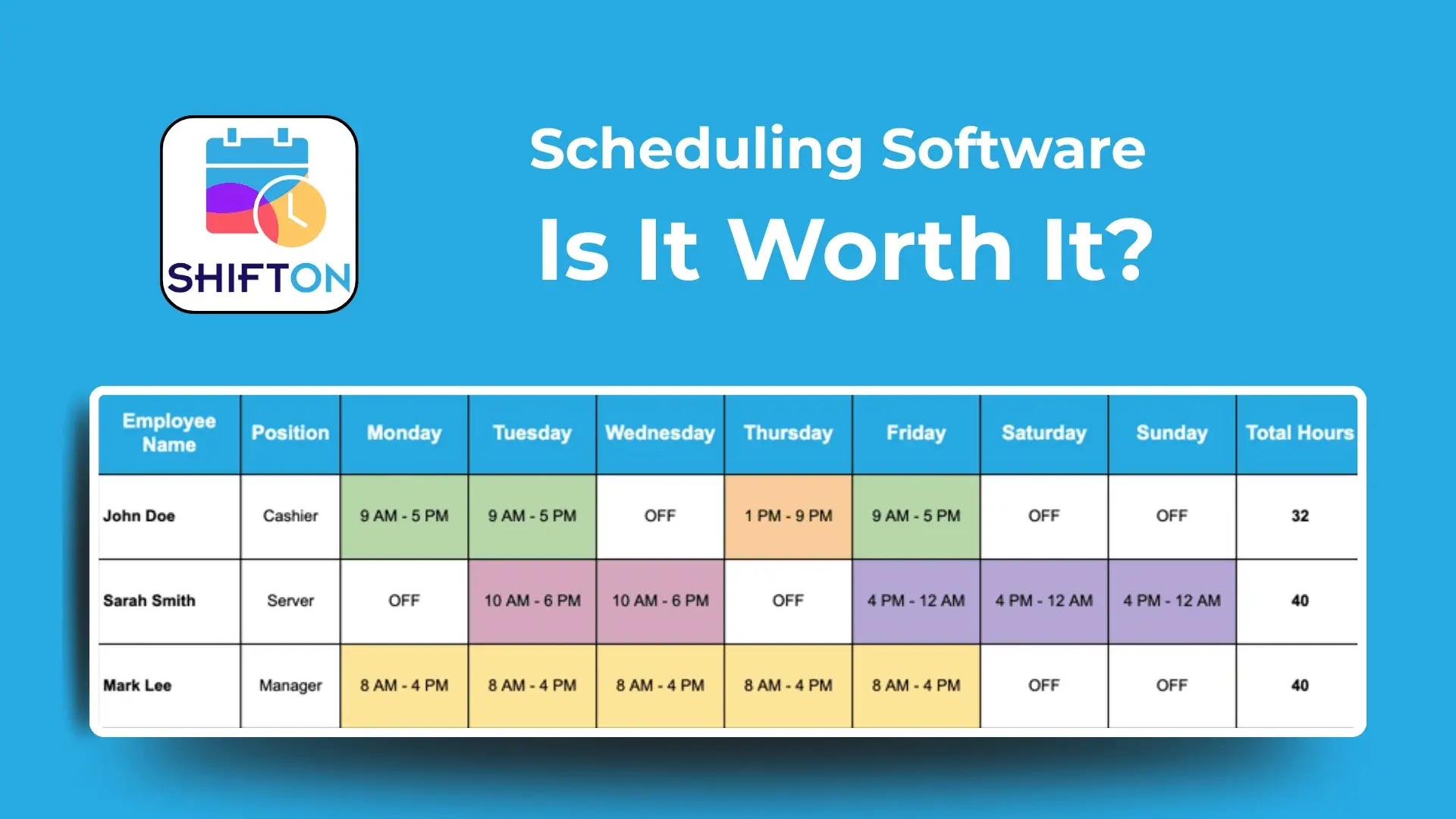

Scheduling software for restaurants

With the help of software for personnel management, you can create a basic set of scheduling policies and stick to them. That forms the basis for the whole operation, and it helps you to manage how far in advance you will publish schedules and how far in advance employees need to make time-off requests. You can also include setting minimum hours for each employee or designating particular shifts as high-traffic (and thus better for tips) using a scheduling app for restaurants.

As a result:

  • You provide your team with a clear vision of their future work and the number of shifts/working hours they have to work.
  • You show that you are good at time management and thus, confirm your professionalism in the employees’ eyes.
  • You motivate your staff to pick high-traffic shifts to get more tips.

Enhancing Employee Performance Through Effective Restaurant Management Techniques

Here, we come to the next step. You need to maintain the highest engagement of your team to provide your restaurant’s flawless work. With an automated system for restaurant management, you can give your team real-time feedback on their performance, and timely advice and get their feedback. Software for restaurant management like Shifton provides managers and employees with a convenient communication channel and helps your team feel supported and engaged at work.

Employee retention

In the restaurant business, employee turnover seems natural, but it is a huge challenge at once, as finding and hiring real pros who won’t let you down is hard. Running your restaurant efficiently is to show your employees that you respect their time and value their talent, to make them engaged and loyal to their job. An effective restaurant management system is a key part of building a positive environment. Thus, do not neglect the staff that you have but at once, evaluate their efficiency to decide on strengthening the team with new employees or motivating your current personnel to work better. With Shifton’s software for restaurant management, you can check and evaluate the efficiency of each worker using multiple parameters including working hours, overwork, customer satisfaction levels, etc.

Fast notifications and reminders

Do you want your staff to perform their duties tip-top? Is it crucial for them to cope with multiple tasks you set? Do not leave even a chance to miss something or forget about assignments. Automated shift reminders which are integrated in scheduling software for restaurants can considerably reduce no-shows or missed tasks. Just develop notifying text messages or push notifications and adjust settings to send them to employees’ mobile devices at a certain time. The same refers to alerting messages in case of emergencies, notifications about corporate events, or future team-building meetings if you hold them.

Collect data and use it thoughtfully

At the end of each day, take notes on how your staff coped with the daily routines, which drawbacks were crucial, and which work required reward. You can also analyze the efficiency of each shift to consider If you’re consistently understaffed or overstaffed during a specific shift. All that data is easily tracked in Shifton’s system for restaurant management. Just take it and use this data to adjust your schedule accordingly, build your management strategy, and report on the results to a restaurant owner.

Improve productivity with hi-tech solutions embodied in the Shifton restaurant scheduling app

Restaurant management tools benefit your entire team, from hosts and waiters to chefs. When you maintain higher efficiency of operations and streamlined communication using software solutions, this results in a stressful work environment for everyone.

Which types of technologies are on guard of the restaurant business? Let’s consider it.

Employee scheduling software

With the help of automation, you can forget about daunting work with spreadsheets, tables, paper schedules, and plans.

Instead, restaurant employee scheduling software which is based on cloud technologies, provides you and your staff with the following features:

  • Fast schedule development in a matter of clicks, which is available in Shifton in the form of convenient templates.
  • Easy distribution of information about schedules and shifts among your employees.
  • Flexible adjustments and changes in the schedule, which you can provide online from any part of the world.
  • Convenience of tracking working hours, overwork, missed shifts, or days off.

Task management software

Setting tasks using special staff management software? That is truly the best way to keep your restaurant running smoothly. In Shifton, you can make checklists for every worker from chef to server, and control their completion. From cleaning flat tops to refilling sanitizers, it’s easy for tasks to get lost in the shuffle.

That’s where task management software comes in.

  • It’s a great way to streamline your tasks, with separate checklists for each role and shift.
  • It allows you to track your team’s productivity.
  • It helps reduce drawbacks and check missed or forgotten things. Task management software maintains historical data of tasks completed, so you can overlook it and get the information that you need.

Employee communications tools

When it comes to employee communications, texting and phone calls are the most popular communication channels. Yet, they are not good for restaurants where each worker remains in constant motion and has no time to check SMSs or answer calls. The best idea is to provide your employees with a shared environment to communicate with you and with each other. In terms of a system for restaurant management, it comes in handy for the following reasons:

  • You can contact each employee with ease.
  • They can communicate with one another to avoid misunderstandings and buddy punches.
  • You can track the whole working process just by checking the information your employees share with others. If something goes wrong, you are among the first who know about it.

Shifton provides a secure, business-centric communication tool that allows you to share schedules and announcements instantly. It also makes it easier for your employees to request time off and address payroll concerns like missing punches.

Timekeeping restaurants

Time-keeping restaurant software is a must-have tool. With time-clocking software, employees clock in and out with the touch of a button. Plus, the software syncs directly with your payroll to automatically calculate hours worked.

Restaurant time clocking software can also help prevent early clock-ins, cutting back on labor costs. It solves the problem with enforced break times and shift lengths. The software will quickly calculate overtime and keep secure records of your team’s hours.

Payroll automation

Using restaurant employee management software is a great alternative to hiring a payroll specialist or providing your accounting department with an additional load to calculate salaries. Instead, you have all working hours tracked and payroll calculated instantly in Shifton. This automates wage calculations, overtime pay, and tax and benefit withholdings. There’s no relying on manual calculations, so you’ll have fewer payroll errors and spend less time at the computer.

As every type of software that we indicated there is useful, getting all of them in one tool is a godsend. That’s what Shifton offers to restaurant managers. Payroll software syncs directly with your time clock and scheduling software in Shifton, and you get a singularized environment for most management tasks and operations.

What are the benefits of restaurant management software?

The most significant benefits of Shifton for the restaurant management goals are as follows:

  • A shared environment for managers and employees to communicate and provide instant feedback.
  • A one-fit-all tool that combines the features of time management software, task management tools, HR tools, shift scheduler, and a communication channel.
  • It offers adjustable multi-level access to its functions, which can be used by managers and personnel on different levels.
  • It automates most processes you earlier had to keep in mind or provide manually.

Thus, using restaurant management software, you improve the whole restaurant business operation, remove possibilities of mistakes and drawbacks, and manage your team more easily. The results are good for you as a manager, as you work efficiently and hassle-free, and for your team, as its members can satisfy their customers and get reasonable rewards for their efforts.