

 English
  Español
  Português
  Deutsch
  Français
  Italiano
  日本語
日本語  中文
中文  हिन्दी
  עברית
עברית  العربية
  한국어
한국어  Nederlands
  Polski
  Türkçe
  Українська
  Русский
  Magyar
  Română
  Български
  Čeština
  Ελληνικά
  Svenska
  Dansk
Dansk  Norsk
Norsk  Suomi
Suomi  Bahasa Indonesia
  Tiếng Việt
  Tagalog
  ไทย
ไทย  Latviešu
  Lietuvių
  Eesti
Eesti  Slovenčina
  Slovenščina
  Hrvatski
  Македонски
  Қазақша
  Azərbaycan
  Afrikaans
  বাংলা
বাংলা Snow Removal Scheduling Software for Storm and Ice Crews
Call out on-call crews the moment a storm lands, track plow driver hours and premium storm pay, and keep a clean record of every site your team reached.


Build the Week and Call Out Crews Fast
Snow work swings between quiet weeks and back-to-back events. The weekly grid holds every operator, shoveler and salt truck driver on their own row, with colour-coded shifts and start and end times, so the plan for the coming week is visible at a glance.
Season-Long Rosters, Import and Export
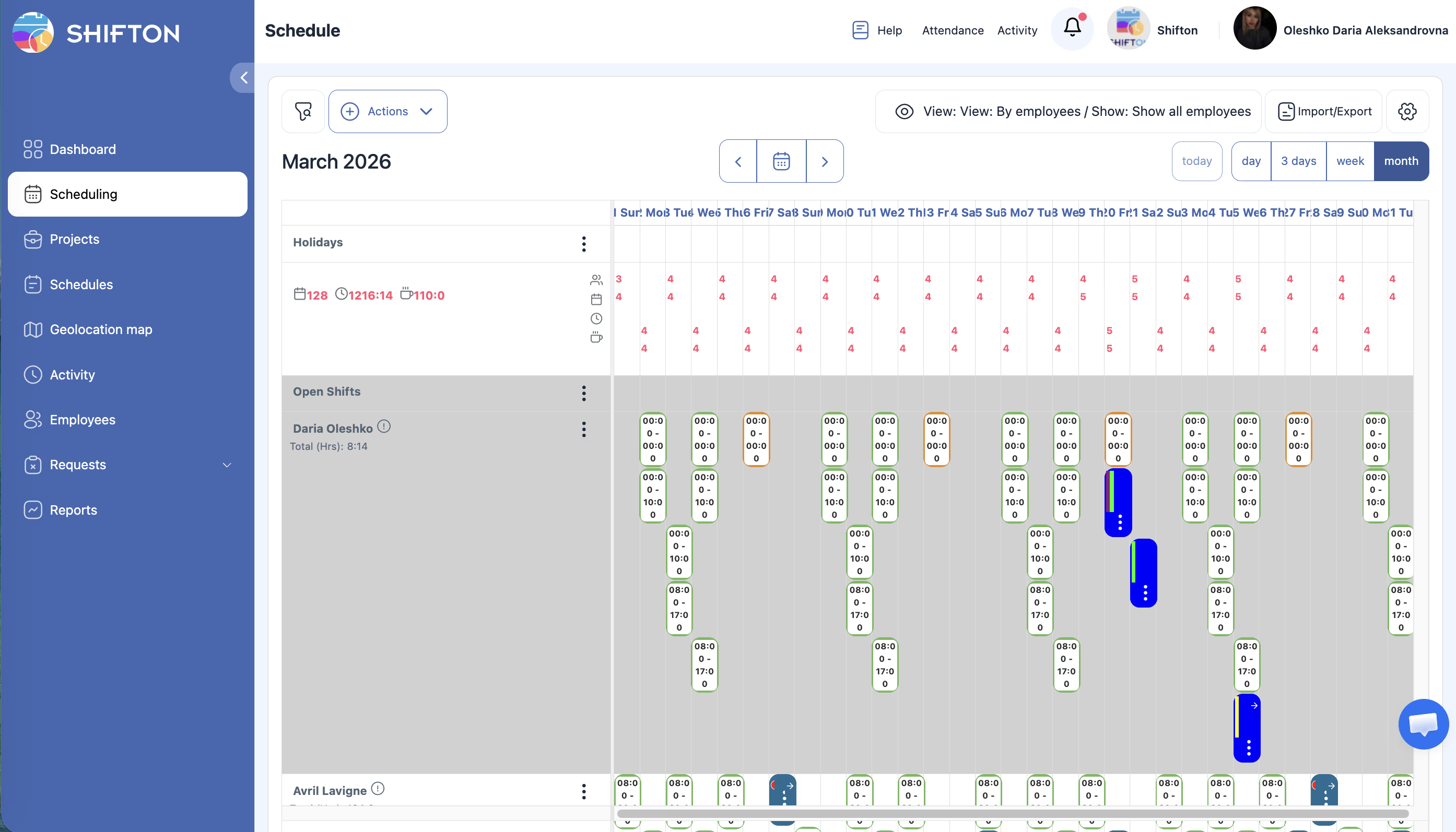
A snow season is planned in months, not days. The month view lays out the full period per employee, with open shifts still visible, and the view switch moves between a single operator and the whole roster without rebuilding anything.
What Each Storm Shift Actually Cost
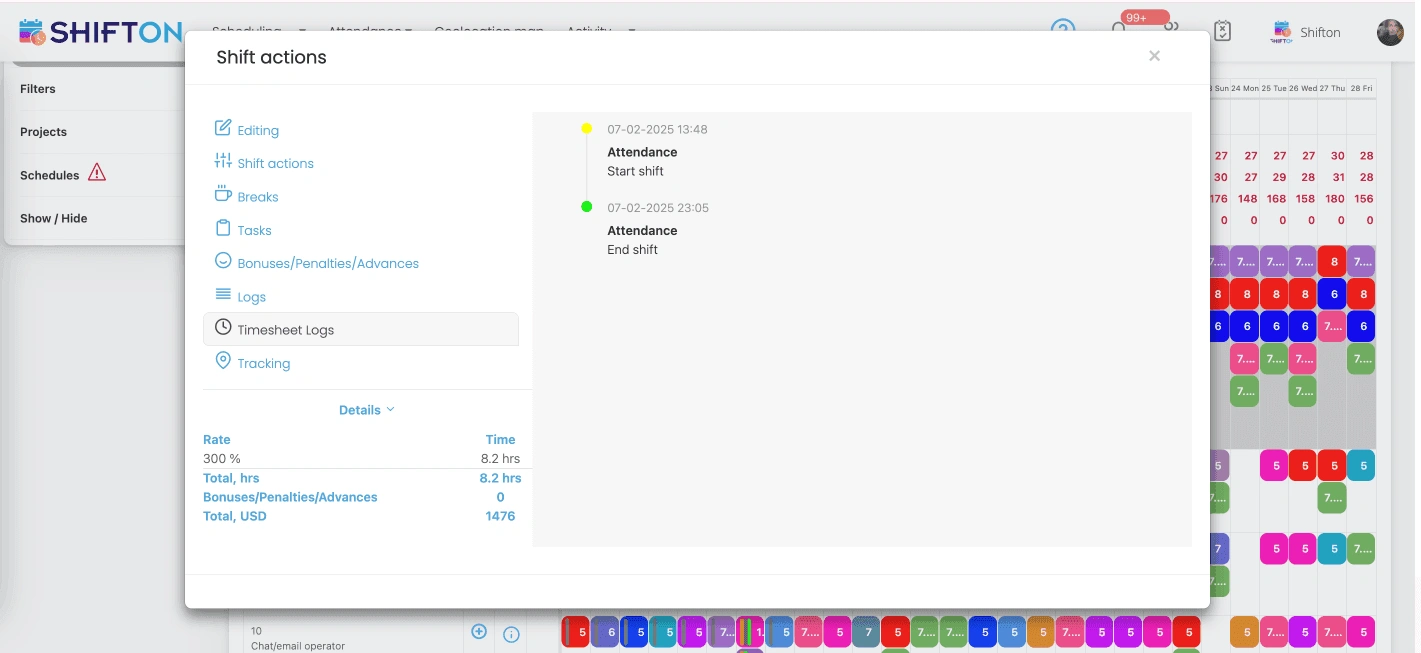
Storm work rarely ends when the shift was scheduled to end. Opening a shift shows the real attendance record, the breaks taken, the rate applied and the total value of that shift, so an overnight push is priced from actual hours instead of an estimate.
Route History and Proof Crews Reached Site
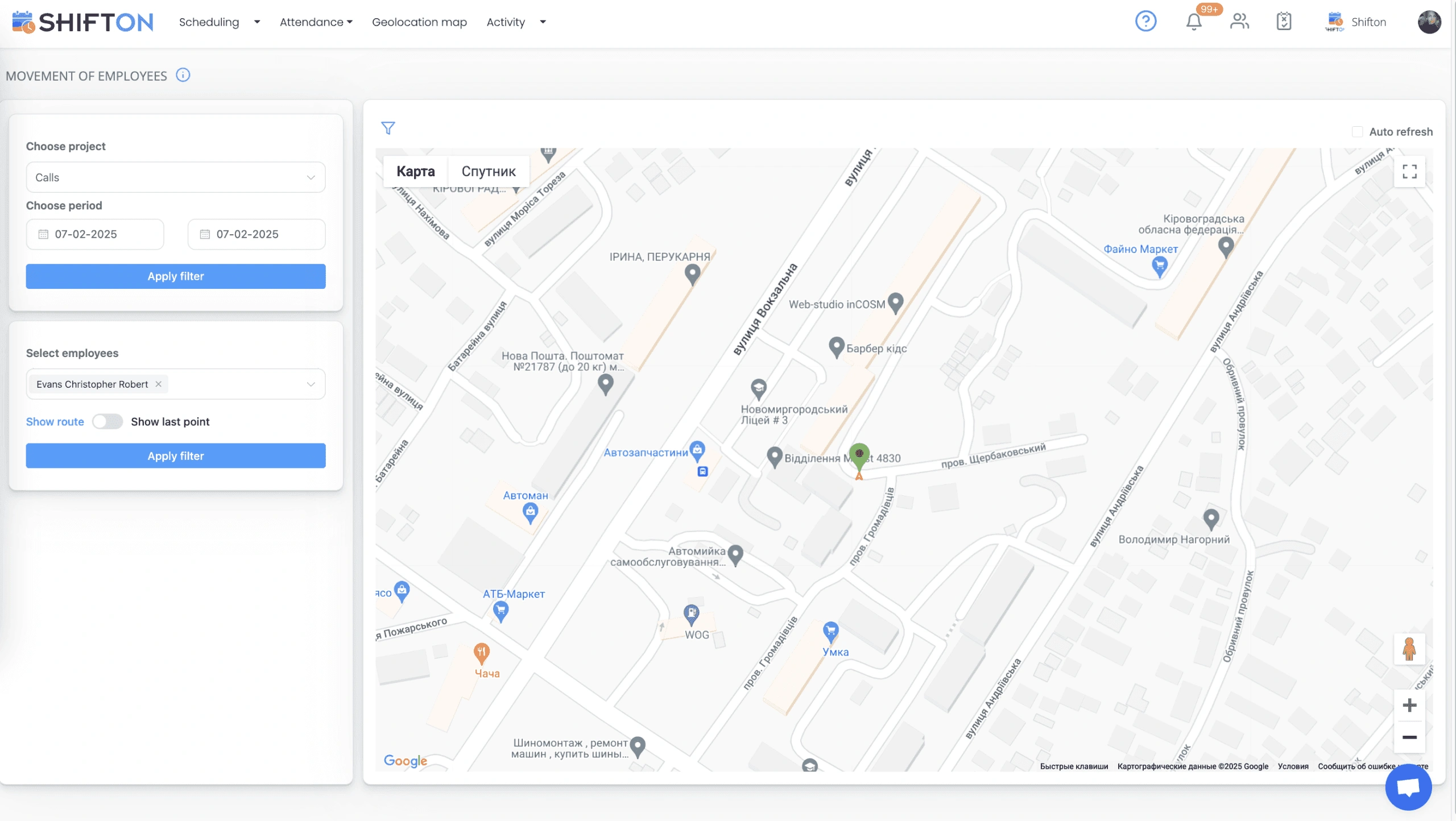
Ice and slip claims arrive weeks after the event, and the answer has to come from records. The geolocation map, available as a paid module, plots employee movement for a chosen project and period, with route playback for a selected crew member.
Start with the Free Plan
No time limits. Get full access to core features and upgrade when you're ready.
Read the full guide to snow removal scheduling
Snow and ice work is a business of waiting followed by a business of speed. Nothing happens for eleven days, then a storm lands at 2 a.m. and every property under contract needs a crew inside a few hours. Snow removal scheduling software exists for that gap, because the work is not planned like normal service work and a calendar built for weekday shifts falls apart the first time an event runs through the night.
The pressure is not only operational. Crews are part-time and often shared with other trades, pay rates change the moment a callout starts, and the contract you signed usually carries a service window you have to prove you met.
What snow removal scheduling software has to handle
Four things separate a tool that works for snow contractors from one that does not. It must reach an on-call crew fast, without a manager working through a phone list at three in the morning. It must carry different pay rates for callout, overnight and holiday work, because a flat hourly figure understates what a storm costs. It must record where crews were, since claims arrive long after the ice melts. And it must be usable from a truck cab on a phone, in gloves.
The best snow removal crew scheduling software clears those four and stops there. Contractors comparing the best plow driver scheduling software usually end up judging it on one thing anyway: how fast a callout reaches the people who can drive.
On-call crews and the storm callout
The callout is the moment the whole season is judged on. Contractors who still run it by phone lose the first hour to voicemail and repeat calls, and that hour is the difference between clearing a lot before the morning rush and clearing it after the complaints start.
Posting the work as an open shift changes the shape of that hour. The shift goes out to every qualified operator at once, with push and SMS notification, and the people who are available claim it themselves. The manager approves rather than chases. Availability collected in advance means you already know who is out of town or unavailable before the storm arrives, so the callout list is real rather than hopeful. Companies searching for snow removal dispatch software, or for the best ice management scheduling software, are usually describing exactly this problem: getting the right people assigned and moving without a phone tree.
Premium storm pay and what a shift really costs
Snow removal labor cost is not one number. A daytime salting run and a fourteen-hour overnight push are priced differently, and mixing them into a single hourly rate hides where the margin went. A snow plow scheduling software that supports a rate per shift keeps the picture honest, and the same applies whether the crew drives plows, salt trucks or sidewalk machines.
Inside a shift you can see the recorded attendance, the breaks taken, the rate applied, the hours worked and the resulting total. Bonuses, penalties and advances are handled on the same screen. That means a supervisor closing out a storm is confirming numbers rather than reconstructing them, and the budget and pay rate reports at the end of the month reflect what actually happened on the ground.
Time tracking through a night event
Attendance is where snow operations lose the most money quietly. Shifts that started earlier than planned, ended later, or ran with a crew of five when four were assigned all look identical on a paper timesheet. The best snow crew time tracking software records the start and end of each shift as it happens, stores it in the shift log, and keeps a full timesheet trail behind every edit.
Crews clock in from the Shifton mobile app, which matters when nobody passes through an office during an event. The detail behind clock-in, breaks and timesheet logs sits on our time tracking page, and the same records feed the working hours, late arrival and confirmed shift reports you export for payroll.
Proof of service when a claim arrives
Slip and fall claims and service disputes surface weeks or months later, and memory is not evidence. What holds up is a dated record showing a crew was assigned, clocked in, and was physically present at the property.
The geolocation map, offered as a paid module, plots employee movement for a chosen project and period and can replay a crew member's route across a shift. Paired with confirmed shift reports and timesheet logs, it turns an argument into a document. It is worth being clear that this is an add-on priced per employee per month rather than part of the free plan, and full plan details are on our pricing page.
Planning the season and the crew you keep
Snow work is seasonal, but the crew problem is annual. Operators who feel treated fairly through the winter come back the following year, and the single biggest driver of that is knowing when they are working. A month view published in advance, with everyone visible on one roster and hours totalled per person, gives a part-time operator enough certainty to plan around the season.
Import and export make the season setup less painful. A roster can be brought in as a file rather than typed in shift by shift, and exported when a client or an accountant needs the record. Many contractors run grounds and property work through the warmer months and use the same team structure for both; those operations usually pair this with landscape crew scheduling so the roster carries across the year instead of being rebuilt every autumn.
Multiple contracts and more than one crew
Few contractors run a single crew on a single route. Commercial lots, retail parks, private drives and municipal work each carry their own service window, and each is usually staffed by a different mix of operators and shovelers. Projects keep those contracts apart inside one schedule, so a supervisor can filter down to their own properties without reading through everybody else's shifts.
Roles and permissions decide who is allowed to change what. A crew lead can be given rights over their own team while the owner keeps the full board, and every operator sits in the employee roster with a position, a phone number and an invite status. That structure is what lets snow plowing scheduling software work past the point where one person can hold the whole plan in their head.
Choosing the best snow removal scheduling software
Test any snow removal scheduling app against the worst night of your season, not a demo. The best snow contractor scheduling software is the one a crew lead can still use at four in the morning with cold hands. Post an open shift and time how long it takes to reach the crew. Open the app on a phone with one bar of signal. Apply a premium rate to an overnight shift and check that the total lands where you expect. Pull a working hours report for a single storm and see whether it matches what you would pay. Then ask what evidence you would have if a claim landed on that property three months later.
Shifton covers that ground with the pieces snow and ice operations use most: weekly and monthly schedule views, open shifts and swaps, availability and time-off requests, per-shift pay rates with bonuses and penalties, time clock and timesheet logs, an optional geolocation map, and reports covering hours, budget, pay rates and late arrivals. Up to 10 people run free with no time limit, which for a two-truck operation amounts to free snow removal scheduling software rather than a trial, and paid modules are per employee per month as the crew grows.
Storms will keep arriving with no notice. The part you control is how fast the crew moves, what the night costs you, and what you can prove afterwards. Set your roster up now and the next callout takes minutes instead of an hour.
Frequently Asked Questions
What is snow removal scheduling software?
Snow removal scheduling software plans and publishes shifts for plow operators, salt truck drivers and sidewalk crews, then records the hours they actually worked. Shifton covers seasonal rosters, storm callouts through open shifts, premium pay rates, timesheets and reporting in one system.
How do I call out an on-call snow crew quickly?
Post the work as an open shift and it goes out to every qualified operator at once, with push and SMS notifications rather than a round of phone calls. Whoever is available claims the shift, the manager confirms, and the updated schedule is live for the whole crew instantly.
Can Shifton apply premium pay rates for storm work?
Yes. Each shift can carry its own rate, so overnight and callout hours are valued differently from routine daytime work. Bonuses, penalties and advances are recorded on the shift itself, and the totals flow into pay rate and budget reports.
How do I prove my crew serviced a property?
The geolocation map, a paid module, records employee movement and route history for a selected project and period. Combined with clock-in and clock-out times and confirmed shift reports, it gives a dated record you can produce when a slip claim or a service dispute comes up.
Does the snow removal schedule work on a phone?
Yes. Operators see their shifts in the Shifton mobile app for iOS and Android, claim open shifts, request swaps and clock in and out from the cab. Push and SMS notifications reach people who are working nights and never open a work email.
Is there a free snow removal scheduling app for a small crew?
Shifton is free for up to 10 team members with no time limit, including shift scheduling, basic time clock and attendance, the mobile app and reports. Larger crews and add-on modules such as the geolocation map are priced per employee per month.





Be ready before the next storm lands
Set up on-call crews, push storm shifts to every phone and track hours and premium pay in one place. Free for teams of up to 10.