

 English
  Español
  Português
  Deutsch
  Français
  Italiano
  日本語
日本語  中文
中文  हिन्दी
  עברית
עברית  العربية
  한국어
한국어  Nederlands
  Polski
  Türkçe
  Українська
  Русский
  Magyar
  Română
  Български
  Čeština
  Ελληνικά
  Svenska
  Dansk
Dansk  Norsk
Norsk  Suomi
Suomi  Bahasa Indonesia
  Tiếng Việt
  Tagalog
  ไทย
ไทย  Latviešu
  Lietuvių
  Eesti
Eesti  Slovenčina
  Slovenščina
  Hrvatski
  Македонски
  Қазақша
  Azərbaycan
  Afrikaans
  বাংলা
বাংলা Access Anywhere: Mobile Workforce Software That Travels with You
Run schedules, time tracking, and team coordination from any device, anywhere. Built for managers who do not work from a desk and teams that never were going to.
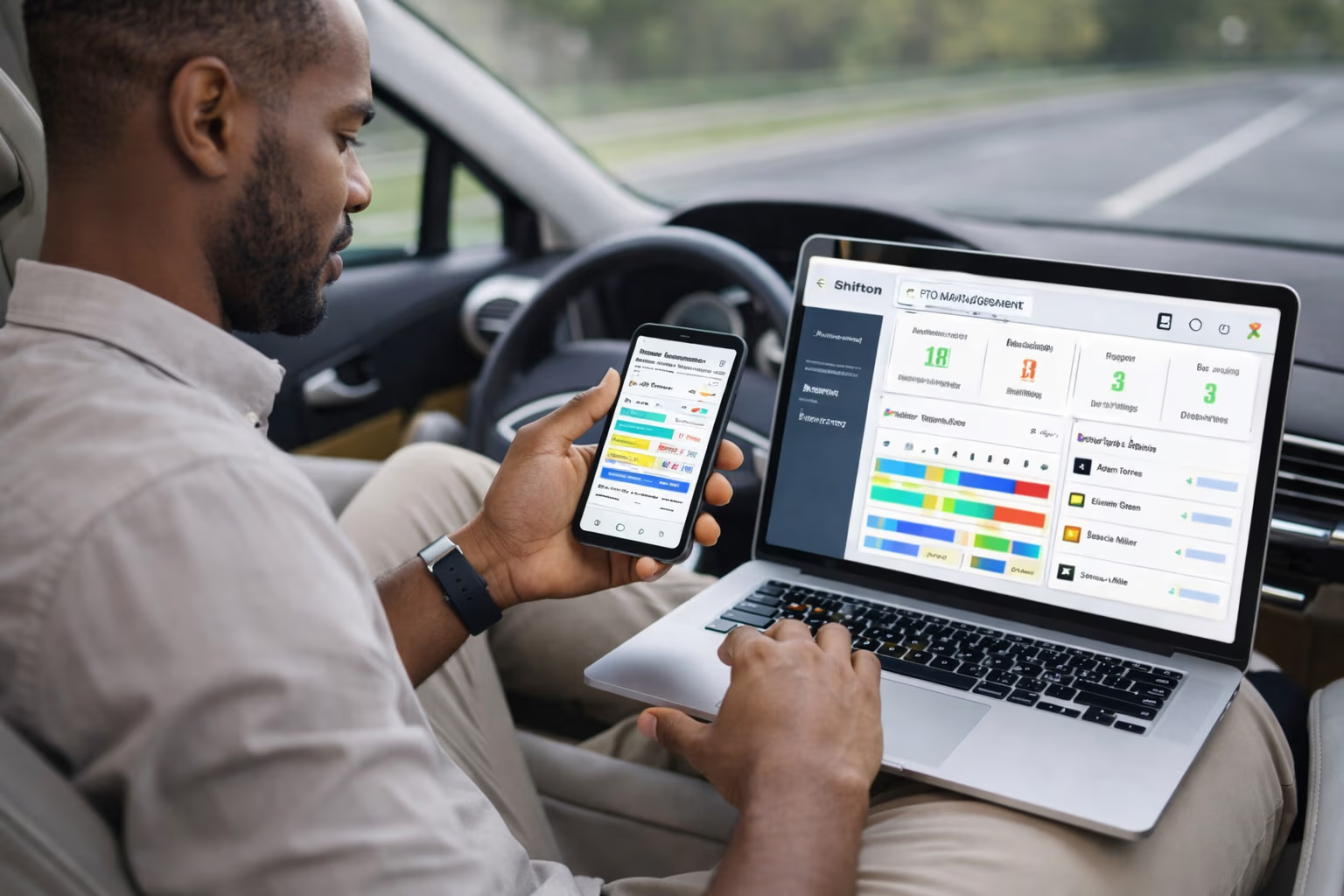
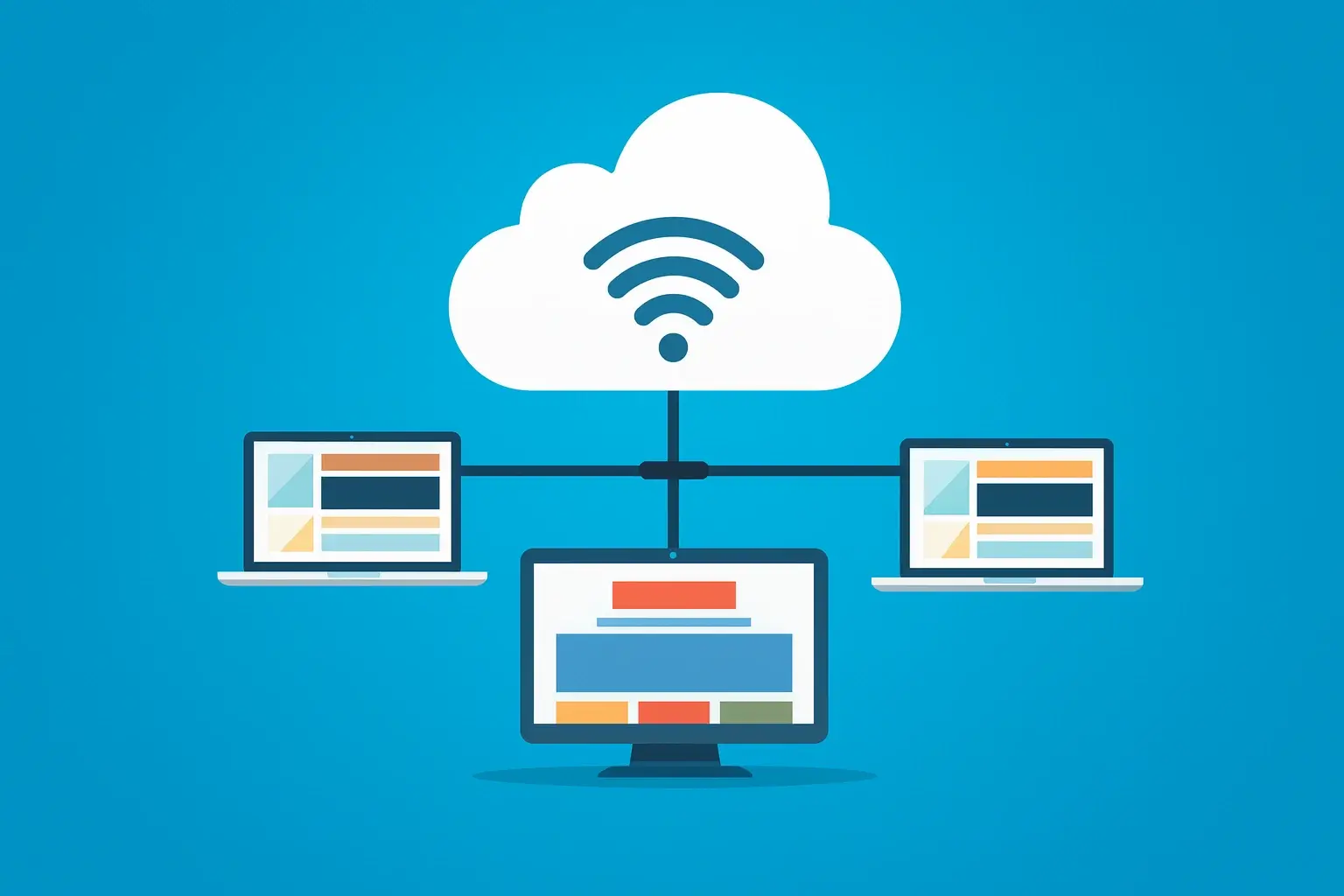
Full Schedule Control from Any Device
The shift manager spends most of the day on the floor, in the warehouse, on a job site. The scheduling tool that lives on a desktop in the back office is useless to that manager. Every change still has to wait until they get back to the desk, which means it does not happen for hours, which means the team operates on stale information.
The fix is full feature parity across desktop and mobile, with offline support for the moments when connectivity drops.
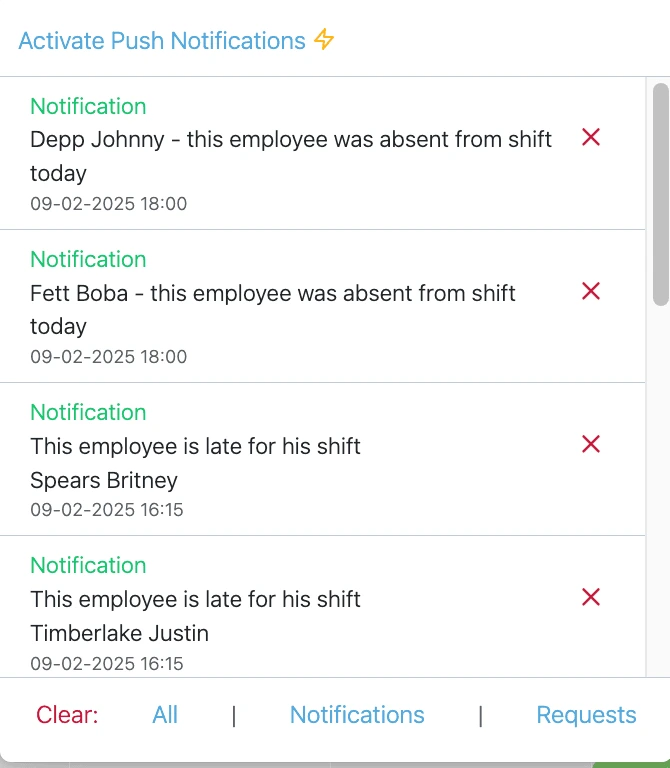
Instant Push Notifications for Schedule Changes
A shift change that the employee finds out about the next morning is the same as no change at all. The whole point of digital scheduling is that information moves at the speed of the change, not at the speed of the next time the employee opens the app. Push notifications close the gap so the schedule everyone sees is the schedule everyone is working from.
The platform that does not deliver this is just a fancier paper schedule.
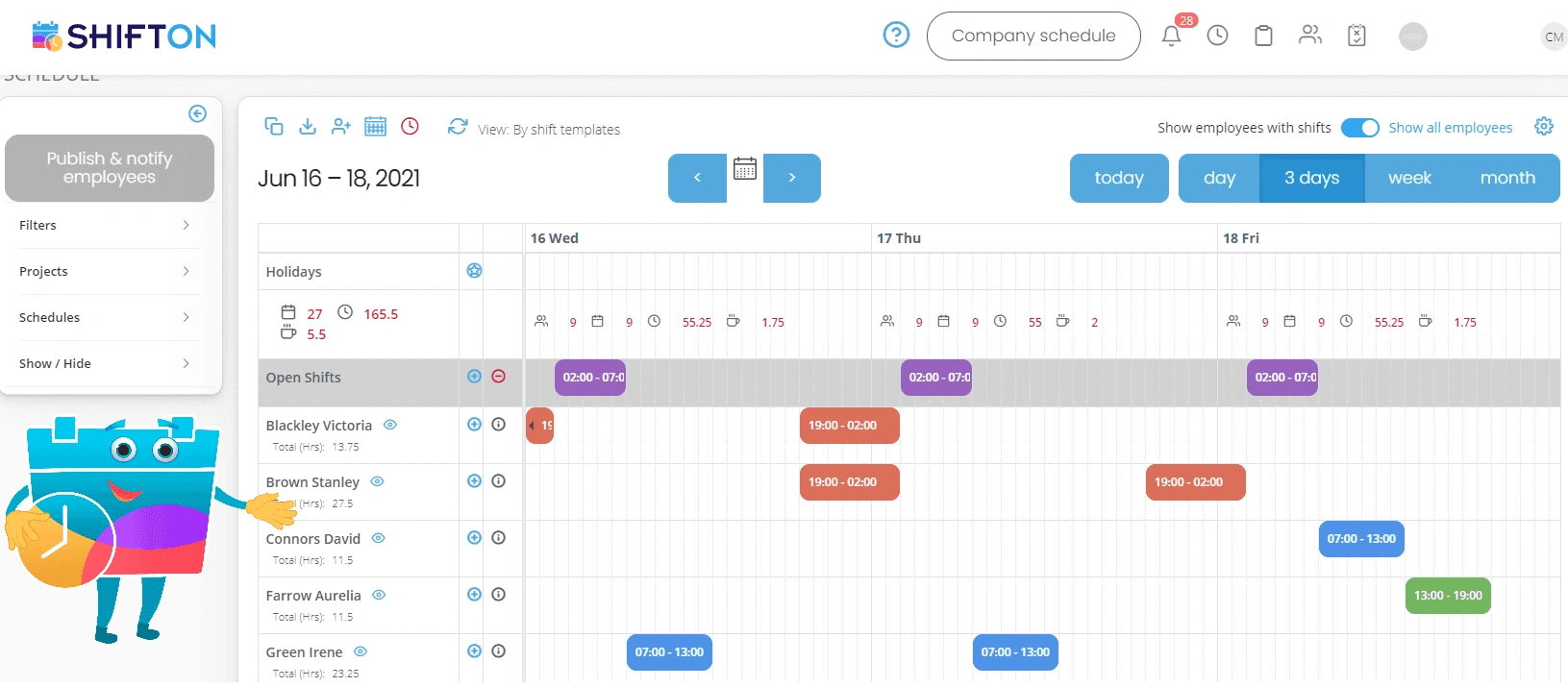
Intuitive Interface for Non-Technical Teams
The dishwasher does not have time to learn your scheduling app. The cashier checking the schedule between customers needs the answer in two taps. The new hire on day one cannot read a tutorial. Adoption depends on the interface being so simple that nobody has to ask how it works, and that is harder to design than it looks.
One-tap clock-in, color-coded calendars, and 40+ language support are not bells and whistles. They are the difference between a tool the team uses and one they avoid.
Secure Cloud Access with Role-Based Permissions
Anywhere-access without role-based controls is a privacy incident waiting to happen. The line employee should see their own schedule, the team lead should see their direct reports, the regional manager should see the region, and nobody should accidentally see anyone else's pay rate. The math gets harder as the team grows, and the platform has to enforce the rules in the data layer instead of hoping people behave.
Encryption, audit logging, and granular permissions are how cloud access stays safe at scale.
Start with the Free Plan
No time limits. Get full access to core features and upgrade when you're ready.
Read more about anywhere access
Anywhere-access has become a marketing phrase that almost every workforce platform claims, and almost none deliver in the way that actually matters. The real test is not whether the schedule loads on a phone. It is whether the manager who is on the shop floor at 2 PM can publish a shift change and know the affected employees see it before their next break, without anyone having to call anyone.
Most platforms fail this test in subtle ways. The mobile app shows the schedule but cannot edit it. The web version edits the schedule but does not push notifications. The native app pushes notifications but loses connection too easily. Each of these gaps is small in isolation. Stack them together and you have a tool that works for the office and breaks for the team that actually does the work.
What real anywhere-access requires
Four jobs done well, not twenty jobs done loosely:
- Full feature parity across desktop, mobile web, and native iOS/Android. Every action a manager can take from a desk should also work from a phone.
- Real-time push notifications that arrive at the moment of the change, not the next time the employee opens the app.
- Offline support for the parts that need to keep working when the warehouse Wi-Fi drops or the truck enters a dead zone.
- Role-based security that protects sensitive data without blocking the operational visibility each role actually needs.
Everything else is feature padding. A platform that nails these four works the same way at 9 AM in the office as it does at 6 PM on a job site, which is the only kind of anywhere-access worth paying for.
The cost of a desktop-only scheduling tool
Most operational businesses started with a scheduling tool that lived on a single laptop. Some still run that way and do not realize how much it costs them. The cost is not the tool itself, which is usually cheap. It is the daily friction that adds up across every shift change, every coverage gap, every miscommunication that happens because the schedule on the wall does not match the one in the manager's head.
Shift managers spend a significant chunk of every day on phone calls, texts, and walk-arounds that exist only because the team cannot see the live schedule from where they actually work. Across a quarter, the coordination tax adds up to days of management time that should have been spent on actual leadership work. The teams that switch to a real anywhere-access platform get most of that time back, which is usually more valuable than the platform's monthly cost.
What changes when the platform actually works on mobile
The clearest way to see the value is to compare a manager-day before and after.
Before: the manager arrives at 7 AM, opens the desktop schedule, prints copies for the wall, and is then disconnected from the schedule for the rest of the shift. Every change requires a return to the desk. Employees text the manager about swaps; the manager texts back, walks to the desk, edits the schedule, and forgets to tell the rest of the team. By 3 PM, the schedule on the wall is wrong, the schedule in the system is wrong, and three people are about to clock in for shifts they were not supposed to work.
After: the manager carries the live schedule on their phone all day. The shift swap request comes in as a notification, gets approved with a tap, and the affected employees see the update on their own phones within seconds. The wall schedule is replaced with a screen that always shows the current state, or eliminated entirely because nobody needs it. Coordination time drops by half, and the manager spends the saved hours on the work that actually grows the business.
Security that does not block the work
The hardest part of designing anywhere-access is making it secure without making it useless. Lock the data down too hard and the team cannot do their job. Open it up too much and you have a privacy incident waiting to happen. The right platform finds the line by enforcing role-based access at the data layer, not at the UI layer.
What that means in practice: the line employee opens the app and sees their own schedule and their own attendance history. The team lead opens the same app and sees their direct reports, with operational data but not pay rates. The regional manager sees the whole region. The HR director sees compensation impacts. Each role gets exactly the data they need, and the platform enforces the boundaries even if someone tries to navigate to a URL they should not have access to.
This level of granularity is hard to retrofit. Platforms that did not build it from the start usually have permission models full of edge cases and weird visibility leaks. Platforms that took it seriously from day one have permissions that survive contact with regulators, auditors, and the occasional employee who decides to test the boundaries.
What to look for when evaluating mobile workforce platforms
Test the mobile app on the cheapest Android phone you can find before you sign anything. The platform that loads in 200 milliseconds on a flagship iPhone is sometimes the platform that crashes on a five-year-old Android, which is exactly what your hourly team uses. The platform that earns its keep is the one that works equivalently well on every device the team actually carries.
Verify how the platform handles the worst case for connectivity. The basement break room with no Wi-Fi. The construction site at the edge of cell coverage. The warehouse aisle where signal drops to one bar. If the app stops working in those situations, you will hear about it from the team within the first week, and adoption will collapse before the platform has a chance to prove its value.
Ask the vendor what happens to a notification when the recipient's phone is off. Does it queue and deliver later, or is it lost? The answer separates platforms built for office workers from platforms built for shift-based teams where phones are off during shifts and only checked on breaks.
When you actually need anywhere-access
Below ten employees, a desktop scheduling tool plus a group chat will usually work. The free tier of Shifton handles this stage cleanly. Between ten and forty employees, the limits start to show. The phone calls multiply. The wall schedule gets out of sync more often. The manager spends more time coordinating than coordinating is worth.
Above forty employees, the question is no longer whether to use a real anywhere-access platform but which one. Choosing wrong is a year of frustrated employees and a manual migration when you finally switch. Choosing right is the operational backbone that lets the team work efficiently from wherever they happen to be when the work needs to happen.
Frequently Asked Questions
What does "access anywhere" actually mean for a workforce platform?
It means full feature parity across desktop, mobile web, and native iOS/Android apps. The schedule, time clock, team dashboard, approvals, and reports all work from any device, with offline support for the parts that need to keep working when connectivity drops. Anything less is a desktop tool with a mobile bookmark, not real anywhere-access.
Is there a dedicated mobile app or just a mobile website?
Shifton has native apps for iOS and Android alongside the responsive web version. Both give access to scheduling, time clock, and team dashboards with no feature gaps. The native apps add push notifications, biometric login, and offline schedule viewing that a mobile browser cannot deliver.
Can employees view their schedule when they have no internet?
Yes. Upcoming shifts are stored locally on the device and remain visible offline. Data syncs automatically once connectivity is restored. The offline mode works for the parts that do not require live confirmation, like checking which shifts are scheduled and reading shift details.
How are employees notified about last-minute schedule changes?
Push notifications go out the instant a shift is published, modified, or cancelled. Each employee chooses their preferred channel: push, SMS, or email. Notification rules can filter by role, team, or alert type so people get what matters to them and not the rest.
Can an employee accept an open shift directly from their phone?
Yes. Open shifts broadcast as push notifications to qualified employees. A single tap from the notification claims the shift, and the manager sees the assignment update immediately. The same tap-to-claim flow works for shift swap requests and cover requests.
What login options are available on the mobile app?
Employees log in with their credentials or use fingerprint and face recognition on supported devices. Admins can enforce automatic session timeouts and remotely invalidate sessions on lost phones. Single sign-on is available for organizations that already run an identity provider.
How does Shifton handle access for teams that work in multiple time zones?
Each location stores its own time zone setting. Shifts display in local time for the employee and the local manager, while regional managers see a normalized view across zones. Notifications respect the recipient's time zone, so the 2 AM-in-their-time push goes out at 2 PM-in-yours, not the other way around.
Is the platform secure enough for regulated industries?
Yes. Data is encrypted at rest and in transit. Role-based access controls enforce visibility at the data layer. Every schedule change, approval, and login event is logged for audit. Standard industry security practices and certifications cover the categories most regulated industries require.
What happens if an employee loses their phone with the Shifton app installed?
The admin can remotely invalidate the session on the lost device, which blocks any further access from that phone. The employee logs in fresh on a replacement device with no data leak. Saved offline schedule data on the lost device cannot be used to access the live system.
How does Shifton handle accessibility on mobile?
The mobile interface follows the platform accessibility guidelines for iOS and Android. Screen readers, dynamic type, and high-contrast modes work out of the box. The 40+ language support extends to right-to-left languages, including Arabic and Hebrew.
How long does it take to roll out the mobile app to the team?
Most teams have employees onboarded within one to three days. Setup is: invite employees by email or phone, they download the app, sign in once, and the schedule is live. Larger operations with multi-location rollouts typically take a week to handle device-by-device support questions.
Is mobile access included in all Shifton plans?
Yes. Full mobile and desktop access is included from the free tier. The first ten employees are free regardless of which device they use. Larger operations move to higher tiers for advanced features like single sign-on, custom retention policies, and multi-jurisdiction compliance reports.



Ready to transform your field operations?
Join thousands of field service companies that trust Shifton to run smarter every day.