

TOP 5 Best Job Tracking Software for Field and Office Teams in 2026
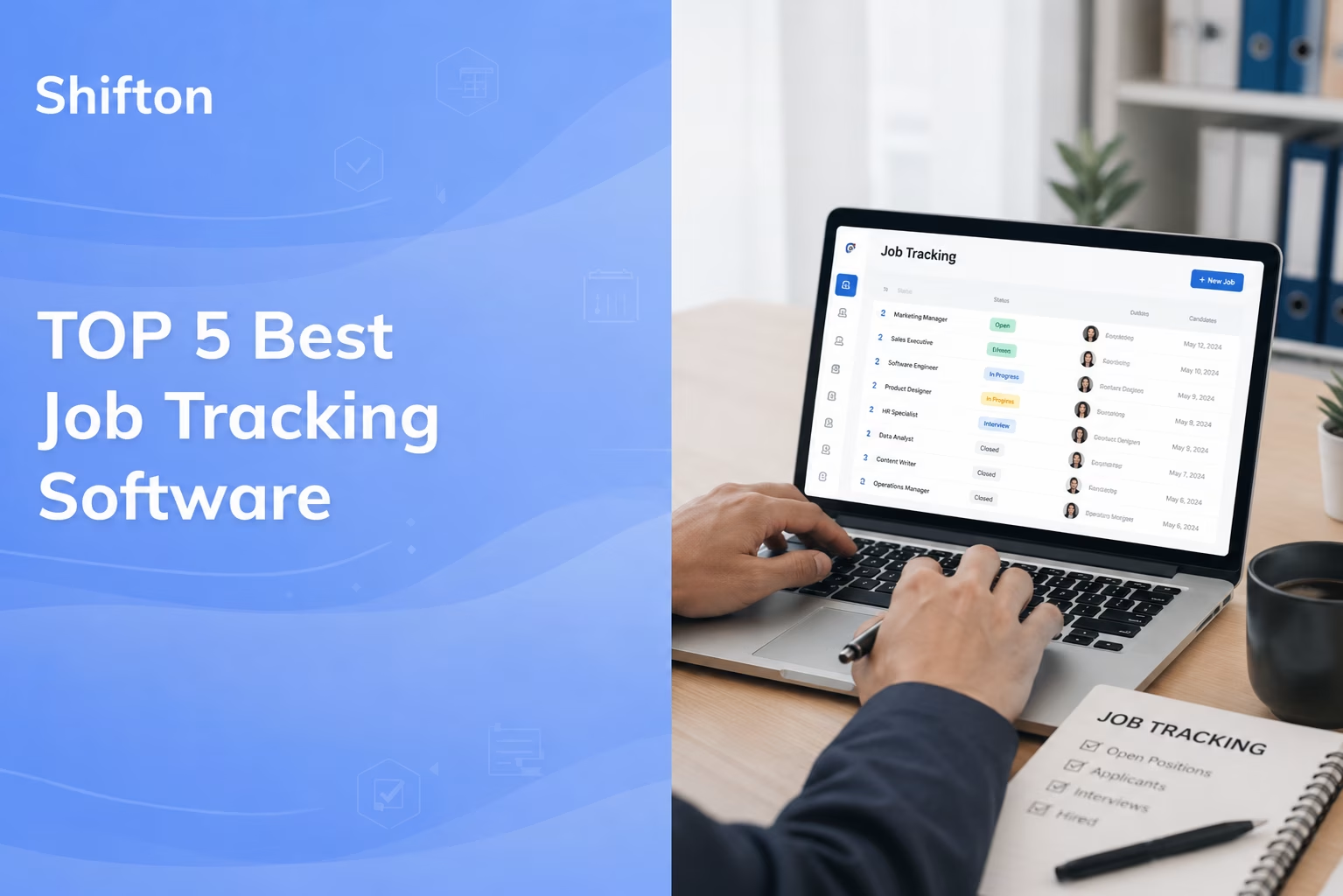
Knowing exactly where every job stands is the core challenge of running field and office teams. When that status lives in text messages, a paper job sheet, and someone’s memory, the details slip: a crew’s location, a logged timesheet, a signed-off work order. The right job tracking software pulls all of it into one screen, so you stop guessing and start seeing.
This guide ranks the 5 best job tracking apps for 2026 based on what actually matters day to day: how easy the mobile experience is, how accurate the time and location data is, and whether the pricing makes sense for a small business or a growing field team. You’ll see a fair look at each job tracker software option, real published prices (no made-up numbers), and a quick comparison so you can pick a job tracking system without a three-week trial marathon.
We leaned toward tools that work for deskless and field crews, since that’s where a solid job tracking app earns its keep, whether you’re scheduling construction crews, running service vans, or keeping an office team accountable on billable work. If your crews are cleaners rather than builders, the same logic drives our pick of the best janitorial software.
What to look for in a job tracking system
If the shortlist you actually need is field service platforms rather than job trackers, the free field service management software roundup compares ten of them on what their free tiers really include.
Job tracking tells you where a job stands. Getting the right person to the right site with the right work order is a separate layer, and that is what field service management software handles.
Before the list, a quick gut check. Not every job tracking tool does the same thing, and “tracking” means different things to a plumber, a project manager, or the person running payroll. Whether you call it a job tracker app, jobs tracking software, or simply tracking job software, the job to be done is identical: know the status of every job in real time. A few features separate software for job tracking that people stick with from the ones that get abandoned after a month:
- Mobile-first capture. Field staff won’t open a laptop. If clocking in, adding notes, or marking a job done isn’t a two-tap action in a job management mobile app, adoption dies.
- Accurate time and location. GPS-stamped clock-ins and geofencing turn “I was there at 8” into a verifiable record. That’s the difference between job logging software and a real audit trail.
- Scheduling that connects to the work. The best job tracking and scheduling software ties who’s assigned to what, so a schedule change updates the job, not just the calendar.
- Reporting you’ll actually read. Labor cost per job, hours by client, overtime flags. Online job tracking software should answer “did we make money on this?” without a spreadsheet export.
If you mostly need to track hours against projects, our roundup of the best time tracking apps for contractors goes deeper on that angle. For everything-in-one-place job tracking, keep reading.
The 5 best job tracking software tools for 2026
Here’s the shortlist. Shifton leads it because it pairs scheduling with time and location tracking in one workflow without the per-seat sting, but each of the five earns its spot for a different kind of team.
Shifton
Shifton is a workforce management platform built for shift-based and field teams that need to see every job, shift, and hour in one place. Where a lot of job tracking apps bolt time tracking onto a scheduling calendar (or the reverse), Shifton was designed around the full loop: plan the shift, assign the job, confirm the clock-in by location, then push clean data into payroll. For a small business that doesn’t want five separate subscriptions, that consolidation is the whole pitch.
What makes it stand out for job tracking specifically is the link between scheduling and real-time status. When a manager assigns work, the employee sees it on mobile, clocks in against it, and the location module confirms they’re on site. Overtime control is part of the free plan, and with the paid Attendance module on, attendance rolls up automatically, so the people running payroll aren’t chasing timesheets on Friday afternoon. It scales the same whether you run a 6-person cleaning crew or a few hundred staff across locations in healthcare, hospitality, retail, and the trades.
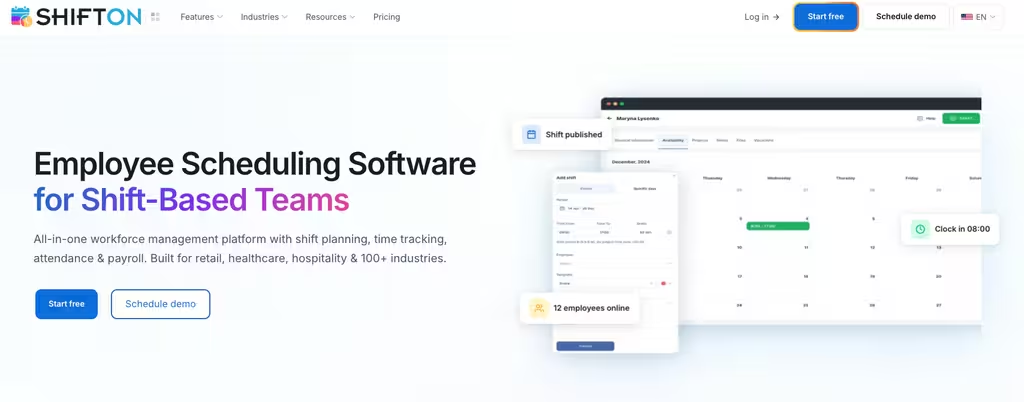
- Job + shift in one view: assign, schedule, and track status without switching tools, with task management tied to shifts (creating and distributing activities is the paid Activity module, $0.50 per employee a month).
- Location-aware clock-ins: the work location control module ($5 per employee a month) confirms staff are actually on site.
- Time data that feeds payroll:time tracking (the paid Attendance module) rolls hours into export-ready reports, with breaks and payroll as further paid modules.
- Free forever for up to 10 people, then modular pricing where you pay only for the modules you switch on.
Pricing: a perpetual free plan covers up to 10 team members with scheduling, mobile apps, overtime control and three reports. Paid pricing is modular and per-employee, calculated by the modules you choose, with a free trial of up to 60 days on most add-ons (10 days on location control); the first module also starts the $1 per employee base fee. Best for: shift-based and field teams that want job tracking and scheduling sharing one set of time data instead of paying for three separate tools.
See every job, shift, and hour in one place
Stop stitching together schedules, timesheets, and “where’s the crew?” texts. Shifton tracks it all in real time.
Connecteam
Connecteam markets itself as an all-in-one employee management app, and for deskless businesses that’s a fair description. It rolls job tracking, time tracking, scheduling, checklists, and team chat into a single mobile-first product, which is why it shows up on nearly every best job tracking app list. If your crew already lives on their phones, the learning curve here is gentle.
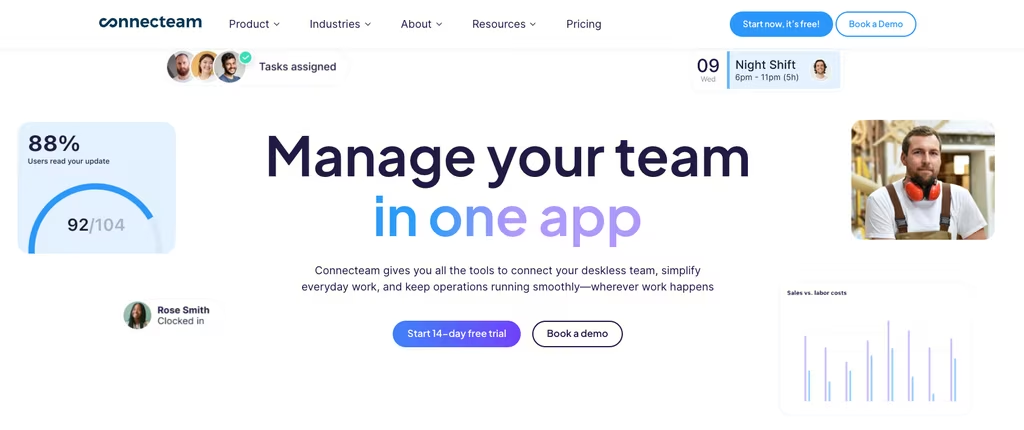
For job tracking, the GPS time clock with geofencing and the task/checklist tools are the useful parts: you can see who clocked into which job and confirm steps got done. The catch is the hub structure. Operations, Communications, and HR are priced separately, so a business that wants the full toolkit can end up stacking plans.
- Free Small Business plan for up to 10 users, genuinely usable for a tiny team.
- GPS and geofence time clock tied to jobs and shifts.
- Operations Hub runs $29 (Basic), $49 (Advanced), or $99 (Expert) per month on annual billing, each covering the first 30 users.
Best for: deskless teams that want one friendly app for scheduling and job tracking, and don’t mind paying per hub as they grow.
Workyard
Workyard is the specialist of the group. It’s purpose-built for construction and field crews, and its whole reason for being is accurate GPS tracking that feeds job costing. If labor is your biggest line item and you need to know exactly how many hours went into a jobsite, this is a job tracking system worth a hard look.
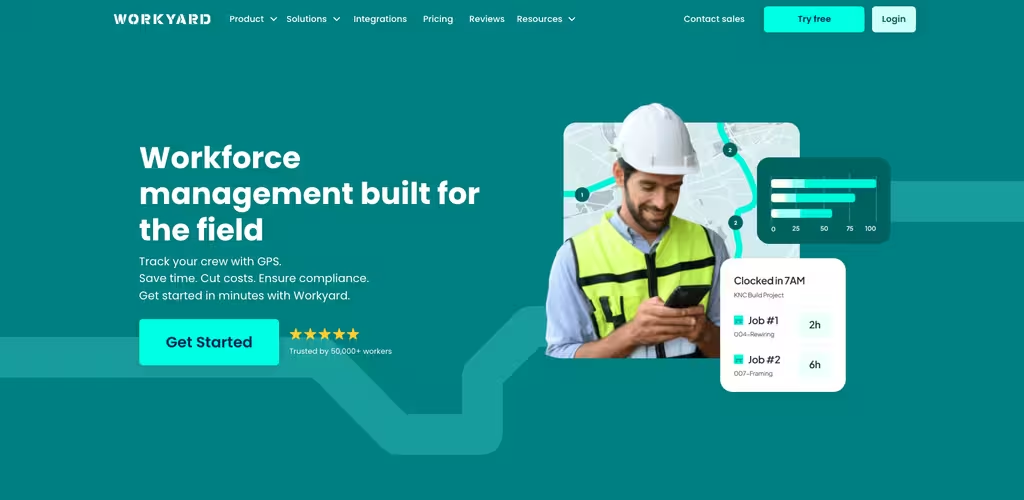
The GPS engine is more aggressive than most, which is the point for contractors fighting time theft and fuzzy timesheets. Pro adds office-to-field scheduling, task management, unlimited geofences, and automatic labor cost reporting. Just know the model: there’s no free plan, and the pricing page prints one starting rate rather than a price per tier, so confirm the Pro rate before you budget.
- Precise GPS time tracking with site-visit breakdowns and an audit trail.
- Payroll integrations with QuickBooks, ADP, Gusto, and more.
- Starter from $6 per user/month billed annually (monthly billing also available); the page prints no separate Pro price. 14-day trial, no free tier.
Building things? Our look at crew management software covers more options tuned to that world. Best for: construction and trades businesses where GPS-accurate job costing is non-negotiable.
Deputy
Deputy is a polished, scheduling-first platform for hourly and shift-based workplaces. It calls itself a “complete people platform for hourly work,” and the scheduling, timekeeping, and compliance features are genuinely strong, especially if labor laws and break rules are a headache in your industry.
As a job tracker, Deputy leans on its GPS-enabled clock-in and shift assignments rather than deep, project-level job costing. That suits restaurants, retail, and healthcare more than a contractor tracking materials per site. Worth flagging: there’s no free plan, only a trial, and a minimum monthly spend applies, so very small teams may feel the floor.
- GPS time clock and shift-based job assignments with strong compliance tooling.
- Plans from $5 (Lite) and $6.50 (Core) to $9 (Pro) per user/month billed annually ($5.50, $7.25 and $10 monthly).
- No free plan; free trial only, with a minimum spend of $30/month on monthly billing.
Best for: hourly workplaces that prioritize bulletproof scheduling and compliance over jobsite-level cost tracking.
Clockify
Clockify rounds out the list as the budget-friendly time tracker that scales into light job tracking. It’s the pick for project-based teams and freelancers who mostly need to log billable hours against clients and tasks, and the free plan is the reason it’s so widely used.
Where it fits the job tracking conversation is timesheets and project tracking: hours by project, billable rates, and clean reports. It’s less of a field tool than the others, though. GPS and screenshots only show up on the Pro tier, so if real-time field visibility is the goal, you’ll outgrow the free job tracking app quickly. As a simple job tracking software for desk-based or hybrid teams, it’s hard to beat on price.
- Free plan for up to 5 users with unlimited time tracking.
- Paid tiers from $3.99 (Basic) to $11.99 (Enterprise) per seat/month on annual billing; GPS tracking and activity monitoring land on Pro.
- Strong project and client reporting, with billable rates baked in.
Best for: freelancers and project teams that want free, simple job and time tracking without field-service extras.
Job tracking vs time tracking: what’s the difference?
People use these terms interchangeably, and that’s how teams end up with the wrong tool. Time tracking answers “how many hours did someone work?” Job tracking answers “what’s the status of this job, who’s on it, and what did it cost?” Time is one input; the job is the whole picture, including assignments, location, progress, and sign-off.
A pure timesheet app is fine if billing hours is all you do. But the moment you care about whether the work order got finished, whether the tech was actually on site, or whether a job ran over budget, you need a job tracking app that connects scheduling with location and reporting. That’s also why “job and time tracking software” is its own search: people want both, in one place. For the field-service angle specifically, our breakdown of field service job tracking shows how real-time status changes the customer experience, well beyond the back office.
Pro tip: Before you buy, run one real job through the trial end to end – assign it, clock in from a phone on site, mark it done, and pull the report. If any step needs a workaround on day one, your crew won’t do it on day thirty.
How to choose the right job tracking app for your business
Match the tool to the messiest part of your week. Used well, any of these doubles as job assignment software, handing the right work to the right person and then tracking it through to sign-off. If schedules and timesheets never line up, an all-in-one like Shifton removes the gap. If you’re a contractor bleeding money on labor, Workyard’s GPS-accurate job costing pays for itself. Running a restaurant or clinic where compliance is the risk? Deputy. Billing clients by the hour from a desk? Clockify. Want one friendly app your deskless team will actually open? Connecteam.
Billing sits at the other end of the same thread: our comparison of invoicing software for contractors lines up six tools on mobile invoices, card fees and what each free plan covers.
Team size matters too. For job tracking software, small business owners should weight the free plans heavily: Shifton (up to 10), Connecteam (up to 10), and Clockify (up to 5) all let you start at zero, while Workyard and Deputy are trial-then-pay. Some shoppers type “job track software,” others want a free job tracking app, and the five here span both ends of that. And don’t sleep on the boring stuff, payroll and accounting integrations save more hours than any flashy dashboard. If most of your work is dispatched out to crews, compare these against dedicated construction crew scheduling tools before you commit.
Compare the best job tracking software at a glance
Five tools, five different sweet spots. Here’s the short version with the free plans and starting prices side by side so you can match a job tracking system to your team in one look.
| Tool | Free plan | Paid from | Best for |
|---|---|---|---|
| Shifton | Yes – up to 10 users | Modular per-employee (trials up to 60 days) | All-in-one job, shift & time tracking |
| Connecteam | Yes – up to 10 users | $29/mo (annual, first 30 users) | Deskless teams wanting one app |
| Workyard | No – 14-day trial | $6/user/mo annual | Construction & GPS job costing |
| Deputy | No – trial only | $5/user/mo | Scheduling & compliance for hourly work |
| Clockify | Yes – up to 5 users | $3.99/user/mo annual | Project & billable-hour tracking |
Frequently asked questions
What is the best job tracking software for small business?
For most small businesses, Shifton is the strongest all-around pick because its free plan covers up to 10 people with scheduling bundled, and time tracking (Attendance, $1 per employee) and location control ($5 per employee, 10-day trial) can be added as paid modules, so you aren’t paying for three tools. Connecteam is a close second if your team is fully deskless, and Clockify wins on price if you only need to track billable hours. The “best” one depends on whether your bottleneck is scheduling, field visibility, or simple timesheets.
Is there a free job tracking app?
Yes. If you’re hunting for free job tracking software, Shifton and Connecteam both offer a free plan for up to 10 users (Shifton’s covers scheduling, with time and location tracking as paid modules), and Clockify’s free plan covers up to 5 users with unlimited time tracking. A truly free plan, job tracking software free of monthly fees rather than a 14-day teaser, is rarer than it looks, so these stand out. Even a job tracking app free for a small crew beats spreadsheets. Workyard and Deputy don’t have free plans, only trials.
How much does job tracking software cost?
It ranges widely. Clockify paid plans start around $3.99 per user/month annually, Deputy from $5, and Workyard from $6 per user/month billed annually. Connecteam’s Operations Hub starts at $29/month (annual) for the first 30 users. Shifton uses modular per-employee pricing, so you pay only for the modules you switch on, with a free tier to start.
What’s the difference between a job tracking app and job tracking software?
Practically, none. “App” usually emphasizes the mobile experience your field crew uses to clock in and update jobs, while “software” or “system” refers to the full platform, including the manager’s web dashboard and reporting. The best job tracking systems give you both: a fast mobile app for the field and a complete back office for scheduling, costing, and payroll.
Can job tracking software handle scheduling too?
The best ones do. Job tracking and scheduling software ties assignments to the schedule, so when you move a shift the job updates with it. Shifton, Connecteam, and Deputy all combine scheduling with tracking, which is why they outperform standalone timesheet tools for teams that juggle who’s working which job.
Start tracking every job today
You don’t need a perfect process to start, you need visibility. Pick the tool that fits your messiest week, run one real job through it, and let the data show you where hours and money were leaking. If you want job tracking and scheduling in one system, Shifton’s free scheduling plan is the fastest way to find out what you’ve been missing, with time and location tracking available as paid modules.



Start making changes today!
Optimize processes, improve team management, and increase efficiency.