

Free Time Clock Apps: 6 Clock In and Out Apps Compared for 2026
A free employee time clock app has one job for a small business: record when hourly staff start and stop, from their own phones, without a monthly bill. What separates the six clock in and out apps below is where the free plan stops: a user cap, GPS clock-in that sits behind a paid tier, or CSV and Excel export that does. That is the whole decision. Owners mostly ask whether those punches can be trusted, which is why location checks and timesheet export get more space here than dashboards. Five of the six have a permanent free plan. When I Work offers a trial instead.
Shifton publishes this guide and ranks itself first, so weigh that. Its free plan covers scheduling for up to 10 employees. The time clock is the paid Attendance module ($1 per employee a month, trial up to 60 days), and GPS clock-in is a paid module too. Jibble advertises unlimited users on a free plan, Clockify stops at 5, Toggl Track at 3, and Homebase is free for one location and up to 10 employees. Best for: Jibble if you have more than 10 people, Homebase for a single shop or restaurant, Shifton if you also build shift schedules for 10 people or fewer.
Free-plan limits checked on each vendor's pricing page on 12 October 2026. Jibble's pricing URL redirects to its home page, so its entry rests on what that page states.
What Changed in This Update (12 October 2026)
Each line below was checked against the vendor's own site on 12 October 2026.
- Clockify: free for up to 5 users, with PDF as the only export. CSV and Excel exports need a paid plan, from $3.99 per seat per month billed annually.
- Homebase: the free Basic plan is 1 location and up to 10 employees. Unlimited employees and location-based clock-in on the mobile time clock start on the paid Essentials plan.
- Toggl Track: its FAQ says free for up to 3 users, and it does not record location.
- Jibble: advertises unlimited users on a free plan. Its site publishes no plan-by-plan split, so the earlier geofence-cap claim has been removed.
- When I Work: no free plan, only a 14-day trial, with paid plans from $2.50 per user per month.
Our Top Picks
Six apps made the list. If you want the short version, these three cover most small teams.
Shifton
Teams that want the clock and the schedule in one place. Scheduling is free with no time limit for up to 10 people; the time clock is the paid Attendance module, $1 per employee a month with a trial of up to 60 days.
Jibble
Teams of more than 10 people: Jibble advertises unlimited users on a free plan and lists GPS tracking and geofencing among its features, with no published plan-by-plan split
Homebase
Single-site retail and food teams of up to 10, where one free location covers the clock and basic scheduling; location-based mobile clock-in starts on the paid Essentials plan
Why trust us?
Shifton is our own product, and we ranked it first. We would rather say that plainly than let you find out halfway down.
The other five we can defend line by line. Every user cap, free tier and price on this page was read from the vendor's own site on 12 October 2026 rather than lifted from someone else's roundup, and where a vendor does not publish a figure the page says so. Five of the six have a permanent free plan. When I Work is the exception, and we label it as a trial.
Employee Time Clock Apps Compared at a Glance
Prices are in US dollars, with the billing basis each vendor shows. Where a cell says not published, the vendor's site did not state it.
| Tool | Free plan and user cap | GPS or location clock-in on the free plan | Paid price from | Best for |
|---|---|---|---|---|
| Shifton | Up to 10 employees for scheduling, no time limit; time clock is paid | No. Paid Work location control module, $5 per employee per month (10-day trial) | $1 per employee per month for everyone once the team passes 10 or any paid module is on | Free scheduling, with the clock as a paid module |
| Clockify | Up to 5 users, PDF export only | No. GPS tracking is on the Pro tier | $3.99 per seat per month billed annually ($4.99 monthly) | Project time tracking for up to 5 people |
| Homebase | 1 location, up to 10 employees | No. Location-based mobile clock-in starts on Essentials | $24 per location per month billed annually ($30 monthly) | Single-site restaurant and retail |
| Jibble | Unlimited users advertised | Not published. Geofencing and GPS tracking are listed as features | Not published | Teams over 10 people, field crews |
| Toggl Track | Up to 3 users, PDF export only | No. Toggl does not record location | $9 per user per month billed annually ($12 monthly) | Freelancers, very small teams |
| When I Work | No free plan, 14-day trial | No free plan | Essentials $2.50, Pro $5, Premium $8 per user per month; billing basis not stated | Small shift-based teams |
What Is a Free Online Time Clock?
A free online time clock is a web or mobile tool that lets employees clock in and clock out digitally, in place of paper timesheets, punch cards, and spreadsheets. Some businesses search for a timeclock app, and the app stores file the whole category under clock in and out apps; the digital version does the same job, only faster and without the hardware on the wall. It logs work hours by itself, adds up the totals, and turns out attendance reports with no manual input.
A wall-bolted punch clock only works in one spot. A free cloud-based time clock runs on any device with an internet connection. Staff clock in from a shared tablet at the job site, a phone in the field, or a desktop time clock in the browser. Managers watch who is in, who is late, and how many hours the team has logged, live. Clock in, clock out and a timesheet view sit in every free plan on this list except Shifton's, where the time clock is the paid Attendance module; paid plans buy depth like payroll integrations, advanced scheduling, location checks and, on some tools, CSV and Excel export.
How We Compared and What to Look For
We compared six free time clock and clock in and out apps on five things: free-tier limits (user caps, location restrictions, feature gating), clock-in reliability on mobile and web, export and reporting, onboarding friction, and whether shift scheduling comes free. Five have a permanent free plan. When I Work is included because it is often listed among free options, and it offers a 14-day trial only.
Free plans are not equal, so run these checks before you pick the best app for time clock duty on your team:
- User limits. A free plan that covers 1-2 users is not useful for a small business. Jibble advertises unlimited users, Shifton (for scheduling) and Homebase cover up to 10, Clockify stops at 5 and Toggl Track at 3.
- Clock-in methods. The best free clock in and out apps let employees punch in via mobile, web browser, or a shared tablet. GPS-based clock-in logs where the shift started; face recognition, which Jibble lists as a feature, can stop buddy punching without extra hardware.
- Break and overtime tracking. Automatic break deductions, rounding rules, and overtime calculations separate a real time card app from a basic timer. Some free tiers handle this automatically; others need a paid upgrade.
- Geofencing and location verification. Geofencing sets a virtual boundary around a job site and flags any clock-in outside it. Jibble lists it as a feature without a plan split; Shifton offers location-based clock-in as a paid module (Work location control, free 10-day trial, then $5 per employee per month).
- Offline support. Field workers in poor-signal areas need a time clock that stores entries locally and syncs when a signal returns.
- Exports and payroll. Check export before you commit: Clockify and Toggl Track export PDF only on free, with CSV and Excel on paid plans. QuickBooks or Gusto integrations usually sit on paid tiers; manual CSV export is enough for small teams.
With those criteria in mind, here are the six best free time clock and clock in app options for a small team.
6 Best Free Time Clock & Clock-In Apps
Shifton
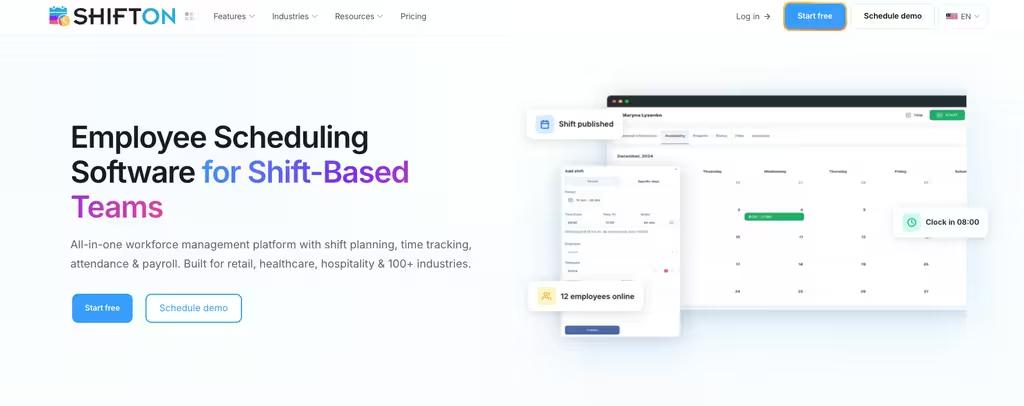
- Free plan: Up to 10 users (scheduling)
- Clock-in: Mobile, web (paid Attendance module)
- GPS / geofence: Paid module
- Scheduling: Yes (drag-and-drop)
- Best for: Free scheduling, with a paid clock when you need it
Shifton is a workforce management platform whose free plan covers up to 10 team members, enough to run most small business operations. Where some competitors cap the free tier at 3 or 5 users, Shifton's free plan is built for a real team. The time tracking feature in Shifton is the paid Attendance module, which costs $1 per employee a month after a trial of up to 60 days, and lets employees clock in and out from the mobile app or a web browser.
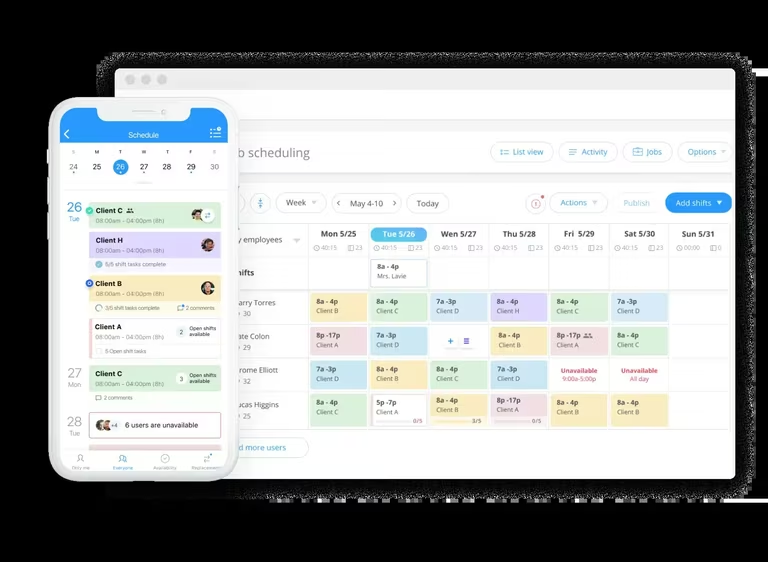
With the Attendance module on, a worker opens the app at the job site, hits clock-in, and the timestamp lands in a shared dashboard the manager checks from her phone. Planned and real hours sit side by side, and overtime control comes with the free plan. For a team of up to 10 the schedule costs $0; turning Attendance on adds $1 per employee a month on top of the $1 base fee.
What lifts Shifton above a plain time clock app is the schedule behind it. The free plan includes shift scheduling and team management, and the paid Attendance module compares planned shifts with real clock-ins. Field teams that need location-based clock-in can add the Work location control module, a free 10-day trial and then $5 per employee per month.
Tracking hours is only half the job. Knowing who is scheduled and who called in sick is the other half, and Shifton puts both in one place without a second piece of software: the schedule is free and the hours side is the paid Attendance module. Payroll data comes from the separate paid Payroll module ($0.50 per employee a month). The mobile app covers iOS and Android, and the interface is plain enough that most people clock in on day one without any training.
Pros:
- Free scheduling for up to 10 employees with no time limit
- Shift scheduling is free; the time clock is a paid add-on (Attendance, $1 per employee a month)
- Mobile apps for iOS and Android, plus web
- Overtime and night-hours control on the free plan
Where it falls short:
- GPS location clock-in is the paid Work location control module, not part of the free plan
- The time clock is the paid Attendance module, and staff clock in from the mobile app or the web only, with no shared terminal
- Once the team passes 10 employees, or any paid module is on, the base plan costs $1 per employee per month for every employee
Best for: small businesses and growing teams that need free shift scheduling now and may add the paid time clock and payroll later.
Plan shifts without paying for software you don't need
Shifton's free plan covers up to 10 team members with shift scheduling and the mobile app. The time clock is the paid Attendance module, priced at $1 per employee a month once the trial of up to 60 days ends.
Clockify
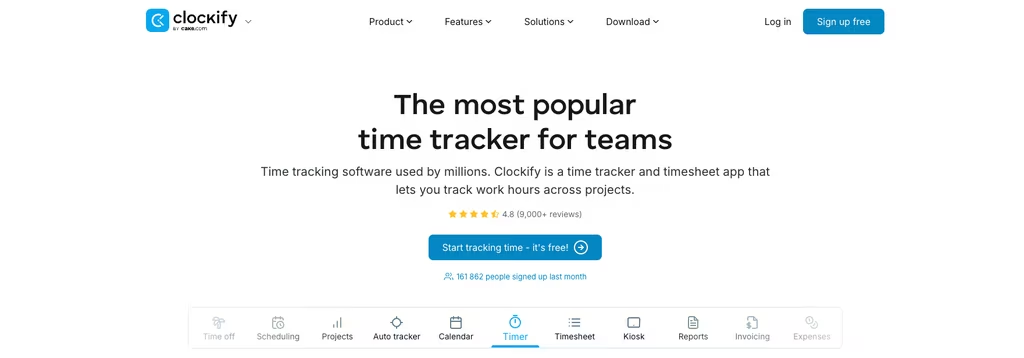
- Free plan: Up to 5 users
- Clock-in: Web, desktop, mobile
- GPS / geofence: Paid (Pro)
- Scheduling: Pro and above
- Best for: Project time tracking for up to 5 people
Clockify is one of the best-known free time tracking apps. Its free plan covers up to 5 users. Employees clock in from a browser, a desktop app, or their phone, and every entry lands in one shared workspace the manager can review. As a time card app it handles manual entry, a live timer, and a calendar view. Reports can be filtered by employee, project, or date range, though the free plan limits the report range to one month.
Export is where the free plan stops first. It exports PDF only; CSV and Excel exports need a paid plan, starting at Basic with $3.99 per seat per month billed annually ($4.99 billed monthly). Shift scheduling starts on the Pro tier, so a free account tracks hours without planning them. GPS tracking sits on Pro too. For a pure web-based time clock it is hard to beat at zero cost inside the 5-user cap.
Pros:
- Free for up to 5 users
- One-click timer or manual time entry, with weekly timesheet and calendar views
- Project and task-level time tracking for job costing
- Reports filterable by employee, project, or date range
Where it falls short:
- The free plan exports PDF only; CSV and Excel exports start at $3.99 per seat per month billed annually
- GPS tracking is on the Pro tier, and shift scheduling starts there too
- Kiosk, breaks, time off and approvals sit above the free plan, and free reports cover up to one month
Best for: teams of up to 5 that track hours by project and do not need shifts, GPS or CSV export.
Homebase
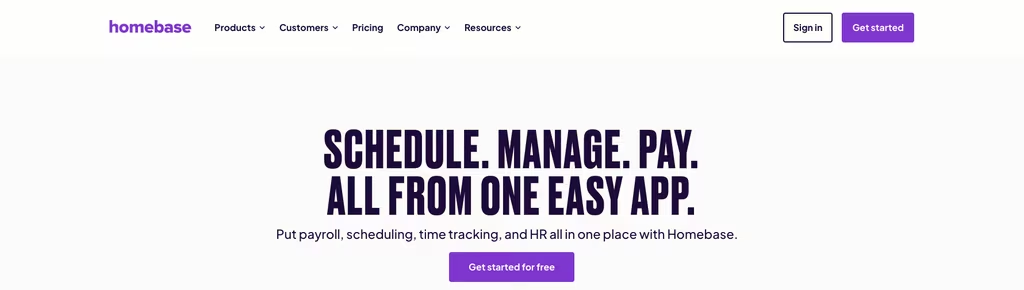
- Free plan: 1 location, up to 10 employees
- Clock-in: Mobile, web, shared tablet
- GPS / geofence: No (starts at Essentials)
- Scheduling: Basic
- Best for: Single-site restaurant & retail
Homebase aims squarely at hourly workers in retail and food service. Its free Basic plan covers one location and up to 10 employees, a strong deal for a single-site small business. The clock in app runs on phones and shared devices such as a tablet. Unlimited employees is a paid feature: Essentials costs $24 per location per month billed annually ($30 monthly), and the price is per location, not per user.
Basic scheduling and basic time tracking come with the free tier, which puts Homebase ahead of the many free time clock apps that only log hours. The catch is verification. Location-based clock-in on the mobile time clock, clock-in photos, overtime and break preferences and payroll integrations all start at Essentials, so the free plan cannot check where a punch happened. Open a second store or hire an eleventh person and you are into paid territory.
Pros:
- Free for 1 location and up to 10 employees
- Basic scheduling and basic time tracking on the same plan
- Paid plans are priced per location, with unlimited employees from Essentials
- 14-day trial of the top plan, then it drops back to the free Basic plan
Where it falls short:
- No location-based clock-in on the free plan; it starts at Essentials
- Clock-in photos, payroll integrations, and overtime and break preferences start at Essentials too
- Basic keeps 90 days of timesheet storage, against 4+ years on Essentials and up
- Support on Basic is AI chat and the Help Center only
Best for: single-location restaurants, cafes and retail shops with up to 10 hourly staff.
Jibble
- Free plan: Unlimited users (advertised)
- Clock-in: Mobile, kiosk, face recognition (listed)
- GPS / geofence: Advertised as free on its GPS page; no plan-by-plan split published
- Scheduling: Work schedules listed
- Best for: Teams over 10 and field crews
Jibble is built around clock-in verification. Its site describes the free plan as free forever with unlimited users, and lists geofencing, GPS tracking, face recognition, selfie capture and kiosk mode among its features. For field teams and spread-out workforces, that combination is the reason to look at it. Geofencing is described as restricting clock-ins to approved locations.
What Jibble does not publish is a plan-by-plan split. On 12 October 2026 its pricing URL redirected to the home page, no paid price was shown, and no cap on geofences was stated. Treat each feature as something to confirm in a free account before you count on it, especially GPS tracking and geofencing. For a team of more than 10 people, the unlimited-users claim is the reason to run that test.
Pros:
- Unlimited users advertised on the free plan
- GPS tracking and geofencing listed as features
- Face recognition, selfie capture and kiosk mode listed for checking who is punching in
- Time off, approvals, work schedules and XLS or CSV exports listed
Where it falls short:
- No plan-by-plan feature split is published, so what the free plan includes is not confirmed
- No paid plan or price is shown on the pages reachable on 12 October 2026
- The pricing URL redirects to the home page
Best for: teams of more than 10 people, and field crews that want to test GPS and face-recognition clock-in in a free account.
Toggl Track
- Free plan: Up to 3 users
- Clock-in: Web, desktop, mobile
- GPS / geofence: No
- Scheduling: No
- Best for: Freelancers & very small teams
Toggl Track is known for clean, distraction-free design. Its FAQ says the free plan is for up to 3 users, which keeps it to very small teams, but inside that limit it is one of the nicest time tracking apps going. The one-click timer is the whole idea: click start, tag a project, click stop. It works as a web-based time clock and has iOS and Android apps. Toggl does not record location, so there is no GPS clock-in on any plan, and the free plan has no shift scheduling.
Paid plans start at Starter, $9 per user per month billed annually ($12 billed monthly). Billable rates and team reports start there, and the free plan exports PDF while CSV and XLSX exports need a paid plan. For a small freelance team tracking its own hours, it is a polished choice.
Pros:
- Free for up to 3 users
- Manual and real-time timers
- Simple planning (tasks, boards, estimates) and calendar integrations
- Personal-level reports, with PDF export
Where it falls short:
- Capped at 3 users, the lowest cap of the free plans here
- No location tracking and no shift scheduling
- CSV and XLSX exports, billable rates and team reports need Starter, from $9 per user per month billed annually
Best for: freelancers and very small teams that value simplicity and clean design over feature breadth.
When I Work
- Free plan: None (14-day trial)
- Clock-in: Mobile, web
- GPS / geofence: Listed, no plan split
- Scheduling: Yes
- Best for: Small shift-based teams
When I Work pairs shift scheduling with a built-in clock in and out app, aimed at businesses that manage hourly shift workers. It has no free plan: you get a 14-day trial, then paid plans from $2.50 per user per month (Essentials), with Pro at $5 and Premium at $8. The pricing page does not say whether those prices assume annual or monthly billing, and its FAQ says every plan includes time and attendance software. Employees clock in via the mobile app, and managers see attendance in a simple dashboard.
Scheduling is the stronger half of When I Work. The trial is enough to test whether the scheduling suits you, but plan on paying for it.
Pros:
- 14-day trial to test before paying
- Time clock and shift scheduling in one app
- Mobile clock-in for iOS and Android, with an attendance dashboard for managers
- Shift swap and availability requests
Where it falls short:
- No free plan, so every user costs money after the trial
- The pricing page does not state the billing basis for the $2.50, $5 and $8 prices
- Its FAQ lists GPS clock-in, but the page ties it to no plan
Best for: small shift-based teams that are happy to pay for scheduling and a clock in app in one tool.
Free Time Clock Apps by Industry
What a restaurant needs from a free time clock system and what a construction crew needs are rarely the same thing. User caps, clock-in method, offline support: the weight on each one shifts with where and how your team actually works.
Restaurants and food service
Restaurants run on high turnover, shift lengths that swing wildly, and a crowd of people clocking in at one spot when service starts. Speed at the door matters most. That makes a shared-tablet time clock the practical answer: everyone punches in from one device at the host stand or back of house. Homebase was built for exactly this. Its free plan covers one location and up to 10 employees and throws in basic scheduling, while clock-in photos start on its paid Essentials plan. For restaurant groups spread across several locations, Homebase prices per location and Shifton prices per employee, so run both numbers.
Retail
Retail tends to run predictable shift patterns with a small crew of hourly workers. Simple is fine. Any of the six tools here cover basic retail time tracking. A single-location store with up to 10 staff gets what it needs from Homebase's free account. Once you are staffing two or more locations, that free plan stops at one, so compare Homebase's per-location paid plans with Shifton, which charges per employee and keeps scheduling and time tracking together.
Construction and field crews
Construction crews need a mobile time clock that holds up on the job site, dead zones and all. Offline clock-in matters here more than in any other industry on this list: the entry saves to the phone and syncs once a signal comes back. GPS tracking and geofencing pull their weight too, confirming a worker is actually on-site at punch-in, which trims time theft and the timesheet arguments that surface on payday. Crews that bill by project or client get job costing from Clockify's project-level tracking. Jibble lists GPS tracking and geofencing among its features, so test it in a free account first. Shifton gives you scheduling free, with clock-in (Attendance) and location-based clock-in available as paid modules.
Cleaning and janitorial services
Cleaning companies tend to scatter crews across several client sites in one day. A mobile time clock with GPS tracking lets each cleaner clock in on arrival at every address, no paper logs, no calls back to the office. Distance is the problem here. Geofencing adds the accountability layer: the manager sees that the punch happened at the client site, not at someone's kitchen table or on the drive over. Jibble lists geofencing as a feature, and Shifton's location-based clock-in does the same job as a paid module (free 10-day trial).
Healthcare and home care
Home care agencies and small clinics juggle rotating staff, compliance rules, and shift patterns that reshuffle every week. Records matter. A digital time card logs every clock-in and clock-out into an auditable record on its own, which is more than paper timesheets or a shared spreadsheet can reliably manage. Shifton's free plan covers up to 10 employees with scheduling, enough for most small home care operations, and time tracking is the paid Attendance module. Payroll prep sits in the paid Payroll module ($0.50 per employee a month). The rotating side is easier to plan in one of the best employee roster apps.
Remote teams and small offices
Remote teams, nonprofits, and small offices often run lean: a mixed full-time and part-time crew, sometimes with grant or client work that needs project-level tracking. Free clock in and out apps like Clockify (up to 5 users, project labels), Toggl Track (up to 3 users, clean design) and Jibble (unlimited users advertised) cover this well. Shifton fits if you also need shift scheduling for hourly admin staff alongside salaried roles; the time clock is the paid Attendance module, and remote workers use the mobile app or the web.
Break Tracking and Overtime in Free Time Clock Apps
Breaks and overtime are where a lot of free time clock tools quietly run out of road. Clock-in and clock-out work on every no-cost plan; break tracking and overtime rules often do not.
Break tracking comes in two flavors. Automatic deductions shave a set amount off the total (say 30 minutes unpaid on any shift past six hours) and the employee does nothing. Punch-based breaks ask the worker to clock out when the break starts and back in when it ends, which is more accurate but adds a step to every shift. On a free plan, overtime usually means the system shows you the data and stops there: it flags who passed 8 hours in a day or 40 in a week, but the pay-rate math lands in payroll.
Shifton's free plan includes overtime and night-hours control. The other free tiers hold this back: Clockify lists breaks and attendance and overtime above its Free plan, and Homebase starts overtime and break preferences at Essentials. One caveat for anyone under strict break law, like California's mandatory meal-break rules: confirm the free tier handles your exact configuration before you commit.
Geofencing, GPS and Buddy Punching
GPS tracking records where an employee is when they clock in. Geofencing goes further: it draws a virtual boundary around the job site and blocks or flags any punch made outside it. For cleaning crews, delivery drivers, construction teams and service techs, that turns a time clock app into a proof-of-presence tool. On the vendors' own pages, only Jibble describes GPS clock-in as part of a free plan, and its pages are not consistent about it. Shifton sells it as the paid Work location control module ($5 per employee per month, free 10-day trial). Clockify puts GPS tracking on its Pro tier, Homebase starts location-based mobile clock-in at Essentials, and Toggl Track does not record location at all. Jibble is the one to test: it advertises unlimited users on a free plan, and its GPS page calls its GPS tracking 100% free for unlimited users and describes geofencing, while the free-feature list in its home page FAQ leaves GPS out. When I Work has no free plan.
Buddy punching, one employee clocking in for a coworker who has not arrived, is a common form of time theft in shift-based businesses. A clock in and out app with the right verification shuts most of it down. Clock-in photos (Homebase, from its paid Essentials plan) leave a picture for a manager to review. Face recognition and selfie capture (both listed by Jibble) tie a punch to a face. GPS geofencing (Shifton's Work location control module, and geofencing in Jibble's feature list) confirms the phone is inside the job site boundary. PIN codes are the weakest layer, since codes get shared, but they beat nothing. A PIN or login should map to exactly one person, which is why a clean scheme for employee ID numbers is worth settling before you roll out any clock.
A shared tablet covers teams that all start in one place, such as restaurants, retail floors, warehouses and clinics, so nobody has to load employer software onto a personal phone. If GPS is the main thing you need, our roundup of the best GPS time clock apps compares dedicated options side by side, and our Homebase vs Jibble comparison weighs two of the tools above head to head.
Free Time Clock App vs Paid Time Clock Software: What You Trade
A free time clock app covers the core workflow: clock in, clock out, timesheet export, basic reporting. Paid software adds payroll integrations with QuickBooks or Gusto, state-by-state overtime rules, automatic clock-out at shift end, deeper compliance reports, and multi-location dashboards with role-based access.
A 4-person retail shop or a 10-person cleaning crew gets everything it needs from the free version. The breakpoint arrives when the cost of manual payroll reconciliation begins to exceed the price of automated integration. The two things you trade by staying free are direct payroll integration (free plans usually need a CSV export and a manual import) and multi-location depth (Homebase caps free at 1 location and 10 employees; several skip multi-site entirely). What you keep on free is most of the value: accurate hours, attendance visibility, mobile clock-in, exportable timesheets, and a compliance audit trail. Don't pay until a specific limit actually bites you. Remember, most U.S. states and the Fair Labor Standards Act require accurate work-hour records, and a digital time card builds that auditable trail on its own, though none of these tools give legal advice, so check your state's break and record-keeping rules before you deploy.
This might interest you:Time tracking apps for contractors and field crews - how construction and field service teams track hours without paperwork
If you also need scheduling and payroll on the same platform
A free time clock app covers attendance, but most operations also need shift scheduling and payroll preparation. Teams that also juggle daily assignments often pair it with free task management software. When a single-platform solution becomes the goal, Rippling tends to show up on the shortlist alongside lighter WFM tools. The top 5 Rippling alternatives guide walks through Shifton, Connecteam, Homebase, Jibble, and When I Work compared on full-scope features for shift-based and hourly teams. For a wider ranking that also covers paid tools, see the best employee time tracking apps.
FAQ
What is the best free time clock app for small business?
For free hour tracking, Jibble advertises unlimited users on a free plan, though its site does not publish what that plan includes, and Homebase is free for one location and up to 10 employees. Shifton is the pick when you mainly need schedules: scheduling is free for up to 10 employees, while the time clock is the paid Attendance module ($1 per employee a month, trial up to 60 days).
What is the best free clock in and out app for small business?
Homebase suits a single-location restaurant or shop with up to 10 staff, and Jibble is the one to test when you have more than 10 people or want to try GPS and face-recognition clock-in. Shifton comes second, for a small team that also needs shift schedules: the schedule is free, but clock in and out is the paid Attendance module at $1 per employee a month. Staff punch in from the mobile app or the web, and managers compare planned and real hours.
Can I use a free online time clock for remote employees?
Yes. Most free time clock apps work from any browser or mobile device, so remote workers clock in and out from anywhere, and an employee clock in app on a phone needs no office hardware. Clockify and Toggl Track work from a browser or phone on their free tiers, Jibble advertises a free plan with unlimited users, and Shifton's clock-in works the same way but is the paid Attendance module. The main limitation is that location checks usually sit on paid plans.
What features should I look for in a free time clock app?
At minimum: clock-in and clock-out for all employees, automatic timesheet generation, and data export for payroll. Check which export formats the free plan allows, because Clockify and Toggl Track export PDF only on free. Beyond the basics, look for mobile support (iOS and Android), overtime detection, and a user limit you can live with. Shift-based teams get more from a free account that bundles scheduling with the time clock, like Homebase (or Shifton with its paid Attendance module), since it removes the need for a separate scheduling tool.
How many employees can use a free employee time clock app?
Depends on the tool. Jibble advertises unlimited users on a free plan. Shifton's no-cost plan covers up to 10 team members for scheduling (the time clock is paid), and Homebase's free Basic plan covers up to 10 employees at one location; unlimited employees on Homebase starts at the paid Essentials plan. Clockify is free for up to 5 users and Toggl Track for up to 3. When I Work has no free plan, only a 14-day trial.
What is the difference between a time clock app and a time tracking app?
A time clock app is built around clock-in and clock-out; it records when an employee starts and ends a shift. A time tracking app is broader, logging hours by project, client, or task, and it is mostly freelancers and professional service teams using it to bill clients. Most tools here do both, but each leans one way by design. Shifton (with its paid Attendance module), Homebase, and When I Work are time clock tools. Clockify and Toggl Track are built around tracking time by project.
What is geofencing in a time clock app?
Geofencing draws a virtual boundary around a job site or work location. When an employee clocks in, the app checks their GPS against that boundary. Outside the geofence, the punch is blocked or flagged for review. For field teams and construction crews, it confirms workers are actually on-site at punch-in, which trims time theft and settles timesheet arguments about whether someone was where they said. Jibble's GPS page describes geofencing and calls its GPS tracking 100% free, while the free-feature list in its home page FAQ omits GPS; Shifton supports location-based clock-in through its paid Work location control module.
How do free time clock apps track breaks?
Most free time clock apps use one of two methods. Automatic deductions take a fixed break off the total when conditions are met, say 30 minutes unpaid for any shift past six hours. Punch-based breaks have the employee clock out when the break starts and back in at the end, recording the exact length. The automatic way is easier to manage day-to-day; the punch-based way produces more accurate records. Which one you get on a free plan depends on the tool (Clockify and Homebase both place break settings above their free tiers), and some states set specific break record-keeping rules, so check your local labor laws first.
Can a free time clock app work offline?
Some do. Apps with offline clock-in save the entry on the phone and sync it to the server once a connection returns. Construction crews, field workers, and anyone in low-signal spots lean on this. Not every free tier includes reliable offline support, so check the documentation before you count on it in the field.
Is there a free time clock app that does GPS clock-in for free?
Only Jibble claims it. Shifton sells location-based clock-in as the paid Work location control module ($5 per employee per month, with a free 10-day trial). Clockify puts GPS tracking on its Pro tier, Homebase starts location-based mobile clock-in on its paid Essentials plan, and Toggl Track does not record location. Jibble's own GPS page calls its GPS tracking 100% free for unlimited users and describes geofencing and face recognition, while the free-feature list in its home page FAQ leaves GPS out, so test it in a free account before you rely on it. A GPS time clock is worth having when field workers, cleaning crews, or service techs need verified location on every punch.
What is buddy punching, and how do time clock apps prevent it?
Buddy punching is when one employee clocks in for a coworker who has not arrived yet, or is not coming in at all. It is a common form of time theft in shift-based businesses. Time clock apps fight it several ways: clock-in photos (Homebase, from its paid Essentials plan), face recognition and selfie capture (both listed by Jibble), GPS geofencing (Shifton's Work location control module, and geofencing in Jibble's feature list), and PIN codes. Check which of these your plan actually includes before you rely on it.
Is there a free timesheet app that handles payroll exports?
It depends on the format. Shifton keeps pay data in its paid Payroll module ($0.50 per employee a month), which totals hours, rates and gross salary per period. Clockify and Toggl Track export PDF only on their free tiers; CSV and Excel need a paid plan (Clockify from $3.99 per seat per month billed annually, Toggl Track from $9 per user per month billed annually). Jibble lists XLS and CSV exports among its features without saying which plan holds them, and When I Work has no free plan at all. Direct payroll links usually sit behind a paid wall too: Homebase starts payroll integrations at Essentials. A CSV from a free timesheet app imports into most payroll software in one step, so for a small team the manual export is quick enough.

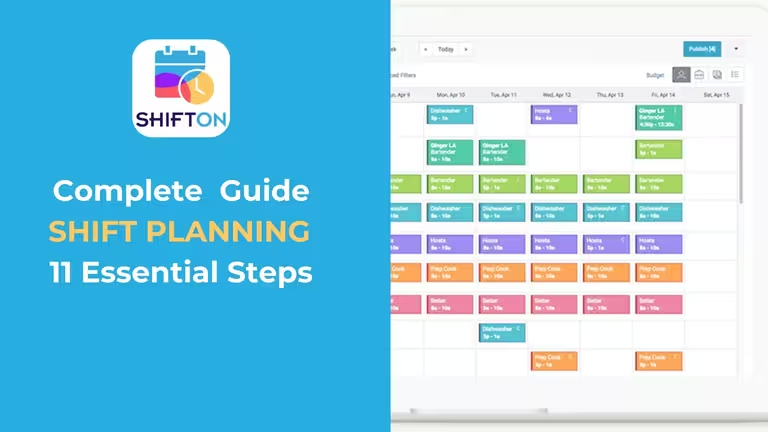
Start making changes today!
Optimize processes, improve team management, and increase efficiency.